2012 JEEP PATRIOT phone
[x] Cancel search: phonePage 80 of 108

4. Connect the opposite end of the negative(-)jumper cable to a good
engine ground (exposed metal part of the discharged vehicle’s engine)
away from the battery and the fuel injection system.
5. Start the engine in the vehicle that has the booster battery, let the
engine idle a few minutes, and then start the engine in the vehicle with
the discharged battery.
Once the engine is started, remove the jumper cables in the reverse
sequence:
6. Disconnect the negative(-)jumper cable from the engine ground of the
vehicle with the discharged battery.
7. Disconnect the negative end(-)of the jumper cable from the negative
(-)post of the booster battery.
8. Disconnect the opposite end of the positive(+)jumper cable from the
positive(+)post of the booster battery.
9. Disconnect the positive(+)end of the jumper cable from the positive
(+)post of the discharged vehicle.
10. Reinstall the air intake duct.
NOTE:If frequent jump-starting is required to start your vehicle you should
have the battery and charging system inspected at your authorized dealer.
CAUTION!
• Accessories that can be plugged into the vehicle power outlets
draw power from the vehicle’s battery, even when not in use (i.e.,
cellular phones, etc.). Eventually, if plugged in long enough, the
vehicle’s battery will discharge sufficiently to degrade battery life
and/or prevent the engine from starting.
• Do not use a portable battery booster pack or any other booster
source with a system voltage greater than 12 Volts or damage to the
battery, starter motor, alternator or electrical system may occur.
• Failure to follow these procedures could result in damage to the
charging system of the booster vehicle or the discharged vehicle.
WARNING!
• Do not attempt jump-starting if the battery is frozen. It could
rupture or explode and cause personal injury.
• Take care to avoid the radiator cooling fan whenever the hood is
raised. It can start anytime the ignition switch is on. You can be
injured by moving fan blades.
• Remove any metal jewelry such as watch bands or bracelets that
might make an inadvertent electrical contact. You could be seriously
injured.
(Continued)
WHAT TO DO IN EMERGENCIES
78
Page 93 of 108

FUSES
Integrated Power Module (fuses)
• The Integrated Power Module (fuses) is located in the engine
compartment near the air cleaner assembly. This center contains
cartridge fuses and mini-fuses.
CavityCartridge
FuseMini-Fuse Description
1 Empty Empty
2 15 Amp Lt
BlueAWD/4WD ECU Feed
3 10 Amp Red CHMSL Brake Switch Feed
4 10 Amp Red Ignition Switch Feed/OCM
5 20 Amp
YellowTrailer Tow
6 10 Amp Red IOD Sw/Pwr Mir/Steering Cntrl
Sdar/Hands-Free Phone
7 30 Amp
GreenIOD Sense1
8 30 Amp
GreenIOD Sense2
9 40 Amp
GreenPower Seats
10 20 Amp
YellowCCN Power Locks/Interior
Lighting
11 15 Amp Lt
BluePower Outlet
12 20 Amp
YellowIgn Run/Acc Inverter
13 20 Amp
YellowPwr Run/Acc Outlet RR/Dome
Lamp/Cigar Lighter
14 10 Amp Red IOD CCN
MAINTAINING YOUR VEHICLE
91
Page 97 of 108

CHRYSLER GROUP LLC CUSTOMER CENTER
P.O. Box 21–8004
Auburn Hills, MI 48321–8004
Phone: 1–877–426–5337
CHRYSLER CANADA INC. CUSTOMER CENTER
P.O. Box 1621
Windsor, Ontario N9A 4H6
Phone: 1–800–465–2001 (English)
Phone: 1–800–387–9983 (French)
ASSISTANCE FOR THE HEARING IMPAIRED
• To assist customers who have hearing difficulties, the manufacturer has
installed special TDD (Telecommunication Devices for the Deaf)
equipment at its customer center. Any hearing or speech impaired
customer, who has access to a TDD or a conventional teletypewriter
(TTY) in the United States, can communicate with the manufacturer by
dialing 1–800–380–CHRY. Canadian residents with hearing difficulties
that require assistance can use the special needs relay service offered by
Bell Canada. For TTY teletypewriter users, dial 711 and for Voice callers,
dial 1–800–855–0511 to connect with a Bell Relay Service operator.
WARNING!
Engine exhaust, some of its constituents, and certain vehicle
components contain, or emit, chemicals known to the State of
California to cause cancer and birth defects, or other reproductive
harm. In addition, certain fluids contained in vehicles and certain
products of component wear contain, or emit, chemicals known to the
State of California to cause cancer and birth defects, or other
reproductive harm.
PUBLICATIONS ORDERING
•If you are the first registered retail owner of your vehicle,you may
obtain one free printed copy of the Owner's Manual, Warranty Booklet or
Radio Manuals on your DVD by calling 1–877–426–5337 (U.S.) or
1–800–387–1143 (Canada) or by contacting your dealer.
• Replacement User Guide kits or DVDs or, if you prefer, additional printed
copies of the Owner's Manual, Warranty Booklet or Radio Manuals may
be purchased by visiting www.techauthority.com or by calling
1–800–890–4038 (U.S.) or 1–800–387–1143 (Canada). Visa, Master Card,
American Express and Discover orders are accepted. If you prefer
mailing your order, please call the above numbers for an order form.
CONSUMER ASSISTANCE
95
Page 99 of 108

AUTHENTIC ACCESSORIES BY MOPAR®
• The following highlights just some of the many Authentic Jeep
Accessories by Mopar featuring a fit, finish, and functionality specifically
for your Jeep Patriot.
• In choosing Authentic Accessories you gain far more than expressive
style, premium protection, or extreme entertainment, you also benefit
from enhancing your vehicle with accessories that have been thoroughly
tested and factory-approved.
• For the full line of Authentic Jeep Accessories by Mopar, visit your local
Jeep dealership or online at mopar.com.
EXTERIOR:
• Front & Rear Tow
Hooks• Sunroof Air Deflector • Front Air Deflector
• Hitch Receiver • Front & Rear Air
Deflectors• Molded Splash Guards
• Fog Lights • Vehicle Cover • Off Road Lights
• Tent Kit
INTERIOR:
• Premium Carpet
Floor Mats• Door Sill Guards • Bright Pedal Kit
• Slush Mats • Ambient Light Kit • Heated Seats
• Katzkin Leather
Interiors• Dog Bed Cargo Area
Mat• Vertical Convenience
Net
• Water Resistant Seat
Covers• Shift Knob • Floor Convenience Net
& Envelope Net
• Roadside Safety Kit
ELECTRONICS:
• Portable Navigation
Systems• Uconnect™ Web
(WiFi)• DVD Rear Seat Video
• iPod® Adapter •
Media Center Upgrades• Remote Start
• Kicker® Sound System • Uconnect™ Phone •
Electronic Vehicle
Tracking System (EVTS)
• Ecometer
CARRIERS:
• Hitch-mount Bike
Carrier• Roof Mount Bike
Carrier• Roof Box Cargo
Carrier
• Roof Mount Ski and
Snowboard Carrier• Roof Mount Water
Sports Carrier• Roof Mount Canoe
Carrier
• Roof Top Cargo
Carrier• Sport Utility Bars
• iPod® is a registered trademark of Apple, Inc.
• Kicker® is a registered trademark of Stillwater Designs and Audio, Inc.
MOPAR ACCESSORIES
97
Page 101 of 108

Jack Location.............71
Jack Operation..........71,72
Jacking Instructions . . .......72
Jump Starting............76
KeyFob .................8
Key Fob Programmable
Features ................56
Lane Change Assist . . . . . . . . . 18
LATCH (Lower Anchors and Tether
forCHildren) ..............11
Lights
Headlights..............18
Park ..................18
Turn Signal.............18
Warning (Instrument Cluster
Description) .............6
Maintenance Record........90
Maintenance Schedule.......88
Media Center Radio . . . . . 28,30,32
Mirrors
Heated ..............22,23
MOPAR®Accessories ........97
Navigation ...............41
New Vehicle Break-In Period . . . 17
Oil Change Indicator . . . .....70
Oil, Engine
Capacity...............86
Outlet
Power.................61
Overheating, Engine . . . . . . . . 70
PanicAlarm ...............8
Phone (Pairing)...........50
Phone (Uconnect)..........49
Placard, Tire and Loading
Information ..............93
Power
Glass Sunroof...........24
Inverter ...............60
Outlet (Auxiliary Electrical
Outlet) ................61
Seats .................13Steering ...............86
Preparation for Jacking......72
Programmable Electronic
Features ................56
Radio Operation . . . . . ......35
Rain Sensitive Wiper System . . . 19
Rear Seat, Folding . . . . . . . . . . 14
Recreational Towing ........65
Remote Starting System ......8
Replacement Bulbs . . . . .....94
Reporting Safety Defects . . . . . 96
Restraints,Child ............11
RollOverWarning ..........3
SeatBelts ................9
Seats ..................13
Adjustment . . . . .........13
Folding Front Passenger . . . . 14
Heated ................15
Power .................13
RearFolding ............14
Seek Button . . . . . . . . 29,31,33,34
Setting the Clock . . . . 28,30,33,35
Shift Lever Override . . . . . . . . 79
Short Message Service (SMS) . . 54
Signals,Turn ..............18
SIRIUS Travel Link . . . . . . . . . . 46
Spare Tire . . . . . . . . .......71
Spark Plugs . . . . . . . . . .....86
Speed Control (Cruise
Control) ................20
Starting
Remote . . . . . . . . . . . . . . . . 8
Steering
TiltColumn .............16
Steering Wheel Audio Controls . 48
Store Radio Presets .....29,31,33
SunRoof ................24
Supplemental Restraint System -
Airbag .................10
Temperature Gauge, Engine
Coolant ................70
TextMessaging............54
Theft Alarm (Security Alarm) . . . 9
TheftSystemArming.........9
TheftSystemDisarming .......9
INDEX
99
Page 102 of 108

TiltSteeringColumn.........16
Tires
AirPressure ............93
Changing..............71
Jacking................71
PressureWarningLight .....66
Spare Tire..............71
Towing .................64
24-Hour Towing Assistance . . 66
DisabledVehicle .........80
Recreational............65
Trailer Towing
Trailer and Tongue Weight . . . 64
TrailerWeight ............64
Transmission
Fluid .................86
Turn Signals..............18Uconnect™ Phone . .........49
Uconnect™ Voice Command . . . 53
Voice Commands . . . . . . . . . . 53
Warning, Roll Over . . . . . . . . . . 3
Washer
Rear ..................19
Washers, Windshield . . ......19
Wheel and Wheel Trim Care . . . 94
WindBuffeting ............25
Windshield Washers . . . . . . . . . 19
Windshield Wipers . . . . . . . . . . 19
Wiper,Rear ..............19
INDEX
100
Page 103 of 108

FREQUENTLY ASKED QUESTIONS
GETTING STARTED
• How do I install my LATCH Equipped Child Seat? pg. 11
• How do my heated seats operate? pg. 15
ELECTRONICS
• Which radio is in my vehicle? pg. 28, 30, 32, 35
• How do I activate the Audio Jack? pg. 29, 32, 34, 38
• How do I set the clock on my radio? pg. 28, 30, 33, 35
• How do I use the Navigation feature? pg. 41
• How do I pair my cell phone via Bluetooth® with the UConnect™
Hands-Free Voice Activation System? pg. 49
• How do I configure my Universal Garage Door Opener (HomeLink)?
pg. 57
UTILITY
• How do I know how much I can tow with my Jeep Patriot? pg. 64
WHAT TO DO IN EMERGENCIES
• What do I do if my TPMS warning light is blinking? pg. 66
• How do I change a flat tire? pg. 71
• How do I Jump-Start my vehicle? pg. 76
MAINTAINING YOUR VEHICLE
• Where is my Fuse Block located? pg. 91
• What type of oil do I use? pg. 86
• How often should I change my engine’s oil? pg. 88
• What should my tire pressure be set at? pg. 93
FAQ (How To?)
101
Page 107 of 108
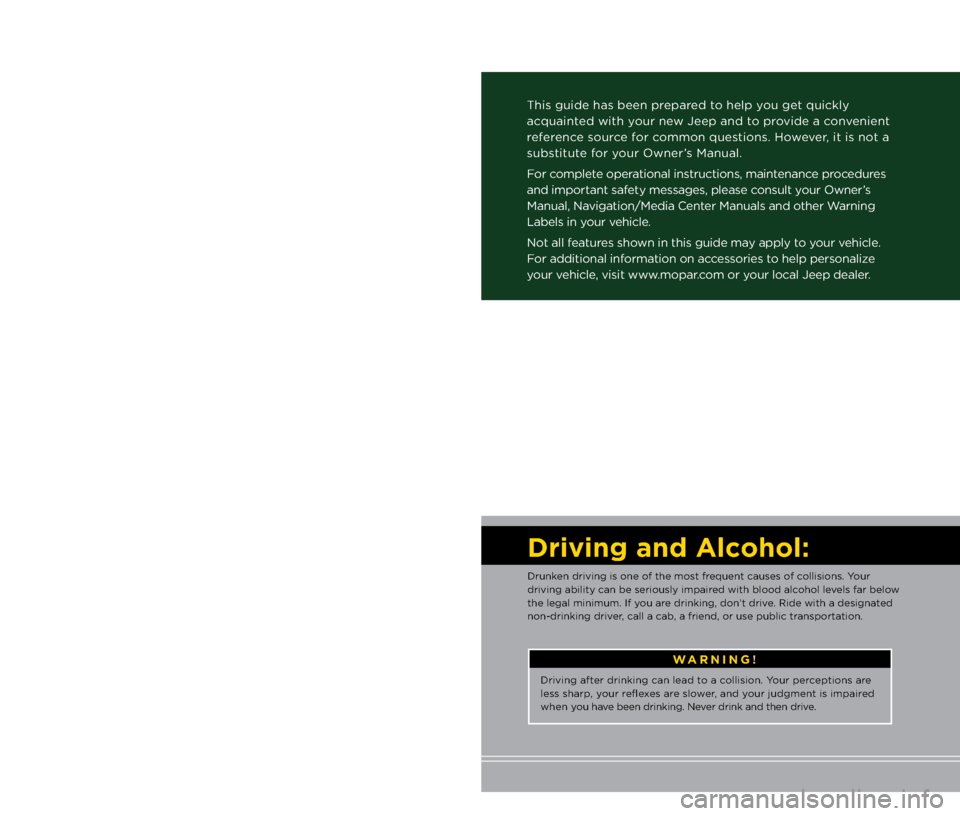
Important:
This User Guide is \aintended to fami\fiarize you with the importan\at features
of your vehic\fe. The DVD enc\fosed contains your Owner’s Manua\f,
Navigation/Media Center Manua\fs, Warranty Boo\b\fets, Tire Warranty
and 24-Hour Towing Assistance (new vehic\fes purchased in the U.S.) or
Roadside Assistance (new vehic\fes purchased in Canada) in\a e\fectronic
format. We hope you find it usefu\f. R\aep\facement DVD \bits may be
purchased by visiting www.techauthority.com. Jeep
® is a registered
trademar\b of Chrys\fer Group LLC. Copyright 2012 Chrys\fer Group LLC.
If you are the first registered retail owner of your
\fehicle, you may o\btain a complimentary printed
copy of the Owner’s Manual, Na\figation/Media
Center Manuals or Warranty Booklet \by calling
1-877-426-5337 (U.S.) or 1-800-387-1143 (Canada)
or \by contacting your dealer.
The driver’s primary responsibi\fity
is the safe operation of the
vehic\fe. Driving whi\fe dis\atracted
can resu\ft in \foss of vehic\fe
contro\f, resu\fting in a co\f\fision and
persona\f injury. Chrys\fer Group
LLC strong\fy recommends that
the driver use extreme caution
when using any device or feature
that may ta\be their attention off
the road. Use of any e\fectrica\f
devices such as ce\f\f phones,
computers, portab\fe radios,
vehic\fe navigation or other
devices by the driver whi\fe the vehic\fe is moving is dangerous
and cou\fd \fead to a serious
co\f\fision. Texting whi\fe driving\a is
a\fso dangerous and shou\fd never
be done whi\fe the v\aehic\fe is
moving. If you find yourse\ff
unab\fe to devote your fu\f\f
attention to vehic\fe operation,
pu\f\f off the road to a safe \focation
and stop your vehic\fe. Some
States or Provinces prohibit the
use of ce\f\fu\far te\fephones or
texting whi\fe driving\a. It is a\fways
the driver’s responsibi\fity to
comp\fy with a\f\f \foca\f \faws.
\bARNING!
Driving after drin\bing can \fead\a to a co\f\fision. Your perceptions are
\fess sharp, your reflexes are s\fower, and your judgment is im\apaired
when you have been drin\bing. Ne\aver drin\b and then d\arive.
Dr\fv\fng and Alcohol:
Drun\ben driving is one \aof the most frequent causes of co\f\fisions. Your
driving abi\fity can \abe serious\fy impaired with b\food a\fcoho\f \feve\fs far be\fow
the \fega\f minimum. I\af you are drin\bing, don’t d\arive. Ride with a desig\anated
non-drin\bing driver, ca\f\f a cab, a friend, or use \apub\fic transportation.
This guide has been \aprepared to he\fp you get quic\b\fy
acquainted with your new Jeep and to provide a convenient
reference source for common questions. However, it is not a
substitute for your Owner’s Manua\f.
For comp\fete operationa\f instructions, maintenance procedures
and important safety messages, p\fease consu\ft your Owner’s
Manua\f, Navigation/Media Center Manua\fs and other\a Warning
Labe\fs in your vehic\fe.
Not a\f\f features shown in this guide m\aay app\fy to your vehic\fe.
For additiona\f information on accessories to he\fp persona\fize
your vehic\fe, visit www.mopar.com or your \foca\f Jeep dea\fer.
919053_12d_Patriot_User_Guide_020212.indd 22/2/12 3:43 PM