Page 161 of 558
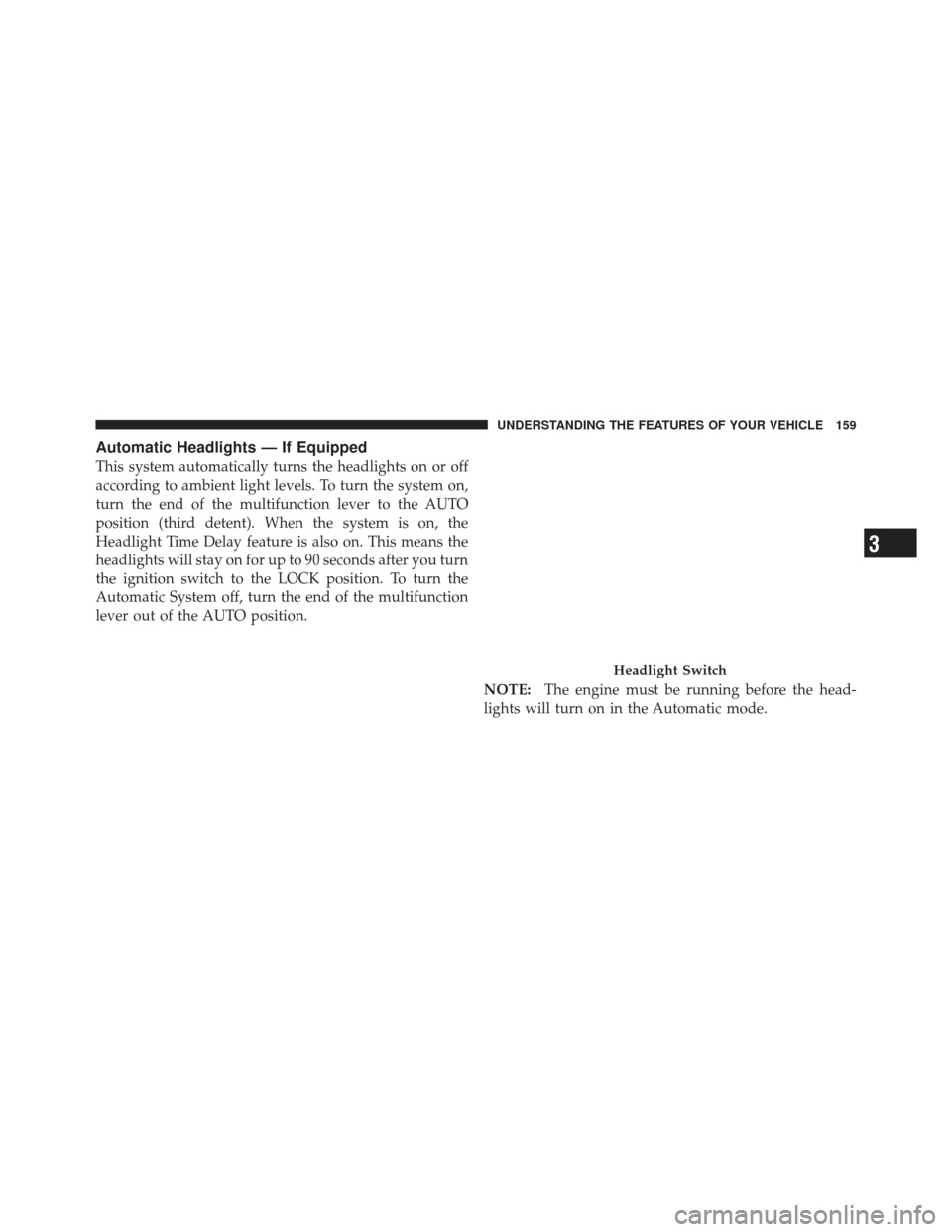
Automatic Headlights — If Equipped
This system automatically turns the headlights on or off
according to ambient light levels. To turn the system on,
turn the end of the multifunction lever to the AUTO
position (third detent). When the system is on, the
Headlight Time Delay feature is also on. This means the
headlights will stay on for up to 90 seconds after you turn
the ignition switch to the LOCK position. To turn the
Automatic System off, turn the end of the multifunction
lever out of the AUTO position.NOTE:The engine must be running before the head-
lights will turn on in the Automatic mode.
Headlight Switch
3
UNDERSTANDING THE FEATURES OF YOUR VEHICLE 159
Page 162 of 558
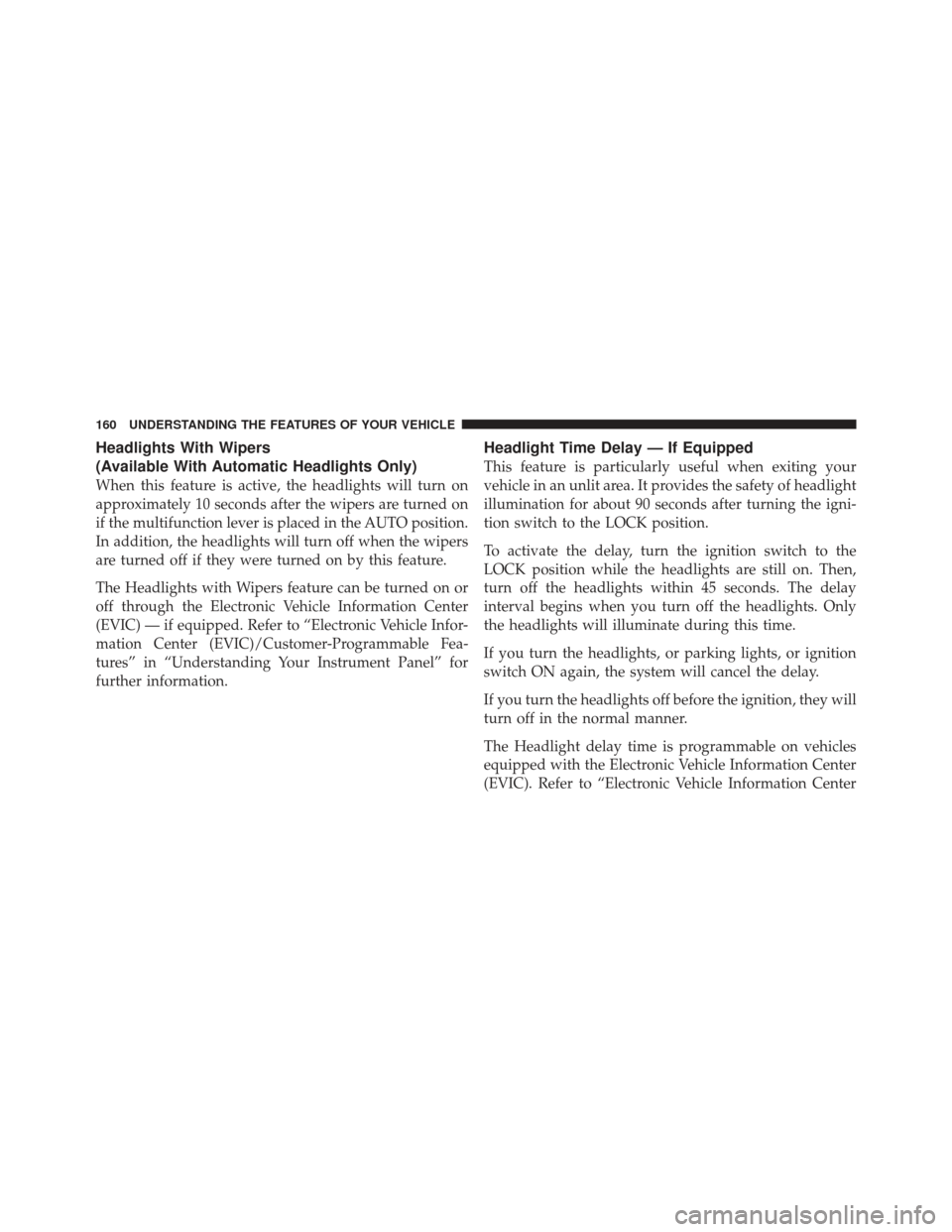
Headlights With Wipers
(Available With Automatic Headlights Only)
When this feature is active, the headlights will turn on
approximately 10 seconds after the wipers are turned on
if the multifunction lever is placed in the AUTO position.
In addition, the headlights will turn off when the wipers
are turned off if they were turned on by this feature.
The Headlights with Wipers feature can be turned on or
off through the Electronic Vehicle Information Center
(EVIC) — if equipped. Refer to “Electronic Vehicle Infor-
mation Center (EVIC)/Customer-Programmable Fea-
tures” in “Understanding Your Instrument Panel” for
further information.
Headlight Time Delay — If Equipped
This feature is particularly useful when exiting your
vehicle in an unlit area. It provides the safety of headlight
illumination for about 90 seconds after turning the igni-
tion switch to the LOCK position.
To activate the delay, turn the ignition switch to the
LOCK position while the headlights are still on. Then,
turn off the headlights within 45 seconds. The delay
interval begins when you turn off the headlights. Only
the headlights will illuminate during this time.
If you turn the headlights, or parking lights, or ignition
switch ON again, the system will cancel the delay.
If you turn the headlights off before the ignition, they will
turn off in the normal manner.
The Headlight delay time is programmable on vehicles
equipped with the Electronic Vehicle Information Center
(EVIC). Refer to “Electronic Vehicle Information Center
160 UNDERSTANDING THE FEATURES OF YOUR VEHICLE
Page 165 of 558
NOTE:If the multifunction lever is held in the flash-to-
pass position for more than 15 seconds, the high beams
will shut off. If this occurs, wait 30 seconds before
activating the flash-to-pass function again.
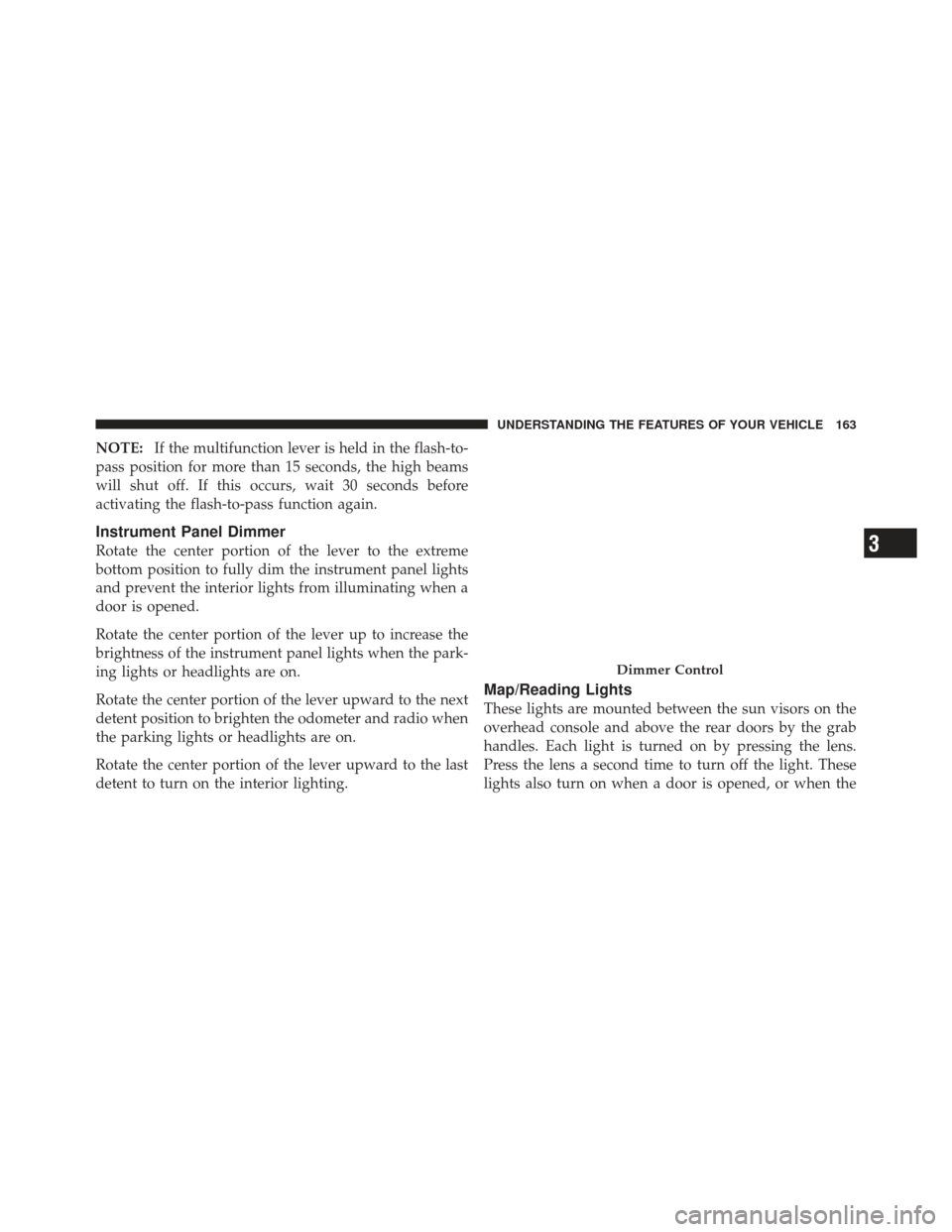
Instrument Panel Dimmer
Rotate the center portion of the lever to the extreme
bottom position to fully dim the instrument panel lights
and prevent the interior lights from illuminating when a
door is opened.
Rotate the center portion of the lever up to increase the
brightness of the instrument panel lights when the park-
ing lights or headlights are on.
Rotate the center portion of the lever upward to the next
detent position to brighten the odometer and radio when
the parking lights or headlights are on.
Rotate the center portion of the lever upward to the last
detent to turn on the interior lighting.
Map/Reading Lights
These lights are mounted between the sun visors on the
overhead console and above the rear doors by the grab
handles. Each light is turned on by pressing the lens.
Press the lens a second time to turn off the light. These
lights also turn on when a door is opened, or when the
Dimmer Control
3
UNDERSTANDING THE FEATURES OF YOUR VEHICLE 163
Page 166 of 558
UNLOCK button on the Remote Keyless Entry (RKE)
transmitter is pressed, or when the dimmer control is
turned completely upward to the second detent.
Cargo Light
The cargo light is mounted in the headliner above the
rear cargo area. This light will turn on when you open the
liftgate or any door, or if you press the UNLOCK button
on the RKE transmitter, or rotate the dimmer control on
the multifunction lever completely upward to the second
detent.
Battery Saver Feature
To protect the battery, the interior lights will turn off
automatically 10 minutes after the ignition switch is
moved to the LOCK position. This will occur if the
interior lights were switched on manually or are on
because a door is open.
WINDSHIELD WIPERS AND WASHERS
The windshield wiper/washer control lever is located on
the right side of the steering column. The front wipers are
operated by rotating a switch, located at the end of the
lever. For information on using the rear window wiper/
washer, refer to “Rear Window Features” in “Under-
standing The Features Of Your Vehicle”.
Wiper/Washer Lever
164 UNDERSTANDING THE FEATURES OF YOUR VEHICLE
Page 167 of 558
Windshield Wiper Operation
Rotate the end of the lever upward to the second detent
past the intermittent settings for low-speed wiper opera-
tion.
Rotate the end of the lever upward to the third detent
past the intermittent settings for high-speed wiper opera-
tion.NOTE:
The wipers will automatically return to the
“park” position if you turn OFF the ignition switch while
they are operating. The wipers will resume operation
when you turn the ignition switch back to the ON
position.
CAUTION!
•Turn the windshield wipers off when driving
through an automatic car wash. Damage to the
windshield wipers may result if the wiper control
is left in any position other than off.
•In cold weather, always turn off the wiper switch
and allow the wipers to return to the “Park”
position before turning off the engine. If the wiper
switch is left on and the wipers freeze to the
windshield, damage to the wiper motor may occur
when the vehicle is restarted.
(Continued)
Front Wiper Control
3
UNDERSTANDING THE FEATURES OF YOUR VEHICLE 165
Page 168 of 558
CAUTION! (Continued)
•Always remove any buildup of snow that prevents
the windshield wiper blades from returning to the
off position. If the windshield wiper control is
turned off and the blades cannot return to the off
position, damage to the wiper motor may occur.
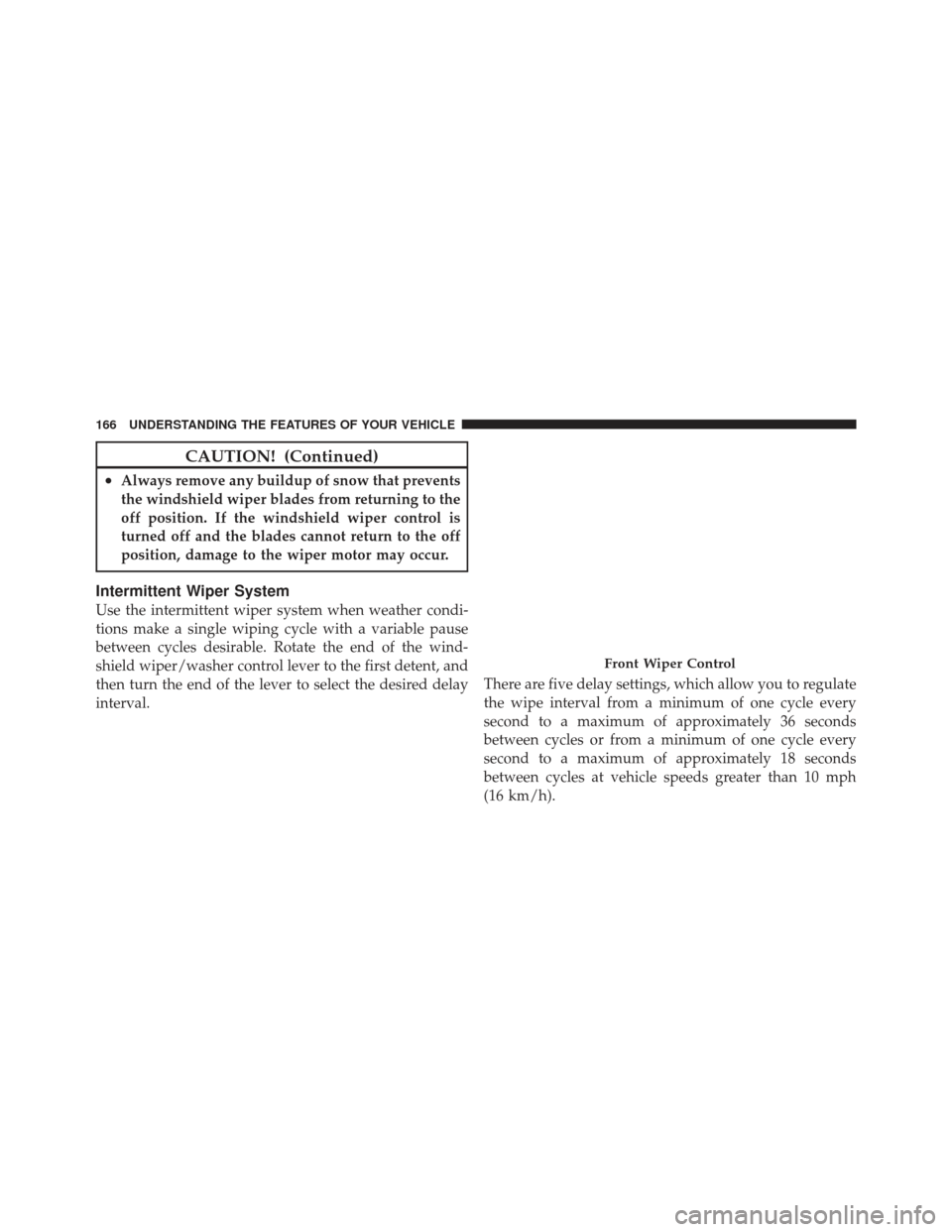
Intermittent Wiper System
Use the intermittent wiper system when weather condi-
tions make a single wiping cycle with a variable pause
between cycles desirable. Rotate the end of the wind-
shield wiper/washer control lever to the first detent, and
then turn the end of the lever to select the desired delay
interval.There are five delay settings, which allow you to regulate
the wipe interval from a minimum of one cycle every
second to a maximum of approximately 36 seconds
between cycles or from a minimum of one cycle every
second to a maximum of approximately 18 seconds
between cycles at vehicle speeds greater than 10 mph
(16 km/h).
Front Wiper Control
166 UNDERSTANDING THE FEATURES OF YOUR VEHICLE
Page 169 of 558
NOTE:The wiper delay times depend on vehicle speed.
If the vehicle is moving less than 10 mph (16 km/h),
delay times will be doubled.
Windshield Washers
To use the washer, pull the windshield wiper/washer
control lever toward you and hold it for as long as
washer spray is desired (for a maximum of 10 seconds).
If you activate the washer while the wiper control is in
the delay range, the wipers will operate in low-speed for
two or three wipe cycles after releasing the lever and then
resume the intermittent interval previously selected.
If you activate the washer while the wiper control is in
the off position, the wipers will operate for two or three
wipe cycles and then turn off.
WARNING!
Sudden loss of visibility through the windshield
could lead to a collision. You might not see other
vehicles or other obstacles. To avoid sudden icing of
the windshield during freezing weather, warm the
windshield with defroster before and during wind-
shield washer use.
Mist Feature
Push downward on the windshield wiper/washer con-
trol lever to activate a single wipe cycle to clear the
windshield of road mist or spray from a passing vehicle.
The wipers will continue to operate until you release the
lever.
3
UNDERSTANDING THE FEATURES OF YOUR VEHICLE 167
Page 171 of 558
NOTE:
•The rain-sensing feature will not operate when the
wiper speed is in the low or high position.
•The rain-sensing feature may not function properly
when ice or dried salt water is present on the wind-
shield.
•Use of Rain-X�or products containing wax or silicone
may reduce rain sensor performance.
•The rain-sensing feature can be turned on and off
through the Electronic Vehicle Information Center
(EVIC) — if equipped. Refer to “Electronic Vehicle
Information Center (EVIC)/Personal Settings
(Customer-Programmable Features)” in “Understand-
ing Your Instrument Panel” for further information. The rain-sensing system has protective features for the
wiper blades and arms. It will not operate under the
following conditions:
•Low Temperature Wipe Inhibit
— The rain-sensing
feature will not operate when the ignition is first
switched ON, the vehicle is stationary, and the outside
temperature is below 32° F (0° C). If the wiper control
is moved, the vehicle speed becomes greater than
0 mph (0 km/h), or the outside temperature rises
above freezing the rain-sensing feature will then op-
erate.
3
UNDERSTANDING THE FEATURES OF YOUR VEHICLE 169