2012 HYUNDAI IX35 light
[x] Cancel search: lightPage 268 of 560

543
Driving your vehicle
1. Cruise indicator
2. Cruise set indicator
The cruise control system allows you to
program the vehicle to maintain a con-stant speed without pressing the acceler-ator pedal. This system is designed to function
above approximately 25 mph (40 km/h).
✽✽NOTICE
During normal cruise control operation,
when the SET switch is activated or
reactivated after applying the brakes,
the cruise control will energize after
approximately 3 seconds. This delay isnormal.
CRUISE CONTROL SYSTEM (IF EQUIPPED)
WARNING
If the cruise control is left on, (CRUISE indicator light in the
instrument cluster illuminated),
the cruise control can be
switched on accidentally. Keep
the cruise control system off
(CRUISE indicator light OFF)
when the cruise control is not in
use, to avoid inadvertently set-ting a speed.
Use the cruise control system only when travelling on open
highways in good weather.
Do not use the cruise control when it may not be safe to keep
the vehicle at a constant speed,
for instance, driving in heavy or
varying traffic, or on slippery
(rainy, icy or snow-covered) or
winding roads or over 6% up-hill
or down-hill roads.
Pay particular attention to the driving conditions whenever
using the cruise control system.
Be careful when driving downhill using the cruise control system,
which may increase the vehiclespeed.CAUTION
During cruise-speed driving of a
manual transaxle vehicle, do notshift into neutral without depress-ing the clutch pedal, since the
engine will be overrevved. If thishappens, depress the clutch pedalor release the cruise control ON- OFF switch.
OEL059030R
EL UK 5.QXP 1/25/2010 9:56 AM Page 43
Page 269 of 560
Driving your vehicle
44
5
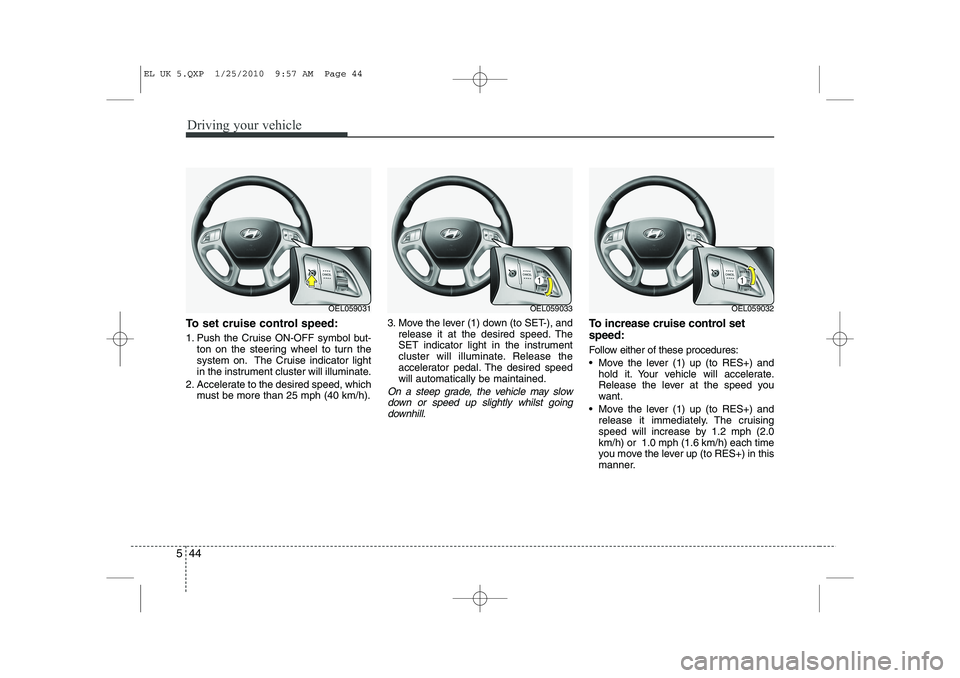
To set cruise control speed:
1. Push the Cruise ON-OFF symbol but-
ton on the steering wheel to turn the
system on. The Cruise indicator light
in the instrument cluster will illuminate.
2. Accelerate to the desired speed, which must be more than 25 mph (40 km/h). 3. Move the lever (1) down (to SET-), and
release it at the desired speed. The
SET indicator light in the instrument
cluster will illuminate. Release the
accelerator pedal. The desired speedwill automatically be maintained.
On a steep grade, the vehicle may slow
down or speed up slightly whilst goingdownhill.
To increase cruise control set speed:
Follow either of these procedures:
Move the lever (1) up (to RES+) and hold it. Your vehicle will accelerate.
Release the lever at the speed you
want.
Move the lever (1) up (to RES+) and release it immediately. The cruising
speed will increase by 1.2 mph (2.0km/h) or 1.0 mph (1.6 km/h) each time
you move the lever up (to RES+) in this
manner.
OEL059031OEL059033OEL059032
EL UK 5.QXP 1/25/2010 9:57 AM Page 44
Page 271 of 560

Driving your vehicle
46
5
Each of these actions will cancel cruise
control operation (the SET indicator lightin the instrument cluster will go off), but itwill not turn the system off. If you wish to
resume cruise control operation, moveup the lever (to RES+) located on yoursteering wheel. You will return to your
previously preset speed.
To resume cruising speed at
more than approximately 25 mph(40 km/h):
If any method other than the cruise
ON/OFF symbol switch was used to can-
cel cruising speed and the system is still
activated, the most recent set speed will
automatically resume when you move
the lever (1) up (to RES+).
It will not resume, however, if the vehicle
speed has dropped below approximately25 mph (40 km/h). To turn cruise control off, do one
of the following:
Push the Cruise ON-OFF symbol but-
ton (the Cruise indicator light in the
instrument cluster will go off).
Turn the ignition off.
Both of these actions cancel cruise con- trol operation. If you want to resume cruise control operation, repeat the stepsprovided in “To set cruise control speed”
on the previous page.
OEL059032OEL059031
EL UK 5.QXP 1/25/2010 9:57 AM Page 46
Page 273 of 560
Driving your vehicle
48
5
ECONOMICAL OPERATION
Your vehicle's fuel economy depends
mainly on your style of driving, where you
drive and when you drive.
Each of these factors affects how many
miles (kilometers) you can get from a
gallon (litre) of fuel. To operate your vehi-
cle as economically as possible, use the
following driving suggestions to help
save money in both fuel and repairs:
Drive smoothly. Accelerate at a moder- ate rate. Don't make "jack-rabbit" starts or full-throttle shifts and maintain a
steady cruising speed. Don't race
between stoplights. Try to adjust your
speed to the traffic so you don't have to
change speeds unnecessarily. Avoid
heavy traffic whenever possible.
Always maintain a safe distance from
other vehicles so you can avoid unnec-
essary braking. This also reduces
brake wear.
Drive at a moderate speed. The faster you drive, the more fuel your vehicle
uses. Driving at a moderate speed,
especially on the highway, is one of the
most effective ways to reduce fuel con-sumption. Don't "ride" the brake or clutch pedal.
This can increase fuel consumption
and also increase wear on these com-
ponents. In addition, driving with your
foot resting on the brake pedal may
cause the brakes to overheat, which
reduces their effectiveness and may
lead to more serious consequences.
Take care of your tyres. Keep them inflated to the recommended pressure.
Incorrect inflation, either too much or
too little, results in unnecessary tyre
wear. Check the tyre pressures at leastonce a month.
Be sure that the wheels are aligned correctly. Improper alignment can
result from hitting kerbs or driving too
fast over irregular surfaces. Poor align-
ment causes faster tyre wear and may
also result in other problems as well as
greater fuel consumption. Keep your vehicle in good condition.
For better fuel economy and reduced
maintenance costs, maintain your vehi-cle in accordance with the mainte-
nance schedule. If you drive your vehi-
cle in severe conditions, more frequentmaintenance is required.
Keep your vehicle clean. For maximum service, your vehicle should be kept
clean and free of corrosive materials. It
is especially important that mud, dirt,
ice, etc. not be allowed to accumulate
on the underside of the vehicle. This
extra weight can result in increased
fuel consumption and also contributeto corrosion.
Travel lightly. Don't carry unnecessary weight in your vehicle. Weight reduces
fuel economy.
Don't let the engine idle longer than necessary. If you are waiting (and not
in traffic), turn off your engine and
restart only when you're ready to go.
EL UK 5.QXP 1/25/2010 9:57 AM Page 48
Page 274 of 560
549
Driving your vehicle
Remember, your vehicle does notrequire extended warm-up. After the
engine has started, allow the engine to
run for 10 to 20 seconds prior to plac-
ing the vehicle in gear. In very cold
weather, however, give your engine a
slightly longer warm-up period.
Don't "labour" or "over-rev" the engine. Labouring is driving too slowly in too
high a gear resulting engine bucking. If
this happens, shift to a lower gear.
Over-revving is racing the engine
beyond its safe limit. This can be avoid-
ed by shifting at the recommended
speeds.
Use your air conditioning sparingly. The air conditioning system is operat-
ed by engine power so your fuel econ-
omy is reduced when you use it.
Open windows at high speeds can reduce fuel economy.
Fuel economy is less in crosswinds and headwinds. To help offset some of
this loss, slow down when driving in
these conditions. Keeping a vehicle in good operating con-
dition is important both for economy and
safety. Therefore, have a HYUNDAI
authorised repairer perform scheduled
inspections and maintenance.
WARNING
- Engine off dur-
ing motion
Never turn the engine off to coast
down hills or anytime the vehicle is
in motion. The power steering and
power brakes will not function
properly without the engine run-
ning. Instead, keep the engine on
and downshift to an appropriate
gear for engine braking effect. In
addition, turning off the ignition
whilst driving could engage the
steering wheel lock resulting in
loss of vehicle steering which
could cause serious injury ordeath.
EL UK 5.QXP 1/25/2010 9:57 AM Page 49
Page 275 of 560

Driving your vehicle
50
5
Hazardous driving conditions
When hazardous driving conditions are
encountered such as water, snow, ice,
mud, sand, or similar hazards, followthese suggestions:
Drive cautiously and allow extra dis-
tance for braking.
Avoid sudden braking or steering.
When braking with non-ABS brakes pump the brake pedal with a light up-
and-down motion until the vehicle isstopped.
If stalled in snow, mud, or sand, use second gear. Accelerate slowly to
avoid spinning the drive wheels.
Use sand, rock salt, tyre chains, or other non-slip material under the drive
wheels to provide traction when stalled
in ice, snow, or mud. Rocking the vehicle
If it is necessary to rock the vehicle to
free it from snow, sand, or mud, first turn
the steering wheel right and left to clear
the area around your front wheels. Then,
shift back and forth between 1st (First)
and R (Reverse) in vehicles equipped
with a manual transaxle or R (Reverse)
and any forward gear in vehicles
equipped with an automatic transaxle.
Do not race the engine, and spin the
wheels as little as possible. If you are still
stuck after a few tries, have the vehicle
pulled out by a tow vehicle to avoid
engine overheating and possible dam-
age to the transaxle.
SPECIAL DRIVING CONDITIONS
WARNING
- Downshifting
Downshifting with an automatic
transaxle, whilst driving on slipperysurfaces can cause an accident.
The sudden change in tyre speed
could cause the tyres to skid. Be
careful when downshifting on slip-
pery surfaces.
WARNING - ABS
Do not pump the brake pedal on a
vehicle equipped with ABS.
CAUTION
Prolonged rocking may cause engine over-heating, transaxle dam-age or failure, and tyre damage.
EL UK 5.QXP 1/25/2010 9:57 AM Page 50
Page 276 of 560
551
Driving your vehicle
✽✽NOTICE
The ESP system (if equipped) should be
turned OFF prior to rocking the vehicle.
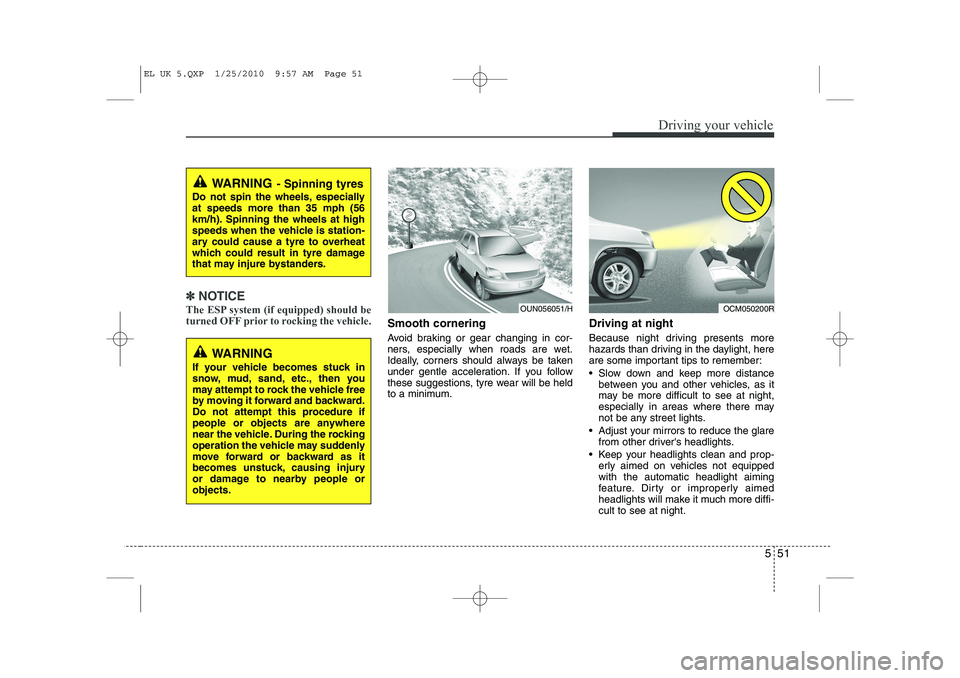
Smooth cornering
Avoid braking or gear changing in cor-
ners, especially when roads are wet.
Ideally, corners should always be taken
under gentle acceleration. If you follow
these suggestions, tyre wear will be held
to a minimum. Driving at night
Because night driving presents more
hazards than driving in the daylight, here
are some important tips to remember:
Slow down and keep more distance
between you and other vehicles, as it
may be more difficult to see at night,
especially in areas where there may
not be any street lights.
Adjust your mirrors to reduce the glare from other driver's headlights.
Keep your headlights clean and prop- erly aimed on vehicles not equippedwith the automatic headlight aiming
feature. Dirty or improperly aimed
headlights will make it much more diffi-cult to see at night.
WARNING - Spinning tyres
Do not spin the wheels, especially at speeds more than 35 mph (56
km/h). Spinning the wheels at high
speeds when the vehicle is station-
ary could cause a tyre to overheat
which could result in tyre damage
that may injure bystanders.
WARNING
If your vehicle becomes stuck in
snow, mud, sand, etc., then you
may attempt to rock the vehicle free
by moving it forward and backward.
Do not attempt this procedure if
people or objects are anywhere
near the vehicle. During the rocking
operation the vehicle may suddenly
move forward or backward as it
becomes unstuck, causing injury
or damage to nearby people orobjects.
OUN056051/HOCM050200R
EL UK 5.QXP 1/25/2010 9:57 AM Page 51
Page 277 of 560
Driving your vehicle
52
5
Avoid staring directly at the headlights
of oncoming vehicles. You could be
temporarily blinded, and it will take
several seconds for your eyes to read-
just to the darkness.
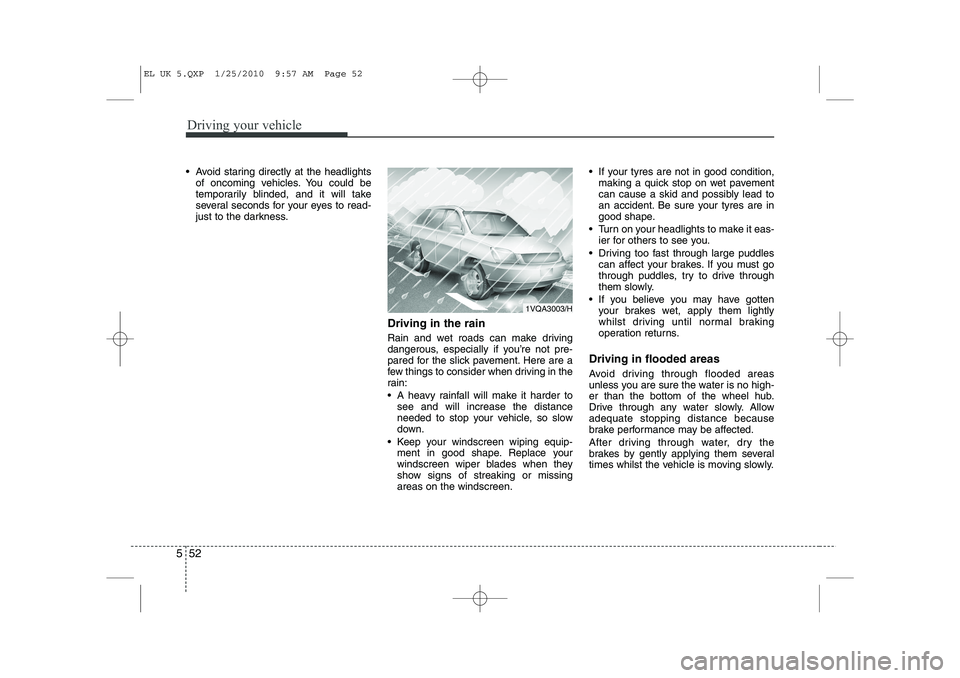
Driving in the rain
Rain and wet roads can make driving
dangerous, especially if you’re not pre-
pared for the slick pavement. Here are a
few things to consider when driving in the
rain:
A heavy rainfall will make it harder tosee and will increase the distance
needed to stop your vehicle, so slow
down.
Keep your windscreen wiping equip- ment in good shape. Replace your
windscreen wiper blades when they
show signs of streaking or missingareas on the windscreen. If your tyres are not in good condition,
making a quick stop on wet pavement
can cause a skid and possibly lead to
an accident. Be sure your tyres are in
good shape.
Turn on your headlights to make it eas- ier for others to see you.
Driving too fast through large puddles can affect your brakes. If you must go
through puddles, try to drive through
them slowly.
If you believe you may have gotten your brakes wet, apply them lightly
whilst driving until normal braking
operation returns.
Driving in flooded areas
Avoid driving through flooded areas
unless you are sure the water is no high-
er than the bottom of the wheel hub.
Drive through any water slowly. Allowadequate stopping distance because
brake performance may be affected.
After driving through water, dry the
brakes by gently applying them several
times whilst the vehicle is moving slowly.
1VQA3003/H
EL UK 5.QXP 1/25/2010 9:57 AM Page 52