Page 121 of 429
To swing open the tailgate, f irst
make sure it is f ully closed, then pull
up the right lower handle, and swing
the tailgate to the lef t.
To close, swing the tailgate back,
and push it f irmly until it is latched.
The dropped open tailgate can be
used as an extended pickup bed.
Make sure to secure the items in the
pickup bed, and do not exceed the
maximum allowable weight on the
tailgate(seepage ).
To turn the bed lights on or off, use
the bed light switch on the
dashboard (see page ).
Bef ore opening or closing the
tailgate, check that passengers,
especially children, are not in the
tailgate
Page 122 of 429

See page for information on
cargo loading and weight limits.
You can also store and lock items in
the In-Bed Trunk (see page ).
If you do not f asten the seat belt, you
f irst hear the seat belt reminder
alarm, then the tailgate reminder
beeper sounds.
The indicator does not monitor the
tailgate when it is dropped open.
Do not allow anyone to hang on the
swung open tailgate. This could
damage the tailgate.
Do not leave the tailgate swung open.
The tailgate may swing and shut
accidentally. This could cause
serious injuries.
Thebedlightscomeonwhenyou
swing open the tailgate. You can also
turn the bed lights on or off by
pushing the bed light switch on the
dashboard (see page ).
If the tailgate is swung open or not
closed tightly when the ignition
switch is in the ON (II) position, you
will hear six beeps and see the
indicator blinking. The indicator
stays on until you close the tailgate.
The beeper also sounds and the
indicator blinks when you move the
shif t lever out of the Park or neutral
position.
This indicator is in the door and
tailgate open monitor on the
instrument panel. It comes on when
the tailgate is swung open or it is not
completely closed. This indicator
worksevenif thekeyisnotinthe
ignition switch.
The tailgate open indicator appears
on the multi-information display (see
page ).
11
144
116
261
On models without navigation system
On models with navigation system
L oading Cargo
T ailgat e Open Indicat or
Dual-Action Tailgate
Inst rument s and Cont rols
115
Main MenuTable of Contents
Page 138 of 429
Turnthekeyclockwiseagain,and
hold it. All f our side windows start
to open. To stop the windows,
release the key.
To open the windows f urther, turn
andholdthekeyagain(within
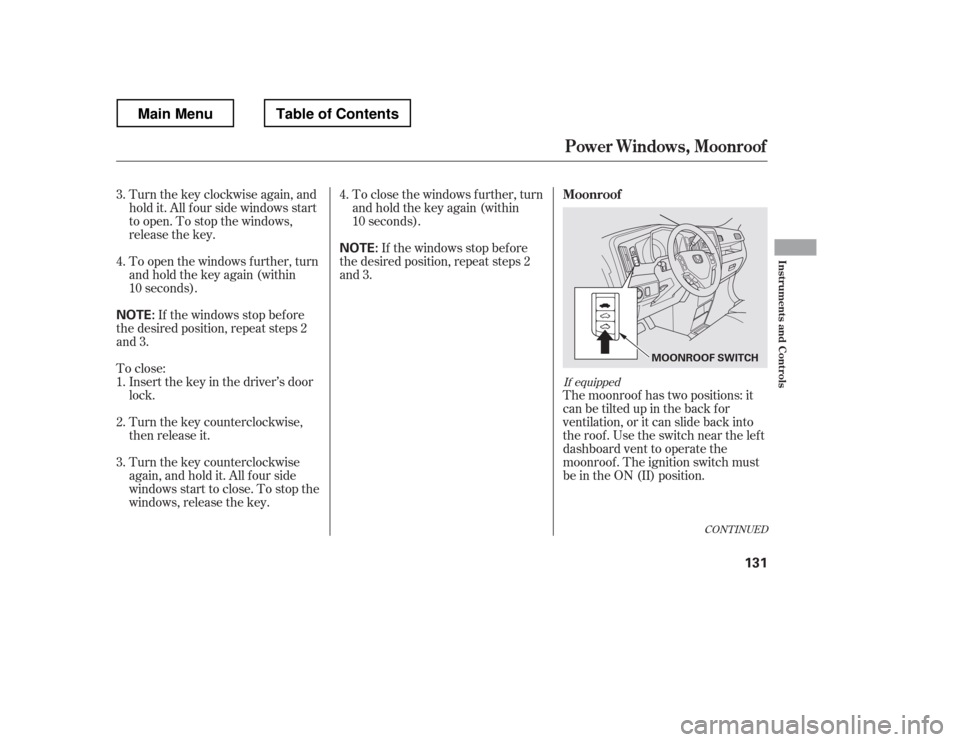
10 seconds).The moonroof has two positions: it
can be tilted up in the back f or
ventilation, or it can slide back into
the roof. Use the switch near the left
dashboard vent to operate the
moonroof . The ignition switch must
be in the ON (II) position.
If the windows stop bef ore
the desired position, repeat steps 2
and 3. To close the windows f urther, turn
andholdthekeyagain(within
10 seconds).
To close: If the windows stop bef ore
the desired position, repeat steps 2
and 3.
Insert the key in the driver
Page 146 of 429
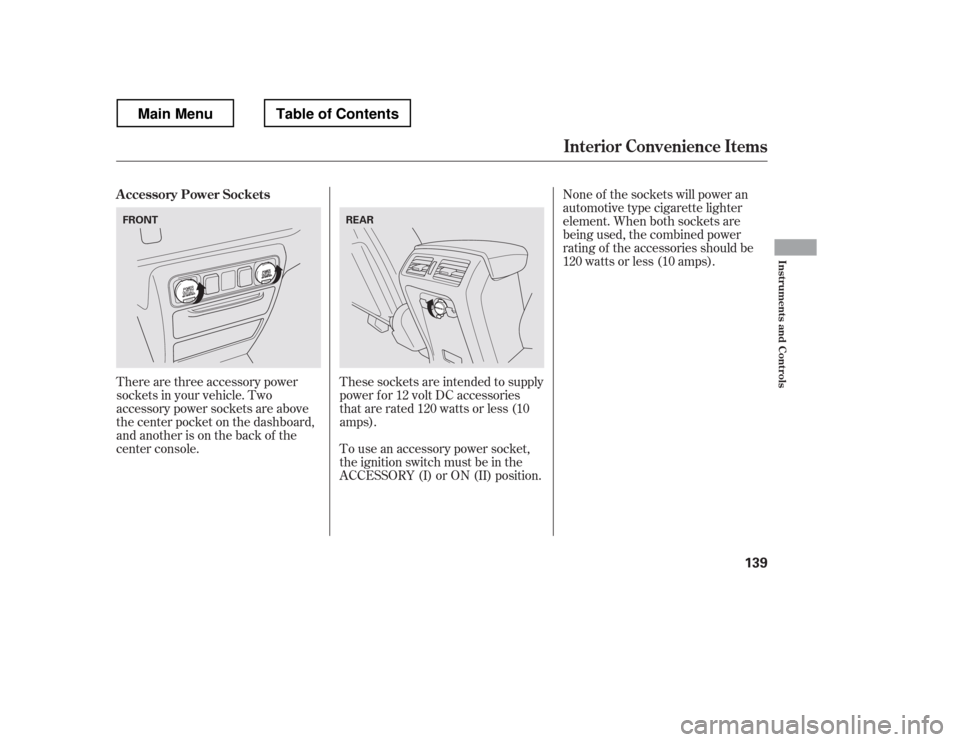
There are three accessory power
sockets in your vehicle. Two
accessory power sockets are above
the center pocket on the dashboard,
and another is on the back of the
center console.These sockets are intended to supply
power f or 12 volt DC accessories
that are rated 120 watts or less (10
amps).
To use an accessory power socket,
the ignition switch must be in the
ACCESSORY (I) or ON (II) position. None of the sockets will power an
automotive type cigarette lighter
element. When both sockets are
being used, the combined power
rating of the accessories should be
120 watts or less (10 amps).
A ccessory Power Sockets
Interior Convenience Items
Inst rument s and Cont rols
139
FRONT
REAR
Main MenuTable of Contents
Page 151 of 429
If you turn the ignition switch to
ACCESSORY (I) or LOCK (0)
without turning of f the bed lights,
the lights and the indicator will
remain on, then go of f af ter 20
minutes (see page ).
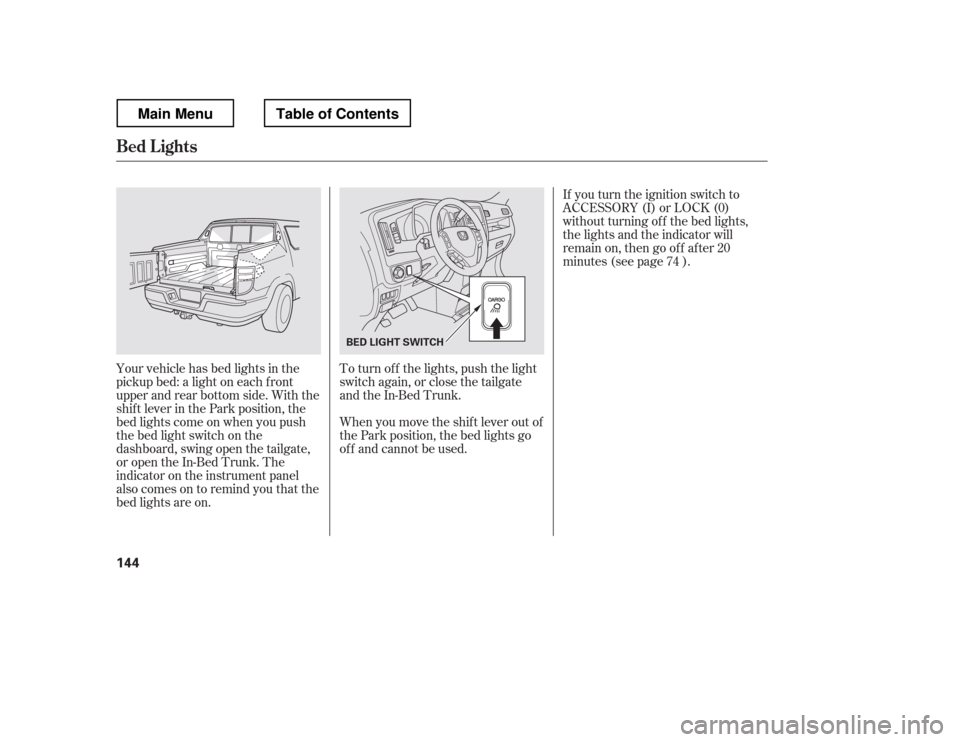
Your vehicle has bed lights in the
pickup bed: a light on each f ront
upper and rear bottom side. With the
shif t lever in the Park position, the
bed lights come on when you push
the bed light switch on the
dashboard, swing open the tailgate,
or open the In-Bed Trunk. The
indicator on the instrument panel
alsocomesontoremindyouthatthe
bed lights are on. To turn of f the lights, push the light
switch again, or close the tailgate
and the In-Bed Trunk.
When you move the shif t lever out of
the Park position, the bed lights go
of f and cannot be used. 74
Bed L ights
144
BED LIGHT SWITCH
Main MenuTable of Contents
Page 155 of 429
Use the mode control buttons to
select the vents air flows from. Some
air will f low f rom the dashboard
corner vents in all modes.Air flows from the center,
corner, and rear vents in the
dashboard.
Airf low is divided between
the vents in the dashboard, rear and
the f loor vents.
Air f lows f rom the f loor
vents. When you select , the
system automatically switches to
f resh air mode.
Airf low is divided between
the f loor vents and def roster vents at
the base of the windshield. Air f lows f rom the def roster
vents at the base of the windshield.
When you select , the system
automatically switches to f resh air
mode and turns on the A/C.
When you switch to f rom, the A/C stays on, and you
canturnitonandoff manually. The system automatically
turns on the A/C and switches to
Recirculation mode. Air f lows f rom
the center and side vents in the
dashboard.
Vents, Heating, and A/C
Mode Control Windshield Def roster Button MA X A /C Button 148
Main MenuTable of Contents
Page 158 of 429
Set the f an and temperature
controls to maximum level.
Select . The system
automatically switches to f resh air
mode and turns on the A/C.
The A/C ON indicator will not be
displayed if it was of f to start with.
Select .Turning the f an speed control dial all
the way to the left shuts the system
off.
Keep the system of f f or short
periods only.
To keep stale air and mustiness
f rom collecting, you should have
the f an running at all times.
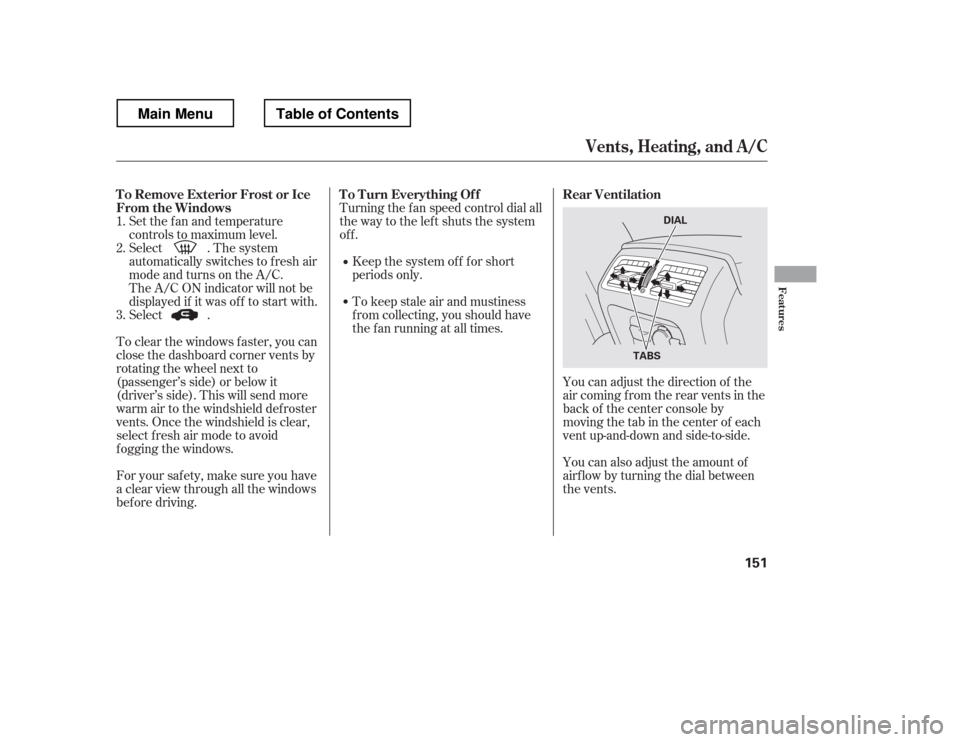
You can adjust the direction of the
air coming from the rear vents in the
back of the center console by
moving the tab in the center of each
vent up-and-down and side-to-side.
You can also adjust the amount of
airf low by turning the dial between
the vents.
To clear the windows f aster, you can
close the dashboard corner vents by
rotating the wheel next to
(passenger
Page 162 of 429
CONT INUED
This button directs the main airflow
to the windshield for faster
def rosting. It also overrides any
mode selection you may have made.
When you select , the system
automatically switches to f resh air
mode and turns on the A/C. For
f aster def rosting, manually set the
fanspeedtohigh.Youcanalso
increase airf low to the windshield by
closing the corner vents on the
dashboard. To close the vents, rotate
the wheel under each corner vent.
When you turn of f by
pressing the button again, the
system returns to its former settings.
Use the mode control button to
select the vents the air flows from.
Some air will flow from the
dashboard vents in all modes.
Air flows from the center,
corner, and rear vents in the
dashboard.
Airf low is divided between
the vents in the dashboard, rear and
the f loor vents.
Air f lows f rom the f loor
vents.
Airf low is divided between
the f loor and corner vents and the
defroster vents at the base of the
windshield.
When the indicator in the button is
on, air f rom the vehicle