2012 GMC SIERRA 1500 fuel
[x] Cancel search: fuelPage 139 of 556
Black plate (1,1)GMC Sierra Owner Manual - 2012 - CRC - 11/15/11
Instruments and Controls 5-1
Instruments and
Controls
Controls
Steering Wheel Adjustment . . . 5-2
Steering Wheel Controls . . . . . . 5-2
Horn . . . . . . . . . . . . . . . . . . . . . . . . . . 5-4
Windshield Wiper/Washer . . . . . 5-4
Compass . . . . . . . . . . . . . . . . . . . . . 5-5
Clock . . . . . . . . . . . . . . . . . . . . . . . . . 5-7
Power Outlets . . . . . . . . . . . . . . . . . 5-9
Cigarette Lighter . . . . . . . . . . . . . 5-10
Ashtrays . . . . . . . . . . . . . . . . . . . . . 5-11
Warning Lights, Gauges, and
Indicators
Warning Lights, Gauges, andIndicators . . . . . . . . . . . . . . . . . . . 5-11
Instrument Cluster . . . . . . . . . . . 5-12
Speedometer . . . . . . . . . . . . . . . . 5-13
Odometer . . . . . . . . . . . . . . . . . . . . 5-13
Trip Odometer . . . . . . . . . . . . . . . 5-13
Tachometer . . . . . . . . . . . . . . . . . . 5-13
Fuel Gauge . . . . . . . . . . . . . . . . . . 5-14
Engine Oil Pressure Gauge . . . . . . . . . . . . . . . . . . . . . . 5-15 Engine Coolant Temperature
Gauge . . . . . . . . . . . . . . . . . . . . . . 5-16
Voltmeter Gauge . . . . . . . . . . . . . 5-16
Safety Belt Reminders . . . . . . . 5-17
Airbag Readiness Light . . . . . . 5-18
Airbag On-Off Light . . . . . . . . . . 5-19
Passenger Airbag Status Indicator . . . . . . . . . . . . . . . . . . . . 5-21
Charging System Light . . . . . . 5-22
Malfunction Indicator Lamp . . . . . . . . . . . . . 5-22
Brake System Warning Light . . . . . . . . . . . . . . . . . . . . . . . 5-25
Antilock Brake System (ABS) Warning Light . . . . . . . . . . . . . . 5-26
Four-Wheel-Drive Light . . . . . . 5-26
Tow/Haul Mode Light . . . . . . . . 5-26
StabiliTrak
®OFF Light . . . . . . . 5-27
Traction Control System (TCS)/StabiliTrak
®Light . . . . 5-27
Tire Pressure Light . . . . . . . . . . 5-27
Engine Oil Pressure Light . . . . 5-28
Low Fuel Warning Light . . . . . . 5-28
Security Light . . . . . . . . . . . . . . . . 5-29
High-Beam On Light . . . . . . . . . 5-29
Front Fog Lamp Light . . . . . . . . 5-29
Cruise Control Light . . . . . . . . . 5-30
Information Displays
Driver Information Center (DIC) . . . . . . . . . . . . . . . 5-30
Vehicle Messages
Vehicle Messages . . . . . . . . . . . 5-39
Battery Voltage and ChargingMessages . . . . . . . . . . . . . . . . . . 5-39
Brake System Messages . . . . 5-40
Door Ajar Messages . . . . . . . . . 5-40
Engine Cooling System Messages . . . . . . . . . . . . . . . . . . 5-41
Engine Oil Messages . . . . . . . . 5-42
Engine Power Messages . . . . 5-42
Fuel System Messages . . . . . . 5-43
Key and Lock Messages . . . . . 5-43
Lamp Messages . . . . . . . . . . . . . 5-43
Object Detection System Messages . . . . . . . . . . . . . . . . . . 5-43
Ride Control System Messages . . . . . . . . . . . . . . . . . . 5-44
Airbag System Messages . . . . 5-45
Anti-theft Alarm System Messages . . . . . . . . . . . . . . . . . . 5-45
Starting the Vehicle Messages . . . . . . . . . . . . . . . . . . 5-45
Tire Messages . . . . . . . . . . . . . . . 5-45
Page 144 of 556
Black plate (6,1)GMC Sierra Owner Manual - 2012 - CRC - 11/15/11
5-6 Instruments and Controls
Press the vehicle information
button until PRESS
VTO
CHANGE COMPASS ZONE
displays. Or, if the vehicle does
not have DIC buttons, press the
trip odometer reset stem until
CHANGE COMPASS ZONE
displays.
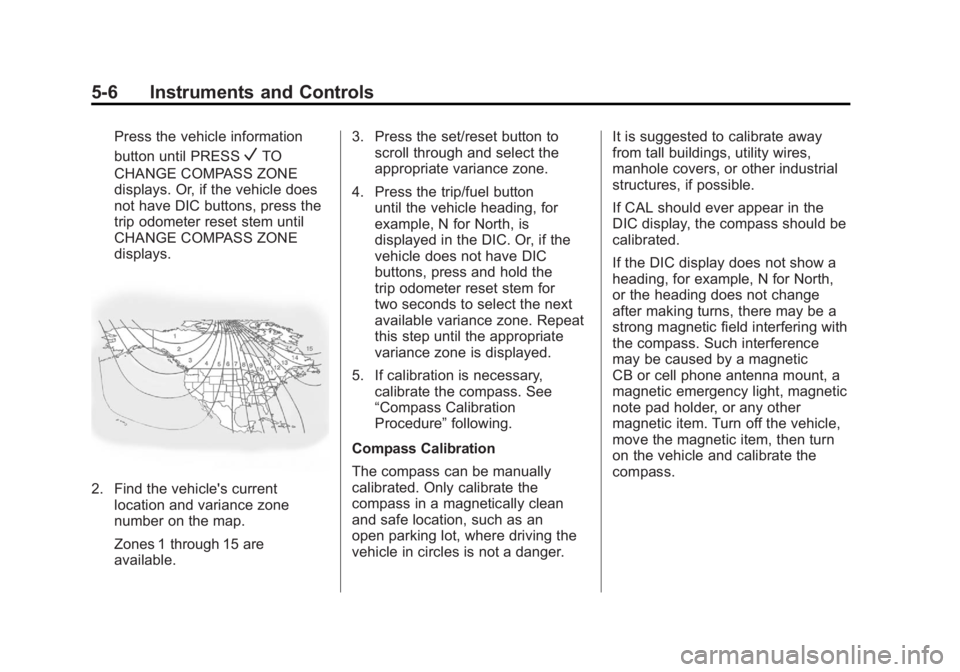
2. Find the vehicle's current location and variance zone
number on the map.
Zones 1 through 15 are
available. 3. Press the set/reset button to
scroll through and select the
appropriate variance zone.
4. Press the trip/fuel button until the vehicle heading, for
example, N for North, is
displayed in the DIC. Or, if the
vehicle does not have DIC
buttons, press and hold the
trip odometer reset stem for
two seconds to select the next
available variance zone. Repeat
this step until the appropriate
variance zone is displayed.
5. If calibration is necessary, calibrate the compass. See
“Compass Calibration
Procedure” following.
Compass Calibration
The compass can be manually
calibrated. Only calibrate the
compass in a magnetically clean
and safe location, such as an
open parking lot, where driving the
vehicle in circles is not a danger. It is suggested to calibrate away
from tall buildings, utility wires,
manhole covers, or other industrial
structures, if possible.
If CAL should ever appear in the
DIC display, the compass should be
calibrated.
If the DIC display does not show a
heading, for example, N for North,
or the heading does not change
after making turns, there may be a
strong magnetic field interfering with
the compass. Such interference
may be caused by a magnetic
CB or cell phone antenna mount, a
magnetic emergency light, magnetic
note pad holder, or any other
magnetic item. Turn off the vehicle,
move the magnetic item, then turn
on the vehicle and calibrate the
compass.
Page 152 of 556
Black plate (14,1)GMC Sierra Owner Manual - 2012 - CRC - 11/15/11
5-14 Instruments and Controls
Fuel Gauge
Metric
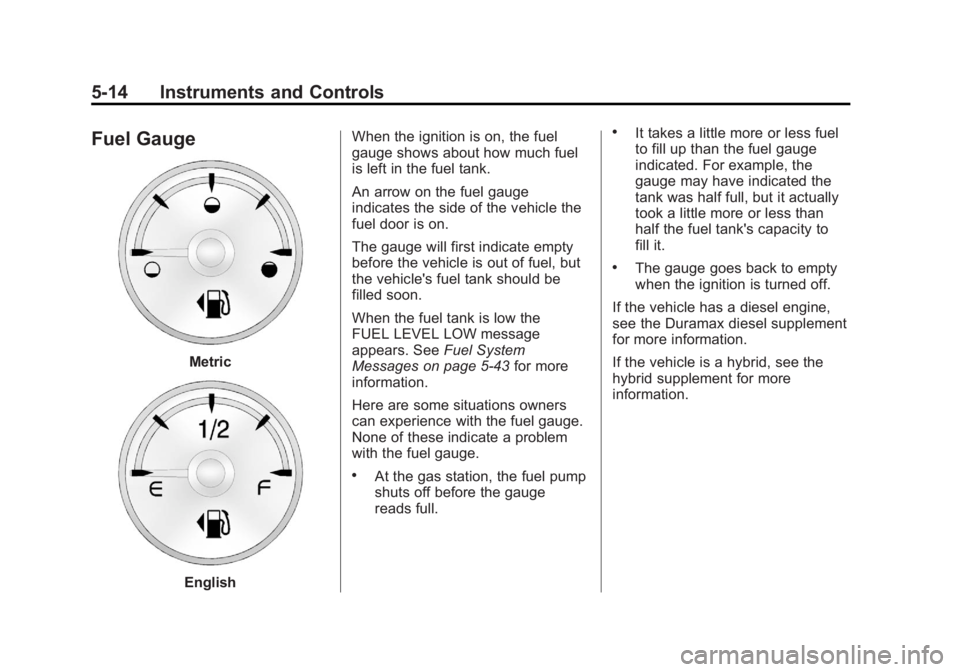
EnglishWhen the ignition is on, the fuel
gauge shows about how much fuel
is left in the fuel tank.
An arrow on the fuel gauge
indicates the side of the vehicle the
fuel door is on.
The gauge will first indicate empty
before the vehicle is out of fuel, but
the vehicle's fuel tank should be
filled soon.
When the fuel tank is low the
FUEL LEVEL LOW message
appears. See
Fuel System
Messages on page 5‑43 for more
information.
Here are some situations owners
can experience with the fuel gauge.
None of these indicate a problem
with the fuel gauge.
.At the gas station, the fuel pump
shuts off before the gauge
reads full.
.It takes a little more or less fuel
to fill up than the fuel gauge
indicated. For example, the
gauge may have indicated the
tank was half full, but it actually
took a little more or less than
half the fuel tank's capacity to
fill it.
.The gauge goes back to empty
when the ignition is turned off.
If the vehicle has a diesel engine,
see the Duramax diesel supplement
for more information.
If the vehicle is a hybrid, see the
hybrid supplement for more
information.
Page 155 of 556
Black plate (17,1)GMC Sierra Owner Manual - 2012 - CRC - 11/15/11
Instruments and Controls 5-17
When the engine is running, this
gauge shows the condition of the
charging system. The gauge can
transition from a higher to lower or a
lower to higher reading. This is
normal. If the vehicle is operating
outside the normal operating range,
the charging system light comes on.
SeeCharging System Light on
page 5‑22 for more information. The
voltmeter gauge may also read
lower when in fuel economy mode.
This is normal.
Readings outside the normal
operating range can also occur
when a large number of electrical
accessories are operating in the
vehicle and the engine is left idling
for an extended period. This
condition is normal since the
charging system is not able to
provide full power at engine idle. As engine speeds are increased,
this condition should correct itself as
higher engine speeds allow the
charging system to create maximum
power.
The vehicle can only be driven for a
short time with the readings outside
the normal operating range. If the
vehicle must be driven, turn off all
accessories, such as the radio and
air conditioner.
Readings outside the normal
operating range indicate a possible
problem in the electrical system.
Have the vehicle serviced as soon
as possible.Safety Belt Reminders
Driver Safety Belt Reminder
Light
There is a driver safety belt
reminder light on the instrument
panel cluster.
When the vehicle is started, this
light flashes and a chime may come
on to remind the driver to fasten
their safety belt. Then the light stays
on solid until the belt is buckled.
This cycle my continue several
times if the driver remains or
becomes unbuckled while the
vehicle is moving.
If the driver safety belt is buckled,
neither the light nor the chime
comes on.
Page 161 of 556

Black plate (23,1)GMC Sierra Owner Manual - 2012 - CRC - 11/15/11
Instruments and Controls 5-23
If the malfunction indicator lamp
comes on and stays on while the
engine is running, this indicates that
there is an OBD II problem and
service is required.
Malfunctions often are indicated by
the system before any problem is
apparent. Being aware of the light
can prevent more serious damage
to the vehicle. This system assists
the service technician in correctly
diagnosing any malfunction.
Notice:If the vehicle is
continually driven with this light
on, the emission controls might
not work as well, the vehicle fuel
economy might not be as good,
and the engine might not run as
smoothly. This could lead to
costly repairs that might not be
covered by the vehicle warranty. Notice:
Modifications made
to the engine, transmission,
exhaust, intake, or fuel system
of the vehicle or the replacement
of the original tires with other
than those of the same Tire
Performance Criteria (TPC) can
affect the vehicle's emission
controls and can cause this light
to come on. Modifications to
these systems could lead to
costly repairs not covered by
the vehicle warranty. This could
also result in a failure to pass a
required Emission Inspection/
Maintenance test. See
Accessories and Modifications on
page 10‑3.
This light comes on during a
malfunction in one of two ways:
Light Flashing: A misfire condition
has been detected. A misfire
increases vehicle emissions and
could damage the emission control
system on the vehicle. Diagnosis
and service might be required. To prevent more serious damage to
the vehicle:
.Reduce vehicle speed.
.Avoid hard accelerations.
.Avoid steep uphill grades.
.If towing a trailer, reduce the
amount of cargo being hauled as
soon as it is possible.
If the light continues to flash, stop
and park the vehicle. Turn the
vehicle off, wait at least 10 seconds,
and restart the engine. If the light is
still flashing, follow the previous
steps and see your dealer for
service as soon as possible.
Light On Steady: An emission
control system malfunction has
been detected on the vehicle.
Diagnosis and service might be
required.
Page 162 of 556
Black plate (24,1)GMC Sierra Owner Manual - 2012 - CRC - 11/15/11
5-24 Instruments and Controls
The following may correct an
emission system malfunction:
.Check that the fuel cap is fully
installed. SeeFilling the Tank on
page 9‑72. The diagnostic
system can determine if the
fuel cap has been left off or
improperly installed. A loose or
missing fuel cap allows fuel to
evaporate into the atmosphere.
A few driving trips with the cap
properly installed should turn the
light off.
.Check that good quality fuel is
used. Poor fuel quality causes
the engine not to run as
efficiently as designed and may
cause stalling after start-up,
stalling when the vehicle is
changed into gear, misfiring,
hesitation on acceleration,
or stumbling on acceleration.
These conditions might go away
once the engine is warmed up. If one or more of these conditions
occurs, change the fuel brand used.
It will require at least one full tank of
the proper fuel to turn the light off.
See
Recommended Fuel on
page 9‑68.
If none of the above have made
the light turn off, your dealer can
check the vehicle. The dealer has
the proper test equipment and
diagnostic tools to fix any
mechanical or electrical problems
that might have developed.Emissions Inspection and
Maintenance Programs
Some local governments may have
programs to inspect the on-vehicle
emission control equipment. For
the inspection, the emission system
test equipment is connected
to the vehicle’s Data Link
Connector (DLC).
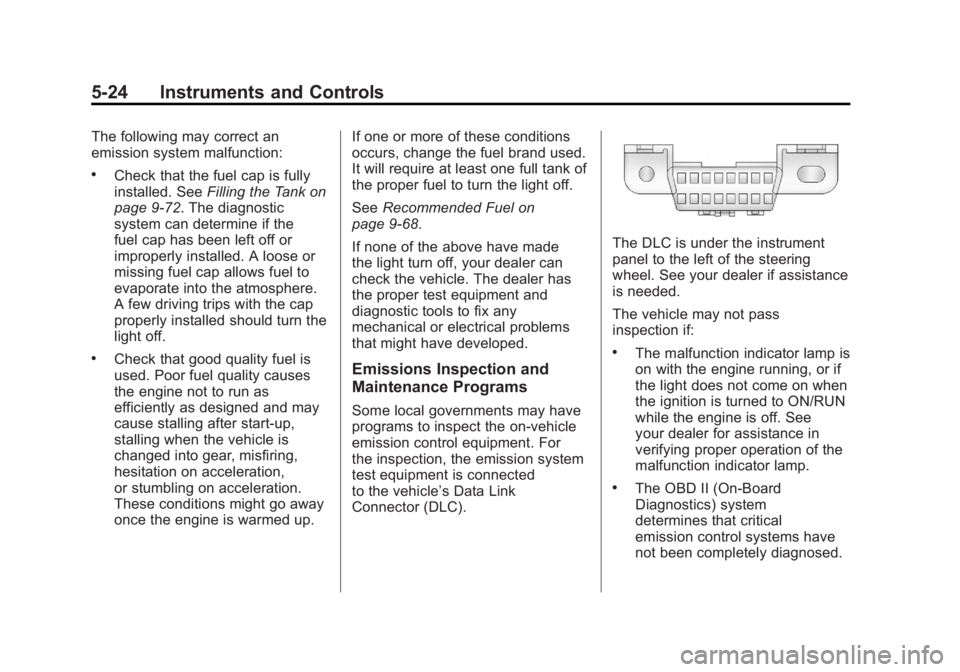
The DLC is under the instrument
panel to the left of the steering
wheel. See your dealer if assistance
is needed.
The vehicle may not pass
inspection if:
.The malfunction indicator lamp is
on with the engine running, or if
the light does not come on when
the ignition is turned to ON/RUN
while the engine is off. See
your dealer for assistance in
verifying proper operation of the
malfunction indicator lamp.
.The OBD II (On-Board
Diagnostics) system
determines that critical
emission control systems have
not been completely diagnosed.
Page 166 of 556
Black plate (28,1)GMC Sierra Owner Manual - 2012 - CRC - 11/15/11
5-28 Instruments and Controls
When the Light Is On Steady
This indicates that one or more
of the tires are significantly
underinflated.
A Driver Information Center (DIC)
tire pressure message may also
display. SeeTire Messages on
page 5‑45. Stop as soon as
possible, and inflate the tires to the
pressure value shown on the Tire
and Loading Information label. See
Tire Pressure on page 10‑58.
When the Light Flashes First and
Then Is On Steady
If the light flashes for about a minute
and then stays on, there may be a
problem with the TPMS. If the
problem is not corrected, the light
will come on at every ignition
cycle. See Tire Pressure Monitor
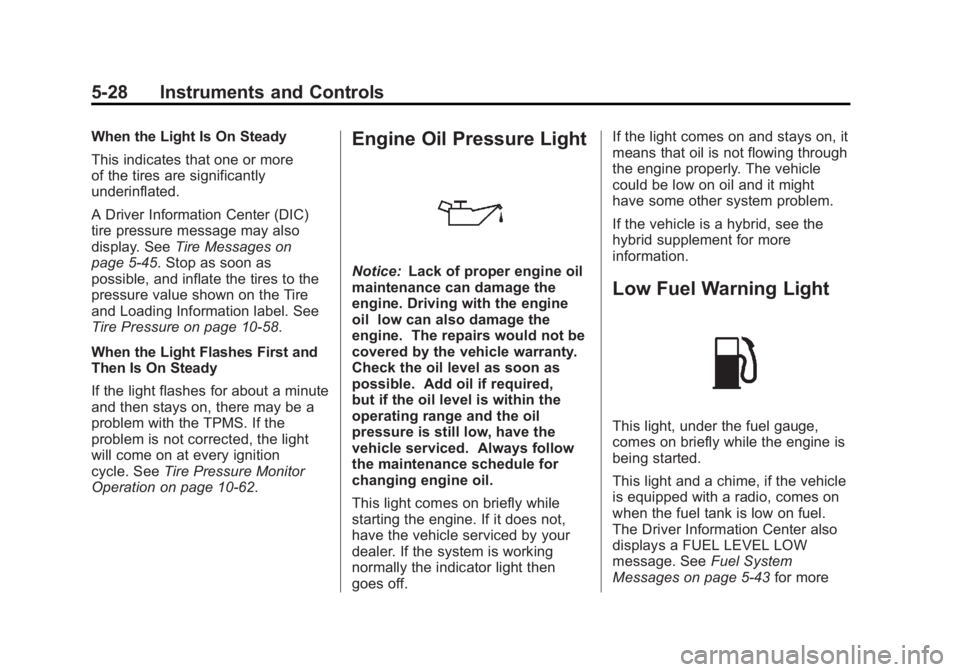
Operation on page 10‑62.Engine Oil Pressure Light
Notice: Lack of proper engine oil
maintenance can damage the
engine. Driving with the engine
oil low can also damage the
engine. The repairs would not be
covered by the vehicle warranty.
Check the oil level as soon as
possible. Add oil if required,
but if the oil level is within the
operating range and the oil
pressure is still low, have the
vehicle serviced. Always follow
the maintenance schedule for
changing engine oil.
This light comes on briefly while
starting the engine. If it does not,
have the vehicle serviced by your
dealer. If the system is working
normally the indicator light then
goes off. If the light comes on and stays on, it
means that oil is not flowing through
the engine properly. The vehicle
could be low on oil and it might
have some other system problem.
If the vehicle is a hybrid, see the
hybrid supplement for more
information.
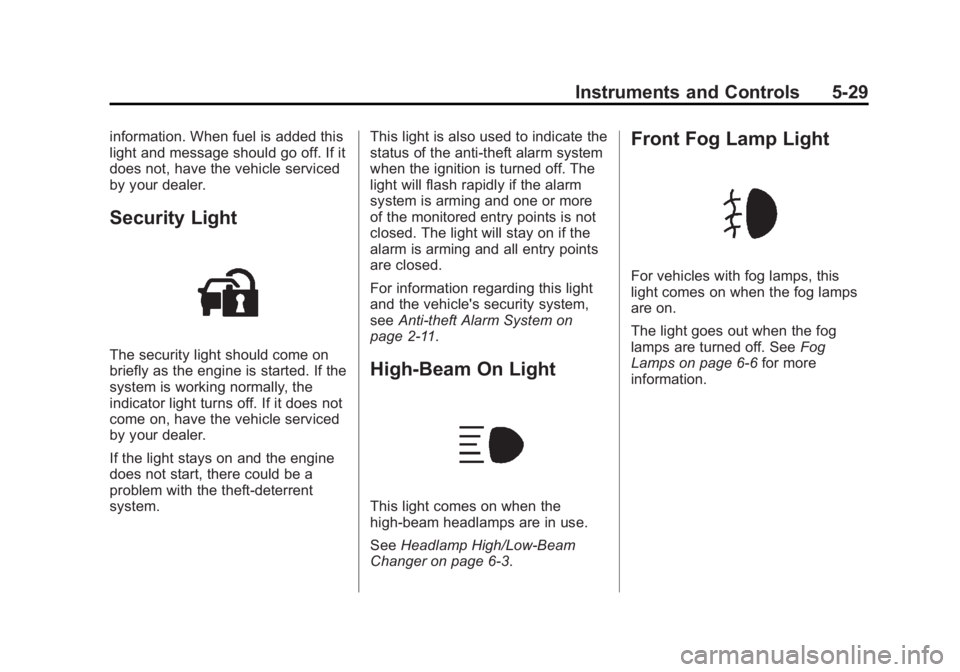
Low Fuel Warning Light
This light, under the fuel gauge,
comes on briefly while the engine is
being started.
This light and a chime, if the vehicle
is equipped with a radio, comes on
when the fuel tank is low on fuel.
The Driver Information Center also
displays a FUEL LEVEL LOW
message. See
Fuel System
Messages on page 5‑43 for more
Page 167 of 556
Black plate (29,1)GMC Sierra Owner Manual - 2012 - CRC - 11/15/11
Instruments and Controls 5-29
information. When fuel is added this
light and message should go off. If it
does not, have the vehicle serviced
by your dealer.
Security Light
The security light should come on
briefly as the engine is started. If the
system is working normally, the
indicator light turns off. If it does not
come on, have the vehicle serviced
by your dealer.
If the light stays on and the engine
does not start, there could be a
problem with the theft-deterrent
system.This light is also used to indicate the
status of the anti-theft alarm system
when the ignition is turned off. The
light will flash rapidly if the alarm
system is arming and one or more
of the monitored entry points is not
closed. The light will stay on if the
alarm is arming and all entry points
are closed.
For information regarding this light
and the vehicle's security system,
see
Anti-theft Alarm System on
page 2‑11.High-Beam On Light
This light comes on when the
high-beam headlamps are in use.
See Headlamp High/Low-Beam
Changer on page 6‑3.
Front Fog Lamp Light
For vehicles with fog lamps, this
light comes on when the fog lamps
are on.
The light goes out when the fog
lamps are turned off. See Fog
Lamps on page 6‑6 for more
information.