2012 GMC CANYON light
[x] Cancel search: lightPage 1 of 404
Black plate (1,1)GMC Canyon Owner Manual - 2012
2012 GMC Canyon Owner ManualM
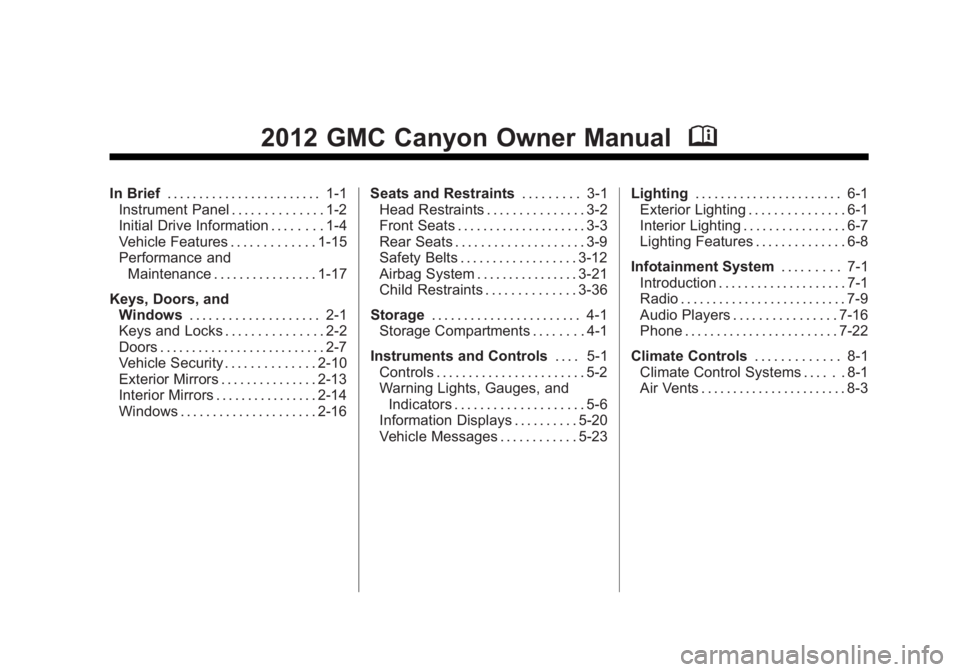
In Brief. . . . . . . . . . . . . . . . . . . . . . . . 1-1
Instrument Panel . . . . . . . . . . . . . . 1-2
Initial Drive Information . . . . . . . . 1-4
Vehicle Features . . . . . . . . . . . . . 1-15
Performance and Maintenance . . . . . . . . . . . . . . . . 1-17
Keys, Doors, and Windows . . . . . . . . . . . . . . . . . . . . 2-1
Keys and Locks . . . . . . . . . . . . . . . 2-2
Doors . . . . . . . . . . . . . . . . . . . . . . . . . . 2-7
Vehicle Security . . . . . . . . . . . . . . 2-10
Exterior Mirrors . . . . . . . . . . . . . . . 2-13
Interior Mirrors . . . . . . . . . . . . . . . . 2-14
Windows . . . . . . . . . . . . . . . . . . . . . 2-16 Seats and Restraints
. . . . . . . . . 3-1
Head Restraints . . . . . . . . . . . . . . . 3-2
Front Seats . . . . . . . . . . . . . . . . . . . . 3-3
Rear Seats . . . . . . . . . . . . . . . . . . . . 3-9
Safety Belts . . . . . . . . . . . . . . . . . . 3-12
Airbag System . . . . . . . . . . . . . . . . 3-21
Child Restraints . . . . . . . . . . . . . . 3-36
Storage . . . . . . . . . . . . . . . . . . . . . . . 4-1
Storage Compartments . . . . . . . . 4-1
Instruments and Controls . . . . 5-1
Controls . . . . . . . . . . . . . . . . . . . . . . . 5-2
Warning Lights, Gauges, and Indicators . . . . . . . . . . . . . . . . . . . . 5-6
Information Displays . . . . . . . . . . 5-20
Vehicle Messages . . . . . . . . . . . . 5-23 Lighting
. . . . . . . . . . . . . . . . . . . . . . . 6-1
Exterior Lighting . . . . . . . . . . . . . . . 6-1
Interior Lighting . . . . . . . . . . . . . . . . 6-7
Lighting Features . . . . . . . . . . . . . . 6-8
Infotainment System . . . . . . . . . 7-1
Introduction . . . . . . . . . . . . . . . . . . . . 7-1
Radio . . . . . . . . . . . . . . . . . . . . . . . . . . 7-9
Audio Players . . . . . . . . . . . . . . . . 7-16
Phone . . . . . . . . . . . . . . . . . . . . . . . . 7-22
Climate Controls . . . . . . . . . . . . . 8-1
Climate Control Systems . . . . . . 8-1
Air Vents . . . . . . . . . . . . . . . . . . . . . . . 8-3
Page 5 of 404

Black plate (5,1)GMC Canyon Owner Manual - 2012
Introduction v
Vehicle Symbol Chart
Here are some additional symbols
that may be found on the vehicle
and what they mean. For more
information on the symbol, refer to
the Index.
9:Airbag Readiness Light
#:Air Conditioning
!:Antilock Brake System (ABS)
J:OnStar®Hands-Free Phone
J:Brake System
Warning Light
": Charging System
I:Cruise Control
B: Engine Coolant Temperature
O:Exterior Lamps
#:Fog Lamps
.: Fuel Gauge
+:Fuses
3: Headlamp High/Low-Beam
Changer
j: LATCH System Child
Restraints
*: Malfunction Indicator Lamp
::Oil Pressure
}:Power
>:Safety Belt Reminders
7:Tire Pressure Monitor
d:Traction Control/StabiliTrak®
M:Windshield Washer Fluid
Page 7 of 404

Black plate (1,1)GMC Canyon Owner Manual - 2012
In Brief 1-1
In Brief
Instrument Panel
Instrument Panel . . . . . . . . . . . . . . 1-2
Initial Drive Information
Initial Drive Information . . . . . . . . 1-4
Remote Keyless Entry (RKE)System . . . . . . . . . . . . . . . . . . . . . . 1-4
Door Locks . . . . . . . . . . . . . . . . . . . 1-4
Tailgate . . . . . . . . . . . . . . . . . . . . . . . 1-6
Windows . . . . . . . . . . . . . . . . . . . . . . 1-6
Seat Adjustment . . . . . . . . . . . . . . 1-7
Heated Seats . . . . . . . . . . . . . . . . . 1-8
Head Restraint Adjustment . . . . 1-8
Safety Belts . . . . . . . . . . . . . . . . . . . 1-9
Passenger Sensing System . . . 1-9 Mirror Adjustment . . . . . . . . . . . . 1-10
Steering Wheel
Adjustment . . . . . . . . . . . . . . . . . 1-11
Interior Lighting . . . . . . . . . . . . . . 1-11
Exterior Lighting . . . . . . . . . . . . . 1-12
Windshield Wiper/Washer . . . . 1-12
Climate Controls . . . . . . . . . . . . . 1-13
Four-Wheel Drive . . . . . . . . . . . . 1-14
Vehicle Features
Radio(s) . . . . . . . . . . . . . . . . . . . . . 1-15
Satellite Radio . . . . . . . . . . . . . . . 1-16
Cruise Control . . . . . . . . . . . . . . . 1-16
Driver Information Center (DIC) . . . . . . . . . . . . . . . 1-17
Power Outlets . . . . . . . . . . . . . . . 1-17
Performance and Maintenance
Traction Control System (TCS) . . . . . . . . . . . . . . 1-17
StabiliTrak
®System . . . . . . . . . 1-18
Tire Pressure Monitor . . . . . . . . 1-18
Engine Oil Life System . . . . . . 1-19
Driving for Better Fuel Economy . . . . . . . . . . . . . . . . . . . 1-19
Roadside Assistance Program . . . . . . . . . . . . . . . . . . . . 1-19
OnStar
®. . . . . . . . . . . . . . . . . . . . . 1-20
Page 16 of 404

Black plate (10,1)GMC Canyon Owner Manual - 2012
1-10 In Brief
Mirror Adjustment
Exterior Mirrors
Vehicles with outside power mirrors
have controls on the driver door
armrest.To adjust the power mirrors:
1. Move the selector switch to the
L (left) or R (right) to choose the
driver or passenger mirror.
2. Press one of the four arrows located on the control pad to
move the mirror to the desired
direction.
3. Return the selector switch to the center position once the mirrors
are adjusted.
See Power Mirrors on page 2‑14.
Vehicles with manual outside
mirrors can be adjusted by pressing
the mirror up and down and left and
right so that you can see a clear
view behind you.
Manually fold the mirrors inward to
prevent damage when going
through an automatic car wash.
To fold, push the mirror toward the
vehicle. Push the mirror outward, to
return to its original position.
See Manual Mirrors on page 2‑13.
Interior Mirror
On vehicles with a manual inside
rearview mirror, the mirror can be
adjusted by holding it in the center
to move it for a clear view behind
you. To avoid glare from the
headlamps behind you, push the tab
forward for daytime use and pull it
for nighttime use.
SeeManual Rearview Mirror on
page 2‑14.
The automatic dimming inside
rearview mirror will automatically
reduce the glare of lights from
behind the vehicle.
See Automatic Dimming Rearview
Mirror on page 2‑15.
Page 17 of 404

Black plate (11,1)GMC Canyon Owner Manual - 2012
In Brief 1-11
Steering Wheel
Adjustment
The steering wheel adjustment lever
is located on the left side of the
steering wheel.
To adjust:
1. Hold the steering wheel and pullthe lever toward you.
2. Move the steering wheel up or down. 3. Release the lever to lock the
wheel in place.
Do not adjust the steering wheel
while driving.
Interior Lighting
Dome Lamps
The dome lamps come on when any
door is opened.
To manually turn on the dome
lamps, turn the thumbwheel, located
next to the exterior lamps control, all
the way up. The cargo lamps may
come on, if the vehicle is equipped
with Bluetooth. In this position, the
lamps remain on whether a door is
opened or closed. Reading Lamps
Press the lens on the lamps to turn
each reading lamp on or off.
These lamps will not come on with
the dome lamps.
For more information see:.“Dome Lamp Override”
under
Dome Lamps on page 6‑7.
.Instrument Panel Illumination
Control on page 6‑7.
.Exit Lighting on page 6‑8.
Page 18 of 404

Black plate (12,1)GMC Canyon Owner Manual - 2012
1-12 In Brief
Exterior Lighting
O:Turns off all exterior lamps
including the Daytime Running
Lamps (DRL).
AUTO: Automatic operation of the
headlamps and other exterior lamps
at normal brightness.
;: Manual operation of the
parking lamps and other exterior
lamps.
5: Manual operation of the
headlamps and other exterior
lamps.
For more information, see:
.Exterior Lamp Controls on
page 6‑1.
.Daytime Running Lamps (DRL)
on page 6‑3.
.Automatic Headlamp System on
page 6‑4.
.Fog Lamps on page 6‑6.
.Exterior Cargo Lamps on
page 6‑6.
Windshield Wiper/Washer
8: For a single wipe, move the
band to
8and then release it. For
several wipes, hold the band on
8
longer.
N: For adjustable interval wipes,
turn the band up for more frequent
wipes or down for less frequent
wipes.
Page 24 of 404

Black plate (18,1)GMC Canyon Owner Manual - 2012
1-18 In Brief
StabiliTrak®System
The StabiliTrak system assists with
directional control of the vehicle in
difficult driving conditions. The
system turns on automatically every
time the vehicle is started.
.To turn off both traction control
and StabiliTrak, press and hold
the TCS/StabiliTrak button
d
untilgilluminates and the
appropriate DIC message is
displayed. See Ride Control
System Messages on page 5‑26.
.Press and release the TCS/
StabiliTrak button again to turn
on both systems.
For more information, see
StabiliTrak
®System on page 9‑45.
Tire Pressure Monitor
This vehicle may have a Tire
Pressure Monitor System (TPMS).
The TPMS warning light alerts you
to a significant loss in pressure of
one of the vehicle's tires. If the
warning light comes on, stop as
soon as possible and inflate the
tires to the recommended pressure
shown on the Tire and Loading
Information label. See Vehicle Load
Limits on page 9‑18. The warning
light will remain on until the tire
pressure is corrected. During cooler conditions, the low tire
pressure warning light may appear
when the vehicle is first started and
then turn off. This may be an early
indicator that the tire pressures are
getting low and the tires need to be
inflated to the proper pressure.
The TPMS does not replace normal
monthly tire maintenance. It is the
driver
’s responsibility to maintain
correct tire pressures.
See Tire Pressure Monitor System
on page 10‑56.
Page 27 of 404

Black plate (21,1)GMC Canyon Owner Manual - 2012
In Brief 1-21
OnStar at 1-888-4-ONSTAR
(1‐888‐466‐7827) or TTY 1‐877‐
248‐2080; or push
Qto speak with
an OnStar Advisor 24 hours a day,
seven days a week.
For a full description of OnStar
services and system limitations, see
the OnStar Owner's Guide in the
glove box.
OnStar service is subject to the
OnStar Terms and Conditions
included in the OnStar Glove
Box Kit.
OnStar service requires wireless
communication networks and the
Global Positioning System (GPS)
satellite network. Not all OnStar
services are available everywhere
or on all vehicles at all times.
OnStar service cannot work unless
your vehicle is in a place where
OnStar has an agreement with a
wireless service provider for service
in that area, and the wireless
service provider has coverage,
network capacity, reception, and technology compatible with OnStar's
service. Service involving location
information about your vehicle
cannot work unless GPS signals are
available, unobstructed, and
compatible with the OnStar
hardware. The vehicle must have a
working electrical system and
adequate battery power for the
OnStar equipment to operate.
OnStar service may not work if the
OnStar equipment is not properly
installed or you have not maintained
it even if your vehicle is in good
working order and in compliance
with all government regulations.
If you try to add, connect, or modify
any equipment or software in your
vehicle, OnStar service may not
work. Other problems beyond
OnStar's control may prevent
service to you, such as hills, tall
buildings, tunnels, weather,
electrical system design and
architecture of your vehicle, damage
to important parts of your vehicle in
a crash, or wireless phone network
congestion or jamming.
See
Radio Frequency Statement on
page 13‑22 for information
regarding Part 15 of the Federal
Communications Commission (FCC)
rules and Industry Canada
Standards RSS-GEN/210/220/310.
Your Responsibility
Increase the volume of the radio if
the OnStar Advisor cannot be
heard.
If the light next to the OnStar
buttons is red, the system may not
be functioning properly. Push
Q
and request a vehicle diagnostic.
If the light appears clear (no light
appears), your OnStar subscription
has expired and all services have
been deactivated. Push
Qto
confirm that the OnStar equipment
is active.