Page 110 of 462

Enable/disable:
To enable/disable the power running board feature, refer toMessage
centerin theInstrument Clusterchapter.
•When this feature is disabled (OFF), the running boards will move to
the stowed position regardless of the position of the doors.
•When this feature is enabled (AUTO), the running boards will move
back to the correct positions based off of the door positions.
Bounce-back:
•If an object is in the way of the moving running board, the running
board will automatically bounce back in the reverse direction and
move to the end of travel.
Note:The running boards may operate slower in cooler temperatures. In
adverse conditions, debris such as mud, dirt, and salt may become
trapped in the running board mechanism, possibly leading to unwanted
noise. If this occurs, manually set the running boards to the deployed
position and flush the system (in particular the front and rear hinge
arms) with a high-pressure car wash wand.
Note:Do not use the running boards, front and rear hinge assemblies,
running board motors, or the running board under body mounts to lift
the vehicle when jacking. Please utilize proper jacking points. Refer to
Changing the tiresin theRoadside Emergencieschapter.
WARNING:In extreme climates, excessive ice buildup may
occur, causing the running boards not to deploy. Be sure that the
running boards have deployed, and have finished moving before
attempting to step on them. Note: The running boards will resume
normal function once the blockage is cleared.
WARNING:Turn off the running boards before jacking or
placing any object under the vehicle. Never place your hand
between the extended running board and the vehicle. A moving
running board may cause injury.
Driver Controls
110
2012 F-150(f12)
Owners Guide, 1st Printing
USA(fus)
Page 115 of 462

To open the moon roof:Press and
release the SLIDE control, the moon
roof will open automatically. Press
the switch again to stop the moon
roof.
To close the moon roof:Pull and
release the SLIDE control, the moon
roof will close automatically. Press
the switch again to stop the moon
roof.
Bounce-back:When an obstacle has been detected in the moon roof
opening as the moon roof is closing, the moon roof will automatically
open and stop at a prescribed position.
Bounce-back override:To override bounce-back function, pull and hold
the SLIDE switch within two seconds of a bounce-back event. The
closing force will begin to increase each time the moon roof is closed for
the first three closing cycles, with bounce-back active. For example:
Bounce-back can be used to overcome the resistance of ice on the moon
roof or seals
To vent the moon roof:Press and release the TILT control, the moon
roof will move to the vent position automatically from any moon roof
position. Press the switch again to stop the moon roof. Pull and hold the
TILT control to close the moon roof.
The moon roof has a built-in sliding shade that can be manually opened
or closed when the glass panel is shut. To close the shade, pull it toward
the front of the vehicle.
Driver Controls
115
2012 F-150(f12)
Owners Guide, 1st Printing
USA(fus)
Page 124 of 462
3. Partially lower tailgate and carefully feed tailgate harness up through
the gap between the pickup box and the bumper. Place the tailgate
harness out of the way under the pickup box.
4. Lower the tailgate.
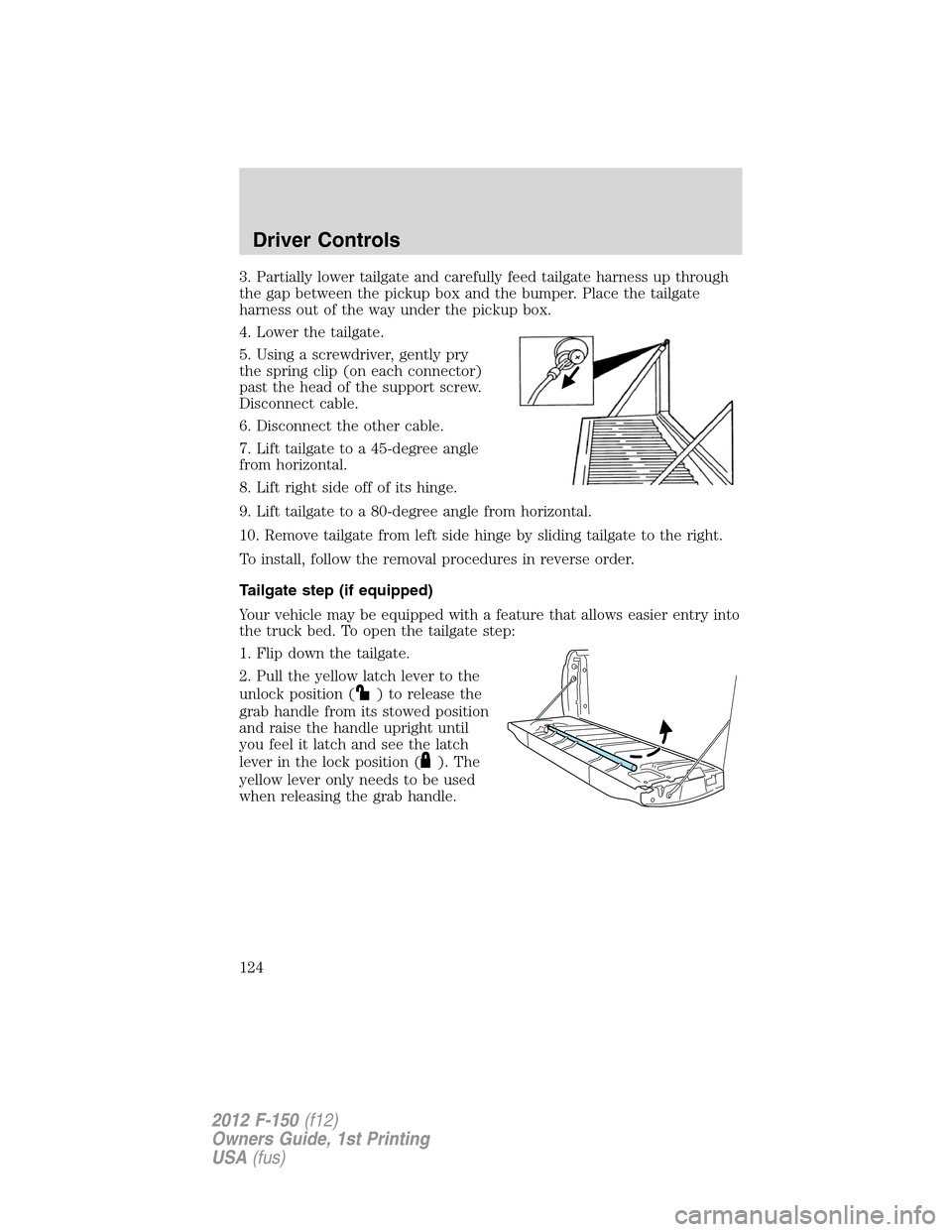
5. Using a screwdriver, gently pry
the spring clip (on each connector)
past the head of the support screw.
Disconnect cable.
6. Disconnect the other cable.
7. Lift tailgate to a 45-degree angle
from horizontal.
8. Lift right side off of its hinge.
9. Lift tailgate to a 80-degree angle from horizontal.
10. Remove tailgate from left side hinge by sliding tailgate to the right.
To install, follow the removal procedures in reverse order.
Tailgate step (if equipped)
Your vehicle may be equipped with a feature that allows easier entry into
the truck bed. To open the tailgate step:
1. Flip down the tailgate.
2. Pull the yellow latch lever to the
unlock position (
) to release the
grab handle from its stowed position
and raise the handle upright until
you feel it latch and see the latch
lever in the lock position (
). The
yellow lever only needs to be used
when releasing the grab handle.
Driver Controls
124
2012 F-150(f12)
Owners Guide, 1st Printing
USA(fus)
Page 125 of 462
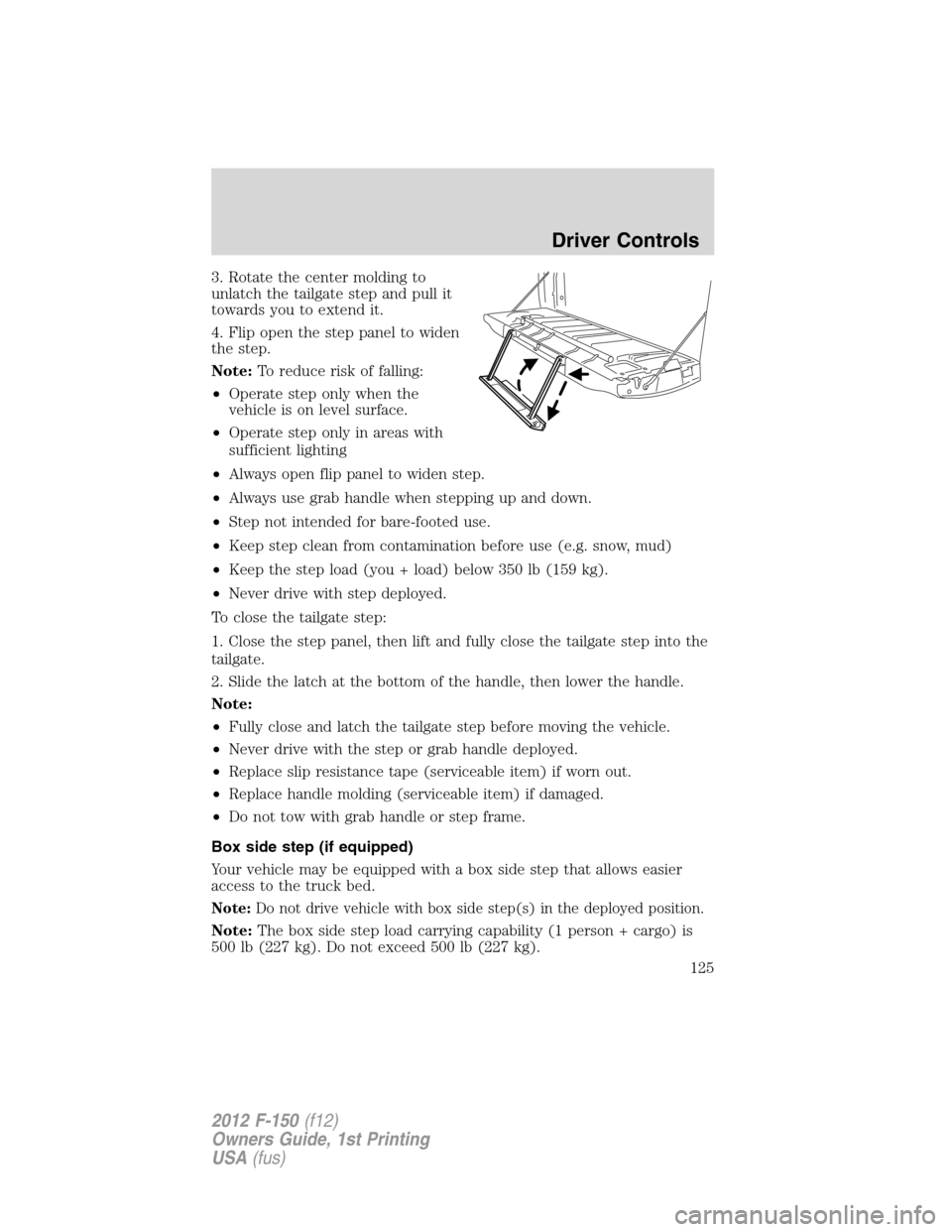
3. Rotate the center molding to
unlatch the tailgate step and pull it
towards you to extend it.
4. Flip open the step panel to widen
the step.
Note:To reduce risk of falling:
•Operate step only when the
vehicle is on level surface.
•Operate step only in areas with
sufficient lighting
•Always open flip panel to widen step.
•Always use grab handle when stepping up and down.
•Step not intended for bare-footed use.
•Keep step clean from contamination before use (e.g. snow, mud)
•Keep the step load (you + load) below 350 lb (159 kg).
•Never drive with step deployed.
To close the tailgate step:
1. Close the step panel, then lift and fully close the tailgate step into the
tailgate.
2. Slide the latch at the bottom of the handle, then lower the handle.
Note:
•Fully close and latch the tailgate step before moving the vehicle.
•Never drive with the step or grab handle deployed.
•Replace slip resistance tape (serviceable item) if worn out.
•Replace handle molding (serviceable item) if damaged.
•Do not tow with grab handle or step frame.
Box side step (if equipped)
Your vehicle may be equipped with a box side step that allows easier
access to the truck bed.
Note:Do not drive vehicle with box side step(s) in the deployed position.
Note:The box side step load carrying capability (1 person + cargo) is
500 lb (227 kg). Do not exceed 500 lb (227 kg).
Driver Controls
125
2012 F-150(f12)
Owners Guide, 1st Printing
USA(fus)
Page 126 of 462

To deploy the box side step, with your foot, push down on the button.
The step will automatically extend out from the stowed position.
Note:The box side steps may operate slower in cooler temperatures. In
adverse conditions, debris such as mud, dirt, snow, ice, and salt may
become trapped in the box side step mechanism, possibly causing the
box side step to not deploy automatically after pressing the button. If
this occurs, ensure that the button is pressed down, carefully manually
pull out the box side step, wash off the debris with a high-pressure car
wash wand, and re-stow the step.
To stow the box side step, with your foot, push the box side step under
the truck until fully latched. Do not push on the button while stowing
the box side step.
Note:Do not use the box side steps to lift the vehicle when jacking.
Utilize proper jacking points. Refer toChanging the tiresin the
Roadside Emergencieschapter.
Driver Controls
126
2012 F-150(f12)
Owners Guide, 1st Printing
USA(fus)
Page 127 of 462
BED EXTENDER (IF EQUIPPED)
Your vehicle may be equipped with a cargo management feature in the
truck bed.
Note:This feature is not intended for off-road usage.
To open the bed extender into tailgate mode:
1. Pull the locking pin toward the
center of the vehicle.
2. Open the latches to release the
panels.
3. Rotate the panels toward the
tailgate.
Repeat Steps 1–3 for the other side of the bed extender.
Driver Controls
127
2012 F-150(f12)
Owners Guide, 1st Printing
USA(fus)
Page 128 of 462
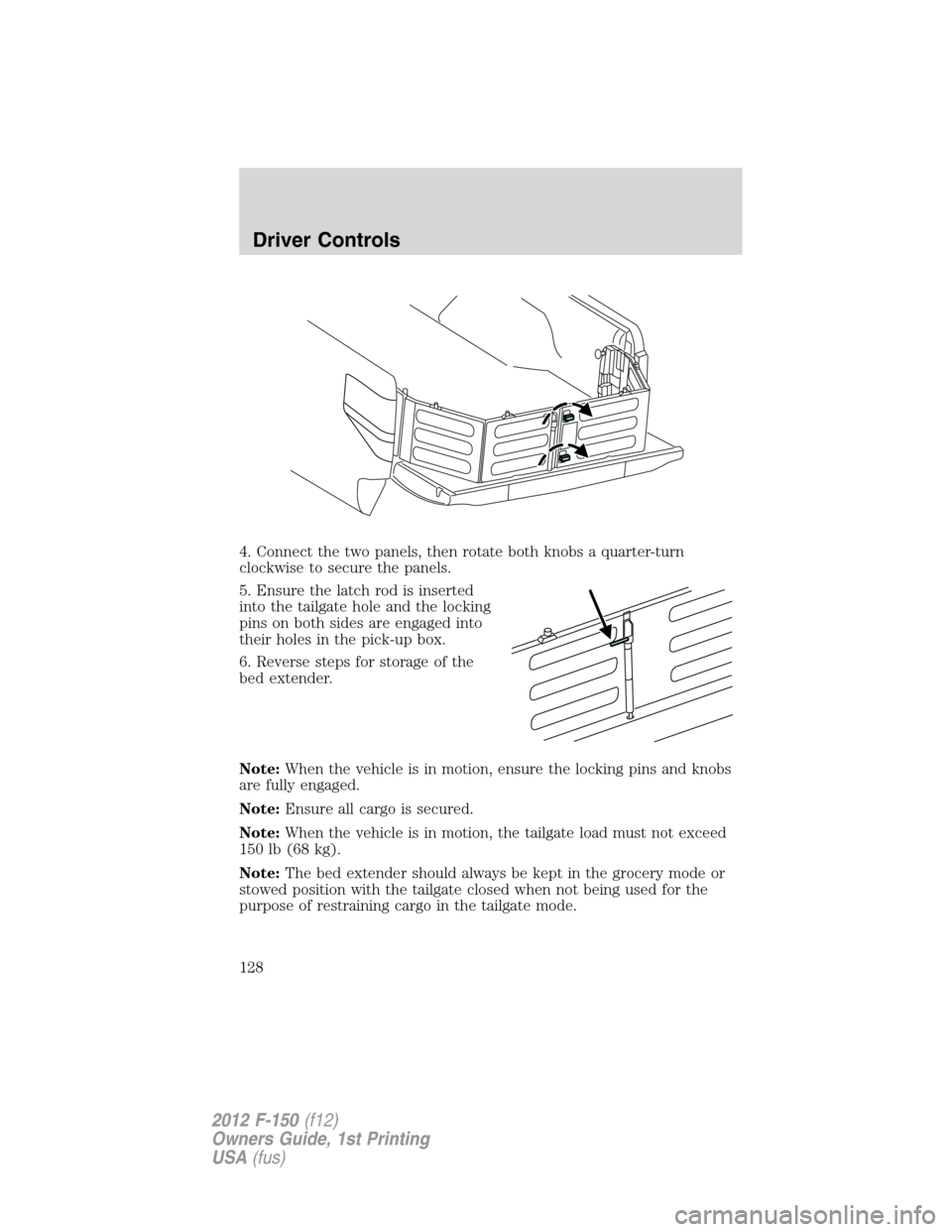
4. Connect the two panels, then rotate both knobs a quarter-turn
clockwise to secure the panels.
5. Ensure the latch rod is inserted
into the tailgate hole and the locking
pins on both sides are engaged into
their holes in the pick-up box.
6. Reverse steps for storage of the
bed extender.
Note:When the vehicle is in motion, ensure the locking pins and knobs
are fully engaged.
Note:Ensure all cargo is secured.
Note:When the vehicle is in motion, the tailgate load must not exceed
150 lb (68 kg).
Note:The bed extender should always be kept in the grocery mode or
stowed position with the tailgate closed when not being used for the
purpose of restraining cargo in the tailgate mode.
Driver Controls
128
2012 F-150(f12)
Owners Guide, 1st Printing
USA(fus)
Page 149 of 462
The typical operating range for your IKT is approximately 33 feet
(10 meters). A decrease in operating range could be caused by:
•weather conditions,
•nearby radio towers,
•structures around the vehicle, or
•other vehicles parked next to your vehicle.
The IKT allows you to:
•remotely unlock the vehicle doors.
•remotely lock all the vehicle doors.
•remotely start the engine (if equipped with remote start).
•activate the personal alarm.
•operate the illuminated entry feature.
The remote entry lock/unlock feature operates in any ignition position
except while the key is held in the start position. The panic feature
operates with the key in the off position.
If there are problems with the remote entry system, make sure to take
ALL integrated keyhead transmitterswith you to the authorized
dealer in order to aid in troubleshooting the problem.
Two step door unlocking
1. Pressand release to unlock the driver’s door.Note:The parking
lamps and interior lamps will illuminate (refer to theIlluminated entry
feature later in this section) if the control on the overhead lamp isnot
set to theoffposition.
2. Press
and release again within three seconds to unlock the
passenger doors.
The battery saver feature will turn off the lamps 10 minutes after the
ignition is turned to the off position.
One step door unlocking
If the one step door unlocking feature is activated, press
and release
once to unlock all of the doors.Note:The parking lamps and interior
lamps will illuminate (refer to theIlluminated entryfeature later in this
section) if the control on the overhead lamp isnotset to theoff
position.
Locks and Security
149
2012 F-150(f12)
Owners Guide, 1st Printing
USA(fus)