Page 11 of 400
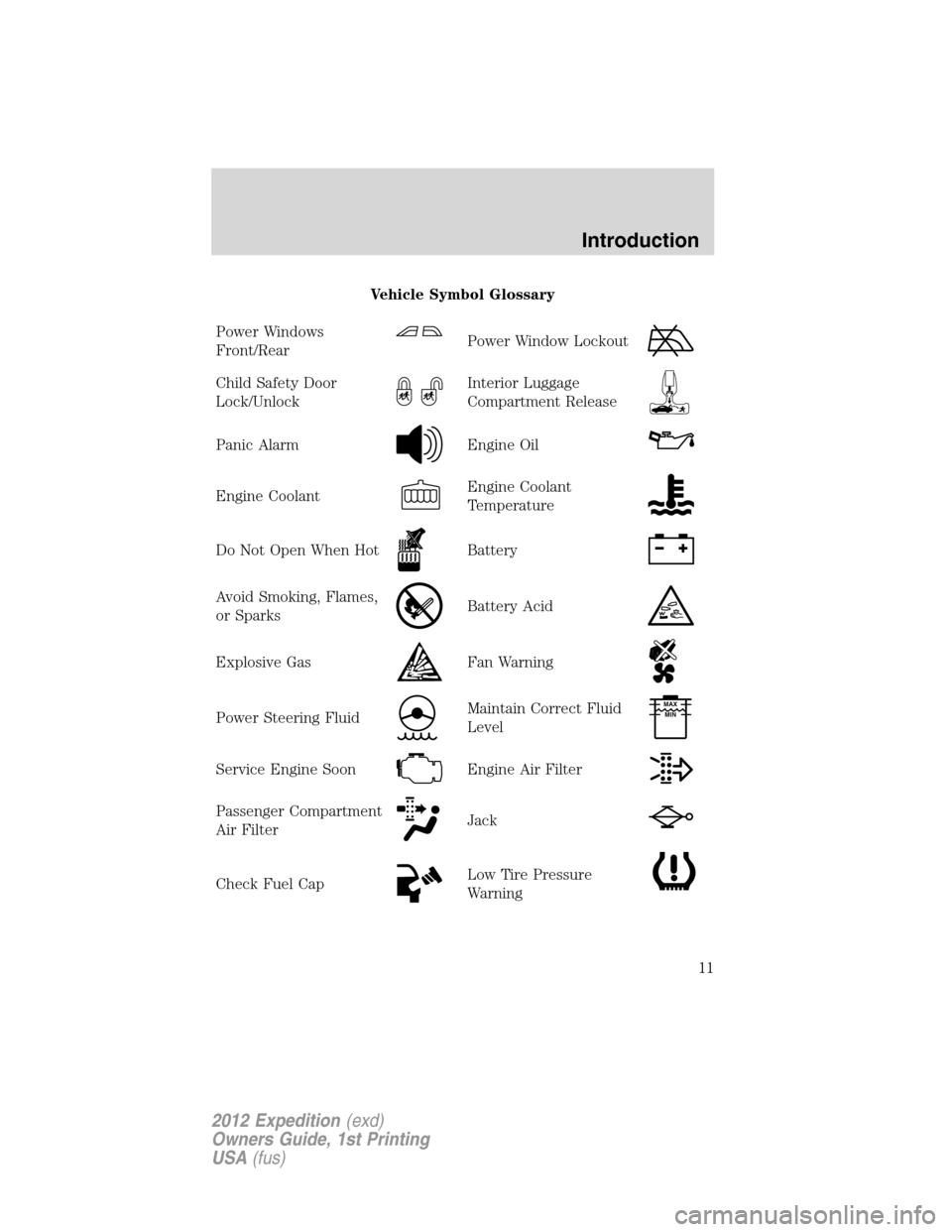
Vehicle Symbol Glossary
Power Windows
Front/Rear
Power Window Lockout
Child Safety Door
Lock/UnlockInterior Luggage
Compartment Release
Panic AlarmEngine Oil
Engine CoolantEngine Coolant
Temperature
Do Not Open When HotBattery
Avoid Smoking, Flames,
or SparksBattery Acid
Explosive GasFan Warning
Power Steering FluidMaintain Correct Fluid
LevelMAX
MIN
Service Engine SoonEngine Air Filter
Passenger Compartment
Air FilterJack
Check Fuel CapLow Tire Pressure
Warning
Introduction
11
2012 Expedition(exd)
Owners Guide, 1st Printing
USA(fus)
Page 19 of 400
WARNING:Never remove the coolant reservoir cap while the
engine is running or hot.
6.Fuel gauge:Indicates approximately how much fuel is left in the fuel
tank (when the ignition is in the on position). The fuel gauge may vary
slightly when the vehicle is in motion or on a grade. The fuel icon and
arrow indicates which side of the vehicle the fuel filler door is located.
Refer toFilling the tankin theMaintenance and Specifications
chapter for more information.
Odometer and trip odometer:The odometer is displayed in the
message center and registers the total accumulated distance the vehicle
has traveled. For trip odometer, refer toStandard message centeror
Optional message centerin this chapter.
STANDARD MESSAGE CENTER (IF EQUIPPED)
Your vehicle’s message center is capable of monitoring many vehicle systems
and will alert you to potential vehicle problems and various conditions with
an informational message followed by a long indicator chime.
The message center display is located in the instrument cluster.
Selectable features (information menu)
Press and release the SELECT/RESET stem to scroll and reset the
following functions. Reset the function by a single press of the
SELECT/RESET stem for more than two seconds.
TRIP
Registers the distance of individual journeys. Press and release the
SELECT/RESET stem on the cluster to toggle between odometer and
trip odometer display. To reset, press and hold for less than two seconds.
MYKEY MILES (km) (if programmed)
For more information, refer toMyKey�in theLocks and Securitychapter.
MILES (km) TO E
This displays an estimate of approximately how far you can drive with
the fuel remaining in your tank under normal driving conditions.
Remember to turn the ignition off when refueling to allow this feature to
correctly detect the added fuel.
LOW FUEL LEVEL will display when you have approximately 50 miles
(80 km), to empty. Press RESET to clear this warning message. It will
return at approximately 25 miles (40 km), 10 miles (16 km) and 0 miles
(0 km) miles to empty.
Instrument Cluster
19
2012 Expedition(exd)
Owners Guide, 1st Printing
USA(fus)
Page 25 of 400

Types of messages and warnings:
•Some messages will appear briefly to inform you of something you
may need to take action on or be informed of.
•Some messages will appear once and then again when the vehicle is
restarted.
•Some messages will reappear after clearing or being reset if a problem
or condition is still present and needs your attention.
•Some messages can be acknowledged and reset by pressing the
SELECT/RESET stem. This allows you to use the full message center
functionality by clearing the message.
DOOR AJAR— Displayed when a door is not completely closed.
LIFTGATE / GLASS AJAR— Displayed when the liftgate or the
liftgate glass is not completely closed.
CHECK CHARGING SYSTEM— Displayed when the electrical system
is not maintaining proper voltage when the engine is running. If you are
operating electrical accessories when the engine is idling at a low speed,
turn off as many of the electrical loads as soon as possible. If the
warning stays on or comes on when the engine is operating at normal
speeds, have the electrical system checked as soon as possible.
PARK BRAKE ENGAGED— Displayed when the parking brake is set,
the engine is running and the vehicle is driven more than 3 mph
(5 km/h). If the warning stays on after the parking brake is released,
contact your authorized dealer as soon as possible.
CHECK BRAKE SYSTEM— Displayed when the braking system is not
operating properly. If the warning stays on or continues to come on,
contact your authorized dealer as soon as possible.
CHECK FUEL FILL INLET— Displayed when the fuel fill inlet may
not be properly closed. Refer toEasy Fuel�“no cap” fuel systemin the
Maintenance and Specificationschapter.
LOW TIRE PRESSURE— Displayed when one or more tires on your
vehicle have low tire pressure. Refer toInflating your tiresin theTires,
Wheels and Loadingchapter.
TIRE PRESSURE MONITOR FAULT
— Displayed when the Tire
Pressure Monitoring System is malfunctioning. If the warning stays on or
continues to come on, contact your authorized dealer as soon as possible.
TIRE PRESSURE SENSOR FAULT— Displayed when a tire pressure
sensor is malfunctioning, or your spare tire is in use. For more
information on how the system operates under these conditions, refer to
Instrument Cluster
25
2012 Expedition(exd)
Owners Guide, 1st Printing
USA(fus)
Page 28 of 400
OPTIONAL MESSAGE CENTER (IF EQUIPPED)
Your vehicle’s message center is capable of monitoring many vehicle
systems and will alert you to potential vehicle problems and various
conditions with an informational message followed by a long indicator
chime.
The message center display is located in the instrument cluster.
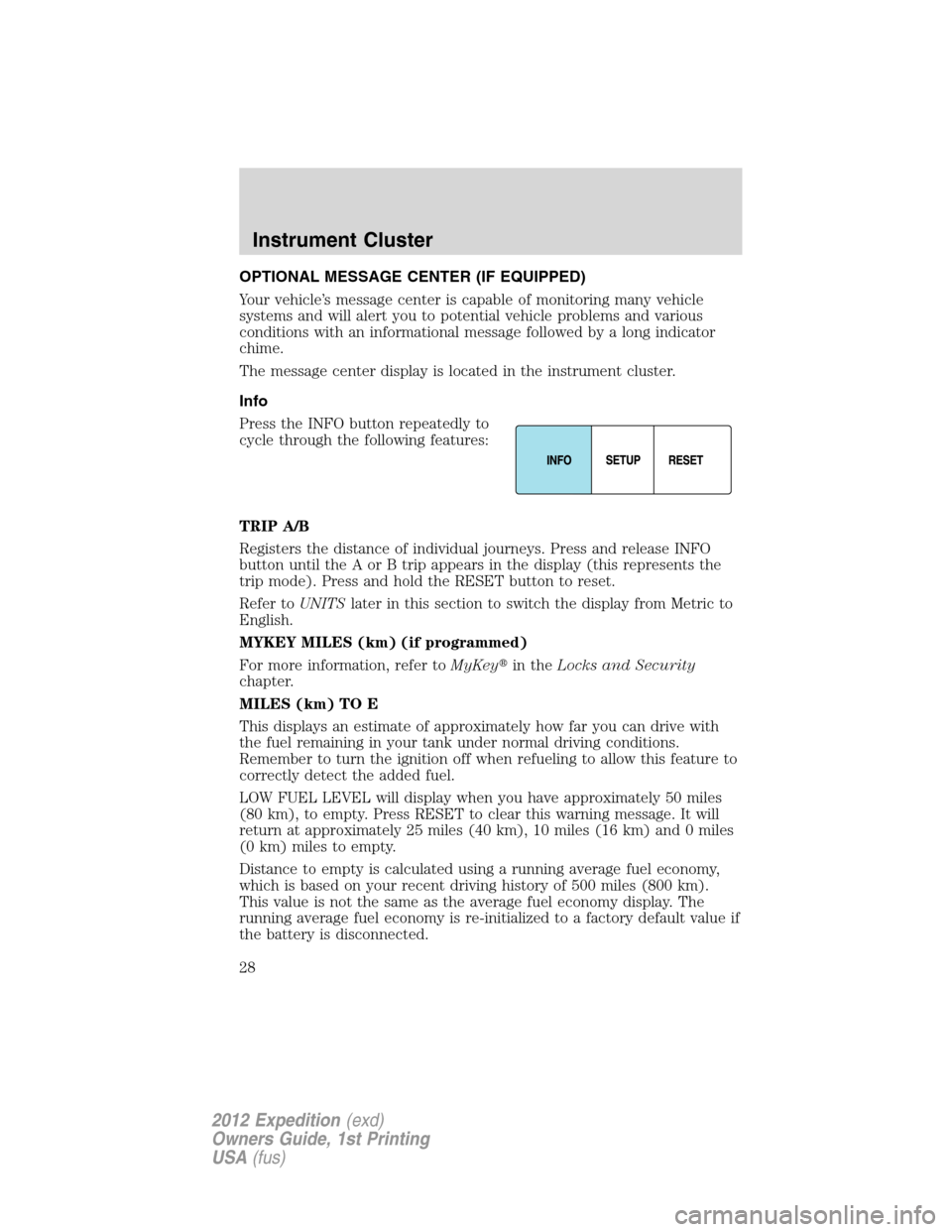
Info
Press the INFO button repeatedly to
cycle through the following features:
TRIP A/B
Registers the distance of individual journeys. Press and release INFO
button until the A or B trip appears in the display (this represents the
trip mode). Press and hold the RESET button to reset.
Refer toUNITSlater in this section to switch the display from Metric to
English.
MYKEY MILES (km) (if programmed)
For more information, refer toMyKey�in theLocks and Security
chapter.
MILES (km) TO E
This displays an estimate of approximately how far you can drive with
the fuel remaining in your tank under normal driving conditions.
Remember to turn the ignition off when refueling to allow this feature to
correctly detect the added fuel.
LOW FUEL LEVEL will display when you have approximately 50 miles
(80 km), to empty. Press RESET to clear this warning message. It will
return at approximately 25 miles (40 km), 10 miles (16 km) and 0 miles
(0 km) miles to empty.
Distance to empty is calculated using a running average fuel economy,
which is based on your recent driving history of 500 miles (800 km).
This value is not the same as the average fuel economy display. The
running average fuel economy is re-initialized to a factory default value if
the battery is disconnected.
Instrument Cluster
28
2012 Expedition(exd)
Owners Guide, 1st Printing
USA(fus)