Page 115 of 400
3. Press and release the RESET button. HOLD RESET TO CONFIRM
CLEAR is displayed.
4. Press and hold the RESET button for two seconds until ALL MYKEYS
CLEARED is displayed.
Check MyKey�system status
The vehicle system check will provide the status of the following MyKey�
parameters:
•MYKEY MILES — This odometer only tracks mileage when a MyKey�
is used. If mileage does not accumulate as expected, then the MyKey�
is not being used by the intended user. The only way to reset this
odometer to zero is by clearing MyKey�. If this odometer is lower than
the last time you checked, then the MyKey�system has been recently
cleared.
•
# MYKEY(S) PROGRAMMED — Indicates how many MyKeys�are
programmed to the vehicle. Can be used to detect deletion of a MyKey�.
•# ADMIN KEYS PROGRAMMED — Indicates how many admin keys
are programmed to the vehicle. Can be used to detect if an additional
spare key has been programmed to the vehicle.
Refer toMessage centerin theInstrument Clusterchapter for MyKey�
system warnings displays.
Using MyKey�with remote start systems
MyKey�is not compatible with non-Ford approved aftermarket remote
start systems. If you choose to install a remote start system please see
your authorized dealer for a Ford approved remote start system.
When using a Ford-approved remote start system, the default settings
will recognize the remote start system as an additional admin key with
its associated privileges. You should program the remote start system as
a MyKey�in addition to the key that you have already programmed as a
MyKey�. To program the remote start system as MyKey�,dothe
following:
1. Enter the vehicle and close all doors.
2. Remote start the vehicle using a remote start fob.
3. Follow Steps 1-4 in theCreate a MyKey�section.
Note:For all vehicles, the number of MYKEY(S) PROGRAMMED or
ADMIN KEYS PROGRAMMED that is displayed in the MyKey�system
status menus will include the remote start system as an additional key in
the total count. See theCheck MyKey�system statussection.
Locks and Security
115
2012 Expedition(exd)
Owners Guide, 1st Printing
USA(fus)
Page 124 of 400
The battery saver feature will turn off the lamps 10 minutes after the
ignition is turned to the off position.
Two stage unlocking may be disabled or re-enabled by simultaneously
pressing the
andcontrols on the IKT for four seconds (disabling
two stage unlock allows all vehicle doors to unlock simultaneously). The
parking lamps will flash twice to indicate that two-stage unlock was
enabled or disabled.
Locking the doors
1. Press
and release to lock all the doors. The parking lamps will
illuminate.
2. Pressand release again within three seconds to confirm that all the
doors are closed.Note:The doors will lock again, the horn will chirp and
the turn lamps will illuminate once if all the doors and liftgate are closed.
Note:If any door or the liftgate is not closed, or if the hood is not
closed in vehicles equipped with the perimeter alarm feature, the horn
will chirp twice and the turn lamps will not flash.
Opening the power liftgate or liftgate window (if equipped)
If equipped with a power liftgate, this control will not operate the liftgate
window.
•Press
twice within three seconds to open the power liftgate (if
equipped) or
•Press
twice within three seconds to unlatch the liftgate window
(if not equipped with a power liftgate).
WARNING:Make sure all persons are clear of the power liftgate
area before using the control.
To close the power liftgate, press the control twice.
If the power liftgate stops mid travel, it may have detected an obstacle,
Check to ensure the power liftgate swing zone is free from obstruction
and reset the power assist by manually closing the power liftgate. Normal
operation can then be resumed.
WARNING:Make sure the power liftgate is closed to prevent
exhaust fumes from being drawn into the vehicle. This will also
prevent passengers and cargo from falling out. If you must drive with the
liftgate open, keep the vents open so outside air comes into the vehicle.
Locks and Security
124
2012 Expedition(exd)
Owners Guide, 1st Printing
USA(fus)
Page 136 of 400
FRONT SEATS
WARNING:Reclining the seatback can cause an occupant to
slide under the seat’s safety belt, resulting in severe personal
injuries in the event of a collision.
WARNING:Do not pile cargo higher than the seatbacks to
reduce the risk of injury in a collision or sudden stop.
WARNING:Before returning the seatback to its original
position, make sure that cargo or any objects are not trapped
behind the seatback. After returning the seatback to its original
position, pull on the seatback to ensure that it has fully latched. An
unlatched seat may become dangerous in the event of a sudden stop or
collision.
WARNING:Never adjust the driver’s seat or seatback when the
vehicle is moving.
WARNING:Always drive and ride with your seatback upright
and the lap belt snug and low across the hips.
Adjustable head restraints
Your vehicle is equipped with front row outboard head restraints that are
vertically adjustable.
WARNING:To minimize the risk of neck injury in the event of a
crash, the driver and passenger occupants should not sit in
and/or operate the vehicle, until the head restraint is placed in its
proper position. The driver should never adjust the head restraint
while the vehicle is in motion.
Seating and Safety Restraints
136
2012 Expedition(exd)
Owners Guide, 1st Printing
USA(fus)
Page 138 of 400
WARNING:The adjustable head restraint is a safety device.
Whenever possible it should be installed and properly adjusted
when the seat is occupied.
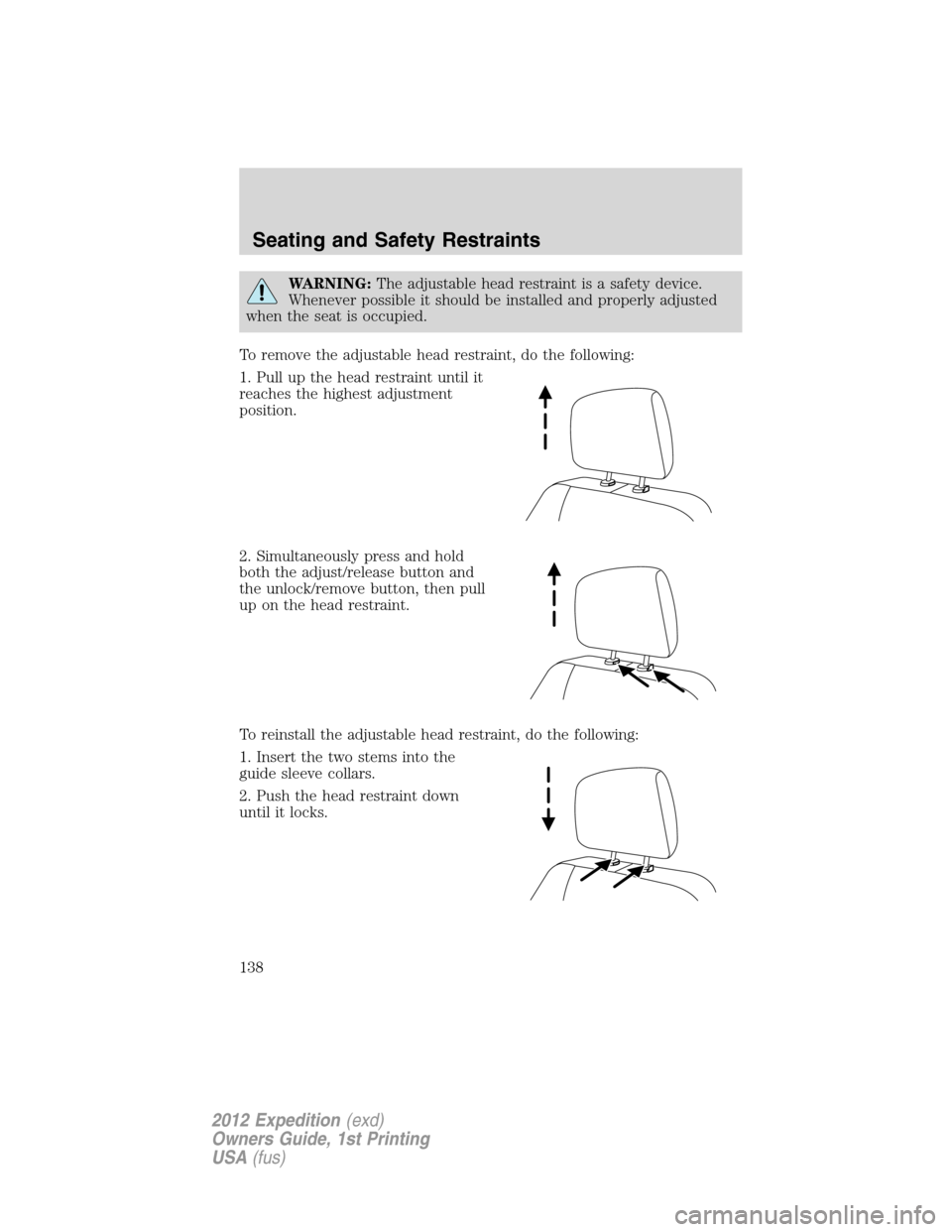
To remove the adjustable head restraint, do the following:
1. Pull up the head restraint until it
reaches the highest adjustment
position.
2. Simultaneously press and hold
both the adjust/release button and
the unlock/remove button, then pull
up on the head restraint.
To reinstall the adjustable head restraint, do the following:
1. Insert the two stems into the
guide sleeve collars.
2. Push the head restraint down
until it locks.
Seating and Safety Restraints
138
2012 Expedition(exd)
Owners Guide, 1st Printing
USA(fus)
Page 139 of 400
Properly adjust the head restraint so that the top of the head restraint is
even with the top of your head and positioned as close as possible to the
back of your head. For occupants of extremely tall stature, adjust the
head restraint to its full up position.
WARNING:To minimize the risk of neck injury in the event of a
crash, head restraints must be installed properly.
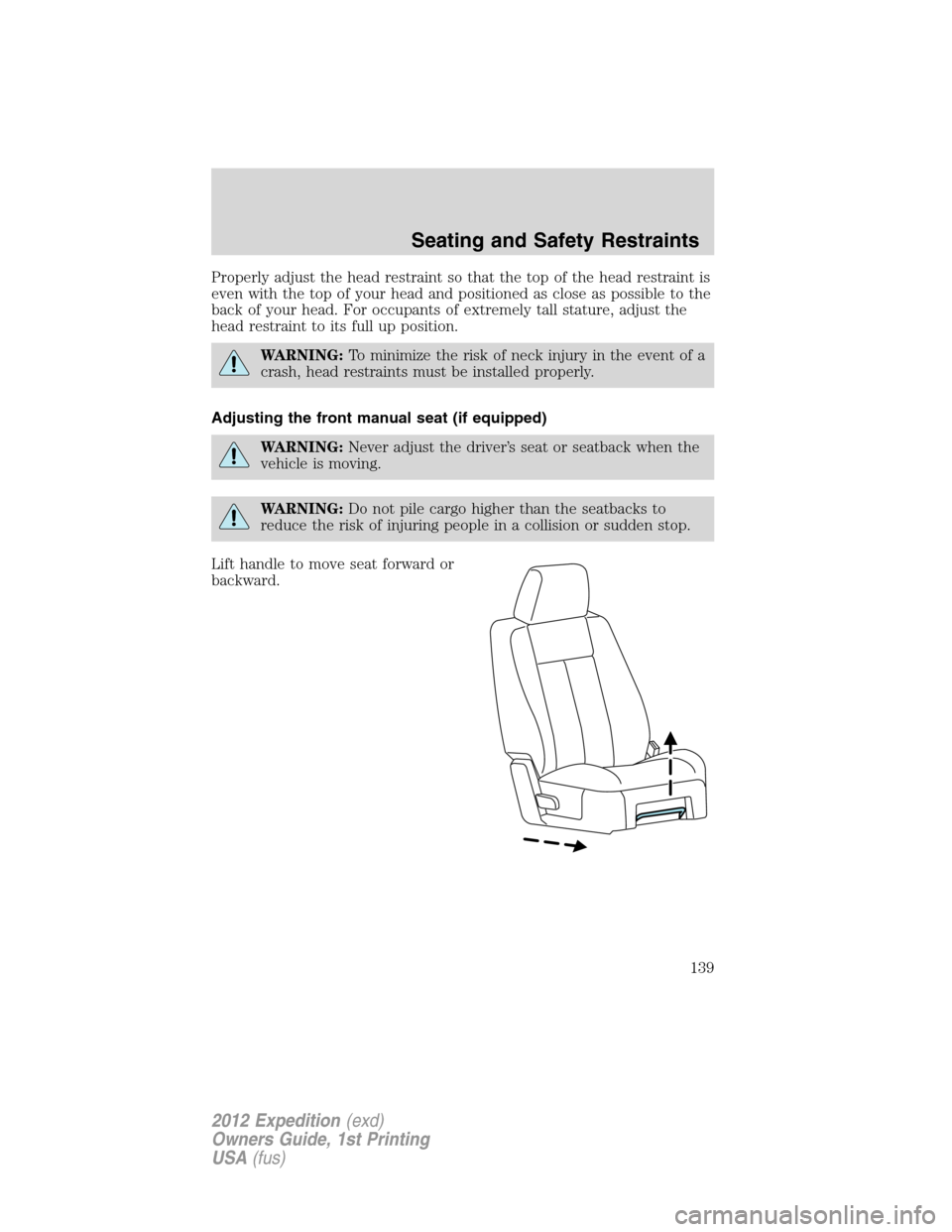
Adjusting the front manual seat (if equipped)
WARNING:Never adjust the driver’s seat or seatback when the
vehicle is moving.
WARNING:Do not pile cargo higher than the seatbacks to
reduce the risk of injuring people in a collision or sudden stop.
Lift handle to move seat forward or
backward.
Seating and Safety Restraints
139
2012 Expedition(exd)
Owners Guide, 1st Printing
USA(fus)
Page 140 of 400
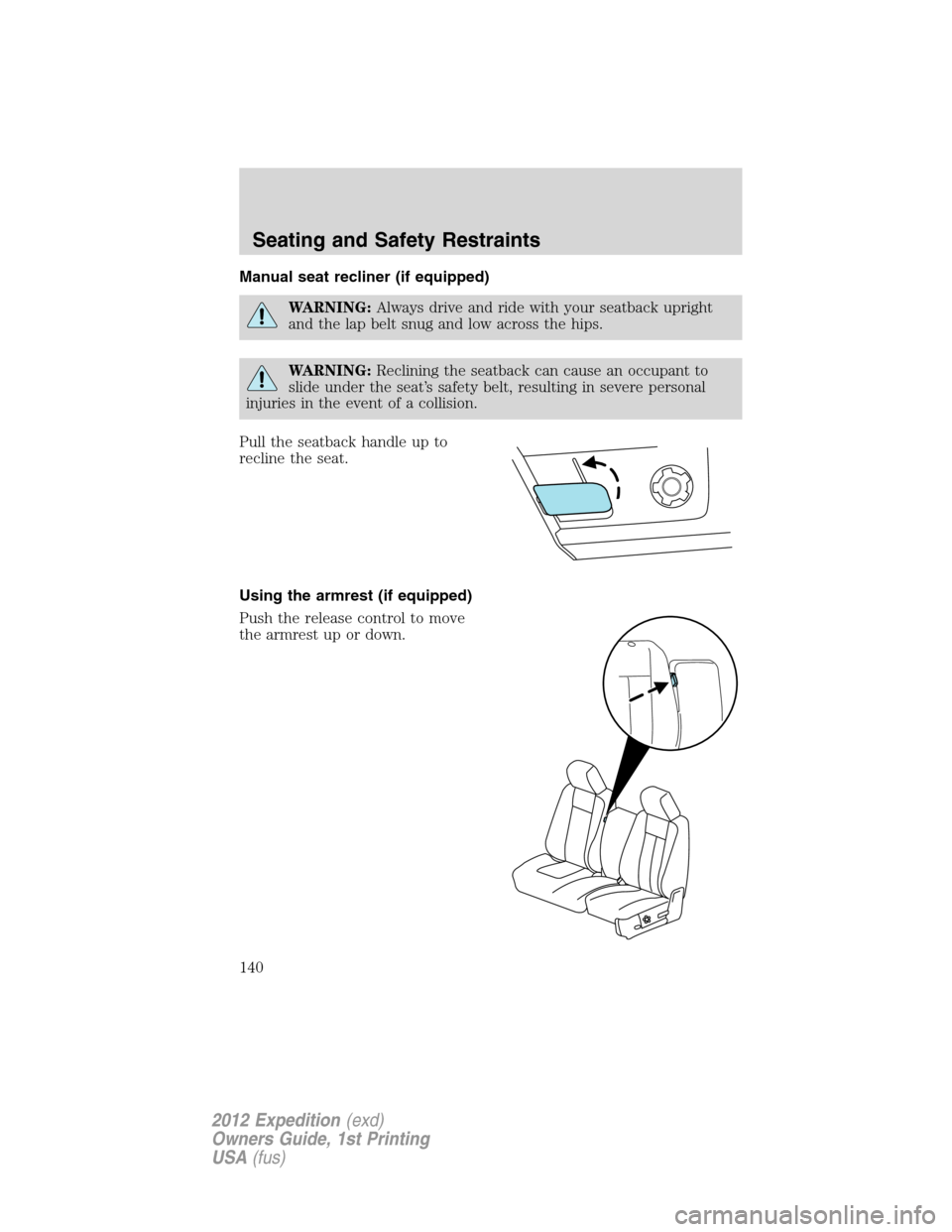
Manual seat recliner (if equipped)
WARNING:Always drive and ride with your seatback upright
and the lap belt snug and low across the hips.
WARNING:Reclining the seatback can cause an occupant to
slide under the seat’s safety belt, resulting in severe personal
injuries in the event of a collision.
Pull the seatback handle up to
recline the seat.
Using the armrest (if equipped)
Push the release control to move
the armrest up or down.
Seating and Safety Restraints
140
2012 Expedition(exd)
Owners Guide, 1st Printing
USA(fus)
Page 141 of 400
Using the manual lumbar support (if equipped)
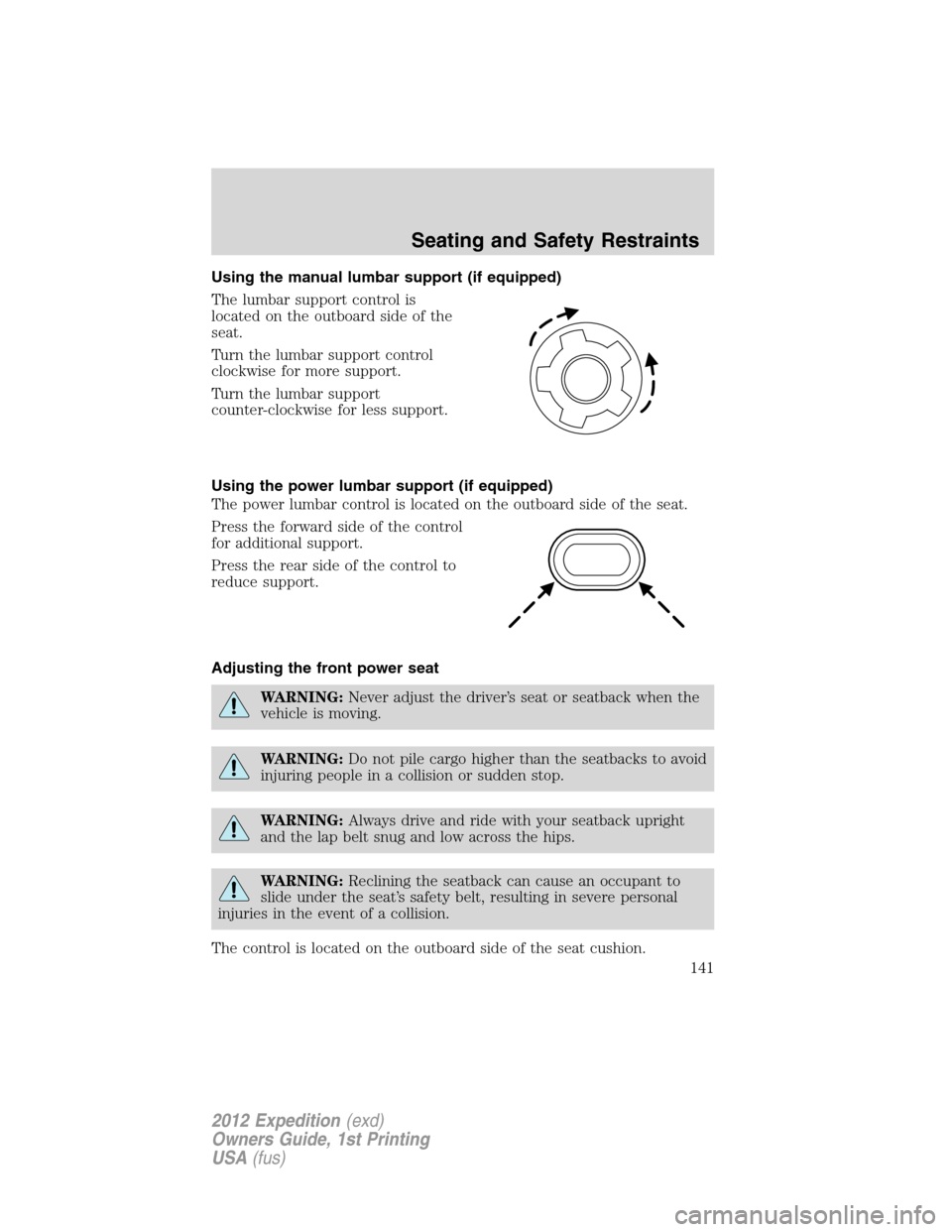
The lumbar support control is
located on the outboard side of the
seat.
Turn the lumbar support control
clockwise for more support.
Turn the lumbar support
counter-clockwise for less support.
Using the power lumbar support (if equipped)
The power lumbar control is located on the outboard side of the seat.
Press the forward side of the control
for additional support.
Press the rear side of the control to
reduce support.
Adjusting the front power seat
WARNING:Never adjust the driver’s seat or seatback when the
vehicle is moving.
WARNING:Do not pile cargo higher than the seatbacks to avoid
injuring people in a collision or sudden stop.
WARNING:Always drive and ride with your seatback upright
and the lap belt snug and low across the hips.
WARNING:Reclining the seatback can cause an occupant to
slide under the seat’s safety belt, resulting in severe personal
injuries in the event of a collision.
The control is located on the outboard side of the seat cushion.
Seating and Safety Restraints
141
2012 Expedition(exd)
Owners Guide, 1st Printing
USA(fus)
Page 144 of 400
Heated seats
WARNING:Persons who are unable to feel pain to the skin
because of advanced age, chronic illness, diabetes, spinal cord
injury, medication, alcohol use, exhaustion, or other physical
conditions, must exercise care when using the seat heater. The seat
heater may cause burns even at low temperatures, especially if used
for long periods of time. Do not place anything on the seat that
insulates against heat, such as a blanket or cushion, because this may
cause the seat heater to overheat. Do not puncture the seat with pins,
needles, or other pointed objects because this may damage the heating
element which may cause the seat heater to overheat. An overheated
seat may cause serious personal injury.
Note:Do not do the following:
•Place heavy objects on the seat
•Operate the seat heater if water or any other liquid is spilled on the
seat. Allow the seat to dry thoroughly.
The heated seats will only function when the engine is running.
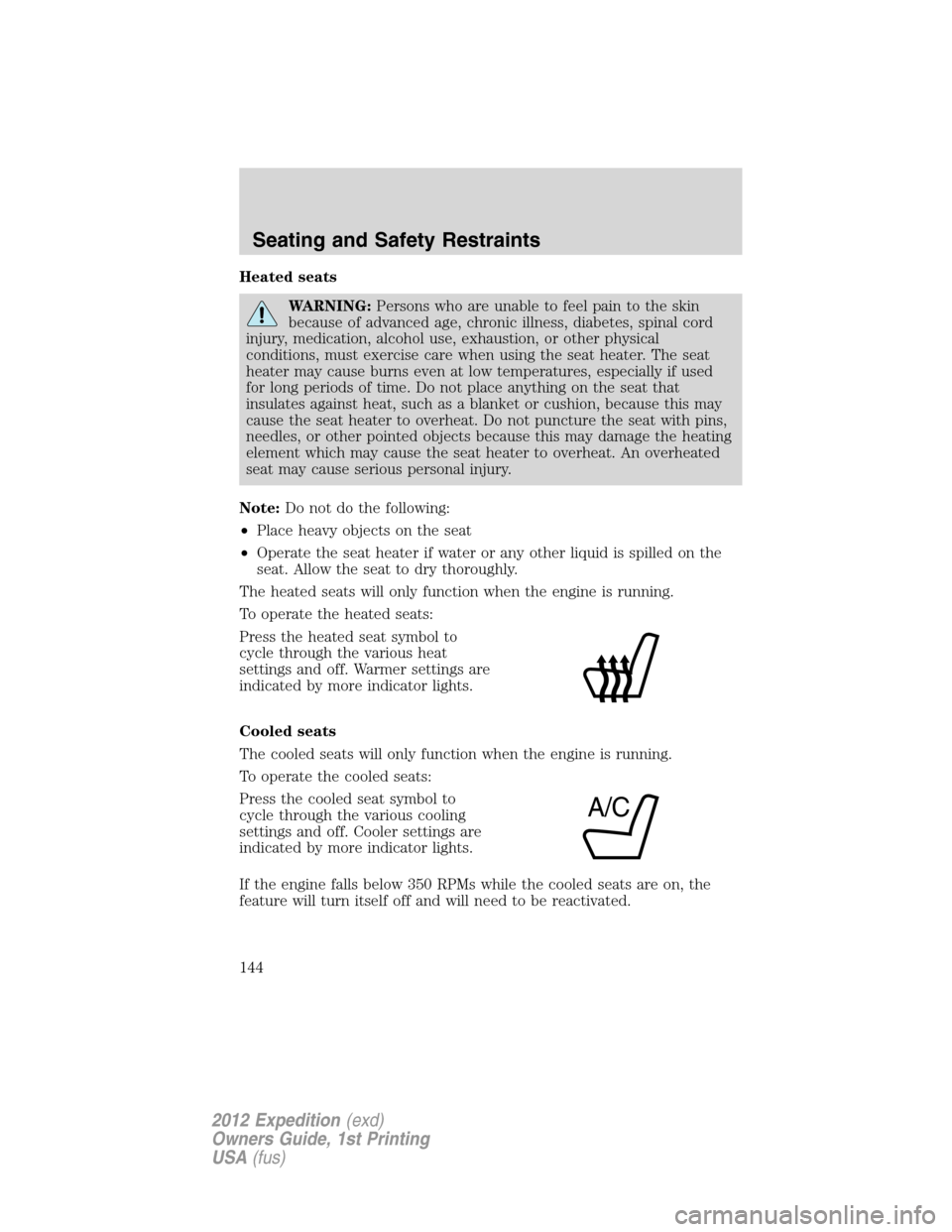
To operate the heated seats:
Press the heated seat symbol to
cycle through the various heat
settings and off. Warmer settings are
indicated by more indicator lights.
Cooled seats
The cooled seats will only function when the engine is running.
To operate the cooled seats:
Press the cooled seat symbol to
cycle through the various cooling
settings and off. Cooler settings are
indicated by more indicator lights.
If the engine falls below 350 RPMs while the cooled seats are on, the
feature will turn itself off and will need to be reactivated.
A/C
Seating and Safety Restraints
144
2012 Expedition(exd)
Owners Guide, 1st Printing
USA(fus)