Page 48 of 400
USB port (if equipped)
WARNING:Driving while distracted can result in loss of vehicle
control, accident and injury. Ford strongly recommends that
drivers use extreme caution when using any device or feature that may
take their focus off the road. Your primary responsibility is the safe
operation of the vehicle. We recommend against the use of any
handheld device while driving, encourage the use of voice-operated
systems when possible and that you become aware of applicable state
and local laws that may affect use of electronic devices while driving.
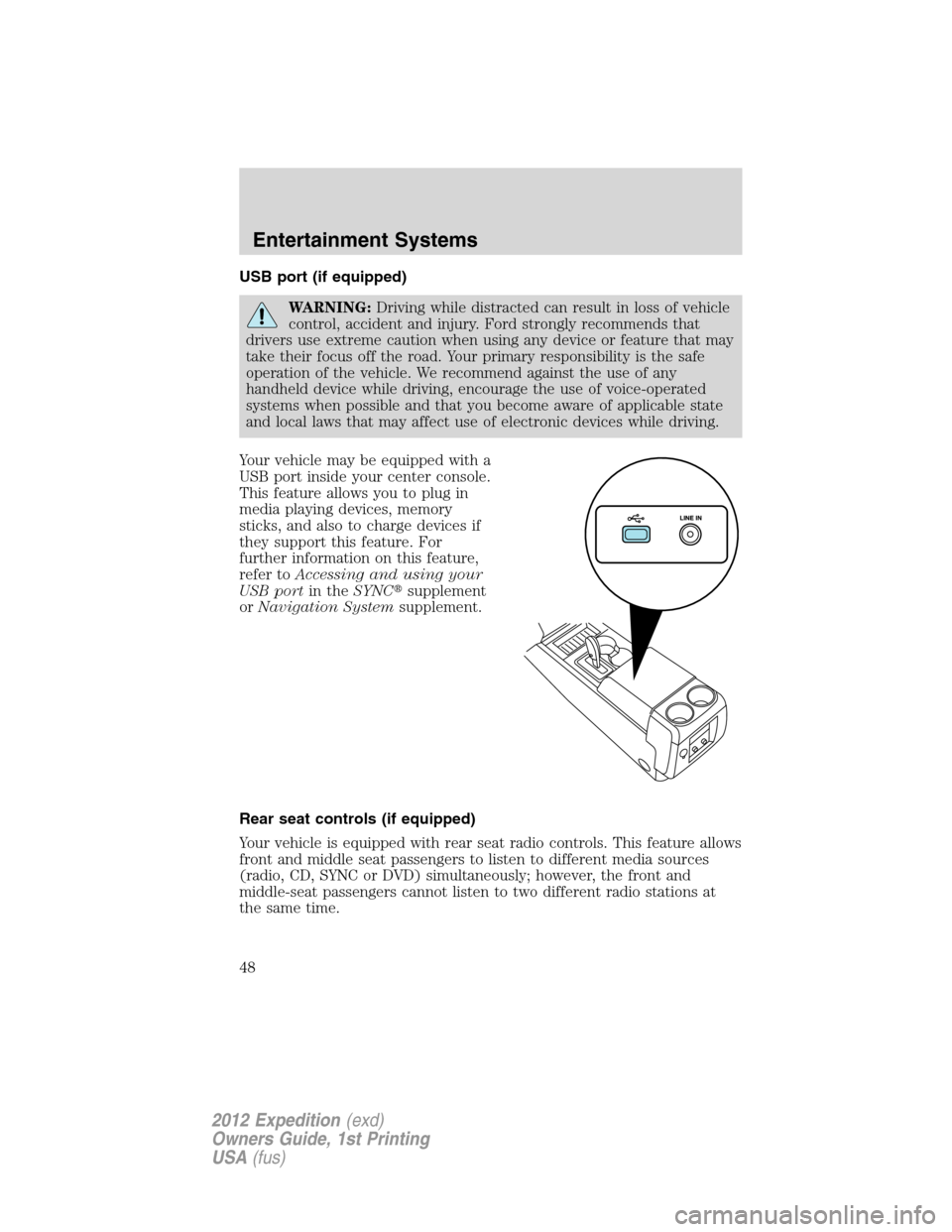
Your vehicle may be equipped with a
USB port inside your center console.
This feature allows you to plug in
media playing devices, memory
sticks, and also to charge devices if
they support this feature. For
further information on this feature,
refer toAccessing and using your
USB portin theSYNC�supplement
orNavigation Systemsupplement.
Rear seat controls (if equipped)
Your vehicle is equipped with rear seat radio controls. This feature allows
front and middle seat passengers to listen to different media sources
(radio, CD, SYNC or DVD) simultaneously; however, the front and
middle-seat passengers cannot listen to two different radio stations at
the same time.
Entertainment Systems
48
2012 Expedition(exd)
Owners Guide, 1st Printing
USA(fus)
Page 51 of 400
To activate dual play mode(rear seat passengers listen to a different
playing media than the front seat passengers):
•Press the speaker/headphone control. A head phone icon (
) will
illuminate in the radio display and in the rear display, indicating the
rear seat speakers have been disabled and headphones are now active.
This is dual play mode.
•Press the MEDIA Control to change audio sources (as heard in the
headphones only).
•Use the other controls to make adjustments to the playing media.
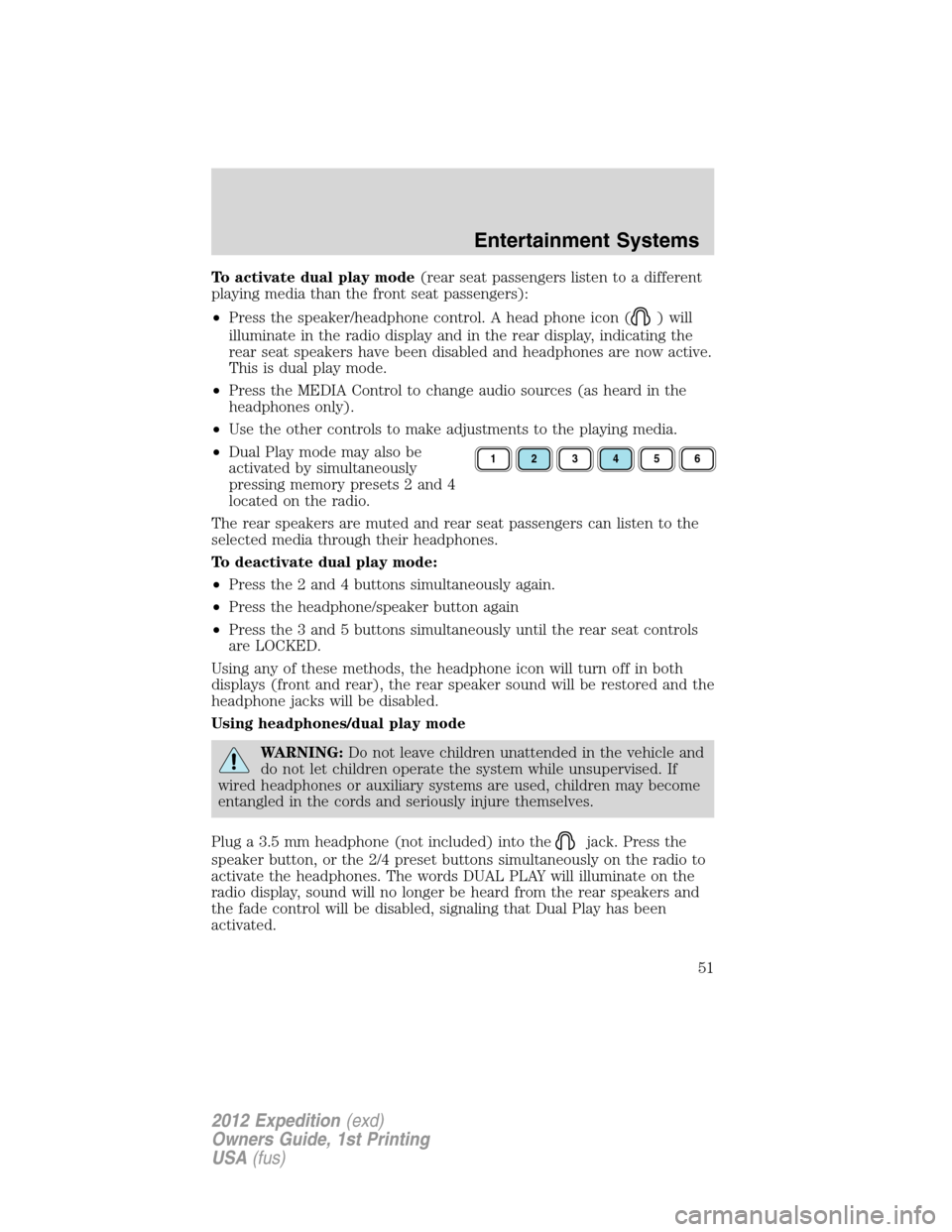
•Dual Play mode may also be
activated by simultaneously
pressing memory presets 2 and 4
located on the radio.
The rear speakers are muted and rear seat passengers can listen to the
selected media through their headphones.
To deactivate dual play mode:
•Press the 2 and 4 buttons simultaneously again.
•Press the headphone/speaker button again
•Press the 3 and 5 buttons simultaneously until the rear seat controls
are LOCKED.
Using any of these methods, the headphone icon will turn off in both
displays (front and rear), the rear speaker sound will be restored and the
headphone jacks will be disabled.
Using headphones/dual play mode
WARNING:Do not leave children unattended in the vehicle and
do not let children operate the system while unsupervised. If
wired headphones or auxiliary systems are used, children may become
entangled in the cords and seriously injure themselves.
Plug a 3.5 mm headphone (not included) into the
jack. Press the
speaker button, or the 2/4 preset buttons simultaneously on the radio to
activate the headphones. The words DUAL PLAY will illuminate on the
radio display, sound will no longer be heard from the rear speakers and
the fade control will be disabled, signaling that Dual Play has been
activated.
123456
Entertainment Systems
51
2012 Expedition(exd)
Owners Guide, 1st Printing
USA(fus)
Page 70 of 400
High beams
•Push the lever toward the
instrument panel to activate.
•Pull the lever toward you to
deactivate.
Flash-to-pass
Pull toward you slightly to activate
and release to deactivate.
Daytime running lamps (DRL) (if equipped)
Turns the headlamps on at reduced intensity output. To activate:
•the ignition must be in the on position and
•the headlamp control must be in the off, autolamps or parking lamps
position.
WARNING:Always remember to turn on your headlamps at
dusk or during inclement weather. The Daytime Running Lamp
(DRL) system does not activate the tail lamps and generally may not
provide adequate lighting during these conditions. Failure to activate
your headlamps under these conditions may result in a collision.
Lights
70
2012 Expedition(exd)
Owners Guide, 1st Printing
USA(fus)
Page 74 of 400
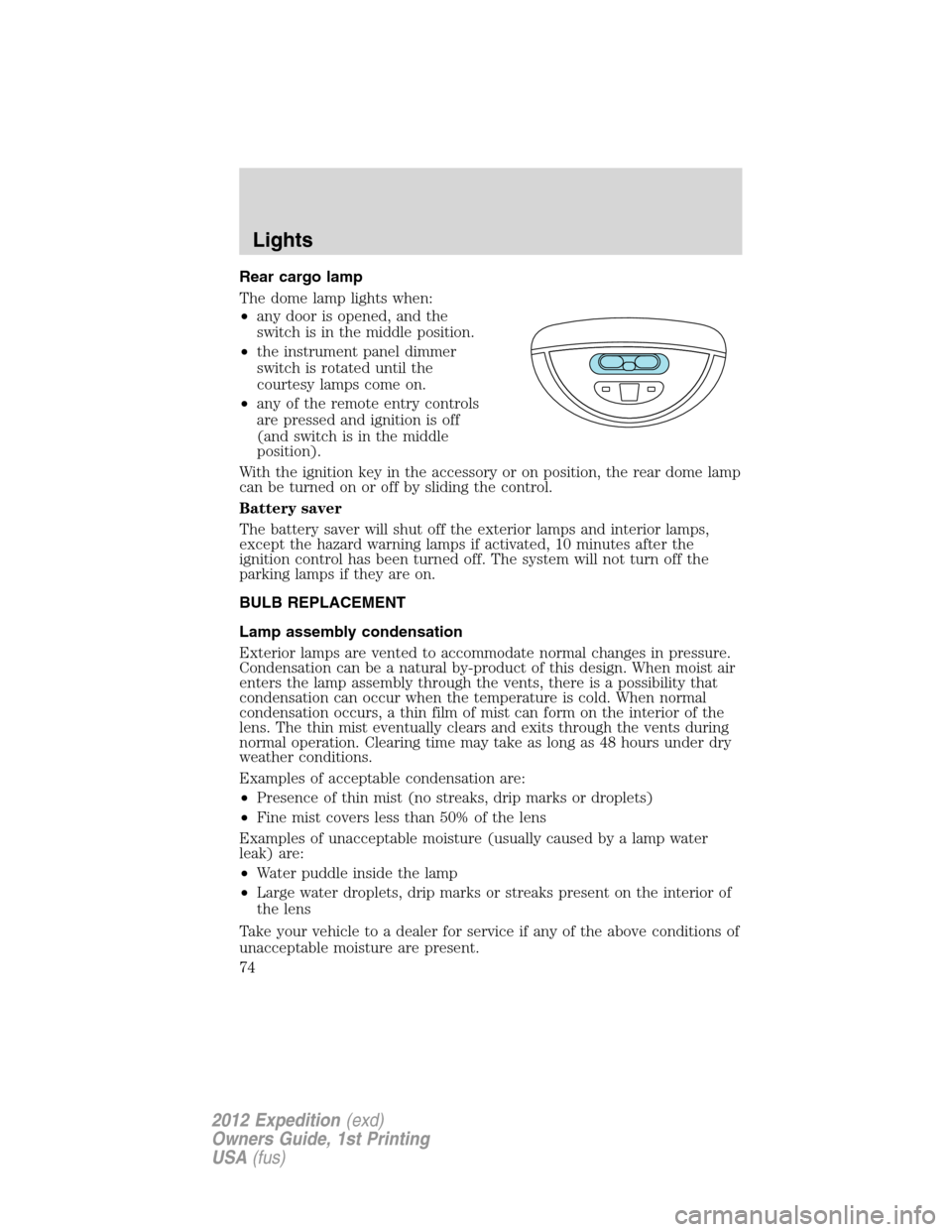
Rear cargo lamp
The dome lamp lights when:
•any door is opened, and the
switch is in the middle position.
•the instrument panel dimmer
switch is rotated until the
courtesy lamps come on.
•any of the remote entry controls
are pressed and ignition is off
(and switch is in the middle
position).
With the ignition key in the accessory or on position, the rear dome lamp
can be turned on or off by sliding the control.
Battery saver
The battery saver will shut off the exterior lamps and interior lamps,
except the hazard warning lamps if activated, 10 minutes after the
ignition control has been turned off. The system will not turn off the
parking lamps if they are on.
BULB REPLACEMENT
Lamp assembly condensation
Exterior lamps are vented to accommodate normal changes in pressure.
Condensation can be a natural by-product of this design. When moist air
enters the lamp assembly through the vents, there is a possibility that
condensation can occur when the temperature is cold. When normal
condensation occurs, a thin film of mist can form on the interior of the
lens. The thin mist eventually clears and exits through the vents during
normal operation. Clearing time may take as long as 48 hours under dry
weather conditions.
Examples of acceptable condensation are:
•Presence of thin mist (no streaks, drip marks or droplets)
•Fine mist covers less than 50% of the lens
Examples of unacceptable moisture (usually caused by a lamp water
leak) are:
•Water puddle inside the lamp
•Large water droplets, drip marks or streaks present on the interior of
the lens
Take your vehicle to a dealer for service if any of the above conditions of
unacceptable moisture are present.
Lights
74
2012 Expedition(exd)
Owners Guide, 1st Printing
USA(fus)
Page 76 of 400

Replacing exterior bulbs
Check the operation of all the bulbs frequently.
Replacing headlamp bulbs
1. Make sure that the headlamp control is in the off position.
2. Open the hood.
3. At the back of the headlamp,
remove the two headlamp assembly
retainer bolts.
4. Slide headlamp assembly forward
and off the retaining tab to expose
the back of the bulb and electrical
connector.
5. Disconnect the electrical
connector.
6. Remove the bulb by turning it
counterclockwise and then pulling it
straight out.
WARNING:Handle a halogen headlamp bulb carefully and keep
out of children’s reach. Grasp the bulb only by its plastic base
and do not touch the glass. The oil from your hand could cause the
bulb to break the next time the headlamps are operated.
7. Insert the glass end of the new bulb into the headlamp assembly.
When the grooves in the plastic base are aligned, turn the new bulb
clockwise to install.
8. Connect the electrical connector.
9. Install the headlamp assembly and secure with two retainer bolts.
Lights
76
2012 Expedition(exd)
Owners Guide, 1st Printing
USA(fus)
Page 82 of 400
TILT STEERING WHEEL
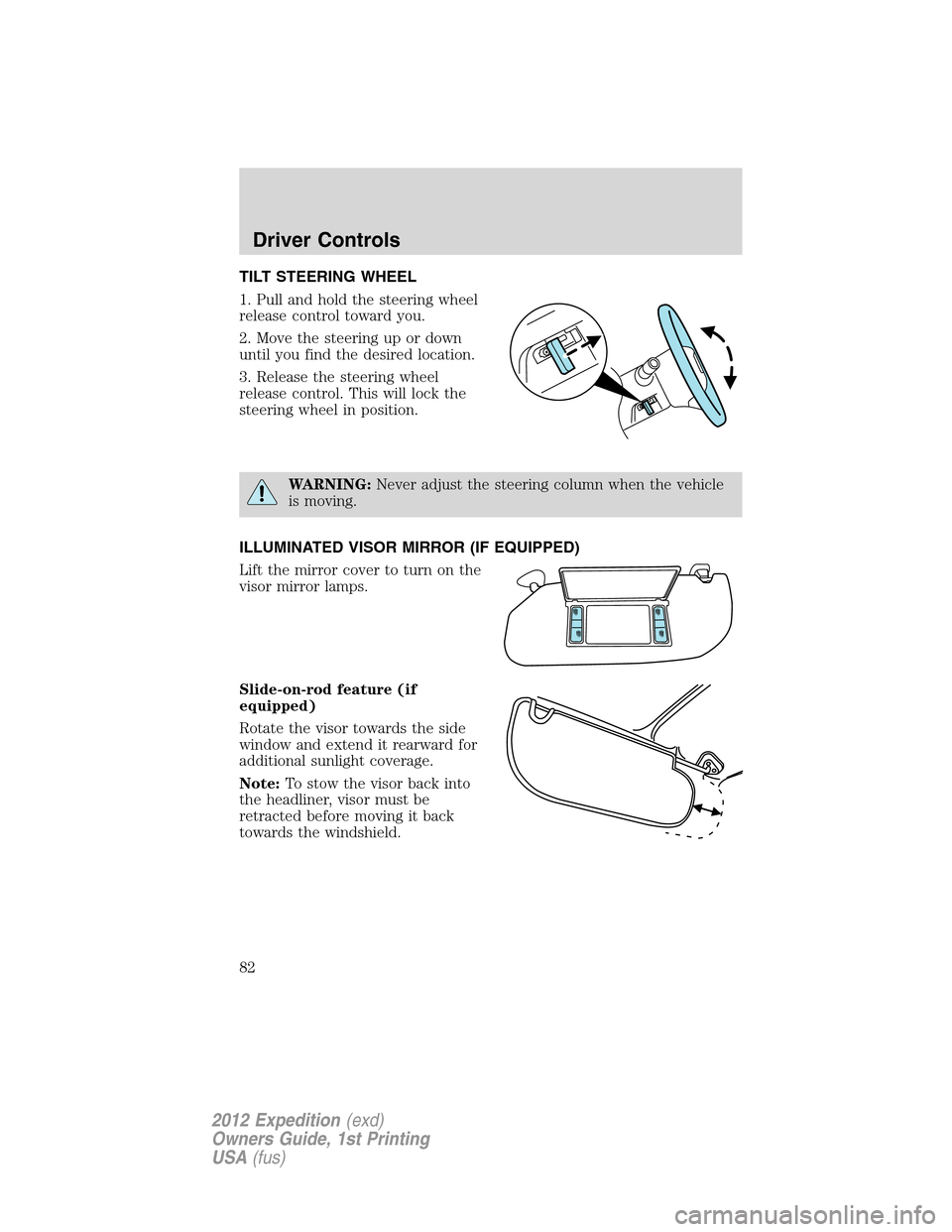
1. Pull and hold the steering wheel
release control toward you.
2. Move the steering up or down
until you find the desired location.
3. Release the steering wheel
release control. This will lock the
steering wheel in position.
WARNING:Never adjust the steering column when the vehicle
is moving.
ILLUMINATED VISOR MIRROR (IF EQUIPPED)
Lift the mirror cover to turn on the
visor mirror lamps.
Slide-on-rod feature (if
equipped)
Rotate the visor towards the side
window and extend it rearward for
additional sunlight coverage.
Note:To stow the visor back into
the headliner, visor must be
retracted before moving it back
towards the windshield.
Driver Controls
82
2012 Expedition(exd)
Owners Guide, 1st Printing
USA(fus)
Page 83 of 400
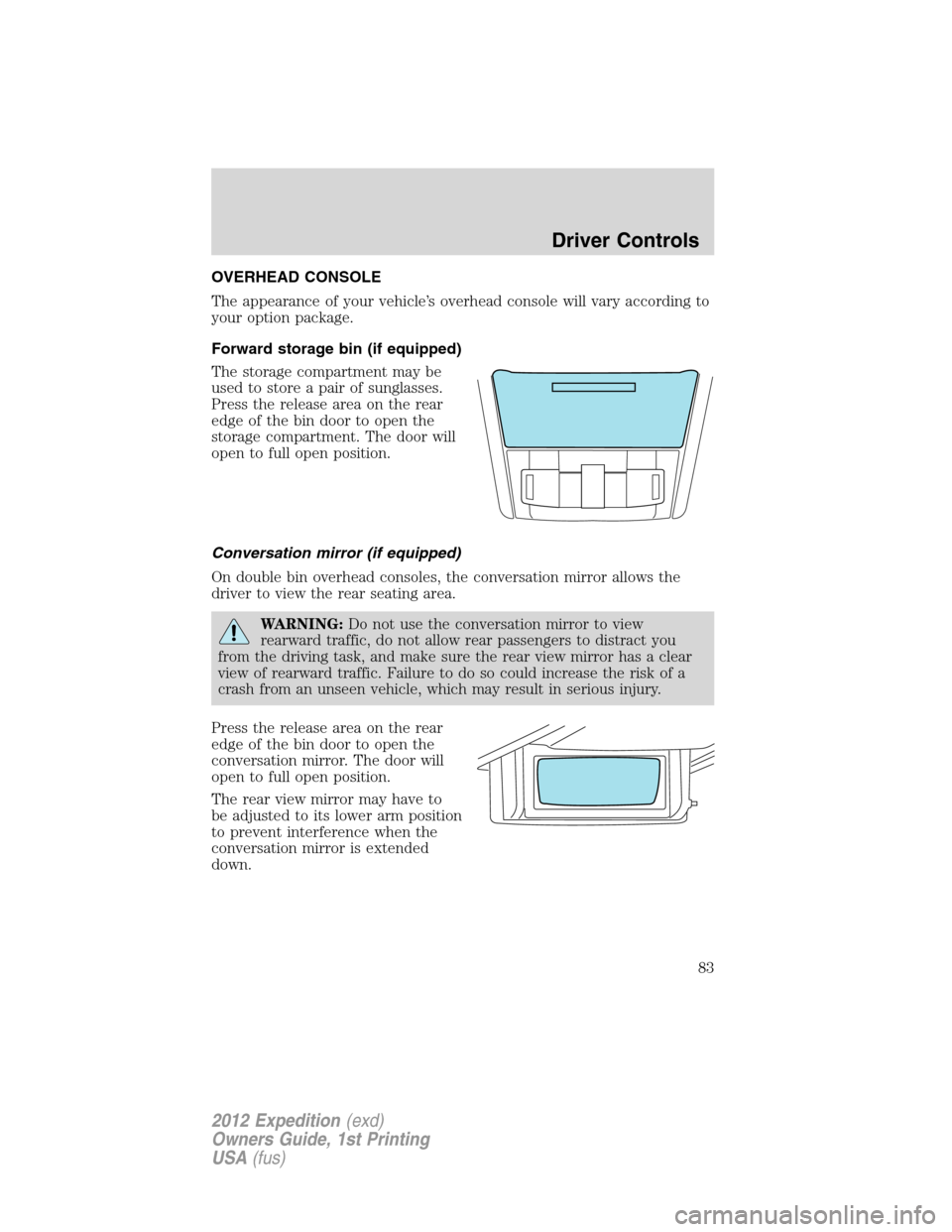
OVERHEAD CONSOLE
The appearance of your vehicle’s overhead console will vary according to
your option package.
Forward storage bin (if equipped)
The storage compartment may be
used to store a pair of sunglasses.
Press the release area on the rear
edge of the bin door to open the
storage compartment. The door will
open to full open position.
Conversation mirror (if equipped)
On double bin overhead consoles, the conversation mirror allows the
driver to view the rear seating area.
WARNING:Do not use the conversation mirror to view
rearward traffic, do not allow rear passengers to distract you
from the driving task, and make sure the rear view mirror has a clear
view of rearward traffic. Failure to do so could increase the risk of a
crash from an unseen vehicle, which may result in serious injury.
Press the release area on the rear
edge of the bin door to open the
conversation mirror. The door will
open to full open position.
The rear view mirror may have to
be adjusted to its lower arm position
to prevent interference when the
conversation mirror is extended
down.
Driver Controls
83
2012 Expedition(exd)
Owners Guide, 1st Printing
USA(fus)
Page 84 of 400
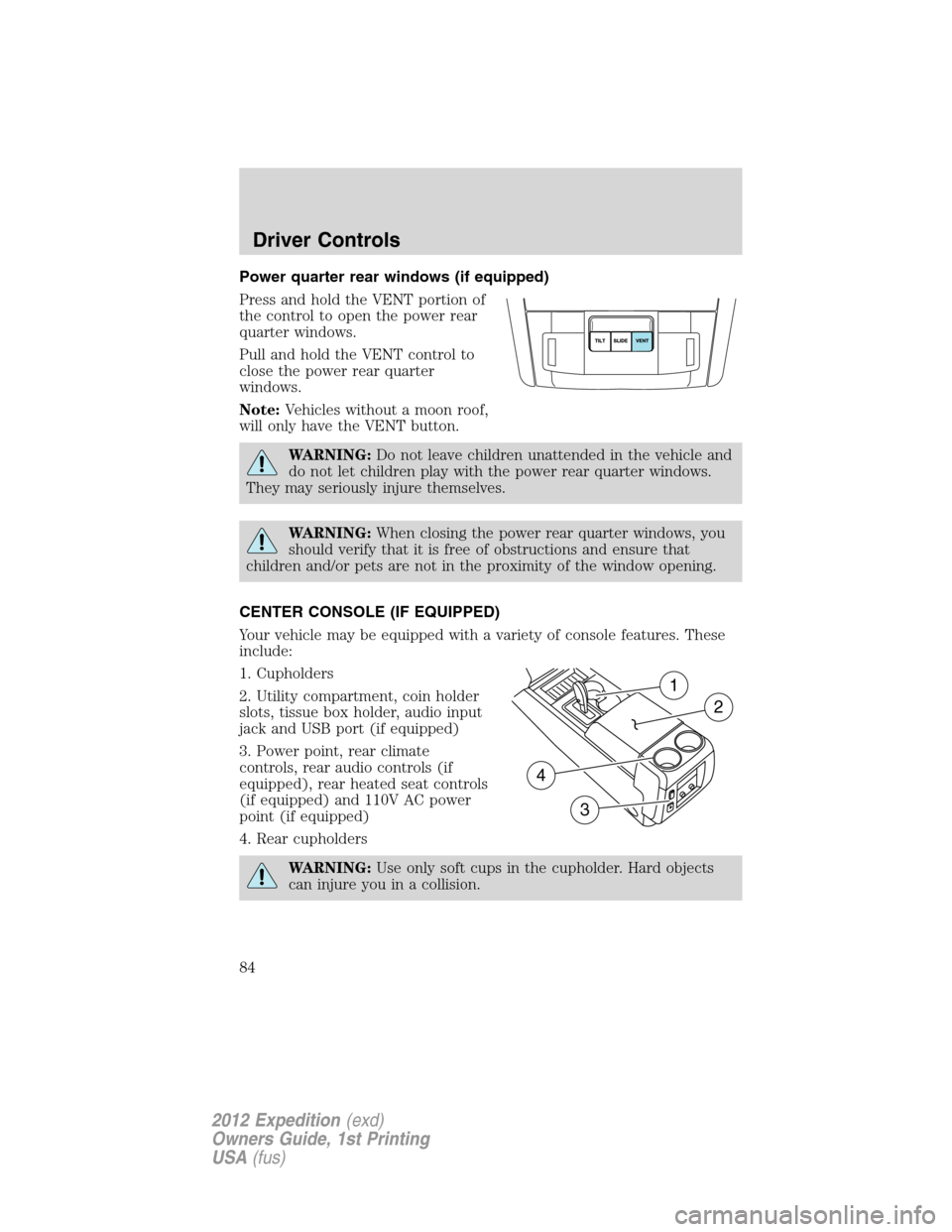
Power quarter rear windows (if equipped)
Press and hold the VENT portion of
the control to open the power rear
quarter windows.
Pull and hold the VENT control to
close the power rear quarter
windows.
Note:Vehicles without a moon roof,
will only have the VENT button.
WARNING:Do not leave children unattended in the vehicle and
do not let children play with the power rear quarter windows.
They may seriously injure themselves.
WARNING:When closing the power rear quarter windows, you
should verify that it is free of obstructions and ensure that
children and/or pets are not in the proximity of the window opening.
CENTER CONSOLE (IF EQUIPPED)
Your vehicle may be equipped with a variety of console features. These
include:
1. Cupholders
2. Utility compartment, coin holder
slots, tissue box holder, audio input
jack and USB port (if equipped)
3. Power point, rear climate
controls, rear audio controls (if
equipped), rear heated seat controls
(if equipped) and 110V AC power
point (if equipped)
4. Rear cupholders
WARNING:Use only soft cups in the cupholder. Hard objects
can injure you in a collision.
1
2
4
3
Driver Controls
84
2012 Expedition(exd)
Owners Guide, 1st Printing
USA(fus)