Page 168 of 358
Radio Off Function
This function makes it possible to set the radio switching
off mode by choosing between two methods.
The chosen mode appears on the display:
•“Radio off: 00 min” — The radio turns off in connec-
tion with the ignition key; the radio is turned auto-
matically off as soon as the key is turned to the STOP
position.
•“Radio off: 20 min” — The radio turns off indepen-
dently from the ignition key; the radio remains on for
a maximum period of 20 minutes after the key has
been turned to the STOP position.
System Reset Function
This function is used to restore all settings to the factory
values. The options are:
•NO — No restore intervention.
•YES — The default parameters will be restored. Dur-
ing such operation, the wording “Resetting” appears
on the display. At the end of the operation, the source
does not change and the previous situation will be
displayed.
Radio
(Tuner) Introduction
When the car radio is turned on, the last function that
was selected before turning it off (Radio, CD, CD MP3,
AUX) is activated.
To select the Radio function when another audio source is
being listened to, briefly press the TUNER button.
Once the Radio mode has been activated, the display will
show the name (RBDS stations only) or the frequency of
the selected radio station, the frequency band selected
(e.g. FMA) and the preset button number (e.g. P1).
166 UNDERSTANDING YOUR INSTRUMENT PANEL
Page 173 of 358
CD Player
Introduction
This chapter describes the operation of the CD player
only. To operate the radio, refer to the description in the
“Functions and Adjustments” chapter.
CD Player Selection
To activate the CD player built into the equipment,
proceed as follows:
•Load a CD with the equipment switched on. The first
track will start to play.
or
•If a CD has already been loaded, turn on the radio and
then briefly press the MEDIA button to select the “CD”
function mode. The last track listened to will start to
play. It is advisable to use original CDs to ensure optimal
playing. If CD-R/RWs are used, we recommend using
good quality media that are burned at the slowest speed
possible.
CD Loading/Ejecting
To load the CD, insert it gently into the slot to activate the
motorized loading system, which will position it cor-
rectly.
The CD can be loaded with the radio off and the ignition
key turned to ON/RUN. In this case, the radio will
remain off. When the radio is turned on, the last source
listened to before being switched off, will be activated.
When a CD is inserted, the display will show the symbol
“CD” and the wording “CD Reading.” They will remain
displayed for the whole time required for the radio to
read the CD. When this time has elapsed the radio
automatically starts playing the first track.
4
UNDERSTANDING YOUR INSTRUMENT PANEL 171
Page 198 of 358
STARTING PROCEDURES
Before starting your vehicle, adjust your seat, adjust both
inside and outside mirrors, and fasten your seat belts.
WARNING!
•Never leave children alone in a vehicle, or with
access to an unlocked vehicle.
•Allowing children to be in a vehicle unattended is
dangerous for a number of reasons. A child or
others could be seriously or fatally injured. Chil-
dren should be warned not to touch the parking
brake, brake pedal or the shift lever.
•Do not leave the key fob in or near the vehicle, and
do not leave the ignition in the ACC or ON/RUN
position. A child could operate power windows,
other controls, or move the vehicle.
Manual Transmission
Apply the parking brake, place the shift lever in NEU-
TRAL, and press the clutch pedal before starting the
vehicle. This vehicle is equipped with a clutch interlock-
ing ignition system. It will not start unless the clutch
pedal is pressed to the floor.
Normal Starting
NOTE:Normal starting of either a cold or a warm
engine is obtained without pumping or pressing the
accelerator pedal.
Turn the ignition switch to the AVV (START) position and
release it when the engine starts. If the engine fails to start
within 10 seconds, turn the ignition switch to the STOP
(OFF/LOCK) position, wait 10 to 15 seconds, then repeat
the Normal Starting procedure.
196 STARTING AND OPERATING
Page 205 of 358
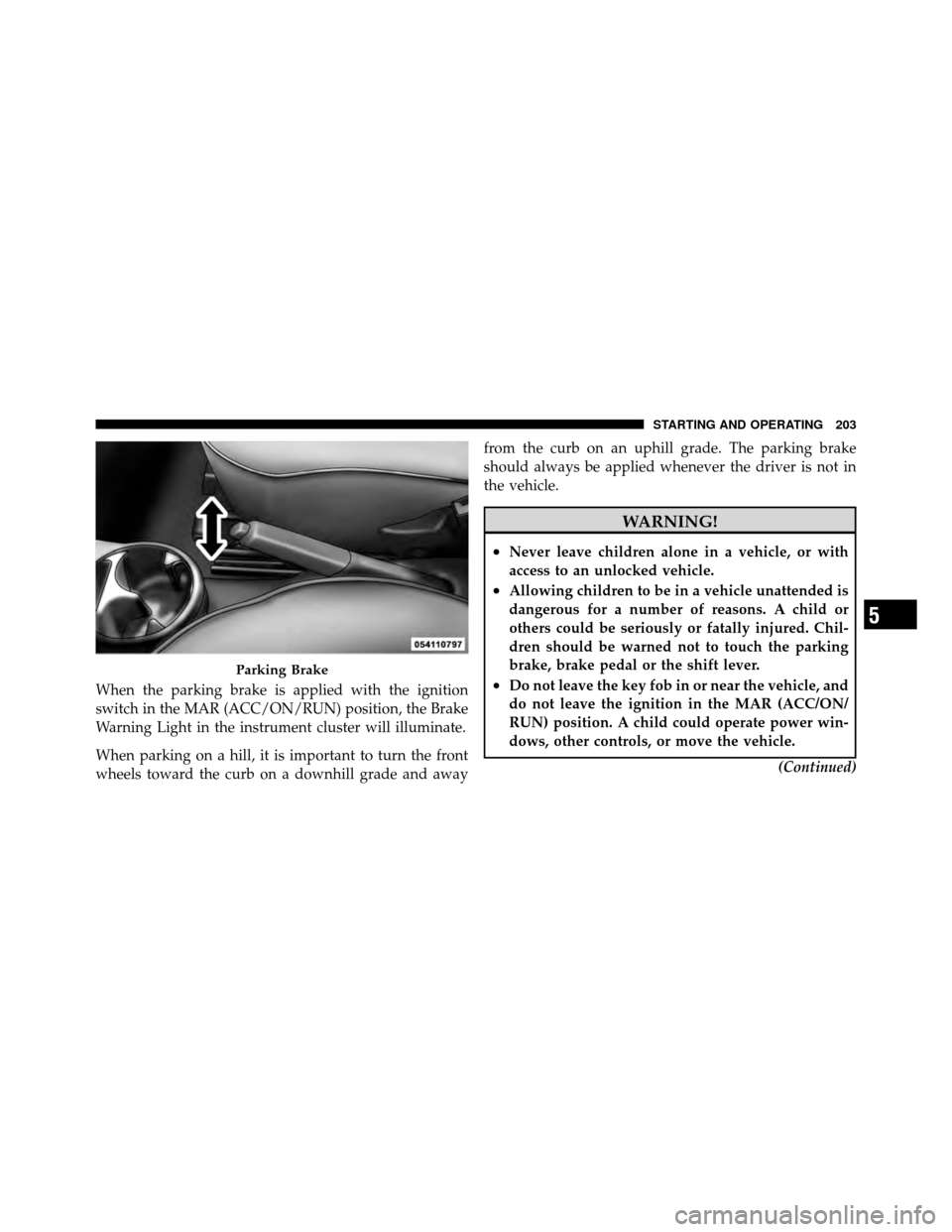
When the parking brake is applied with the ignition
switch in the MAR (ACC/ON/RUN) position, the Brake
Warning Light in the instrument cluster will illuminate.
When parking on a hill, it is important to turn the front
wheels toward the curb on a downhill grade and awayfrom the curb on an uphill grade. The parking brake
should always be applied whenever the driver is not in
the vehicle.
WARNING!
•Never leave children alone in a vehicle, or with
access to an unlocked vehicle.
•Allowing children to be in a vehicle unattended is
dangerous for a number of reasons. A child or
others could be seriously or fatally injured. Chil-
dren should be warned not to touch the parking
brake, brake pedal or the shift lever.
•Do not leave the key fob in or near the vehicle, and
do not leave the ignition in the MAR (ACC/ON/
RUN) position. A child could operate power win-
dows, other controls, or move the vehicle.
(Continued)
Parking Brake
5
STARTING AND OPERATING 203
Page 239 of 358

Check TPMS Warnings
The Tire Pressure Monitoring Telltale Light will flash on
and off for 75 seconds and remain on solid when a system
fault is detected, and the “Tire Pressure Monitoring
Unavailable” text message will display. If the ignition key
is cycled, this sequence will repeat providing the system
fault still exists. The Tire Pressure Monitoring Telltale
Light will turn off when the fault condition no longer
exists. A system fault can occur with any of the following
scenarios:
1. Jamming due to electronic devices or driving next to
facilities emitting the same radio frequencies as the TPM
sensors.
2. Installing some form of aftermarket window tinting
that affects radio wave signals.
3. Snow or ice around the wheels or wheel housings.
4. Using tire chains on the vehicle.5. Using wheels/tires not equipped with TPM sensors.
NOTE:
Your vehicle is equipped with a compact spare
wheel and tire assembly.
1. The compact spare tire does not have a tire pressure
monitoring sensor. Therefore, the TPMS will not monitor
the tire pressure in the compact spare tire.
2. If you install the compact spare tire in place of a road
tire that has a pressure below the low-pressure warning
limit, upon the next ignition key cycle, a chime will
sound and the Tire Pressure Monitoring Telltale Light
and the “Check Tire Pressure” message will still turn ON
due to the low tire.
3. However, after driving the vehicle for up to 20 min-
utes above 15 mph (24 km/h), the Tire Pressure Moni-
toring Telltale Light will flash on and off for 75 seconds
and then remain on solid and the �Tire Pressure Moni-
toring Unavailable� message will be displayed.
5
STARTING AND OPERATING 237
Page 240 of 358

4. For each subsequent ignition key cycle, a chime will
sound and the Tire Pressure Monitoring Telltale Light
will flash on and off for 75 seconds and then remain on
solid and the “Tire Pressure Monitoring Unavailable”
message will be displayed.
5. Once you repair or replace the original road tire and
reinstall it on the vehicle in place of the compact spare
tire, the TPMS will update automatically and the Tire
Pressure Monitoring Telltale Light will turn OFF, as long
as no tire pressure is below the low-pressure warning
limit in any of the four active road tires. The vehicle may
need to be driven for up to 20 minutes above 15 mph
(24 km/h) in order for the TPMS to receive this
information.
General Information
This device complies with Part 15 of the FCC rules and
RSS 210 of Industry Canada. Operation is subject to the
following conditions:
•This device may not cause harmful interference.
•This device must accept any interference received,
including interference that may cause undesired
operation.
The tire pressure sensors are covered under one of the
following licenses:
United States ................... MRXC4W4MA4
Canada ................ 2546A-C4W4MA4 (Single)
FUEL REQUIREMENTS
This engine is designed to meet all emis-
sion regulations and provide satisfactory
fuel economy and performance when us-
ing high-quality unleaded “regular” gaso-
line having an octane rating of 87. For
optimum performance and fuel economy
the use of 91 octane or higher is recommended.
238 STARTING AND OPERATING
Page 249 of 358
WHAT TO DO IN EMERGENCIES
CONTENTS
�Hazard Warning Flashers ................ 248
� If Your Engine Overheats ................ 248
� TIREFIT Kit ......................... 249
▫ TIREFIT Storage ..................... 250
▫ TIREFIT Kit Components And Operation . . . 250
▫ TIREFIT Usage Precautions ............. 251
▫ Sealing A Tire With TIREFIT ............ 254
� Jacking And Tire Changing — If Equipped . . . 259
▫ Jack Location ....................... 260 ▫
Preparations For Jacking ............... 260
▫ Jacking Instructions ................... 261
� Jump-Starting Procedure ................ 266
▫ Preparations For Jump-Start ............. 266
▫ Jump-Starting Procedure ............... 268
� Freeing A Stuck Vehicle ................. 270
� Towing A Disabled Vehicle ............... 271
▫ With Ignition Key .................... 271
▫ Without The Ignition Key .............. 272
6
Page 250 of 358
HAZARD WARNING FLASHERS
The Hazard Warning flasher switch is located on the
instrument panel below the radio.Press the switch to turn on the Hazard Warning
flashers. When the switch is activated, all direc-
tional turn signals will flash on and off to warn
oncoming traffic of an emergency. Press the switch a
second time to turn off the Hazard Warning flashers.
Do not use this emergency warning system when the
vehicle is in motion. Use it when your vehicle is disabled
and it is creating a safety hazard for other motorists.
If it is necessary to leave the vehicle to go for service, the
Hazard Warning flashers will continue to operate with
the ignition key removed and the vehicle locked.
NOTE: With extended use, the Hazard Warning flashers
may wear down your battery.
IF YOUR ENGINE OVERHEATS
In any of the following situations, you can reduce the
potential for overheating by taking the appropriate ac-
tion.
•On the highways — slow down.
•In city traffic — while stopped, place the transmission
in NEUTRAL, but do not increase engine idle speed.
NOTE: There are steps that you can take to slow down
an impending overheat condition:
•If your air conditioner (A/C) is on, turn it off. The A/C
system adds heat to the engine cooling system and
turning the A/C off can help remove this heat.
•You can also turn the temperature control to maximum
heat, the mode control to floor and the blower control
to high. This allows the heater core to act as a
supplement to the radiator and aids in removing heat
from the engine cooling system.
248 WHAT TO DO IN EMERGENCIES