Page 156 of 514
Daytime Running Lights — If Equipped
The front turn signal lamps will turn on as Daytime
Running Lights whenever the ignition is ON, the engine
is running, the headlight switch is off, the parking brake
is released and the shift lever is in any position except
PARK.
NOTE:The Daytime Running Lights will flash when a
turn signal is in operation and return to DRL mode when
the turn signal is not operating.
Lights On Reminder
If the headlights or parking lights are on after the ignition
is turned OFF, a chime will sound to alert the driver
when the driver’s door is opened.
Instrument Panel Dimmer
Rotate the center portion of the lever to the extreme
bottom position to fully dim the instrument panel lights
and prevent the interior lights from illuminating when a
door is opened.
Rotate the center portion of the lever up to increase the
brightness of the instrument panel lights when the park-
ing lights or headlights are on.
Rotate the center portion of the lever upward to the next
detent position to brighten the odometer and radio when
the parking lights or headlights are on.
Rotate the center portion of the lever upward to the last
detent to turn on the interior lighting.
154 UNDERSTANDING THE FEATURES OF YOUR VEHICLE
Page 178 of 514
Ignition Off Operation
For vehicles not equipped with the Electronic Vehicle
Information Center (EVIC), the power sunroof switch
will remain active for 45 seconds after the ignition switch
is turned OFF. Opening either front door will cancel this
feature.
For vehicles equipped with the EVIC, the power sunroof
switch will remain active for up to 10 minutes after the
ignition switch is turned OFF. Opening either front door
will cancel this feature. The time is programmable. Refer
to “Electronic Vehicle Information Center (EVIC)/
Personal Settings (Customer-Programmable Features)” in
“Understanding Your Instrument Panel” for further
information.
ELECTRICAL POWER OUTLETS
There are two 12 Volt (13 Amp) electrical power outlets
on this vehicle. Both of the power outlets are protected by
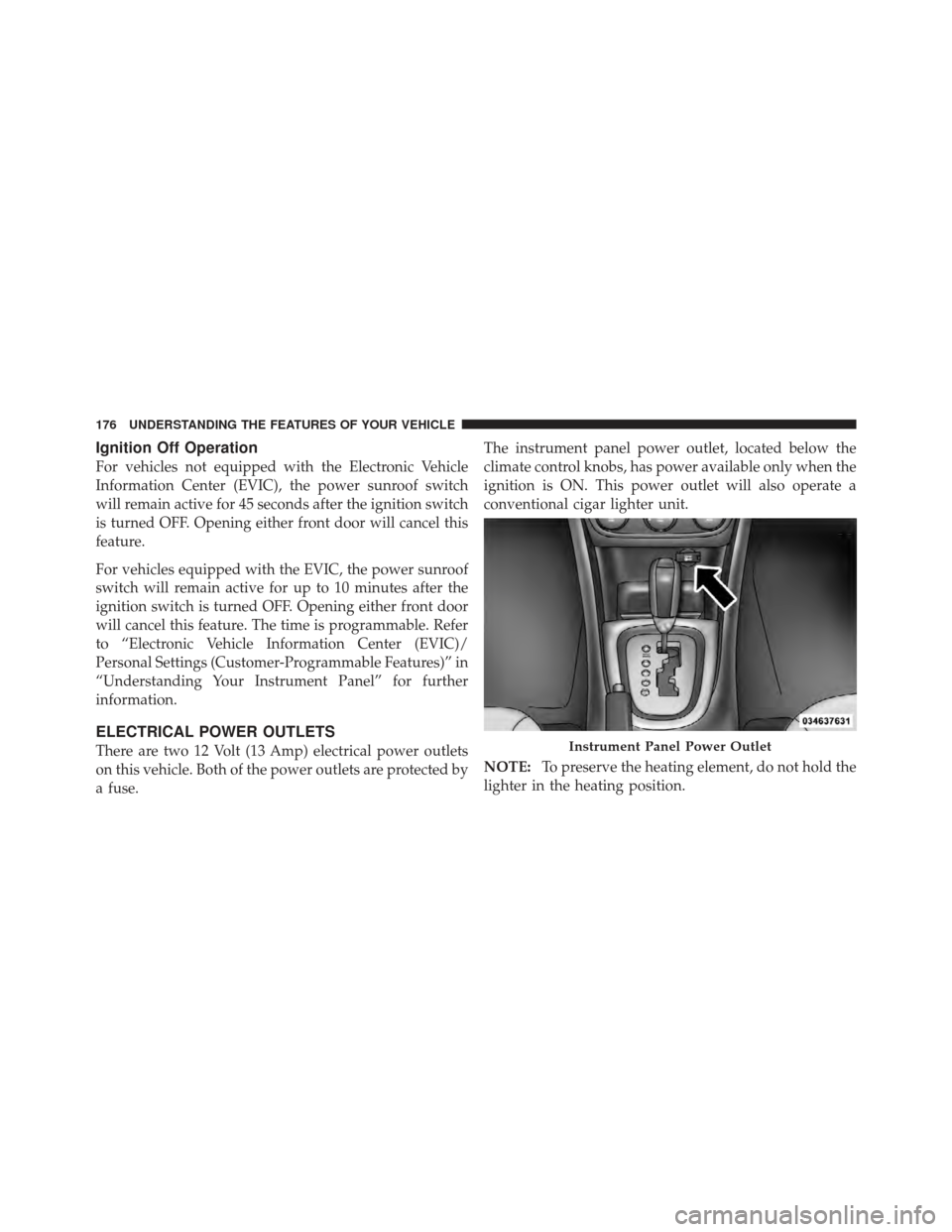
a fuse.The instrument panel power outlet, located below the
climate control knobs, has power available only when the
ignition is ON. This power outlet will also operate a
conventional cigar lighter unit.
NOTE:
To preserve the heating element, do not hold the
lighter in the heating position.Instrument Panel Power Outlet
176 UNDERSTANDING THE FEATURES OF YOUR VEHICLE
Page 180 of 514
CAUTION! (Continued)
•Power outlets are designed for accessory plugs
only. Do not insert any other object in the power
outlets as this will damage the outlet and blow the
fuse. Improper use of the power outlet can cause
damage not covered by your New Vehicle Limited
Warranty.
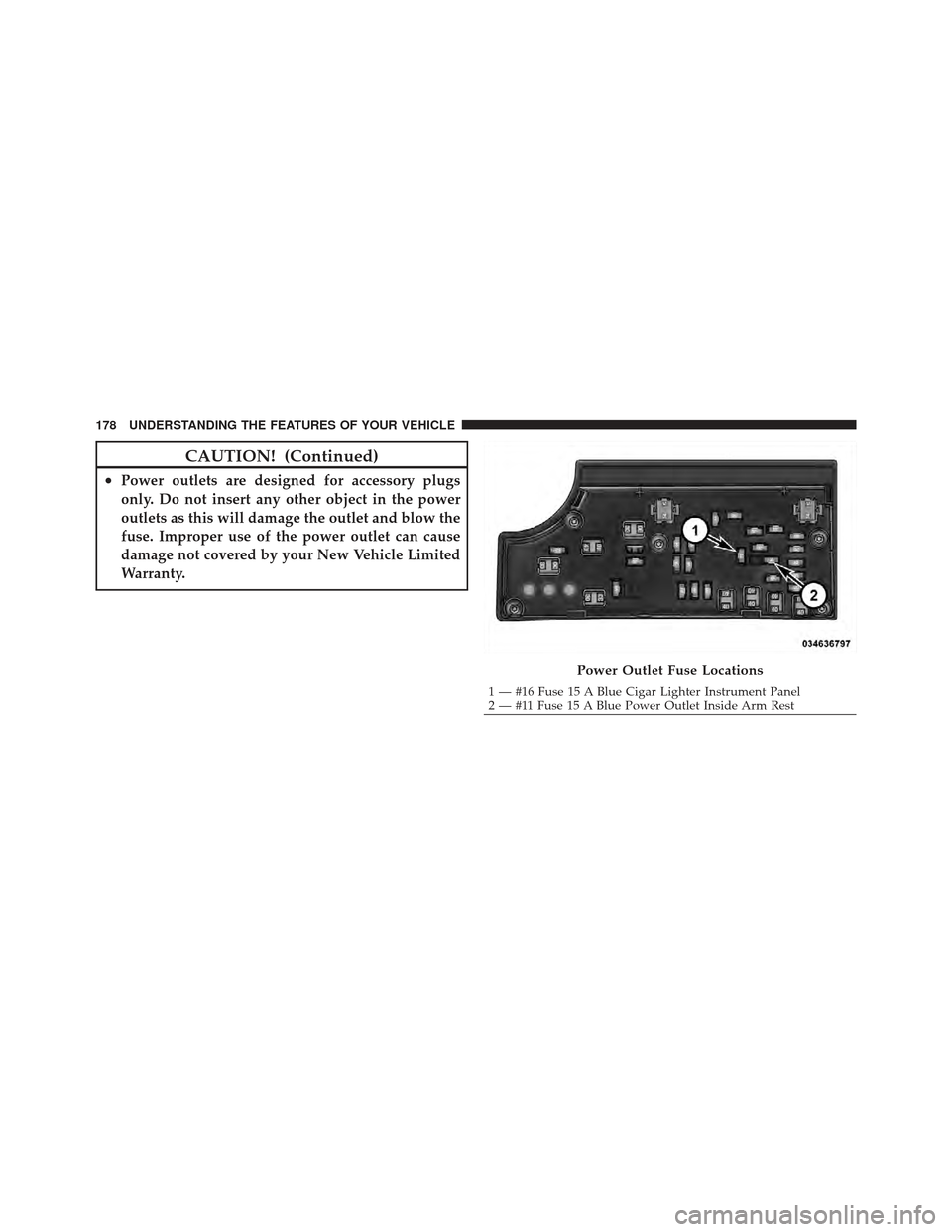
Power Outlet Fuse Locations
1 — #16 Fuse 15 A Blue Cigar Lighter Instrument Panel
2 — #11 Fuse 15 A Blue Power Outlet Inside Arm Rest
178 UNDERSTANDING THE FEATURES OF YOUR VEHICLE
Page 184 of 514
STORAGE
Glovebox Storage Compartment
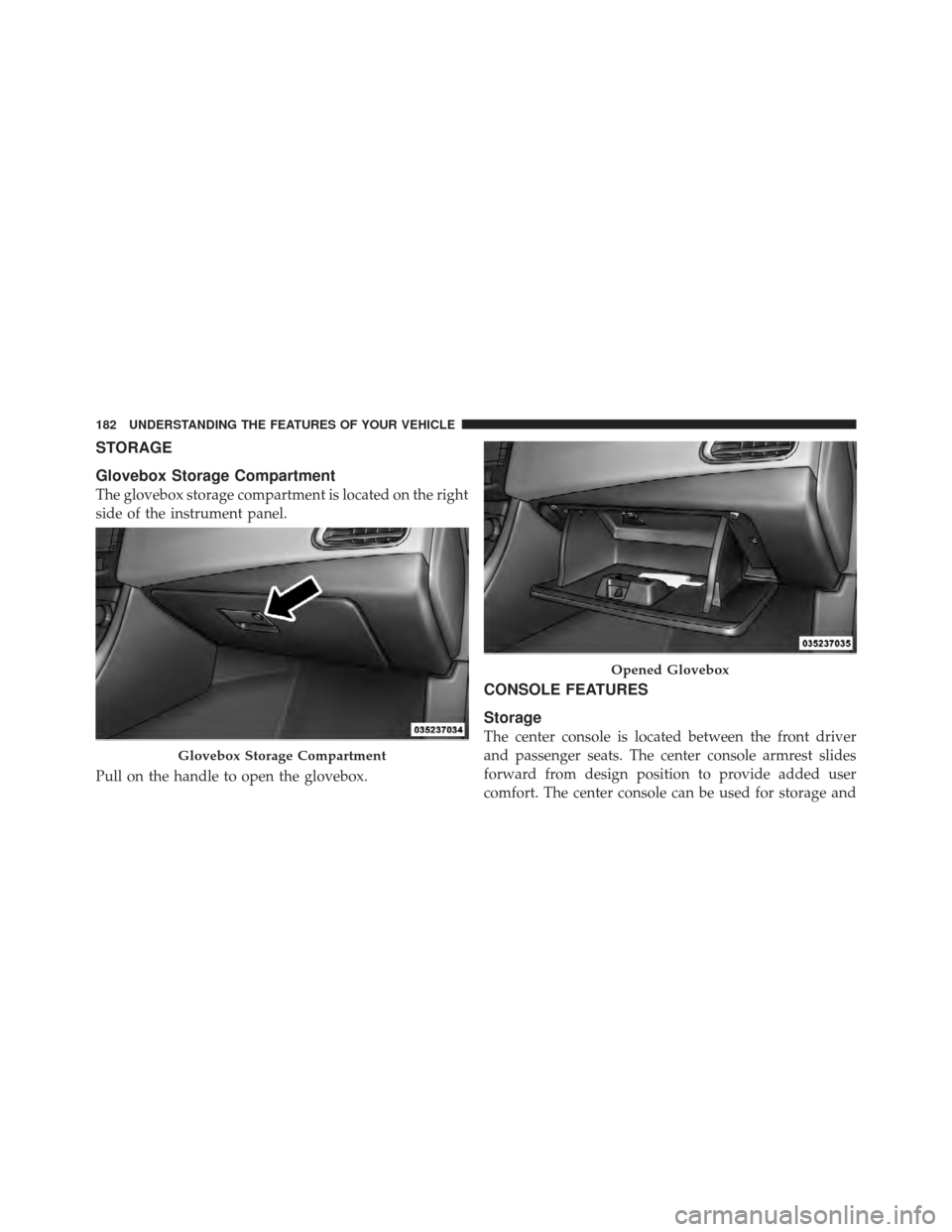
The glovebox storage compartment is located on the right
side of the instrument panel.
Pull on the handle to open the glovebox.
CONSOLE FEATURES
Storage
The center console is located between the front driver
and passenger seats. The center console armrest slides
forward from design position to provide added user
comfort. The center console can be used for storage and
Glovebox Storage Compartment
Opened Glovebox
182 UNDERSTANDING THE FEATURES OF YOUR VEHICLE
Page 191 of 514
UNDERSTANDING YOUR INSTRUMENT PANEL
CONTENTS
�Instrument Panel Features ............... 193
� Instrument Cluster .................... 194
� Instrument Cluster — R/T ............... 195
� Instrument Cluster Descriptions ........... 196
� Mini-Trip Computer — If Equipped ........ 210
▫ Control Buttons ..................... 210
� Electronic Vehicle Information Center (EVIC) —
If Equipped .......................... 211
▫ Electronic Vehicle Information Center (EVIC)
Displays ........................... 213 ▫
Oil Change Required — If Equipped ...... 215
▫ EVIC Main Menu .................... 215
▫ Compass Display .................... 216
▫ Average Fuel Economy ................ 219
▫ Distance To Empty (DTE) .............. 219
▫ TirePSI ........................... 220
▫ Elapsed Time ....................... 220
▫ EVIC Units Selection (Units In Display) .... 220
▫ System Status ....................... 221
4
Page 192 of 514
▫Personal Settings
(Customer-Programmable Features) ....... 221
� Media Center 230 (REQ) — AM/FM Stereo
Radio And 6–Disc CD/DVD Changer
(MP3/WMA AUX Jack) .................. 224
▫ Operating Instructions - Radio Mode ...... 224
▫ Operation Instructions - (Disc Mode For CD
And MP3/WMA Audio Play, DVD-Video) . . . 232
▫ Notes On Playing MP3/WMA Files ....... 234
▫ List Button
(Disc Mode For MP3/WMA Play) ......... 237
▫ Info Button
(Disc Mode For MP3/WMA Play) ......... 237
▫ Uconnect™ Multimedia (Satellite Radio) —
If Equipped ........................ 239 �
Media Center 730N/430/430N
(RHR/RER/RBZ/RHB) CD/DVD/HDD/NAV
— If Equipped ........................ 243
▫ Operating Instructions (Voice Command
System) — If Equipped ................ 243
▫ Operating Instructions (Uconnect™ Phone)
— If Equipped ...................... 244
� Media Center 130 (Sales Code RES) ......... 244
▫ Operating Instructions — Radio Mode ..... 244
▫ Operation Instructions — CD Mode For CD
And MP3 Audio Play ................. 247
▫ Notes On Playing MP3 Files ............ 249
▫ Operation Instructions - Auxiliary Mode .... 252
190 UNDERSTANDING YOUR INSTRUMENT PANEL
Page 193 of 514

�Media Center 130 With Satellite Radio
(Sales Code RES+RSC) ................... 253
▫ Operating Instructions — Radio Mode ..... 253
▫ Operation Instructions — CD Mode For CD
And MP3 Audio Play ................. 259
▫ Notes On Playing MP3 Files ............ 261
▫ List Button (CD Mode For MP3 Play) ...... 263
▫ Info Button (CD Mode For MP3 Play) ...... 264
▫ Uconnect™ Multimedia (Satellite Radio) —
If Equipped ........................ 265
� iPod�/USB/MP3 Control — If Equipped ..... 269
▫ Connecting The iPod� Or External USB
Device ............................ 270
▫ Using This Feature ................... 270 ▫
Controlling The iPod� Or External USB
Device Using Radio Buttons ............. 271
▫ Play Mode ......................... 271
▫ List Or Browse Mode ................. 273
▫ Bluetooth Streaming Audio (BTSA) ........ 275
� Steering Wheel Audio Controls —
If Equipped .......................... 276
▫ Right-Hand Switch Functions ............ 277
▫ Left-Hand Switch Functions For Radio
Operation .......................... 277
▫ Left-Hand Switch Functions For
Media (i.e., CD) Operation .............. 277
� CD/DVD Disc Maintenance .............. 278
� Radio Operation And Mobile Phones ....... 278
4
UNDERSTANDING YOUR INSTRUMENT PANEL 191
Page 194 of 514
�Climate Controls ...................... 279
▫ Manual Heating And Air Conditioning ..... 279
▫ Automatic Temperature Control (ATC) —
If Equipped ........................ 283
▫ Operating Tips ...................... 289
192 UNDERSTANDING YOUR INSTRUMENT PANEL