Page 17 of 576

Ignition Or Accessory On Message
Opening the driver’s door when the ignition is in ACC or
ON (engine not running), a chime will sound to remind
you to cycle the ignition to OFF. In addition to the chime,
the ignition or accessory on message will display in the
cluster.
NOTE:With the Uconnect Touch™ system, the power
window switches, radio, power sunroof (if equipped),
and power outlets will remain active for up to 10 minutes
after the ignition is cycled to the OFF position. Opening
either front door will cancel this feature. The time for this
feature is programmable. Refer to “Uconnect Touch™
Settings” in “Understanding Your Instrument Panel” for
further information.WARNING!
•When leaving the vehicle, always remove the key
fob from the ignition and lock your vehicle.
•Never leave children alone in a vehicle, or with
access to an unlocked vehicle.
•Allowing children to be in a vehicle unattended is
dangerous for a number of reasons. A child or
others could be seriously or fatally injured. Chil-
dren should be warned not to touch the parking
brake, brake pedal or the shift lever.
•Do not leave the key fob in or near the vehicle, and
do not leave Keyless Enter-N-Go in the ACC or
ON/RUN mode. A child could operate power win-
dows, other controls, or move the vehicle.
•Do not leave children or animals inside parked
vehicles in hot weather. Interior heat build-up may
cause serious injury or death.
2
THINGS TO KNOW BEFORE STARTING YOUR VEHICLE 15
Page 30 of 576
Remote Start Abort Message On Electronic Vehicle
Information Center (EVIC) — If Equipped
The following messages will display in the EVIC if the
vehicle fails to remote start or exits remote start prema-
turely:
•Remote Start Aborted — Door Ajar
•Remote Start Aborted — Hood Ajar
•Remote Start Aborted — Trunk Ajar
•Remote Start Aborted — Fuel Low
•Remote Start Disabled — Start Vehicle To Reset
The EVIC message stays active until the ignition is cycled
to the ON/RUN position.
To Enter Remote Start Mode
Press and release the REMOTE START button on
the RKE transmitter twice within five seconds.
The vehicle doors will lock, parking lights will
flash and the horn will chirp twice (if pro-
grammed). Then, the engine will start and the vehicle will
remain in the Remote Start mode for a 15-minute cycle.
NOTE:
•If an engine fault is present or fuel level is low, the
vehicle will start and then shut down in 10 seconds.
•The park lamps will turn on and remain on during
Remote Start mode.
•For security, power window and power sunroof op-
eration (if equipped) are disabled when the vehicle is
in the Remote Start mode.
•The engine can be started two consecutive times (two
15-minute cycles) with the RKE transmitter. However,
the ignition must be cycled to the RUN position before
you can repeat the start sequence for a third cycle.
28 THINGS TO KNOW BEFORE STARTING YOUR VEHICLE
Page 31 of 576
To Exit Remote Start Mode Without Driving The
Vehicle
Press and release the REMOTE START button one time or
allow the engine to run for the entire 15 minute cycle.
NOTE:
To avoid unintentional shutdowns, the system will
disable the one time press of the REMOTE START button for
two seconds after receiving a valid Remote Start request.
To Exit Remote Start Mode And Drive The Vehicle
Before the end of 15 minute cycle, press and release the
UNLOCK button on the RKE transmitter to unlock the
doors and disarm the Vehicle Security Alarm (if
equipped). Then, prior to the end of the 15 minute cycle,
press and release the START/STOP button.
NOTE:The message “Push Start Button” will display in
the EVIC until you push the START button.
DOOR LOCKS
Manual Door Locks
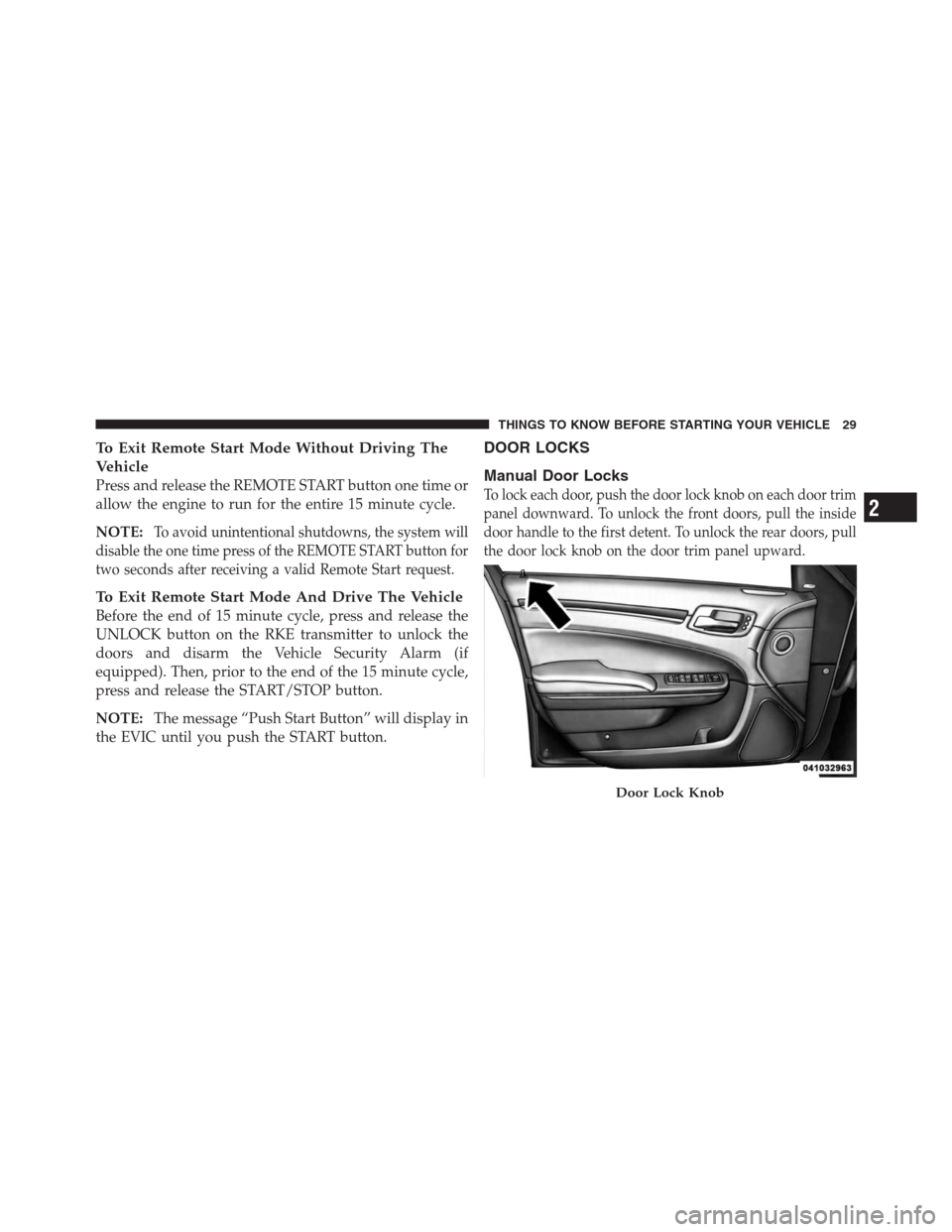
To lock each door, push the door lock knob on each door trim
panel downward. To unlock the front doors, pull the inside
door handle to the first detent. To unlock the rear doors, pull
the door lock knob on the door trim panel upward.
Door Lock Knob
2
THINGS TO KNOW BEFORE STARTING YOUR VEHICLE 29
Page 44 of 576
The trunk lid can be released from
outside the vehicle by pressing the
TRUNK button on the Remote
Keyless Entry (RKE) transmitter
twice within five seconds or by
using the external release switch
located on the underside of the
decklid overhang. The release fea-
ture will function only when the
vehicle is in the unlock condition.
With the ignition in the ON/RUN position, the Trunk
Open symbol will display in the instrument cluster
indicating that the trunk is open. The odometer display
will reappear once the trunk is closed.
With the ignition in the OFF position, the Trunk Open
symbol will display until the trunk is closed.Refer to “Keyless Enter-N-Go” in “Things To Know
Before Starting Your Vehicle” for more information on
trunk operation with the Passive Entry feature.
TRUNK SAFETY WARNING
WARNING!
Do not allow children to have access to the trunk,
either by climbing into the trunk from outside, or
through the inside of the vehicle. Always close the
trunk lid when your vehicle is unattended. Once in
the trunk, young children may not be able to escape,
even if they entered through the rear seat. If trapped
in the trunk, children can die from suffocation or
heat stroke.Trunk Release
Button
42 THINGS TO KNOW BEFORE STARTING YOUR VEHICLE
Page 93 of 576

▫Display Warnings And Maintenance....... 213
▫Precautions While Driving With ACC...... 216
▫General Information.................. 220
▫Normal (Fixed Speed) Cruise Control
Mode............................. 220
▫Forward Collision Warning — If Equipped . . 222
�Parksense�Park Assist — If Equipped...... 225
▫Parksense�Sensors................... 225
▫Parksense�Warning Display............ 226
▫Parksense�Display................... 227
▫Front Park Assist Audible Alerts......... 231
▫Enabling And Disabling Parksense�....... 231
▫Service The Parksense�Park Assist System . . 231▫Cleaning The Parksense�System......... 232
▫Parksense�System Usage Precautions...... 232
�Parkview�Rear Back Up Camera —
If Equipped.......................... 235
▫Turning Parkview�On Or Off —
With Touch Screen Radio............... 236
�Overhead Console..................... 237
▫Front Map/Reading Lights............. 237
▫Sunglass Bin Door................... 238
�Garage Door Opener — If Equipped........ 238
▫Before You Begin Programming
HomeLink�........................ 240
▫Programming A Rolling Code........... 240
▫Programming A Non-Rolling Code........ 242
3
UNDERSTANDING THE FEATURES OF YOUR VEHICLE 91
Page 109 of 576
alert present on that side of the vehicle, an audible chime
will also be sounded. Whenever a turn signal and de-
tected object are present on the same side at the same
time, both the visual and audio alerts will be issued. In
addition to the audible alert, the radio (if on) volume will
be reduced.
NOTE:
•Whenever an audible alert is requested by the BSM
system, the radio volume is reduced.
•If the hazard flashers are on, the system will request
the appropriate visual alert only.
When the system is in RCP, the system shall respond
with both visual and audible alerts when a detected
object is present. Whenever an audible alert is re-
quested, the radio is also muted. Turn/hazard signal
status is ignored; the RCP state always requests the
chime.Blind Spot Alert Off
When the BSM system is turned off, there will be no
visual or audible alerts from either the BSM or RCP
systems.
NOTE:The BSM system will store the current operating
mode when the vehicle is shut off. Each time the vehicle
is started, the previously stored mode will be recalled
and used.
Astronomy Zone — System Temporarily Unavailable
When the vehicle enters this zone the blind spot system
will become temporarily unavailable and the EVIC will
display the message “ Blind spot system unavailable-
Astronomy zone”. The side mirrors LED’s will be lit up
and stay lit until the vehicle exits the zone.
3
UNDERSTANDING THE FEATURES OF YOUR VEHICLE 107
Page 116 of 576
3. Select Yes to begin the pairing process. Then, search
for available devices on your Bluetooth�enabled mobile
phone. When prompted on the phone, enter the name
and PIN shown on the Uconnect Touch™ screen.
•If No is selected, touch the “Settings” soft-key from
the Uconnect™ Phone main screen,
•Touch the “Add Device” soft-key,
•Search for available devices on your Bluetooth�
enabled mobile phone. When prompted on the
phone, enter the name and PIN shown on the
Uconnect Touch™ screen,
•See Step 4 to complete the process.
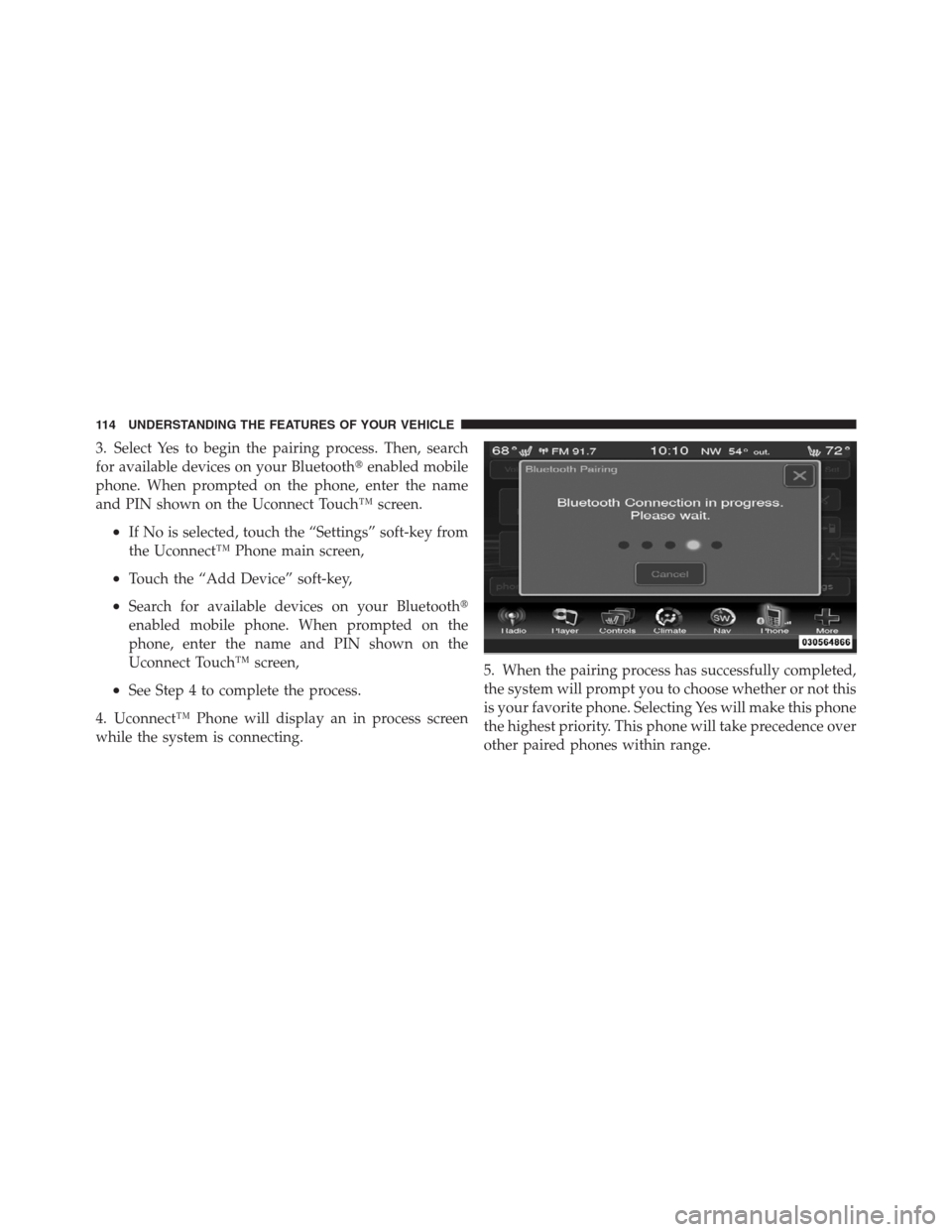
4. Uconnect™ Phone will display an in process screen
while the system is connecting.5. When the pairing process has successfully completed,
the system will prompt you to choose whether or not this
is your favorite phone. Selecting Yes will make this phone
the highest priority. This phone will take precedence over
other paired phones within range.
114 UNDERSTANDING THE FEATURES OF YOUR VEHICLE
Page 117 of 576
Pair Additional Mobile Phones
•
Touch the “More” soft-key to begin,
•Touch the “Settings” soft-key,
•Next, touch the “Phone/Bluetooth�” soft-key,
•Touch the “Add Device” soft-key,
•Search for available devices on your Bluetooth�en-
abled mobile phone. When prompted on the phone,
enter the name and PIN shown on the Uconnect
Touch™ screen,
•Uconnect™ Phone will display an in process screen
while the system is connecting,
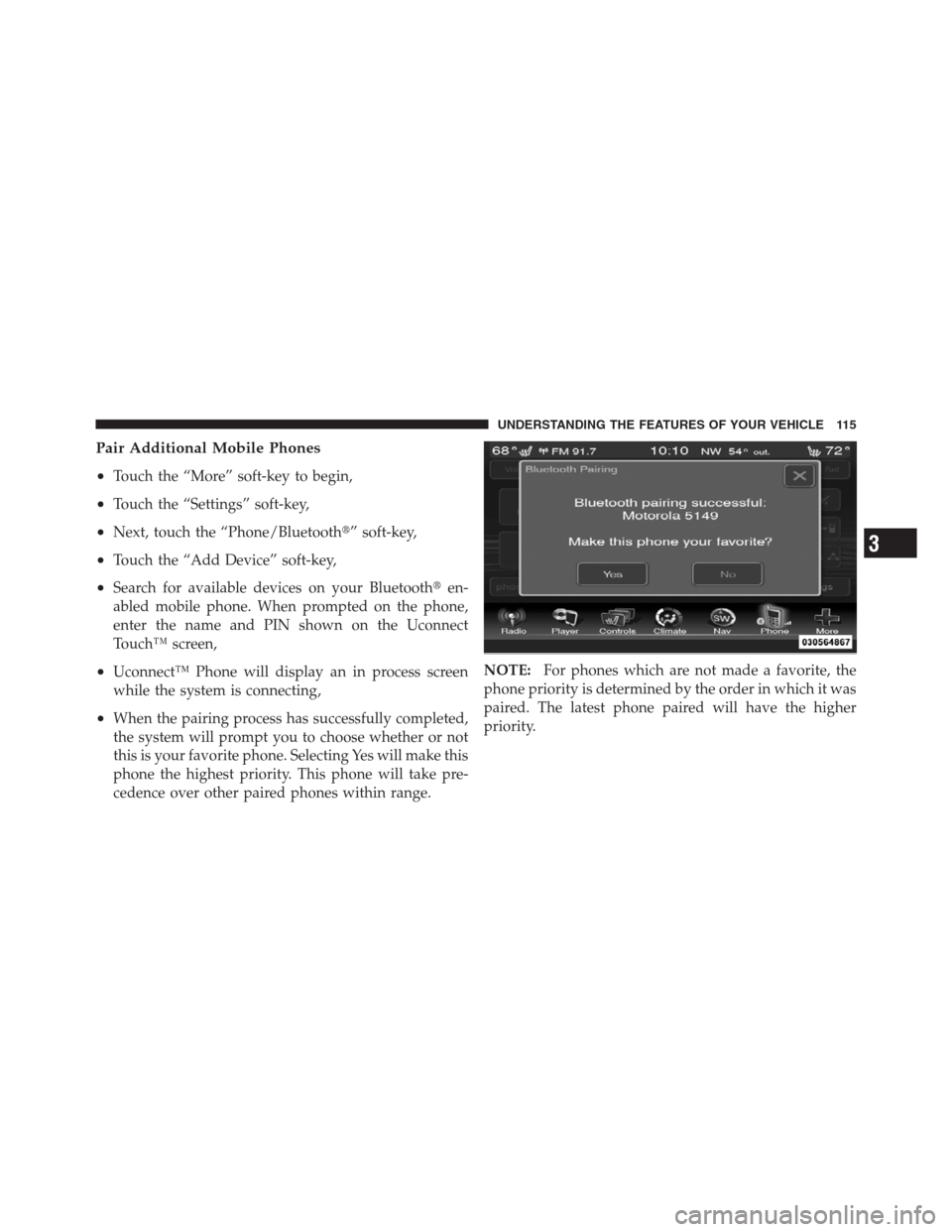
•When the pairing process has successfully completed,
the system will prompt you to choose whether or not
this is your favorite phone. Selecting Yes will make this
phone the highest priority. This phone will take pre-
cedence over other paired phones within range.NOTE:For phones which are not made a favorite, the
phone priority is determined by the order in which it was
paired. The latest phone paired will have the higher
priority.
3
UNDERSTANDING THE FEATURES OF YOUR VEHICLE 115