Page 287 of 576
ELECTRONIC VEHICLE INFORMATION CENTER
(EVIC)
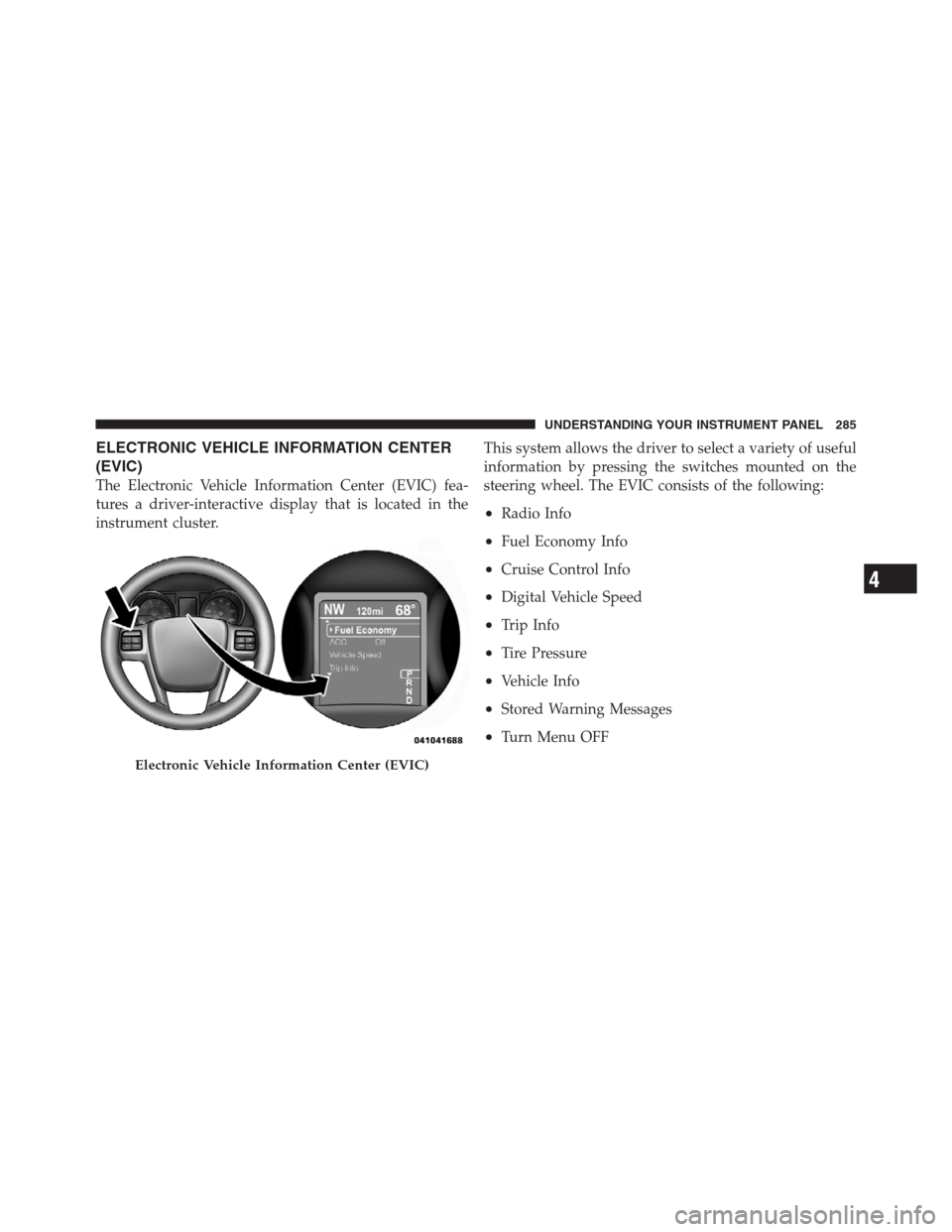
The Electronic Vehicle Information Center (EVIC) fea-
tures a driver-interactive display that is located in the
instrument cluster.This system allows the driver to select a variety of useful
information by pressing the switches mounted on the
steering wheel. The EVIC consists of the following:
•Radio Info
•Fuel Economy Info
•Cruise Control Info
•Digital Vehicle Speed
•Trip Info
•Tire Pressure
•Vehicle Info
•Stored Warning Messages
•Turn Menu OFF
Electronic Vehicle Information Center (EVIC)
4
UNDERSTANDING YOUR INSTRUMENT PANEL 285
Page 291 of 576
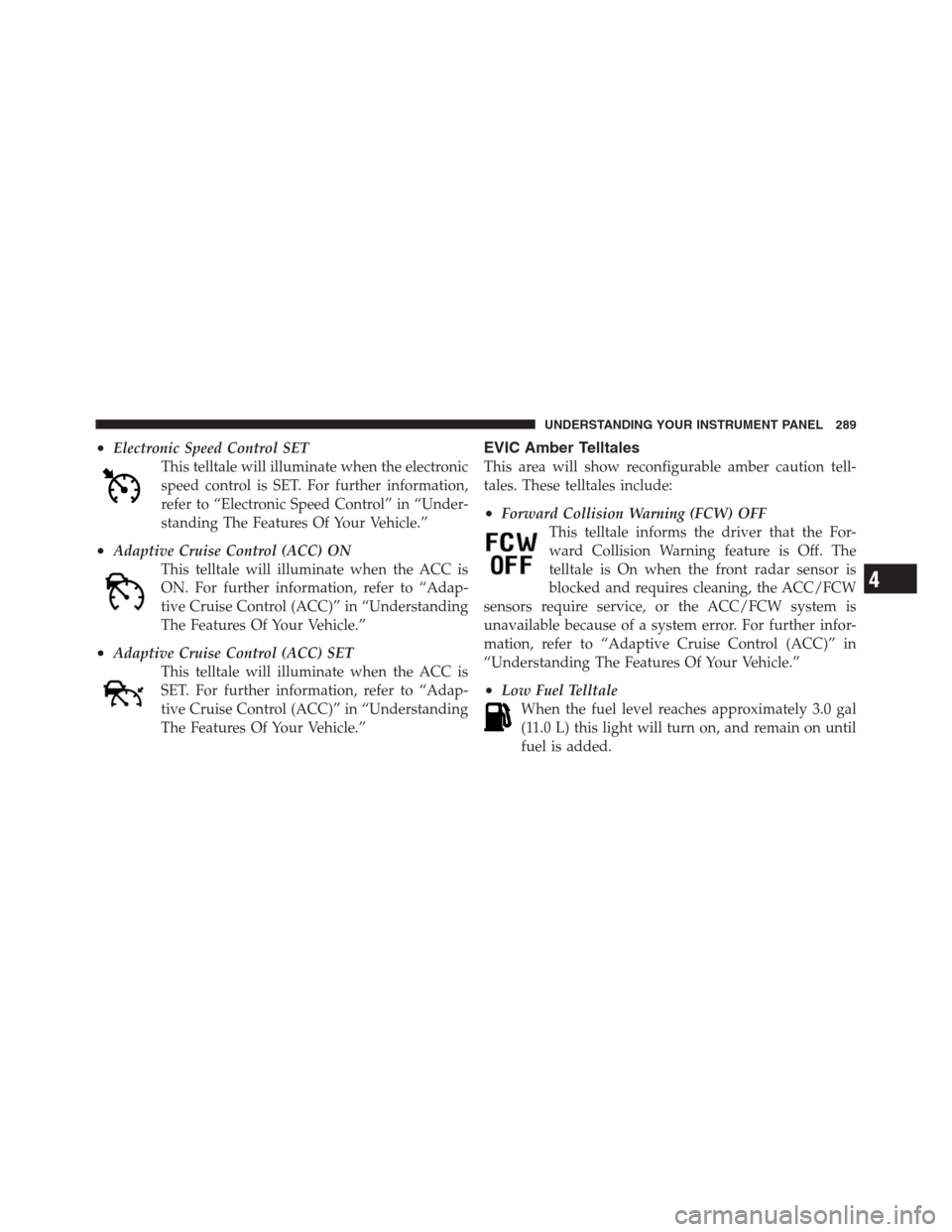
•Electronic Speed Control SET
This telltale will illuminate when the electronic
speed control is SET. For further information,
refer to “Electronic Speed Control” in “Under-
standing The Features Of Your Vehicle.”
•Adaptive Cruise Control (ACC) ON
This telltale will illuminate when the ACC is
ON. For further information, refer to “Adap-
tive Cruise Control (ACC)” in “Understanding
The Features Of Your Vehicle.”
•Adaptive Cruise Control (ACC) SET
This telltale will illuminate when the ACC is
SET. For further information, refer to “Adap-
tive Cruise Control (ACC)” in “Understanding
The Features Of Your Vehicle.”
EVIC Amber Telltales
This area will show reconfigurable amber caution tell-
tales. These telltales include:
•Forward Collision Warning (FCW) OFF
This telltale informs the driver that the For-
ward Collision Warning feature is Off. The
telltale is On when the front radar sensor is
blocked and requires cleaning, the ACC/FCW
sensors require service, or the ACC/FCW system is
unavailable because of a system error. For further infor-
mation, refer to “Adaptive Cruise Control (ACC)” in
“Understanding The Features Of Your Vehicle.”
•Low Fuel Telltale
When the fuel level reaches approximately 3.0 gal
(11.0 L) this light will turn on, and remain on until
fuel is added.
4
UNDERSTANDING YOUR INSTRUMENT PANEL 289
Page 292 of 576
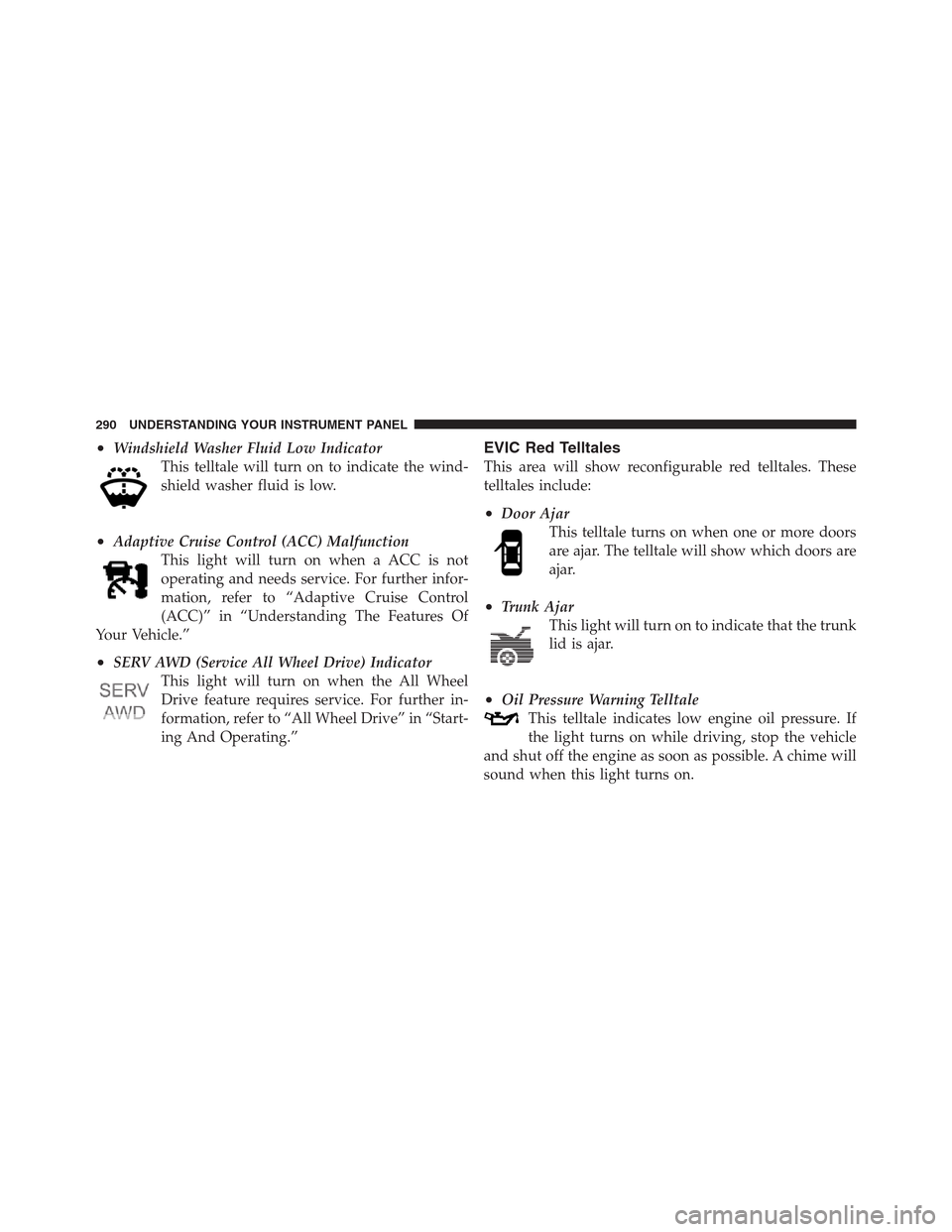
•Windshield Washer Fluid Low Indicator
This telltale will turn on to indicate the wind-
shield washer fluid is low.
•Adaptive Cruise Control (ACC) Malfunction
This light will turn on when a ACC is not
operating and needs service. For further infor-
mation, refer to “Adaptive Cruise Control
(ACC)” in “Understanding The Features Of
Your Vehicle.”
•SERV AWD (Service All Wheel Drive) Indicator
This light will turn on when the All Wheel
Drive feature requires service. For further in-
formation, refer to “All Wheel Drive” in “Start-
ing And Operating.”
EVIC Red Telltales
This area will show reconfigurable red telltales. These
telltales include:
•Door Ajar
This telltale turns on when one or more doors
are ajar. The telltale will show which doors are
ajar.
•Trunk Ajar
This light will turn on to indicate that the trunk
lid is ajar.
•Oil Pressure Warning Telltale
This telltale indicates low engine oil pressure. If
the light turns on while driving, stop the vehicle
and shut off the engine as soon as possible. A chime will
sound when this light turns on.
290 UNDERSTANDING YOUR INSTRUMENT PANEL
Page 294 of 576
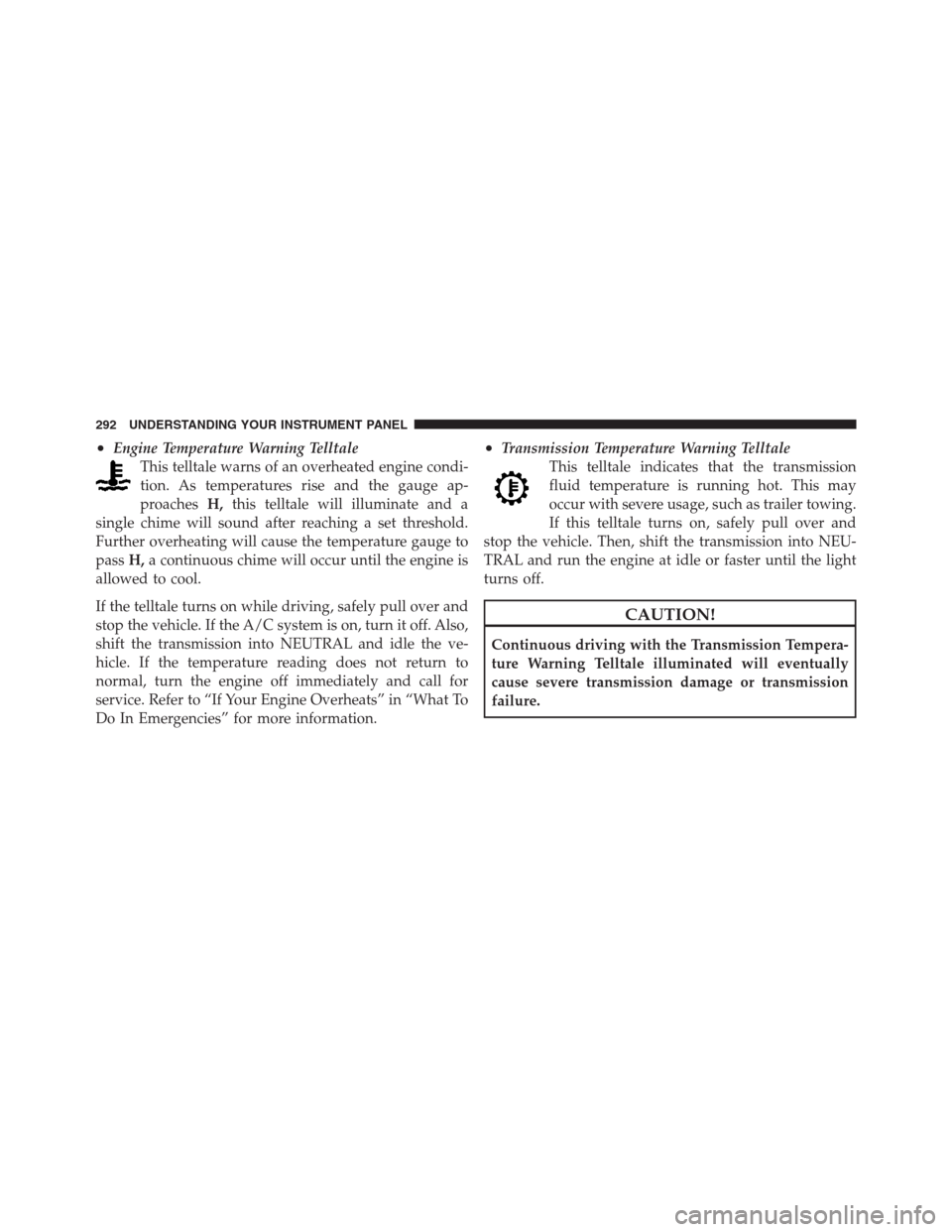
•Engine Temperature Warning Telltale
This telltale warns of an overheated engine condi-
tion. As temperatures rise and the gauge ap-
proachesH,this telltale will illuminate and a
single chime will sound after reaching a set threshold.
Further overheating will cause the temperature gauge to
passH,a continuous chime will occur until the engine is
allowed to cool.
If the telltale turns on while driving, safely pull over and
stop the vehicle. If the A/C system is on, turn it off. Also,
shift the transmission into NEUTRAL and idle the ve-
hicle. If the temperature reading does not return to
normal, turn the engine off immediately and call for
service. Refer to “If Your Engine Overheats” in “What To
Do In Emergencies” for more information.•Transmission Temperature Warning Telltale
This telltale indicates that the transmission
fluid temperature is running hot. This may
occur with severe usage, such as trailer towing.
If this telltale turns on, safely pull over and
stop the vehicle. Then, shift the transmission into NEU-
TRAL and run the engine at idle or faster until the light
turns off.
CAUTION!
Continuous driving with the Transmission Tempera-
ture Warning Telltale illuminated will eventually
cause severe transmission damage or transmission
failure.
292 UNDERSTANDING YOUR INSTRUMENT PANEL
Page 295 of 576

WARNING!
If the Transmission Temperature Warning Telltale is
illuminated and you continue operating the vehicle,
in some circumstances you could cause the fluid to
boil over, come in contact with hot engine or exhaust
components and cause a fire.
•Electric Power Steering Malfunction
This telltale is on when the Electric Power
Steering is not operating and needs service.
Oil Change Due
Your vehicle is equipped with an engine oil change
indicator system. The�Oil Change Due�message will
display in the EVIC for five seconds after a single chime
has sounded at the start of each ignition that an oil
change is due. The engine oil change indicator system isduty cycle based, which means the engine oil change
interval may fluctuate dependent upon your personal
driving style.
Unless reset, this message will continue to display each
time you cycle the ignition to the ON/RUN position. To
turn off the message temporarily, press and release the
MENU button. To reset the oil change indicator system
(after performing the scheduled maintenance), perform
the following procedure:
1. Without pressing the brake pedal, push the ENGINE
START/STOP button and cycle the ignition to the ON/
RUN position (Do not start the engine.)
2. Fully depress the accelerator pedal, slowly, three times
within 10 seconds.
3. Without pressing the brake pedal, push the ENGINE
START/STOP button once to return the ignition to the
OFF/LOCK position.
4
UNDERSTANDING YOUR INSTRUMENT PANEL 293
Page 298 of 576
Cruise Control
Press and release the UP or DOWN button until�ACC�(if
equipped with Adaptive Cruise Control) or�Cruise�is
highlighted in the EVIC. Status of the ACC or Cruise is
displayed in the menu line also. Press and release the
SELECT (right arrow) button to display the following
information:
•If equipped with ACC, one of several messages will be
displayed giving a dynamic update of the status of the
feature as the driver changes feature status or follow-
ing conditions change. If ACC is active and a warning
or other feature is in the EVIC main display, the ACC
status will be displayed in place of the EVIC odometer
line.
•For vehicles with Cruise, one of several messages will
be displayed giving a dynamic update of the status of
the feature as the driver changes feature status or
conditions change. If Cruise is active and a warning orother feature is in the EVIC main display, the Cruise
status will be displayed in place of the EVIC odometer
line.
Press and release the BACK button to return to the main
menu.
Vehicle Speed
Press and release the UP or DOWN button until�Vehicle
Speed�is highlighted in the EVIC. Press the SELECT
button to view a digital display of the current speed in
mph or km/h. Pressing the SELECT button a second time
will toggle the unit of measure between mph or km/h.
Press the BACK button to return to the main menu.
NOTE:Changing the unit of measure in the Vehicle
Speed menu will not change the unit of measure in the
EVIC.
296 UNDERSTANDING YOUR INSTRUMENT PANEL
Page 301 of 576
•Trans Temperature
Displays the actual transmission temperature.
•Engine Hours
Displays the number of hours of engine operation.
Messages #
Select from Main Menu using the UP or DOWN buttons.
This feature shows the number of stored warning mes-
sages (in the # place holder). Pressing the SELECT button
will allow you to see what the stored messages are.
Pressing the BACK button takes you back to the Main
Menu.
Turn Menu OFF
Select from Main Menu using the DOWN button. Press-
ing the SELECT button blanks the menu display. Pressing
any one of the four steering wheel buttons brings the
menu back.
Uconnect Touch™ SETTINGS
The Uconnect Touch™ system uses a combination of soft
and hard keys located on the center of the instrument
panel that allows you to access and change the customer
programmable features.
Hard-Keys
Hard-Keys are located below the Uconnect Touch™
system in the center of the instrument panel. In addition,
there is a Scroll/Enter control knob located on the right
side of the Climate Controls in the center of the instru-
ment panel. Turn the control knob to scroll through
menus and change settings (i.e., 30, 60, 90), press the
center of the control knob one or more times to select or
change a setting (i.e., ON, OFF).
Soft-Keys
Soft-Keys are accessible on the Uconnect Touch™ display.
4
UNDERSTANDING YOUR INSTRUMENT PANEL 299
Page 305 of 576

the digital clock in the status bar. To change the Show
Time Status setting, press and release the ON or OFF
soft-key. Then touch the arrow back soft-key.
•Sync Time
Touch the Sync Time soft-key to change this display.
When in this display, you may have the radio set the time
automatically. To change the Sync Time setting, press and
release the ON or OFF soft-key. Then touch the arrow
back soft-key.
Safety / Assistance
•
Front Collision Warning — If Equipped
Touch the Front Collision Warning soft-key to change this
display. The Front Collision Warning (FCW) feature can
be can be set to Far, set to Near or turned Off. The default
status of FCW is the Far setting. This means the system
will warn you of a possible collision with the vehicle in
front of you when you are farther away. This gives you
the most reaction time. To change the setting for moredynamic driving, select the Near setting. This warns you
of a possible collision when you are much closer to the
vehicle in front of you. This allows for a more dynamic
driving experience. To change the FCW status, press and
release the OFF, Near or Far button. Then touch the arrow
back soft-key.
For further information, refer to ”Adaptive Cruise Con-
trol (ACC)” in “Understanding The Features Of Your
Vehicle”.
•Park Assist
Touch the Park Assist soft-key to change this display. The
Rear Park Assist system will scan for objects behind the
vehicle when the transmission shift lever is in REVERSE
and the vehicle speed is less than 11 mph (18 km/h). The
system can be enabled with Sound Only, Sound and
Display, or turned OFF. To change the Park Assist status,
press and release the OFF, Sound Only or Sounds and
Display soft-key. Then touch the arrow back soft-key.
4
UNDERSTANDING YOUR INSTRUMENT PANEL 303