2012 CHEVROLET SILVERADO remote start
[x] Cancel search: remote startPage 49 of 584
Black plate (7,1)Chevrolet Silverado Owner Manual - 2012
Keys, Doors, and Windows 2-7
The vehicle cannot be remote
started if the key is in the ignition,
the hood is not closed, or if there
is an emission control system
malfunction and the check engine
light is on.
Also, the engine will turn off during a
remote vehicle start if the coolant
temperature gets too high or if the
oil pressure gets low.
Remote Start Ready
If the vehicle does not have the
remote vehicle start feature, it may
have the remote start ready feature.
This feature allows your dealer to
add the manufacturer's remote
vehicle start feature.
See your dealer to add the
manufacturer's remote vehicle start
feature to the vehicle.
Door Locks
{WARNING
Unlocked doors can be
dangerous.
.Passengers, especially
children, can easily open the
doors and fall out of a moving
vehicle. When a door is
locked, the handle will not
open it. The chance of being
thrown out of the vehicle in a
crash is increased if the
doors are not locked. So, all
passengers should wear
safety belts properly and the
doors should be locked
whenever the vehicle is
driven.
.Young children who get into
unlocked vehicles may be
unable to get out. A child can
be overcome by extreme heat
and can suffer permanent(Continued)
WARNING (Continued)
injuries or even death from
heat stroke. Always lock the
vehicle whenever leaving it.
.Outsiders can easily enter
through an unlocked door
when you slow down or stop
the vehicle. Locking the doors
can help prevent this from
happening.
There are several ways to lock and
unlock the vehicle.
From outside, use the Remote
Keyless Entry (RKE) transmitter or
the key in the driver door.
From inside, use the power door
locks or manual door locks. To lock
or unlock the door with the manual
locks, push down or pull up on the
manual lock knob.
Page 53 of 584

Black plate (11,1)Chevrolet Silverado Owner Manual - 2012
Keys, Doors, and Windows 2-11
2. With the tailgate about halfwayopen, lift the right edge of the
tailgate from the lower pivot.
On vehicles with the tailgate
assist feature, raise the tailgate
nearly all the way to the closed
position prior to removing the
left edge.
3. Move the tailgate to the right to release the left edge.
Reverse this procedure to reinstall
the tailgate. Make sure the tailgate
is secure.Vehicle Security
This vehicle has theft-deterrent
features; however, they do not make
it impossible to steal.
Anti-theft Alarm System
This vehicle may have a content
theft-deterrent alarm system.
This is the security light.
To arm the theft-deterrent system:
1. Open the door.
2. Lock the door with the Remote Keyless Entry (RKE) transmitter.
The security light should flash. If the delayed locking feature is
active, the alarm will not be
activated until all doors are
closed and the security light
goes off.
3. Close all doors. The security light will stop flashing and go off
after approximately 30 seconds.
The system is armed when the
security light goes off.
If a locked driver door is opened
without using the RKE transmitter,
a 10 second pre-alarm will occur.
The horn will chirp and the lights will
flash. If the key is not placed in the
ignition and turned to START or the
door is not unlocked by pressing
the unlock button on the RKE
transmitter during the 10 second
pre-alarm, the alarm will go off.
The vehicle's headlamps will flash
and the horn will sound for about
30 seconds, then will turn off to save
the battery power.
Page 75 of 584
Black plate (11,1)Chevrolet Silverado Owner Manual - 2012
Seats and Restraints 3-11
Remote Start Heated Seats
When it is cold outside, the heated
seats may turn on automatically
during a remote vehicle start. The
heated seats will be canceled when
the ignition is turned on. Press the
desired button to use the heated
seats after the vehicle is started.
The lights on the heated seat
buttons do not turn on during a
remote start.
The temperature performance of an
unoccupied seat may be reduced.
This is normal.
SeeRemote Vehicle Start on
page 2‑5 for more information.Rear Seats
Rear Seats (Extended
Cab Full Bench)
Folding the Rear Seat
Notice:Folding a rear seat with
the safety belts still fastened may
cause damage to the seat or the
safety belts. Always unbuckle the
safety belts and return them to
their normal stowed position
before folding a rear seat.
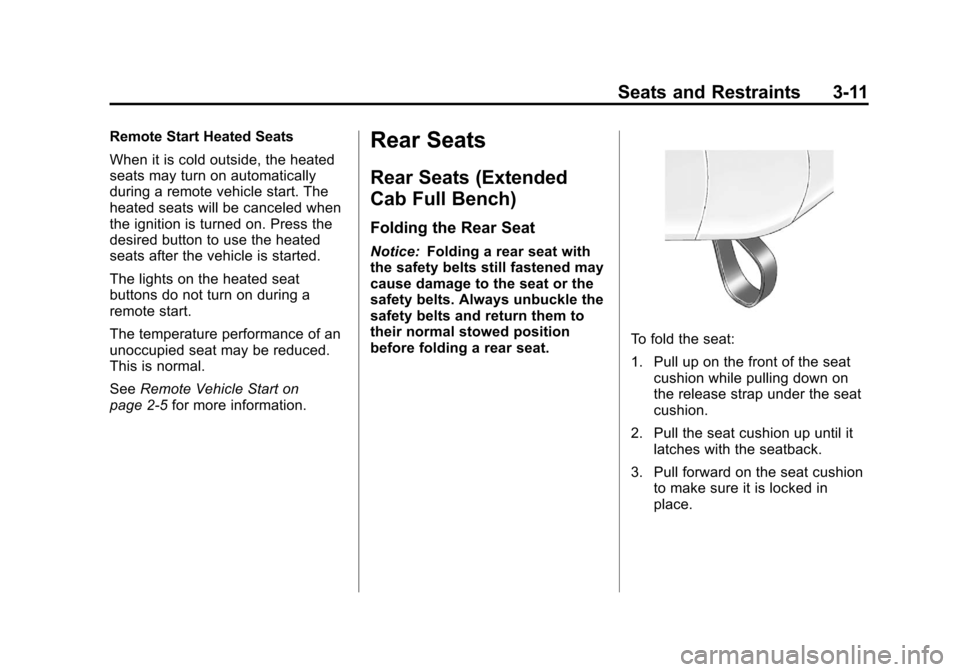
To fold the seat:
1. Pull up on the front of the seat cushion while pulling down on
the release strap under the seat
cushion.
2. Pull the seat cushion up until it latches with the seatback.
3. Pull forward on the seat cushion to make sure it is locked in
place.
Page 98 of 584

Black plate (34,1)Chevrolet Silverado Owner Manual - 2012
3-34 Seats and Restraints
Passenger Sensing
System
If the vehicle has one of the
indicators pictured in the following
illustrations, then the vehicle has a
passenger sensing system for the
right front passenger position,
unless there is an airbag off switch
located in the glove box. If there is
an airbag off switch, the vehicle
does not have a passenger sensing
system. SeeAirbag On-Off Switch
on page 3‑30 for more information.
The passenger airbag status
indicator will be visible on the
overhead console when the vehicle
is started.
In addition, if the vehicle has a
passenger sensing system for the
right front passenger position, the
label on the vehicle's sun visors
refers to “ADVANCED AIRBAGS”.
United States
Canada and Mexico
The words ON and OFF, or the
symbol for on and off, will be visible
during the system check. If you are
using remote start to start the
vehicle from a distance, if equipped,
you may not see the system check.
When the system check is
complete, either the word ON or
OFF, or the symbol for on or off, will
be visible. See Passenger Airbag
Status Indicator on page 5‑22. The passenger sensing system will
turn off the right front passenger
frontal airbag under certain
conditions. The driver airbag,
seat‐mounted side impact airbags
(if equipped), and the roof-rail
airbags (if equipped) are not
affected by the passenger sensing
system.
The passenger sensing system
works with sensors that are part of
the right front passenger seat and
safety belt. The sensors are
designed to detect the presence
of a properly-seated occupant
and determine if the right front
passenger frontal airbag should be
enabled (may inflate) or not.
According to accident statistics,
children are safer when properly
secured in a rear seat in the correct
child restraint for their weight
and size.
Page 140 of 584
Black plate (2,1)Chevrolet Silverado Owner Manual - 2012
5-2 Instruments and Controls
Starting the VehicleMessages . . . . . . . . . . . . . . . . . . 5-49
Tire Messages . . . . . . . . . . . . . . . 5-49
Transmission Messages . . . . . 5-50
Vehicle Reminder Messages . . . . . . . . . . . . . . . . . . 5-50
Washer Fluid Messages . . . . . 5-51
Vehicle Personalization
Vehicle Personalization (With DIC Buttons) . . . . . . . . . 5-52
Universal Remote System
Universal Remote System . . . 5-60
Universal Remote SystemProgramming . . . . . . . . . . . . . . . 5-60
Universal Remote System Operation . . . . . . . . . . . . . . . . . . 5-65
Controls
Steering Wheel
Adjustment
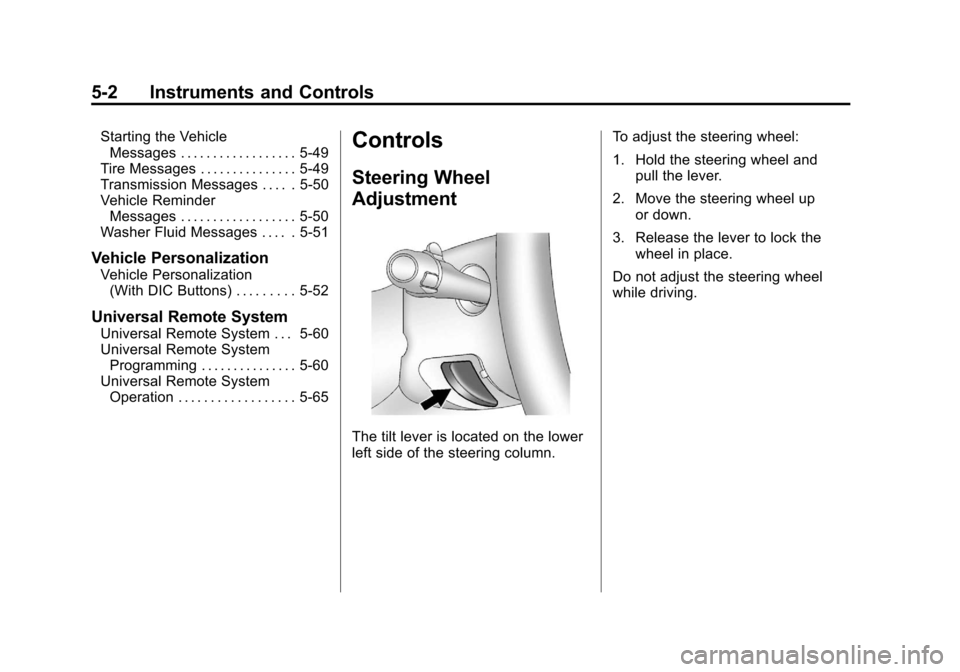
The tilt lever is located on the lower
left side of the steering column. To adjust the steering wheel:
1. Hold the steering wheel and
pull the lever.
2. Move the steering wheel up or down.
3. Release the lever to lock the wheel in place.
Do not adjust the steering wheel
while driving.
Page 196 of 584

Black plate (58,1)Chevrolet Silverado Owner Manual - 2012
5-58 Instruments and Controls
EASY EXIT SETUP
If the vehicle has this feature,
it allows you to select which areas
will recall with the automatic easy
exit seat feature. It also allows you
to turn off the automatic easy exit
feature. SeeMemory Seats on
page 3‑8 and EASY EXIT RECALL
earlier for more information.
Press the customization button until
EASY EXIT SETUP appears on the
DIC display. Press the set/reset
button once to access the settings
for this feature. Then press the
menu up/down button to scroll
through the following settings:
OFF: No automatic seat exit will
recall.
SEAT ONLY (default): The driver
seat will recall.
NO CHANGE: No change will be
made to this feature. The current
setting will remain.
To select a setting, press the
set/reset button while the desired
setting is displayed on the DIC. MEMORY SEAT RECALL
If the vehicle has this feature, it
allows you to select your preference
for the remote memory seat recall
feature. See
Memory Seats on
page 3‑8 for more information.
Press the customization button
until MEMORY SEAT RECALL
appears on the DIC display.
Press the set/reset button once to
access the settings for this feature.
Then press the customization button
to scroll through the following
settings:
OFF (default): No remote memory
seat recall will occur.
ON: The driver seat and, on some
vehicles, the outside mirrors will
automatically move to the stored
driving position when the unlock
button on the Remote Keyless
Entry (RKE) transmitter is pressed.
On some vehicles with the
adjustable throttle and brake pedal
feature, the pedals will also
automatically move. NO CHANGE:
No change will be
made to this feature. The current
setting will remain.
To select a setting, press the
set/reset button while the desired
setting is displayed on the DIC.
REMOTE START
If your vehicle has this feature,
it allows you to turn the remote start
off or on. The remote start feature
allows you to start the engine from
outside of the vehicle using the
Remote Keyless Entry (RKE)
transmitter. See Remote Vehicle
Start on page 2‑5 for more
information.
Press the customization button until
REMOTE START appears on the
DIC display. Press the set/reset
button once to access the settings
for this feature. Then press the
customization button to scroll
through the following settings:
OFF: The remote start feature will
be disabled.
Page 197 of 584
Black plate (59,1)Chevrolet Silverado Owner Manual - 2012
Instruments and Controls 5-59
ON (default):The remote start
feature will be enabled.
NO CHANGE: No change will be
made to this feature. The current
setting will remain.
To select a setting, press the
set/reset button while the desired
setting is displayed on the DIC.
FACTORY SETTINGS
This feature allows you to set all of
the customization features back to
their factory default settings.
Press the customization button until
FACTORY SETTINGS appears on
the DIC display. Press the set/reset
button once to access the settings
for this feature. Then press the
customization button to scroll
through the following settings:
RESTORE ALL (default):
The customization features will be
set to their factory default settings. DO NOT RESTORE:
The
customization features will not be
set to their factory default settings.
To select a setting, press the
set/reset button while the desired
setting is displayed on the DIC.
EXIT FEATURE SETTINGS
This feature allows you to exit the
feature settings menu.
Press the customization button until
PRESS
VTO EXIT FEATURE
SETTINGS appears in the DIC
display. Press the set/reset button
once to exit the menu.
If you do not exit, pressing the
customization button again will
return you to the beginning of the
feature settings menu.
Exiting the Feature
Settings Menu
The feature settings menu will be
exited when any of the following
occurs:
.The vehicle is no longer in
ON/RUN.
.The trip/fuel or vehicle
information DIC buttons are
pressed.
.The end of the feature settings
menu is reached and exited.
.A 40-second time period has
elapsed with no selection made.
Page 198 of 584
Black plate (60,1)Chevrolet Silverado Owner Manual - 2012
5-60 Instruments and Controls
Universal Remote
System
SeeRadio Frequency Statement on
page 13‑21 for information
regarding Part 15 of the Federal
Communications Commission (FCC)
rules and Industry Canada
Standards RSS-GEN/210/220/310.
Universal Remote System
Programming
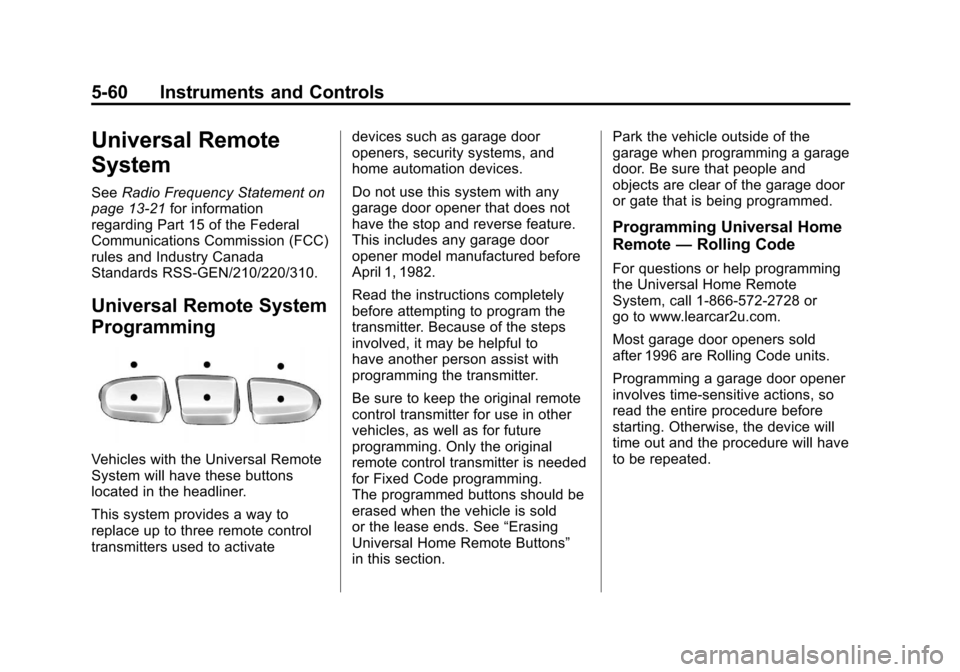
Vehicles with the Universal Remote
System will have these buttons
located in the headliner.
This system provides a way to
replace up to three remote control
transmitters used to activate devices such as garage door
openers, security systems, and
home automation devices.
Do not use this system with any
garage door opener that does not
have the stop and reverse feature.
This includes any garage door
opener model manufactured before
April 1, 1982.
Read the instructions completely
before attempting to program the
transmitter. Because of the steps
involved, it may be helpful to
have another person assist with
programming the transmitter.
Be sure to keep the original remote
control transmitter for use in other
vehicles, as well as for future
programming. Only the original
remote control transmitter is needed
for Fixed Code programming.
The programmed buttons should be
erased when the vehicle is sold
or the lease ends. See
“Erasing
Universal Home Remote Buttons”
in this section. Park the vehicle outside of the
garage when programming a garage
door. Be sure that people and
objects are clear of the garage door
or gate that is being programmed.
Programming Universal Home
Remote
—Rolling Code
For questions or help programming
the Universal Home Remote
System, call 1-866-572-2728 or
go to www.learcar2u.com.
Most garage door openers sold
after 1996 are Rolling Code units.
Programming a garage door opener
involves time-sensitive actions, so
read the entire procedure before
starting. Otherwise, the device will
time out and the procedure will have
to be repeated.