2012 CHEVROLET MALIBU buttons
[x] Cancel search: buttonsPage 189 of 398

Black plate (7,1)Chevrolet Malibu Owner Manual - 2012
Climate Controls 8-7
Select from the following:
H(Vent):Air is directed to the
instrument panel outlets.
)(Bi-Level): Air is divided
between the instrument panel
outlets and the floor outlets.
6(Floor): Air is directed to the
floor outlets with some air directed
to the side window outlets.
-(Defog): This mode clears the
windows of fog or moisture. Air is
directed to the floor and windshield
outlets.
0(Defrost): This mode clears the
windows of fog or frost more quickly.
The system automatically controls
the fan speed if defrost is selected
from the AUTO mode. If the outside
temperature is 4°C (40°F) or
warmer, the air conditioning
compressor automatically runs to
help dehumidify the air and dry the
windshield. The air conditioning
indicator light blinks three times if
the compressor is turned off while
in this mode.
#(Air Conditioning): Press turn
the air conditioning on and off.
An indicator light turns on to show
the air conditioning is on.
When air conditioning is selected or
is in AUTO mode, the system runs
the air conditioning automatically to
cool and dehumidify the air entering
the vehicle.
On hot days, open the windows long
enough to let hot inside air escape.
This reduces the time it takes for the
vehicle to cool down. Then keep
the windows closed for the air
conditioner to work its best.
On cool, but sunny days while using
manual operation of the automatic
system, use bi-level to deliver warm
air to the floor and cooler air to the
instrument panel outlets. To warm or
cool the air delivered, press the
temperature buttons to the desired
setting. In AUTO mode the system cools
and dehumidifies the air inside
the vehicle. Also while in AUTO
mode, the system maximizes its
performance by using recirculation
as necessary.
Heating:
On cold days when using
manual operation of the automatic
system, use floor mode to deliver air
to the floor outlets. To warm or cool
the air delivered, press
xorwto
the desired temperature setting.
To use the automatic mode, turn the
knob to AUTO and press
xorwto
adjust the temperature.
:(Outside Air): Press to
turn the outside air mode on.
An indicator light comes on to show
it is on. Air from outside the vehicle
will circulate throughout the vehicle.
The outside air mode can be used
with all modes, but it cannot be
used with the recirculation mode.
Pressing this button cancels the
recirculation mode.
Page 191 of 398
Black plate (9,1)Chevrolet Malibu Owner Manual - 2012
Climate Controls 8-9
Remote Start Climate Control
Operation
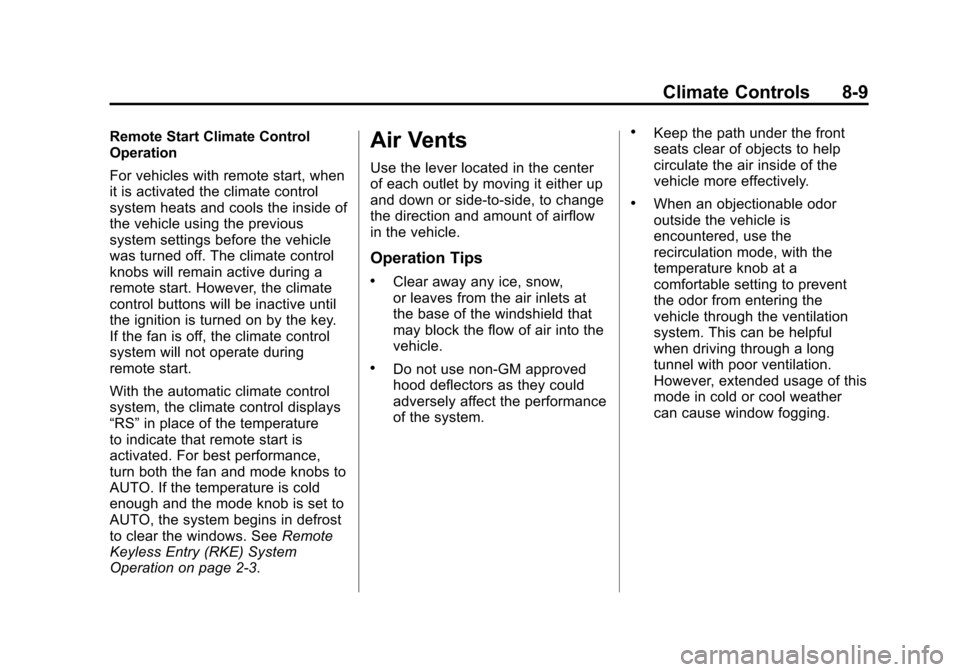
For vehicles with remote start, when
it is activated the climate control
system heats and cools the inside of
the vehicle using the previous
system settings before the vehicle
was turned off. The climate control
knobs will remain active during a
remote start. However, the climate
control buttons will be inactive until
the ignition is turned on by the key.
If the fan is off, the climate control
system will not operate during
remote start.
With the automatic climate control
system, the climate control displays
“RS”in place of the temperature
to indicate that remote start is
activated. For best performance,
turn both the fan and mode knobs to
AUTO. If the temperature is cold
enough and the mode knob is set to
AUTO, the system begins in defrost
to clear the windows. See Remote
Keyless Entry (RKE) System
Operation on page 2‑3.Air Vents
Use the lever located in the center
of each outlet by moving it either up
and down or side-to-side, to change
the direction and amount of airflow
in the vehicle.
Operation Tips
.Clear away any ice, snow,
or leaves from the air inlets at
the base of the windshield that
may block the flow of air into the
vehicle.
.Do not use non-GM approved
hood deflectors as they could
adversely affect the performance
of the system.
.Keep the path under the front
seats clear of objects to help
circulate the air inside of the
vehicle more effectively.
.When an objectionable odor
outside the vehicle is
encountered, use the
recirculation mode, with the
temperature knob at a
comfortable setting to prevent
the odor from entering the
vehicle through the ventilation
system. This can be helpful
when driving through a long
tunnel with poor ventilation.
However, extended usage of this
mode in cold or cool weather
can cause window fogging.
Page 226 of 398
Black plate (34,1)Chevrolet Malibu Owner Manual - 2012
9-34 Driving and Operating
{WARNING
Cruise control can be dangerous
where you cannot drive safely at
a steady speed. So, do not use
the cruise control on winding
roads or in heavy traffic.
Cruise control can be dangerous
on slippery roads. On such roads,
fast changes in tire traction can
cause excessive wheel slip, and
you could lose control. Do not use
cruise control on slippery roads.
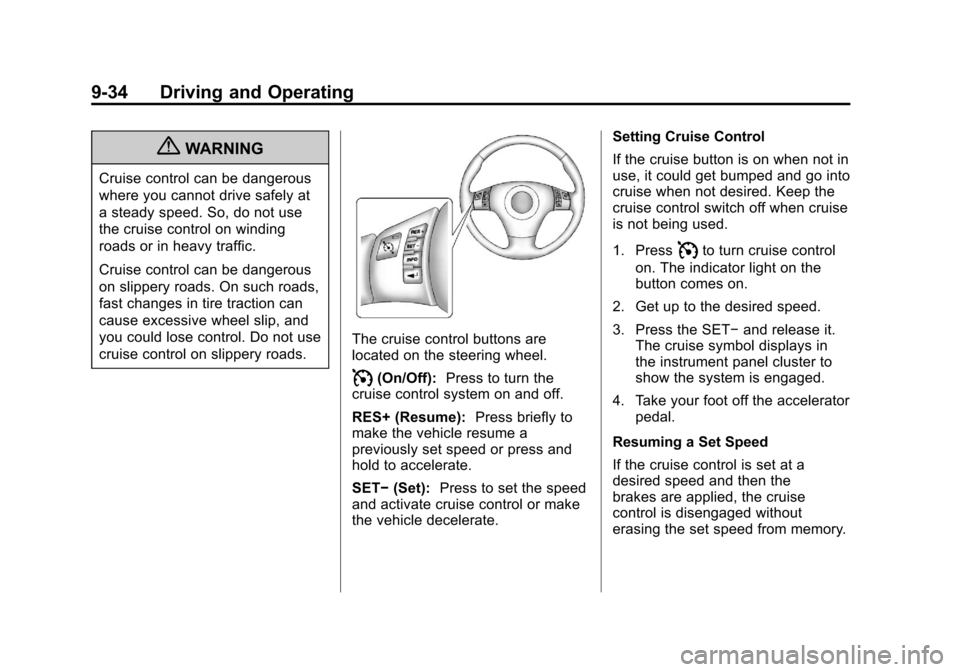
The cruise control buttons are
located on the steering wheel.
I(On/Off):Press to turn the
cruise control system on and off.
RES+ (Resume): Press briefly to
make the vehicle resume a
previously set speed or press and
hold to accelerate.
SET− (Set): Press to set the speed
and activate cruise control or make
the vehicle decelerate. Setting Cruise Control
If the cruise button is on when not in
use, it could get bumped and go into
cruise when not desired. Keep the
cruise control switch off when cruise
is not being used.
1. Press
Ito turn cruise control
on. The indicator light on the
button comes on.
2. Get up to the desired speed.
3. Press the SET− and release it.
The cruise symbol displays in
the instrument panel cluster to
show the system is engaged.
4. Take your foot off the accelerator pedal.
Resuming a Set Speed
If the cruise control is set at a
desired speed and then the
brakes are applied, the cruise
control is disengaged without
erasing the set speed from memory.
Page 253 of 398
Black plate (13,1)Chevrolet Malibu Owner Manual - 2012
Vehicle Care 10-13
the next 1 000 km (600 mi). It is
possible that, if driving under the
best conditions, the oil life system
might indicate that an oil change
is not necessary for up to a year.
The engine oil and filter must be
changed at least once a year and,
at this time, the system must be
reset. Your dealer has trained
service people who will perform this
work and reset the system. It is also
important to check the oil regularly
over the course of an oil drain
interval and keep it at the proper
level.
If the system is ever reset
accidentally, the oil must be
changed at 5 000 km (3,000 mi)
since the last oil change.
Remember to reset the oil life
system whenever the oil is changed.How to Reset the Engine Oil
Life System
Reset the system whenever the
engine oil is changed so that the
system can calculate the next
engine oil change. To reset the
system:
1. Turn the ignition to ON/RUN,with the engine off.
2. Press and hold the DIC INFO and reset buttons, on the left
side of the steering wheel,
at the same time to enter the
personalization menu. The OIL
LIFE RESET message displays.
See Driver Information Center
(DIC) on page 5‑24 andEngine
Oil Messages on page 5‑27. 3. Press and hold the reset button
until the DIC display shows
ACKNOWLEDGED.
4. Turn the key to LOCK/OFF.
The system is reset when the
CHANGE OIL SOON message
is off.
If the CHANGE OIL SOON
message comes back on when the
vehicle is started, the engine oil life
system has not reset. Repeat the
procedure.
Page 296 of 398
Black plate (56,1)Chevrolet Malibu Owner Manual - 2012
10-56 Vehicle Care
There are two minutes to match
the first tire/wheel position, and
five minutes overall to match all
four tire/wheel positions. If it takes
longer, the matching process stops
and must be restarted.
The TPMS matching process is:
1. Set the parking brake.
2. Turn the ignition to ON/RUN withthe engine off.
3. Press and hold the Remote Keyless Entry (RKE)
transmitter's LOCK and
UNLOCK buttons, at the same
time, for about five seconds to
start the TPMS learn mode.
The horn sounds twice indicating
the TPMS receiver is ready and
in learn mode.
4. Start with the driver side front tire. The driver side front turn
signal also comes on to indicate
that corner's sensor is ready to
be learned. 5. Place the relearn tool against
the tire sidewall, near the valve
stem. Then press the button to
activate the TPMS sensor.
A horn chirp confirms that the
sensor identification code has
been matched to this tire and
wheel position.
6. The passenger side front turn signal comes on to indicate that
corner sensor is ready to be
learned. Proceed to the
passenger side front tire and
repeat the procedure in Step 5.
7. The passenger side rear turn signal comes on to indicate that
corner sensor is ready to be
learned. Proceed to the
passenger side rear tire and
repeat the procedure in Step 5.
8. The driver side rear turn signal comes on to indicate that corner
sensor is ready to be learned.
Proceed to the driver side rear
tire, and repeat the procedure
in Step 5. 9. After hearing the single horn
chirp for the driver side rear tire,
two additional horn chirps sound
to indicate the tire learning
process is done. Turn the
ignition switch to LOCK/OFF.
If no tires are learned after
entering the TPMS learn mode,
or if communication with the
receiver stops, or if the time limit
has expired, turn the ignition
switch to LOCK/OFF and start
over beginning with Step 2.
10. Set all four tires to the recommended air pressure
level as indicated on the Tire
and Loading Information label.
Page 379 of 398
Black plate (1,1)Chevrolet Malibu Owner Manual - 2012
OnStar 14-1
OnStar
OnStar Overview
OnStar Overview . . . . . . . . . . . . 14-1
OnStar Services
Emergency . . . . . . . . . . . . . . . . . . 14-2
Security . . . . . . . . . . . . . . . . . . . . . . 14-2
Navigation . . . . . . . . . . . . . . . . . . . 14-2
Connections . . . . . . . . . . . . . . . . . 14-4
Diagnostics . . . . . . . . . . . . . . . . . . 14-5
OnStar Additional Information
OnStar AdditionalInformation . . . . . . . . . . . . . . . . . 14-5
OnStar Overview
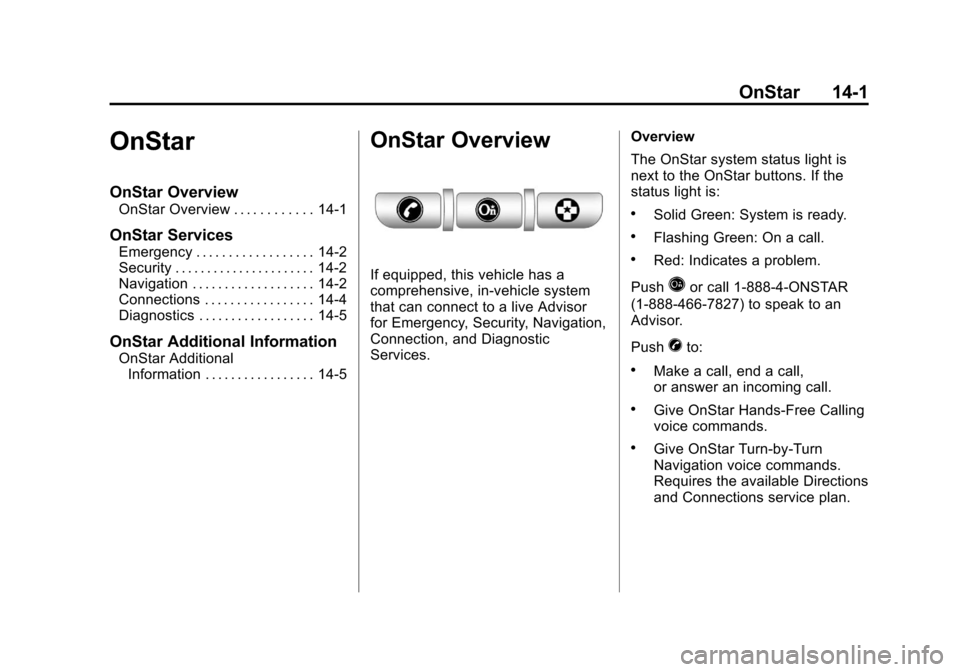
If equipped, this vehicle has a
comprehensive, in-vehicle system
that can connect to a live Advisor
for Emergency, Security, Navigation,
Connection, and Diagnostic
Services. Overview
The OnStar system status light is
next to the OnStar buttons. If the
status light is:
.Solid Green: System is ready.
.Flashing Green: On a call.
.Red: Indicates a problem.
Push
Qor call 1-888-4-ONSTAR
(1-888-466-7827) to speak to an
Advisor.
Push
Xto:
.Make a call, end a call,
or answer an incoming call.
.Give OnStar Hands-Free Calling
voice commands.
.Give OnStar Turn-by-Turn
Navigation voice commands.
Requires the available Directions
and Connections service plan.