2012 CHEVROLET MALIBU light
[x] Cancel search: lightPage 19 of 398
Black plate (13,1)Chevrolet Malibu Owner Manual - 2012
In Brief 1-13
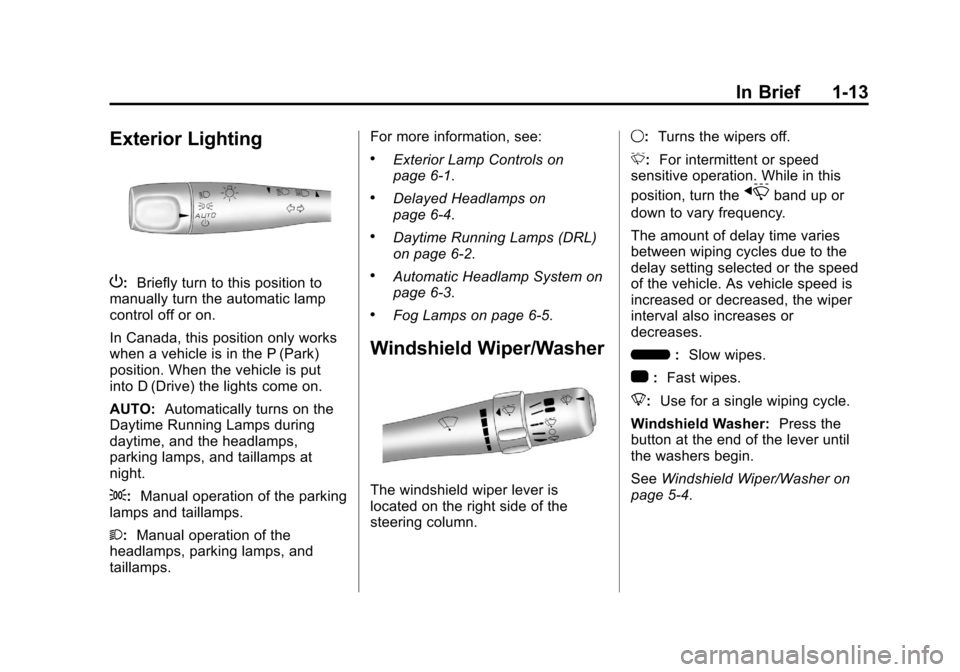
Exterior Lighting
P:Briefly turn to this position to
manually turn the automatic lamp
control off or on.
In Canada, this position only works
when a vehicle is in the P (Park)
position. When the vehicle is put
into D (Drive) the lights come on.
AUTO: Automatically turns on the
Daytime Running Lamps during
daytime, and the headlamps,
parking lamps, and taillamps at
night.
;: Manual operation of the parking
lamps and taillamps.
2: Manual operation of the
headlamps, parking lamps, and
taillamps. For more information, see:
.Exterior Lamp Controls on
page 6‑1.
.Delayed Headlamps on
page 6‑4.
.Daytime Running Lamps (DRL)
on page 6‑2.
.Automatic Headlamp System on
page 6‑3.
.Fog Lamps on page 6‑5.
Windshield Wiper/Washer
The windshield wiper lever is
located on the right side of the
steering column.
9:
Turns the wipers off.
3: For intermittent or speed
sensitive operation. While in this
position, turn the
xband up or
down to vary frequency.
The amount of delay time varies
between wiping cycles due to the
delay setting selected or the speed
of the vehicle. As vehicle speed is
increased or decreased, the wiper
interval also increases or
decreases.
6 :Slow wipes.
1 :Fast wipes.
8: Use for a single wiping cycle.
Windshield Washer: Press the
button at the end of the lever until
the washers begin.
See Windshield Wiper/Washer on
page 5‑4.
Page 27 of 398
Black plate (21,1)Chevrolet Malibu Owner Manual - 2012
In Brief 1-21
Tire Pressure Monitor
This vehicle may have a Tire
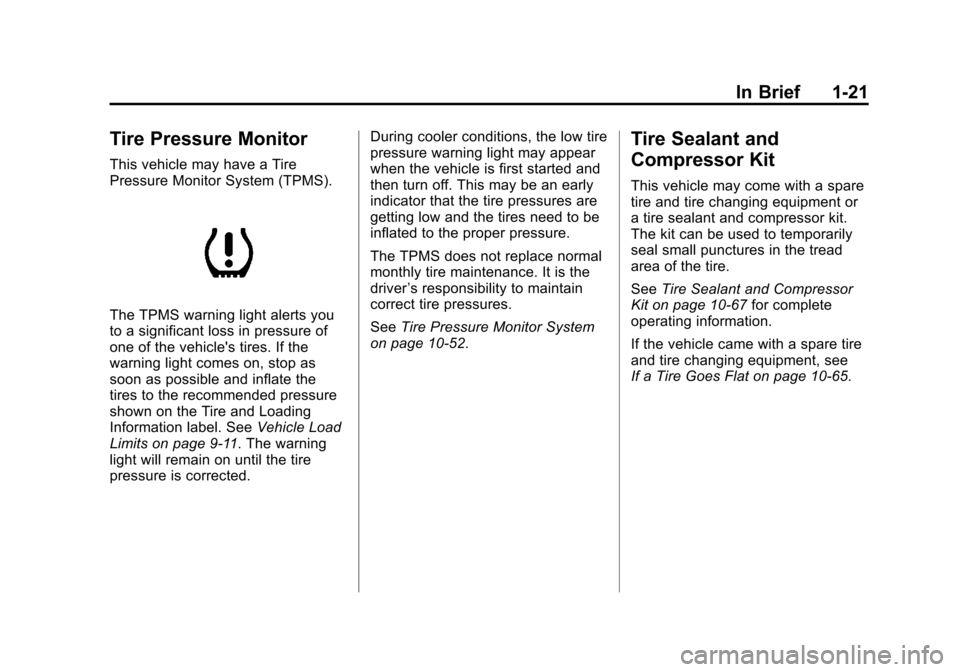
Pressure Monitor System (TPMS).
The TPMS warning light alerts you
to a significant loss in pressure of
one of the vehicle's tires. If the
warning light comes on, stop as
soon as possible and inflate the
tires to the recommended pressure
shown on the Tire and Loading
Information label. SeeVehicle Load
Limits on page 9‑11. The warning
light will remain on until the tire
pressure is corrected. During cooler conditions, the low tire
pressure warning light may appear
when the vehicle is first started and
then turn off. This may be an early
indicator that the tire pressures are
getting low and the tires need to be
inflated to the proper pressure.
The TPMS does not replace normal
monthly tire maintenance. It is the
driver
’s responsibility to maintain
correct tire pressures.
See Tire Pressure Monitor System
on page 10‑52.
Tire Sealant and
Compressor Kit
This vehicle may come with a spare
tire and tire changing equipment or
a tire sealant and compressor kit.
The kit can be used to temporarily
seal small punctures in the tread
area of the tire.
See Tire Sealant and Compressor
Kit on page 10‑67 for complete
operating information.
If the vehicle came with a spare tire
and tire changing equipment, see
If a Tire Goes Flat on page 10‑65.
Page 33 of 398
Black plate (3,1)Chevrolet Malibu Owner Manual - 2012
Keys, Doors, and Windows 2-3
.Check the transmitter's battery.
See“Battery Replacement” later
in this section.
.If the transmitter is still not
working correctly, see your
dealer or a qualified technician
for service.
Remote Keyless Entry
(RKE) System Operation
The Remote Keyless Entry (RKE)
transmitter functions work up to
60 m (195 feet) away from the
vehicle.
Keep in mind that other conditions,
such as those previously stated, can
impact the performance of the
transmitter.
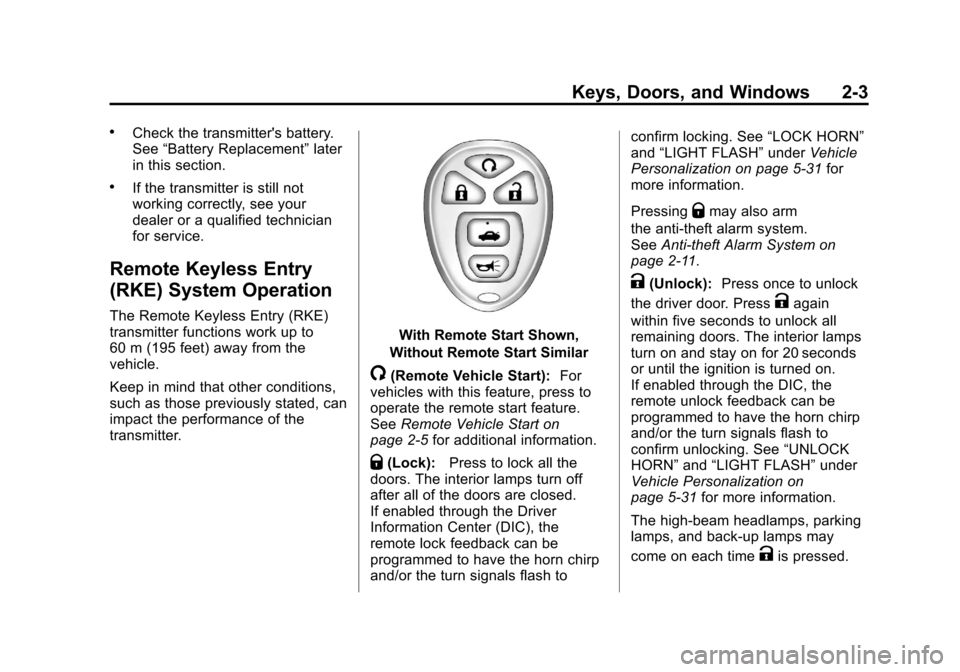
With Remote Start Shown,
Without Remote Start Similar
/(Remote Vehicle Start): For
vehicles with this feature, press to
operate the remote start feature.
See Remote Vehicle Start on
page 2‑5 for additional information.
Q(Lock):Press to lock all the
doors. The interior lamps turn off
after all of the doors are closed.
If enabled through the Driver
Information Center (DIC), the
remote lock feedback can be
programmed to have the horn chirp
and/or the turn signals flash to confirm locking. See
“LOCK HORN”
and “LIGHT FLASH” underVehicle
Personalization on page 5‑31 for
more information.
Pressing
Qmay also arm
the anti-theft alarm system.
See Anti-theft Alarm System on
page 2‑11.
K(Unlock): Press once to unlock
the driver door. Press
Kagain
within five seconds to unlock all
remaining doors. The interior lamps
turn on and stay on for 20 seconds
or until the ignition is turned on.
If enabled through the DIC, the
remote unlock feedback can be
programmed to have the horn chirp
and/or the turn signals flash to
confirm unlocking. See “UNLOCK
HORN” and“LIGHT FLASH” under
Vehicle Personalization on
page 5‑31 for more information.
The high‐beam headlamps, parking
lamps, and back‐up lamps may
come on each time
Kis pressed.
Page 34 of 398
Black plate (4,1)Chevrolet Malibu Owner Manual - 2012
2-4 Keys, Doors, and Windows
See“EXT (Exterior) LIGHTS” under
Vehicle Personalization on
page 5‑31 for additional information.
Pressing
Kon the RKE transmitter
disarms the anti-theft alarm system.
See Anti-theft Alarm System on
page 2‑11.
V(Remote Trunk Release):
Press and hold for about
one second to unlock the trunk.
The trunk can be opened with the
transmitter when the vehicle speed
is less than 3 km/h (2 mph) or when
the ignition is off.
L(Vehicle Locator/Panic
Alarm): Press and release to
locate the vehicle. The horn sounds
three times and the headlamps and
turn signals flash three times.
Press and hold
Lfor more than
two seconds to initiate the panic
alarm. The horn sounds and the
headlamps and turn signals flash for
30 seconds. Press
Lagain to
cancel the panic alarm.
Programming Transmitters to
the Vehicle
Only RKE transmitters programmed
to the vehicle will work. If a
transmitter is lost or stolen, a
replacement can be purchased and
programmed through your dealer.
When the replacement transmitter is
programmed to the vehicle, all
remaining transmitters must also be
programmed. Any lost or stolen
transmitters no longer work once the
new transmitter is programmed.
Each vehicle can have up to four
transmitters programmed to it.
Battery Replacement
Replace the battery if the KEY FOB
BATT (Battery) LOW message
displays in the DIC. See “KEY FOB
BATT (Battery) LOW” underKey
and Lock Messages on page 5‑28
for additional information. Notice:
When replacing the
battery, do not touch any of the
circuitry on the transmitter. Static
from your body could damage the
transmitter.
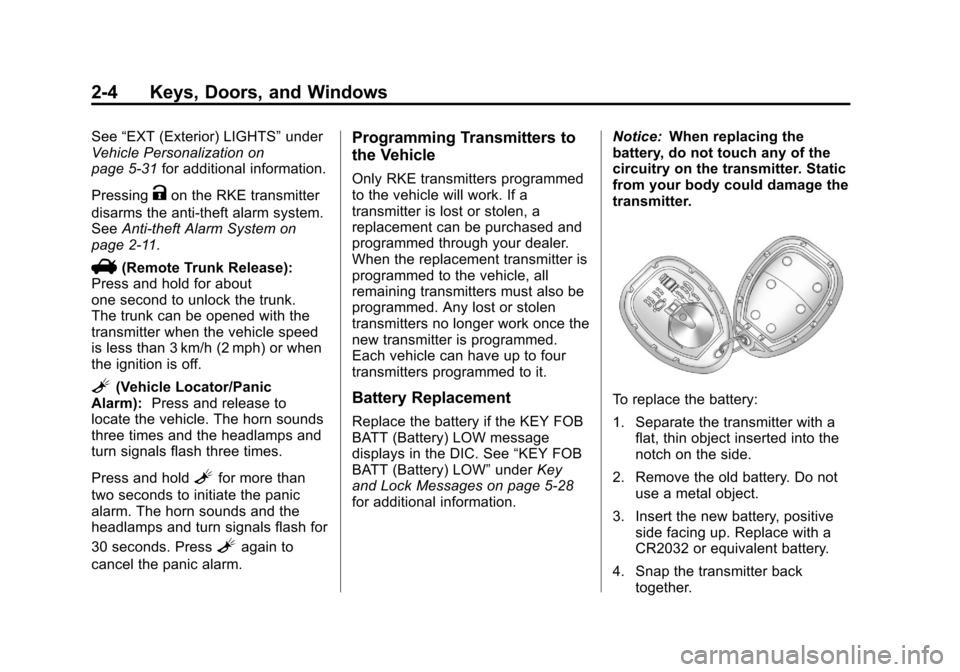
To replace the battery:
1. Separate the transmitter with a flat, thin object inserted into the
notch on the side.
2. Remove the old battery. Do not use a metal object.
3. Insert the new battery, positive side facing up. Replace with a
CR2032 or equivalent battery.
4. Snap the transmitter back together.
Page 36 of 398
Black plate (6,1)Chevrolet Malibu Owner Manual - 2012
2-6 Keys, Doors, and Windows
The engine will shut off
automatically after 10 minutes,
unless a time extension has been
done or the vehicle's key is inserted
into the ignition switch and turned to
ON/RUN.
To manually shut off a remote start,
do any of the following.
.Aim the RKE transmitter at the
vehicle and press and release
the remote start button.
.Turn on the hazard warning
flashers.
.Turn the ignition switch out of
LOCK/OFF position and then
back to LOCK/OFF.
The parking lamps turn off to
indicate the engine is off. After the engine has been started
two times, or one time with a time
extension, the vehicle's ignition
must be turned to ON/RUN using
the key before the remote start
procedure can be used again.
See
Ignition Positions on page 9‑16
for information regarding the ignition
positions on your vehicle.
The remote vehicle start feature will
not operate if any of the follow
occur:
.The vehicle's key is in the
ignition.
.The vehicle's hood is open.
.The hazard warning flashers
are on.
.The check engine light is on.
See Malfunction Indicator Lamp
on page 5‑16.
.The engine coolant temperature
is too high.
.The oil pressure is low.
.Two remote vehicle starts,
or one start with a time
extension, have already been
provided for that ignition cycle.
Remote Start Ready
If your vehicle does not have the
remote vehicle start feature, it may
have the remote start ready feature.
This feature allows your dealer to
add the manufacturer's remote
vehicle start feature.
See your dealer if you would like to
add the manufacturer's remote
vehicle start feature to your vehicle.
Page 40 of 398
Black plate (10,1)Chevrolet Malibu Owner Manual - 2012
2-10 Keys, Doors, and Windows
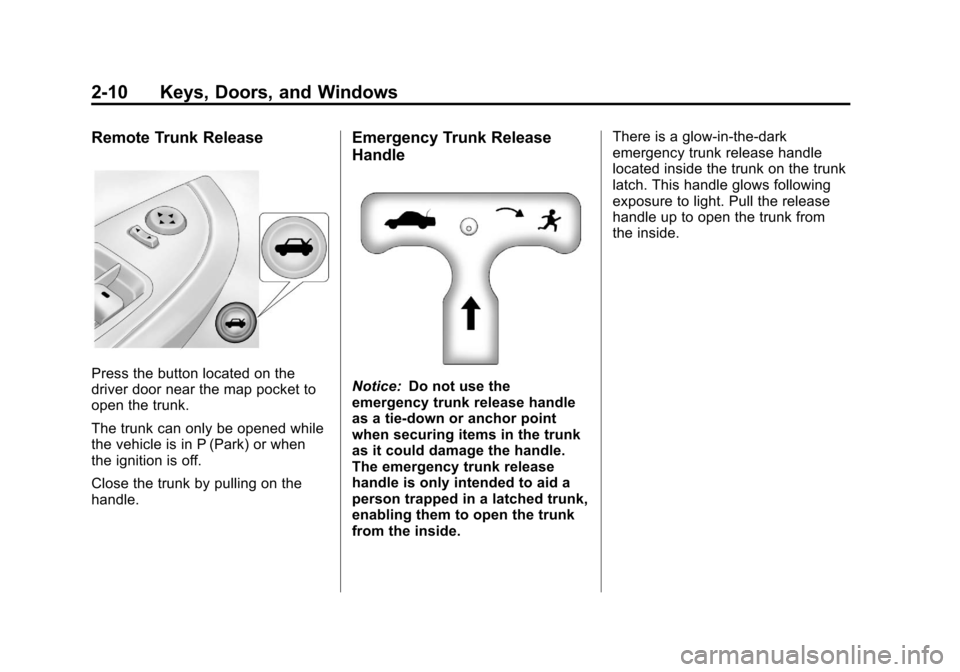
Remote Trunk Release
Press the button located on the
driver door near the map pocket to
open the trunk.
The trunk can only be opened while
the vehicle is in P (Park) or when
the ignition is off.
Close the trunk by pulling on the
handle.
Emergency Trunk Release
Handle
Notice:Do not use the
emergency trunk release handle
as a tie-down or anchor point
when securing items in the trunk
as it could damage the handle.
The emergency trunk release
handle is only intended to aid a
person trapped in a latched trunk,
enabling them to open the trunk
from the inside. There is a glow-in-the-dark
emergency trunk release handle
located inside the trunk on the trunk
latch. This handle glows following
exposure to light. Pull the release
handle up to open the trunk from
the inside.
Page 41 of 398
Black plate (11,1)Chevrolet Malibu Owner Manual - 2012
Keys, Doors, and Windows 2-11
Vehicle Security
This vehicle has theft-deterrent
features; however, they do not make
it impossible to steal.
Anti-theft Alarm System
Your vehicle may have an anti-theft
alarm system.
Arming the System
With the ignition off, press the
Remote Keyless Entry (RKE)
transmitter lock button to arm the
system.
The system will arm 30 seconds
after all the doors are closed,
or 60 seconds with any door open.
If you press the lock button on the
transmitter a second time while all
the doors are closed, the system will
arm immediately. The system will
still arm in 60 seconds if a door is
open. When the open door is
closed, the system will arm.
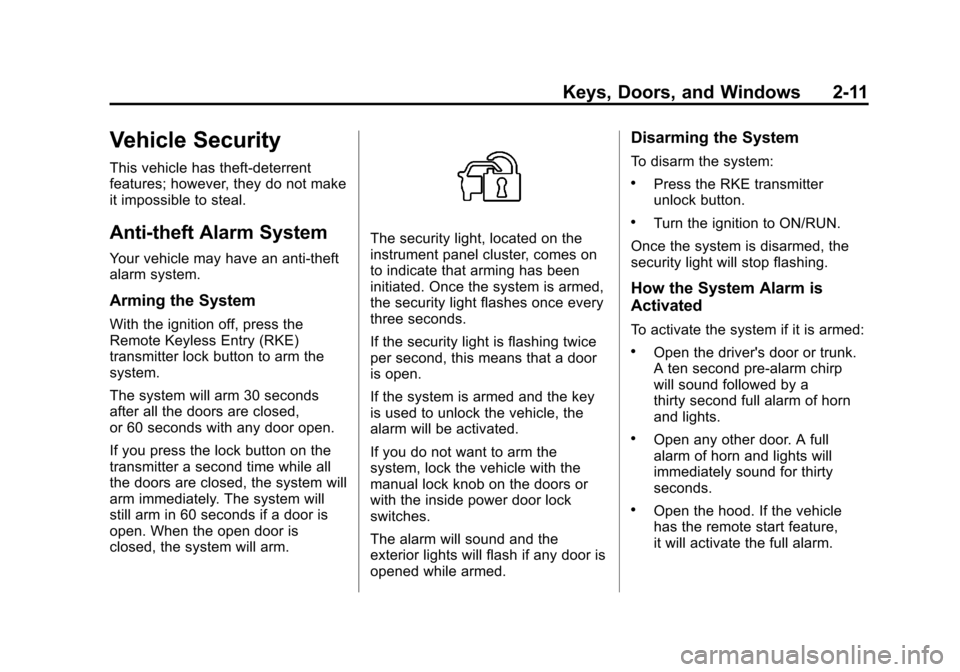
The security light, located on the
instrument panel cluster, comes on
to indicate that arming has been
initiated. Once the system is armed,
the security light flashes once every
three seconds.
If the security light is flashing twice
per second, this means that a door
is open.
If the system is armed and the key
is used to unlock the vehicle, the
alarm will be activated.
If you do not want to arm the
system, lock the vehicle with the
manual lock knob on the doors or
with the inside power door lock
switches.
The alarm will sound and the
exterior lights will flash if any door is
opened while armed.
Disarming the System
To disarm the system:
.Press the RKE transmitter
unlock button.
.Turn the ignition to ON/RUN.
Once the system is disarmed, the
security light will stop flashing.
How the System Alarm is
Activated
To activate the system if it is armed:
.Open the driver's door or trunk.
A ten second pre-alarm chirp
will sound followed by a
thirty second full alarm of horn
and lights.
.Open any other door. A full
alarm of horn and lights will
immediately sound for thirty
seconds.
.Open the hood. If the vehicle
has the remote start feature,
it will activate the full alarm.
Page 42 of 398
Black plate (12,1)Chevrolet Malibu Owner Manual - 2012
2-12 Keys, Doors, and Windows
When an alarm event has finished,
the system will re-arm itself
automatically.
How to Turn Off the System
Alarm
To turn off the system alarm:
.Press the lock button on the
RKE transmitter. The system will
then re-arm itself.
.Press the unlock button on the
RKE transmitter. This will also
disarm the system.
.Insert the key in the ignition and
turn it on. This will also disarm
the system.
How to Detect a Tamper
Condition
If three chirps are heard when the
unlock or lock button is pressed on
the RKE transmitter, it means that
the system alarm was previously
triggered.
Immobilizer
SeeRadio Frequency Statement on
page 13‑22 for information
regarding Part 15 of the Federal
Communications Commission (FCC)
rules and Industry Canada
Standards RSS-GEN/210/220/310.
Immobilizer Operation
This vehicle has a passive
theft-deterrent system.
The system does not have to be
manually armed or disarmed.
The vehicle is automatically
immobilized when the key is
removed from the ignition.
The system is automatically
disarmed when the vehicle is
started with the correct key. The key
uses a transponder that matches an
immobilizer control unit in the
vehicle and automatically disarms
the system. Only the correct key
starts the vehicle. The vehicle may
not start if the key is damaged.
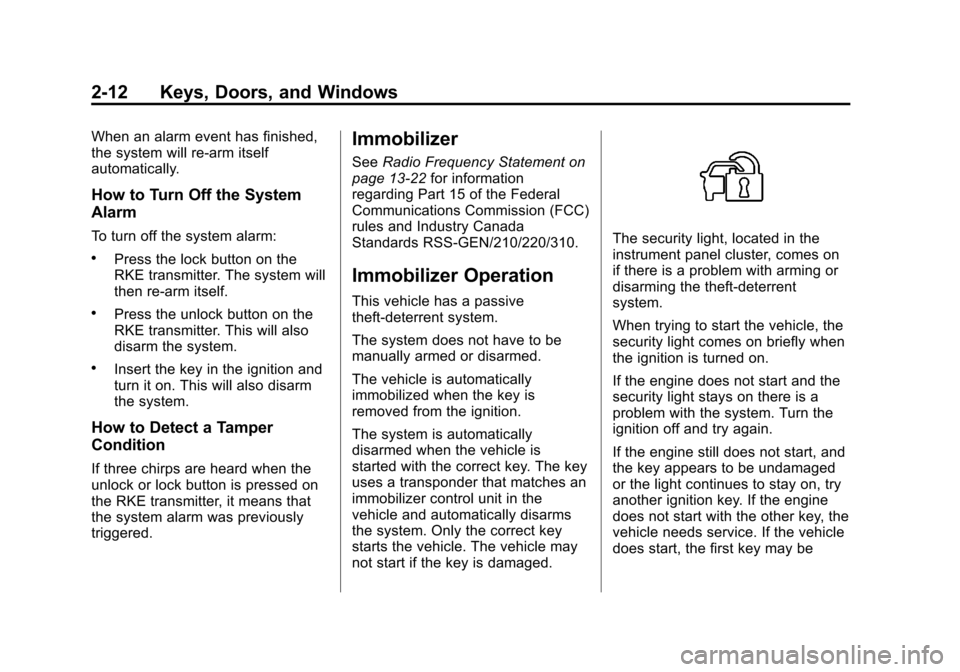
The security light, located in the
instrument panel cluster, comes on
if there is a problem with arming or
disarming the theft-deterrent
system.
When trying to start the vehicle, the
security light comes on briefly when
the ignition is turned on.
If the engine does not start and the
security light stays on there is a
problem with the system. Turn the
ignition off and try again.
If the engine still does not start, and
the key appears to be undamaged
or the light continues to stay on, try
another ignition key. If the engine
does not start with the other key, the
vehicle needs service. If the vehicle
does start, the first key may be