2012 CHEVROLET CRUZE lock
[x] Cancel search: lockPage 115 of 400
Black plate (7,1)Chevrolet Cruze Owner Manual - 2012
Instruments and Controls 5-7
Ashtrays
For vehicles with a removable
ashtray, the ashtray can be placed
into the front console cupholders.
To open the ashtray, lift the lid of the
ashtray. After using, close the lid.
To empty the ashtray for cleaning,
slightly turn the upper part of the
ashtray counterclockwise and
remove it.
Notice:If papers, pins, or other
flammable items are put in the
ashtray, hot cigarettes or other
smoking materials could ignite
them and possibly damage the
vehicle. Never put flammable
items in the ashtray.
Warning Lights,
Gauges, and
Indicators
Warning lights and gauges can
signal that something is wrong
before it becomes serious enough
to cause an expensive repair or
replacement. Paying attention to the
warning lights and gauges could
prevent injury.
Warning lights come on when there
could be a problem with a vehicle
function. Some warning lights come
on briefly when the engine is started
to indicate they are working. Gauges can indicate when there
could be a problem with a vehicle
function. Often gauges and warning
lights work together to indicate a
problem with the vehicle.
When one of the warning lights
comes on and stays on while
driving, or when one of the gauges
shows there may be a problem,
check the section that explains what
to do. Follow this manual's advice.
Waiting to do repairs can be costly
and even dangerous.
Page 125 of 400
Black plate (17,1)Chevrolet Cruze Owner Manual - 2012
Instruments and Controls 5-17
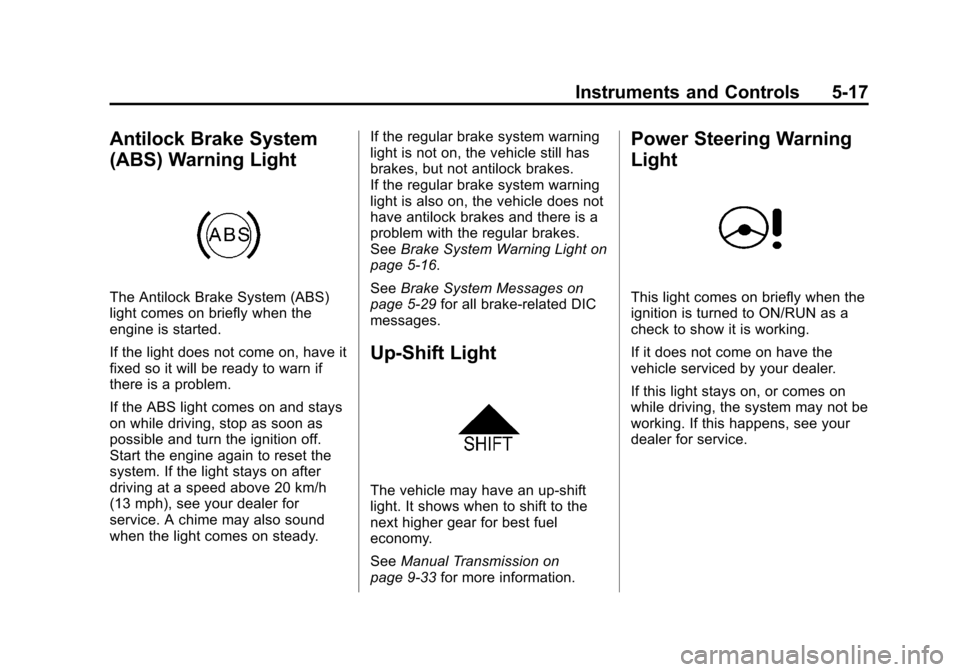
Antilock Brake System
(ABS) Warning Light
The Antilock Brake System (ABS)
light comes on briefly when the
engine is started.
If the light does not come on, have it
fixed so it will be ready to warn if
there is a problem.
If the ABS light comes on and stays
on while driving, stop as soon as
possible and turn the ignition off.
Start the engine again to reset the
system. If the light stays on after
driving at a speed above 20 km/h
(13 mph), see your dealer for
service. A chime may also sound
when the light comes on steady.If the regular brake system warning
light is not on, the vehicle still has
brakes, but not antilock brakes.
If the regular brake system warning
light is also on, the vehicle does not
have antilock brakes and there is a
problem with the regular brakes.
See
Brake System Warning Light on
page 5‑16.
See Brake System Messages on
page 5‑29 for all brake‐related DIC
messages.
Up-Shift Light
The vehicle may have an up-shift
light. It shows when to shift to the
next higher gear for best fuel
economy.
See Manual Transmission on
page 9‑33 for more information.
Power Steering Warning
Light
This light comes on briefly when the
ignition is turned to ON/RUN as a
check to show it is working.
If it does not come on have the
vehicle serviced by your dealer.
If this light stays on, or comes on
while driving, the system may not be
working. If this happens, see your
dealer for service.
Page 139 of 400
Black plate (31,1)Chevrolet Cruze Owner Manual - 2012
Instruments and Controls 5-31
The performance may be reduced
the next time the vehicle is driven.
The vehicle may be driven at a
reduced speed while this message
is on, but maximum acceleration
and speed may be reduced.
Anytime this message stays on,
the vehicle should be taken to your
dealer for service as soon as
possible.
Fuel System Messages
FUEL LEVEL LOW
This message displays when the
vehicle is low on fuel. Refuel as
soon as possible.
TIGHTEN GAS CAP
This message displays when the
fuel cap is not on tight. Tighten the
fuel cap.
Key and Lock Messages
NO REMOTE DETECTED
This message displays when the
transmitter battery is weak on
vehicles with keyless access. See
“Starting the Vehicle with a Low
Transmitter Battery”underRemote
Keyless Entry (RKE) System
Operation on page 2‑3 for more
information.
REPLACE BATTERY IN
REMOTE KEY
This message displays when the
battery in the Remote Keyless Entry
(RKE) transmitter needs to be
replaced.
Lamp Messages
AUTOMATIC LIGHT
CONTROL ON
This message is displayed when the
automatic light control has been
turned on. See Automatic Headlamp
System on page 6‑3.
AUTOMATIC LIGHT
CONTROL OFF
This message is displayed when the
automatic light control has been
turned off. See Automatic Headlamp
System on page 6‑3.
XXX TURN INDICATOR
FAILURE
When one of the turn signals is out,
this message displays to show
which bulb needs to be replaced.
See Bulb Replacement on
page 10‑29 andReplacement Bulbs
on page 10‑34 for more information
on turn signal bulb replacement.
TURN SIGNAL ON
This message is displayed if the
turn signal has been left on. Turn off
the turn signal.
Page 140 of 400
Black plate (32,1)Chevrolet Cruze Owner Manual - 2012
5-32 Instruments and Controls
Object Detection System
Messages
PARK ASSIST OFF
This message displays when the
park assist system has been turned
off or when there is a temporary
condition causing the system to be
disabled. SeeUltrasonic Parking
Assist on page 9‑42.
SERVICE PARK ASSIST
This message displays if there is a
problem with the Ultrasonic Rear
Parking Assist (URPA) system. Do
not use this system to help you
park. See Ultrasonic Parking Assist
on page 9‑42 for more information.
See your dealer for service.
Ride Control System
Messages
SERVICE TRACTION
CONTROL
This message displays when there
is a problem with the Traction
Control System (TCS). See Traction
Control System (TCS) on
page 9‑37.
SERVICE STABILITRAK
This message displays if there is a
problem with the StabiliTrak system.
See StabiliTrak
®System on
page 9‑38.
Airbag System Messages
SERVICE AIRBAG
This message displays if there is a
problem with the airbag system.
Take the vehicle to your dealer for
service.
Security Messages
THEFT ATTEMPTED
This message displays if the vehicle
detects a tamper condition.
Service Vehicle Messages
SERVICE AC SYSTEM
This message displays if there is a
problem with the air conditioning
system. Take the vehicle to your
dealer for service.
SERVICE POWER STEERING
This message displays if there is a
problem with the power steering
system. Take the vehicle to your
dealer for service.
SERVICE STEERING
COLUMN LOCK
This message displays if there is a
problem with the steering column
lock. Take the vehicle to your dealer
for service.
Page 141 of 400
Black plate (33,1)Chevrolet Cruze Owner Manual - 2012
Instruments and Controls 5-33
SERVICE VEHICLE SOON
This message displays if there is a
problem with the vehicle. Take the
vehicle to your dealer for service.
Starting the Vehicle
Messages
TURN STEERING WHEEL
TURN KEY OFF THEN ON
This message displays when the
steering column is locked. Try
turning the steering wheel while
turning the vehicle off and then back
on to unlock the steering column.
TURN STEERING WHEEL
START VEHICLE AGAIN
This message displays when the
steering column is locked. Try
turning the steering wheel while
starting the vehicle to unlock the
steering column.
Tire Messages
SERVICE TIRE MONITOR
SYSTEM
This message displays if there is a
problem with the Tire Pressure
Monitor System (TPMS). SeeTire
Pressure Monitor Operation on
page 10‑52 for more information.
TIRE LEARNING ACTIVE
This message displays when the
system is learning new tires. See
Tire Pressure Monitor Operation on
page 10‑52for more information.
TIRE PRESSURE LOW ADD
AIR TO TIRE
On vehicles with the Tire Pressure
Monitor System (TPMS), this
message displays when the
pressure in one or more of the
vehicle's tires is low.
There is also an icon with the
warning that will indicate the
location of the low tire. The low tire pressure warning light
will also come on. See
Tire
Pressure Light on page 5‑19.
If a tire pressure message appears
on the DIC, stop as soon as you
can. Inflate the tires by adding air
until the tire pressure is equal to the
values shown on the Tire and
Loading Information label. See Tires
on page 10‑42, Vehicle Load Limits
on page 9‑10, and Tire Pressure on
page 10‑49.
You can receive more than one tire
pressure message at a time. To
read the other messages that may
have been sent at the same time,
press the SET/CLR button. The DIC
also shows the tire pressure values.
See Driver Information Center (DIC)
on page 5‑23.
Transmission Messages
SERVICE TRANSMISSION
This message displays if there is a
problem with the transmission.
See your dealer.
Page 142 of 400
Black plate (34,1)Chevrolet Cruze Owner Manual - 2012
5-34 Instruments and Controls
TRANSMISSION HOT—IDLE
ENGINE
This message displays and a chime
sounds if the transmission fluid in
the vehicle gets hot. Driving with the
transmission fluid temperature high
can cause damage to the vehicle.
Stop the vehicle and let it idle to
allow the transmission to cool. This
message clears when the fluid
temperature reaches a safe level.
Vehicle Reminder
Messages
ICE POSSIBLE DRIVE
WITH CARE
This message displays when ice
conditions are possible.
STEERING COLUMN IS
LOCKED
This message displays when the
steering column is locked.
Vehicle
Personalization
The audio system controls are used
to access the personalization
menus for customizing vehicle
features.
CONFIG (Configuration): Press to
access the Configuration
Settings menu.
MENU or MENU/SEL: Press the
center of this knob to enter the
menus and select menu items. Turn
the knob to scroll through the
menus.
BACK: Press to exit or move
backward in a menu.
Entering the Personalization
Menus
1. Press CONFIG to access the Configuration Settings menu.
2. Turn the MENU or MENU/SEL knob to highlight Vehicle
Settings. Press the CONFIG button until Vehicle is highlighted
on vehicles with a navigation
system only.
3. Press the center of the MENU or MENU/SEL knob to select the
Vehicle Settings menu. The key
must be in the run position.
The following list of menu items may
be available:
.Climate and Air Quality
.Comfort and Convenience
.Collision/Detection Systems
.Languages
.Lighting
.Power Door Locks
.Remote Locking, Unlocking,
Starting
.Return to Factory Settings
Turn the MENU or MENU/SEL knob
to highlight the menu. Press the
knob to select it. Each of the menus
is detailed in the following
information.
Page 145 of 400
Black plate (37,1)Chevrolet Cruze Owner Manual - 2012
Instruments and Controls 5-37
Press the MENU or MENU/SEL
knob when Vehicle Locator Lights is
highlighted to open the menu. Turn
the MENU or MENU/SEL knob to
highlight On or Off. Press MENU or
MENU/SEL to select On or Off.
Press the BACK button to confirm
the selection and move back to the
last menu.
Power Door Locks
Select Power Door Locks and the
following will be displayed:
.Auto Door Unlock
.Delayed Door Lock
.Unlocked Door Anti Lock Out
.Auto Door Lock
Auto Door Unlock
This allows selection of which of the
doors will automatically unlock when
the vehicle is shifted into P (Park).
Press the MENU or MENU/SEL
knob when Auto Door Unlock is
highlighted. Turn the knob to select All Doors, Driver Door, or Off. Press
the knob to confirm and go back to
the last menu.
Delayed Door Lock
When on, this feature will delay the
locking of the doors until
five seconds after the last door is
closed. You will hear three chimes
to signal delayed locking is in use.
Press either the power lock button
or
Qon the RKE transmitter twice to
override the delayed locking feature
and immediately lock all of the
doors.
Press the MENU or MENU/SEL
knob when Delayed Door Lock is
highlighted to select On or Off.
Press BACK to return to the
last menu.
Unlocked Door Anti Lock Out
When on, all doors will lock. The
driver door will then unlock if door
locking is requested while the driver
door is open, and disable the
Delayed Door Lock feature. Even when this feature is off, the
driver is protected from accidental
lockouts when the key is in the
ignition.
If Off is selected, the Unlocked Door
Anti Lock Out feature may be
enabled through an additional menu
selection.
Press the MENU or MENU/SEL
knob when Unlocked Door Anti Lock
Out is highlighted to select On or
Off. Press BACK to return to the
last menu.
Auto Door Lock
This allows selection of which of the
doors will automatically lock when
the vehicle is shifted into P (Park).
Press the MENU or MENU/SEL
knob when Auto Door Lock is
highlighted. Turn the knob to select
On or Off. Press the knob to confirm
and go back to the last menu.
Page 146 of 400
Black plate (38,1)Chevrolet Cruze Owner Manual - 2012
5-38 Instruments and Controls
Remote Locking, Unlocking,
Starting
Select Remote Locking, Unlocking,
Starting and the following will be
displayed (depending on the
system):
.Remote Lock Feedback
.Door Unlock or Remote Door
Unlock
.Remote Unlock Light Feedback
.Remote Start
Remote Lock Feedback
This allows selection of what type of
feedback is given when locking the
vehicle with the RKE transmitter.
Press the MENU or MENU/SEL
knob when Remote Lock Feedback
is highlighted. Turn the knob to
select Lights and Horn, Lights Only,
Horn Only, or Off. Press the knob to
confirm and go back to the
last menu. Door Unlock or Remote Door
Unlock
This allows selection of which doors
will unlock when pressing
Kon the
RKE transmitter.
Press the MENU or MENU/SEL
knob when Door Unlock is
highlighted. Turn the knob to select
All Doors or Driver Door Only. When
set to Driver Door Only, the driver
door will unlock the first time
Kis
pressed and all doors will unlock
when
Kis pressed a second time.
When set to All Doors, all of the
doors will unlock at the first press of
K. Press the knob to confirm and
go back to the last menu.
Remote Unlock Light Feedback
If equipped, this allows selection of
what type of feedback is given when
unlocking the vehicle with the RKE
transmitter.
Press the MENU or MENU/SEL
knob when Remote Unlock Light
Feedback is highlighted. Turn the knob to select On or Off.
Press the knob to confirm and go
back to the last menu.
Remote Start
If equipped, this allows selection to
turn on or off Remote Start.
Press the MENU or MENU/SEL
knob when Remote Start is
highlighted. Turn the knob to select
On or Off. Press the knob to confirm
and go back to the last menu.
Return to Factory Settings
Select Return to Factory Settings to
return all vehicle personalization to
the default settings. Turn the knob
to select Yes or No. Press the knob
to confirm and go back to the
last menu.