2012 CHEVROLET CRUZE reset
[x] Cancel search: resetPage 27 of 400
Black plate (21,1)Chevrolet Cruze Owner Manual - 2012
In Brief 1-21
Engine Oil Life System
The engine oil life system calculates
engine oil life based on vehicle use
and displays the CHANGE ENGINE
OIL SOON DIC message or
Code 82 DIC message when it is
necessary to change the engine oil
and filter.
Remember, the Oil Life display
must be reset after each oil change.
It will not reset itself. Also, be
careful not to reset the Oil Life
display accidentally at break="2"
any time other than when the oil has
just been changed. It cannot be
reset accurately until the next oil
change. To reset the engine oil life
system press the
SET button while the Oil Life display
is active.
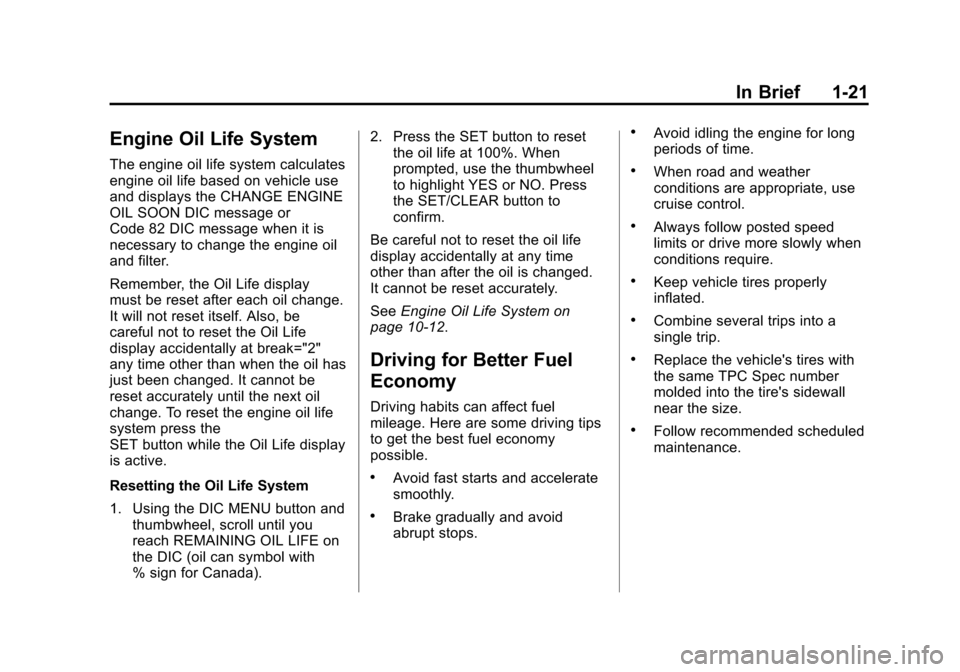
Resetting the Oil Life System
1. Using the DIC MENU button andthumbwheel, scroll until you
reach REMAINING OIL LIFE on
the DIC (oil can symbol with
% sign for Canada). 2. Press the SET button to reset
the oil life at 100%. When
prompted, use the thumbwheel
to highlight YES or NO. Press
the SET/CLEAR button to
confirm.
Be careful not to reset the oil life
display accidentally at any time
other than after the oil is changed.
It cannot be reset accurately.
See Engine Oil Life System on
page 10‑12.
Driving for Better Fuel
Economy
Driving habits can affect fuel
mileage. Here are some driving tips
to get the best fuel economy
possible.
.Avoid fast starts and accelerate
smoothly.
.Brake gradually and avoid
abrupt stops.
.Avoid idling the engine for long
periods of time.
.When road and weather
conditions are appropriate, use
cruise control.
.Always follow posted speed
limits or drive more slowly when
conditions require.
.Keep vehicle tires properly
inflated.
.Combine several trips into a
single trip.
.Replace the vehicle's tires with
the same TPC Spec number
molded into the tire's sidewall
near the size.
.Follow recommended scheduled
maintenance.
Page 49 of 400
Black plate (19,1)Chevrolet Cruze Owner Manual - 2012
Keys, Doors, and Windows 2-19
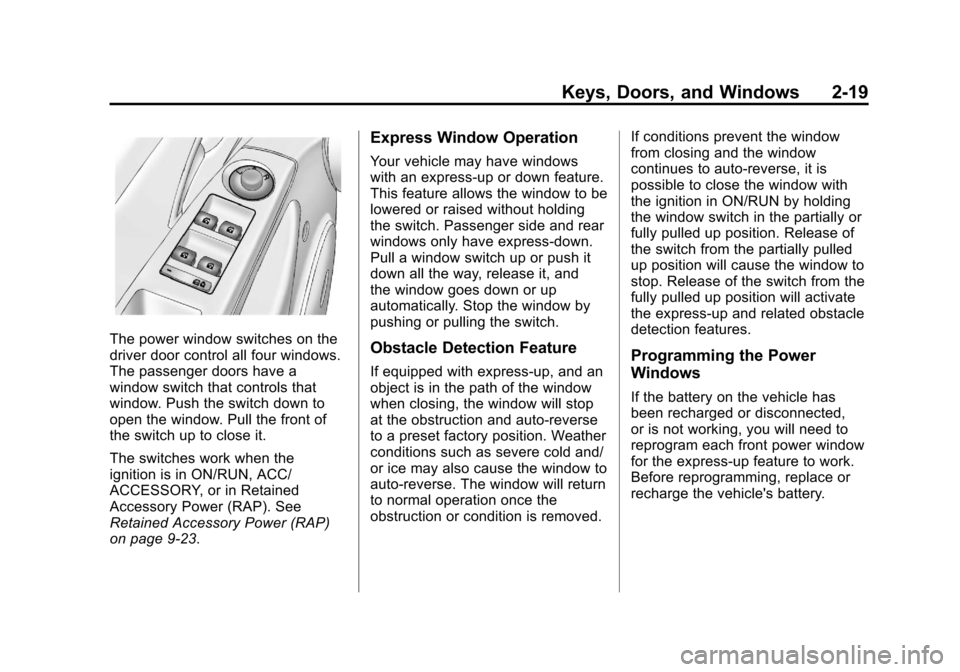
The power window switches on the
driver door control all four windows.
The passenger doors have a
window switch that controls that
window. Push the switch down to
open the window. Pull the front of
the switch up to close it.
The switches work when the
ignition is in ON/RUN, ACC/
ACCESSORY, or in Retained
Accessory Power (RAP). See
Retained Accessory Power (RAP)
on page 9‑23.
Express Window Operation
Your vehicle may have windows
with an express-up or down feature.
This feature allows the window to be
lowered or raised without holding
the switch. Passenger side and rear
windows only have express-down.
Pull a window switch up or push it
down all the way, release it, and
the window goes down or up
automatically. Stop the window by
pushing or pulling the switch.
Obstacle Detection Feature
If equipped with express-up, and an
object is in the path of the window
when closing, the window will stop
at the obstruction and auto-reverse
to a preset factory position. Weather
conditions such as severe cold and/
or ice may also cause the window to
auto-reverse. The window will return
to normal operation once the
obstruction or condition is removed.If conditions prevent the window
from closing and the window
continues to auto-reverse, it is
possible to close the window with
the ignition in ON/RUN by holding
the window switch in the partially or
fully pulled up position. Release of
the switch from the partially pulled
up position will cause the window to
stop. Release of the switch from the
fully pulled up position will activate
the express-up and related obstacle
detection features.Programming the Power
Windows
If the battery on the vehicle has
been recharged or disconnected,
or is not working, you will need to
reprogram each front power window
for the express-up feature to work.
Before reprogramming, replace or
recharge the vehicle's battery.
Page 117 of 400

Black plate (9,1)Chevrolet Cruze Owner Manual - 2012
Instruments and Controls 5-9
Speedometer
The speedometer shows the
vehicle's speed in either kilometers
per hour (km/h) or miles per
hour (mph).
Odometer
The odometer shows how far the
vehicle has been driven, in either
kilometers or miles.
This vehicle has a tamper‐resistant
odometer. The digital odometer will
read 999,999 if it is turned back.
If the vehicle needs a new odometer
installed, it must be set to the
mileage total of the old odometer.
If that is not possible, then it must
be set at zero and a label must be
put on the driver door to show the
old mileage reading when the new
odometer was installed.
Trip Odometer
The trip odometer can show how far
the vehicle has been driven since
the trip odometer was last reset.
The trip odometer is accessed and
reset through the Driver Information
Center (DIC). SeeDriver
Information Center (DIC) on
page 5‑23 for more information.
Tachometer
The tachometer displays the engine
speed in revolutions per
minute (rpm).
Notice:If the engine is operated
with the tachometer in the shaded
warning area, the vehicle could
be damaged, and the damages
would not be covered by the
vehicle warranty. Do not operate
the engine with the tachometer in
the shaded warning area.
Fuel Gauge
When the ignition is on, the fuel
gauge indicates about how much
fuel is left in the tank.
An arrow on the fuel gauge
indicates the side of the vehicle the
fuel door is on.
A FUEL LEVEL LOW message may
appear in the Driver Information
Center (DIC) and a single chime
sounds. See Fuel System
Messages on page 5‑31 for
more information.
Page 125 of 400
Black plate (17,1)Chevrolet Cruze Owner Manual - 2012
Instruments and Controls 5-17
Antilock Brake System
(ABS) Warning Light
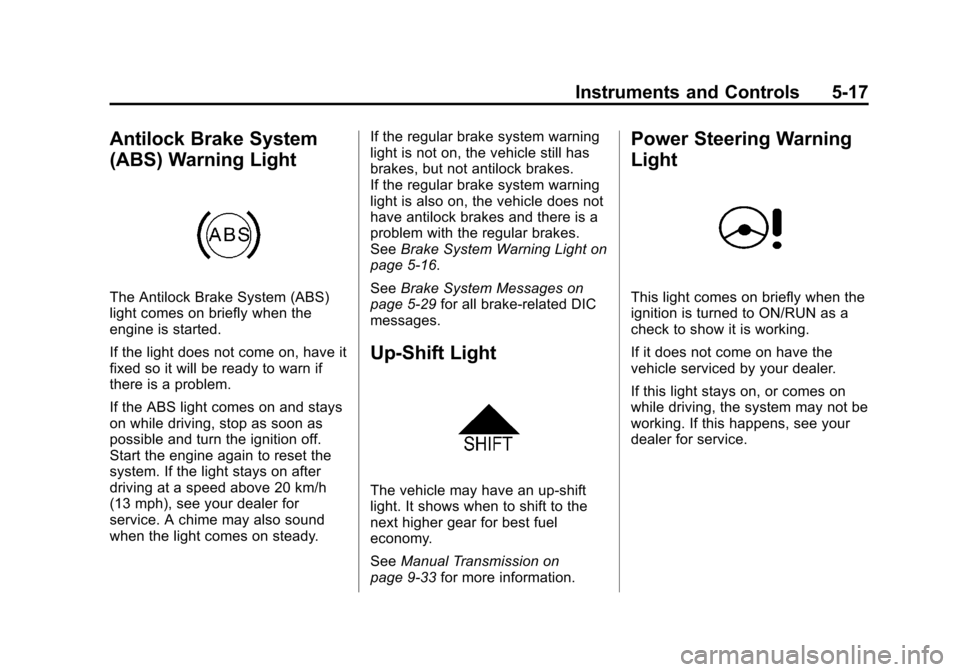
The Antilock Brake System (ABS)
light comes on briefly when the
engine is started.
If the light does not come on, have it
fixed so it will be ready to warn if
there is a problem.
If the ABS light comes on and stays
on while driving, stop as soon as
possible and turn the ignition off.
Start the engine again to reset the
system. If the light stays on after
driving at a speed above 20 km/h
(13 mph), see your dealer for
service. A chime may also sound
when the light comes on steady.If the regular brake system warning
light is not on, the vehicle still has
brakes, but not antilock brakes.
If the regular brake system warning
light is also on, the vehicle does not
have antilock brakes and there is a
problem with the regular brakes.
See
Brake System Warning Light on
page 5‑16.
See Brake System Messages on
page 5‑29 for all brake‐related DIC
messages.
Up-Shift Light
The vehicle may have an up-shift
light. It shows when to shift to the
next higher gear for best fuel
economy.
See Manual Transmission on
page 9‑33 for more information.
Power Steering Warning
Light
This light comes on briefly when the
ignition is turned to ON/RUN as a
check to show it is working.
If it does not come on have the
vehicle serviced by your dealer.
If this light stays on, or comes on
while driving, the system may not be
working. If this happens, see your
dealer for service.
Page 132 of 400

Black plate (24,1)Chevrolet Cruze Owner Manual - 2012
5-24 Instruments and Controls
DIC Buttons
A.SET/CLR: Press to set or clear
the menu item displayed.
B.
w x(Thumbwheel): Use to
scroll through the menus.
C. MENU: Press to display the
Trip/Fuel menu and the Vehicle
Information menu. This button is
also used to return to or exit the
last screen displayed on
the DIC.
Trip/Fuel Menu Items
Press MENU on the turn signal
lever until Trip/Fuel Information
menu displays. Use
w xto scroll
through the menu items. Not all
items are available on every vehicle. The following is a list of all possible
menu items:
.Trip 1 or Trip 2, Average Fuel
Economy, Average Vehicle
Speed
.Speed, Fuel Range, Average
Fuel Economy
.Instantaneous Fuel Economy
.Best Average Fuel Economy
.Fuel Used
.Timer
.Digital Speed
.Navigation
Trip 1 or Trip 2, Average Fuel
Economy, Average Vehicle Speed
This displays the current distance
traveled, in either kilometers (km) or
miles (mi), from the last reset for the
trip odometer. The trip odometer can
be reset to zero by pressing and
holding the SET/CLR button while
the trip odometer display is
showing. The Average Fuel Economy display
shows the approximate average
liters per 100 kilometers (L/100 km)
or miles per gallon (mpg).
This number is based on the
number of L/100 km (mpg)
recorded since the last time this
menu item was reset. This display
is shown as
.
cL/100 km (mpg).
Reset the average consumption by
pressing SET/CLR when it is
displayed.
This screen also displays the
average vehicle speed of the
vehicle in kilometers per hour (km/h)
or miles per hour (mph). This
average is based on the various
vehicle speeds recorded since the
last reset. This display is shown
as
ckm/h (mph). Reset the
average speed by pressing
SET/CLR when it is displayed.
Page 133 of 400
Black plate (25,1)Chevrolet Cruze Owner Manual - 2012
Instruments and Controls 5-25
Speed, Fuel Range, Average Fuel
Economy
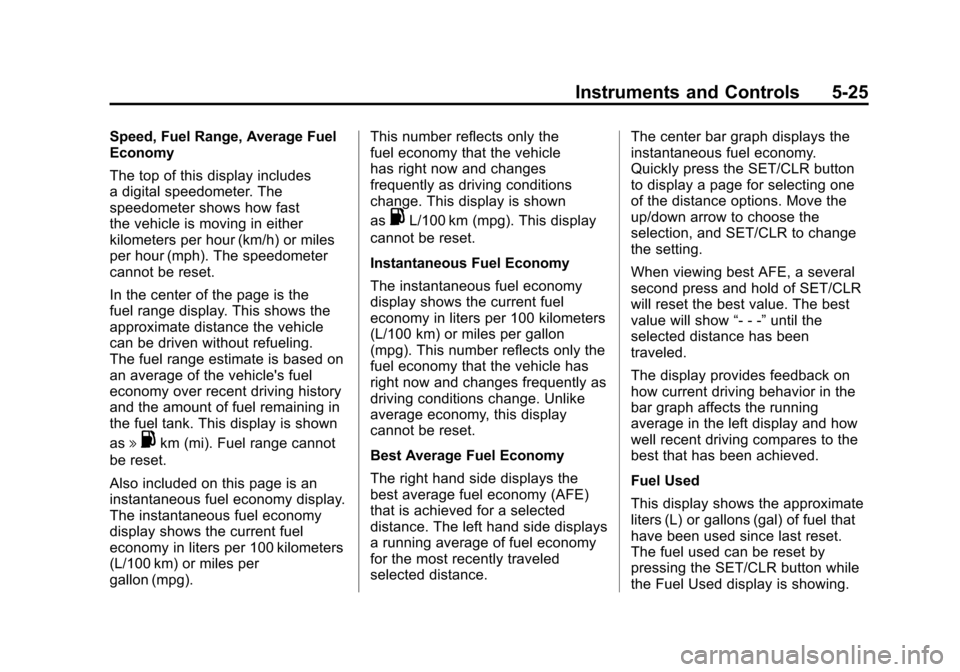
The top of this display includes
a digital speedometer. The
speedometer shows how fast
the vehicle is moving in either
kilometers per hour (km/h) or miles
per hour (mph). The speedometer
cannot be reset.
In the center of the page is the
fuel range display. This shows the
approximate distance the vehicle
can be driven without refueling.
The fuel range estimate is based on
an average of the vehicle's fuel
economy over recent driving history
and the amount of fuel remaining in
the fuel tank. This display is shown
as
l.km (mi). Fuel range cannot
be reset.
Also included on this page is an
instantaneous fuel economy display.
The instantaneous fuel economy
display shows the current fuel
economy in liters per 100 kilometers
(L/100 km) or miles per
gallon (mpg). This number reflects only the
fuel economy that the vehicle
has right now and changes
frequently as driving conditions
change. This display is shown
as
.L/100 km (mpg). This display
cannot be reset.
Instantaneous Fuel Economy
The instantaneous fuel economy
display shows the current fuel
economy in liters per 100 kilometers
(L/100 km) or miles per gallon
(mpg). This number reflects only the
fuel economy that the vehicle has
right now and changes frequently as
driving conditions change. Unlike
average economy, this display
cannot be reset.
Best Average Fuel Economy
The right hand side displays the
best average fuel economy (AFE)
that is achieved for a selected
distance. The left hand side displays
a running average of fuel economy
for the most recently traveled
selected distance. The center bar graph displays the
instantaneous fuel economy.
Quickly press the SET/CLR button
to display a page for selecting one
of the distance options. Move the
up/down arrow to choose the
selection, and SET/CLR to change
the setting.
When viewing best AFE, a several
second press and hold of SET/CLR
will reset the best value. The best
value will show
“- - -”until the
selected distance has been
traveled.
The display provides feedback on
how current driving behavior in the
bar graph affects the running
average in the left display and how
well recent driving compares to the
best that has been achieved.
Fuel Used
This display shows the approximate
liters (L) or gallons (gal) of fuel that
have been used since last reset.
The fuel used can be reset by
pressing the SET/CLR button while
the Fuel Used display is showing.
Page 134 of 400

Black plate (26,1)Chevrolet Cruze Owner Manual - 2012
5-26 Instruments and Controls
Timer
This display can be used as a timer.
To start the timer, press SET/CLR
while Timer is displayed. The
display will show the amount of time
that has passed since the timer was
last reset, not including time the
ignition is off. Time will continue to
be counted as long as the ignition is
on, even if another display is being
shown on the DIC. The timer will
record up to 99 hours, 59 minutes,
and 59 seconds (99:59:59) after
which the display will return to zero.
To stop the timer, press SET/CLR
briefly while Timer is displayed. To
reset the timer to zero, press and
hold SET/CLR.
Digital Speed
The speedometer shows how fast
the vehicle is moving in either
kilometers per hour (km/h) or miles
per hour (mph). The speedometer
cannot be reset.Navigation
This display is used for the OnStar
or navigation system Turn-by-Turn
guidance. See the OnStar Owner's
Guide or the navigation manual,
if the vehicle has navigation, for
more information.
Vehicle Information Menu
Items
Press MENU on the turn signal
lever until Vehicle Information menu
is displayed. Use
w xto scroll
through the menu items. Not all
items are available on every vehicle.
The following is a list of all possible
menu items:
.Units
.Tire Pressure
.Remaining Oil Life
.Coolant Temperature
.Battery Voltage
.Blank Display Units
Move
w xto change between
Metric or US when the Unit display
is active. Press SET/CLR to confirm
the setting. On some models, you
will have to select 1, 2, or 3 for the
Unit display. 1 is Imperial units, 2 is
US units, and 3 is metric units. This
will change the displays on the
cluster and DIC to the type of
measurements you select.
Tire Pressure
The display may show a vehicle
with the approximate pressures of
all four tires. Tire pressure is
displayed in either kilopascal (kPa)
or in pounds per square inch (psi).
On some models, this display only
allows for matching of the TPMS
sensors. In this case, the display
will show TIRE LEARN. See Tire
Pressure Monitor System on
page 10‑50 andTire Pressure
Monitor Operation on page 10‑52 for
more information.
Page 135 of 400
Black plate (27,1)Chevrolet Cruze Owner Manual - 2012
Instruments and Controls 5-27
Remaining Oil Life
This display shows an estimate of
the oil's remaining useful life.
If REMAINING OIL LIFE 99% is
displayed, that means 99% of the
current oil life remains. This display
may be shown as
:%.
When the remaining oil life is low,
the CHANGE ENGINE OIL SOON
message, or Code 82, will appear
on the display. See Engine Oil
Messages on page 5‑30 and
“Vehicle Messages (Canadian Base
Level)” following. The oil should be
changed as soon as possible. See
Engine Oil on page 10‑9. In addition
to the engine oil life system
monitoring the oil life, additional
maintenance is recommended in the
Maintenance Schedule in this
manual. See Maintenance Schedule
on page 11‑3 for more information. Remember, the Oil Life display must
be reset after each oil change. It will
not reset itself. Also, be careful not
to reset the Oil Life display
accidentally at any time other than
when the oil has just been changed.
It cannot be reset accurately until
the next oil change. To reset the
engine oil life system press the
SET/CLR button while the Oil Life
display is active. See
Engine Oil
Life System on page 10‑12.
Coolant Temperature
This display, available on some
vehicles, shows the temperature of
the engine cooling system fluid in
either degrees Celsius (°C) or
degrees Fahrenheit (°F).
Battery Voltage
This display, available on some
vehicles, shows the current battery
voltage. If the voltage is in the
normal range, the value will display.
For example, the display may read
Battery Voltage 15.0 Volts. The vehicle's charging system
regulates voltage based on the state
of the battery. The battery voltage
can fluctuate while viewing this
information on the DIC. This is
normal. See
Charging System Light
on page 5‑13 for more information.
If there is a problem with the battery
charging system, the DIC will
display a message. See Battery
Voltage and Charging Messages on
page 5‑28.
Blank Display
This display shows no information.