2011 TOYOTA VERSO S ECU
[x] Cancel search: ECUPage 608 of 664
6088-2. Steps to take in an emergency
minutes to recharge the 12-volt
battery of your vehicle.
6 Open and close any of the doors
of your vehicle with the power
switch off.
7 Maintain the engine speed of
the second vehicle and start the
hybrid system of your vehicle by
turning the power switch to ON.
8 Make sure the “READY” indica-
tor comes on. If the indicator
light does not come on, contact
any authorized Toyota retailer or
Toyota authorized repairer, or
any reliable repairer.
9 Once the hybrid system has
started, remove the jumper
cables in the exact reverse
order from which they were con-
nected.
10 Close the exclusive jump start-
ing terminal cover, and reinstall
the fuse box cover to its original
position.
Once the hybrid system starts,
have the vehicle inspected at any
authorized Toyota retailer or Toyota
authorized repairer, or any reliable
repairer as soon as possible.
■Starting the hybrid system when
the 12-volt battery is discharged
The hybrid system cannot be started by push-starting.
■To prevent 12-volt battery dis-
charge
●Turn off the headlights and the audio
system while the hybrid system is off.
●Turn off any unnecessary electrical
components when the vehicle is run- ning at a low speed for an extended period, such as in heavy traffic.
■When the 12-volt battery is
removed or discharged
●Information stored in the ECU is
cleared. When the 12-volt battery is depleted, have the vehicle inspected at any authorized Toyota retailer or
Toyota authorized repairer, or any reli- able repairer.
●Some systems may require initializa-tion. ( P.643)
■When removing the 12-volt battery terminals
When the 12-volt battery terminals are removed, the information stored in the ECU is cleared. Before removing the 12-
volt battery terminals, contact any authorized Toyota retailer or Toyota authorized repairer, or any reliable
repairer.
■Charging the 12-volt battery
The electricity stored in the 12-volt bat- tery will discharge gradually even when
the vehicle is not in use, due to natural discharge and the draining effects of certain electrical appliances. If the vehi-
cle is left for a long time, the 12-volt bat- tery may discharge, and the hybrid system may be unable to start. (The 12-
volt battery recharges automatically while the hybrid system is operating.)
■When recharging or replacing the 12-volt battery
●In some cases, it may not be possible to unlock the doors using the smart
entry & start system when the 12-volt battery is discharged. Use the wire-less remote control or the mechanical
key to lock or unlock the doors.
●The hybrid system may not start on
the first attempt after reinstalling the 12-volt battery. In that case, start the hybrid system in the same manner as
when the electronic key does not operate properly ( P.605). This is not
Page 609 of 664
609
8
8-2. Steps to take in an emergency
When trouble arises
a malfunction, as the hybrid system
will start normally on the second attempt.
●The power switch mode is memorized by the vehicle. When the 12-volt bat-tery is reconnected, the system will
return to the mode it was in before the 12-volt battery was discharged. Before disconnecting the 12-volt bat-
tery, turn the power switch off. If you are unsure what mode the power switch was in before the 12-volt
battery discharged, be especially careful when reconnecting the 12-volt battery.
■When replacing the 12-volt battery
●Use a 12-volt battery that conforms to European regulations.
●Use a 12-volt battery that the case size is same as the previous one
(LN2), 20 hours rate capacity (20HR) is equivalent (55Ah) or greater, and performance rating (CCA) is equiva-
lent (345A) or greater. • If the sizes differ, the 12-volt battery cannot be properly secured.
• If the 20 hour rate capacity is low, even if the time period where the vehi-cle is not used is a short time, the 12-
volt battery may discharge and hybrid system may not be able to start.
●Use a ventilation type calcium battery
●Use a 12-volt battery with a handle. If
a 12-volt battery without a handle is used, removal is more difficult.
●When removing the 12-volt battery: P.508
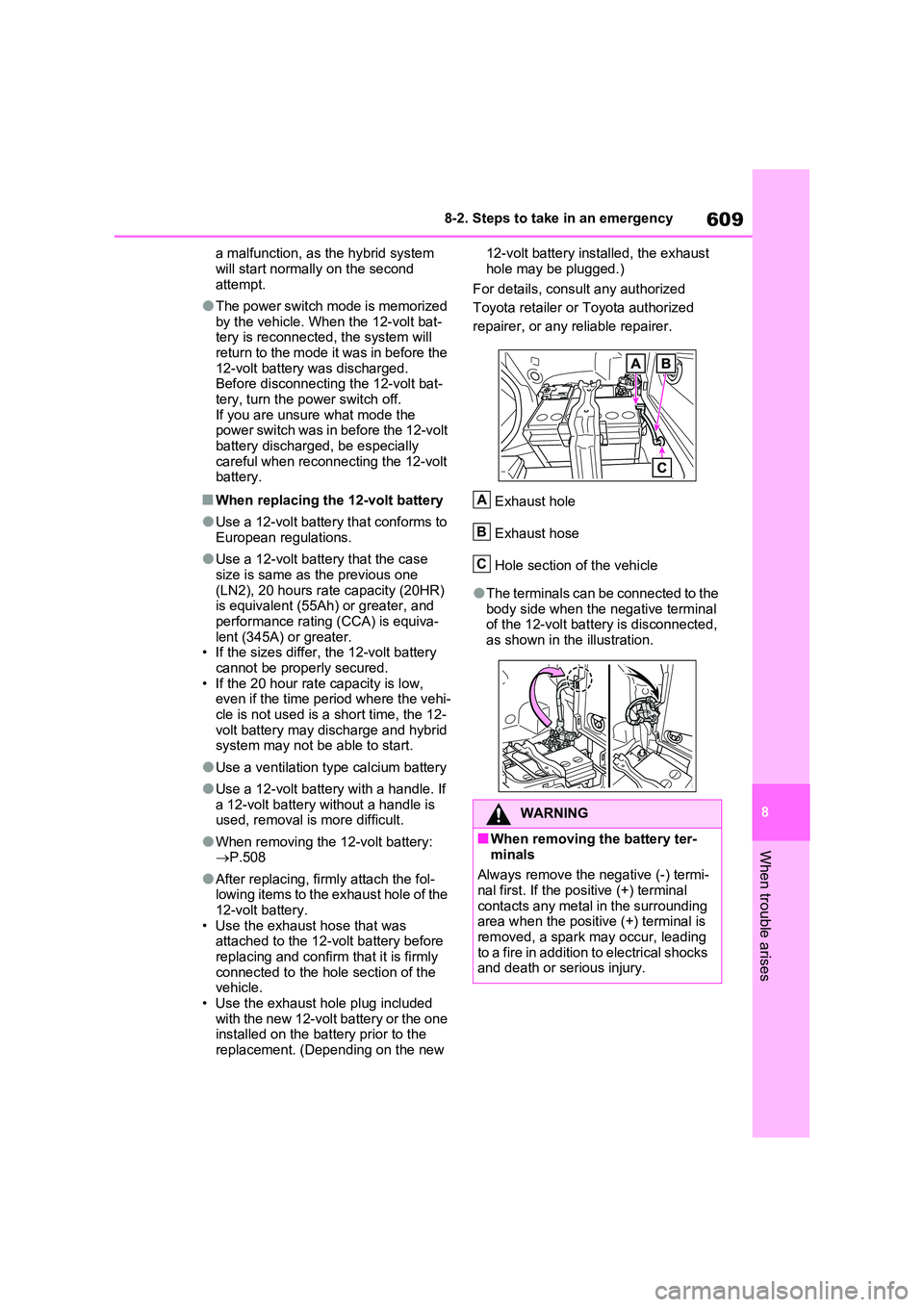
●After replacing, firmly attach the fol- lowing items to the exhaust hole of the 12-volt battery.
• Use the exhaust hose that was attached to the 12-volt battery before replacing and confirm that it is firmly
connected to the hole section of the vehicle.• Use the exhaust hole plug included
with the new 12-volt battery or the one installed on the battery prior to the replacement. (Depending on the new
12-volt battery installed, the exhaust
hole may be plugged.)
For details, consult any authorized
Toyota retailer or Toyota authorized
repairer, or any reliable repairer.
Exhaust hole
Exhaust hose
Hole section of the vehicle
●The terminals can be connected to the body side when the negative terminal of the 12-volt battery is disconnected,
as shown in the illustration.
WARNING
■When removing the battery ter-
minals
Always remove the negative (-) termi- nal first. If the positive (+) terminal
contacts any metal in the surrounding area when the positive (+) terminal is removed, a spark may occur, leading
to a fire in addition to electrical shocks and death or serious injury.
A
B
C
Page 610 of 664
6108-2. Steps to take in an emergency
WARNING
■Avoiding 12-volt battery fires or explosions
Observe the following precautions to prevent accidentally igniting the flam-mable gas that may be emitted from
the 12-volt battery:
●Make sure each jumper cable is connected to the correct terminal
and that it is not unintentionally in contact with any other than the intended terminal.
●Do not allow the other end of the jumper cable connected to the “+”
terminal to come into contact with any other parts or metal surfaces in the area, such as brackets or
unpainted metal.
●Do not allow the + and - clamps of
the jumper cables to come into con- tact with each other.
●Do not smoke, use matches, ciga-rette lighters or allow open flame near the 12-volt battery.
■12-volt battery precautions
The 12-volt battery contains poison-
ous and corrosive acidic electrolyte, while related parts contain lead and lead compounds. Observe the follow-
ing precautions when handling the 12-volt battery:
●When working with the 12-volt bat-
tery, always wear safety glasses and take care not to allow any bat-tery fluids (acid) to come into con-
tact with skin, clothing or the vehicle body.
●Do not lean over the 12-volt battery.
●In the event that battery fluid comes
into contact with the skin or eyes, immediately wash the affected area with water and seek medical atten-
tion. Place a wet sponge or cloth over the affected area until medical
attention can be received.
●Always wash your hands after han- dling the 12-volt battery support, terminals, and other battery-related
parts.
●Do not allow children near the 12-
volt battery.
■After recharging the 12-volt bat-
tery
Have the 12-volt battery inspected at any authorized Toyota retailer or
Toyota authorized repairer, or any reliable repairer as soon as possible.If the 12-volt battery is deteriorating,
continued use may cause the 12-volt battery to emit a malodorous gas, which may be detrimental to the
health of passengers.
■When replacing the 12-volt bat-
tery
●For information regarding 12-volt battery replacement, contact any
authorized Toyota retailer or Toyota authorized repairer, or any reliable repairer.
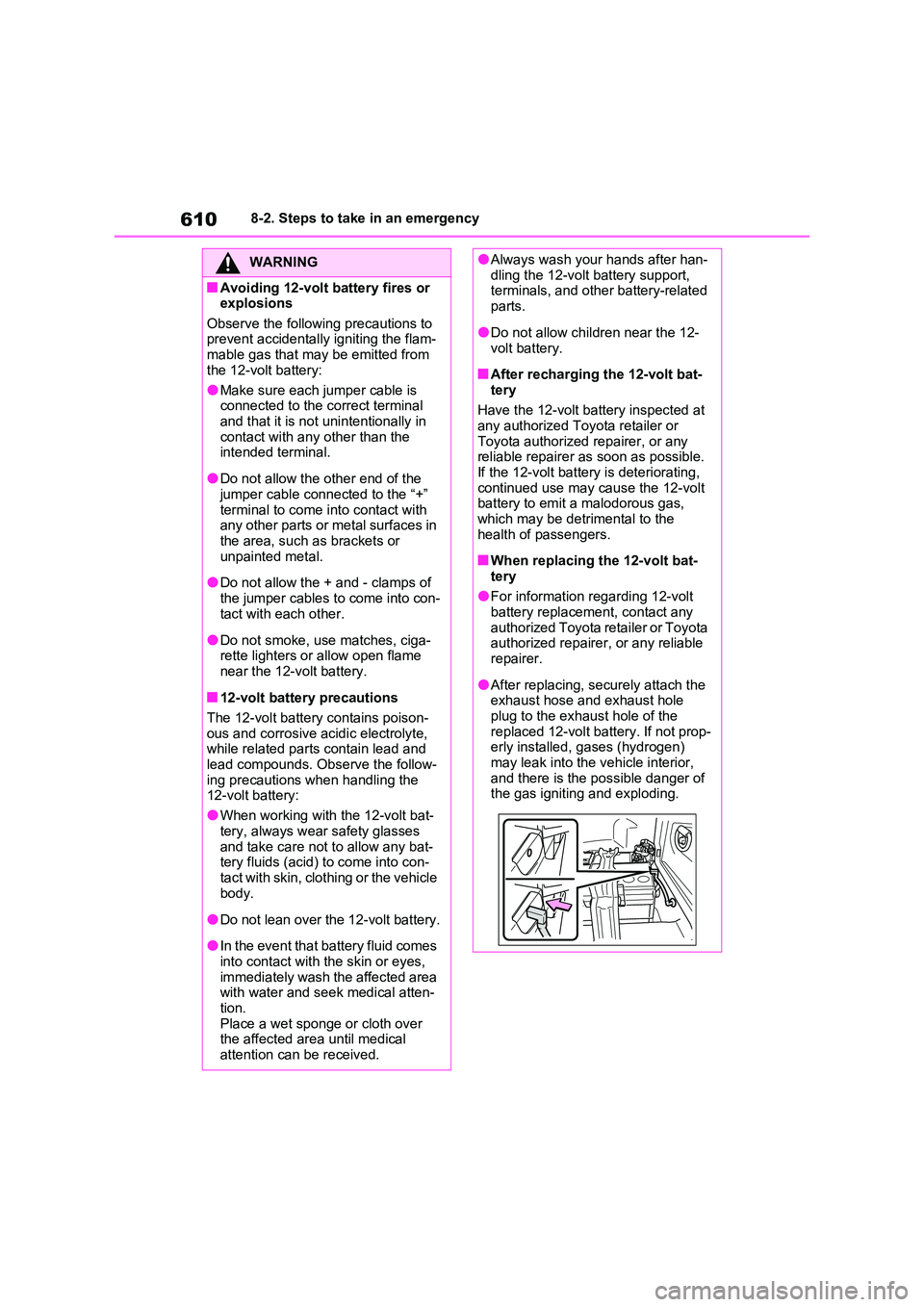
●After replacing, securely attach the exhaust hose and exhaust hole
plug to the exhaust hole of the replaced 12-volt battery. If not prop-erly installed, gases (hydrogen)
may leak into the vehicle interior, and there is the possible danger of the gas igniting and exploding.
Page 634 of 664
6349-2. Customization
*1: For vehicles without double locking system
*2: For vehicles with double locking system
*3: This setting can be changed when the smart door unlocking setting is set to
Driver’s door.
■Wireless remote control (P.203)
*: If equipped
■Rear seat reminder function (P.207)
Number of consecutive door
lock operations2 times*1As many as
desired
*1
––OAs many as
desired
*22 times*2
Time elapsed before unlocking
all the door when gripping and
holding the driver’s door han-
dle
*3
Off
1.5 seconds
––O2 seconds
2.5 seconds
Power switch illuminationOnOff––O
FunctionDefault
settingCustomized
setting
Wireless remote controlOnOff––O
Unlocking operation
All doors
unlocked in first
step
Driver’s door
unlocked in first
step, all doors
unlocked in sec-
ond step
O–O
The function that activates the
switch of the wireless
remote control when locking the
door (P.213)
*
Off
On (Unlocking
all the door)
––OOn (Unlocking
back door only)
FunctionDefault
settingCustomized
setting
Rear seat reminder functionOnOff–O–
FunctionDefault
settingCustomized
settingABC
ABC
ABC