Page 206 of 732
206 2-2. Instrument cluster
Press the SELECT RESET button to customize the items.
ItemsScreen textSelect in this order
To select
US (ENGLISH)
or METRIC
(P. 207)
UNITS
Door lock/
unlock warning
functionKEYLESS ENTRY
FEEDBACK
Time for auto-
matic door lock
functionKEYLESS ENTRY
RELOCK TIMER
Double switch
operation to
unlock all the
doorsKEYLESS ENTRY
ALL DOORS
UNLOCK
Automatic door
locking functionDOOR AUTO
LOCKING
Automatic door
unlocking func-
tionDOOR AUTO
UNLOCKING
Time period
before lights
turn off (if a door
is opened and
closed, and
engine switch is
in ACC or
LOCK)
HEADLAMPS AUTO
OFF TIMER
Time period
before lights
turn offCOURTESY LAMPS
OFF TIMER
Selecting the
languageLANGUAGE
METRIC
US (ENGLISH)
LAMPS + TONE*LAMPS
TONE
OFF
60 SECONDS*120 SECONDS
30 SECONDS OFF
2 PRESSES*1 PRESS
SHIFT OUT
OF PARKABOVE 12 MPH*
(20 km/h)
OFF
SHIFT TO PARK*DRIVER DOOR
OPEN
OFF
30 SECONDS*60 SECONDS
90 SECONDS
0 SECONDS
15 SECONDS*30 SECONDS
8 SECONDS
ENGLISH FRENCH
SPANISH
Page 207 of 732
207
2-2. Instrument cluster
2
When driving
*: Default setting
After customize is complete, press the SETUP button to set
the selected item.
If the customization fails, the previously setting will be displayed.
If no button is pressed for 10 seconds, the display change to normal
display.
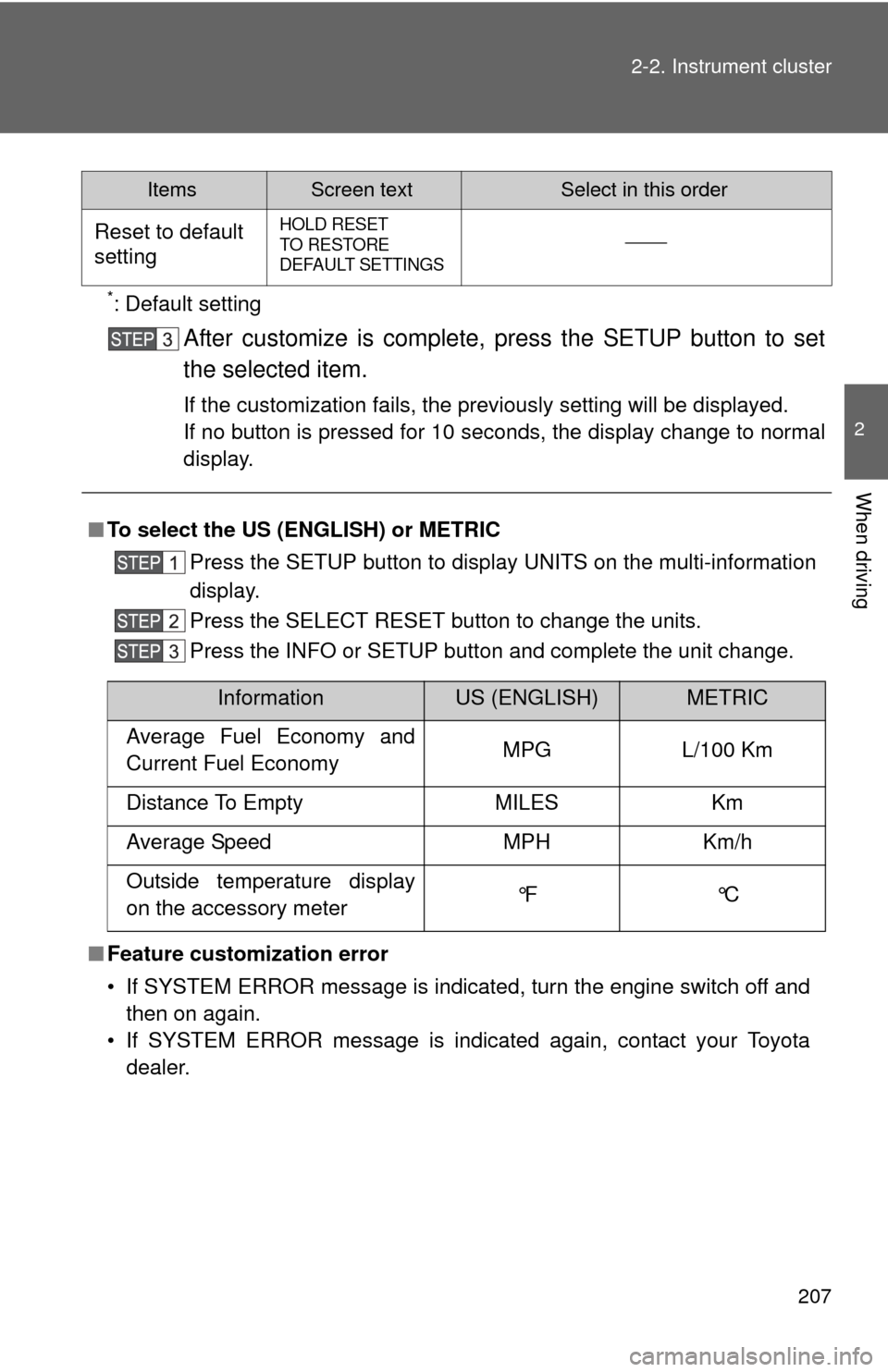
ItemsScreen textSelect in this order
Reset to default
settingHOLD RESET
TO RESTORE
DEFAULT SETTINGS
■
To select the US (ENGLISH) or METRIC
Press the SETUP button to display UNITS on the multi-information
display.
Press the SELECT RESET button to change the units.
Press the INFO or SETUP button and complete the unit change.
■ Feature customization error
• If SYSTEM ERROR message is indicated, turn the engine switch off and
then on again.
• If SYSTEM ERROR message is indicated again, contact your Toyota dealer.
InformationUS (ENGLISH)METRIC
Average Fuel Economy and
Current Fuel Economy MPG L/100 Km
Distance To Empty MILES Km
Average Speed MPH Km/h
Outside temperature display
on the accessory meter °F °C
Page 209 of 732
209
2-2. Instrument cluster
2
When driving
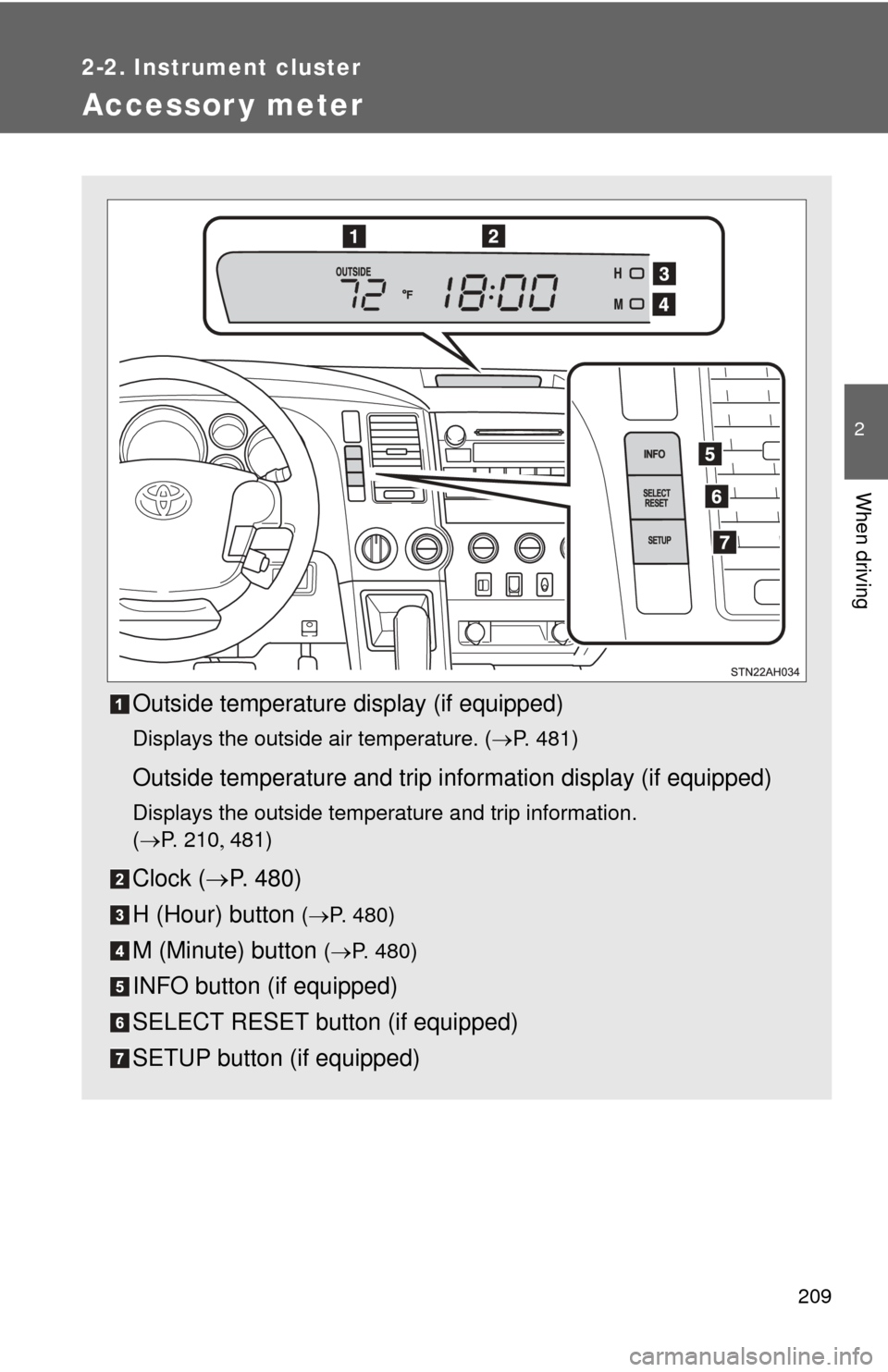
Accessor y meter
Outside temperature display (if equipped)
Displays the outside air temperature. (P. 481)
Outside temperature and trip information display (if equipped)
Displays the outside temperature and trip information.
(P. 2 1 0 481)
Clock ( P. 480)
H (Hour) button
( P. 480)
M (Minute) button ( P. 480)
INFO button (if equipped)
SELECT RESET button (if equipped)
SETUP button (if equipped)
Page 210 of 732
210 2-2. Instrument cluster
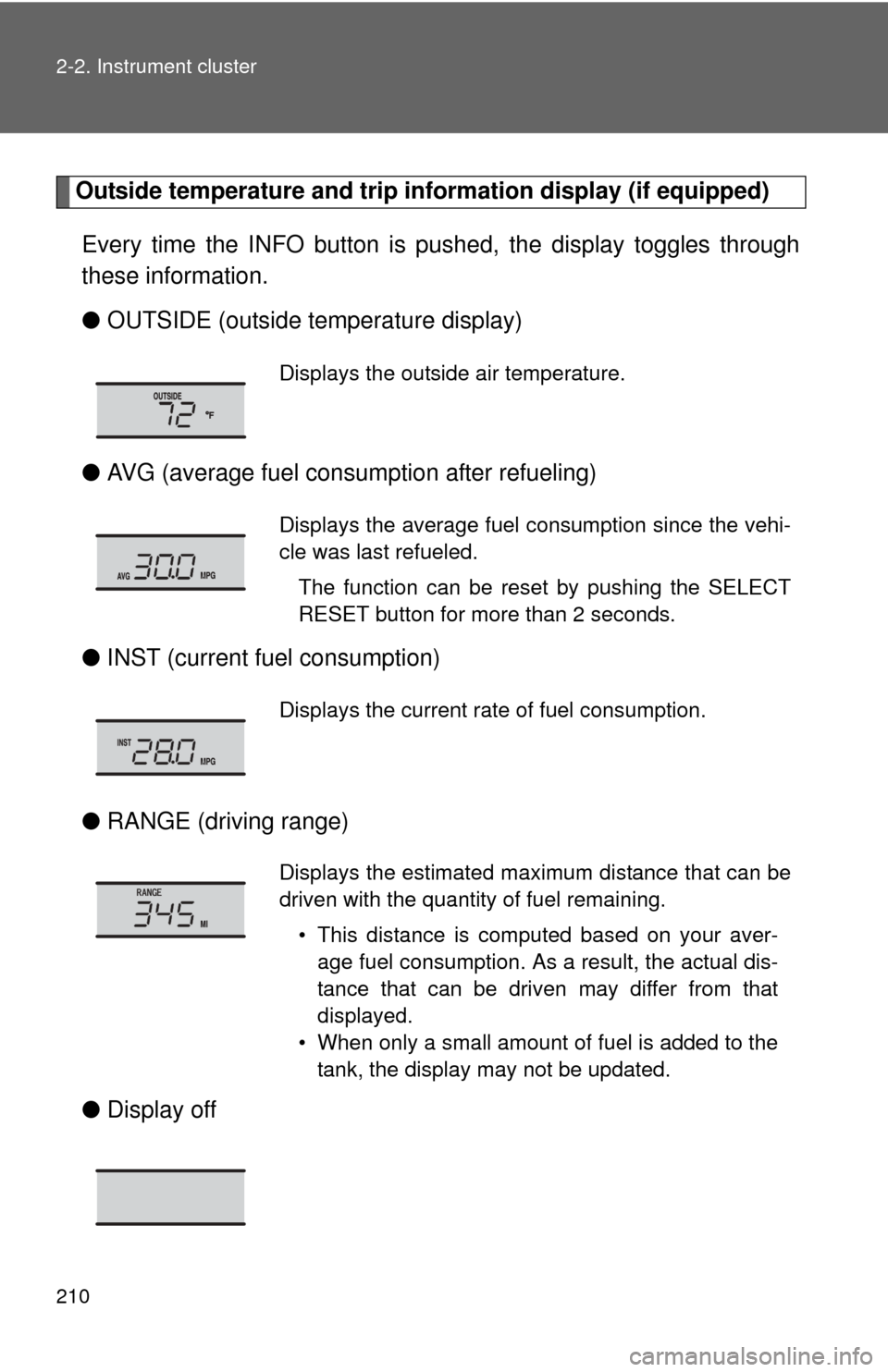
Outside temperature and trip information display (if equipped)
Every time the INFO button is pushed, the display toggles through
these information.
● OUTSIDE (outside temperature display)
● AVG (average fuel consumption after refueling)
● INST (current fu el consumption)
● RANGE (driving range)
● Display off
Displays the outside air temperature.
Displays the average fuel consumption since the vehi-
cle was last refueled.
The function can be reset by pushing the SELECT
RESET button for more than 2 seconds.
Displays the current rate of fuel consumption.
Displays the estimated maximum distance that can be
driven with the quantity of fuel remaining.• This distance is computed based on your aver-age fuel consumption. As a result, the actual dis-
tance that can be driven may differ from that
displayed.
• When only a small amount of fuel is added to the tank, the display may not be updated.
Page 222 of 732
222 2-4. Using other driving systems
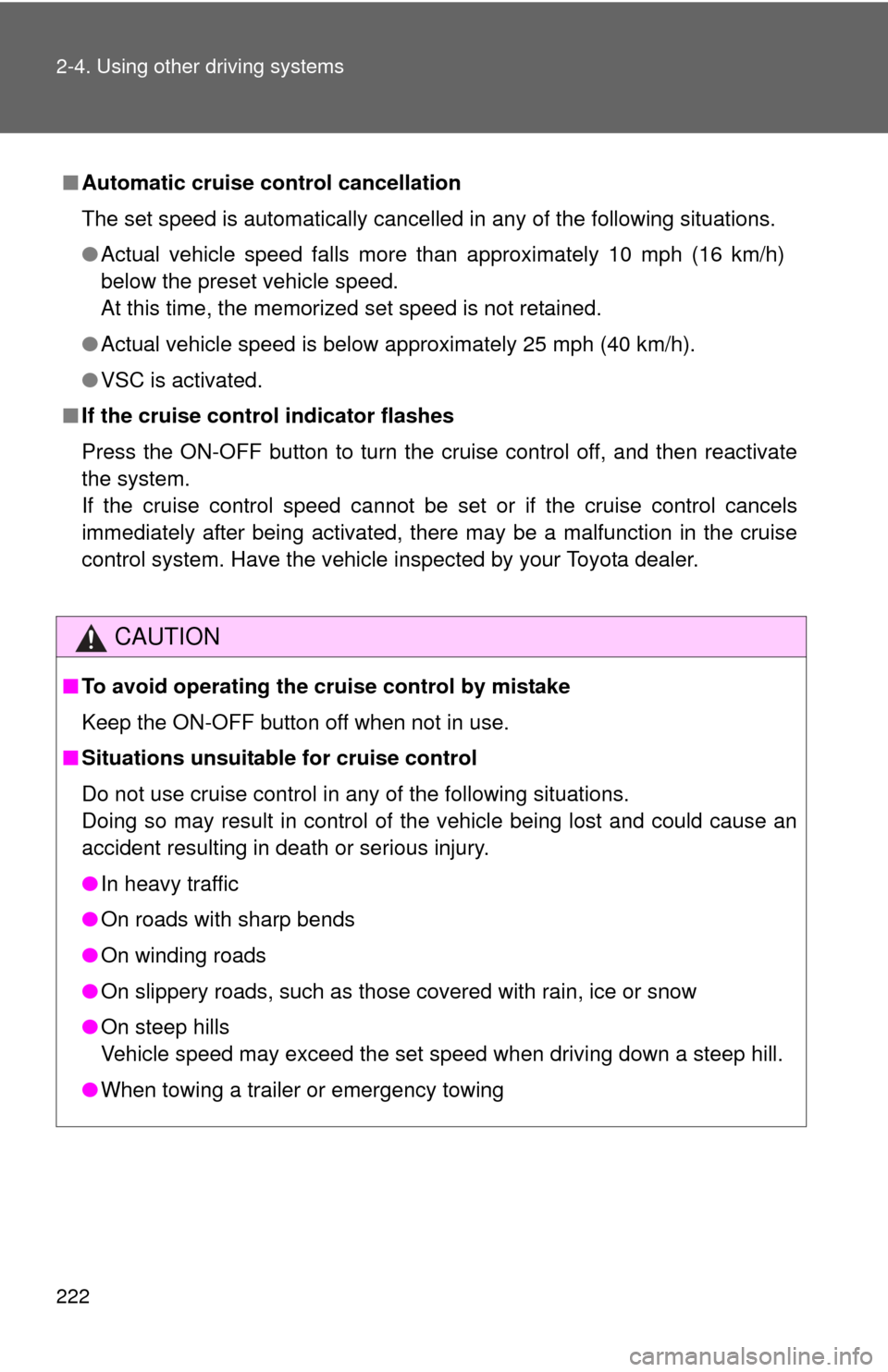
■Automatic cruise control cancellation
The set speed is automatically cancelled in any of the following situations.
●Actual vehicle speed falls more than approximately 10 mph (16 km/h)
below the preset vehicle speed.
At this time, the memorized set speed is not retained.
● Actual vehicle speed is below approximately 25 mph (40 km/h).
● VSC is activated.
■ If the cruise control indicator flashes
Press the ON-OFF button to turn the cruise control off, and then reactivate
the system.
If the cruise control speed cannot be set or if the cruise control cancels
immediately after being activated, there may be a malfunction in the cruise
control system. Have the vehicle inspected by your Toyota dealer.
CAUTION
■To avoid operating the cruise control by mistake
Keep the ON-OFF button off when not in use.
■ Situations unsuitable for cruise control
Do not use cruise control in any of the following situations.
Doing so may result in control of the vehicle being lost and could cause an
accident resulting in death or serious injury.
●In heavy traffic
● On roads with sharp bends
● On winding roads
● On slippery roads, such as those covered with rain, ice or snow
● On steep hills
Vehicle speed may exceed the set speed when driving down a steep hill.
● When towing a trailer or emergency towing
Page 318 of 732
318
3-2. Using the audio system
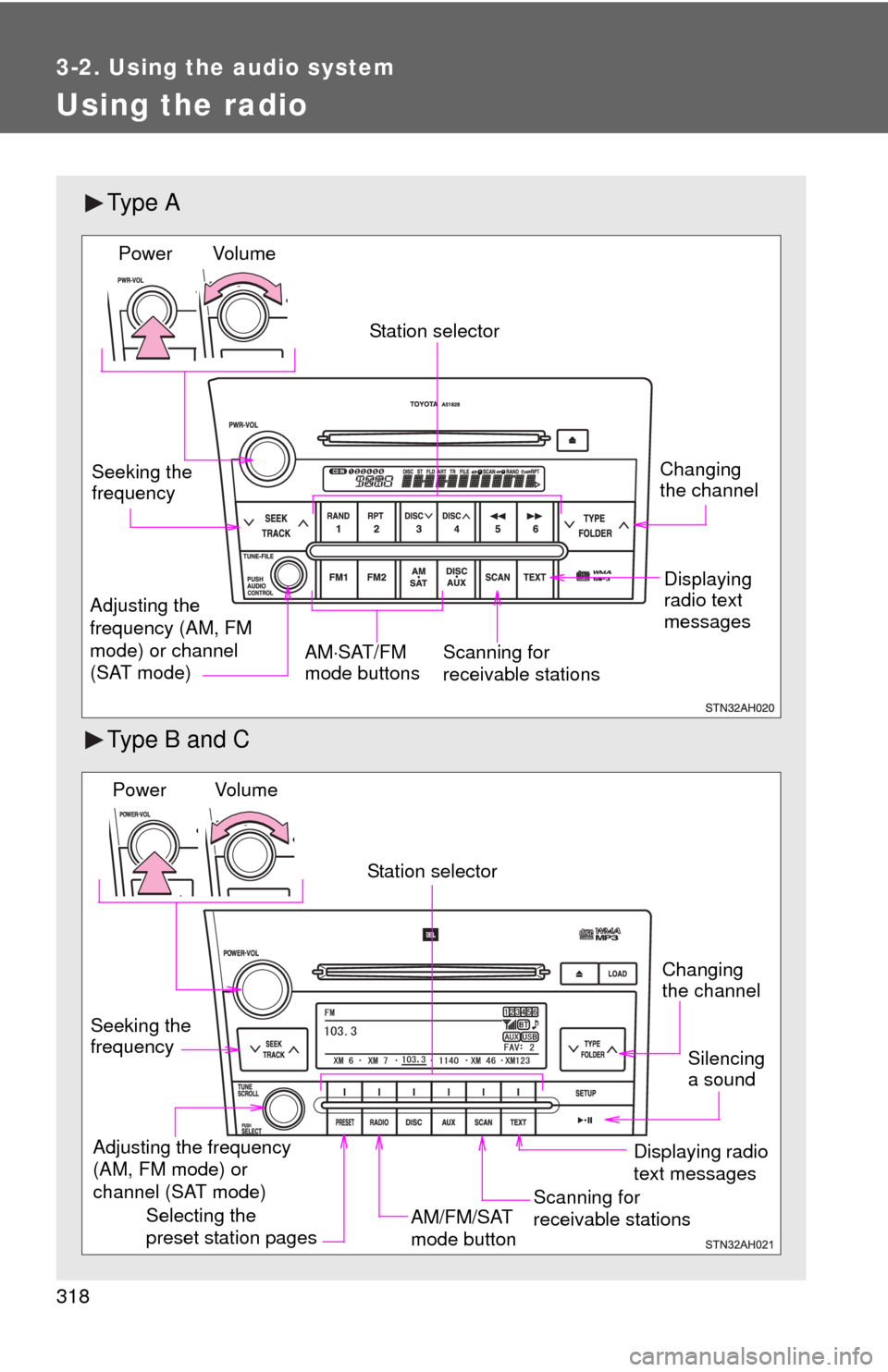
Using the radio
Ty p e A
Type B and C
Vol u m eScanning for
receivable stations
Station selector
Seeking the
frequency
Adjusting the
frequency (AM, FM
mode) or channel
(SAT mode) AM
SAT/FM
mode buttonsPower
Displaying
radio text
messages
Changing
the channel
AM/FM/SAT
mode button
Station selector
Seeking the
frequency Adjusting the frequency
(AM, FM mode) or
channel (SAT mode)
Displaying radio
text messages
Changing
the channel
Scanning for
receivable stations
Vo l u m e
Power
Silencing
a sound
Selecting the
preset station pages
Page 319 of 732
319
3-2. Using the audio system
3
Interior and exterior features
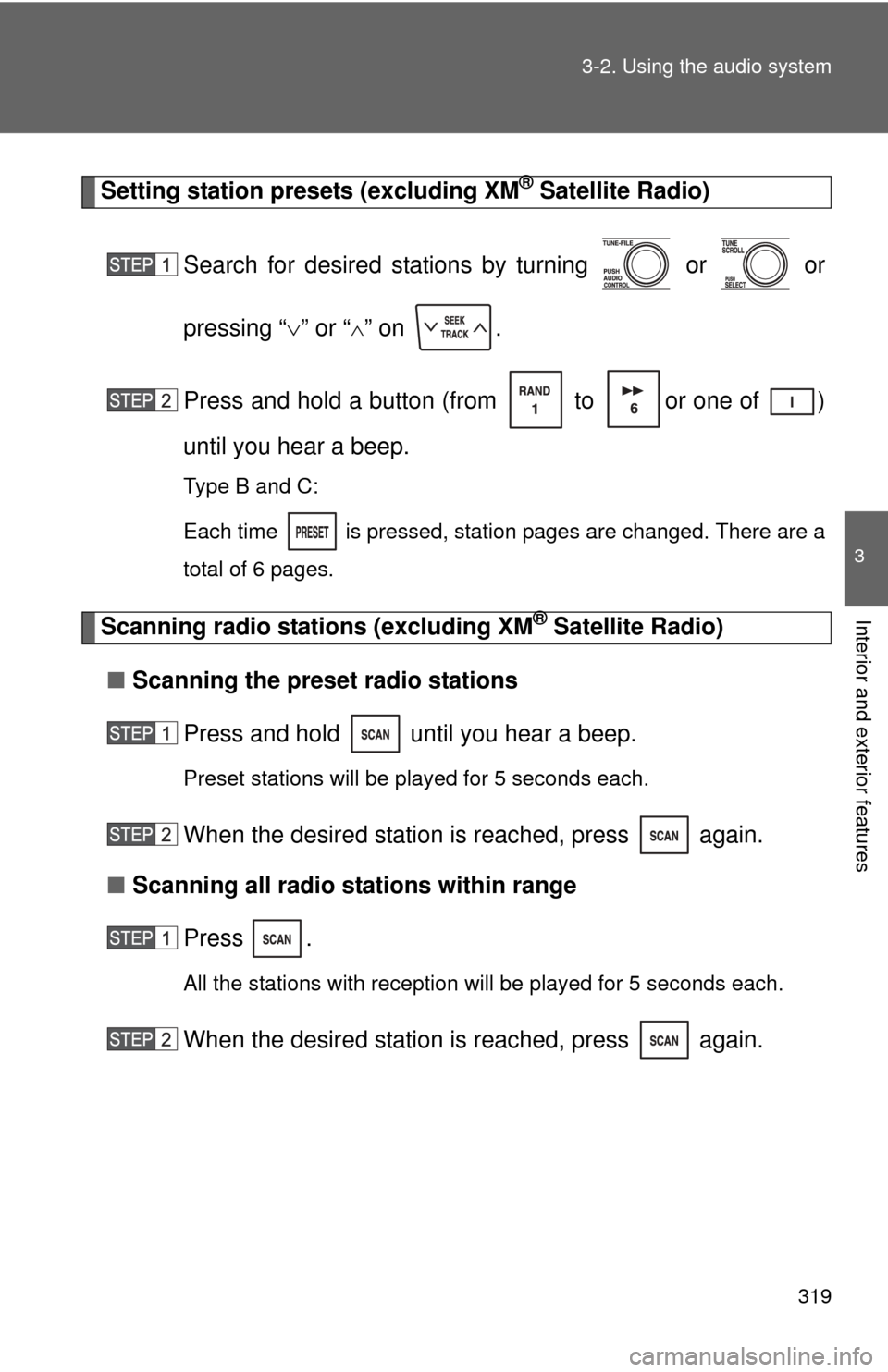
Setting station presets (excluding XM® Satellite Radio)
Search for desired stations by turning or or
pressing “ ” or “
” on .
Press and hold a button (from to or one of )
until you hear a beep.
Type B and C:
Each time
is pressed, station pages are changed. There are a
total of 6 pages.
Scanning radio stations (excluding XM® Satellite Radio)
■ Scanning the preset radio stations
Press and hold until you hear a beep.
Preset stations will be played for 5 seconds each.
When the desired station is reached, press again.
■ Scanning all radio stations within range
Press
.
All the stations with reception will be played for 5 seconds each.
When the desired station is reached, press again.
Page 321 of 732
321
3-2. Using the audio system
3
Interior and exterior features
■
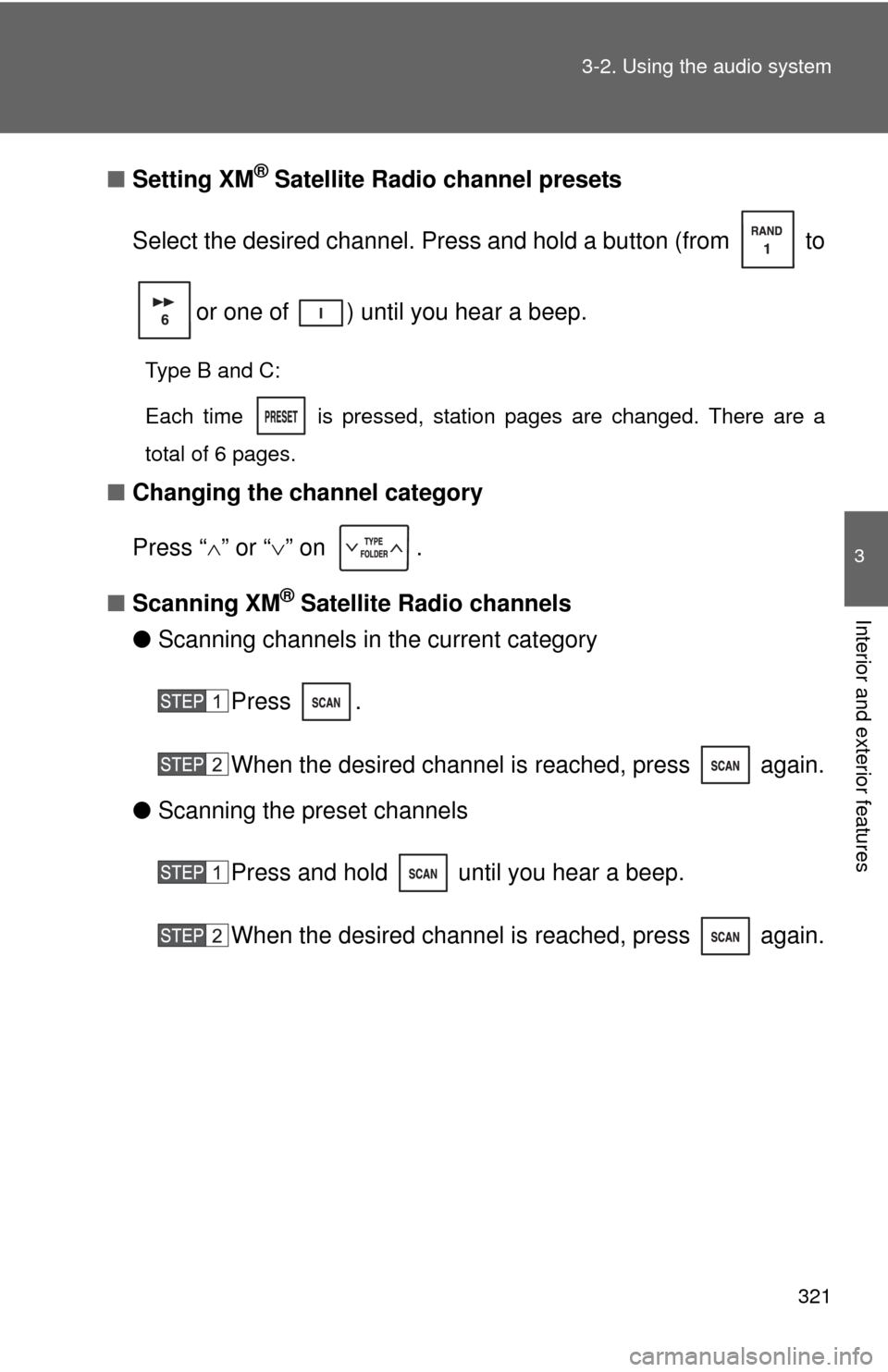
Setting XM® Satellite Radio channel presets
Select the desired channel. Press and hold a button (from to
or one of ) until you hear a beep.
Type B and C:
Each time
is pressed, station pages are changed. There are a
total of 6 pages.
■ Changing the channel category
Press “ ” or “ ” on .
■ Scanning XM
® Satellite Radio channels
● Scanning channels in the current category
Press .
When the desired channel is reached, press again.
● Scanning the preset channels
Press and hold until you hear a beep.
When the desired channel is reached, press again.