Page 379 of 608
379
3
Interior features
L/C200_U (OM60F74U)
3-5. Using the interior lights
Interior lights list
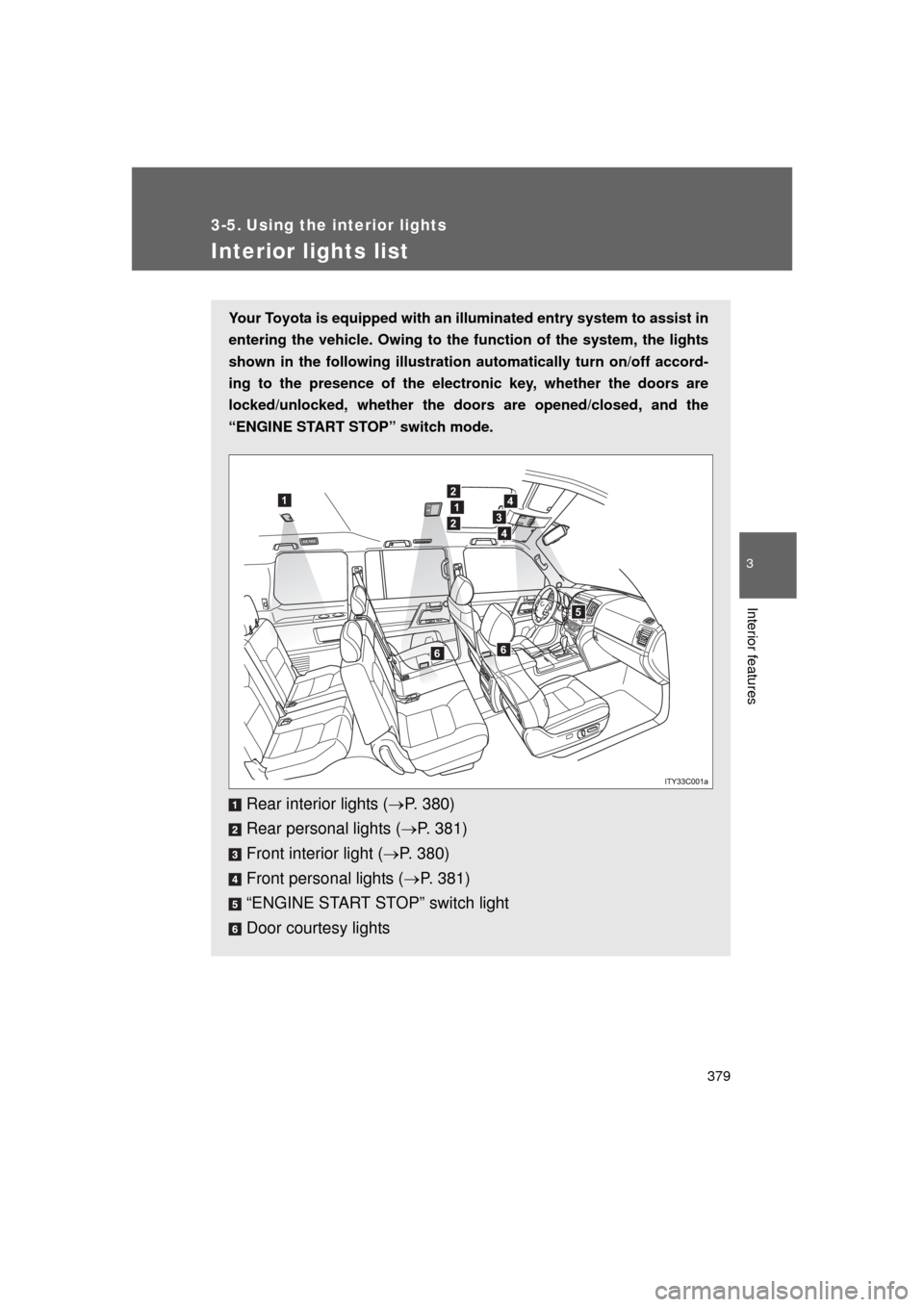
Your Toyota is equipped with an illuminated entry system to assist in
entering the vehicle. Owing to the function of the system, the lights
shown in the following illustration automatically turn on/off accord-
ing to the presence of the electr onic key, whether the doors are
locked/unlocked, whether the door s are opened/closed, and the
“ENGINE START STOP” switch mode.
Rear interior lights ( P. 380)
Rear personal lights ( P. 381)
Front interior light ( P. 380)
Front personal lights ( P. 381)
“ENGINE START STOP” switch light
Door courtesy lights
12
1
2
4
3
4
5
66
Page 380 of 608
380 3-5. Using the interior lights
L/C200_U (OM60F74U)
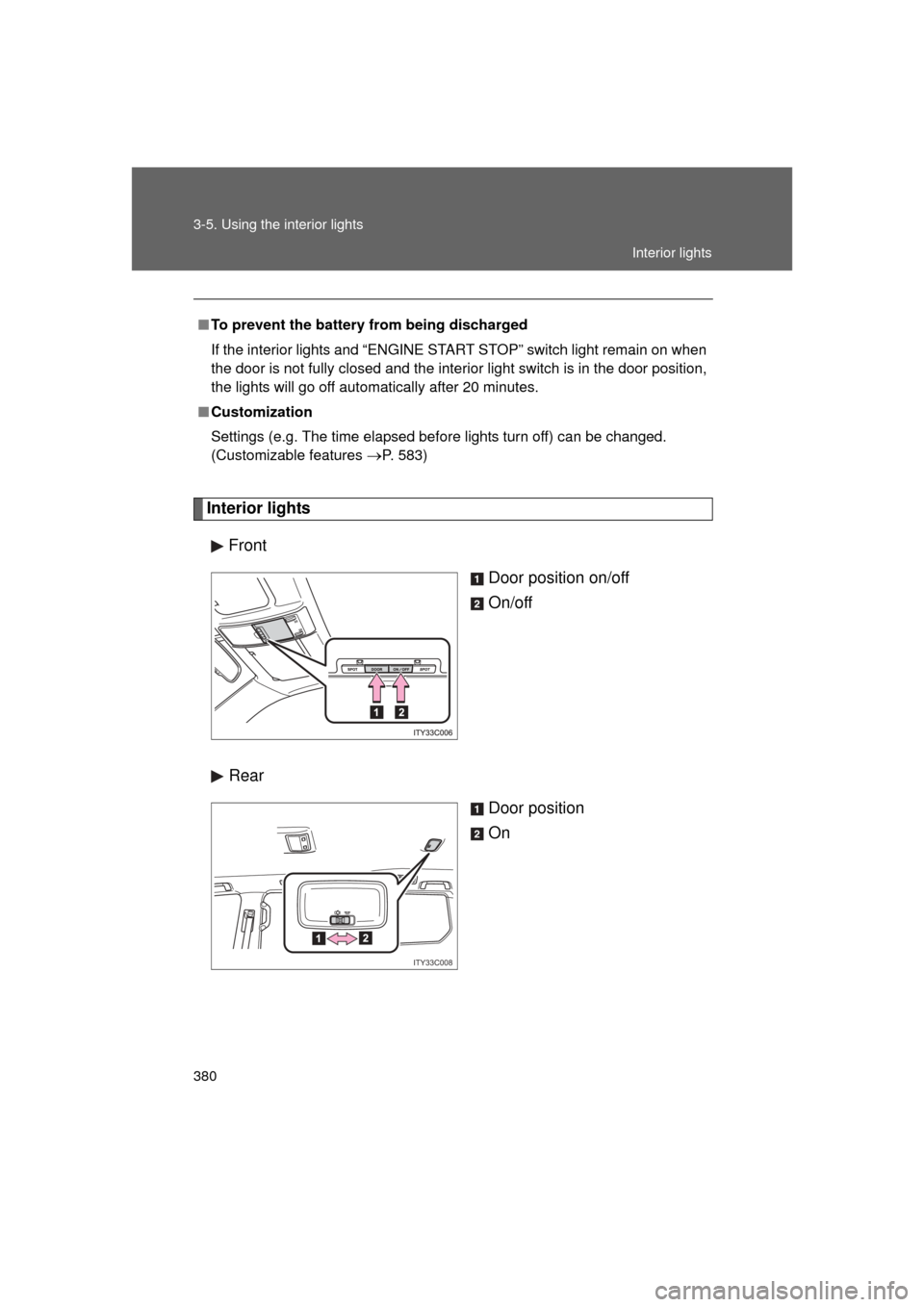
Interior lightsFront Door position on/off
On/off
Rear Door position
On
■To prevent the battery from being discharged
If the interior lights and “ENGINE START STOP” switch light remain on when
the door is not fully closed and the interior light switch is in the door position,
the lights will go off automatically after 20 minutes.
■ Customization
Settings (e.g. The time elapsed before lights turn off) can be changed.
(Customizable features
P. 583)
ITY33C008
Interior lights
Page 390 of 608
390
L/C200_U (OM60F74U)
3-7. Other interior features
Cool box
: If equipped
■While the cool box is on
The front air conditioning system cannot be turned off.
■ When the outside temperature is 32°F (0°C) or below
The cool box may not operate.
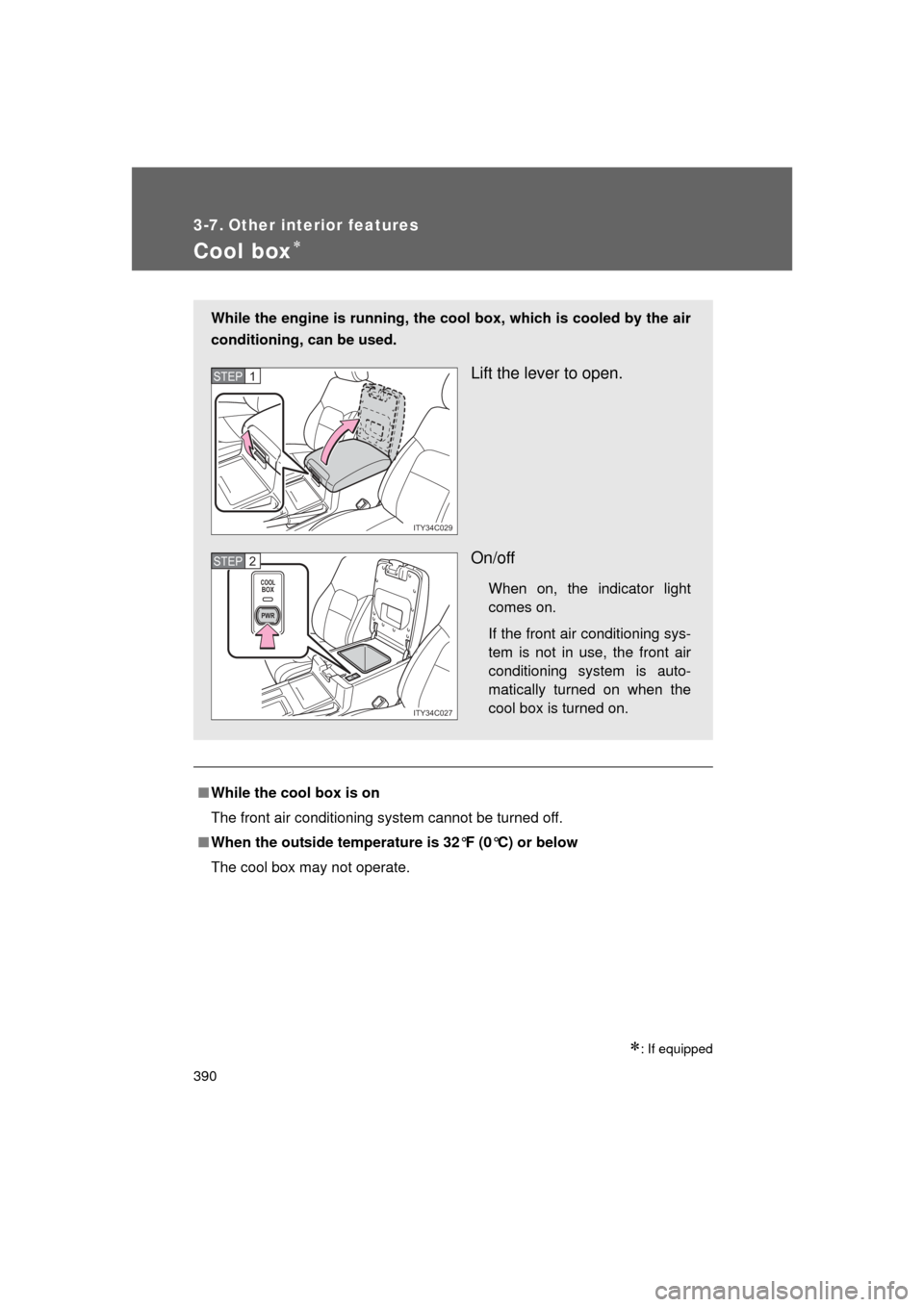
While the engine is running, the co ol box, which is cooled by the air
conditioning, can be used.
Lift the lever to open.
On/off
When on, the indicator light
comes on.
If the front air conditioning sys-
tem is not in use, the front air
conditioning system is auto-
matically turned on when the
cool box is turned on.
ITY34C029
STEP1
COOLBOX
PWR
ITY34C027
STEP2
Page 391 of 608
391
3-7. Other interior features
3
Interior features
L/C200_U (OM60F74U)
CAUTION
■
While driving
Keep the cool box closed.
Injuries may result in the event of sudden braking, sudden swerving or an
accident.
NOTICE
■To prevent battery discharge
Do not leave the cool box on longer than necessary when the engine is
stopped.
Page 394 of 608
394
3-7. Other interior features
L/C200_U (OM60F74U)
Clock
■The clock is displayed when
The “ENGINE START STOP” switch is in ACCESSORY or IGNITION ON
mode.
■ When the battery is disconnected
The time display will automatically be set to 1:00.
With navigation system
Refer to “Navigation System Owner’s Manual”.
Without navig ation system
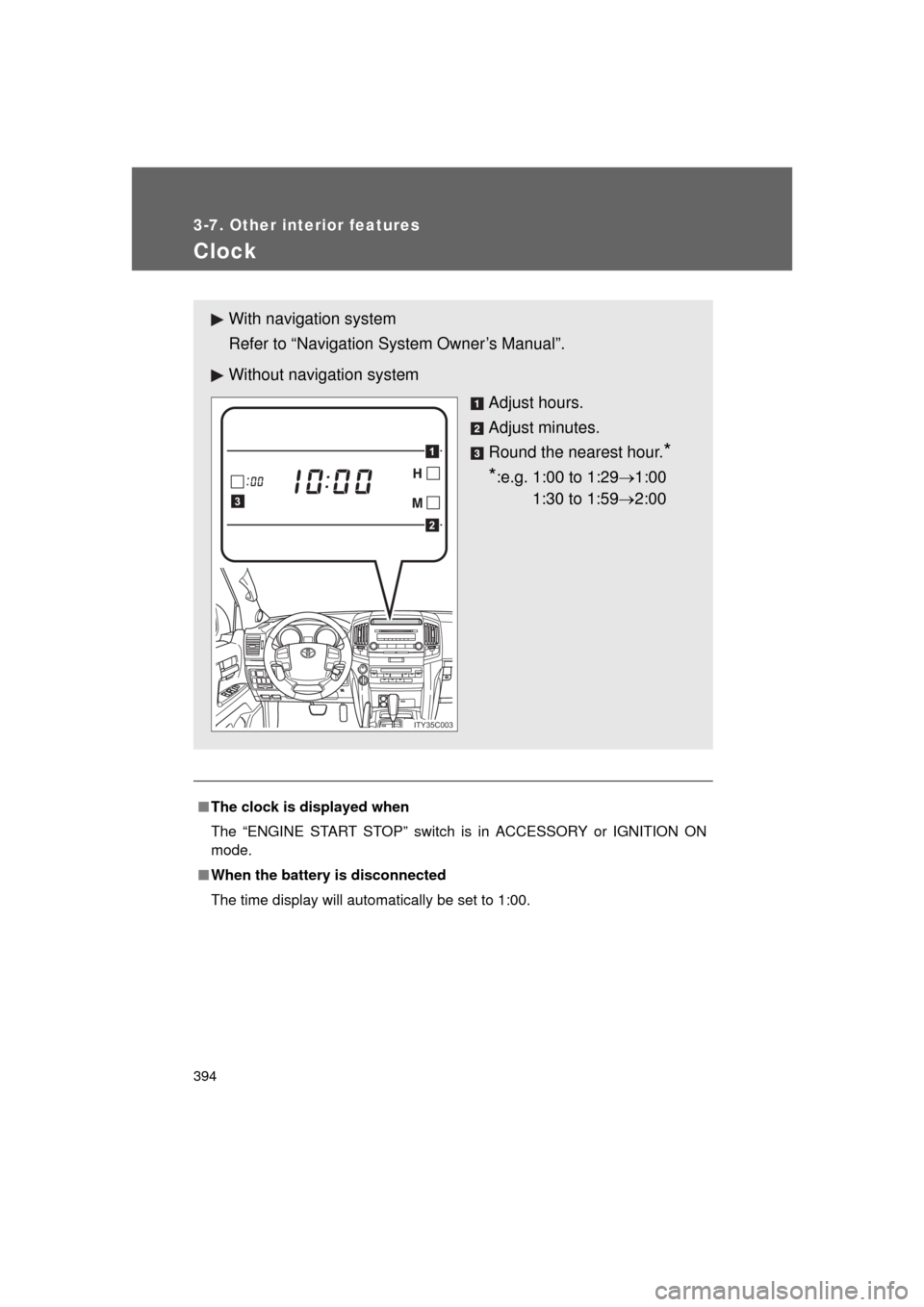
Adjust hours.
Adjust minutes.
Round the nearest hour.
*
*
:e.g. 1:00 to 1:29 1:00
1:30 to 1:59 2:00
2
1
3
ITY35C003
Page 395 of 608
395
3-7. Other interior features
3
Interior features
L/C200_U (OM60F74U)
Outside temperature display
■Operating conditions
The “ENGINE START STOP” switch is in IGNITION ON mode.
■ When --- is displayed
The system may be malfunctioning. Take your vehicle to your Toyota dealer.
■ Display
In the following situations, the correct outside temperature may not be dis-
played, or the display may take longer than normal to change.
● When stopped, or driving at low speeds (less than 12 mph [20 km/h])
● When the outside temperature has changed suddenly (at the entrance/
exit of a garage, tunnel, etc.)
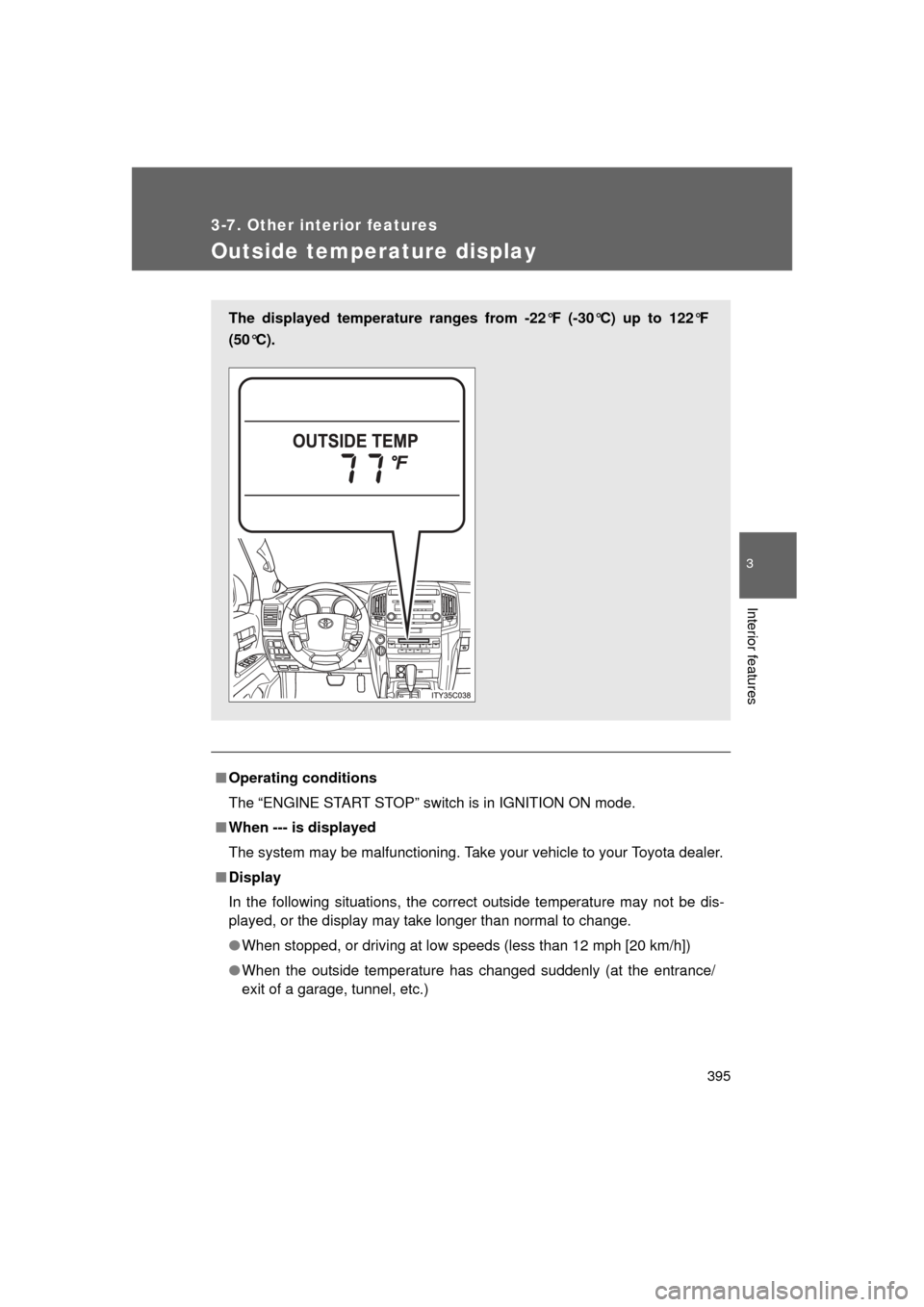
The displayed temperature ranges from -22°F (-30°C) up to 122°F
(50°C).
Page 398 of 608
398
3-7. Other interior features
L/C200_U (OM60F74U)
Cigarette lighter
■The cigarette lighter can be used when
The “ENGINE START STOP” switch is in ACCESSORY or IGNITION ON
mode.
CAUTION
■To avoid burns or fires
● Do not touch the metal parts of the cigarette lighter.
● Do not hold the cigarette lighter down. It could overheat and cause a fire.
● Do not insert anything other than the cigarette lighter into the outlet.\
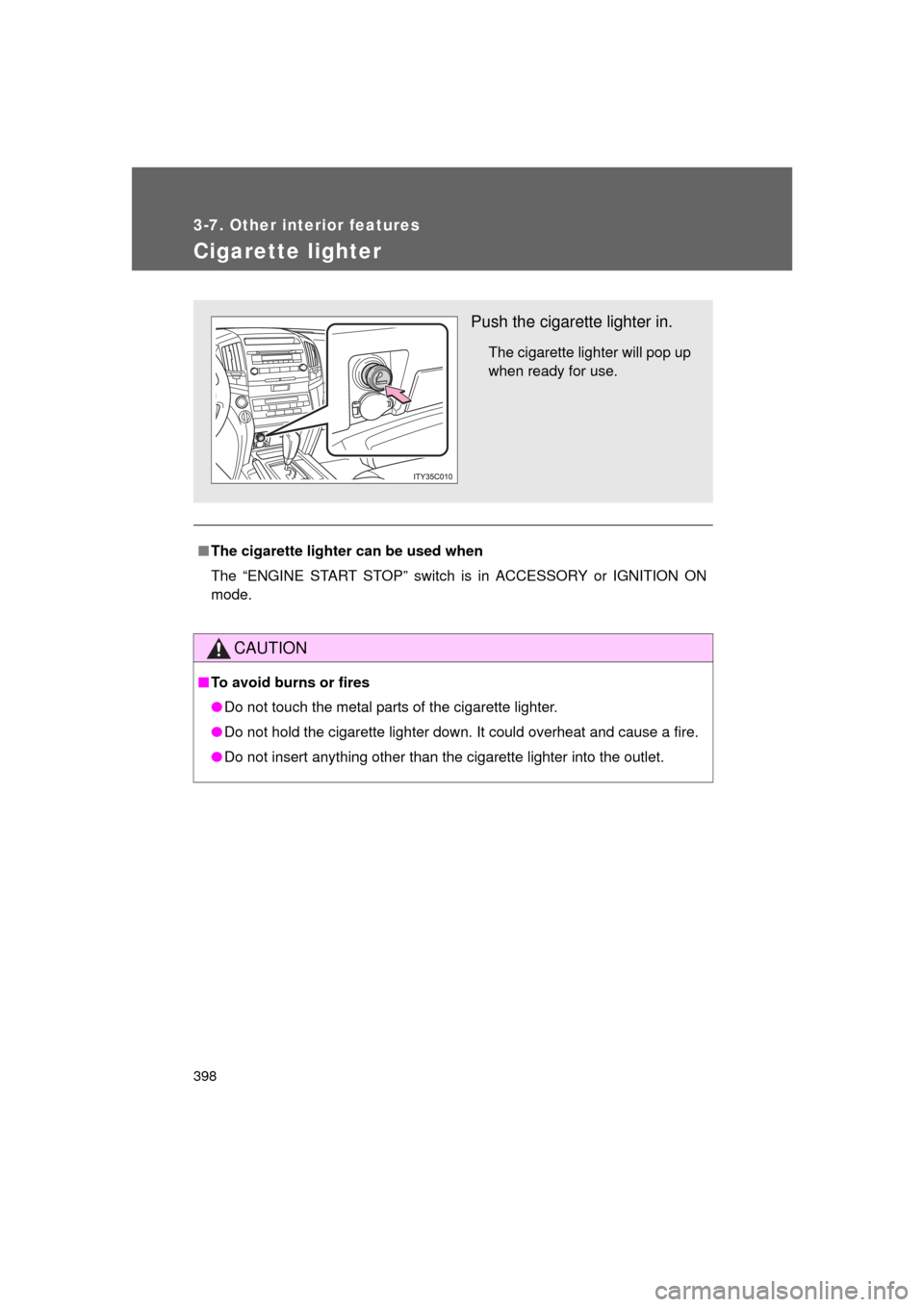
Push the cigarette lighter in.
The cigarette lighter will pop up
when ready for use.
Page 400 of 608

400 3-7. Other interior features
L/C200_U (OM60F74U)
■The power outlets can be used when
12V: The “ENGINE START STOP” switch is in ACCESSORY or IGNITION
ON mode.
115V: The “ENGINE START STOP” switch is in IGNITION ON mode.
■ When using the instrument panel power outlet
You may be unable to use the USB port if a device is connected to the instru-
ment panel power outlet at the same time.
NOTICE
■To avoid damaging the power outlets
Close the power outlet lid when not in use.
Foreign objects or liquids that enter the power outlet may cause a short cir-
cuit.
■ To prevent the fuse from being blown
12V: Do not use an accessory that uses more than 12V/10A.
115V: Do not use a 115V AC appliance that requires more than 100W.
If a 115V AC appliance that consumes more than 100W is used, the pro-
tection circuit will cut the power supply.
■ To prevent the battery from being discharged
Do not use the power outlet longer than necessary when the engine is not\
running.
■ Appliances that may not ope rate properly (115V AC)
The following 115V AC appliances may not operate even if their power con-
sumption is under 100W.
● Appliances with high initial peak wattage
● Measuring devices that process precise data
● Other appliances that require an extremely stable power supply