Page 214 of 564
214
AVALON_U (OM41428U)
3-1. Using the air conditioning system and defogger
Automatic air conditioning system ........................... 216
Using the steering wheel climate control
switches ......................... 224
Rear window and outside rear view mirror defoggers .... 225
3-2. Using the audio system Audio system type............ 227
Using the radio ................. 231
Using the CD player ......... 239
Playing back MP3 and WMA discs ..................... 247
Operating an iPod ............ 255
Operating a USB memory .......................... 262
Optimal use of the audio system ........................... 270
Using the AUX port .......... 273
Using the steering switches ......................... 274
Interior features3
Page 227 of 564
227
3
Interior features
AVALON_U (OM41428U)
3-2. Using the audio system
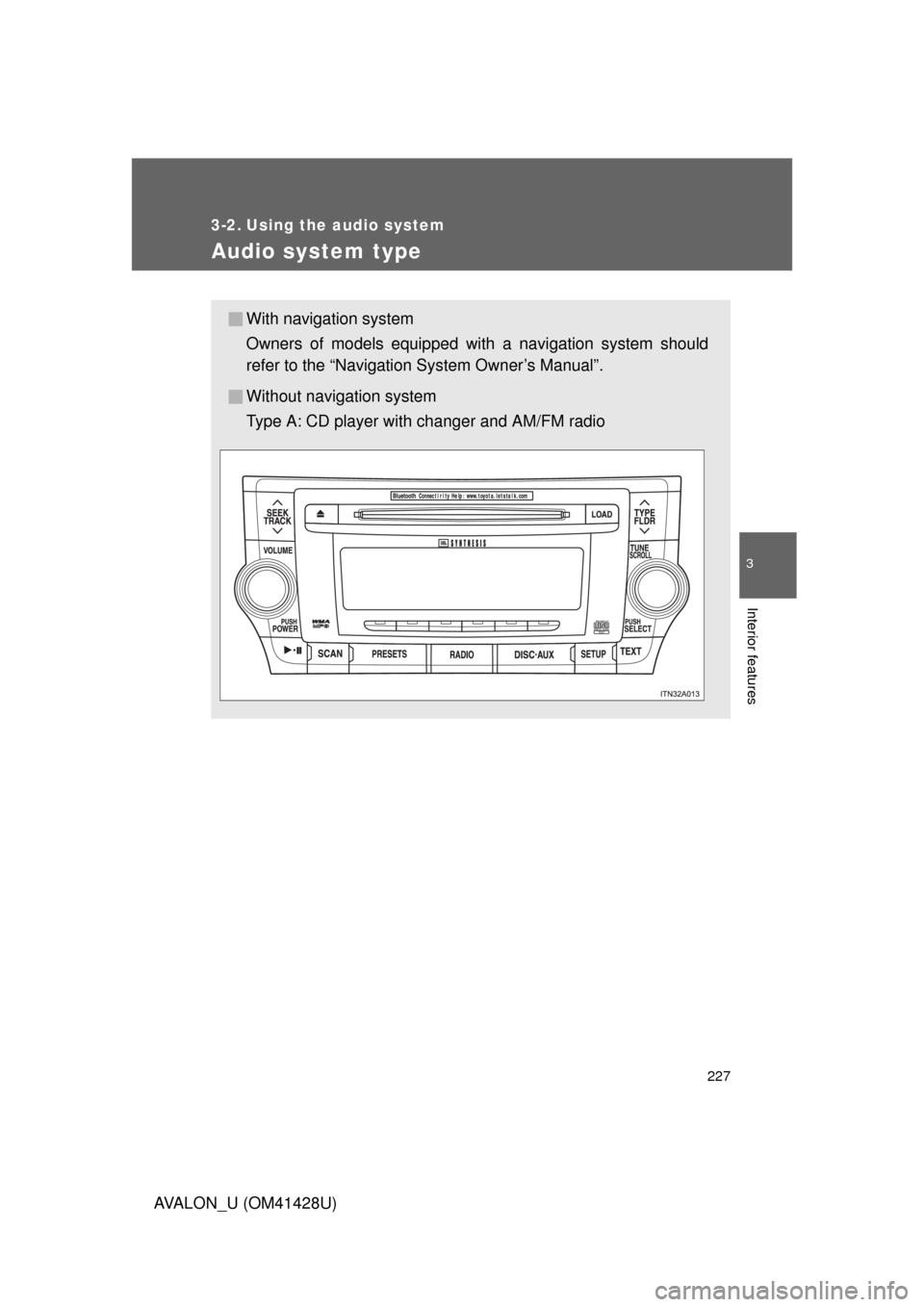
Audio system type
With navigation system
Owners of models equipped with a navigation system should
refer to the “Navigation System Owner’s Manual”.
Without navigation system
Type A: CD player with changer and AM/FM radio
Page 228 of 564
228 3-2. Using the audio system
AVALON_U (OM41428U)
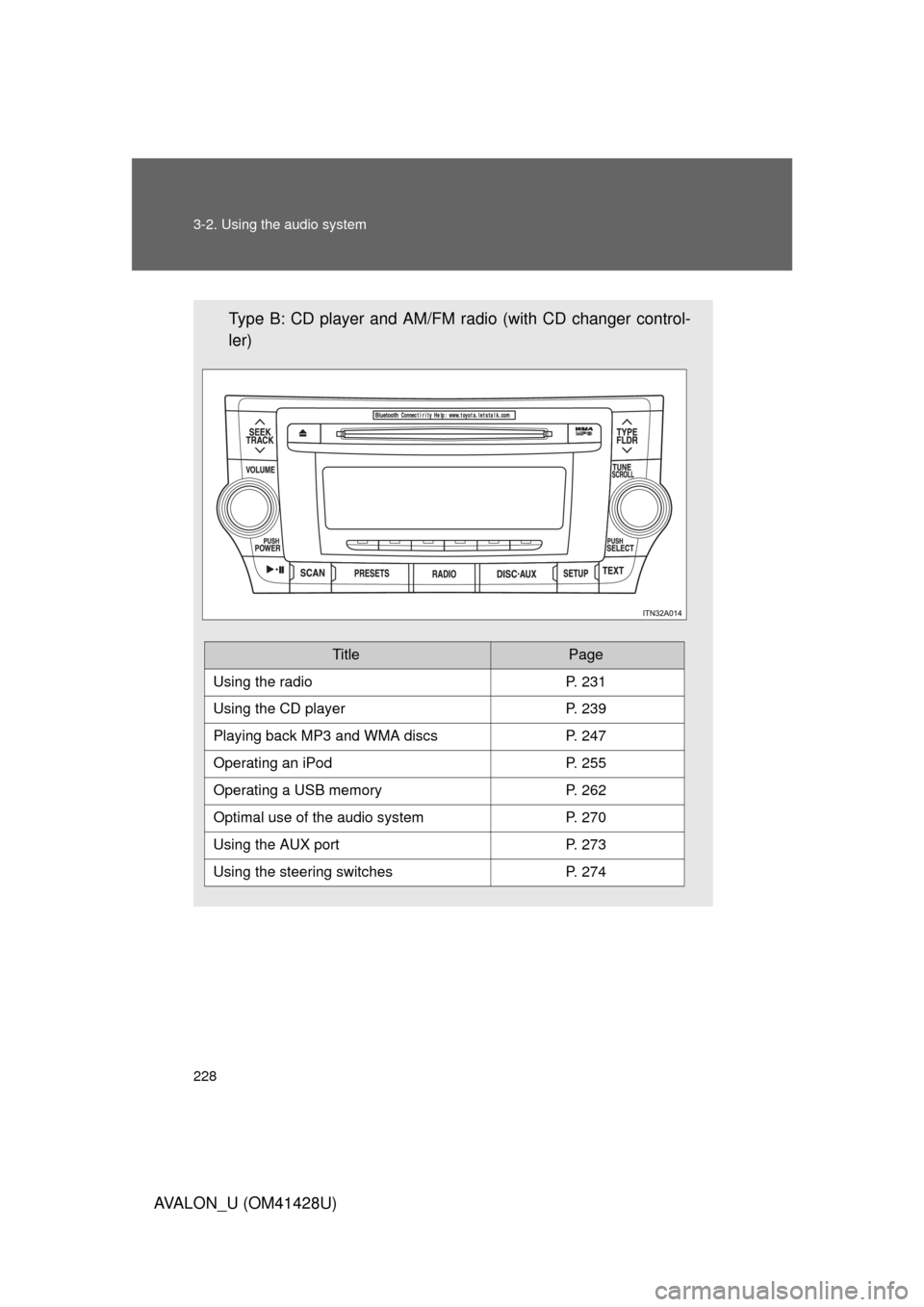
Type B: CD player and AM/FM radio (with CD changer control-
ler)
TitlePage
Using the radioP. 231
Using the CD playerP. 239
Playing back MP3 and WMA discs P. 247
Operating an iPodP. 255
Operating a USB memoryP. 262
Optimal use of the audio systemP. 270
Using the AUX portP. 273
Using the steering switchesP. 274
Page 231 of 564
231
3-2. Using the audio system
3
Interior features
AVALON_U (OM41428U)
Using the radio
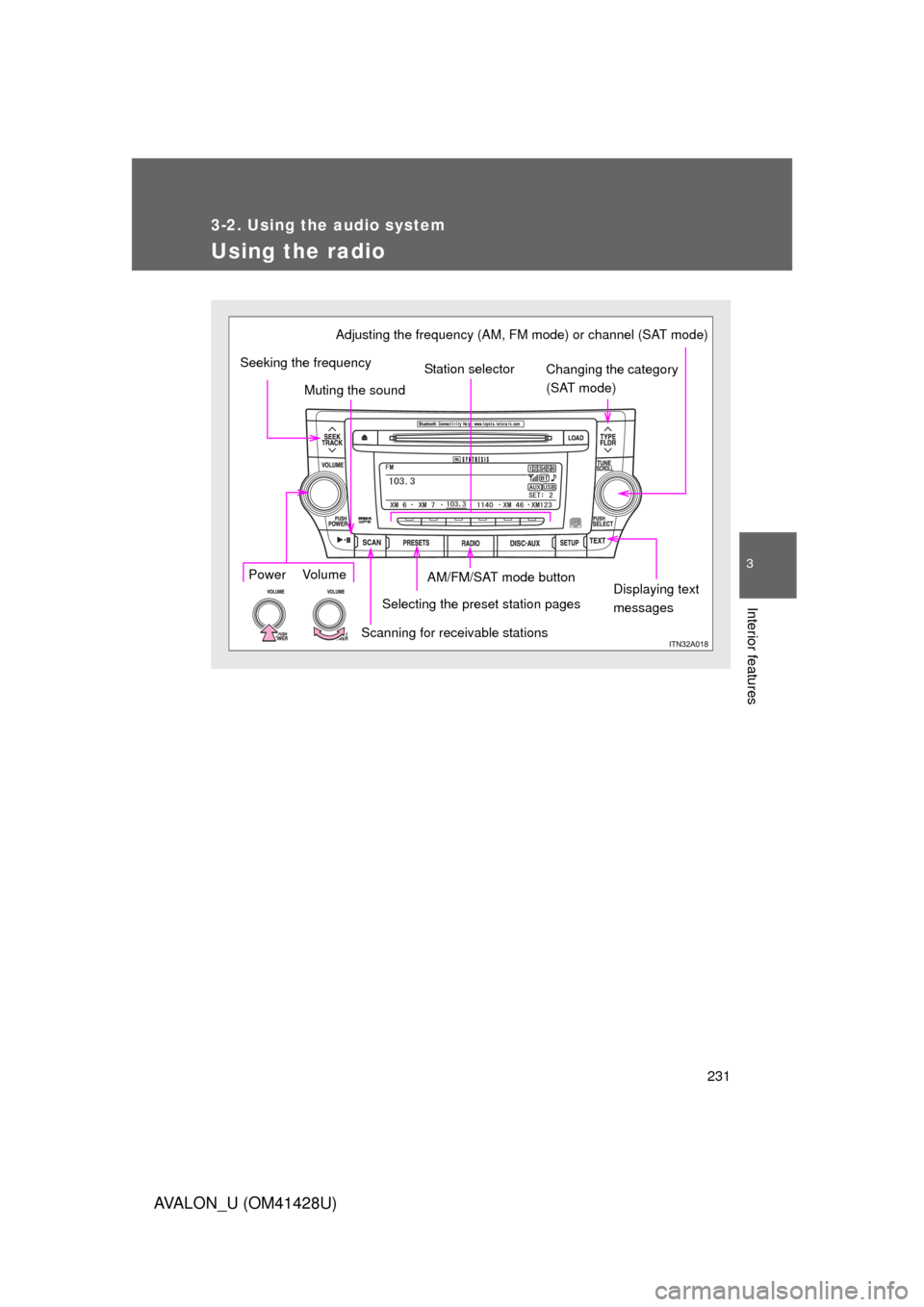
Selecting the preset station pagesDisplaying text
messages AM/FM/SAT mode buttonChanging the category
(SAT mode) Station selector
Power VolumeAdjusting the frequency (AM, FM mode) or channel (SAT mode)
Scanning for receivable stations Muting the sound Seeking the frequency
Page 232 of 564
232 3-2. Using the audio system
AVALON_U (OM41428U)
Setting station presets (excluding XM® Satellite Radio)
Search for desired stations by turning or pressing “”
or “” on .
Press and hold the button (one of ) the station is to be
set to, and you hear a beep.
Each preset page may contain AM, FM, or XM radio station presets.
Pressing will change between AM, FM, and XM modes but
will not change the preset page display. Press to change
the presets page. There are a total of 6 pages.
The number of preset pages can be customized from 1 to 6.
(P. 272)
Page 233 of 564
233 3-2. Using the audio system
3
Interior features
AVALON_U (OM41428U)
Scanning radio stations (excluding XM® Satellite Radio)
■Scanning the preset radio stations
Press and hold until you hear a beep.
Preset stations will be played for a few seconds each.
When the desired station is reached, press once again.
■Scanning all radio stations within range
Press .
All the stations with reception will be played for a few seconds
each.
When the desired station is reached, press once again.
■Displaying radio text messages (FM mode only)
When a new radio text message is received, “MSG” is shown on
the display. To display the message, press .
If the text continues past the end of the display, “ ” is displayed. Press
and hold until you hear a beep.
Text messages are not displayed while driving.
Page 234 of 564
234 3-2. Using the audio system
AVALON_U (OM41428U)
XM® Satellite Radio (if equipped)
■Receiving XM
® Satellite Radio
Press .
The display changes as follows each time the button is pressed.
“AM” “FM” “SAT”
Turn to select a desired channel from all the catego-
ries or press “” or “” on to select a desired channel in
the current category.
■Presetting XM
® Satellite Radio channels
Select the desired channel. Press and hold the button (from one of
) until you hear a beep.
Each time is pressed, station pages are changed. There are a
total of 6 pages.
■Changing the channel category
Press “” or “” on .
Page 235 of 564
235 3-2. Using the audio system
3
Interior features
AVALON_U (OM41428U)■Scanning XM
® Satellite Radio channels
●Scanning channels in the current category
Press .
When the desired channel is reached, press the button
again.
●Scanning preset channels
Press and hold until you hear a beep.
When the desired channel is reached, press the button
again.
■Displaying text information
Press .
Each time is pressed, the display changes in the order of Title (song/
program title) Name (artist name/feature)/Title (song/program title).
■Radio antenna type
The radio antenna is mounted inside the rear window.