Page 434 of 680
434 3-7. Other interior features
4RUNNER_U
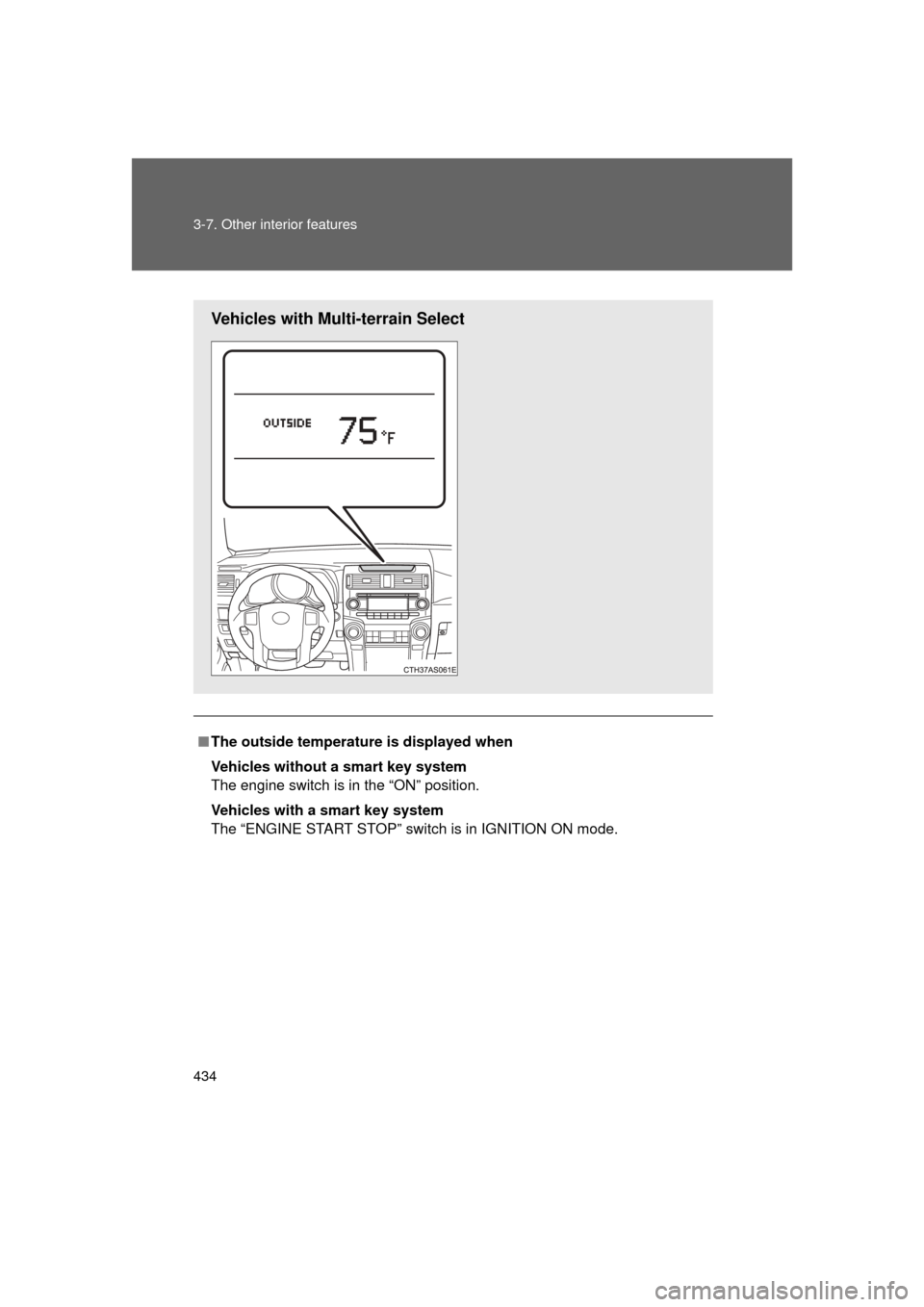
■The outside temperatur e is displayed when
Vehicles without a smart key system
The engine switch is in the “ON” position.
Vehicles with a smart key system
The “ENGINE START STOP” switch is in IGNITION ON mode.
Vehicles with Multi-terrain Select
Page 435 of 680

435
3-7. Other interior features
3
Interior features
4RUNNER_U
■
ICE indicator
Vehicles without Multi-terrain Select
Vehicles with Multi-terrain Select
■ Display
In the following situations, the correct outside temperature may not be dis-
played, or the display may take longer than normal to change:
● When the vehicle is stopped, or moving at low speeds (less than 14 mph
[24 km/h])
● When the outside temperature has changed suddenly (at the entrance/
exit of a garage, tunnel, etc.)
If the outside temperature lowers to 37 °F
(3 °C) or below when the engine switch is
in the “ON” position (vehicles without a
smart key system) or the “ENGINE
START STOP” switch is in IGNITION ON
mode (vehicles with a smart key system),
the “ICE” indicator will come on to warn
the driver that roads may be icy. Check
the road surface and drive carefully. (The
indicator will go off when the outside tem-
perature rises to 41 °F [5 °C].)
If the outside temperature lowers to 37 °F
(3 °C) or below when the engine switch is
in the “ON” position, the “ICE” indicator
will come on to warn the driver that roads
may be icy. Check the road surface and
drive carefully. (The indicator will go off
when the outside temperature rises to
41 °F [5 °C].)
Page 438 of 680
438 3-7. Other interior features
4RUNNER_U
■The power outlet can be used when
Vehicles without a smart key system
The engine switch is in the “ACC” or “ON” position.
Vehicles with a smart key system
The “ENGINE START STOP” switch is in ACCESSORY or IGNITION ON
mode.
NOTICE
■ To avoid damaging the power outlet
Close the power outlet lid when the power outlet is not in use.
Foreign objects or liquids that enter the power outlet may cause a short cir-
cuit.
■ To prevent blown fuse
Do not use an accessory that uses more than 12 V 10 A.
■ To prevent battery discharge
Do not use the power outlet longer than necessary when the engine is not\
running.
Luggage compartment (vehicles with the 120V AC)
CTH37AS086
Page 446 of 680
446
3-7. Other interior features
4RUNNER_U
Seat heaters
■The seat heaters can be used when
Vehicles without a smart key system
The engine switch is in the “ON” position.
Vehicles with a smart key system
The “ENGINE START STOP” switch is in IGNITION ON mode.
■ When not in use
Move the dial fully backward. The indicator light turns off.
: If equipped
On
The indicator light comes on.
Adjusts the seat tempera-
ture
The further you move the dial
forward, the warmer the seat
becomes.
CTH37AS005
Front passenger’s
seat
Driver’s seat
Page 472 of 680

472 3-7. Other interior features
4RUNNER_U
Safety Connect LED light IndicatorsWhen the “ENGINE START STOP” switch is turned to IGNITION ON
mode (vehicles with a smart key system) or the engine switch is
turned to the “ON” position (vehicle s without a smart key system), the
red indicator light comes on for 2 seconds then turns off. Afterward,
the green indicator light comes on, indicating that the service is
active.
The following indicator light patter ns indicate specific system usage
conditions:
● Green indicator light on = Active service
● Green indicator light flashing = Safety Connect call in process
● Red indicator light (except at v ehicle start-up) = System malfunc-
tion (contact your Toyota dealer)
● No indicator light (off) = Safe ty Connect service not active
Safety Connect services
■ Automatic Collision Notification
In case of either airbag deployment or severe rear-end collision,
the system is design ed to automatically call the response center.
The responding agent receives th e vehicle’s location and attempts
to speak with the vehicle occup ants to assess the level of emer-
gency. If the occupants are unable to communicate, the agent
automatically treats the call as an emergency, contacts the nearest
emergency services provider to describe the situation, and
requests that assistance be sent to the location.
Page 477 of 680
Maintenance and care4
477
4RUNNER_U
4-1. Maintenance and careCleaning and protecting the vehicle exterior ......... 478
Cleaning and protecting the vehicle interior .......... 481
4-2. Maintenance Maintenance requirements .................. 484
General maintenance....... 486
Emission inspection and maintenance (I/M)
programs ........................ 490
4-3. Do-it-yourself maintenance
Do-it-yourself service precautions .................... 491
Hood ................................ 494
Engine compartment ........ 495
Tires ................................. 514
Tire inflation pressure ...... 520
Wheels ............................. 524
Air conditioning filter......... 526
Wireless remote control/ electronic key battery ..... 528
Checking and replacing fuses .............................. 531
Light bulbs........................ 541
Page 501 of 680

501
4-3. Do-it-yourself maintenance
4
Maintenance and care
4RUNNER_U
■
Engine oil consumption
● The amount of engine oil consumed depends on the oil viscosity, the
quality of the oil and the way the vehicle is driven.
● More oil is consumed under driving conditions such as high speeds and
frequent acceleration and deceleration.
● A new engine consumes more oil.
● When judging the amount of oil consumption, keep in mind that the oil
may have become diluted, making it difficult to judge the true level accu-
rately.
● Oil consumption: Max. 1.1 qt./600 miles (0.9 Imp. qt./600 miles, 1.0 L/
1000 km)
● If your vehicle consumes more than 1.1 qt. (1.0 L, 0.9 Imp. qt.) every 600
miles (1000 km), contact your Toyota dealer.
■ After changing the engine oil (U.S.A. only)
The engine oil maintenance data should be reset. Perform the following pro-
cedures:
Switch the display to the trip meter A ( P. 184) when the engine is
running.
Vehicles without a smart key system
Turn the engine switch off.
Vehicles with a smart key system
Turn the “ENGINE START STOP” switch off.
Vehicles without a smart key system
While pressing the trip meter reset button ( P. 184), turn the
engine switch to the “ON” position (do not start the engine because
reset mode will be canceled). Continue to press and hold the button
until the trip meter displays “000000”.
Vehicles with a smart key system
While pressing the trip meter reset button ( P. 184), turn the
“ENGINE START STOP” switch to the IGNITION ON mode (do not
start the engine because otherwise the reset mode will be can-
celed). Continue to press and hold the button until the trip meter
displays “000000”.
STEP 1
STEP 2
STEP 3
Page 505 of 680
505
4-3. Do-it-yourself maintenance
4
Maintenance and care
4RUNNER_U
Brake fluid
■ Checking fluid level
The brake fluid level should be
between the “MAX” and “MIN”
lines on the tank.
MAX
MIN
■ Adding fluid
Make sure to check the fluid type and prepare the necessary item.
■ Refilling brake fluid
Vehicles without a smart key system
Turn the engine switch off.
Vehicles with a smart key system
Turn the “ENGINE START STOP” switch off.
Depress the brake pedal more than 40 times.
Remove the reservoir cap by hand. Add brake fluid up to the
“MAX” line.
If you do not follow the procedure above, the reservoir may over-
flow.
CTH43AS120
Fluid typeFMVSS No.116 DOT 3 or SAE J1703 brake fluid
ItemClean funnel
STEP 1
STEP 2
STEP 3