2011 Peugeot Partner Tepee ignition
[x] Cancel search: ignitionPage 142 of 232
DIESEL
140
Fuel
FUEL CIRCUIT DISARMED
In a serious collision, a mechanism
automatically prevents fuel from
reaching the engine.
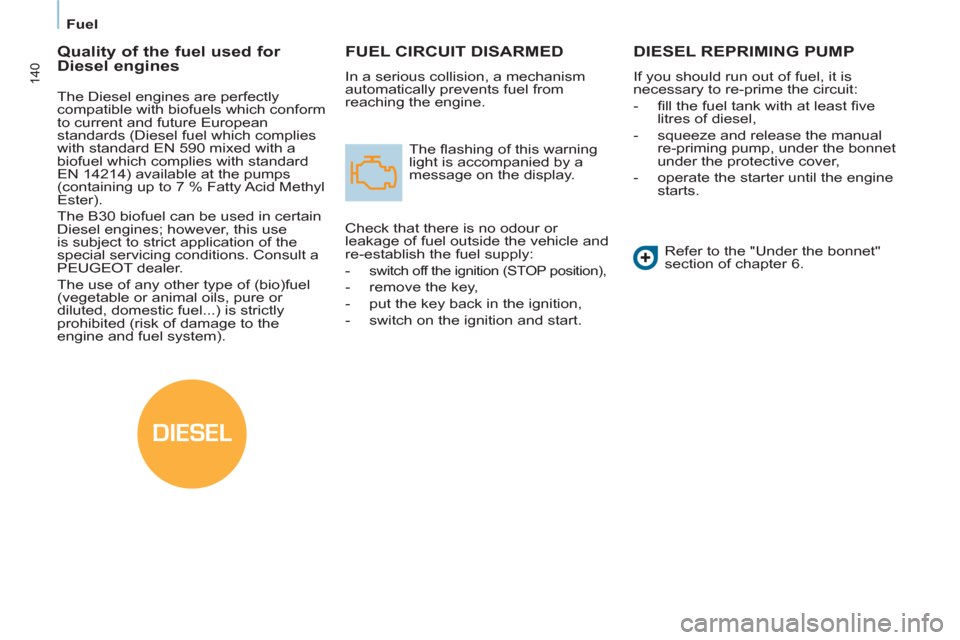
The fl ashing of this warning
light is accompanied by a
message on the display.
Check that there is no odour or
leakage of fuel outside the vehicle and
re-establish the fuel supply:
- switch off the ignition (STOP position),
- remove the key,
- put the key back in the ignition,
- switch on the ignition and start.
DIESEL REPRIMING PUMP
If you should run out of fuel, it is
necessary to re-prime the circuit:
- fi ll the fuel tank with at least fi ve
litres of diesel,
- squeeze and release the manual
re-priming pump, under the bonnet
under the protective cover,
- operate the starter until the engine
starts.
Refer to the "Under the bonnet"
section of chapter 6.
Quality of the fuel used for
Diesel engines
The Diesel engines are perfectly
compatible with biofuels which conform
to current and future European
standards (Diesel fuel which complies
with standard EN 590 mixed with a
biofuel which complies with standard
EN 14214) available at the pumps
(containing up to 7 % Fatty Acid Methyl
Ester).
The B30 biofuel can be used in certain
Diesel engines; however, this use
is subject to strict application of the
special servicing conditions. Consult a
PEUGEOT dealer.
The use of any other type of (bio)fuel
(vegetable or animal oils, pure or
diluted, domestic fuel...) is strictly
prohibited (risk of damage to the
engine and fuel system).
Page 143 of 232
141
Battery
QUICK HELP
7
BATTERY
Before disconnecting the battery, you
must wait for 2 minutes after switching
off the ignition.
Never disconnect a terminal when the
engine is running.
Never charge a battery without fi rst
disconnecting the terminals.
After every reconnection of the battery,
switch on the ignition and wait 1 minute
before starting to allow the electronic
systems to be initialised. If slight
diffi culties are experienced after this,
please contact a PEUGEOT dealer.
After changing bulbs, wait
approximately 3 minutes before
reconnecting the battery. It is advisable to disconnect the
battery if the vehicle is not to be used
for a period of more than one month.
To charge the battery using a
battery charger
- Disconnect the battery,
- Follow the instructions for use
given by the battery charger
manufacturer,
- Reconnect starting with the
negative (-) terminal,
- Check that the terminals and
connectors are clean. If they are
covered with sulphate (white or
greenish deposit), disconnect them
and clean them.
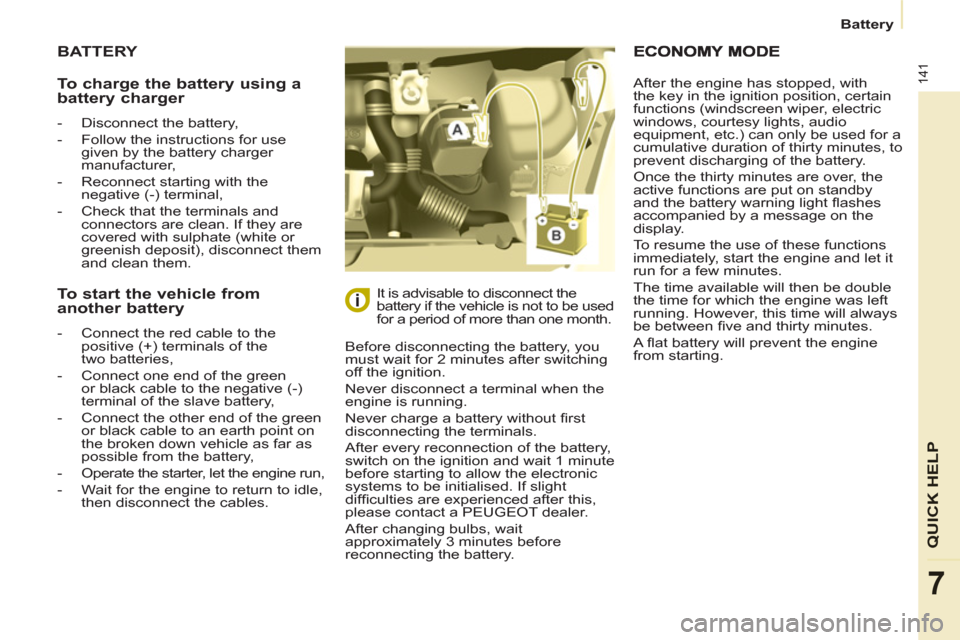
To start the vehicle from
another battery
- Connect the red cable to the
positive (+) terminals of the
two batteries,
- Connect one end of the green
or black cable to the negative (-)
terminal of the slave battery,
- Connect the other end of the green
or black cable to an earth point on
the broken down vehicle as far as
possible from the battery,
- Operate the starter, let the engine run,
- Wait for the engine to return to idle,
then disconnect the cables. After the engine has stopped, with
the key in the ignition position, certain
functions (windscreen wiper, electric
windows, courtesy lights, audio
equipment, etc.) can only be used for a
cumulative duration of thirty minutes, to
prevent discharging of the battery.
Once the thirty minutes are over, the
active functions are put on standby
and the battery warning light fl ashes
accompanied by a message on the
display.
To resume the use of these functions
immediately, start the engine and let it
run for a few minutes.
The time available will then be double
the time for which the engine was left
running. However, this time will always
be between fi ve and thirty minutes.
A fl at battery will prevent the engine
from starting.
Page 145 of 232
143
QUICK HELP
7
Changing a wheel
1. PARKING THE VEHICLE
- The occupants must get out of the
vehicle and wait in a safe location.
- If possible, park the vehicle on
level, stable and non-slippery
ground.
- Apply the parking brake, switch
off the ignition and engage fi rst or
reverse gear.
- If available, place a chock under
the wheel diagonally opposite the
one to be changed.
If the vehicle is fi tted with a towbar,
it is sometimes necessary to raise
the vehicle slightly to make it easier
to remove the spare wheel from its
carrier.
On certain types of ground and/or
if considerable loads are being
transported, call a PEUGEOT dealer.
CHANGING A WHEEL
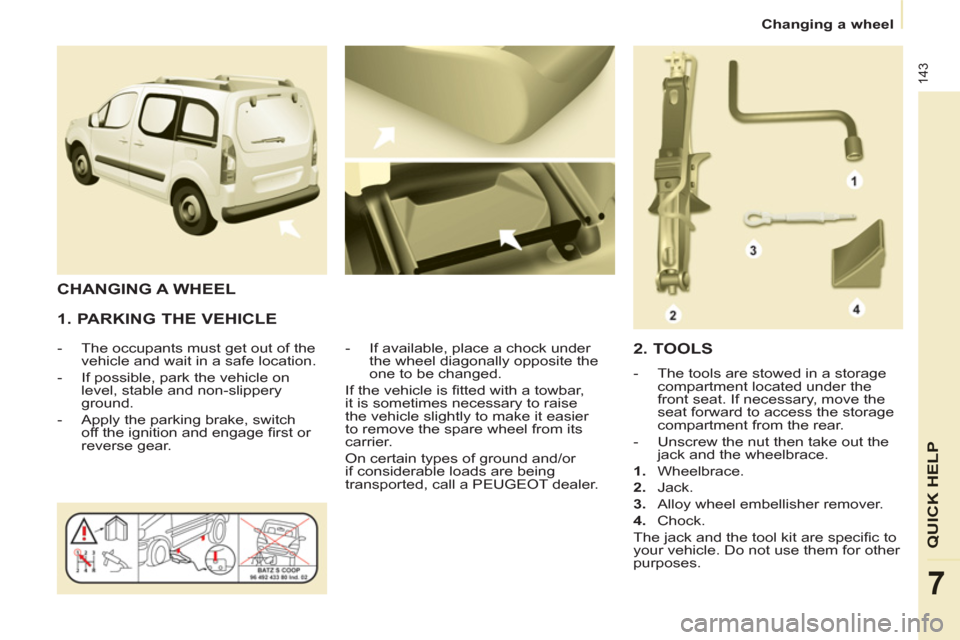
2. TOOLS
- The tools are stowed in a storage
compartment located under the
front seat. If necessary, move the
seat forward to access the storage
compartment from the rear.
- Unscrew the nut then take out the
jack and the wheelbrace.
1.
Wheelbrace.
2.
Jack.
3.
Alloy wheel embellisher remover.
4.
Chock.
The jack and the tool kit are specifi c to
your vehicle. Do not use them for other
purposes.
Page 150 of 232

148
Changing a bulb
CHANGING A BULB
Ty p e A
All glass bulb: pull gently
as it is fi tted by pressure.
High pressure washing
Open the bonnet. To access the bulbs,
reach behind the headlamp unit.
Carry out the operations in reverse
order to refi t each bulb and check that
the bonnet is closed securely.
Ty p e C
Halogen bulb: release the
retaining spring from its
housing.
Ty p e B
Bayonet bulb: press
on the bulb then turn it
anticlockwise.
Halogen bulbs must be changed
with the headlamp off. Wait a few
minutes (risk of serious burns).
Do not touch the bulb directly with your
fi ngers, use lint-free cloths.
It is normal for condensation to form
inside the headlamps. Regular use of
the vehicle eliminates this misting. The bulbs must be changed with
the ignition off or with the battery
disconnected. Wait approximately
3 minutes after changing the bulb
before reconnecting the battery.
Check that the lamps operate correctly
after each operation.
When using this type of washing
on stubborn dirt, do not persist
on the headlamps, the lamps and
their edges to avoid damaging their
coating and seals.
Types of bulb
Various types of bulb are fi tted to your
vehicle. To remove them:
Page 156 of 232

154
Changing a fuse
DASHBOARD FUSES
Tilt the cover to gain access to the
fuses. Fuses
F
Amperes
A
Allocation
1 15 Rear wiper
2 - Spare
3 5 Airbag
4 10 Air conditioning, diagnostic socket, mirror control,
headlamp beam
5 30 Electric windows
6 30 Locks
7 5 Rear courtesy lamp, front map reading lamp, roof
console
8 20 Audio equipment, screen, tyre under-infl ation
detection, alarm and siren
9 30 Front and rear 12 V socket
10 15 Central column
11 15 Low current ignition switch
12 15 Rain and sunshine sensor, airbag
13 5 Instrument panel
14 15 Parking sensors, digital air conditioning controls,
hands-free phone kit
15 30 Locks
16 - Spare
17 40 Rear screen/mirrors demist/defrost
Page 159 of 232
157
QUICK HELP
7
Changing a wiper blade
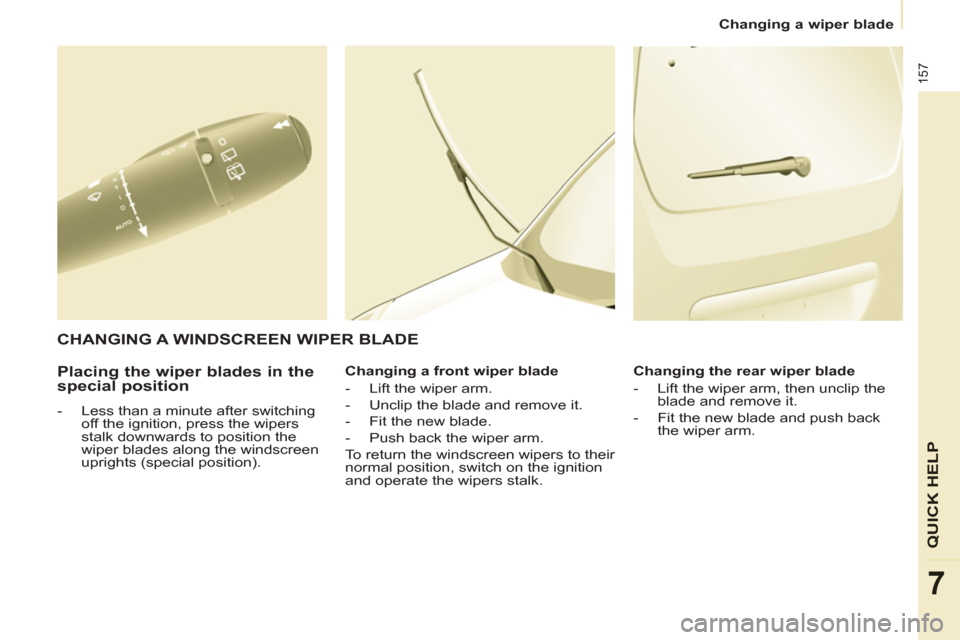
Placing the wiper blades in the
special position
- Less than a minute after switching
off the ignition, press the wipers
stalk downwards to position the
wiper blades along the windscreen
uprights (special position).
Changing a front wiper blade
- Lift the wiper arm.
- Unclip the blade and remove it.
- Fit the new blade.
- Push back the wiper arm.
To return the windscreen wipers to their
normal position, switch on the ignition
and operate the wipers stalk.
Changing the rear wiper blade
- Lift the wiper arm, then unclip the
blade and remove it.
- Fit the new blade and push back
the wiper arm.
CHANGING A WINDSCREEN WIPER BLADE
Page 191 of 232

9.23
08
1
2
3
2 1 4
*
The services available depend on the network, the SIM card and thecompatibility of the Bluetooth telephone used. Check the telephone
manual and with your network provider for details of the servicesavailable to you. A list of mobile telephones with the best level of compatibility is available from the dealer network.
BLUETOOTH TELEPHONE
CONNECTING A TELEPHONE
For reasons of safety and because they require prolonged attentionon the part of the driver, the operations for pairing the Bluetooth mobile telephone to the hands-free system of the Peugeot ConnectNavigation must be carried out with the vehicle stationary. Theignition must be on.
Activate the telephone's Bluetooth
function.
The last telephone connected is reconnected
automaticall
y. Enter the authentication code on the tele
phone.
The code to be entered is displayed on thescreen.
To change the telephone connected, press the PHONE button, then select Phone Menu and press the dial
to confi rm.
Once the telephone has been connected, Peugeot Connect
Navigation can synchronise the address book and the call list. This
s
ynchronisation may take a few minutes * .
Select "Connect phone". Select the
telephone and press to confi rm. The list o
f telephones connected previously (4 maximum) appears
on the multifunction screen. Select the telephone required for a newconnection.Press the PH
ONE button.
For a
fi rst connection, select"Search phone" and press the dial to confi rm. Then select the name of thetelephone.
Search
phone
Connect phone
Page 194 of 232
9.26
10
1
TRIP COMPUTER
TRIP COMPUTER
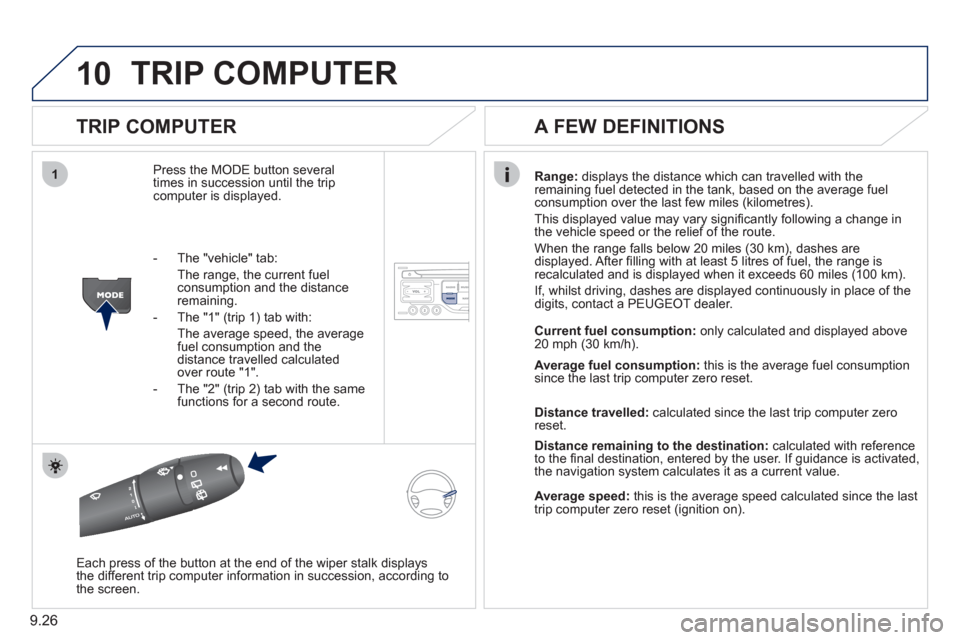
Press the MODE button several
times in succession until the tripcomputer is displayed.
Range: displays the distance which can travelled with the
remaining fuel detected in the tank, based on the average fuelconsumption over the last few miles (kilometres).
This displa
yed value may vary signifi cantly following a change in
the vehicle speed or the relief of the route.
When the range
falls below 20 miles (30 km), dashes are
displayed. After fi lling with at least 5 litres of fuel, the range is
recalculated and is displayed when it exceeds 60 miles (100 km).
If, whilst drivin
g, dashes are displayed continuously in place of the
digits, contact a PEUGEOT dealer.
Each press o
f the button at the end of the wiper stalk displays
the different trip computer information in succession, according to
the screen.
A FEW DEFINITIONS
- The "vehicle" tab:
The ran
ge, the current fuel consumption and the distance
remaining.
- The "1"
(trip 1) tab with:
The average speed, the average fuel consumption and thedistance travelled calculated over route "1".
- The "2"
(trip 2) tab with the same
functions for a second route.Current fuel consum
ption:only calculated and displayed above
20 mph (30 km/h).
Average fuel consumption: this is the average fuel consumption
since the last trip computer zero reset.
Distance travelled: calculated since the last trip computer zero
reset.
Distance remaining to the destination:calculated with referenceto the fi nal destination, entered by the user. If guidance is activated,
the navigation system calculates it as a current value.
Average speed:this is the average speed calculated since the last
trip computer zero reset (ignition on).