Page 70 of 280
68
The air conditioning system does not contain chlorine and does not
present any danger to the ozone layer.
Recommendations for ventilation and air conditioning
In order for these systems to be fully effective, follow the operation and mainte-
nance guidelines below:
)
If the interior temperature remains very high after the vehicle has been parked
in the sun for a considerable time, fi rst ventilate the passenger compartment
for a few minutes.
Place the air fl ow control at a suffi cient level to provide an adequate renewal
of air in the passenger compartment.
)
To obtain an even air distribution, take care not to obstruct the exterior air
intake grilles located at the base of the windscreen, the nozzles, the vents
and the air outlets, as well as the air extractor located in the boot.
)
Use in preference the intake of exterior air as prolonged use of the air recir-
culation may cause misting of the windows and side windows.
)
Do not cover the sunshine sensor, located on the dashboard; this is used for
regulation of the automatic air conditioning system.
)
Operate the air conditioning system for 5 to 10 minutes, once or twice a
month to keep it in perfect working order.
)
Ensure that the passenger compartment fi lter is in good condition and have
the fi lter elements replaced regularly (refer to the "Checks" section).
We recommend the use of a combined passenger compartment fi lter. Thanks
to its second special active fi lter, it contributes to the purifi cation of the air
breathed by the occupants and the cleanliness of the passenger compart-
ment (reduction of allergic symptoms, bad odours and greasy deposits).
)
The air conditioning uses power from the engine while operating. This
results in an increase in the vehicle's fuel consumption.
When towing at or near maximum capacity or on steep slopes in high
ambient temperatures, switching off the air conditioning saves engine power
and so improves towing capacity.
Condensation created by the air conditioning results in a discharge of water
under the vehicle when stationary, which is perfectly normal.
)
To ensure correct operation of the air conditioning system, you are also
advised to have it checked regularly.
)
If the system does not produce cold air, do not use it and contact a PEUGEOT
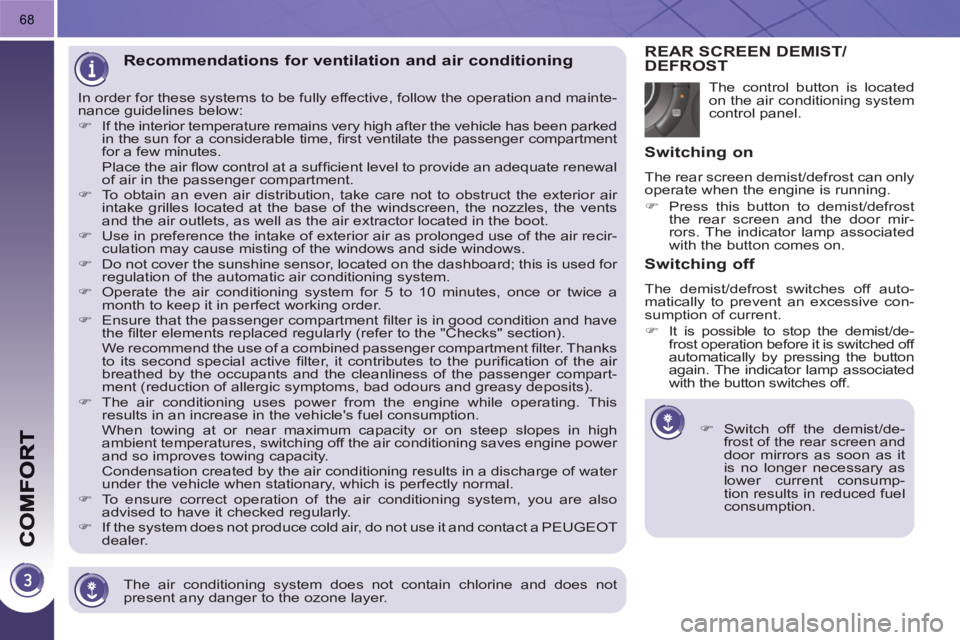
dealer. The control button is located
on the air conditioning system
control panel.
REAR SCREEN DEMIST/DEFROST
)
Switch off the demist/de-frost of the rear screen and door mirrors as soon as it
is no longer necessary as
lower current consump-
tion results in reduced fuel
consumption.
Switching on
The rear screen demist/defrost can only
operate when the engine is running.
)
Press this button to demist/defrost
the rear screen and the door mir-
rors. The indicator lamp associated
with the button comes on.
Switching off
The demist/defrost switches off auto-
matically to prevent an excessive con-
sumption of current.
)
It is possible to stop the demist/de-
frost operation before it is switched off
automatically by pressing the button
again. The indicator lamp associated
with the button switches off.
Page 199 of 280
TECHNICAL DATA
197
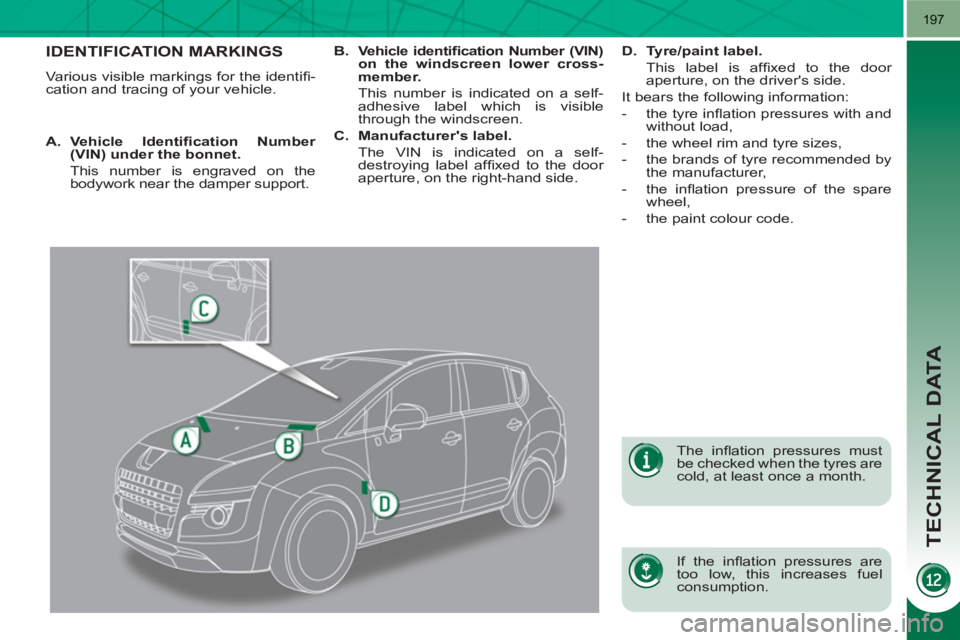
IDENTIFICATION MARKINGS
Various visible markings for the identifi -
cation and tracing of your vehicle.
If the infl ation pressures are
too low, this increases fuel
consumption.
The infl ation pressures must
be checked when the tyres are
cold, at least once a month.
A.
Vehicle Identifi cation Number
(VIN) under the bonnet.
This number is engraved on the
bodywork near the damper support.
B.
Vehicle identifi cation Number (VIN)
on the windscreen lower cross-
member.
This number is indicated on a self-
adhesive label which is visible
through the windscreen.
C.
Manufacturer's label.
The VIN is indicated on a self-
destroying label affi xed to the door
aperture, on the right-hand side.
D.
Tyre/paint label.
This label is affi xed to the door
aperture, on the driver's side.
It bears the following information:
- the tyre infl ation pressures with and
without load,
- the wheel rim and tyre sizes,
- the brands of tyre recommended by
the manufacturer,
- the infl ation pressure of the spare
wheel,
- the paint colour code.
Page 262 of 280
260
1
08
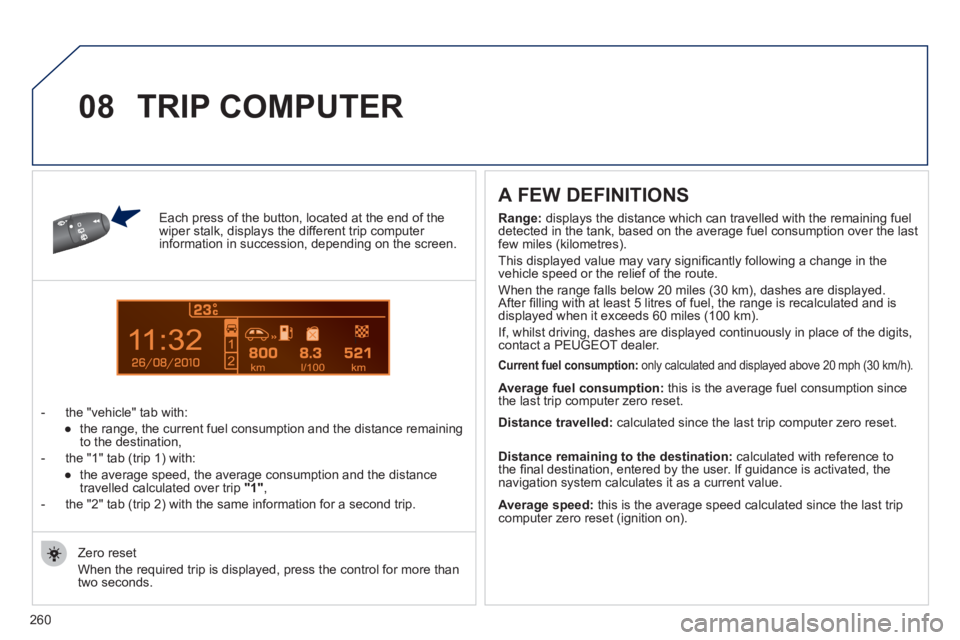
Each press of the button, located at the end of the wiper stalk, displays the different trip computer information in succession, depending on the screen.
- t
he "vehicle" tab with:
●
the ran
ge, the current fuel consumption and the distance remainingto the destination,
- the "1" tab
(trip 1) with:
●
the avera
ge speed, the average consumption and the distance
travelled calculated over trip "1",
- the "2" tab
(trip 2) with the same information for a second trip.
A FEW DEFINITIONS
Zero reset
When the required trip is displa
yed, press the control for more than
two seconds.
TRIP COMPUTER
Range: displays the distance which can travelled with the remaining fuel
detected in the tank, based on the average fuel consumption over the last few miles (kilometres).
This displayed value may vary signi
fi cantly following a change in the
vehicle speed or the relief of the route.
When the ran
ge falls below 20 miles (30 km), dashes are displayed.
After fi lling with at least 5 litres of fuel, the range is recalculated and is
displayed when it exceeds 60 miles (100 km).
If, whilst drivin
g, dashes are displayed continuously in place of the digits,contact a PEUGEOT dealer.
Current fuel consumption:only calculated and displayed above 20 mph (30 km/h).
Average fuel consumption: this is the average fuel consumption since
the last trip computer zero reset.
Average speed: this is the average speed calculated since the last trip computer zero reset (ignition on).
Distance travelled:
calculated since the last trip computer zero reset.
Distance remaining to the destination:calculated with reference to
the fi nal destination, entered by the user. If guidance is activated, the
navigation system calculates it as a current value.