Page 331 of 714
![MITSUBISHI OUTLANDER 2011 2.G Owners Manual 3-216 Features and controls
3
Headlight reminder buzzer
N00549800170
[When using a key to start the engine]
If the driver’s door is opened with the key in the “LOCK” or
“ACC” position or rem](/manual-img/19/7521/w960_7521-330.png "MITSUBISHI OUTLANDER 2011 2.G Owners Manual 3-216 Features and controls
3
Headlight reminder buzzer
N00549800170
[When using a key to start the engine]
If the driver’s door is opened with the key in the “LOCK” or
“ACC” position or rem")
3-216 Features and controls
3
Headlight reminder buzzer
N00549800170
[When using a key to start the engine]
If the driver’s door is opened with the key in the “LOCK” or
“ACC” position or removed from the ignition switch while the
lights are on, the tone will sound to remind you to turn off the
lights.
[When using the F.A.S.T.-key to start the engine]
If the driver’s door is opened with the ignition switch in the
“LOCK” or “ACC” position, or if the ignition switch is moved
to the “LOCK” position while the lights are on, the tone will
sound to remind you to turn off the lights.
In either case, the lights will turn off automatically and so will
the tone.
Or you can turn the light switch to the “OFF” position to stop
the tone.
Dimmer (high/low beam change)
N00549900142
To change the headlights from high beam to low beam and vice
versa, pull the turn signal lever to (1). Switch the headlights to
low beam as a courtesy whenever there are oncoming vehicles,
or when there is traffic moving ahead of you. An illuminated
blue light in the instrument cluster indicates when the head-
lights are on high beam.
BK0122500US.book 216 ページ 2010年5月12日 水曜日 午前11時11分
Page 333 of 714
3-218 Features and controls
3
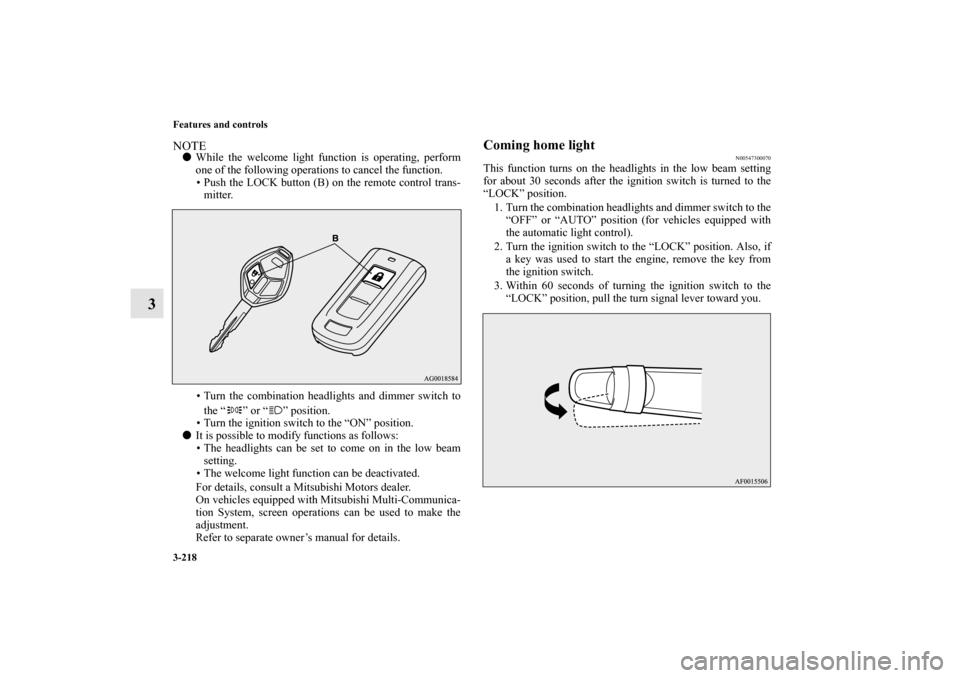
NOTE�While the welcome light function is operating, perform
one of the following operations to cancel the function.
• Push the LOCK button (B) on the remote control trans-
mitter.
• Turn the combination headlights and dimmer switch to
the “ ” or “ ” position.
• Turn the ignition switch to the “ON” position.
�It is possible to modify functions as follows:
• The headlights can be set to come on in the low beam
setting.
• The welcome light function can be deactivated.
For details, consult a Mitsubishi Motors dealer.
On vehicles equipped with Mitsubishi Multi-Communica-
tion System, screen operations can be used to make the
adjustment.
Refer to separate owner’s manual for details.
Coming home light
N00547300070
This function turns on the headlights in the low beam setting
for about 30 seconds after the ignition switch is turned to the
“LOCK” position.
1. Turn the combination headlights and dimmer switch to the
“OFF” or “AUTO” position (for vehicles equipped with
the automatic light control).
2. Turn the ignition switch to the “LOCK” position. Also, if
a key was used to start the engine, remove the key from
the ignition switch.
3. Within 60 seconds of turning the ignition switch to the
“LOCK” position, pull the turn signal lever toward you.
BK0122500US.book 218 ページ 2010年5月12日 水曜日 午前11時11分
Page 334 of 714

Features and controls
3-219
3
4. The headlights will come on in the low beam setting for
about 30 seconds. After the headlights go off, the head-
lights can be turned on again in the low beam setting for
about 30 seconds by pulling the turn signal lever toward
you within 60 seconds of turning the ignition switch to the
“LOCK” position. To turn on the headlights again after 60
seconds of turning the ignition switch to the “LOCK”
position, repeat the process from step 1.NOTE�While the coming home light function is operating, per-
form one of the following operations to cancel the func-
tion.
• Pull the turn signal lever toward you.
• Turn the combination headlights and dimmer switch to
the “ ” or “ ” position.
• Turn the ignition switch to the “ON” position.
�It is possible to modify functions as follows:
• The time that the headlights remain on can be changed.
• The coming home light function can be deactivated.
For details, consult a Mitsubishi Motors dealer.
On vehicles equipped with Mitsubishi Multi-Communica-
tion System, screen operations can be used to make the
adjustment.
Refer to separate owner’s manual for details.
Headlight leveling switch
(if so equipped)
N00537100075
The direction of the headlight beam (the direction in which the
light shines) alters according to the number of people and the
load in the vehicle. Lower the headlight angle if it is too high
due to the number of people and/or the load in the vehicle so
that the headlights’ glare does not distract the drivers of
approaching vehicles. First set the light switch to the “ ”
position, then turn the headlight leveling switch knob to lower
the beam. The greater the number on the headlight leveling
switch knob, the lower the beam will point.
Set the switch to the appropriate position so that the headlight
beam is level with the road.
BK0122500US.book 219 ページ 2010年5月12日 水曜日 午前11時11分
Page 336 of 714
Features and controls
3-221
3
NOTE�A light in the instrument panel flashes to show when the
front and rear turn signal lights are working properly.
If this light flashes faster than usual, check for a burned
out turn signal light bulb or malfunctioning connection in
the signal.
If the panel light does not come on when the lever is
moved, check for a blown fuse or a burned out bulb in the
panel.
Have the system inspected by your authorized Mitsubishi
Motors dealer or a repair facility of your choice.
�It is possible to modify functions as follows:
• Deactivate the turn signal light 3-flash function for lane
changes.
• Adjust the time required to operate the lever for the 3-
flash function.
See your authorized Mitsubishi Motors dealer for details.
For vehicles equipped with the Mitsubishi Multi-Commu-
nication System, adjustments can be made using screen
operations. For further details, refer to the separate
owner’s manual.
Hazard warning flasher switch
N00522700190
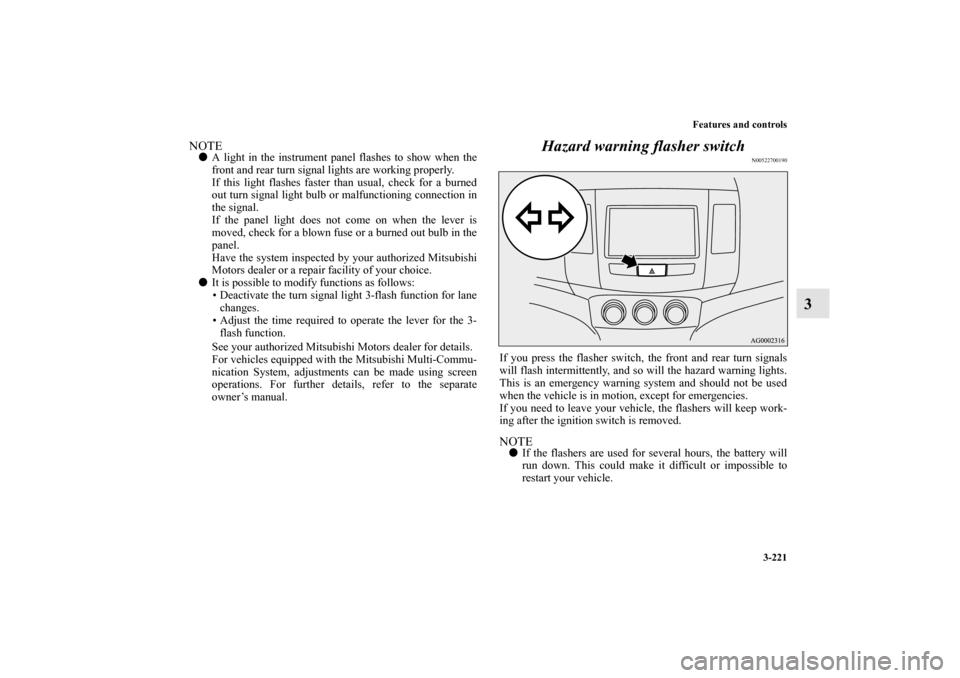
If you press the flasher switch, the front and rear turn signals
will flash intermittently, and so will the hazard warning lights.
This is an emergency warning system and should not be used
when the vehicle is in motion, except for emergencies.
If you need to leave your vehicle, the flashers will keep work-
ing after the ignition switch is removed.NOTE�If the flashers are used for several hours, the battery will
run down. This could make it difficult or impossible to
restart your vehicle.
BK0122500US.book 221 ページ 2010年5月12日 水曜日 午前11時11分
Page 338 of 714

Features and controls
3-223
3 Wiper and washer switch
N00523000578
Windshield wipersNOTE�To ensure a clear rearward view, the rear window wiper
will automatically perform several continuous operations
if the selector lever is put in the “R” position while the
windshield wipers are operating.
Refer to “Rear window wiper and washer” on page 3-230.Except for vehicle with rain sensorThe windshield wiper and washer can be operated with the
ignition switch in the “ON” or “ACC” position.
If the blades are frozen to the windshield, do not operate the
wipers until the ice has melted and the blades are freed, other-
wise the wiper motor may be damaged.
CAUTION
!�If the washer is used in cold weather, the washer
fluid sprayed against the glass may freeze, which
may hinder visibility. Warm the glass with the
defroster before using the washer.
MIST- Misting function
The wipers will operate once.
OFF- Off
INT- Intermittent (Speed sensitive)
LO- Slow
HI- Fast
BK0122500US.book 223 ページ 2010年5月12日 水曜日 午前11時11分
Page 339 of 714
3-224 Features and controls
3
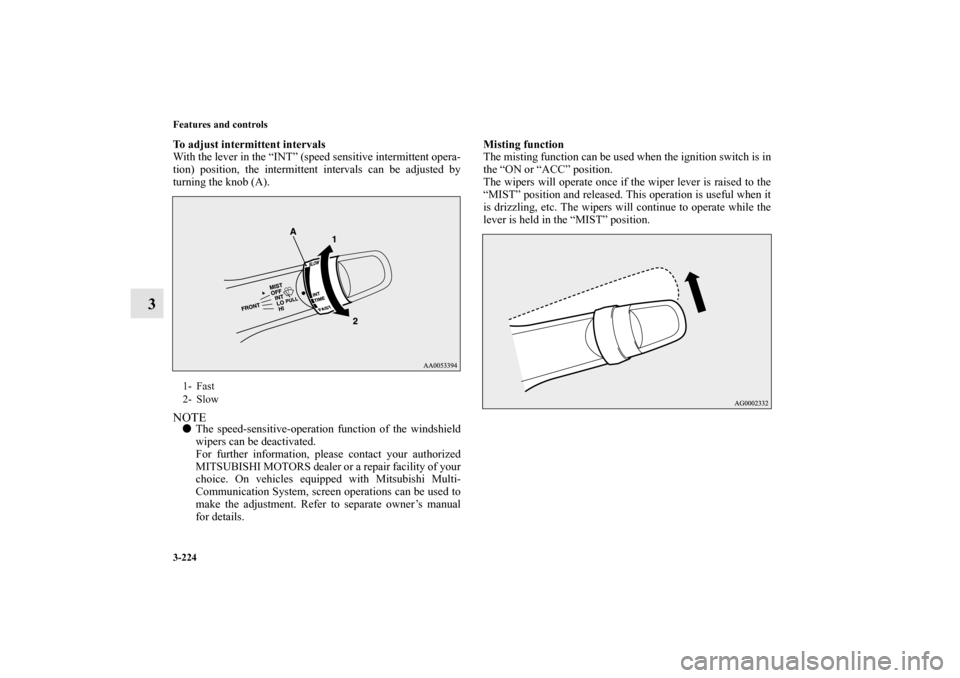
To adjust intermittent intervals
With the lever in the “INT” (speed sensitive intermittent opera-
tion) position, the intermittent intervals can be adjusted by
turning the knob (A). NOTE�The speed-sensitive-operation function of the windshield
wipers can be deactivated.
For further information, please contact your authorized
MITSUBISHI MOTORS dealer or a repair facility of your
choice. On vehicles equipped with Mitsubishi Multi-
Communication System, screen operations can be used to
make the adjustment. Refer to separate owner’s manual
for details.Misting function
The misting function can be used when the ignition switch is in
the “ON or “ACC” position.
The wipers will operate once if the wiper lever is raised to the
“MIST” position and released. This operation is useful when it
is drizzling, etc. The wipers will continue to operate while the
lever is held in the “MIST” position.1- Fast
2- Slow
BK0122500US.book 224 ページ 2010年5月12日 水曜日 午前11時11分
Page 340 of 714

Features and controls
3-225
3
Vehicle with rain sensorThe windshield wipers can be operated with the ignition switch
in the “ON” or “ACC” position.
If the blades are frozen to the windshield or rear window, do
not operate the wipers until the ice has melted and the blades
are freed, otherwise the wiper motor may be damaged.Rain sensor (if so equipped)
Can only be used when the ignition switch is “ON” position.
If the lever is put in the “AUTO” position, the rain sensor (A)
will detect the extent of rain (or snow, other moisture, dust,
etc.) and the wipers will operate automatically.
Keep the lever in the “OFF” position if the windshield is dirty
and the weather is dry.
Wiper operation under these conditions can scratch the wind-
shield and damage the wipers.MIST- Misting function
The wipers will operate once.
OFF- Off
INT- Auto-wiper control
Rain sensor
The wipers will automatically operate depending on the
degree of wetness on the windshield.
LO- Slow
HI- Fast
BK0122500US.book 225 ページ 2010年5月12日 水曜日 午前11時11分
Page 341 of 714

3-226 Features and controls
3
NOTE�To protect the rubber parts of the wipers, this operation of
the wipers does not take place when the vehicle is station-
ary and the ambient temperature is about 32 °F (0 °C) or
lower.
�Do not cover the sensor by affixing a sticker or label to the
windshield. Also, do not put any water-repellent coating
on the windshield. The rain sensor would not be able to
detect the extent of rain, and the wipers might stop work-
ing normally.
�In the following cases, the rain sensor may be malfunc-
tioning. Have the vehicle checked at an authorized Mit-
subishi Motors dealer or a repair facility of your choice.
• When the wipers operate at a constant interval despite
changes in the extent of rain.
• When the wipers do not operate even though it is rain-
ing.
�The wipers may automatically operate when things such
as insects or foreign objects are affixed to the windshield
on top of the rain sensor or when the windshield is frozen.
Objects affixed to the windshield will stop the wipers
when the wipers cannot remove them. To operate the wip-
ers again, move the lever to the “LO” or “HI” position.
Also, the wipers may operate automatically due to strong
direct sunlight or electromagnetic wave. To stop the wip-
ers, move the lever to the “OFF” position.
�Contact an authorized Mitsubishi Motors dealer or a
repair facility of your choice when replacing the wind-
shield glass.
CAUTION
!�With the ignition switch in the “ON” position and
the lever in the “AUTO” position, the wipers may
automatically operate in the situations described
below.
• When cleaning the outside surface of the wind-
shield, if you touch the rain sensor.
• When cleaning the outside surface of the wind-
shield, if you wipe with a cloth the rain sensor.
• When using an automatic car wash.
• A physical shock is applied to the windshield.
• A physical shock is applied to the rain sensor.If your hands get trapped, you could suffer injuries
or the wipers could malfunction. Be sure to turn the
ignition switch to the “OFF” position or move the
lever to the “OFF” position to deactivate the rain
sensor.
BK0122500US.book 226 ページ 2010年5月12日 水曜日 午前11時11分