Page 647 of 700
7-70 Vehicle care and maintenance
7
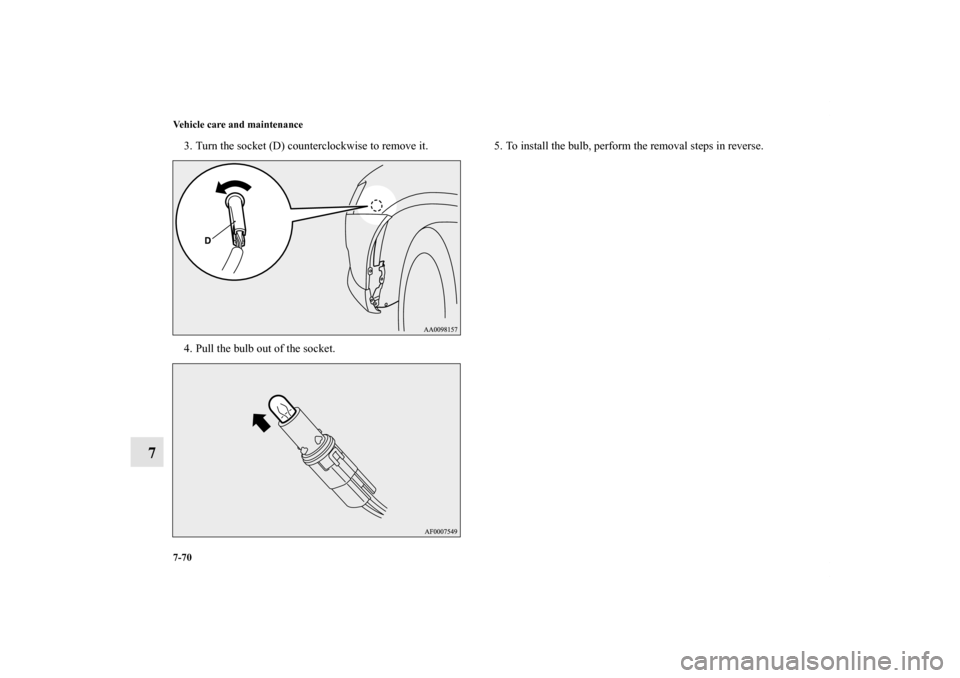
3. Turn the socket (D) counterclockwise to remove it.
4. Pull the bulb out of the socket.5. To install the bulb, perform the removal steps in reverse.
BK0119300US.book 70 ページ 2010年5月21日 金曜日 午前10時13分
Page 649 of 700
7-72 Vehicle care and maintenance
7
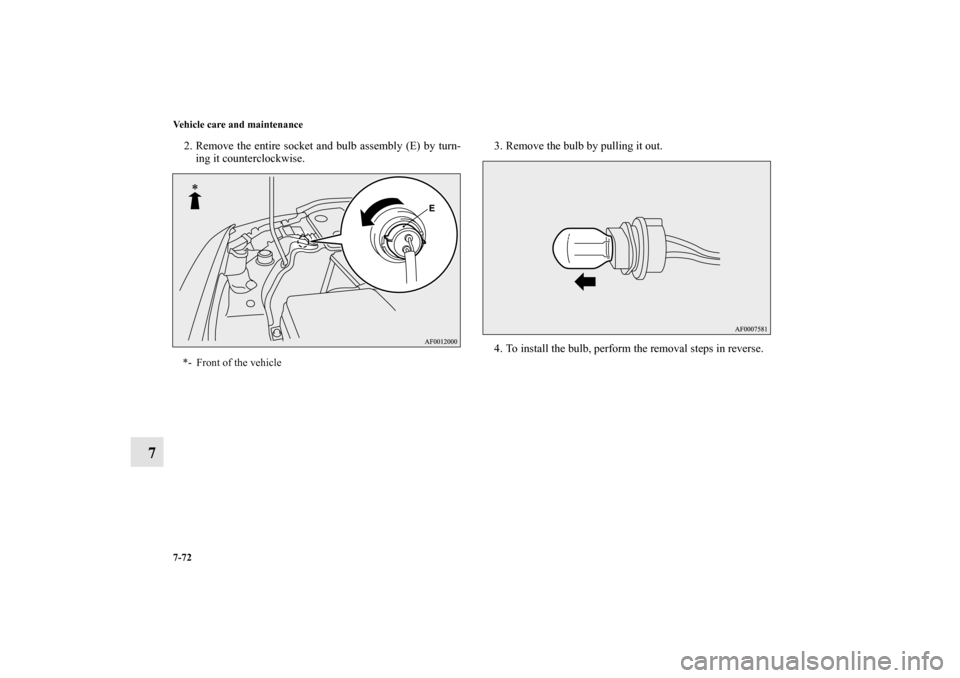
2. Remove the entire socket and bulb assembly (E) by turn-
ing it counterclockwise.3. Remove the bulb by pulling it out.
4. To install the bulb, perform the removal steps in reverse.*- Front of the vehicle
BK0119300US.book 72 ページ 2010年5月21日 金曜日 午前10時13分
Page 652 of 700
Vehicle care and maintenance
7-75
7
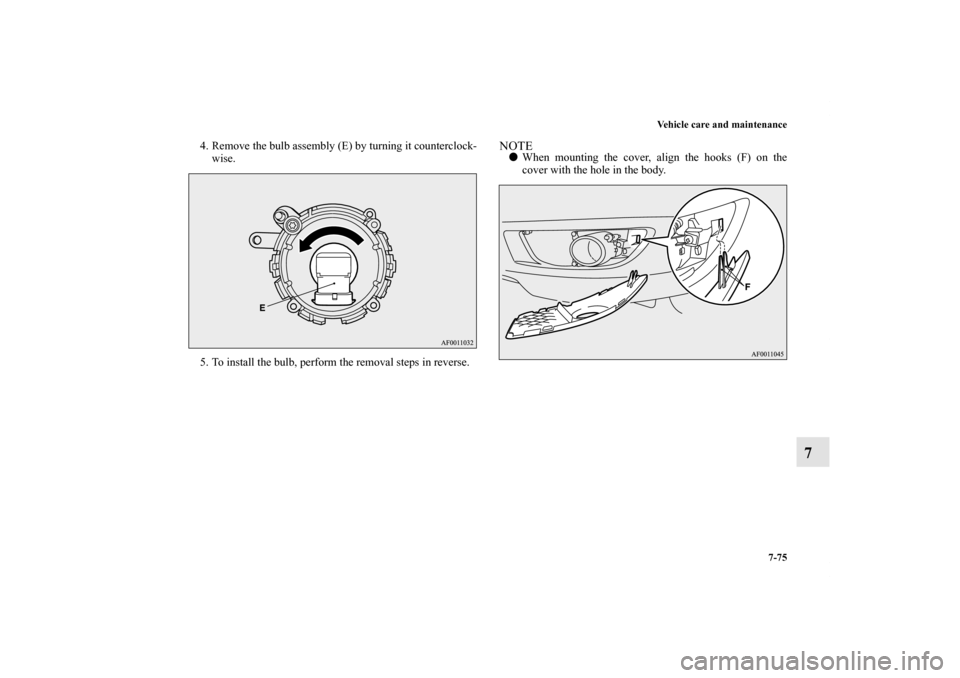
4. Remove the bulb assembly (E) by turning it counterclock-
wise.
5. To install the bulb, perform the removal steps in reverse.
NOTE�When mounting the cover, align the hooks (F) on the
cover with the hole in the body.
BK0119300US.book 75 ページ 2010年5月21日 金曜日 午前10時13分
Page 656 of 700
Vehicle care and maintenance
7-79
7
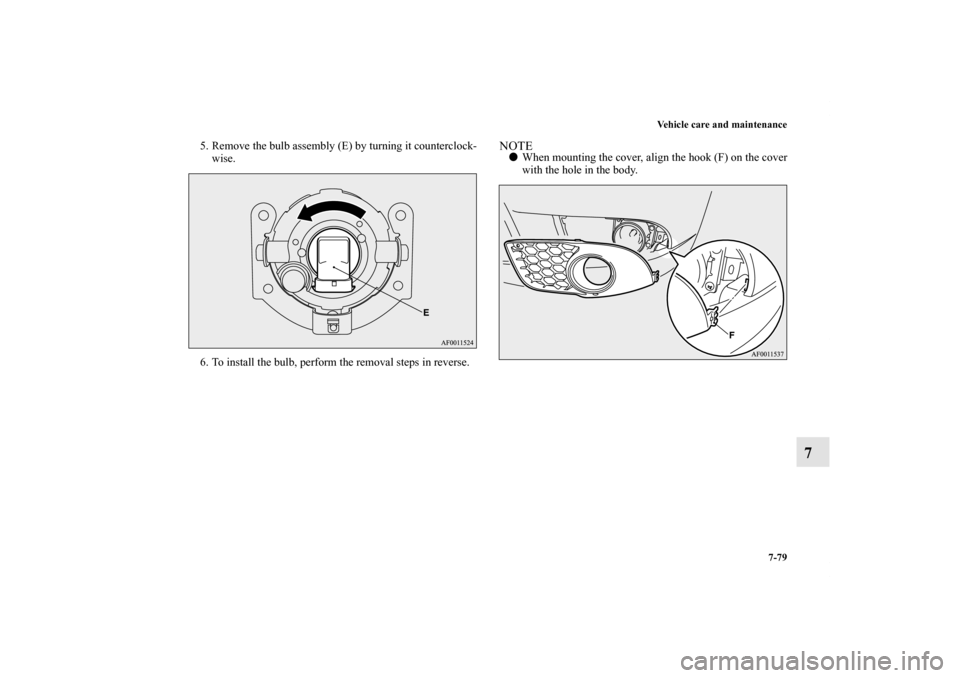
5. Remove the bulb assembly (E) by turning it counterclock-
wise.
6. To install the bulb, perform the removal steps in reverse.
NOTE�When mounting the cover, align the hook (F) on the cover
with the hole in the body.
BK0119300US.book 79 ページ 2010年5月21日 金曜日 午前10時13分
Page 658 of 700
Vehicle care and maintenance
7-81
7
2. Remove the light unit in the rear direction. 3. Remove the socket and bulb assemblies by turning them
counterclockwise.
B- Tail and stop light
C- Rear turn signal light
D- Rear side-marker light
BK0119300US.book 81 ページ 2010年5月21日 金曜日 午前10時13分
Page 660 of 700
Vehicle care and maintenance
7-83
7
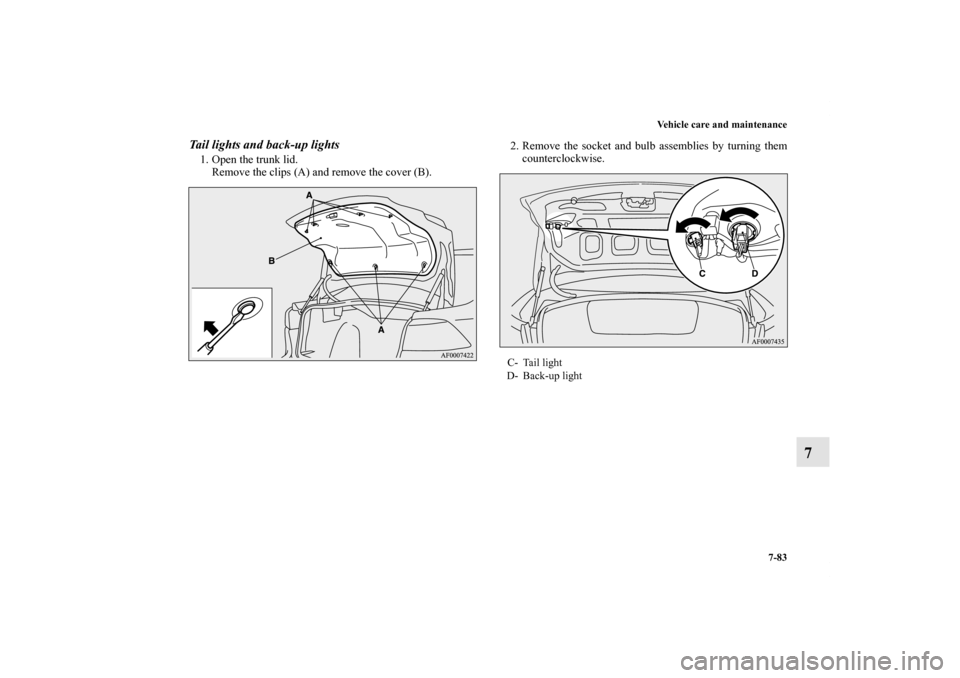
Tail lights and back-up lights1. Open the trunk lid.
Remove the clips (A) and remove the cover (B).2. Remove the socket and bulb assemblies by turning them
counterclockwise.
C- Tail light
D- Back-up light
BK0119300US.book 83 ページ 2010年5月21日 金曜日 午前10時13分
Page 662 of 700
Vehicle care and maintenance
7-85
7
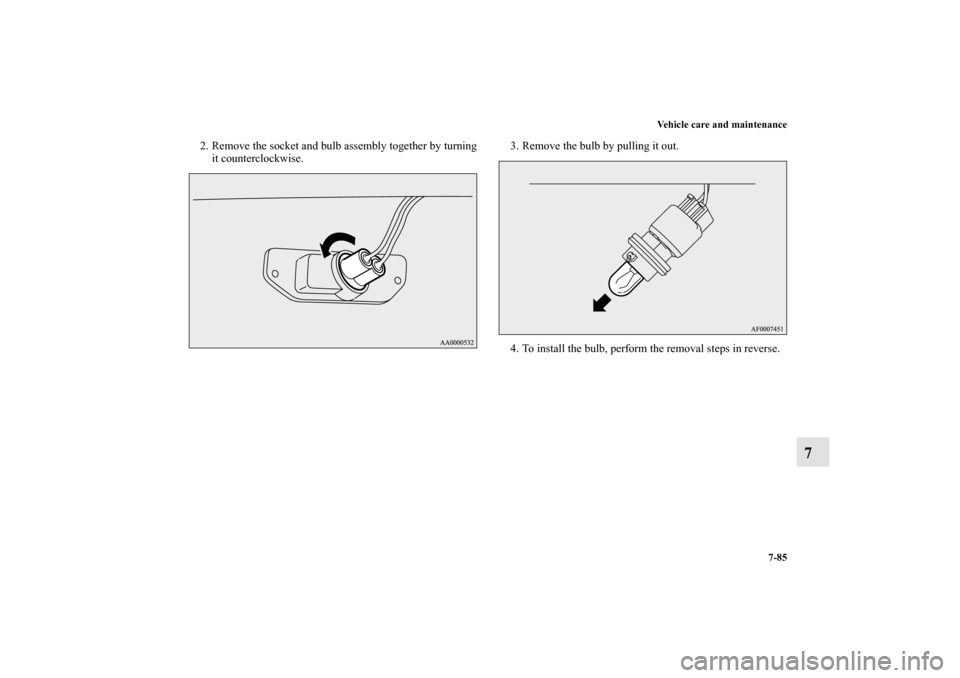
2. Remove the socket and bulb assembly together by turning
it counterclockwise.3. Remove the bulb by pulling it out.
4. To install the bulb, perform the removal steps in reverse.
BK0119300US.book 85 ページ 2010年5月21日 金曜日 午前10時13分