Page 216 of 424
Features and controls
3-127
3
If you continue to have programming difficulties, please con-
tact an authorized Mitsubishi Motors dealer or a repair facility
of your choice. Clearing the programmed informationTo clear all programming, press and hold the two outside but-
tons and release when the indicator light begins to flash
(approximately 20 seconds) individual buttons cannot be
cleared.Reprogramming a single HomeLink® buttonTo reprogram a HomeLink® button, complete the following.
1. Press and hold the desired HomeLink® button. Do not
release the button until step 4 has been completed.
2. When the indicator light begins to flash slowly (after 20
seconds), position the hand-held transmitter 2 to 5 inches
(50 to 127 mm) away from HomeLink® surface.
3. Press and hold the hand-held transmitter button.
4. HomeLink® indicator light will flash, first slowly and
then rapidly. When the indicator light begins to flash rap-
idly, release both buttons.
The new device can be activated by pushing HomeLink® but-
ton that was just programmed. This procedure will not affect
any other programmed HomeLink® buttons.If your vehicle is stolenIf your vehicle is stolen, you should change the codes of any
non-rolling code device that has been programmed into
HomeLink®. Consult the Owner’s Manual of each device or
call the manufacturer or dealer of those devices for additional
information. When your vehicle is recovered, you will need to
reprogram HomeLink® with your new transmitter information.
General informationYour HomeLink® system operates on a radio frequency sub-
ject to Federal Communications Commission (FCC) Rules
(For vehicles sold in U.S.A.) and Industry Canada Rules (For
vehicles sold in Canada). This device complies with Part 15 of
the FCC Rules and RSS- 210 of the Industry Canada Rules.
Operation is subject to the following two conditions.
�This device may not cause interference.
�This device must accept any interference received, includ-
ing interference that may cause undesired operation.
CAUTION
!�Changes or modifications not expressly approved by
the manufacturer for compliance could void the
user’s authority to operate the equipment.
BK0121200US.book 127 ページ 2010年4月14日 水曜日 午前11時24分
Page 238 of 424
5
Comfort controls
Vents. . . . . . . . . . . . . . . . . . . . . . . . . . . . . . . . . . . .5- 2
Manual air conditioning (if so equipped). . . . . . . .5- 5
Automatic air conditioning (if so equipped) . . . . .5- 13
Important air conditioning operating tips . . . . . . .5- 21
Audio system . . . . . . . . . . . . . . . . . . . . . . . . . . . . .5- 22
AM/FM electronically tuned radio with CD
player-Type 1 (if so equipped) . . . . . . . . . . . . . .5- 24
AM/FM electronically tuned radio with CD
autochanger-Type 2 (if so equipped)
AM/FM/Satellite electronically tuned radio
with CD autochanger-Type 3 (if so equipped) . .5- 37
To use the external audio input function . . . . . . . .5- 60
Steering wheel remote control switch
(if so equipped) . . . . . . . . . . . . . . . . . . . . . . . . . .5- 62
Error codes . . . . . . . . . . . . . . . . . . . . . . . . . . . . . . .5- 64
Error codes (SIRIUS Satellite Radio) . . . . . . . . . .5- 66
Handling of compact discs . . . . . . . . . . . . . . . . . . .5- 68
Antenna . . . . . . . . . . . . . . . . . . . . . . . . . . . . . . . . .5- 71
General information about your radio . . . . . . . . . .5- 72
BK0121200US.book 1 ページ 2010年4月14日 水曜日 午前11時24分
Page 259 of 424
5-22 Comfort controls
5Audio system
N00734301020
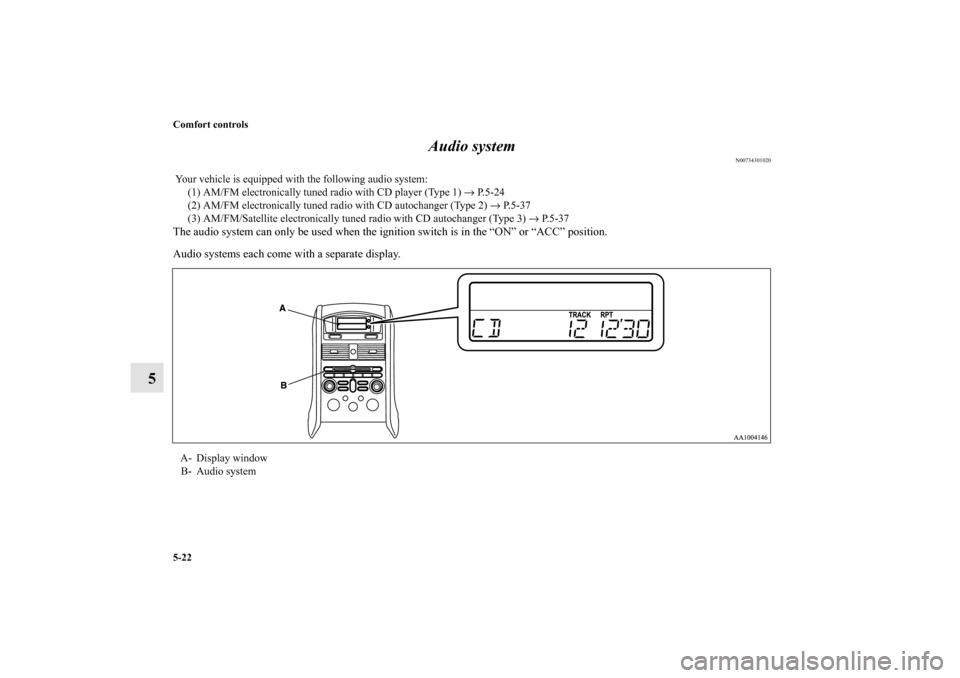
The audio system can only be used when the ignition switch is in the “ON” or “ACC” position.
Audio systems each come with a separate display. Your vehicle is equipped with the following audio system:
(1) AM/FM electronically tuned radio with CD player (Type 1) → P.5-24
(2) AM/FM electronically tuned radio with CD autochanger (Type 2) → P.5-37
(3) AM/FM/Satellite electronically tuned radio with CD autochanger (Type 3) → P. 5 - 3 7
A- Display window
B- Audio system BK0121200US.book 22 ページ 2010年4月14日 水曜日 午前11時24分
Page 260 of 424
Comfort controls
5-23
5
NOTE�In vehicles with AM/FM electronically tuned radio with
CD autochanger (Type 2), AM/FM/Satellite electronically
tuned radio with CD autochanger (Type 3), the display
automatically switches to an audio indication when an
audio system adjustment is made. The display automati-
cally reverts to its original indication about 10 seconds
after the audio system adjustment is finished.
�To listen to the audio system while the engine is not run-
ning, turn the ignition key to the “ACC” position.
�If a cellular phone is used inside the vehicle, it may create
noise from the audio equipment. This does not mean that
anything is wrong with your audio equipment. In such a
case, use the cellular phone at a place as far as possible
from the audio equipment.
�If foreign objects or water get into the audio equipment, or
if smoke or a strange odor comes from it, immediately
turn off the audio system and have it checked at an autho-
rized Mitsubishi Motors dealer or repair facility of your
choice. Never try to repair it yourself. Avoid using the
audio system until it is inspected by a qualified person.
�If the audio system is damaged by foreign objects, water,
or fire, have the system checked by a qualified technician.
Satellite radio
(if so equipped)
Satellite radio uses direct satellite to receiver broadcasting
technology to provide clear digital sound, coast to coast. The
subscription service provider is SIRIUS™ Satellite Radio. This
service offers over 100 channels of music, sports, news, enter-
tainment, and programming for listeners, directly from its sat-
ellites and broadcasting studios.
System activationTo activate your SIRIUS Satellite Radio service, call the toll-
free number 888-539-SIRIUS (7474), or visit the Sirius web
site at www.sirius.com. Please have the following information
available when activating your system:
1. The Sirius Identification Number (SIRIUS ID). Refer to
the section “SIRIUS ID indication” on page 5-48.
2. Credit card information.
3. Your Vehicle Identification Number. Refer to “Vehicle
identification number plate” on page 9-2.
“SIRIUS”, the SIRIUS dog logo and channel names and logos
are trademarks of SIRUS Satellite Radio, Inc.
BK0121200US.book 23 ページ 2010年4月14日 水曜日 午前11時24分
Page 261 of 424
5-24 Comfort controls
5AM/FM electronically tuned radio with CD player-Type 1
(if so equipped)
N00734300993
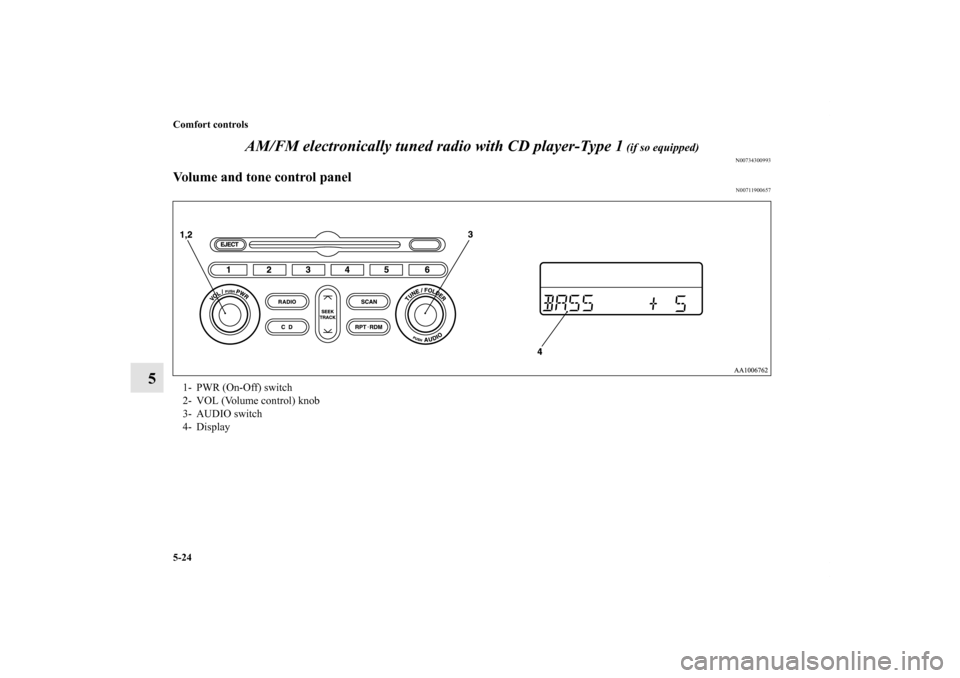
Volume and tone control panel
N00711900657
1- PWR (On-Off) switch
2- VOL (Volume control) knob
3- AUDIO switch
4- Display
BK0121200US.book 24 ページ 2010年4月14日 水曜日 午前11時24分
Page 262 of 424
Comfort controls
5-25
5
To adjust the volume
N00712000033
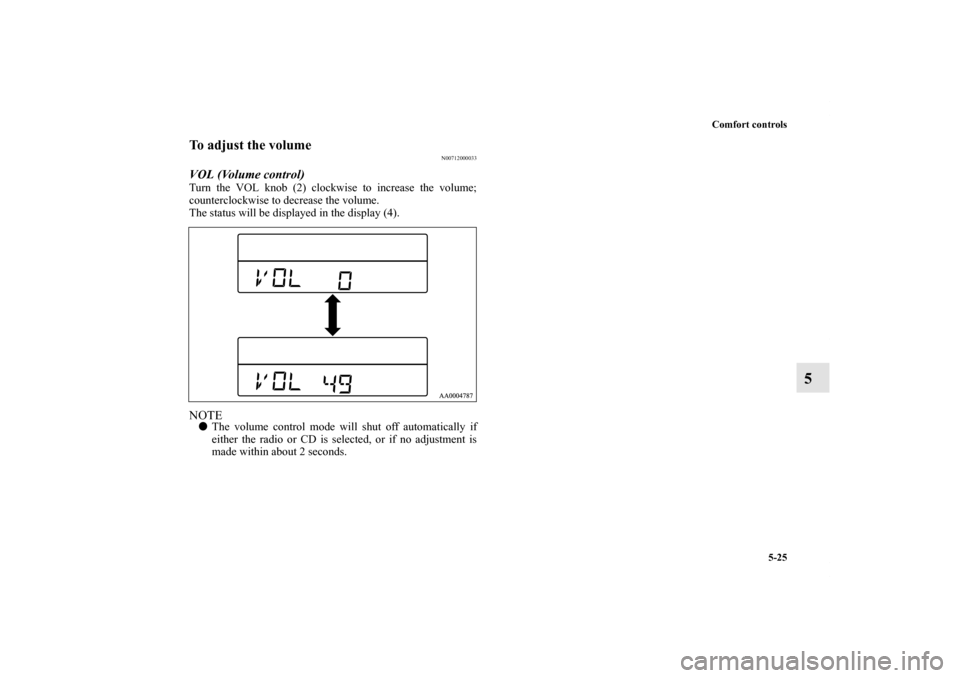
VOL (Volume control) Turn the VOL knob (2) clockwise to increase the volume;
counterclockwise to decrease the volume.
The status will be displayed in the display (4).NOTE�The volume control mode will shut off automatically if
either the radio or CD is selected, or if no adjustment is
made within about 2 seconds.
BK0121200US.book 25 ページ 2010年4月14日 水曜日 午前11時24分
Page 264 of 424
Comfort controls
5-27
5
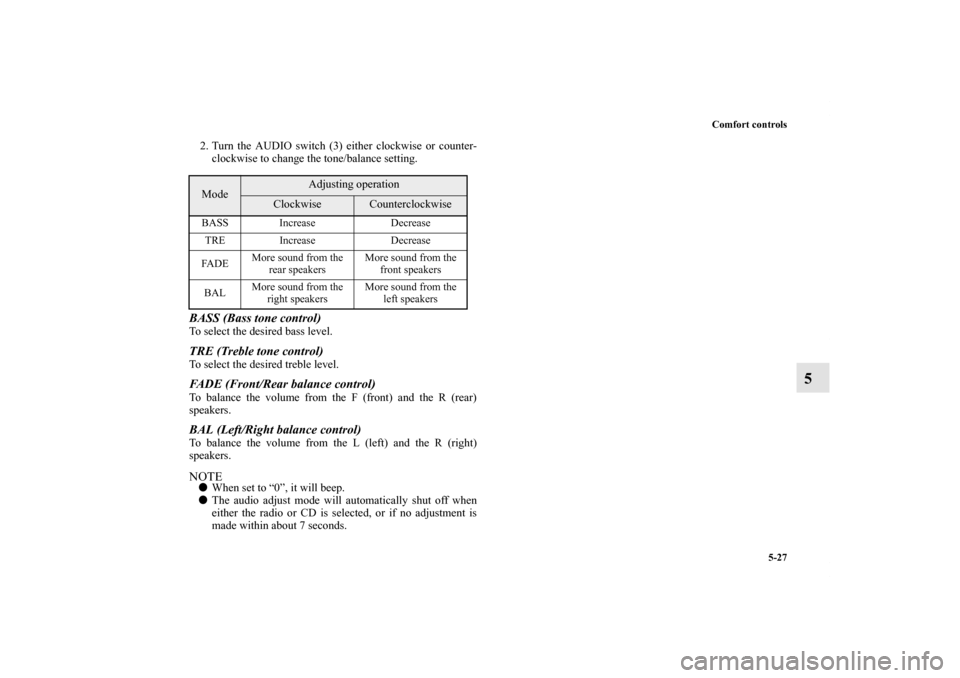
2. Turn the AUDIO switch (3) either clockwise or counter-
clockwise to change the tone/balance setting.BASS (Bass tone control) To select the desired bass level. TRE (Treble tone control) To select the desired treble level. FADE (Front/Rear balance control) To balance the volume from the F (front) and the R (rear)
speakers. BAL (Left/Right balance control) To balance the volume from the L (left) and the R (right)
speakers.NOTE�When set to “0”, it will beep.
�The audio adjust mode will automatically shut off when
either the radio or CD is selected, or if no adjustment is
made within about 7 seconds.Mode
Adjusting operation
Clockwise
Counterclockwise
BASS Increase Decrease
TRE Increase Decrease
FA D EMore sound from the
rear speakers More sound from the
front speakers
BAL More sound from the
right speakers More sound from the
left speakers
BK0121200US.book 27 ページ 2010年4月14日 水曜日 午前11時24分
Page 265 of 424
5-28 Comfort controls
5
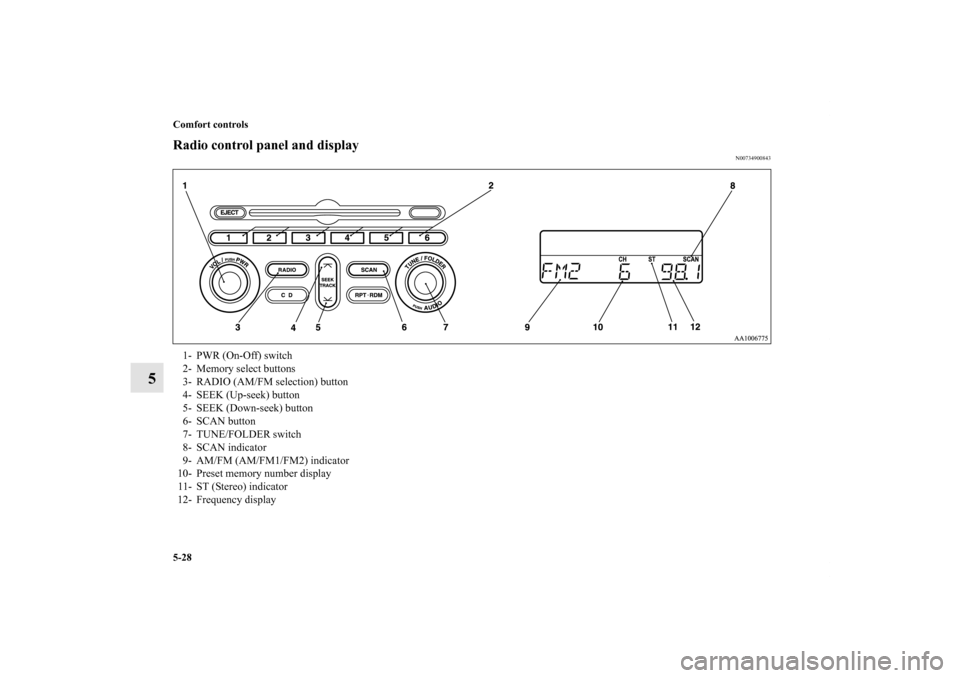
Radio control panel and display
N00734900843
1- PWR (On-Off) switch
2- Memory select buttons
3- RADIO (AM/FM selection) button
4- SEEK (Up-seek) button
5- SEEK (Down-seek) button
6- SCAN button
7- TUNE/FOLDER switch
8- SCAN indicator
9- AM/FM (AM/FM1/FM2) indicator
10- Preset memory number display
11- ST (Stereo) indicator
12- Frequency display
BK0121200US.book 28 ページ 2010年4月14日 水曜日 午前11時24分