2011 KIA Cerato Trans
[x] Cancel search: TransPage 128 of 342

Features of your vehicle
54
4
D150340ATD-EU
ECOMINDERTMindicator
(if equipped)
The ECOMINDERTMindicator is dis-
played to help you improve fuel efficiency
when you are driving.
The ECOMINDER
TMindicator will turn
the ECO light green on the instrument
panel when you are driving fuel effi-
ciently in the ECO ON mode.
If you don't want the indicator dis-
played, you can turn the ECO ON
mode to OFF mode by pressing the
TRIP button.
When the instant fuel consumption mode(if equipped) is displayed on the
LCD display or the system is not work-
ing properly, the indicator turns off. If
the indicator turns off when the instant
fuel consumption mode or ECO OFF
mode is not selected, have the system
checked by an authorized KIA dealer
as soon as possible.
The fuel efficiency depends on the dri- ver's driving habit and road condition.
The system stops operating when the transaxle is in the P (Park), R
(Reverse), N (Neutral) position or
sports mode, or when the instant fuel
consumption mode is selected.
D150400ATD
LCD display warning (if equipped)
Door Open
This warning illuminates when a door is
not closed securely.
The indicator displays which door is
opened.
Low Battery
This warning indicates a malfunction of
either the generator or electrical charging
system.
If the warning illuminates while the vehi-
cle is in motion:
1. Drive to the nearest safe location.
2. With the engine off, check the genera- tor drive belt for looseness or break-
age.
3. If the belt is adjusted properly, a prob- lem exists somewhere in the electrical
charging system. Have an authorized
KIA dealer correct the problem as soon
as possible.ECOECOMINDERTM WARNING
Don't keep watching the “ECO”
ECOMINDERTM indicator while driv-
ing. It may distract you while driv-
ing and cause an accident that
could result in severe personal
injury.
Page 171 of 342

497
Features of your vehicle
D281400AFD
Aux, USB and iPod®*
(if equipped)
If your vehicle has an aux and/or USB
(universal serial bus) port or iPod port,
you can use an aux port to connect audio
devices and an USB port to plug in an
USB and also an iPod port to plug in an
iPod.
✽ ✽ NOTICE
When using a portable audio device
connected to the power outlet, noise may
occur during playback. If this happens,
use the power source of the portable
audio device.
*iPod®is a trademark of Apple Inc.
D300800ATD
How car audio works
AM and FM radio signals are broadcast
from transmitter towers located around
your city. They are intercepted by the
radio antenna on your car. This signal is
then received by the radio and sent to
your car speakers. When a strong radio signal has reached
your vehicle, the precise engineering of
your audio system ensures the best pos-
sible quality reproduction. However, in
some cases the signal coming to your
vehicle may not be strong and clear. This
can be due to factors such as the dis-
tance from the radio station, closeness of
other strong radio stations or the pres-
ence of buildings, bridges or other large
obstructions in the area.
JBM001
FM reception
OTD049130N
Page 172 of 342

Features of your vehicle
98
4
AM broadcasts can be received at
greater distances than FM broadcasts.
This is because AM radio waves are
transmitted at low frequencies. These
long, low frequency radio waves can fol-
low the curvature of the earth rather than
travelling straight out into the atmos-
phere. In addition, they curve around
obstructions so that they can provide bet-
ter signal coverage. FM broadcasts are transmitted at high
frequencies and do not bend to follow the
earth's surface. Because of this, FM
broadcasts generally begin to fade at
short distances from the station. Also,
FM signals are easily affected by build-
ings, mountains, or other obstructions.
These can result in certain listening con-
ditions which might lead you to believe a
problem exists with your radio. The fol-
lowing conditions are normal and do not
indicate radio trouble: Fading - As your car moves away from
the radio station, the signal will weaken
and sound will begin to fade. When this
occurs, we suggest that you select
another stronger station.
Flutter/Static - Weak FM signals or large obstructions between the trans-
mitter and your radio can disturb the
signal causing static or fluttering nois-
es to occur. Reducing the treble level
may lessen this effect until the distur-
bance clears.
JBM002
AM reception
JBM003
FM radio station
JBM004
Page 197 of 342

BLUETOOTH®PHONE OPERATION
(IF EQUIPPED)
1. button : Raises or lowers speaker volume.
2. : Mute the microphone during a call.
3. button : Activates voice recognition.
4. button : Places and transfers calls.
5. button : Ends calls or cancels func-
tions.
■What is Bluetooth®?
Bluetooth®is a wireless technology that
allows multiple devices to be connected
in a short range, low-powered devices
like hands-free, stereo headset, wireless
remocon, etc. For more information, visit
the
Bluetooth®website at www.Bluetooth.com
■General Features
®
hands-free and stereo-headset fea-
tures.
- HANDS-FREE feature: Making or receiving calls wirelessly through
voice recognition.
- STEREO-HEADSET feature: Playing music from cellular phones (that sup-
ports A2DP feature) wirelessly.
Bluetooth
®system supports 3 types of
languages:
English
Canadian French
US Spanish
✽ ✽ NOTICE
• The phone must be paired to the sys-
tem before using Bluetooth®features.
• Only one selected (linked) cellular phone can be used with the system at a time.
• Some phones are not fully compatible with this system.
• The Bluetooth
® word mark and logos
are registered trademarks owned by
Bluetooth
®SIG, Inc. and any use of
such marks by Kia is under license.
A Bluetooth enabled cell phone is
required to use Bluetooth
®wireless
technology.
■Bluetooth®Language Setting
The system language can be changed by
the following steps:
1. Power on the audio system with the
volume set to an audible level.
2. Press and hold button on the steering wheel until the audio displays
“Please Wait”.
- The Bluetooth
®system will reply in
currently selected language that it is
changing to the next language.
- System language cycles between English, Canadian French and US Spanish.
- Press and hold the button on the steering wheel for over 10 seconds.
3. When completed, the audio display returns to normal.
4. Repeat steps 2 and 3 for the next lan- guage selection.
NOTE:
The phone needs to be paired again
after changing system language.
- Avoid resting your thumb or fingeron the button as the language
could unintentionally change.
MUTE
VOLUME
4123
Features of your vehicle
12
4
53
Page 198 of 342
Features of your vehicle
124
4
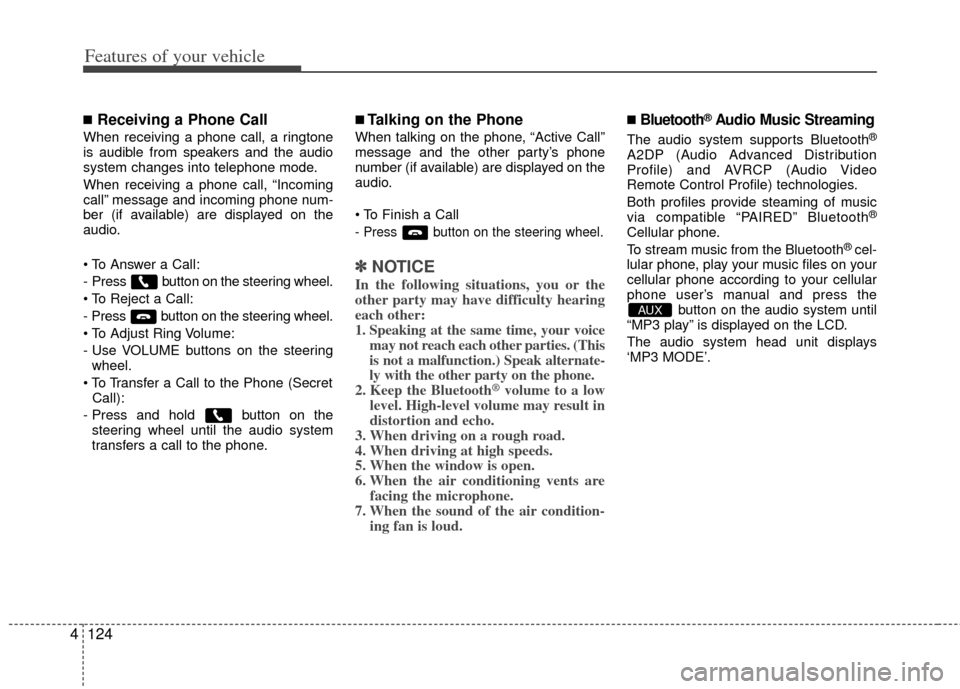
■Receiving a Phone Call
When receiving a phone call, a ringtone
is audible from speakers and the audio
system changes into telephone mode.
When receiving a phone call, “Incoming
call” message and incoming phone num-
ber (if available) are displayed on the
audio.
- Press button on the steering wheel.
- Press button on the steering wheel.
- Use VOLUME buttons on the steering
wheel.
Call):
- Press and hold button on the steering wheel until the audio system
transfers a call to the phone.
■Talking on the Phone
When talking on the phone, “Active Call”
message and the other party’s phone
number (if available) are displayed on the
audio.
- Press button on the steering wheel.
✽ ✽ NOTICE
In the following situations, you or the
other party may have difficulty hearing
each other:
1. Speaking at the same time, your voice
may not reach each other parties. (This
is not a malfunction.) Speak alternate-
ly with the other party on the phone.
2. Keep the Bluetooth
®volume to a low
level. High-level volume may result in
distortion and echo.
3. When driving on a rough road.
4. When driving at high speeds.
5. When the window is open.
6. When the air conditioning vents are facing the microphone.
7. When the sound of the air condition- ing fan is loud.
■Bluetooth®Audio Music Streaming
The audio system supports Bluetooth®
A2DP (Audio Advanced Distribution
Profile) and AVRCP (Audio Video
Remote Control Profile) technologies.
Both profiles provide steaming of music
via compatible “PAIRED” Bluetooth
®
Cellular phone.
To stream music from the Bluetooth® cel-
lular phone, play your music files on your
cellular phone according to your cellular
phone user’s manual and press the button on the audio system until
“MP3 play” is displayed on the LCD.
The audio system head unit displays
‘MP3 MODE’.
AUX
Page 204 of 342

Features of your vehicle
130
4
✽
✽
Tip
A shortcut to each of the following func-
tions is available:
1. Say “Call Name”
A phone call can be made by dialing the
spoken numbers. The system can recog-
nize single digits from zero to nine.
➀Press button.
\bSay “Call”.
➂Say “By number” when prompted.
➃Say desired phone numbers.
➄Say “Dial” to complete the number and
make a call.
✽ ✽ Tip
A shortcut to each of the following func-
tions is available:
➀Say “Dial Number”
\bSay “Dial
■Phone Book (In-Vehicle)
Phone numbers and voice tags can be
registered. Entries registered in the
phone can also be transferred.
➀Press button.
\bSay "Phonebook".
- The system replies with all available commands.
- To skip the information message, press again and then a beep is
heard.
➂Say “Add Entry”.
➃Say “By Voice” to proceed.
➄Say the name of the entry when
prompted.
\fSay “Yes” to confirm.
➆Say the phone number of that entry
when prompted.
➇Say “Store” if phone number input is
finished.
➈ Say a phone number type. “Home”,
“Work”, “Mobile”, “Other” or “Default” is
available.
➉ Say “Yes” to complete adding entry.
Say “Yes” to store additional location
for this contact, or say “Cancel” to fin-
ish the process.
✽ ✽ NOTICE
- The system can recognize single digits
from zero to nine. Numbers that are
ten or greater cannot be recognized.
- You can enter each digit individually or group digits together in preferred
string lengths.
- To speed up input, it is a good idea to group all digits into a continuous string.
- Recommend to enter the numbers constituted an grouping within all
digit numbers to dial 995 / 734 / 0000
- The display corresponding to each operation appears on the screen as fol-
lows:
Input operation example: 1. Say: “Nine, nine, five”
➟ Display: “995”
2. And say: “Seven, three, four”
➟ Display: “995734”
11
Page 205 of 342

4131
Features of your vehicle
➀Press button.
\bSay "Phonebook".
➂Say "Add Entry" after prompt.
➃Say "By Phone" to proceed.
➄Say “Yes” to confirm.
\f Your phone will start to transfer
phone/contact list to the audio system.
This process may take over 10 min- utes depending on the phone model
and number of entries
➆Wait till the audio displays “Transfer
Complete” message.
Changing Name
The registered names can be modified.
➀Press button.
\bSay “Phonebook”.
➂Say “Change Name” after prompt.
➃Say the name of the entry (voice tag).
➄Say “Yes” to confirm.
\f Say new desired name.
Deleting Name
The registered names can be deleted.
➀Press button.
\bSay “Phonebook”.
➂Say “Delete Name” after prompt.
➃Say the name of the entry (voice tag).
➄Say “Yes” to confirm.
■Bluetooth®Audio Speaker Adaptation
Speaker adaptation will improve perform-
ance of voice recognition system to a
particular user voice.
This will degrade the performance for
other users.
➀Press button for 10sec.
\bSay “Record profile”.
➂Say “Yes”.
➃Say the word displayed on Radio.
➀Press button for 10sec.
\bSay “Delete profile”.
➂Say “Yes”.
Page 206 of 342
![KIA Cerato 2011 1.G Owners Manual ■ Key matrix
No.
Class
Paired H/P Empty Disconnected
1 SHORT
LONG
SHORT
SHORT LONG
[10sec]
LONG
[10sec] Normal mode
BT SETUP menuIncoming Call
Outgoing Call
Active Call2nd Call
Not Paired Not Connec](/manual-img/2/2923/w960_2923-205.png "KIA Cerato 2011 1.G Owners Manual ■ Key matrix
No.
Class
Paired H/P Empty Disconnected
1 SHORT
LONG
SHORT
SHORT LONG
[10sec]
LONG
[10sec] Normal mode
BT SETUP menuIncoming Call
Outgoing Call
Active Call2nd Call
Not Paired Not Connec")
■ Key matrix
No.
Class
Paired H/P Empty Disconnected
1 SHORT
LONG
SHORT
SHORT LONG
[10sec]
LONG
[10sec] Normal mode
BT SETUP menuIncoming Call
Outgoing Call
Active Call2nd Call
Not Paired Not Connecting--Accept Call
Connected
-
2nd call
1st Call:waiting 2nd Call:active 2nd Call
2nd Call:waiting 1st Call:active
KEY
---
- -
-
Transfer call:secret call
End Call
VR
MODE Cancel VR
MODE Cancel VR
MODE Cancel VR
MODE Cancel Reject Call End Call End Call
-
Active
Change
language
-
Active Speaker
Adaptation
(Only English)
Change
language Active
Change
language Active
-Speaker
Adaptation
(Only English)
Change
language
- -
- -
- -
- -
-
--
2
3
Features of your vehicle
4132