Page 114 of 490
WARNING!
To use your Uconnect™ Phone System in an emer-
gency, your mobile phone must be:
•turned on,
•paired to the Uconnect™ System,
•and have network coverage.
Towing Assistance
If you need towing assistance:
•Press thebutton to begin.
•After the “Ready” prompt and the following beep, say
“Towing Assistance”.
NOTE:
•The towing assistance number dialed is based on the
country where the vehicle is purchased (1-800-528-
2069 for the U.S., 1-877-213-4525 for Canada, 55-14-
3454 for Mexico City and 1-800-712-3040 for outside Mexico City in Mexico). Please refer to the 24-Hour
“Towing Assistance” coverage details on the DVD in
the Warranty Information Booklet and the 24-Hour
Towing Assistance references.
•If supported, this number may be programmable on
some systems. To do this, press the
button and
say “Setup”, followed by “Towing Assistance”.
Paging
To learn how to page, refer to “Working with Automated
Systems”. Paging works properly except for pagers of
certain companies, which time out a little too soon to
work properly with the Uconnect™ Phone.
Voice Mail Calling
To learn how to access your voice mail, refer to “Working
with Automated Systems”.
112 UNDERSTANDING THE FEATURES OF YOUR VEHICLE
Page 129 of 490
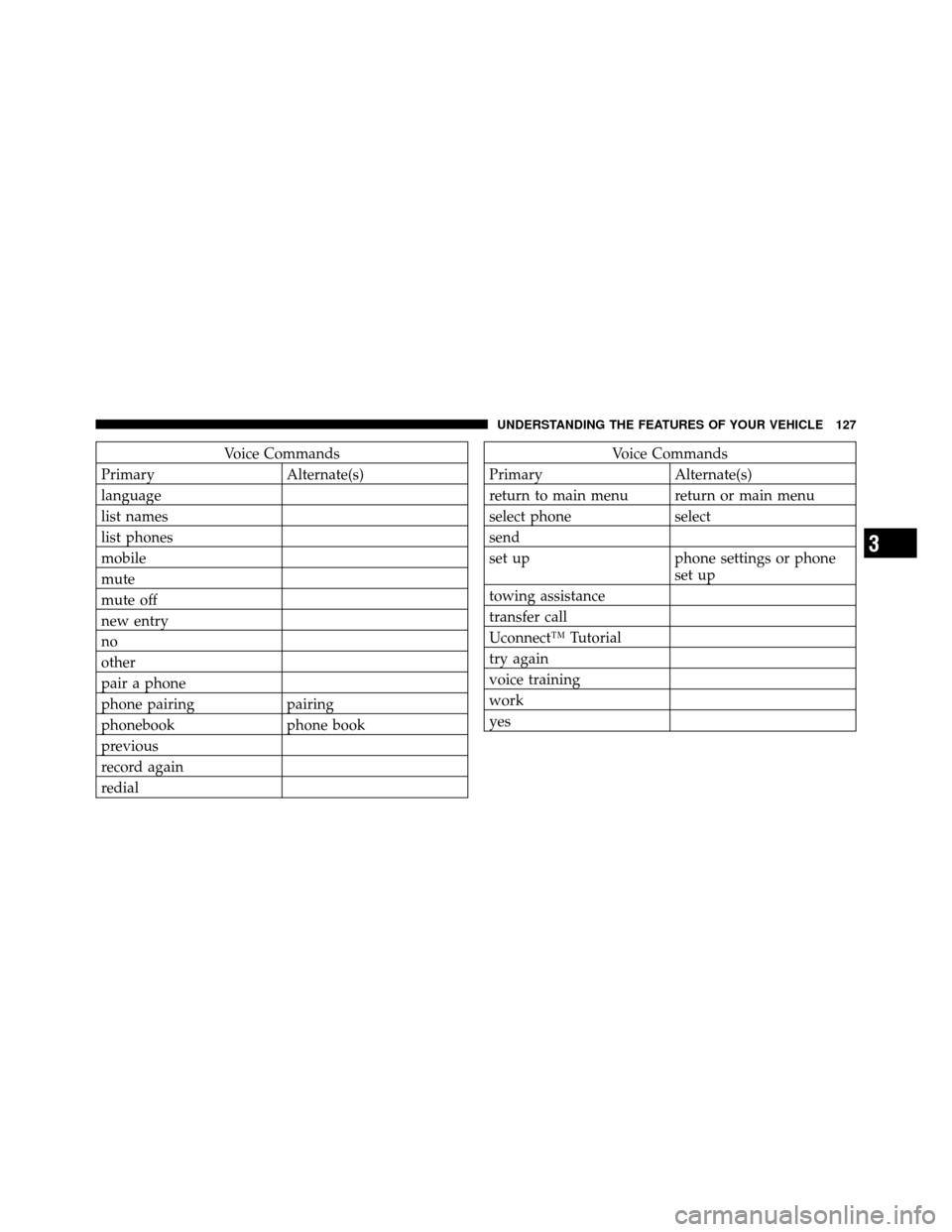
Voice Commands
Primary Alternate(s)
language
list names
list phones
mobile
mute
mute off
new entry
no
other
pair a phone
phone pairing pairing
phonebook phone book
previous
record again
redialVoice Commands
Primary Alternate(s)
return to main menu return or main menu
select phone select
send
set up phone settings or phone set up
towing assistance
transfer call
Uconnect™ Tutorial
try again
voice training
work
yes
3
UNDERSTANDING THE FEATURES OF YOUR VEHICLE 127
Page 188 of 490
NOTE:If not equipped with crossbars, your authorized
dealer can order and install MOPAR� crossbars built
specifically for this roof rack system.
Distribute cargo weight evenly on the roof rack crossbars.
The roof rack does not increase the total load carrying
capacity of the vehicle. Be sure the total load of cargo
inside the vehicle plus that on the external rack does not
exceed the maximum vehicle load capacity.
The optional crossbars must also be secured in one of the
seven detent positions marked with an arrow on the
siderails to prevent movement. To move the crossbars,
loosen the thumb screws located at the upper edge of
each crossbar approximately eight turns, then move the
crossbar to the desired position, keeping the crossbars
parallel to the rack frame. Once the crossbar is in one of
the seven detent positions, retighten the thumb screws to
lock the crossbar into position. NOTE:
•To help control wind noise when the crossbars are not
in use, place the front crossbar in the first detent from
the front of the vehicle and the rear crossbar in the
second detent from the rear of the vehicle.
•If the rear crossbar (or any metallic object) is placed
over the satellite radio antenna (if equipped), you may
experience interruption of satellite radio reception. For
improved satellite radio reception, place the rear cross-
bar in the second detent from the rear of the vehicle
when not in use.
•The grab handles on the back of the vehicle (if
equipped) are not to be used as a towing feature.
186 UNDERSTANDING THE FEATURES OF YOUR VEHICLE
Page 196 of 490
INSTRUMENT CLUSTER DESCRIPTIONS
1. Fuel Gauge/Fuel Door ReminderWhen the ignition switch is in the ON/RUN
position, the pointer will show the level of fuel
remaining in the fuel tank. The fuel pump
symbol points to the side of the vehicle where
the fuel door is located.
2. Charging System Light This light shows the status of the electrical charg-
ing system. The light should come on when the
ignition switch is first turned to ON/RUN and remain on
briefly as a bulb check. If the light stays on or comes on
while driving, turn off some of the vehicle’s non-essential
electrical devices or increase engine speed (if at idle). If
the charging system light remains on, it means that the
vehicle is experiencing a problem with the charging
system. Obtain SERVICE IMMEDIATELY. See an autho-
rized dealer. If jump starting is required, refer to “Jump Starting
Procedures” in “What To Do In Emergencies”.
3. Electronic Throttle Control (ETC) Light
This light informs you of a problem with the
Electronic Throttle Control (ETC) system. If a
problem is detected, the light will come on
while the engine is running. Cycle the ignition
key when the vehicle has completely stopped and the
shift lever is placed in the NEUTRAL position. The light
should turn off. If the light remains lit with the engine
running, your vehicle will usually be drivable; however,
see an authorized dealer for service as soon as possible. If
the light is flashing when the engine is running, imme-
diate service is required and you may experience reduced
performance, an elevated/rough idle or engine stall and
your vehicle may require towing. The light will come on
when the ignition is first turned to ON/RUN and remain
194 UNDERSTANDING YOUR INSTRUMENT PANEL
Page 201 of 490
The light also will turn on when the parking brake is
applied with the ignition switch in the ON/RUN posi-
tion.
NOTE:This light shows only that the parking brake is
applied. It does not show the degree of brake application.
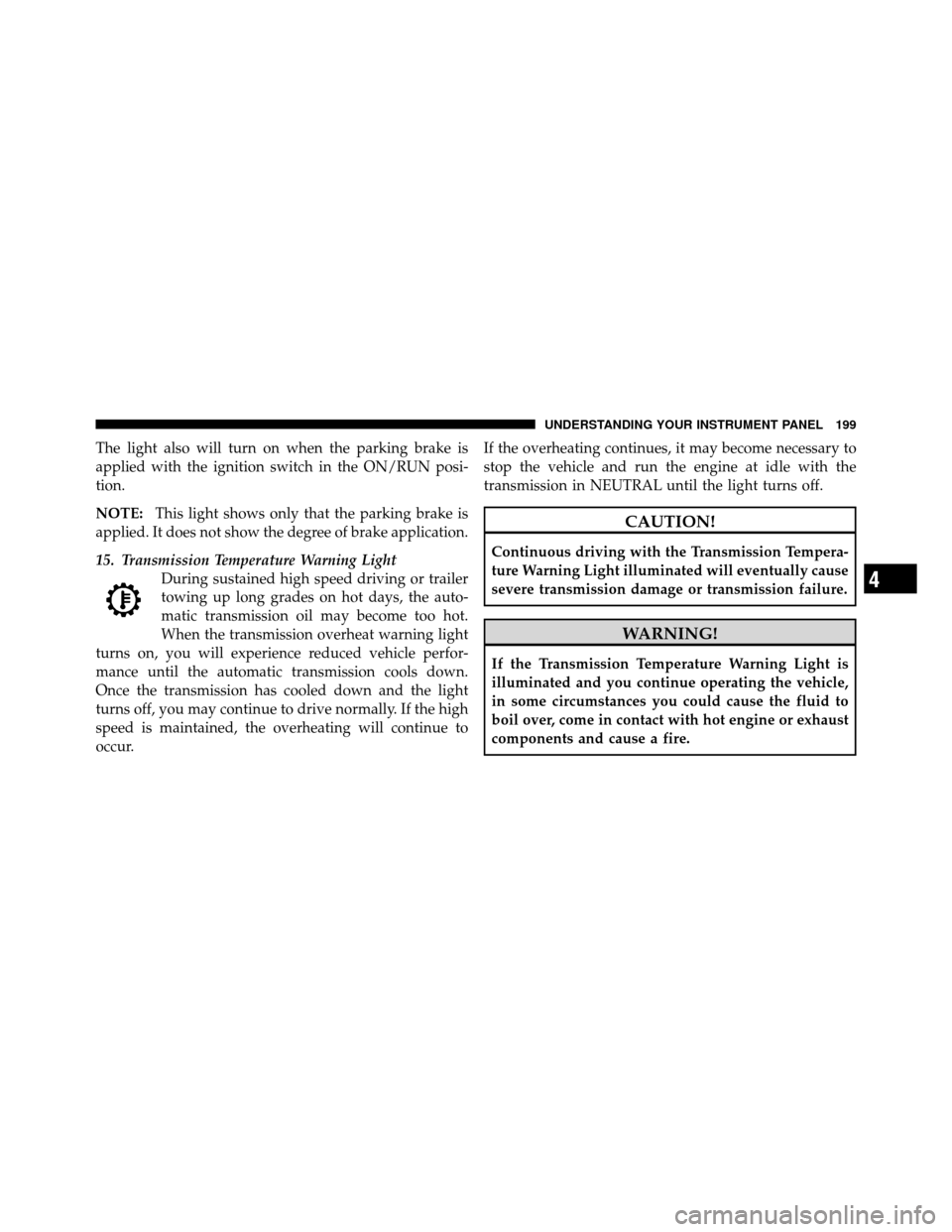
15. Transmission Temperature Warning Light During sustained high speed driving or trailer
towing up long grades on hot days, the auto-
matic transmission oil may become too hot.
When the transmission overheat warning light
turns on, you will experience reduced vehicle perfor-
mance until the automatic transmission cools down.
Once the transmission has cooled down and the light
turns off, you may continue to drive normally. If the high
speed is maintained, the overheating will continue to
occur. If the overheating continues, it may become necessary to
stop the vehicle and run the engine at idle with the
transmission in NEUTRAL until the light turns off.
CAUTION!
Continuous driving with the Transmission Tempera-
ture Warning Light illuminated will eventually cause
severe transmission damage or transmission failure.
WARNING!
If the Transmission Temperature Warning Light is
illuminated and you continue operating the vehicle,
in some circumstances you could cause the fluid to
boil over, come in contact with hot engine or exhaust
components and cause a fire.
4
UNDERSTANDING YOUR INSTRUMENT PANEL 199
Page 202 of 490
16. Vehicle Security Light — If EquippedThis light will flash at a fast rate for approxi-
mately 16 seconds, when the vehicle security
alarm is arming, and then will flash slowly
until the vehicle is disarmed.
17. Temperature Gauge
The temperature gauge shows engine coolant tempera-
ture. Any reading within the normal range indicates that
the engine cooling system is operating satisfactorily.
The gauge pointer will likely indicate a higher tempera-
ture when driving in hot weather, up mountain grades,
or when towing a trailer. It should not be allowed to
exceed the upper limits of the normal operating range.CAUTION!
Driving with a hot engine cooling system could
damage your vehicle. If the temperature gauge reads
“H” pull over and stop the vehicle. Idle the vehicle
with the air conditioner turned off until the pointer
drops back into the normal range. If the pointer
remains on the “H” and you hear continuous chimes,
turn the engine off immediately and call an autho-
rized dealership for service.
200 UNDERSTANDING YOUR INSTRUMENT PANEL
Page 207 of 490
turn the ignition switch to the ON/RUN position. To turn
off the message temporarily, press and release the Trip
Odometer button on the instrument cluster. To reset the
oil change indicator system (after performing the sched-
uled maintenance), refer to the following procedure:1. Turn the ignition switch to the ON/RUN position.
Do not start the engine.
2. Fully depress the accelerator pedal slowly three
times within 10 seconds.
3. Turn the ignition switch to the OFF/LOCK position.
NOTE: If the indicator message illuminates when you
start the vehicle, the oil change indicator system did not
reset. If necessary, repeat this procedure.
24. OFF ROAD Indicator — If Equipped
The symbol illuminates (is armed) when the 4WD lock
switch is activated and the shift lever is in LOW or
REVERSE position. 25. Malfunction Indicator Light (MIL)
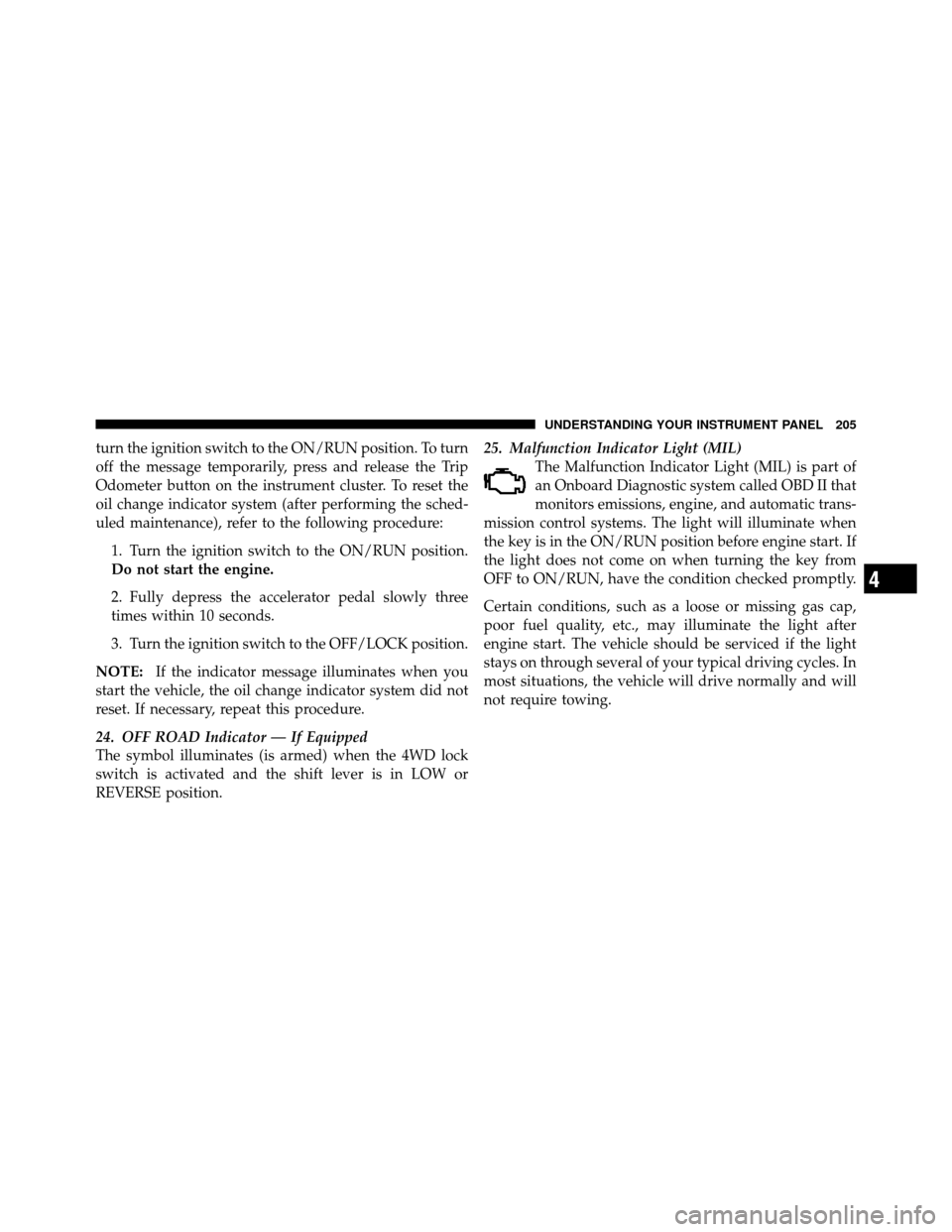
The Malfunction Indicator Light (MIL) is part of
an Onboard Diagnostic system called OBD II that
monitors emissions, engine, and automatic trans-
mission control systems. The light will illuminate when
the key is in the ON/RUN position before engine start. If
the light does not come on when turning the key from
OFF to ON/RUN, have the condition checked promptly.
Certain conditions, such as a loose or missing gas cap,
poor fuel quality, etc., may illuminate the light after
engine start. The vehicle should be serviced if the light
stays on through several of your typical driving cycles. In
most situations, the vehicle will drive normally and will
not require towing.
4
UNDERSTANDING YOUR INSTRUMENT PANEL 205
Page 292 of 490
�Fuel Requirements ..................... 358
▫ 2.0L And 2.4L Engine ................. 358
▫ Reformulated Gasoline ................ 358
▫ Gasoline/Oxygenate Blends ............. 359
▫ E-85 Usage In Non-Flex Fuel Vehicles ...... 359
▫ MMT In Gasoline .................... 360
▫ Materials Added To Fuel ............... 360
▫ Fuel System Cautions ................. 360
▫ Carbon Monoxide Warnings ............ 361
� Adding Fuel ......................... 362
▫ Fuel Filler Cap (Gas Cap) .............. 362
▫ Loose Fuel Filler Cap Message ........... 364�
Vehicle Loading ...................... 364
▫ Vehicle Certification Label .............. 364
� Trailer Towing ........................ 366
▫ Common Towing Definitions ............ 366
▫ Trailer Hitch Classification .............. 369
▫ Trailer Towing Weights
(Maximum Trailer Weight Ratings) ........ 370
▫ Trailer And Tongue Weight ............. 371
▫ Towing Requirements ................. 372
▫ Towing Tips ........................ 377
� Recreational Towing
(Behind Motorhome, Etc.) ................ 378
290 STARTING AND OPERATING