Page 363 of 587
4WD LOW to 4WD HI
With the vehicle at speeds of 0 to 3 mph (0 to 5 km/h), the
ignition switch in the ON position or the engine running,
shift the transmission into NEUTRAL, and press the
“4WD LOW” button once on the transfer case switch. The
“4WD LOW” indicator light in the instrument cluster
will flash and go out when the shift is complete.
NOTE:
•If shift conditions/interlocks are not met, or a transfer
case motor temperature protection condition exists, a
“For 4x4 High Slow Below 3 MPH or 5 KPH Put Trans
in N Press 4 Low” message will flash from the
Electronic Vehicle Information Center (EVIC). Refer to
“Electronic Vehicle Information Center (EVIC)” in
“Understanding Your Instrument Panel” for further
information.
•Shifting into or out of 4WD LOW is possible with the
vehicle completely stopped; however, difficulty mayoccur due to the mating clutch teeth not being prop-
erly aligned. Several attempts may be required for
clutch teeth alignment and shift completion to occur.
The preferred method is with the vehicle rolling 0 to
3 mph (0 to 5 km/h). If the vehicle is moving faster
than 3 mph (5 km/h), the transfer case will not allow
the shift.
NEUTRAL Shift Procedure
1. Turn the ignition switch to the ON position, engine off.
2. Vehicle stopped, with foot on brake.
3. Place the transmission into NEUTRAL.
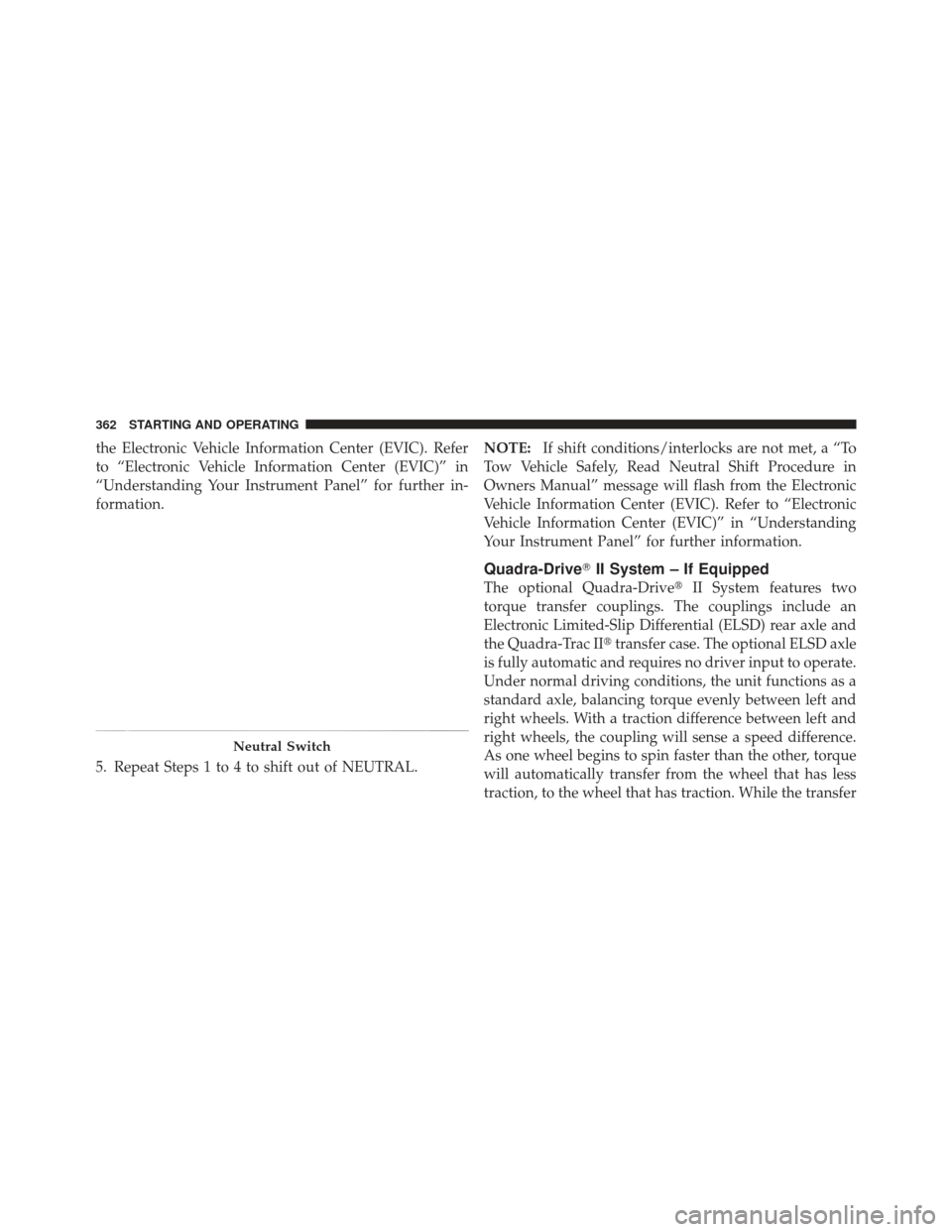
4. Hold down the NEUTRAL “pin” switch (with a pen,
etc.) for four seconds until the LED light by the switch
starts to blink indicating shift in progress. The light will
stop blinking (stay on solid) when the NEUTRAL shift is
complete. A “To Tow Vehicle Safely, Read Neutral Shift
Procedure in Owners Manual” message will display on5
STARTING AND OPERATING 361
Page 364 of 587
the Electronic Vehicle Information Center (EVIC). Refer
to “Electronic Vehicle Information Center (EVIC)” in
“Understanding Your Instrument Panel” for further in-
formation.
5. Repeat Steps 1 to 4 to shift out of NEUTRAL.NOTE:
If shift conditions/interlocks are not met, a “To
Tow Vehicle Safely, Read Neutral Shift Procedure in
Owners Manual” message will flash from the Electronic
Vehicle Information Center (EVIC). Refer to “Electronic
Vehicle Information Center (EVIC)” in “Understanding
Your Instrument Panel” for further information.
Quadra-Drive� II System – If Equipped
The optional Quadra-Drive� II System features two
torque transfer couplings. The couplings include an
Electronic Limited-Slip Differential (ELSD) rear axle and
the Quadra-Trac II� transfer case. The optional ELSD axle
is fully automatic and requires no driver input to operate.
Under normal driving conditions, the unit functions as a
standard axle, balancing torque evenly between left and
right wheels. With a traction difference between left and
right wheels, the coupling will sense a speed difference.
As one wheel begins to spin faster than the other, torque
will automatically transfer from the wheel that has less
traction, to the wheel that has traction. While the transfer
Neutral Switch
362 STARTING AND OPERATING
Page 367 of 587
equipped with air suspension, the vehicle level will
change to Off-Road 2. If the Selec-Terrain™ switch is in
ROCK mode, and the transfer case is switched from
4WD Low to 4WD High, the Selec-Terrain™ system
will return to AUTO.
Electronic Vehicle Information Center (EVIC)
Display Messages
When the appropriate conditions exist, a message will
appear in the EVIC display. Refer to “Electronic Vehicle
Information Center (EVIC)” in “Understanding Your
Instrument Panel” for further information.
QUADRA-LIFT™ — IF EQUIPPED
Description
The Quadra-Lift™ air suspension system provides full
time load leveling capability along with the benefit of
being able to adjust vehicle height by the push of a
button.
•Normal Ride Height (NRH)– This is the standard
position of the suspension and is meant for normal
driving.
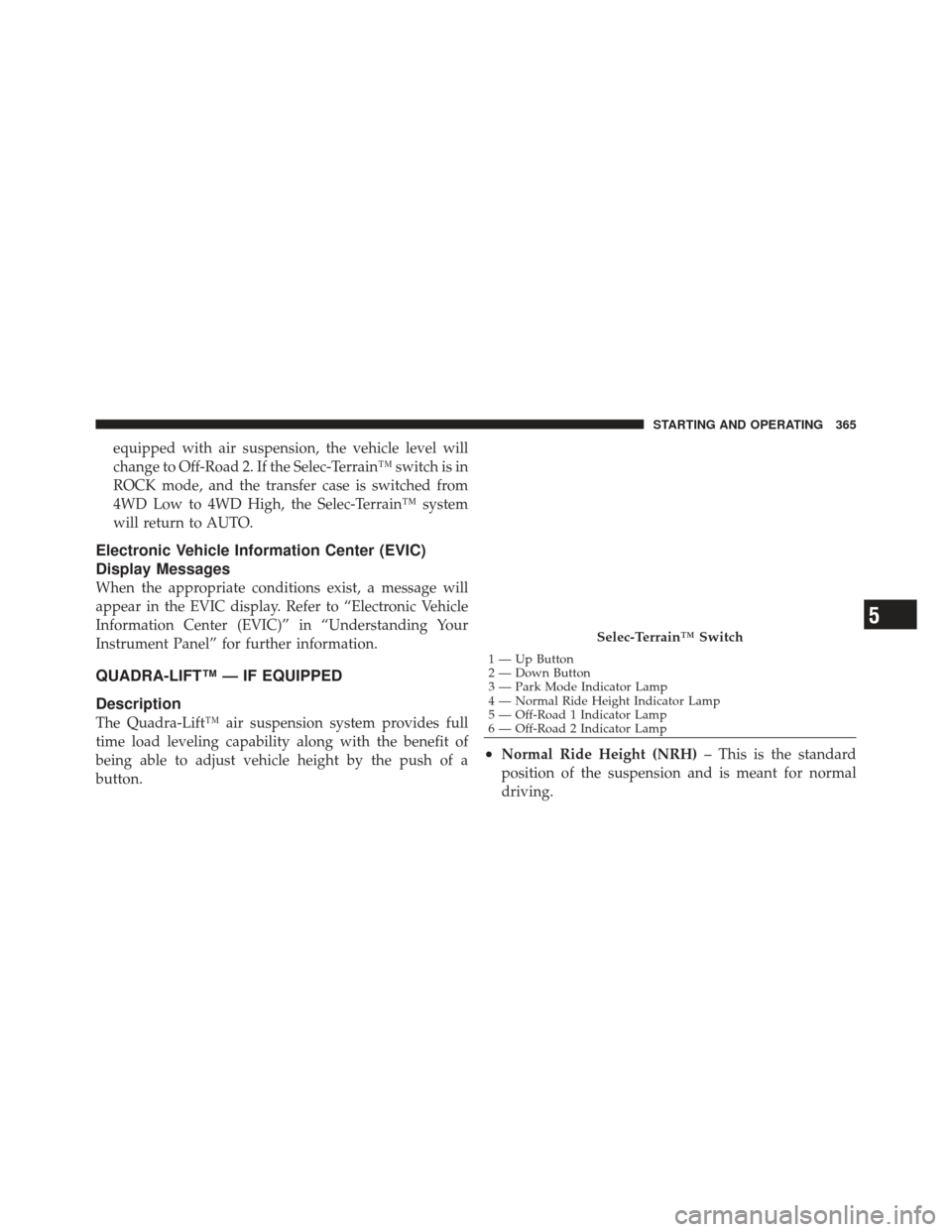
Selec-Terrain™ Switch
1 — Up Button
2 — Down Button
3 — Park Mode Indicator Lamp
4 — Normal Ride Height Indicator Lamp
5 — Off-Road 1 Indicator Lamp
6 — Off-Road 2 Indicator Lamp
5
STARTING AND OPERATING 365
Page 370 of 587

To assist with changing a spare tire, the Quadra-Lift™ air
suspension system has a feature which allows the auto-
matic leveling to be disabled. Press and hold both the
“Up” and “Down” buttons simultaneously between 5 and
10 seconds, a message will appear in the EVIC stating
leveling has been disabled immediately after both buttons
have been released. Refer to “Electronic Vehicle Informa-
tion Center (EVIC)” in “Understanding Your Instrument
Panel” for further information. Driving the vehicle over
5 mph (8 km/h) will return the air suspension to normal
operation. Refer to “Jacking and Tire Changing” in “What
To Do In Emergencies” for further information.
WARNING!
The air suspension system uses a high pressure
volume of air to operate the system. To avoid per-
sonal injury or damage to the system, see your
authorized dealer for service.
Electronic Vehicle Information Center (EVIC)
Display Messages
When the appropriate conditions exist, a message will
appear in the EVIC display. Refer to “Electronic Vehicle
Information Center (EVIC)” in “Understanding Your
Instrument Panel” for further information.
An audible chime will be heard whenever a system error
has been detected.
Operation
The indicator lamps 3 through 6 will illuminate to show
the current position of the vehicle. Flashing indicator
lamps will show a position which the system is working
to achieve. When raising, if multiple indicator lamps are
flashing on the “Up” button, the highest flashing indica-
tor lamp is the position the system is working to achieve.
When lowering, if multiple indicators are flashing on the
�Up�button the lowest solid indicator lamp is the posi-
tion the system is working to achieve.
368 STARTING AND OPERATING
Page 378 of 587
and increased ease of maneuverability in tight spaces.
The system will vary its assist to provide light efforts
while parking and good feel while driving. If the electro-
hydraulic power steering system experiences a fault that
prevents it from providing power steering assist, then the
system will provide mechanical steering capability.
CAUTION!
Extreme steering maneuvers may cause the electri-
cally driven pump to reduce or stop power steering
assistance in order to prevent damage to the system.
Normal operation will resume once the system is
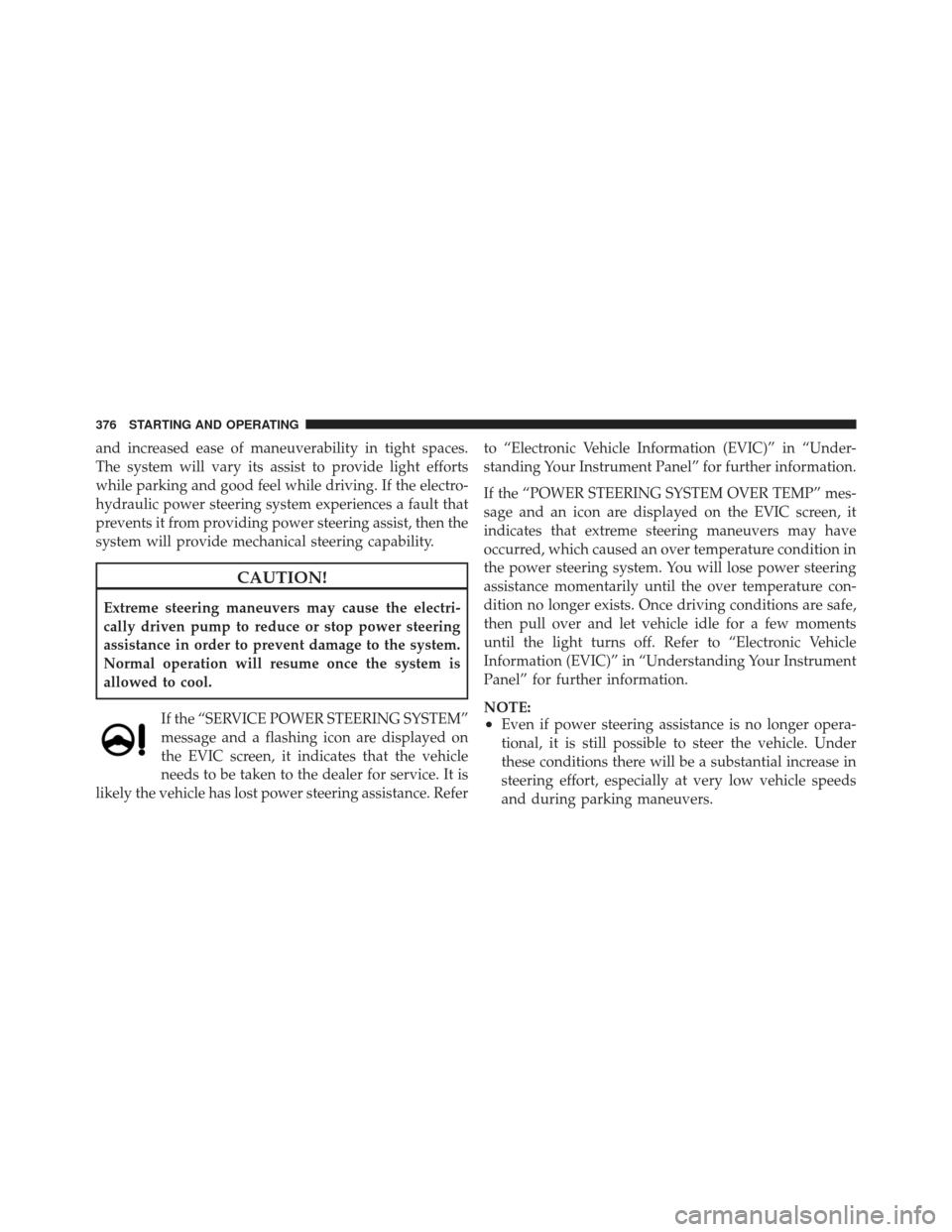
allowed to cool.If the “SERVICE POWER STEERING SYSTEM”
message and a flashing icon are displayed on
the EVIC screen, it indicates that the vehicle
needs to be taken to the dealer for service. It is
likely the vehicle has lost power steering assistance. Refer to “Electronic Vehicle Information (EVIC)” in “Under-
standing Your Instrument Panel” for further information.
If the “POWER STEERING SYSTEM OVER TEMP” mes-
sage and an icon are displayed on the EVIC screen, it
indicates that extreme steering maneuvers may have
occurred, which caused an over temperature condition in
the power steering system. You will lose power steering
assistance momentarily until the over temperature con-
dition no longer exists. Once driving conditions are safe,
then pull over and let vehicle idle for a few moments
until the light turns off. Refer to “Electronic Vehicle
Information (EVIC)” in “Understanding Your Instrument
Panel” for further information.
NOTE:
•Even if power steering assistance is no longer opera-
tional, it is still possible to steer the vehicle. Under
these conditions there will be a substantial increase in
steering effort, especially at very low vehicle speeds
and during parking maneuvers.
376 STARTING AND OPERATING
Page 381 of 587
MULTI-DISPLACEMENT SYSTEM (MDS)
(IF EQUIPPED) — 5.7L ENGINE ONLY
This feature offers improved fuel economy by shutting
off four of the engine’s eight cylinders during light load
and cruise conditions. The system is automatic with no
driver inputs or additional driving skills required.
NOTE:The MDS system may take some time to return
to full functionality after a battery disconnect.
PARKING BRAKE
Before leaving the vehicle, make sure that the parking
brake is fully applied and place the shift lever in the
PARK position.
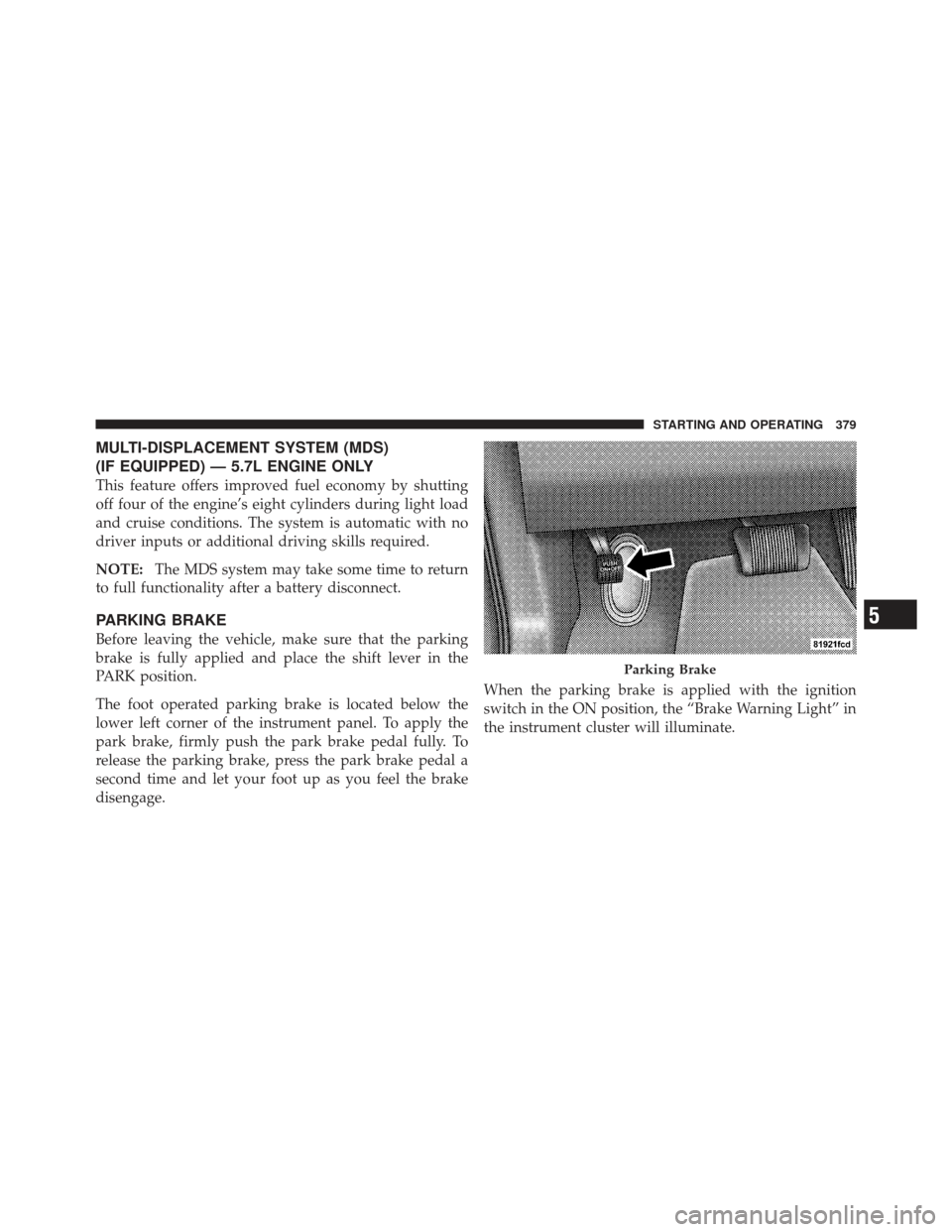
The foot operated parking brake is located below the
lower left corner of the instrument panel. To apply the
park brake, firmly push the park brake pedal fully. To
release the parking brake, press the park brake pedal a
second time and let your foot up as you feel the brake
disengage. When the parking brake is applied with the ignition
switch in the ON position, the “Brake Warning Light” in
the instrument cluster will illuminate.
Parking Brake
5
STARTING AND OPERATING 379
Page 391 of 587
WARNING!
•If you use a trailer brake controller with your
trailer, your trailer brakes may be activated and
deactivated with the brake switch. If so, when the
brake pedal is released, there may not be enough
brake pressure to hold the vehicle and trailer on a
hill and this could cause a collision with another
vehicle or object behind you. In order to avoid
rolling down the hill while resuming acceleration,
manually activate the trailer brake prior to releas-
ing the brake pedal. Always remember the driver
is responsible for braking the vehicle.(Continued)
WARNING! (Continued)
•HSA is not a parking brake. If you stop the vehicle
on a hill without putting the transmission in
PARK and using the parking brake, it will roll
down the hill and could cause a collision with
another vehicle or object. Always remember to use
the parking brake while parking on a hill, and that
the driver is responsible for braking the vehicle.
HSA Off
If you wish to turn off the HSA system, it can be done
using the Customer Programmable Features in the Elec-
tronic Vehicle Information Center (EVIC). Refer to “Elec-
tronic Vehicle Information Center (EVIC)” in “Under-
standing Your Instrument Panel” for further information.
5
STARTING AND OPERATING 389
Page 422 of 587

Premium System – If Equipped
The Tire Pressure Monitor System (TPMS) uses wireless
technology with wheel rim-mounted electronic sensors to
monitor tire pressure levels. Sensors, mounted to each
wheel as part of the valve stem, transmit tire pressure
readings to the Receiver Module.
NOTE:It is particularly important, for you to regularly
check the tire pressure in all of your tires and to maintain
the proper pressure.
The Tire Pressure Monitor System (TPMS) consists of the
following components:
•Receiver Module
•Four Tire Pressure Monitoring Sensors
•Various Tire Pressure Monitoring System Messages,
which display in the Electronic Vehicle Information
Center (EVIC), and a graphic displaying tire pressures
•Tire Pressure Monitoring Telltale Light
Tire Pressure Monitoring Low Pressure Warnings
The Tire Pressure Monitoring Telltale Light will
illuminate in the instrument cluster, and an au-
dible chime will be activated, when one or more of
the four active road tire pressures are low. In addition, the
EVIC will display one or more Low Pressure messages
(Left Front, Left Rear, Right Front, Right Rear) for a
minimum of five seconds, and a graphic display of the
pressure value(s) with the low tire(s) “flashing.” Refer to
“Electronic Vehicle Information Center (EVIC)” in “Un-
derstanding Your Instrument Panel” for further informa-
tion.
NOTE: Your system can be set to display pressure units
in PSI, kPa, or BAR.
420 STARTING AND OPERATING