Page 363 of 587
4WD LOW to 4WD HI
With the vehicle at speeds of 0 to 3 mph (0 to 5 km/h), the
ignition switch in the ON position or the engine running,
shift the transmission into NEUTRAL, and press the
“4WD LOW” button once on the transfer case switch. The
“4WD LOW” indicator light in the instrument cluster
will flash and go out when the shift is complete.
NOTE:
•If shift conditions/interlocks are not met, or a transfer
case motor temperature protection condition exists, a
“For 4x4 High Slow Below 3 MPH or 5 KPH Put Trans
in N Press 4 Low” message will flash from the
Electronic Vehicle Information Center (EVIC). Refer to
“Electronic Vehicle Information Center (EVIC)” in
“Understanding Your Instrument Panel” for further
information.
•Shifting into or out of 4WD LOW is possible with the
vehicle completely stopped; however, difficulty mayoccur due to the mating clutch teeth not being prop-
erly aligned. Several attempts may be required for
clutch teeth alignment and shift completion to occur.
The preferred method is with the vehicle rolling 0 to
3 mph (0 to 5 km/h). If the vehicle is moving faster
than 3 mph (5 km/h), the transfer case will not allow
the shift.
NEUTRAL Shift Procedure
1. Turn the ignition switch to the ON position, engine off.
2. Vehicle stopped, with foot on brake.
3. Place the transmission into NEUTRAL.
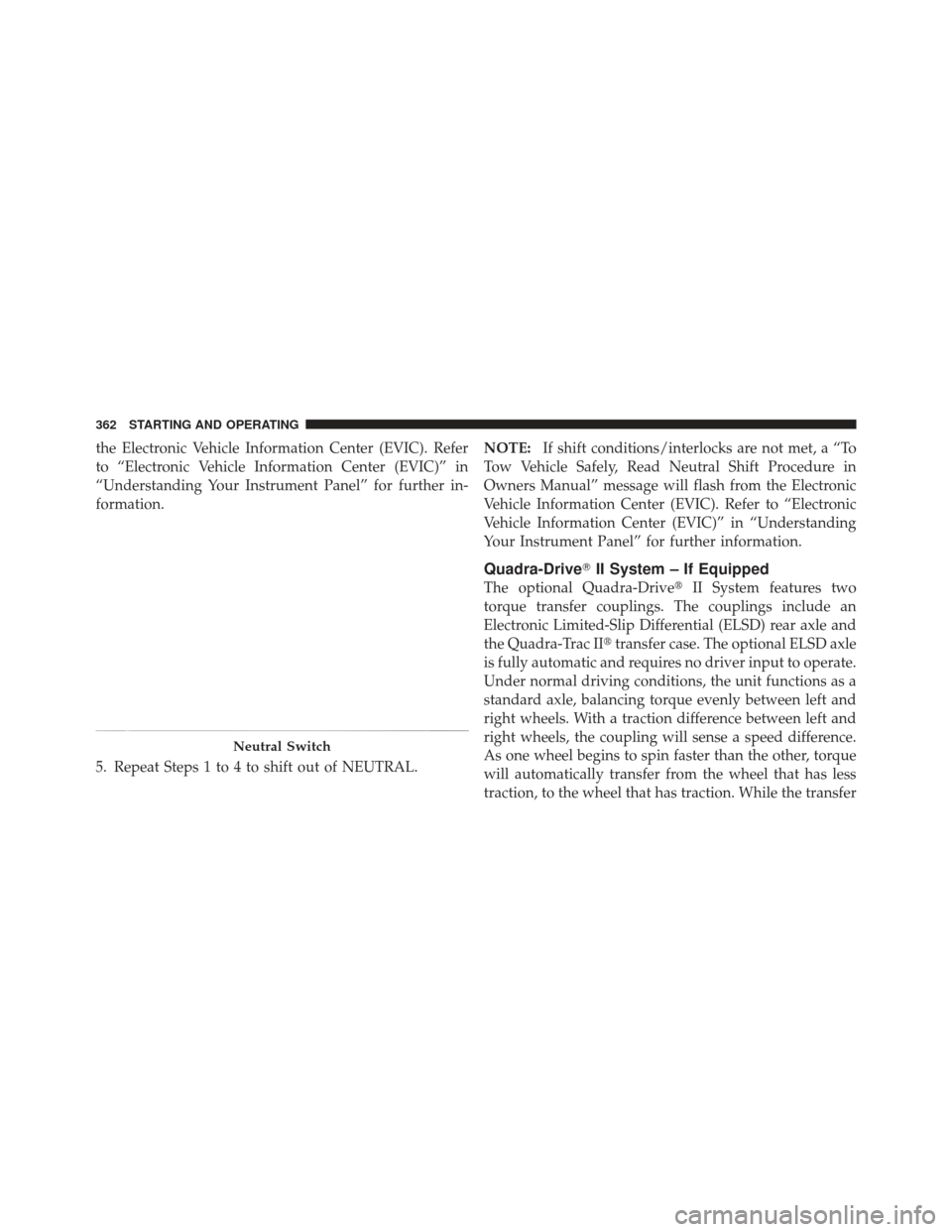
4. Hold down the NEUTRAL “pin” switch (with a pen,
etc.) for four seconds until the LED light by the switch
starts to blink indicating shift in progress. The light will
stop blinking (stay on solid) when the NEUTRAL shift is
complete. A “To Tow Vehicle Safely, Read Neutral Shift
Procedure in Owners Manual” message will display on5
STARTING AND OPERATING 361
Page 364 of 587
the Electronic Vehicle Information Center (EVIC). Refer
to “Electronic Vehicle Information Center (EVIC)” in
“Understanding Your Instrument Panel” for further in-
formation.
5. Repeat Steps 1 to 4 to shift out of NEUTRAL.NOTE:
If shift conditions/interlocks are not met, a “To
Tow Vehicle Safely, Read Neutral Shift Procedure in
Owners Manual” message will flash from the Electronic
Vehicle Information Center (EVIC). Refer to “Electronic
Vehicle Information Center (EVIC)” in “Understanding
Your Instrument Panel” for further information.
Quadra-Drive� II System – If Equipped
The optional Quadra-Drive� II System features two
torque transfer couplings. The couplings include an
Electronic Limited-Slip Differential (ELSD) rear axle and
the Quadra-Trac II� transfer case. The optional ELSD axle
is fully automatic and requires no driver input to operate.
Under normal driving conditions, the unit functions as a
standard axle, balancing torque evenly between left and
right wheels. With a traction difference between left and
right wheels, the coupling will sense a speed difference.
As one wheel begins to spin faster than the other, torque
will automatically transfer from the wheel that has less
traction, to the wheel that has traction. While the transfer
Neutral Switch
362 STARTING AND OPERATING
Page 376 of 587

regulate your speed. If the brakes are required to control
vehicle speed, apply them lightly and avoid locking or
skidding the tires.
WARNING!
If the engine stalls, you lose forward motion, or
cannot make it to the top of a steep hill or grade,
never attempt to turn around. To do so may result in
tipping and rolling the vehicle. Always back care-
fully straight down a hill in REVERSE gear. Never
back down a hill in NEUTRAL using only the brake.
Remember, never drive diagonally across a hill always
drive straight up or down.
If the wheels start to slip as you approach the crest of a
hill, ease off the accelerator and maintain forward motion
by turning the front wheels slowly. This may provide a
fresh “bite” into the surface and will usually provide
traction to complete the climb.
Traction Downhill
Shift the transmission into a low gear, and the transfer
case into 4WD LOW range. Let the vehicle go slowly
down the hill with all four wheels turning against engine
compression drag. This will permit you to control the
vehicle speed and direction.
When descending mountains or hills, repeated braking
can cause brake fade with loss of braking control. Avoid
repeated heavy braking by downshifting the transmis-
sion whenever possible.
After Driving Off-Road
Off-road operation puts more stress on your vehicle than
does most on-road driving. After going off-road, it is
always a good idea to check for damage. That way you
can get any problems taken care of right away and have
your vehicle ready when you need it.
374 STARTING AND OPERATING
Page 382 of 587
NOTE:
•When the parking brake is applied and the transmis-
sion is placed in gear, the “Brake Warning Light” will
flash. If vehicle speed is detected, a chime will sound
to alert the driver. Fully release the parking brake
before attempting to move the vehicle.
•This light only shows that the parking brake is ap-
plied. It does not show the degree of brake application.
When parking on a hill, it is important to turn the front
wheels toward the curb on a downhill grade and away
from the curb on an uphill grade. Apply the parking
brake before placing the shift lever in PARK, otherwise
the load on the transmission locking mechanism may
make it difficult to move the shift lever out of PARK. The
parking brake should always be applied whenever the
driver is not in the vehicle.
WARNING!
•Never use the PARK position as a substitute for
the parking brake. Always apply the parking
brake fully when parked to guard against vehicle
movement and possible injury or damage.
•Never leave children alone in a vehicle. Leaving
unattended children in a vehicle is dangerous for a
number of reasons. A child or others could be
seriously or fatally injured.
•Do not leave the key fob in the ignition switch. A
child could operate power windows, other con-
trols, or move the vehicle.
•Be sure the parking brake is fully disengaged
before driving; failure to do so can lead to brake
failure and a collision. (Continued)
380 STARTING AND OPERATING
Page 383 of 587
WARNING! (Continued)
•Always fully apply the parking brake when leav-
ing your vehicle, or it may roll and cause damage
or injury. Also be certain to leave the transmission
in PARK. Failure to do so may allow the vehicle to
roll and cause damage or injury.
CAUTION!
If the “Brake Warning Light” remains on with the
parking brake released, a brake system malfunction
is indicated. Have the brake system serviced by an
authorized dealer immediately.
ELECTRONIC BRAKE CONTROL SYSTEM
Your vehicle is equipped with an advanced electronic
brake control system that includes the Anti-Lock Brake
System (ABS), Traction Control System (TCS), Brake
Assist System (BAS), Electronic Roll Mitigation (ERM),
and Electronic Stability Control (ESC). All five of these
systems work together to enhance vehicle stability and
control in various driving conditions.
Also, your vehicle is equipped with Trailer Sway Control
(TSC), Hill Start Assist (HSA), Brake Lock Differential
(BLD), Ready Alert Braking, Rain Brake Support and, if it
has four-wheel drive with the MP 3023 two-speed trans-
fer case, Hill Descent Control (HDC).
Anti-Lock Brake System (ABS)
This system aids the driver in maintaining vehicle control
under adverse braking conditions. The system controls
hydraulic brake pressure to prevent wheel lock-up and
help avoid skidding on slippery surfaces during braking.
5
STARTING AND OPERATING 381
Page 384 of 587
WARNING!
The ABS cannot prevent the natural laws of physics
from acting on the vehicle, nor can it increase the
traction afforded by prevailing road conditions. The
ABS cannot prevent collisions, including those re-
sulting from excessive speed in turns, driving on
very slippery surfaces, or hydroplaning. The capa-
bilities of an ABS-equipped vehicle must never be
exploited in a reckless or dangerous manner which
could jeopardize the user’s safety or the safety of
others.
Traction Control System (TCS)
This system monitors the amount of wheel spin of each of
the driven wheels. If wheel spin is detected, brake
pressure is applied to the slipping wheel(s) and engine
power is reduced to provide enhanced acceleration and
stability. A feature of the TCS system, Brake LimitedDifferential (BLD), functions similar to a limited-slip
differential and controls the wheel spin across a driven
axle. If one wheel on a driven axle is spinning faster than
the other, the system will apply the brake of the spinning
wheel. This will allow more engine torque to be applied
to the wheel that is not spinning. This feature remains
active even if ESC system is in the “Partial Off” mode.
Refer to “Electronic Stability Control (ESC)” in this
section for further information.
Brake Assist System (BAS)
The BAS is designed to optimize the vehicle’s braking
capability during emergency braking maneuvers. The
system detects an emergency braking situation by sens-
ing the rate and amount of brake application and then
applies optimum pressure to the brakes. This can help
reduce braking distances. The BAS complements the
anti-lock brake system (ABS). Applying the brakes very
quickly results in the best BAS assistance. To receive the
382 STARTING AND OPERATING
Page 434 of 587
Starting
The characteristics of E-85 fuel make it unsuitable for use
when ambient temperatures fall below 0°F (-18°C). In the
range of 0°F (-18°C) to 32°F (0°C), you may experience an
increase in the time it takes for your engine to start, and
a deterioration in driveability (sags and/or hesitations)
until the engine is fully warmed up.
NOTE:Use of the engine block heater (if equipped) is
beneficial for E-85 startability when the ambient tempera-
ture is less than 32°F (0°C).
Cruising Range
Because E-85 fuel contains less energy per gallon/liter
than gasoline, you will experience an increase in fuel
consumption. You can expect your miles per gallon
(mpg)/miles per liter and your driving range to decrease
by about 30%, compared to gasoline operation.
Replacement Parts
Many components in your Flexible Fuel Vehicle (FFV) are
designed to be compatible with ethanol. Always be sure
that your vehicle is serviced with correct ethanol com-
patible parts.
CAUTION!
Replacing fuel system components with non-ethanol
compatible components can damage your vehicle.
Maintenance
CAUTION!
Do not use ethanol mixture greater than 85% in your
vehicle. It will cause difficulty in cold starting and
may affect driveability.
432 STARTING AND OPERATING
Page 435 of 587
ADDING FUEL
Fuel Filler Cap (Gas Cap)
The gas cap is located behind the locking fuel filler door,
on the driver’s side of the vehicle. If the gas cap is lost or
damaged, be sure the replacement cap is for use with this
vehicle.
1. Press the fuel filler door release switch (located under
the headlamp switch).
Fuel Filler Door Release Switch
5
STARTING AND OPERATING 433
