2011 HYUNDAI VELOSTER start stop button
[x] Cancel search: start stop buttonPage 82 of 386

Features of your vehicle
8 4
With a smart key, you can lock or unlock
the doors (and tailgate) and even start
the engine without inserting the key.
The functions of the buttons on a smart
key are similar to the remote keyless
entry. (Refer to the “Remote keyless
entry” in this section.)
Smart key functions
Carrying the smart key, you may lock and
unlock the vehicle doors (and tailgate).
Also, you may start the engine. Refer to
the following, for more details.
Locking
Pressing the button of the front outside
door handles with all doors (and tailgate)
closed and any door unlocked, locks all
the doors (and tailgate). The hazard
warning lights will blink once to indicate
that all doors (and tailgate) are locked.
The button will only operate when the
smart key is within 0.7 m (28 in.) from the
outside door handle. If you want to make
sure that a door has locked or not, you
should check if indicator on the central
door lock/unlock switch has illuminated
or pull the outside door handle.Even though you press the button, the
doors will not lock and the chime will
sound if any of the following occurs:
• The smart key is in the vehicle.
• The ENGINE START/STOP button is in
the ACC or ON position.
• Any door except the tailgate is opened.
Unlocking
Pressing the button of the front outside
door handles with all doors (and tailgate)
closed and locked, unlocks all the doors
(and tailgate). The hazard warning lights
will blink twice to indicate that all doors
(and tailgate) are unlocked. The button
will only operate when the smart key is
within 0.7 m (28 in.) from the outside
door handle.
When the smart key is recognized in the
area of 0.7 m (28 in.) from the front out-
side door handle, other people can also
open a door without possession of the
smart key.
SMART KEY (IF EQUIPPED)
OXM049001LOFS040008
procarmanuals.com
Page 84 of 386
Features of your vehicle
10 4
Battery replacement
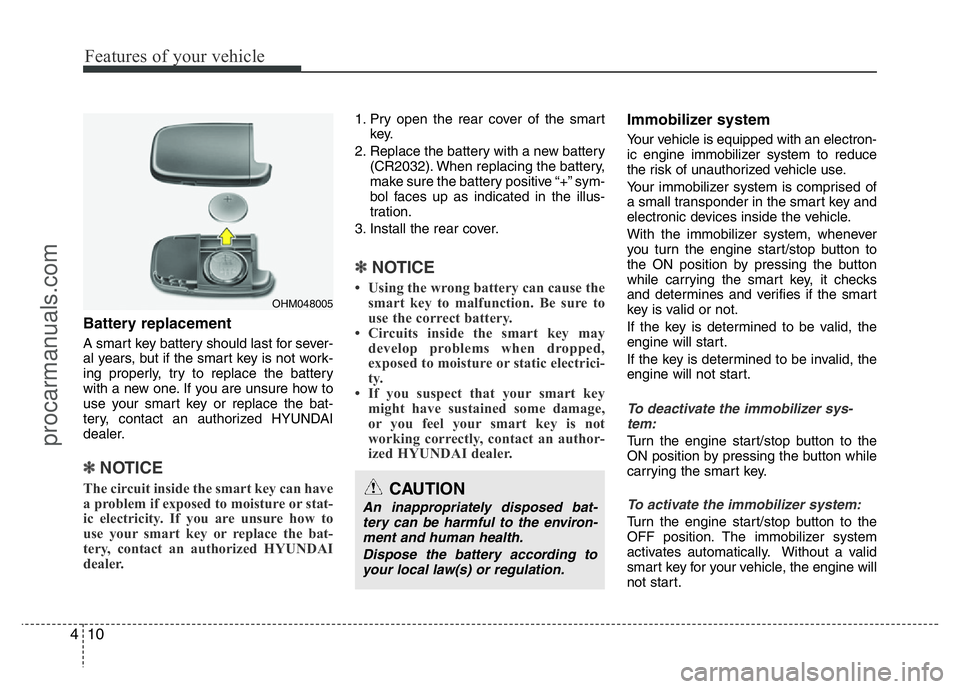
A smart key battery should last for sever-
al years, but if the smart key is not work-
ing properly, try to replace the battery
with a new one. If you are unsure how to
use your smart key or replace the bat-
tery, contact an authorized HYUNDAI
dealer.
✽NOTICE
The circuit inside the smart key can have
a problem if exposed to moisture or stat-
ic electricity. If you are unsure how to
use your smart key or replace the bat-
tery, contact an authorized HYUNDAI
dealer.
1. Pry open the rear cover of the smart
key.
2. Replace the battery with a new battery
(CR2032). When replacing the battery,
make sure the battery positive “+” sym-
bol faces up as indicated in the illus-
tration.
3. Install the rear cover.
✽NOTICE
• Using the wrong battery can cause the
smart key to malfunction. Be sure to
use the correct battery.
• Circuits inside the smart key may
develop problems when dropped,
exposed to moisture or static electrici-
ty.
• If you suspect that your smart key
might have sustained some damage,
or you feel your smart key is not
working correctly, contact an author-
ized HYUNDAI dealer.
Immobilizer system
Your vehicle is equipped with an electron-
ic engine immobilizer system to reduce
the risk of unauthorized vehicle use.
Your immobilizer system is comprised of
a small transponder in the smart key and
electronic devices inside the vehicle.
With the immobilizer system, whenever
you turn the engine start/stop button to
the ON position by pressing the button
while carrying the smart key, it checks
and determines and verifies if the smart
key is valid or not.
If the key is determined to be valid, the
engine will start.
If the key is determined to be invalid, the
engine will not start.
To deactivate the immobilizer sys-
tem:
Turn the engine start/stop button to the
ON position by pressing the button while
carrying the smart key.
To activate the immobilizer system:
Turn the engine start/stop button to the
OFF position. The immobilizer system
activates automatically. Without a valid
smart key for your vehicle, the engine will
not start.
OHM048005
CAUTION
An inappropriately disposed bat-
tery can be harmful to the environ-
ment and human health.
Dispose the battery according to
your local law(s) or regulation.
procarmanuals.com
Page 91 of 386
417
Features of your vehicle
Impact sensing door unlock sys-
tem (if equipped)
All doors will automatically unlock when
an impact causes the air bags to deploy.
Speed sensing door lock system
(if equipped)
All doors will automatically lock after the
vehicle speed exceeds 15 km/h.
For deactivation of this feature, contact
an autherized HYUNDAI dealer.
Engine off door unlock system
(if equipped)
All doors will be automatically unlock:
Without smart key system
When the key is removed from the igni-
tion switch.
With smart key system
When the ENGINE START/STOP button
is in the OFF position.
For deactivation of this feature, contact
an autherized HYUNDAI dealer.
Deadlock system (if equipped)
Some vehicles are equipped with a
deadlock system. Deadlocks prevent
opening a door from either inside or out-
side the vehicle once the deadlocks have
been activated providing an additional
measure of vehicle security.
To lock the vehicle by using the deadlock
function, the doors must be locked by
using the transmitter or the smart key. To
unlock the vehicle, the transmitter or
smart key must be used again.
Child-protector rear door lock
The child safety lock is provided to help
prevent children from accidentally open-
ing the rear doors from inside the vehicle.
The rear door safety locks should be
used whenever children are in the vehi-
cle.
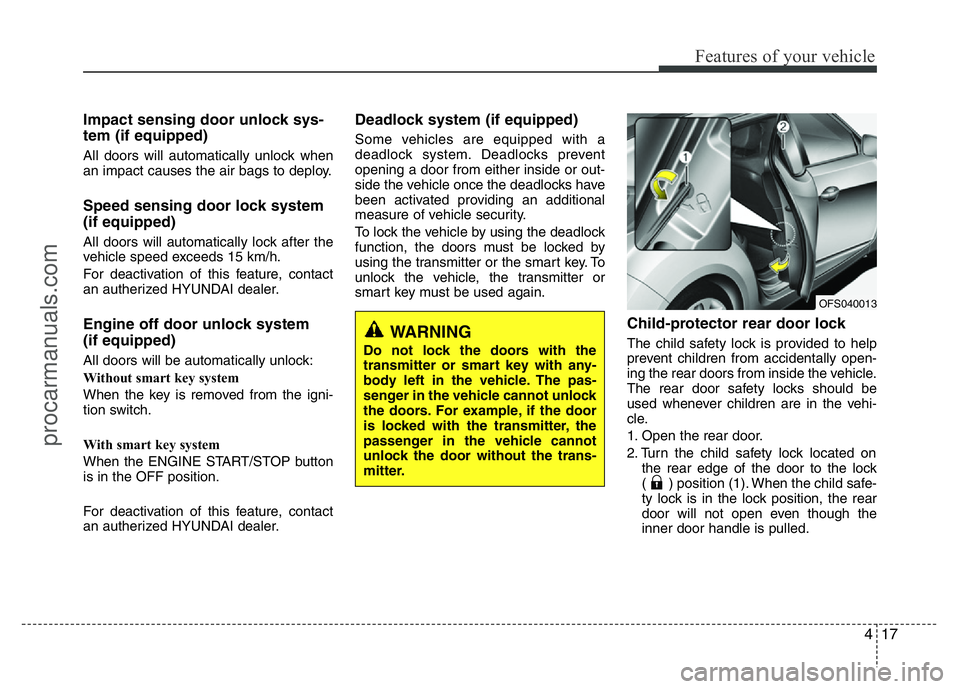
1. Open the rear door.
2. Turn the child safety lock located on
the rear edge of the door to the lock
( ) position (1). When the child safe-
ty lock is in the lock position, the rear
door will not open even though the
inner door handle is pulled.
OFS040013
WARNING
Do not lock the doors with the
transmitter or smart key with any-
body left in the vehicle. The pas-
senger in the vehicle cannot unlock
the doors. For example, if the door
is locked with the transmitter, the
passenger in the vehicle cannot
unlock the door without the trans-
mitter.
procarmanuals.com
Page 125 of 386
451
Features of your vehicle
Maintenance (if equipped)
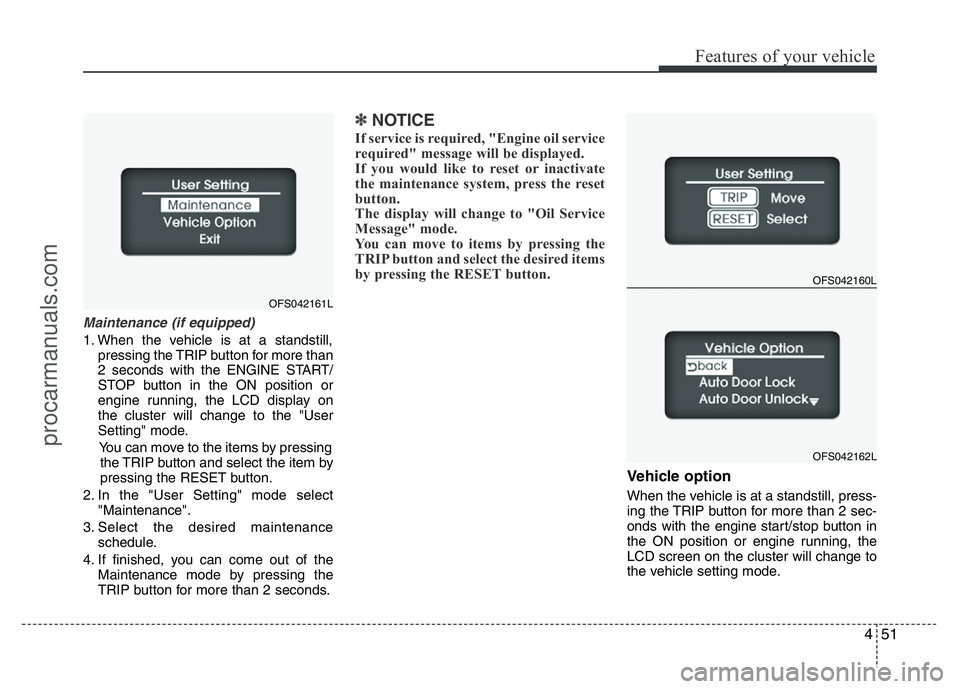
1. When the vehicle is at a standstill,
pressing the TRIP button for more than
2 seconds with the ENGINE START/
STOP button in the ON position or
engine running, the LCD display on
the cluster will change to the "User
Setting" mode.
You can move to the items by pressing
the TRIP button and select the item by
pressing the RESET button.
2. In the "User Setting" mode select
"Maintenance".
3. Select the desired maintenance
schedule.
4. If finished, you can come out of the
Maintenance mode by pressing the
TRIP button for more than 2 seconds.
✽NOTICE
If service is required, "Engine oil service
required" message will be displayed.
If you would like to reset or inactivate
the maintenance system, press the reset
button.
The display will change to "Oil Service
Message" mode.
You can move to items by pressing the
TRIP button and select the desired items
by pressing the RESET button.
Vehicle option
When the vehicle is at a standstill, press-
ing the TRIP button for more than 2 sec-
onds with the engine start/stop button in
the ON position or engine running, the
LCD screen on the cluster will change to
the vehicle setting mode.
OFS042160L
OFS042162L
OFS042161L
procarmanuals.com
Page 132 of 386

Features of your vehicle
58 4
Immobilizer indicator
(if equipped)
Without smart key system
This indicator illuminates when the
immobilizer key is inserted and turned to
the ON position to start the engine.
At this time, you can start the engine. The
indicator goes out after approximately 30
seconds.
If this indicator blinks when the ignition
switch is in the ON position before start-
ing the engine, have the system checked
by an authorized HYUNDAI dealer.With smart key system
If any of the following occurs in a vehicle
equipped with the smart key, the immobi-
lizer indicator illuminates, blinks or goes
off.
• When the smart key is in the vehicle, if
the ENGINE START/STOP button is in
the ACC or ON position, the indicator
will illuminate for approximately 30
seconds to indicate that you are able to
start the engine. However, when the
smart key is not in the vehicle, if the
ENGINE START/STOP button is
pressed, the indicator will blink for a
few seconds to indicate that you are
not able to start the engine.
• If the indicator illuminates only for 2
seconds and goes out when the
ENGINE START/STOP button is
turned to ON position with the smart
key in the vehicle, have the system
checked by an authorized HYUNDAI
dealer.
• When the battery is weak, if the
ENGINE START/STOP button is
pressed, the indicator blinks, you are
not able to start the engine. However,
you are able to start the engine by
pressing the ENGINE START/STOP
button directly with the smart key. Also,
if the smart key system related parts
have a problem, the indicator will blink.
Low fuel level warning
This warning light indicates the fuel tank
is nearly empty. When it comes on, you
should add fuel as soon as possible.
Driving with the fuel level warning light on
or with the fuel level below “0/E” can
cause the engine to misfire and damage
the catalytic converter (if equipped).
procarmanuals.com
Page 138 of 386
Features of your vehicle
64 4
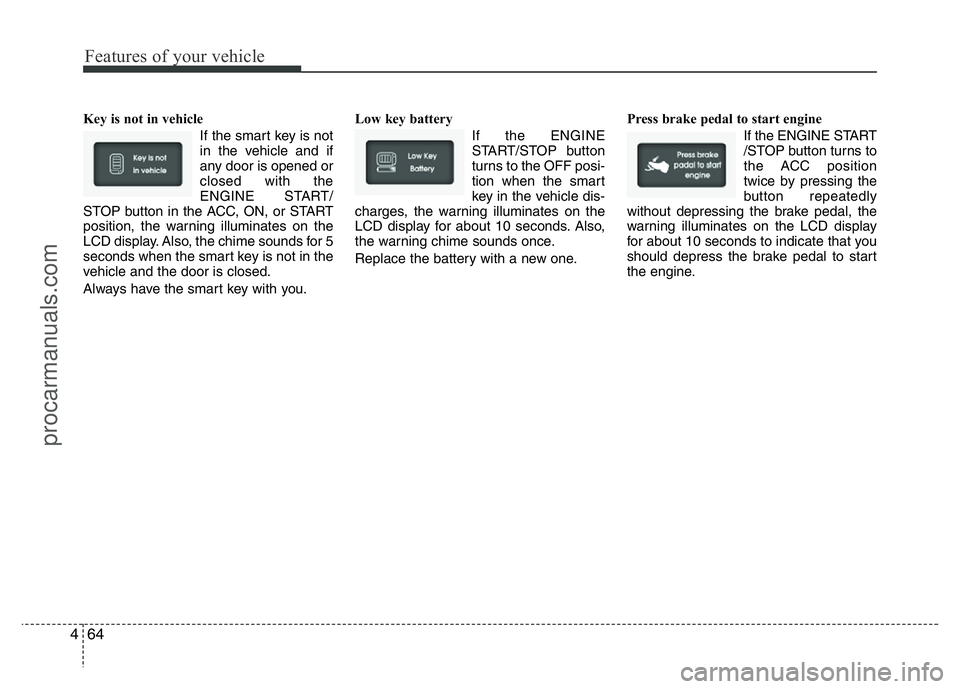
Key is not in vehicle
If the smart key is not
in the vehicle and if
any door is opened or
closed with the
ENGINE START/
STOP button in the ACC, ON, or START
position, the warning illuminates on the
LCD display. Also, the chime sounds for 5
seconds when the smart key is not in the
vehicle and the door is closed.
Always have the smart key with you.Low key battery
If the ENGINE
START/STOP button
turns to the OFF posi-
tion when the smart
key in the vehicle dis-
charges, the warning illuminates on the
LCD display for about 10 seconds. Also,
the warning chime sounds once.
Replace the battery with a new one.Press brake pedal to start engine
If the ENGINE START
/STOP button turns to
the ACC position
twice by pressing the
button repeatedly
without depressing the brake pedal, the
warning illuminates on the LCD display
for about 10 seconds to indicate that you
should depress the brake pedal to start
the engine.
procarmanuals.com
Page 139 of 386
465
Features of your vehicle
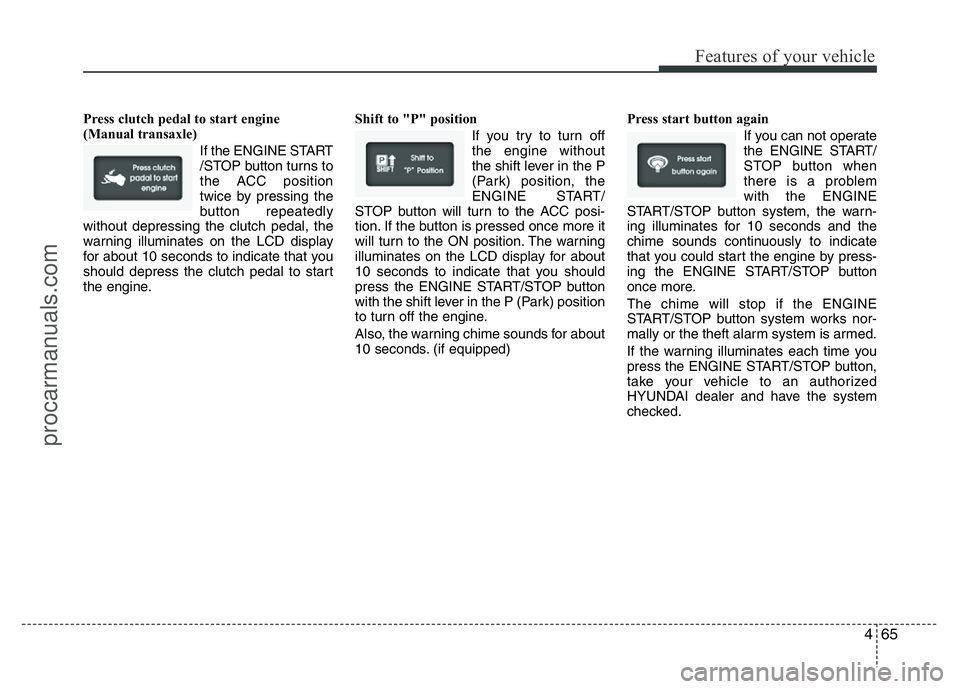
Press clutch pedal to start engine
(Manual transaxle)
If the ENGINE START
/STOP button turns to
the ACC position
twice by pressing the
button repeatedly
without depressing the clutch pedal, the
warning illuminates on the LCD display
for about 10 seconds to indicate that you
should depress the clutch pedal to start
the engine.Shift to "P" position
If you try to turn off
the engine without
the shift lever in the P
(Park) position, the
ENGINE START/
STOP button will turn to the ACC posi-
tion. If the button is pressed once more it
will turn to the ON position. The warning
illuminates on the LCD display for about
10 seconds to indicate that you should
press the ENGINE START/STOP button
with the shift lever in the P (Park) position
to turn off the engine.
Also, the warning chime sounds for about
10 seconds. (if equipped)Press start button again
If you can not operate
the ENGINE START/
STOP button when
there is a problem
with the ENGINE
START/STOP button system, the warn-
ing illuminates for 10 seconds and the
chime sounds continuously to indicate
that you could start the engine by press-
ing the ENGINE START/STOP button
once more.
The chime will stop if the ENGINE
START/STOP button system works nor-
mally or the theft alarm system is armed.
If the warning illuminates each time you
press the ENGINE START/STOP button,
take your vehicle to an authorized
HYUNDAI dealer and have the system
checked.
procarmanuals.com
Page 140 of 386
Features of your vehicle
66 4
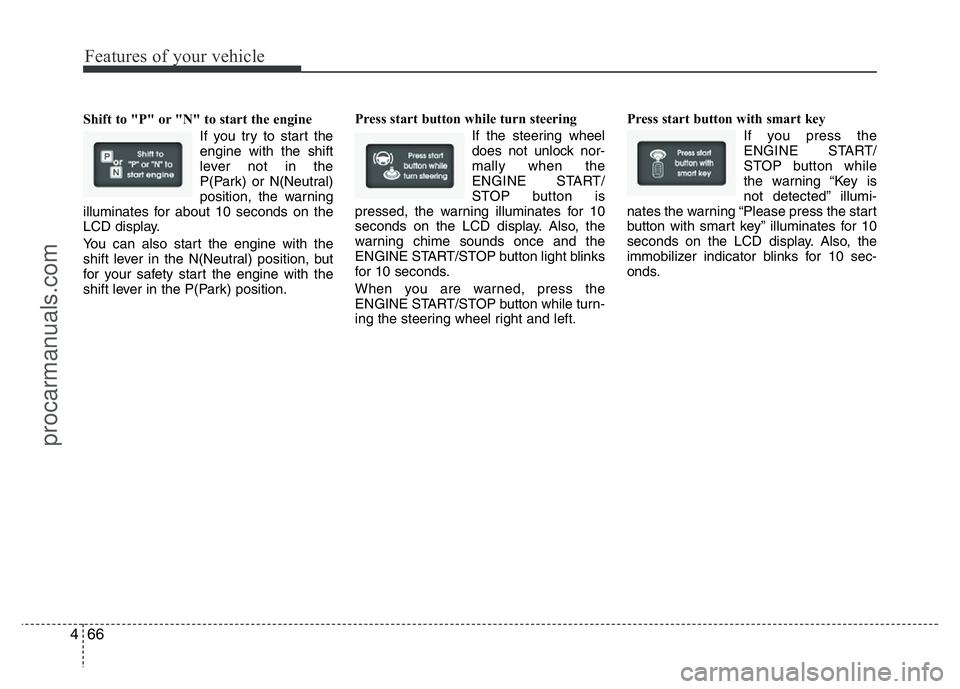
Shift to "P" or "N" to start the engine
If you try to start the
engine with the shift
lever not in the
P(Park) or N(Neutral)
position, the warning
illuminates for about 10 seconds on the
LCD display.
You can also start the engine with the
shift lever in the N(Neutral) position, but
for your safety start the engine with the
shift lever in the P(Park) position.Press start button while turn steering
If the steering wheel
does not unlock nor-
mally when the
ENGINE START/
STOP button is
pressed, the warning illuminates for 10
seconds on the LCD display. Also, the
warning chime sounds once and the
ENGINE START/STOP button light blinks
for 10 seconds.
When you are warned, press the
ENGINE START/STOP button while turn-
ing the steering wheel right and left.Press start button with smart key
If you press the
ENGINE START/
STOP button while
the warning “Key is
not detected” illumi-
nates the warning “Please press the start
button with smart key” illuminates for 10
seconds on the LCD display. Also, the
immobilizer indicator blinks for 10 sec-
onds.
procarmanuals.com