Page 160 of 386
Features of your vehicle
86 4
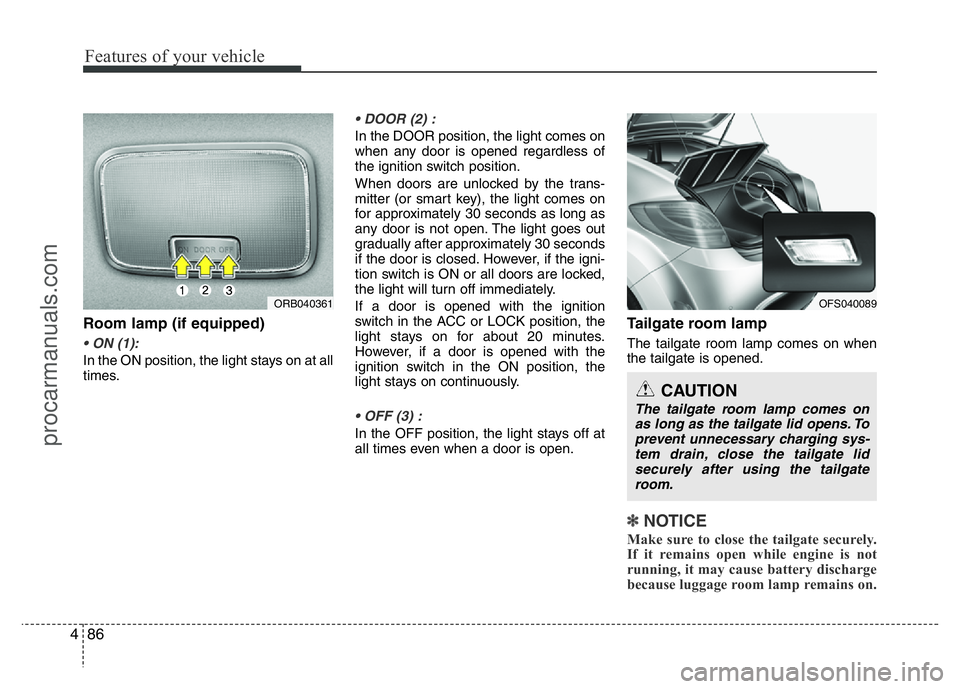
Room lamp (if equipped)
• ON (1):
In the ON position, the light stays on at all
times.
• DOOR (2) :
In the DOOR position, the light comes on
when any door is opened regardless of
the ignition switch position.
When doors are unlocked by the trans-
mitter (or smart key), the light comes on
for approximately 30 seconds as long as
any door is not open. The light goes out
gradually after approximately 30 seconds
if the door is closed. However, if the igni-
tion switch is ON or all doors are locked,
the light will turn off immediately.
If a door is opened with the ignition
switch in the ACC or LOCK position, the
light stays on for about 20 minutes.
However, if a door is opened with the
ignition switch in the ON position, the
light stays on continuously.
• OFF (3) :
In the OFF position, the light stays off at
all times even when a door is open.
Tailgate room lamp
The tailgate room lamp comes on when
the tailgate is opened.
✽NOTICE
Make sure to close the tailgate securely.
If it remains open while engine is not
running, it may cause battery discharge
because luggage room lamp remains on.
ORB040361OFS040089
CAUTION
The tailgate room lamp comes on
as long as the tailgate lid opens. To
prevent unnecessary charging sys-
tem drain, close the tailgate lid
securely after using the tailgate
room.
procarmanuals.com
Page 161 of 386
487
Features of your vehicle
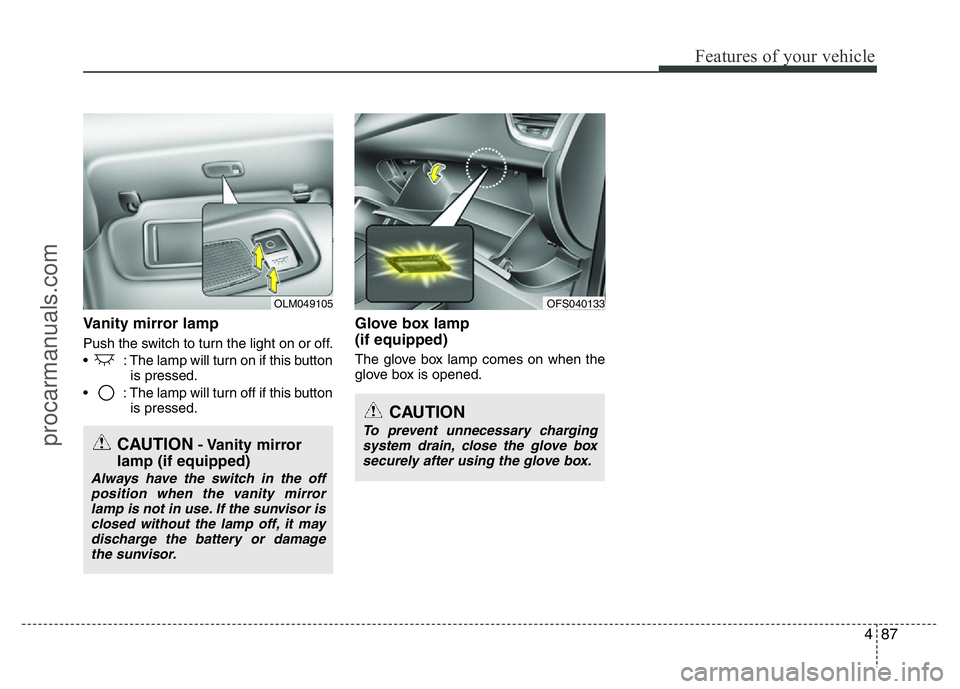
Vanity mirror lamp
Push the switch to turn the light on or off.
• : The lamp will turn on if this button
is pressed.
• : The lamp will turn off if this button
is pressed.
Glove box lamp
(if equipped)
The glove box lamp comes on when the
glove box is opened.
OLM049105
CAUTION- Vanity mirror
lamp (if equipped)
Always have the switch in the off
position when the vanity mirror
lamp is not in use. If the sunvisor is
closed without the lamp off, it may
discharge the battery or damage
the sunvisor.
CAUTION
To prevent unnecessary charging
system drain, close the glove box
securely after using the glove box.
OFS040133
procarmanuals.com
Page 182 of 386
Features of your vehicle
108 4
Defogging logic
To reduce the probability of fogging up
the inside of the windshield, the air intake
or air conditioning are controlled auto-
matically according to certain conditions
such as or position. To cancel or
return the defogging logic, do the follow-
ing.
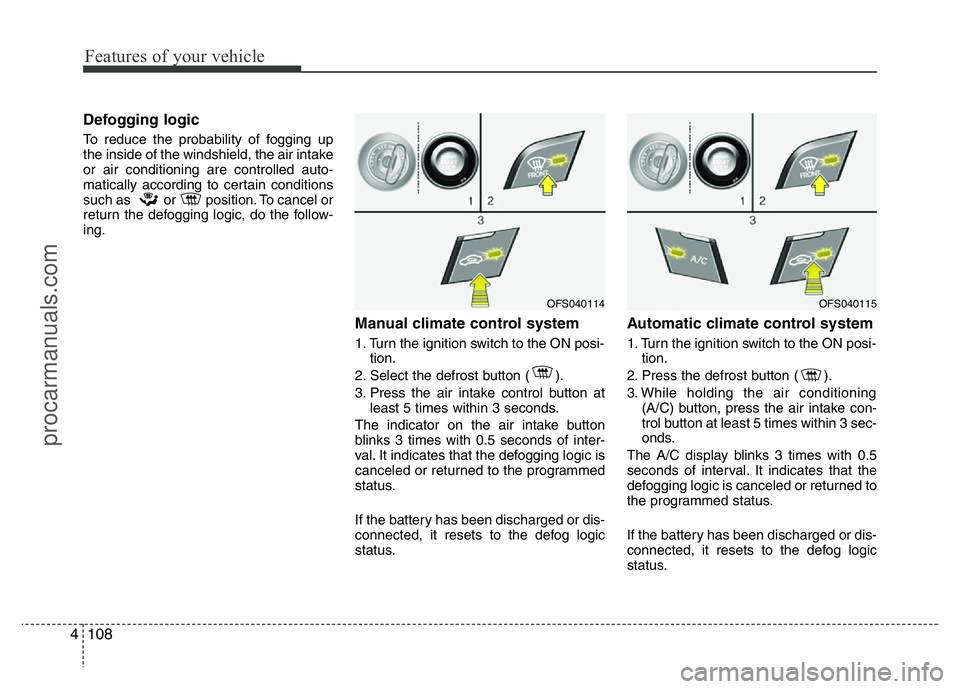
Manual climate control system
1. Turn the ignition switch to the ON posi-
tion.
2. Select the defrost button ( ).
3. Press the air intake control button at
least 5 times within 3 seconds.
The indicator on the air intake button
blinks 3 times with 0.5 seconds of inter-
val. It indicates that the defogging logic is
canceled or returned to the programmed
status.
If the battery has been discharged or dis-
connected, it resets to the defog logic
status.
Automatic climate control system
1. Turn the ignition switch to the ON posi-
tion.
2. Press the defrost button ( ).
3. While holding the air conditioning
(A/C) button, press the air intake con-
trol button at least 5 times within 3 sec-
onds.
The A/C display blinks 3 times with 0.5
seconds of interval. It indicates that the
defogging logic is canceled or returned to
the programmed status.
If the battery has been discharged or dis-
connected, it resets to the defog logic
status.
OFS040114OFS040115
procarmanuals.com
Page 187 of 386
4113
Features of your vehicle
Sunvisor
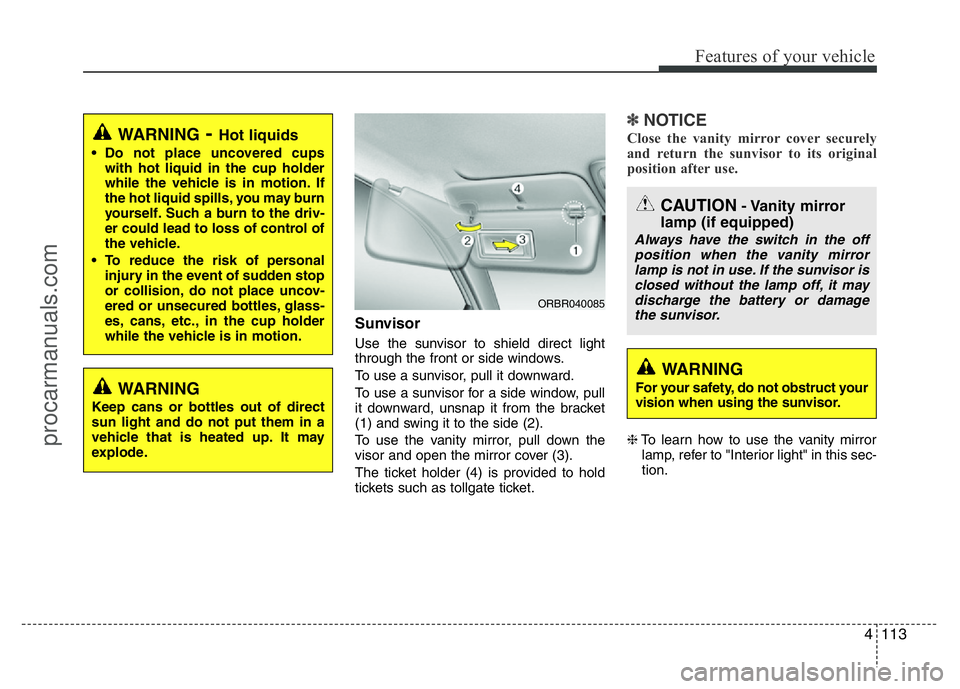
Use the sunvisor to shield direct light
through the front or side windows.
To use a sunvisor, pull it downward.
To use a sunvisor for a side window, pull
it downward, unsnap it from the bracket
(1) and swing it to the side (2).
To use the vanity mirror, pull down the
visor and open the mirror cover (3).
The ticket holder (4) is provided to hold
tickets such as tollgate ticket.
✽NOTICE
Close the vanity mirror cover securely
and return the sunvisor to its original
position after use.
❈To learn how to use the vanity mirror
lamp, refer to "Interior light" in this sec-
tion.
WARNING- Hot liquids
• Do not place uncovered cups
with hot liquid in the cup holder
while the vehicle is in motion. If
the hot liquid spills, you may burn
yourself. Such a burn to the driv-
er could lead to loss of control of
the vehicle.
• To reduce the risk of personal
injury in the event of sudden stop
or collision, do not place uncov-
ered or unsecured bottles, glass-
es, cans, etc., in the cup holder
while the vehicle is in motion.
WARNING
Keep cans or bottles out of direct
sun light and do not put them in a
vehicle that is heated up. It may
explode.
ORBR040085
CAUTION- Vanity mirror
lamp (if equipped)
Always have the switch in the off
position when the vanity mirror
lamp is not in use. If the sunvisor is
closed without the lamp off, it may
discharge the battery or damage
the sunvisor.
WARNING
For your safety, do not obstruct your
vision when using the sunvisor.
procarmanuals.com
Page 212 of 386
55
Driving your vehicle
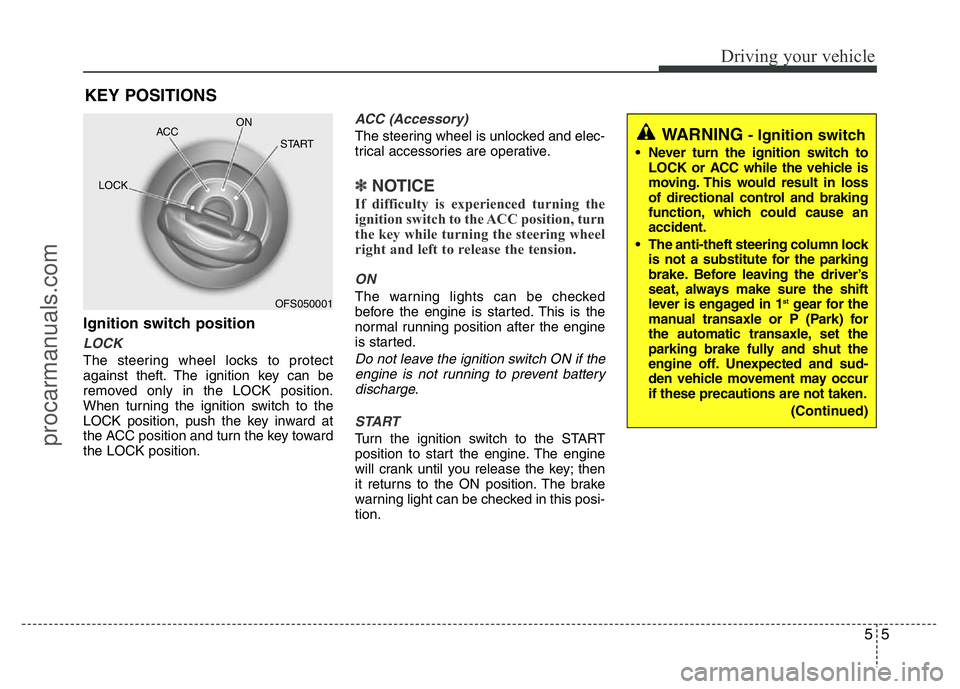
Ignition switch position
LOCK
The steering wheel locks to protect
against theft. The ignition key can be
removed only in the LOCK position.
When turning the ignition switch to the
LOCK position, push the key inward at
the ACC position and turn the key toward
the LOCK position.
ACC (Accessory)
The steering wheel is unlocked and elec-
trical accessories are operative.
✽NOTICE
If difficulty is experienced turning the
ignition switch to the ACC position, turn
the key while turning the steering wheel
right and left to release the tension.
ON
The warning lights can be checked
before the engine is started. This is the
normal running position after the engine
is started.
Do not leave the ignition switch ON if the
engine is not running to prevent battery
discharge.
START
Turn the ignition switch to the START
position to start the engine. The engine
will crank until you release the key; then
it returns to the ON position. The brake
warning light can be checked in this posi-
tion.
KEY POSITIONS
OFS050001 ACCON
START
LOCK
WARNING- Ignition switch
• Never turn the ignition switch to
LOCK or ACC while the vehicle is
moving. This would result in loss
of directional control and braking
function, which could cause an
accident.
• The anti-theft steering column lock
is not a substitute for the parking
brake. Before leaving the driver’s
seat, always make sure the shift
lever is engaged in 1
stgear for the
manual transaxle or P (Park) for
the automatic transaxle, set the
parking brake fully and shut the
engine off. Unexpected and sud-
den vehicle movement may occur
if these precautions are not taken.
(Continued)
procarmanuals.com
Page 216 of 386
59
Driving your vehicle
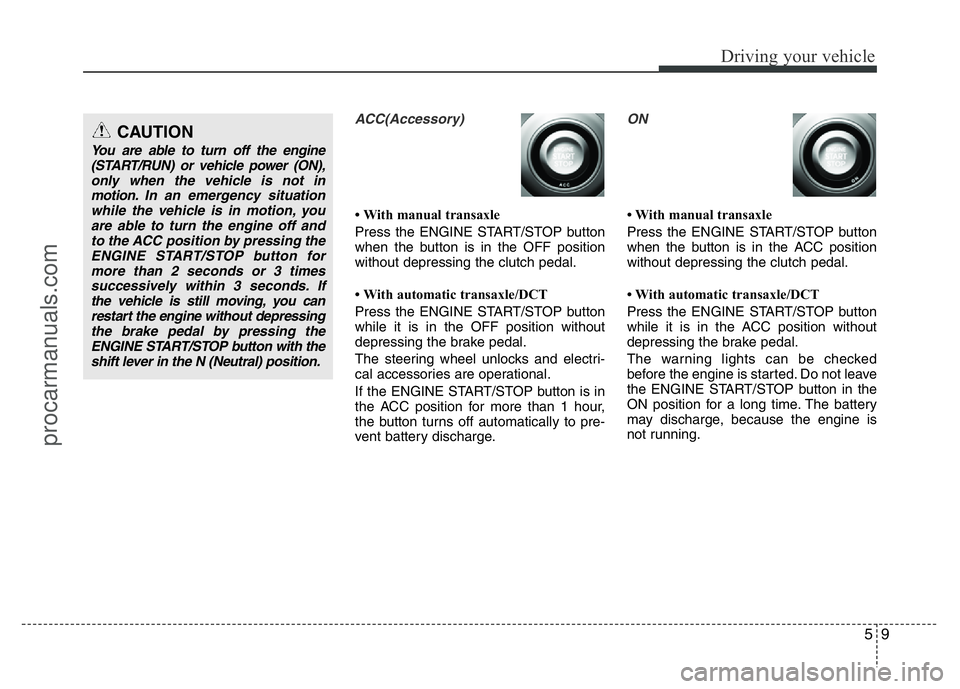
ACC(Accessory)
• With manual transaxle
Press the ENGINE START/STOP button
when the button is in the OFF position
without depressing the clutch pedal.
• With automatic transaxle/DCT
Press the ENGINE START/STOP button
while it is in the OFF position without
depressing the brake pedal.
The steering wheel unlocks and electri-
cal accessories are operational.
If the ENGINE START/STOP button is in
the ACC position for more than 1 hour,
the button turns off automatically to pre-
vent battery discharge.
ON
• With manual transaxle
Press the ENGINE START/STOP button
when the button is in the ACC position
without depressing the clutch pedal.
• With automatic transaxle/DCT
Press the ENGINE START/STOP button
while it is in the ACC position without
depressing the brake pedal.
The warning lights can be checked
before the engine is started. Do not leave
the ENGINE START/STOP button in the
ON position for a long time. The battery
may discharge, because the engine is
not running.
CAUTION
You are able to turn off the engine
(START/RUN) or vehicle power (ON),
only when the vehicle is not in
motion. In an emergency situation
while the vehicle is in motion, you
are able to turn the engine off and
to the ACC position by pressing the
ENGINE START/STOP button for
more than 2 seconds or 3 times
successively within 3 seconds. If
the vehicle is still moving, you can
restart the engine without depressing
the brake pedal by pressing the
ENGINE START/STOP button with the
shift lever in the N (Neutral) position.
procarmanuals.com
Page 217 of 386
Driving your vehicle
10 5
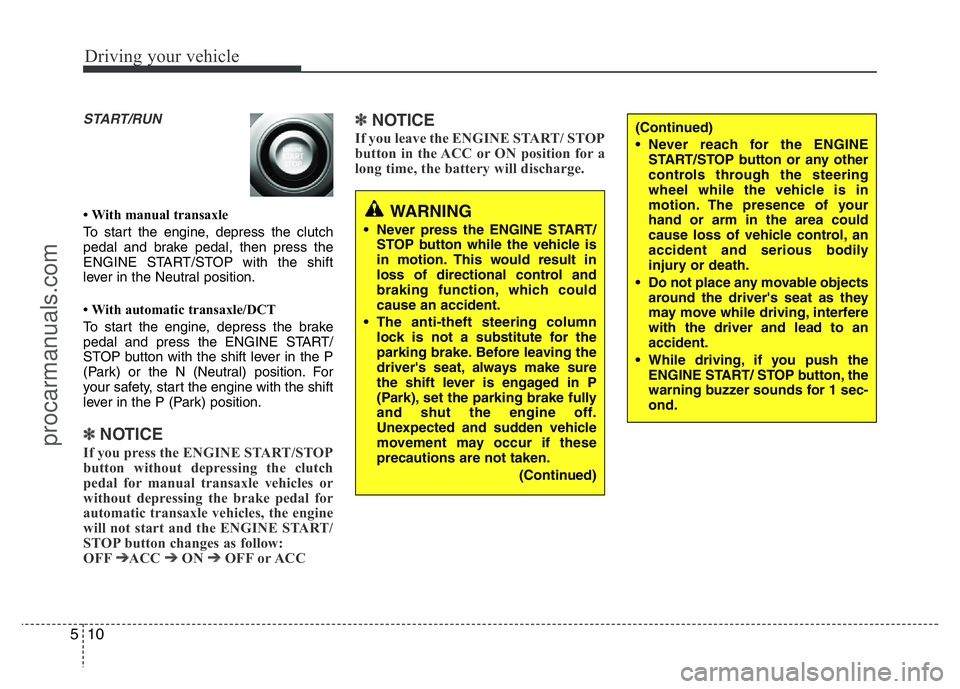
START/RUN
• With manual transaxle
To start the engine, depress the clutch
pedal and brake pedal, then press the
ENGINE START/STOP with the shift
lever in the Neutral position.
• With automatic transaxle/DCT
To start the engine, depress the brake
pedal and press the ENGINE START/
STOP button with the shift lever in the P
(Park) or the N (Neutral) position. For
your safety, start the engine with the shift
lever in the P (Park) position.
✽ NOTICE
If you press the ENGINE START/STOP
button without depressing the clutch
pedal for manual transaxle vehicles or
without depressing the brake pedal for
automatic transaxle vehicles, the engine
will not start and the ENGINE START/
STOP button changes as follow:
OFF
➔ACC ➔ON ➔OFF or ACC
✽ NOTICE
If you leave the ENGINE START/ STOP
button in the ACC or ON position for a
long time, the battery will discharge.
WARNING
• Never press the ENGINE START/
STOP button while the vehicle is
in motion. This would result in
loss of directional control and
braking function, which could
cause an accident.
• The anti-theft steering column
lock is not a substitute for the
parking brake. Before leaving the
driver's seat, always make sure
the shift lever is engaged in P
(Park), set the parking brake fully
and shut the engine off.
Unexpected and sudden vehicle
movement may occur if these
precautions are not taken.
(Continued)
(Continued)
• Never reach for the ENGINE
START/STOP button or any other
controls through the steering
wheel while the vehicle is in
motion. The presence of your
hand or arm in the area could
cause loss of vehicle control, an
accident and serious bodily
injury or death.
• Do not place any movable objects
around the driver's seat as they
may move while driving, interfere
with the driver and lead to an
accident.
• While driving, if you push the
ENGINE START/ STOP button, the
warning buzzer sounds for 1 sec-
ond.
procarmanuals.com
Page 219 of 386
Driving your vehicle
12 5
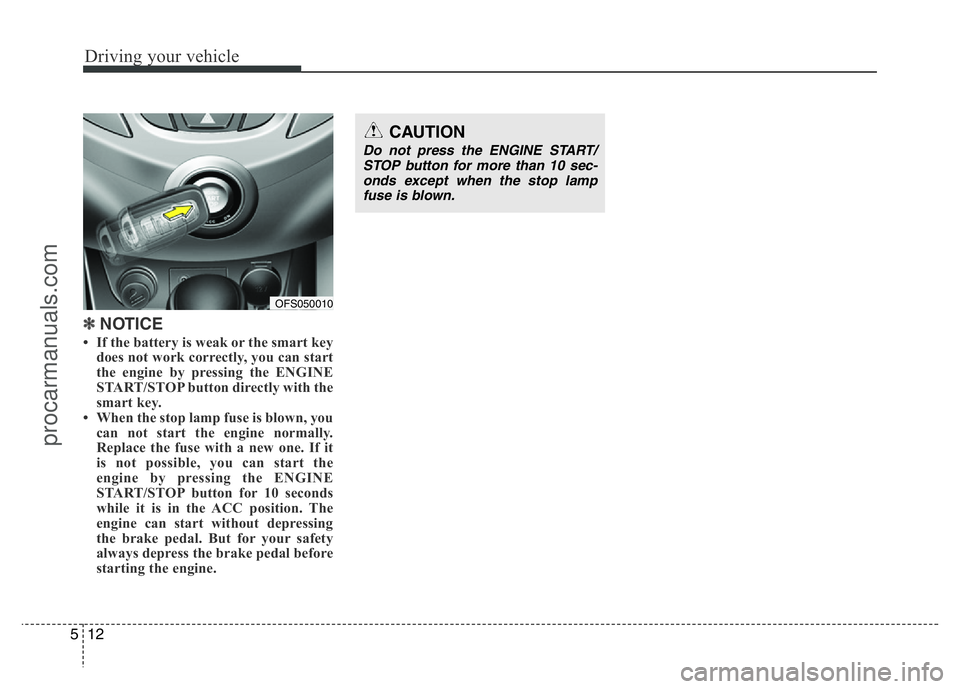
✽ NOTICE
• If the battery is weak or the smart key
does not work correctly, you can start
the engine by pressing the ENGINE
START/STOP button directly with the
smart key.
• When the stop lamp fuse is blown, you
can not start the engine normally.
Replace the fuse with a new one. If it
is not possible, you can start the
engine by pressing the ENGINE
START/STOP button for 10 seconds
while it is in the ACC position. The
engine can start without depressing
the brake pedal. But for your safety
always depress the brake pedal before
starting the engine.
CAUTION
Do not press the ENGINE START/
STOP button for more than 10 sec-
onds except when the stop lamp
fuse is blown.
OFS050010
procarmanuals.com