Page 121 of 386
447
Features of your vehicle
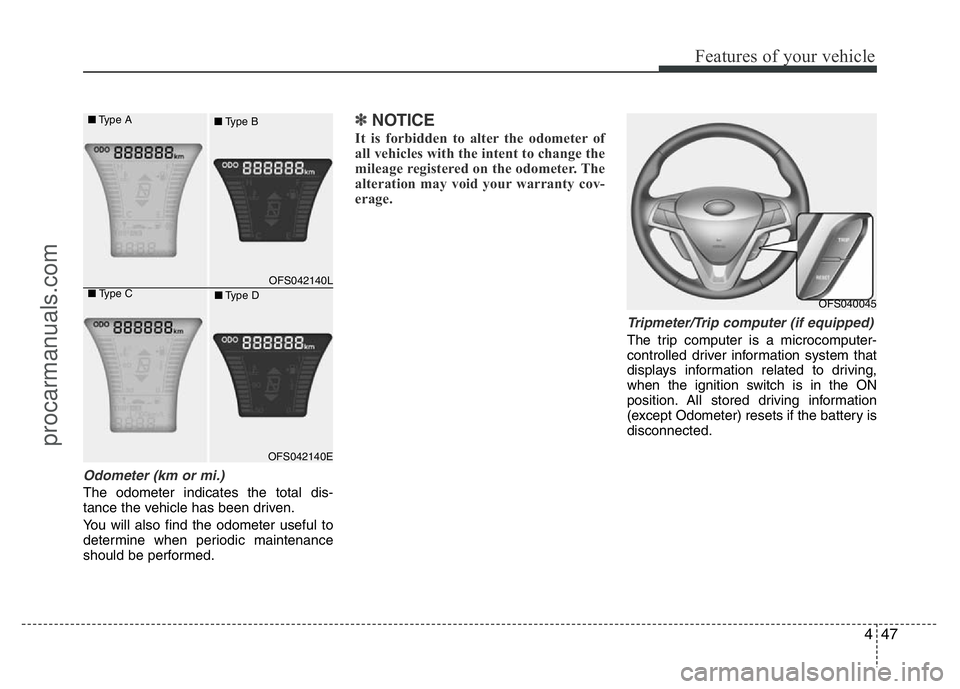
Odometer (km or mi.)
The odometer indicates the total dis-
tance the vehicle has been driven.
You will also find the odometer useful to
determine when periodic maintenance
should be performed.
✽NOTICE
It is forbidden to alter the odometer of
all vehicles with the intent to change the
mileage registered on the odometer. The
alteration may void your warranty cov-
erage.
Tripmeter/Trip computer (if equipped)
The trip computer is a microcomputer-
controlled driver information system that
displays information related to driving,
when the ignition switch is in the ON
position. All stored driving information
(except Odometer) resets if the battery is
disconnected.
OFS040045
OFS042140L
OFS042140E
■Type A
■Type B
■Type C
■Type D
procarmanuals.com
Page 124 of 386
Features of your vehicle
50 4
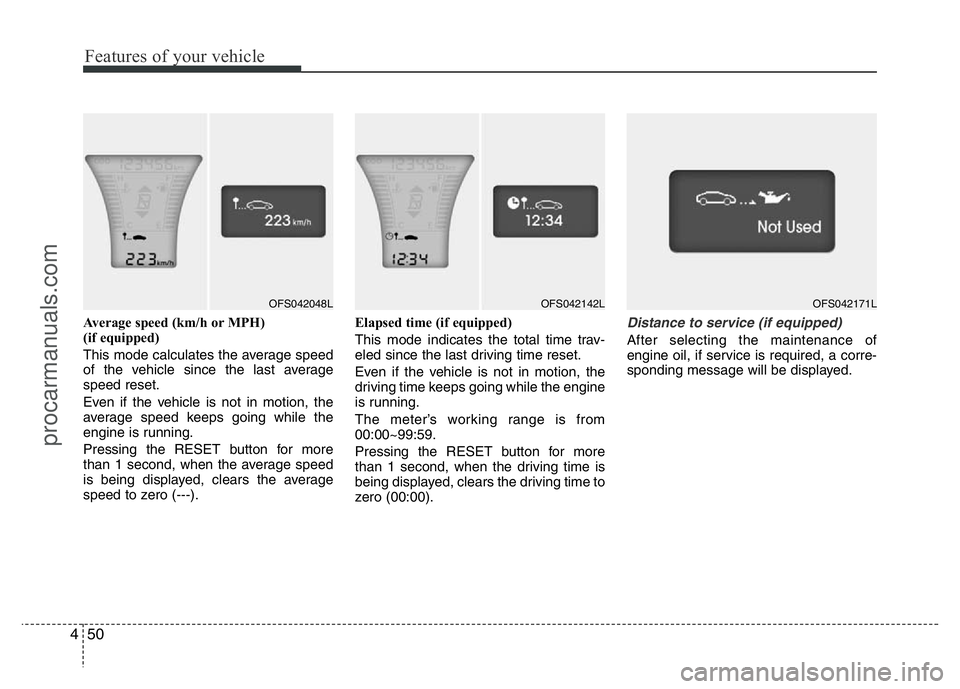
Average speed (km/h or MPH)
(if equipped)
This mode calculates the average speed
of the vehicle since the last average
speed reset.
Even if the vehicle is not in motion, the
average speed keeps going while the
engine is running.
Pressing the RESET button for more
than 1 second, when the average speed
is being displayed, clears the average
speed to zero (---).Elapsed time (if equipped)
This mode indicates the total time trav-
eled since the last driving time reset.
Even if the vehicle is not in motion, the
driving time keeps going while the engine
is running.
The meter’s working range is from
00:00~99:59.
Pressing the RESET button for more
than 1 second, when the driving time is
being displayed, clears the driving time to
zero (00:00).Distance to service (if equipped)
After selecting the maintenance of
engine oil, if service is required, a corre-
sponding message will be displayed.
OFS042048LOFS042142LOFS042171L
procarmanuals.com
Page 125 of 386
451
Features of your vehicle
Maintenance (if equipped)
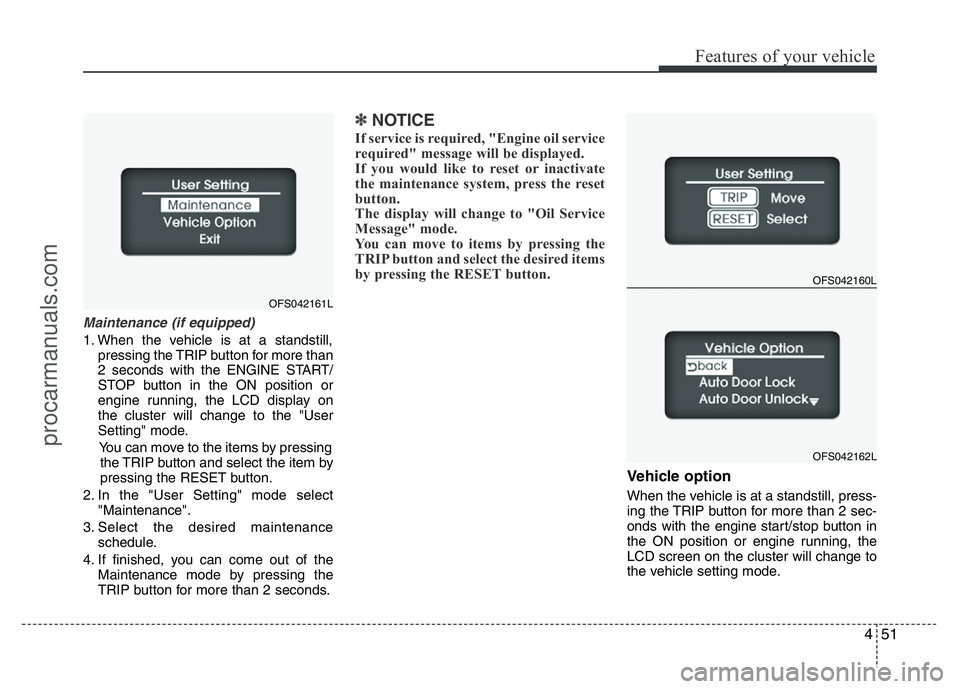
1. When the vehicle is at a standstill,
pressing the TRIP button for more than
2 seconds with the ENGINE START/
STOP button in the ON position or
engine running, the LCD display on
the cluster will change to the "User
Setting" mode.
You can move to the items by pressing
the TRIP button and select the item by
pressing the RESET button.
2. In the "User Setting" mode select
"Maintenance".
3. Select the desired maintenance
schedule.
4. If finished, you can come out of the
Maintenance mode by pressing the
TRIP button for more than 2 seconds.
✽NOTICE
If service is required, "Engine oil service
required" message will be displayed.
If you would like to reset or inactivate
the maintenance system, press the reset
button.
The display will change to "Oil Service
Message" mode.
You can move to items by pressing the
TRIP button and select the desired items
by pressing the RESET button.
Vehicle option
When the vehicle is at a standstill, press-
ing the TRIP button for more than 2 sec-
onds with the engine start/stop button in
the ON position or engine running, the
LCD screen on the cluster will change to
the vehicle setting mode.
OFS042160L
OFS042162L
OFS042161L
procarmanuals.com
Page 337 of 386
745
Maintenance
Reset items
Items should be reset after the battery
has been discharged or the battery has
been disconnected.
• Auto up/down window (See section 4)
• Sunroof (See section 4)
• Trip computer (See section 4)
• Climate control system
(See section 4)
• Clock (See section 4)
• Audio (See section 4)
WARNING
• Before performing maintenance
or recharging the battery, turn off
all accessories and stop the
engine.
• The negative battery cable must
be removed first and installed
last when the battery is discon-
nected.
WARNING- Recharging
battery
When recharging the battery,
observe the following precautions:
• The battery must be removed
from the vehicle and placed in an
area with good ventilation.
• Do not allow cigarettes, sparks,
or flame near the battery.
• Watch the battery during charg-
ing, and stop or reduce the charg-
ing rate if the battery cells begin
gassing (boiling) violently or if
the temperature of the electrolyte
of any cell exceeds 49°C (120°F).
• Wear eye protection when check-
ing the battery during charging.
• Disconnect the battery charger in
the following order.
1. Turn off the battery charger main
switch.
2. Unhook the negative clamp from
the negative battery terminal.
3. Unhook the positive clamp from
the positive battery terminal.
CAUTION- AGM battery
(if equipped)
• Absorbent Glass Matt (AGM) bat-
teries are maintenance-free and
should only be serviced by an
authorized HYUNDAI dealer. For
charging your AGM battery, use
only fully automatic battery
chargers that are specially devel-
oped for AGM batteries.
• When replacing the AGM battery,
use only the HYUNDAI genuine
battery for the ISG system.
• Do not open or remove the cap on
top of the battery. This may cause
leaks of internal electrolyte that
could result in severe injury.
• If the AGM battery is reconnected
or replaced, ISG function will not
operate immediately.
If you want to use the ISG func-
tion, the battery sensor needs to
be calibrated for approximately 4
hours with the ignition off.
procarmanuals.com
Page 341 of 386
749
Maintenance
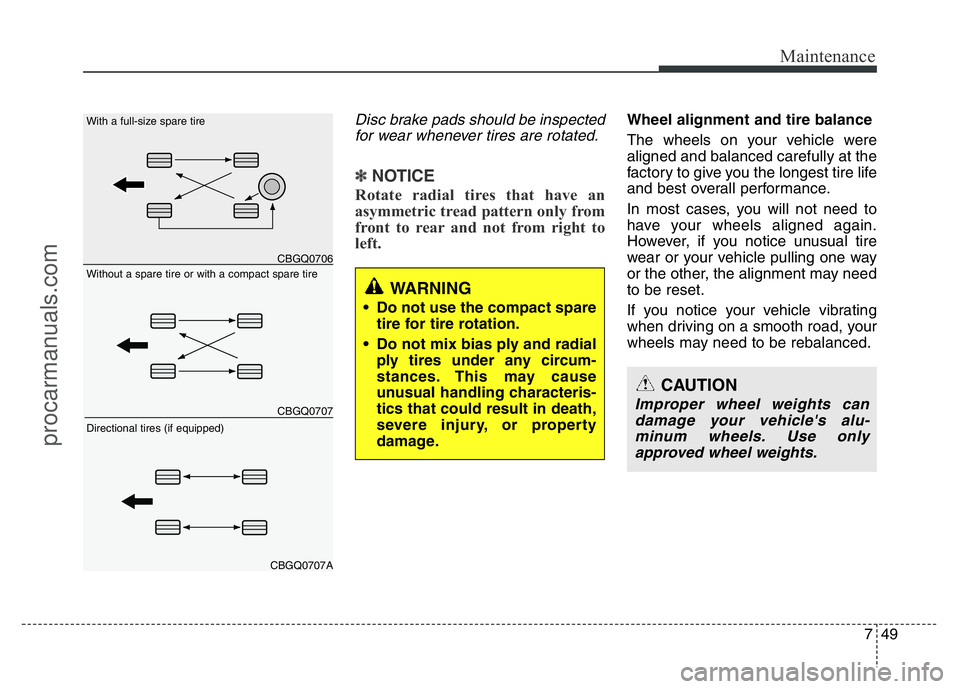
Disc brake pads should be inspected
for wear whenever tires are rotated.
✽NOTICE
Rotate radial tires that have an
asymmetric tread pattern only from
front to rear and not from right to
left.
Wheel alignment and tire balance
The wheels on your vehicle were
aligned and balanced carefully at the
factory to give you the longest tire life
and best overall performance.
In most cases, you will not need to
have your wheels aligned again.
However, if you notice unusual tire
wear or your vehicle pulling one way
or the other, the alignment may need
to be reset.
If you notice your vehicle vibrating
when driving on a smooth road, your
wheels may need to be rebalanced.
WARNING
• Do not use the compact spare
tire for tire rotation.
• Do not mix bias ply and radial
ply tires under any circum-
stances. This may cause
unusual handling characteris-
tics that could result in death,
severe injury, or property
damage.
CAUTION
Improper wheel weights can
damage your vehicle's alu-
minum wheels. Use only
approved wheel weights.
CBGQ0706
CBGQ0707
CBGQ0707A
Without a spare tire or with a compact spare tire With a full-size spare tire
Directional tires (if equipped)
procarmanuals.com
Page 350 of 386
Maintenance
58 7
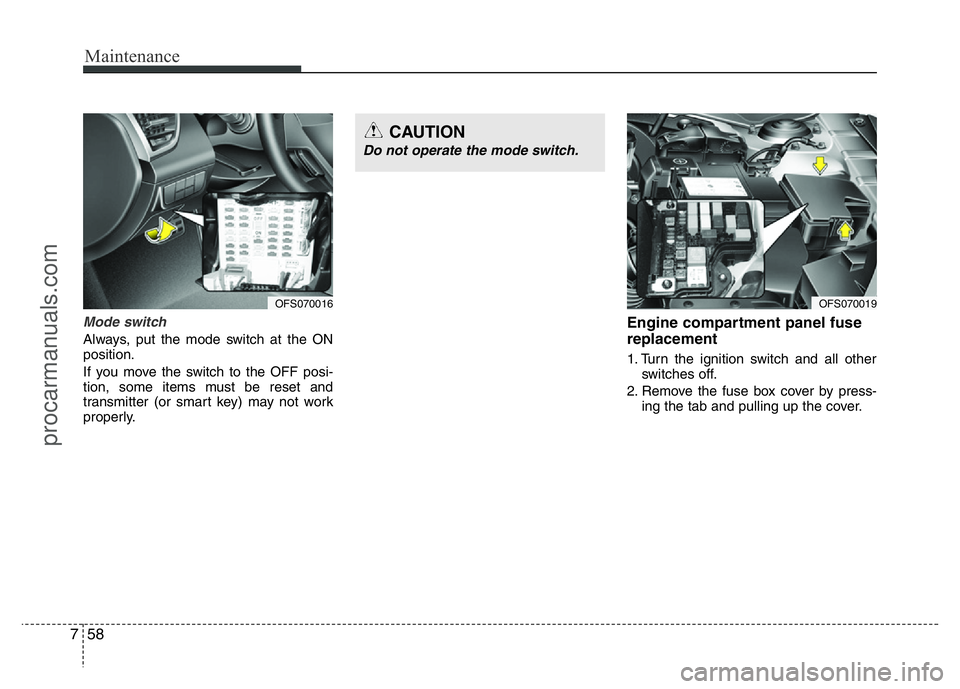
Mode switch
Always, put the mode switch at the ON
position.
If you move the switch to the OFF posi-
tion, some items must be reset and
transmitter (or smart key) may not work
properly.
Engine compartment panel fuse
replacement
1. Turn the ignition switch and all other
switches off.
2. Remove the fuse box cover by press-
ing the tab and pulling up the cover.
OFS070016OFS070019
CAUTION
Do not operate the mode switch.
procarmanuals.com