Page 237 of 427
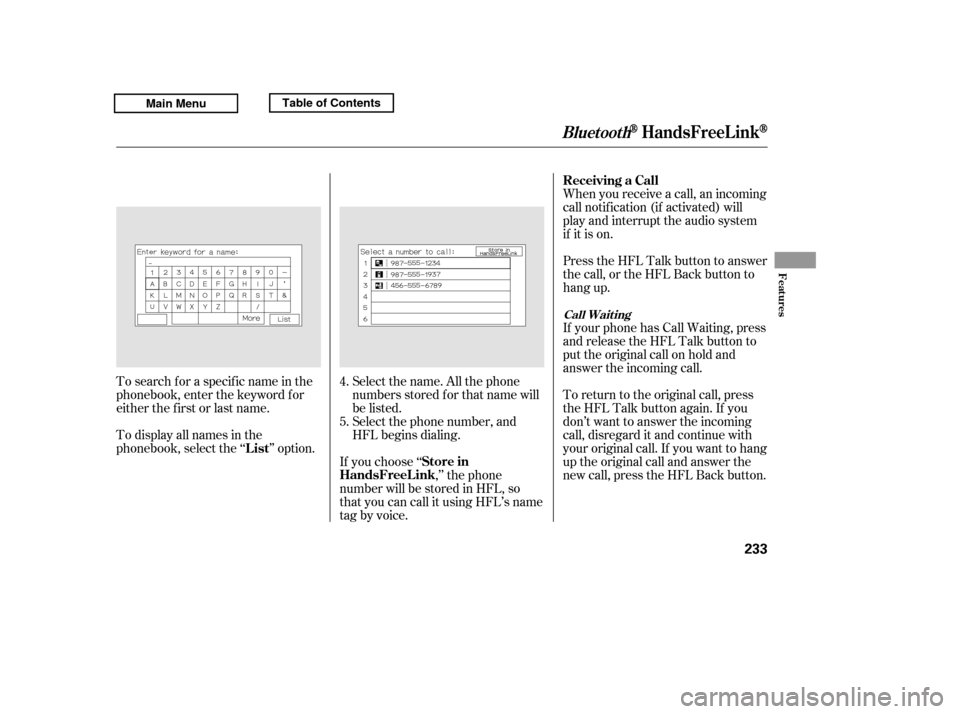
Select the name. All the phone
numbers stored f or that name will
be listed.When you receive a call, an incoming
call notif ication (if activated) will
play and interrupt the audio system
if it is on.
Press the HFL Talk button to answer
the call, or the HFL Back button to
hang up.
If your phone has Call Waiting, press
and release the HFL Talk button to
put the original call on hold and
answer the incoming call.
To return to the original call, press
the HFL Talk button again. If you
don’t want to answer the incoming
call, disregard it and continue with
your original call. If you want to hang
up the original call and answer the
new call, press the HFL Back button.
To search f or a specif ic name in the
phonebook, enter the keyword f or
either the f irst or last name.
To display all names in the
phonebook, select the ‘‘ ’’ option.
If you choose ‘‘,’’ the phone
number will be stored in HFL, so
that you can call it using HFL’s name
tag by voice. Select the phone number, and
HFL begins dialing.
4. 5.
BluetoothHandsFreeL ink
Receiving a Call
List Store in
HandsFreeL ink
Call Wait ing
Features
233
Main MenuTable of Contents
Page 241 of 427
(available on some phones)handsf reelink.honda.
com
www.honda.ca,
If you select
f rom the Inf ormation screen menu,
you will see f our HFL options.
In the U.S., visitor call (888) 528-7876.
In Canada, visit or call
(888) 9-HONDA-9. The entire phonebook data of the
cell phone that is linked to HFL can
be imported to the navigation system.
Select ‘‘
,’’ and HFL will begin
importing the phonebook. Select
‘‘ ’’ af ter the import is completed. Once a phonebook has been
imported, you can search the phone
numbers by the person’s name.
Select ‘‘
,’’ and a list of imported
phonebooks will be displayed.
Select a phonebook f rom the list.
For a list of cell phones that are
compatible with this f eature:
CONT INUED
BluetoothHandsFreeL ink
Cellular Phonebook
Cellular Phonebook
Import Cellular
Phonebook
OK Search Imported
PhonebookImport Cellular Phonebook: Search Import ed Phonebook:
Features
237
IMPORTED PHONEBOOK
IMPORTED DATEPIN ICON
Main MenuTable of Contents
Page 242 of 427
Select a person f rom the list. Up to
three category icons are displayed in
the lef t side of the list:
Select the person’s number you want
to call, and press the HFL Talk
button.
These indicate how many numbers
are stored f or the name. If a name
has more than three category icons,
‘‘…’’ is displayed.
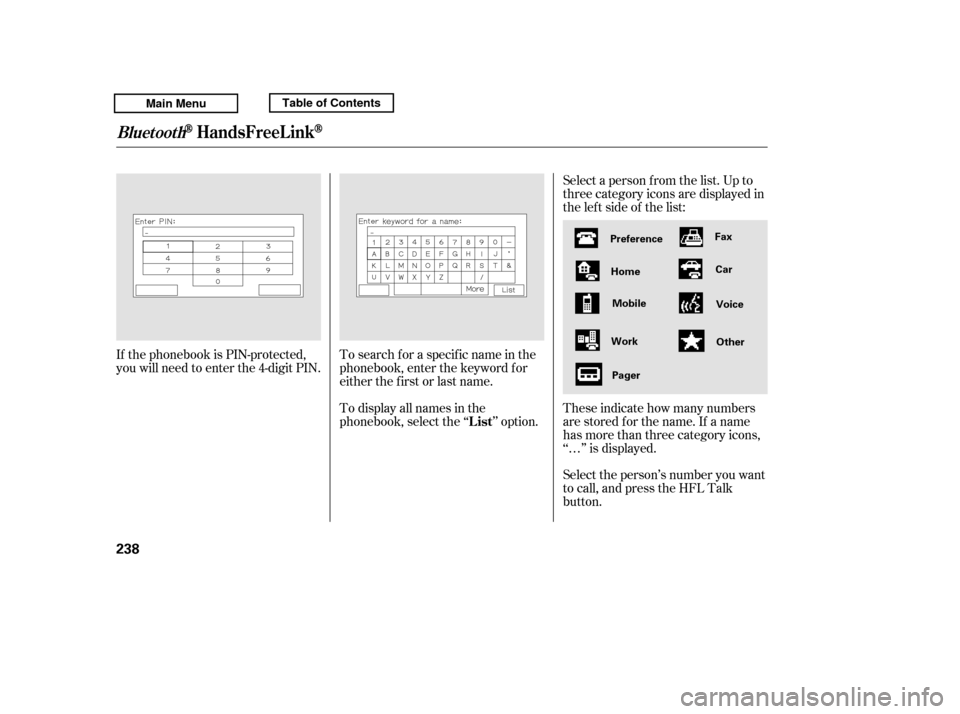
If the phonebook is PIN-protected,
you will need to enter the 4-digit PIN.
To search f or a specif ic name in the
phonebook, enter the keyword f or
either the f irst or last name.
To display all names in the
phonebook, select the ‘‘ ’’ option.
BluetoothHandsFreeL ink
List
238
Preference
Home Mobile
Work Pager Fax
Car
Voice
Other
Main MenuTable of Contents
Page 243 of 427
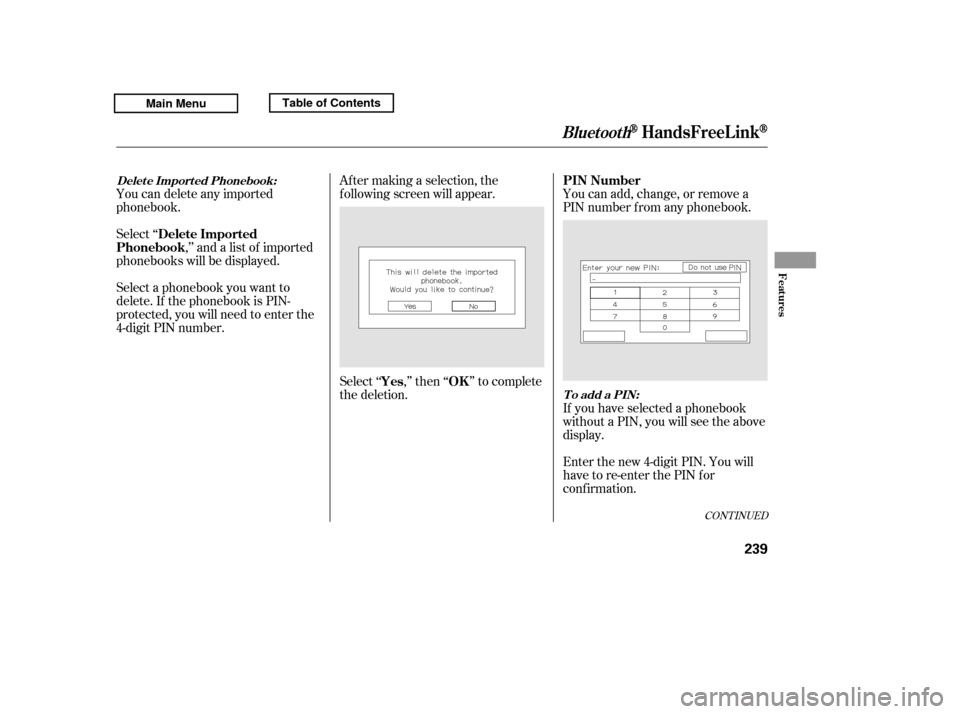
Select ‘‘,’’ and a list of imported
phonebooks will be displayed. Af ter making a selection, the
f ollowing screen will appear.
Select‘‘ ,’’then‘‘ ’’tocomplete
the deletion.You can add, change, or remove a
PIN number f rom any phonebook.
You can delete any imported
phonebook.
Select a phonebook you want to
delete. If the phonebook is PIN-
protected, you will need to enter the
4-digit PIN number.
If you have selected a phonebook
without a PIN, you will see the above
display.
Enter the new 4-digit PIN. You will
have to re-enter the PIN for
conf irmation.
CONT INUED
BluetoothHandsFreeL ink
Delete Imported
Phonebook
Yes OKPIN Number
Delet e Import ed Phonebook:
To add a PIN:
Features
239
Main MenuTable of Contents
Page 244 of 427
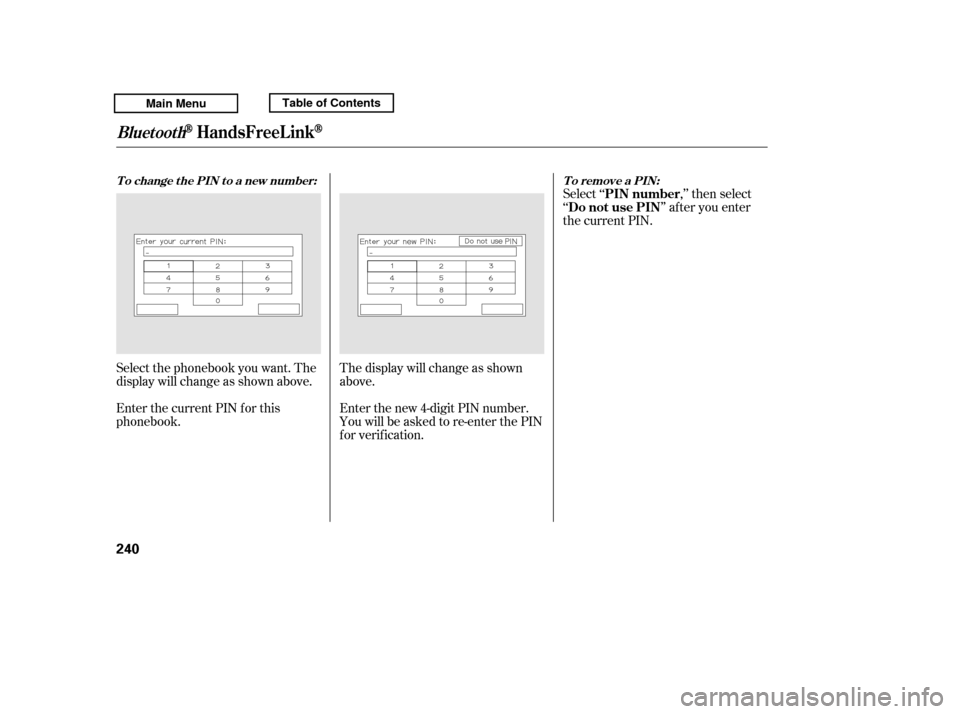
Select ‘‘ ,’’ then select
‘‘ ’’ af ter you enter
the current PIN.
Enter the new 4-digit PIN number.
You will be asked to re-enter the PIN
f or verif ication.
The display will change as shown
above.
Select the phonebook you want. The
display will change as shown above.
Enter the current PIN for this
phonebook.
BluetoothHandsFreeL ink
To remove a PIN:
T o change t he PIN t o a new number:
PIN number
Do not use PIN
240
Main MenuTable of Contents
Page 250 of 427
For the best picture, always keep the
rearview camera clean, and do not
cover the camera lens. To avoid
scratching the lens when you clean it,
use a moist, sof t cloth.
Since the rearview camera display
area is limited, you should always
back up slowly and caref ully, and
look behind you f or obstacles.
Whenever you shif t to reverse (R)
with the ignition switch in the ON
(II) position, the rearview is shown
on the navigation system screen.On models with navigation system
Rearview Camera and Monitor
246
Main MenuTable of Contents
Page 254 of 427

Screw the fuel fill cap back on
until it clicks at least once.
If you do not properly tighten the
cap, you will see a ‘‘CHECK FUEL
CAP’’ message on the inf ormation
display (see page ).If the system still detects a leak in
the vehicle’s evaporative emissions
system, the malf unction indicator
lamp (MIL) comes on. If the f uel f ill
cap was not already tightened, turn
the engine of f , and check or
retighten the f uel f ill cap until it
clicks at least once. The MIL should
go off after several days of normal
driving once the cap is tightened or
replaced. If the MIL does not go of f ,
have your vehicle inspected by a
dealer. For more inf ormation, see
page .
Your vehicle’s on board diagnostic
system will detect a loose or missing
f uel f ill cap as an evaporative system
leak. The f irst time a leak is detected
a ‘‘TIGHTEN FUEL CAP’’ message
appears on the multi-inf ormation
display. Turn the engine of f , and
conf irm the f uel f ill cap is installed. If
it is, loosen it, then retighten it until
it clicks at least once. The message
should go of f af ter several days of normal driving once you tighten or
replace the f uel f ill cap. To scroll to
another message, press the INFO
button. The ‘‘TIGHTEN FUEL CAP’’
message will appear each time you
restart the engine until the system
turns the message of f .
If you do not properly tighten the
cap, you will see a ‘‘TIGHTEN
FUEL CAP’’ message on the multi-
inf ormation display.
Push the f uel f ill door closed until
it latches.
5. 6.
81
375
On models without navigation systemOn models with navigation system On models with navigation system
Tighten Fuel Cap Message
Service Station Procedures
250
Main MenuTable of Contents
Page 259 of 427

�µ
�µ �µ
�µ
�µ
�µ�µ
The f ollowing f actors can lower your
vehicle’s f uel economy:
Aggressive driving (hard
acceleration and braking)
Excessive idling, accelerating and
braking in stop-and-go traf f ic
Cold engine operation (engines
aremoreefficientwhenwarmedup)
Driving with a heavy load or the
air conditioner running
Improperly inf lated tires
A properly maintained vehicle
maximizes f uel economy. Poor
maintenance can signif icantly reduce
f uel economy. Always maintain your
vehicle according to the maintenance
messages displayed on the
inf ormation display (see on page ).
For example: Rapid
acceleration, abrupt cornering,
and hard braking increase fuel
consumption.
If your vehicle has a
manual transmission, you can
boost your f uel economy by up
shif ting as early as possible.
Aerodynamic drag has a big ef f ect
on f uel economy at speeds above
45 mph (75 km/h). Reduce your
speed and you reduce the drag.
Trailers, car top carriers, roof
racks and bike racks are also big
contributors to increased drag.
Idling
results in 0 miles per gallon (0 kms
per liter).
An underinf lated tire increases
‘‘rolling resistance,’’ which reduces
f uel economy.
It puts a heavier
load on the engine, increasing f uel
consumption.
In
particular, a build-up of snow or
mud on your vehicle’s underside
adds weight and rolling resistance.
Frequent cleaning helps your f uel
economy.
323
CONT INUED
Fuel Economy Factors
Improving Fuel Economy
Owner’s
Maintenance Checks Use the recommended viscosity
motor oil, displaying the A PI
Certif ication Seal (see page
). Drive moderately
Always drive in the highest gear
possible
Observe the speed limit
Avoid excessive idling
Maintain proper tire inf lation
A void carrying excess weight in
your vehicle
K eep your vehicle clean
326
Vehicle Maint enance Drive Ef f icient ly
Fuel Economy
Bef ore Driving
255
Main MenuTable of Contents