Page 197 of 574
�Û
�Ý
Press the button to increase
the fan speed and airflow. Press the
button to decrease it.
Turning this dial clockwise increases
the temperature of the airflow. This button turns the air
conditioningonandoff.Youwillsee
A/C ON or A/C OFF in the display.
When the indicator in the button is
on, air f rom the vehicle’s interior is
sent throughout the system again.
When the indicator is off, air is
brought in f rom the outside of the
vehicle (fresh air mode).
Thesystemshouldbeleftinfresh
air mode under almost all conditions.
Keeping the system in recirculation
mode, particularly with the A/C of f ,
can cause the windows to fog up.
Switch to recirculation mode when
driving through dusty or smoky
conditions, then return to fresh air
mode. The outside air intakes f or the
heating and cooling system are at
the base of the windshield. Keep this
area clear of leaves and other debris.
Vents, Heating, and A/C
Fan Control
T emperature ControlAir Conditioning (A/C) Button Recirculation Button
Features
193
10/01/26 18:55:59 31SZA620_198
2011 Pilot
Page 203 of 574
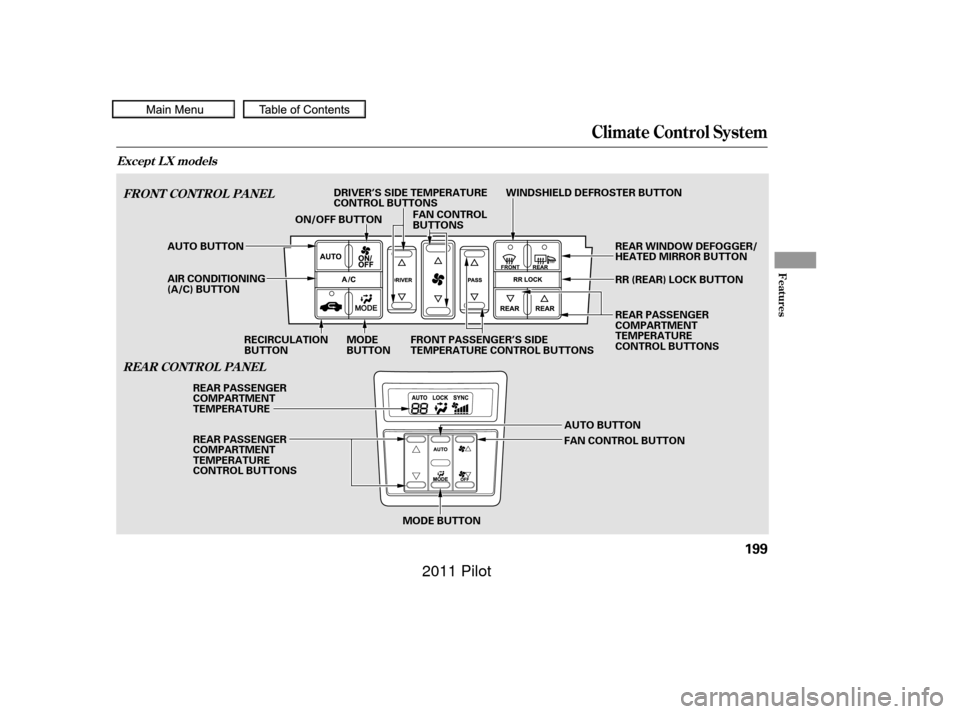
Climate Control System
FRONT CONT ROL PA NELREA R CONT ROL PA NEL
Except L X models
Features
199
AUTO BUTTON
MODE BUTTON
MODE
BUTTON
RECIRCULATION
BUTTON FAN CONTROL
BUTTONS
WINDSHIELD DEFROSTER BUTTON
REAR WINDOW DEFOGGER/
HEATED MIRROR BUTTON
ON/OFF BUTTON
AUTO BUTTON
REAR PASSENGER
COMPARTMENT
TEMPERATURE
REAR PASSENGER
COMPARTMENT
TEMPERATURE
CONTROL BUTTONS
FAN CONTROL BUTTONRR (REAR) LOCK BUTTON
REAR PASSENGER
COMPARTMENT
TEMPERATURE
CONTROL BUTTONS
AIR CONDITIONING
(A/C) BUTTON DRIVER’S SIDE TEMPERATURE
CONTROL BUTTONS
FRONT PASSENGER’S SIDE
TEMPERATURE CONTROL BUTTONS
10/01/26 18:57:21 31SZA620_204
2011 Pilot
Page 205 of 574

When you press a f an control button,
the fan is taken out of AUTO mode. When you set the temperature to its
lower limit ( ) or its upper limit
( ), the system runs at f ull
cooling or heating only. It does not
regulate the interior temperature.In the Auto mode, the vehicle’s
interior temperature is
independently regulated f or the
driver, f ront passenger, and rear
passengers according to each
adjusted temperature. The system
also regulates each temperature
basedontheinformationof the
sunlight sensor and the sun’s
position which is updated
automatically by the navigation’s
global positioning system (GPS). For
example, if the driver’s side of the
vehicle is getting too much sun, the
system will adjust to a lower
temperature.When you turn the ignition switch to
the ON (II) position, the temperature
of the rear passenger compartment
is synchronized to the driver’s side
set temperature. You will see SYNC
on the system display of the rear
control panel. Changing the
temperature of the rear passenger
compartment takes the system out
of synchronized mode. This causes
thewordSYNCinthedisplaytogo
out and displays the rear
temperature in the f ront display.
When you turn the ignition switch to
the ON (II) position and see LOCK
on the system display of the f ront
and rear control panels, the
temperature of the rear passenger
compartment is not synchronized to
the driver’s side set temperature.
On vehicles with navigation system
RR (Rear) L ock But t on
Climate Control System
Features
201
10/01/26 18:57:42 31SZA620_206
2011 Pilot
Page 208 of 574
�Û�Ý
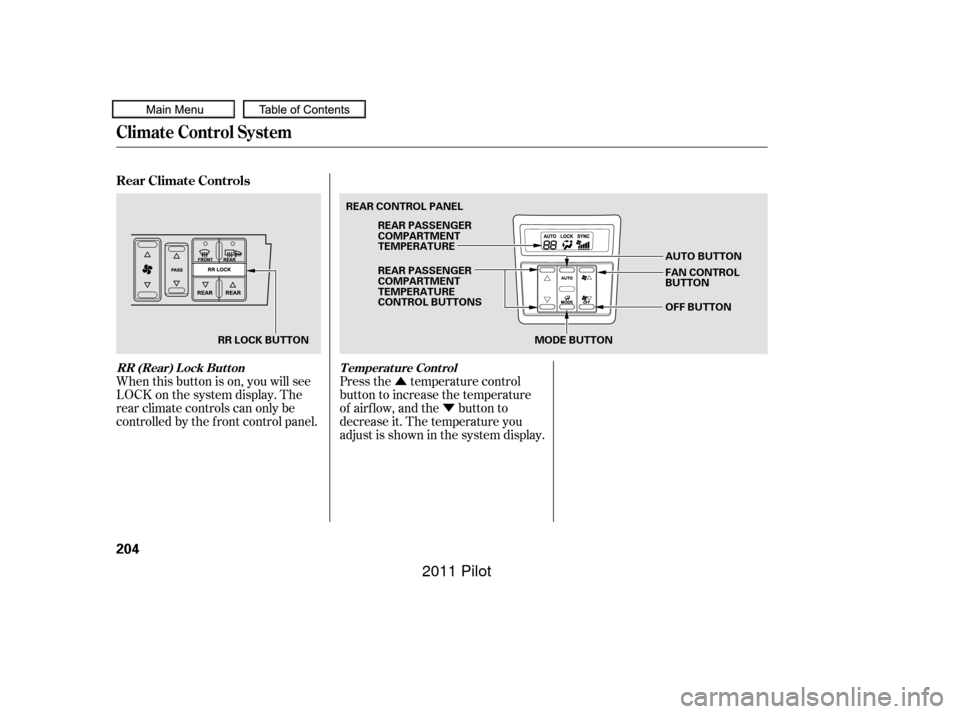
When this button is on, you will see
LOCK on the system display. The
rear climate controls can only be
controlled by the f ront control panel. Press the temperature control
button to increase the temperature
of airflow, and the button to
decrease it. The temperature you
adjust is shown in the system display.
Rear Climate Controls
RR (Rear) Lock Button
Temperature Control
Climate Control System
204
MODE BUTTON
RR LOCK BUTTON REAR CONTROL PANEL
AUTO BUTTON
OFF BUTTON
REAR PASSENGER
COMPARTMENT
TEMPERATURE
REAR PASSENGER
COMPARTMENT
TEMPERATURE
CONTROL BUTTONS
FAN CONTROL
BUTTON
10/01/26 18:58:25 31SZA620_209
2011 Pilot
Page 209 of 574
�Û
�Ý�Û�Ý
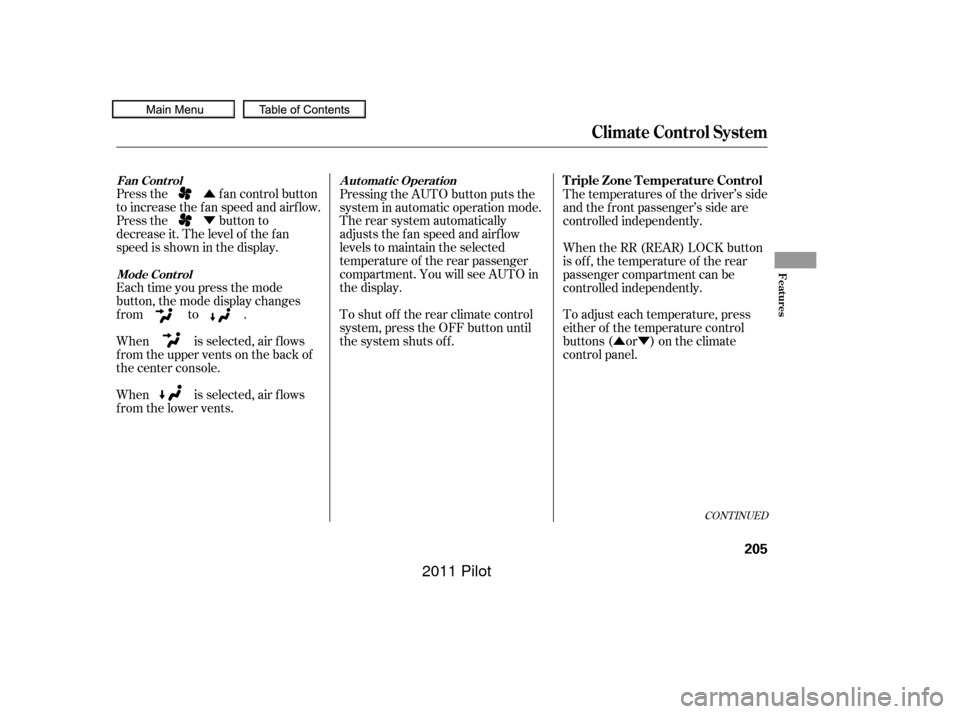
Press the fan control button
to increase the f an speed and airf low.
Press the button to
decrease it. The level of the f an
speed is shown in the display.
Each time you press the mode
button, the mode display changes
from to .
When is selected, air f lows
f rom the upper vents on the back of
the center console.
When is selected, air f lows
f rom the lower vents. Pressing the AUTO button puts the
system in automatic operation mode.
The rear system automatically
adjusts the fan speed and airflow
levels to maintain the selected
temperature of the rear passenger
compartment. You will see AUTO in
the display.
To shut of f the rear climate control
system, press the OFF button until
the system shuts off.
The temperatures of the driver’s side
and the front passenger’s side are
controlled independently.
When the RR (REAR) LOCK button
is of f , the temperature of the rear
passenger compartment can be
controlled independently.
To adjust each temperature, press
either of the temperature control
buttons ( or ) on the climate
control panel.
CONT INUED
Climate Control System
Fan Cont rol
Mode Cont rol Automatic OperationTriple Zone Temperature Control
Features
205
10/01/26 18:58:42 31SZA620_210
2011 Pilot
Page 230 of 574

Most audio system f unctions can be
controlled by standard buttons, bars,
and knobs. In addition, you can
access some f unctions by using the
selector knob on the audio system.The knob turns lef t and right. Use it
to scroll through lists, or to make
selections or adjustments to a list or
menu item on the display. When you
make a selection, push the center of
the selector (ENTER) to go to that
selection.
When the audio system is in XM
Radio mode or playing discs, pushing
the selector (ENTER) knob switches
the display between the normal
display and the extended display.
The extended display has three
segments to display the detailed
inf ormation.
Pressing the MENU button again
will also cancel the menu display
mode. To select any setting such as the
clock, sound adjusting, or the
compass, press the MENU button.
To use any audio system f unction,
the ignition switch must be in the
ACCESSORY (I) or ON (II) position.
You can select the item by turning
the selector knob. To go back to the
previous display, press the RETURN
button.
Selector K nob
Menu Display
Audio System (EX and EX-L models)
226
SELECTOR
KNOBMENU
BUTTON
RETURN
BUTTON
Without rear entertainment system
10/01/26 19:02:00 31SZA620_231
2011 Pilot
Page 244 of 574
�µ
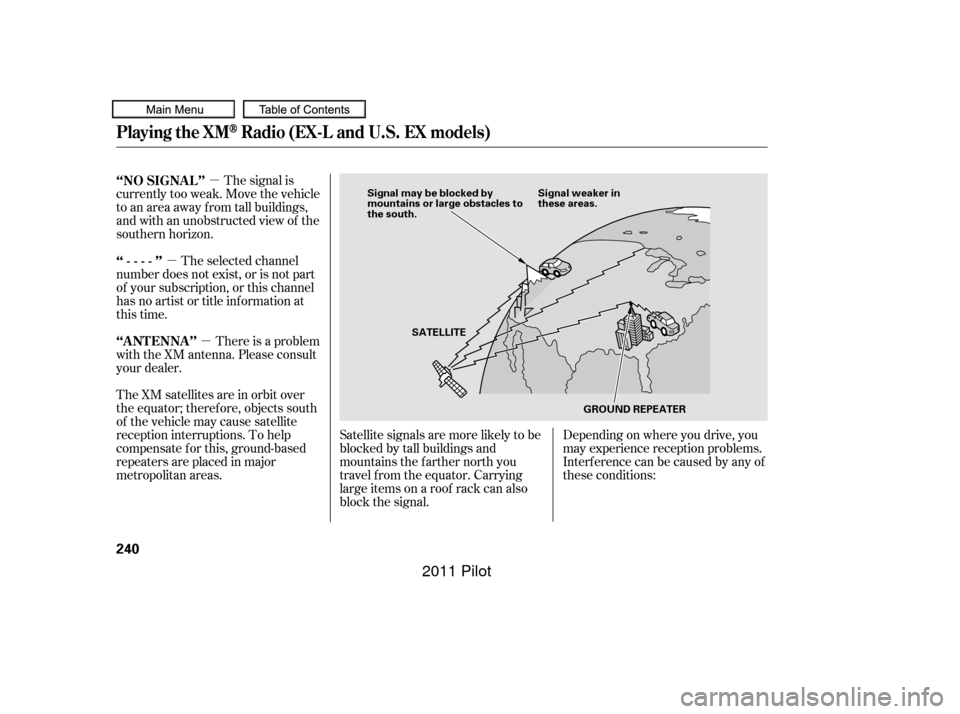
�µ �µThe signal is
currently too weak. Move the vehicle
to an area away from tall buildings,
and with an unobstructed view of the
southern horizon.
The selected channel
number does not exist, or is not part
of your subscription, or this channel
has no artist or title inf ormation at
this time.
There is a problem
with the XM antenna. Please consult
your dealer.
The XM satellites are in orbit over
the equator; therefore, objects south
of the vehicle may cause satellite
reception interruptions. To help
compensate f or this, ground-based
repeaters are placed in major
metropolitan areas. Satellite signals are more likely to be
blocked by tall buildings and
mountains the f arther north you
travel f rom the equator. Carrying
large items on a roof rack can also
block the signal.Depending on where you drive, you
may experience reception problems.
Interf erence can be caused by any of
these conditions:
‘‘NO SIGNA L ’’
‘‘----’’
‘‘A NT ENNA ’’
Playing the XMRadio (EX-L and U.S. EX models)
240
Signal may be blocked by
mountains or large obstacles to
the south.
Signal weaker in
these areas.
SATELLITE GROUND REPEATER
10/01/26 19:04:20 31SZA620_245
2011 Pilot
Page 276 of 574
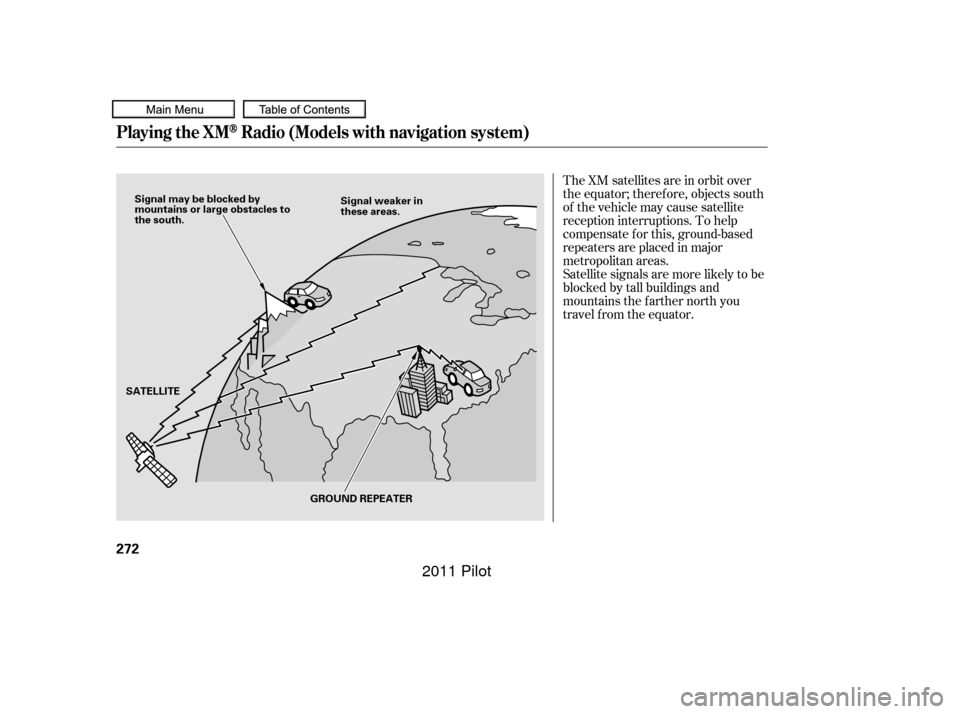
The XM satellites are in orbit over
the equator; therefore, objects south
of the vehicle may cause satellite
reception interruptions. To help
compensate f or this, ground-based
repeaters are placed in major
metropolitan areas.
Satellite signals are more likely to be
blocked by tall buildings and
mountains the f arther north you
travel from the equator.
Playing the XMRadio (Models with navigation system)
272
Signal may be blocked by
mountains or large obstacles to
the south.Signal weaker in
these areas.
SATELLITE GROUND REPEATER
10/01/26 19:09:24 31SZA620_277
2011 Pilot