Page 307 of 574
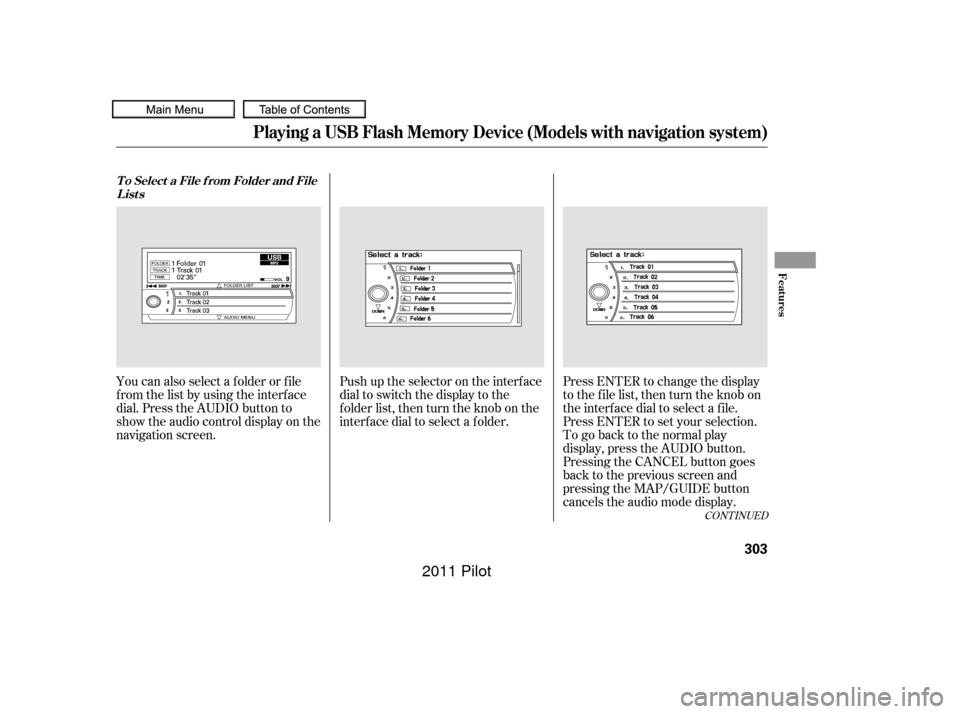
Push up the selector on the interface
dial to switch the display to the
folder list, then turn the knob on the
interf ace dial to select a f older.Press ENTER to change the display
to the file list, then turn the knob on
the interf ace dial to select a f ile.
Press ENTER to set your selection.
You can also select a f older or f ile
fromthelistbyusingtheinterface
dial. Press the AUDIO button to
show the audio control display on the
navigation screen.
To go back to the normal play
display, press the AUDIO button.
Pressing the CANCEL button goes
back to the previous screen and
pressing the MAP/GUIDE button
cancels the audio mode display.
CONT INUED
T o Select a File f rom Folder and File
Lists
Playing a USB Flash Memory Device (Models with navigation system)
Features
303
10/01/26 19:15:00 31SZA620_308
2011 Pilot
Page 308 of 574

�µ�µ
�µ
�µ
You can select any type of repeat,
random and scan modes on the audio
menu screen. Press the AUDIO
button to show the audio control
display on the navigation screen.
Push down the selector on the
interf ace dial to display the audio
menu items. Turntheknobontheinterfacedial
to select a play mode: f older random,
track random, folder repeat, track
repeat. Press ENTER to set your
selection.
To cancel the selected mode, push
down the selector to display the
audio menu on the audio control
display. Turn the knob on the
interf ace dial to select thehighlighted play mode, then press
ENTER to turn of f that selected
mode.
This feature
replays all the f iles in the selected
f older in the order they are stored.
Pressing either side of the
CATEGORY bar also turns of f this
feature.
This
f eature plays the f iles in the selected
f older in random order.
This feature
plays all the f iles in random order. This feature
continuously plays a f ile. Pressing
either side of the SKIP bar or button
also turns off this feature.
T o Select Repeat , Random or Scan
Mode:
FOLDER REPEAT
FOLDER RANDOM
TRACK RANDOM T RA CK REPEA T
Playing a USB Flash Memory Device (Models with navigation system)
304
10/01/26 19:15:12 31SZA620_309
2011 Pilot
Page 310 of 574
You can disconnect the USB f lash
memory device at any time even if
the USB mode is selected on the
audio system. Make sure to f ollow
the USB f lash memory device’s
instructions when you remove it.
When you disconnect the USB f lash
memory device while it is playing,
the center display and the audio
screen (if selected) show NO DATA.If you see an error message in the
center display, see page .
To play the radio, press the AM, FM,
or XM button. Press the CD or CD/
AUX button to switch to the disc
mode (if a disc is loaded).
If you reconnect the same USB f lash
memory device, the system will
begin playing where it lef t of f . 307
To Stop Playing a USB Flash
Memory Device
USB Flash Memory Device Error
Messages
Disconnect ing a USB Flash Memory
Device
Playing a USB Flash Memory Device (Models with navigation system)
306
10/01/26 19:15:27 31SZA620_311
2011 Pilot
Page 314 of 574
For more inf ormation, see page . Auxiliary input jacks and headphone
connectors f or the rear
entertainment system are on the
back of the center console
compartment.
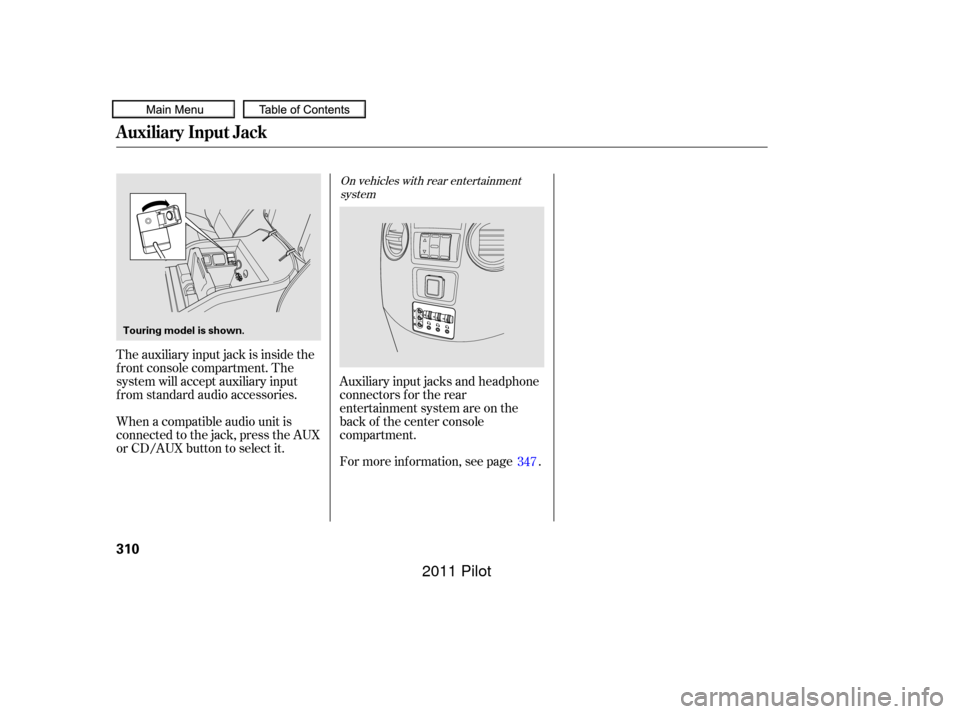
The auxiliary input jack is inside the
f ront console compartment. The
system will accept auxiliary input
f rom standard audio accessories.
When a compatible audio unit is
connected to the jack, press the AUX
or CD/AUX button to select it.
347
On vehicles with rear entertainment
system
Auxiliary Input Jack
310
Touring model is shown.
10/01/26 19:15:58 31SZA620_315
2011 Pilot
Page 315 of 574
�Û�Ý�´
�µ
�´�µ
�´
�µ
CONT INUED
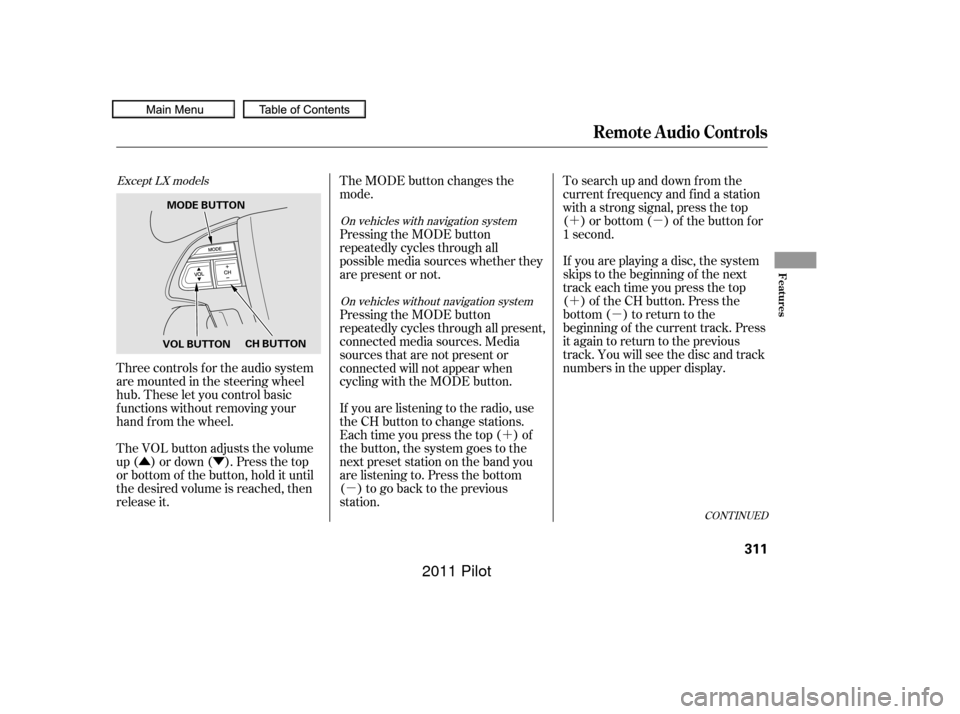
Three controls f or the audio system
are mounted in the steering wheel
hub. These let you control basic
f unctions without removing your
hand f rom the wheel.
The VOL button adjusts the volume
up ( ) or down ( ). Press the top
or bottom of the button, hold it until
the desired volume is reached, then
release it. If you are playing a disc, the system
skips to the beginning of the next
track each time you press the top
( ) of the CH button. Press the
bottom ( ) to return to the
beginning of the current track. Press
it again to return to the previous
track. You will see the disc and track
numbers in the upper display. To search up and down from the
current f requency and f ind a station
with a strong signal, press the top
( ) or bottom ( ) of the button for
1 second.
The MODE button changes the
mode.
If you are listening to the radio, use
the CH button to change stations.
Each time you press the top ( ) of
the button, the system goes to the
next preset station on the band you
are listening to. Press the bottom
( ) to go back to the previous
station. Pressing the MODE button
repeatedly cycles through all present,
connected media sources. Media
sources that are not present or
connected will not appear when
cycling with the MODE button. Pressing the MODE button
repeatedly cycles through all
possible media sources whether they
are present or not.
Except LX models
On vehicles with navigation system
On vehicles without navigation system
Remote Audio Controls
Features
311
VOL BUTTON CH BUTTON
MODE BUTTON
10/01/27 17:26:10 31SZA620_316
2011 Pilot
Page 316 of 574
�´�µ
�´
�µ
�´
�µ
�´
�µ
�´ �µ �´
�µ
If youareplayingaDVDvideo,use
the channel button to change
chapters. Each time you press the
top ( ) of the button, the system
goes to the next chapter. Press the
bottom ( ) to return to the
beginning of the current chapter.
Press it again to return to the
previous chapter.
To go to the next disc, press the top
( ) of the button for 1 second.
Press the bottom ( ) f or 1 second
to go back to the previous disc.
When you play an MP3/WMA disc,
press the top ( ) of the button for 1
second to go to the next folder. Press
the bottom ( ) for 1 second to go
back to the previous folder.
If you are listening to XM Radio, use
the CH button to change channels.
Each time you press the top ( ) of
the button, the system goes to the
next preset channel. Press the
bottom( )togobacktothe
previous preset channel.
To go to the next channel of the
category you are listening to, press
the top ( ) of the button for 1
second. Press the bottom ( ) f or 1
second to go back to the previous
channel. If youareplayingaUSBflash
memory device or iPod with the USB
adapter cable, press and release the
top ( ) of the CH button to skip
f orward to the beginning of the next
file. Press the bottom ( ) to skip
backward to the beginning to the
current f ile. Press it twice to return
to the previous file.
On vehicles with rear entertainment
system On vehicles with navigation system
Remote Audio Controls
312
10/01/26 19:16:15 31SZA620_317
2011 Pilot
Page 317 of 574
Your vehicle’s audio system may
disable itself if it is disconnected
f rom electrical power f or any reason.
To make it work again, you must
enter a specif ic f ive-digit code with
the preset buttons. Because there
are hundreds of number
combinations possible f rom the f ive
digits, making the system work
without knowing the exact code is
nearly impossible.
Youshouldhavereceivedacardthat
lists your audio system code number
and serial number. It is best to store
this card in a saf e place at home. In
addition, you should write the audio
system’s serial number in this owner’s
manual.
If you lose the card, you must obtain
the code number f rom your dealer.
To do this, you will need the audio
system’s serial number.If you make a mistake entering the
code, do not start over; complete the
f ive-digit sequence, then enter the
correct code. You have ten tries to
enter the correct code. If you are
unsuccessful in ten attempts, you
must then leave the system on for 1
hour bef ore trying again. If your vehicle’s battery is discon-
nected or goes dead, or the radio
f use is removed, the audio system
will disable itself . If this happens,
youwillsee‘‘ ’’intheaudio
display the next time you turn on the
system. Use the preset buttons to
enter the f ive-digit code. The code is
locatedontheradiocodecard
included in your owner’s manual kit.
When it is entered correctly, the
radio will start playing.The system will retain your AM and
FM presets even if power is
disconnected.
Radio T hef t Protection
Features
313
10/01/26 19:16:24 31SZA620_318
2011 Pilot
Page 321 of 574
CONT INUED
Pressing the REAR CTRL OFF
button disables rear control. The
indicator in the button comes on and
your passengers can no longer
operate the system with the rear
control panel. When the button is
pressed, the ‘‘CTRL OFF’’ message
appears in the overhead screen to let
your passengers know that the
control panel is disabled.
The rear system selects the source it
waslastsetto.Ifthatsourcehas
been removed (the DVD has been
ejected f rom the player, f or example),you will see ‘‘DVD EJECT’’ in the
display. You should select another
source or insert a DVD.
Your vehicle is equipped with a rear
entertainment system that includes a
DVD player f or the enjoyment of the
rear passengers.
With this system, the rear
passengers can enjoy a dif f erent
entertainment source (radio, disc
changer, DVD player, XM Radio, or
optional CD changer/tape player)
than the front seat occupants. The
audio is broadcast through the
supplied wireless headphones.
The ignition switch must be in the
ACCESSORY (I) or the ON (II)
position to operate the rear
entertainment system. Whenyouturnonthesystem,the
rear speakers are automatically
turned of f if the rear system selects
a dif f erent entertainment source
than the front system. You will see
the Rear Speakers Of f icon in the
audio display. The sound f or the rear
system is sent to the wireless
headphones.
If youwanttoturntherearspeakers
on again, press and hold the REAR
PWR button until the Rear Speakers
Of f icon goes of f .
The rear speakers are
connected to the f ront system, so
they will always play the source that
the f ront system is set to.
Press the REAR PWR button. The
indicator on the REAR PWR button
will come on. The rear seat
passengers can then operate the rear
system f rom the control panel in the
ceiling. The rear control panel can
also be detached and used as a
remote control, by pushing the
RELEASE button, and pulling the
remote toward you.
On vehicles with rear entertainment
systemTo Turn On the System
Rear Speakers
Rear Entertainment System
Features
317
NOTE:
10/01/26 19:17:15 31SZA620_322
2011 Pilot