Page 274 of 574
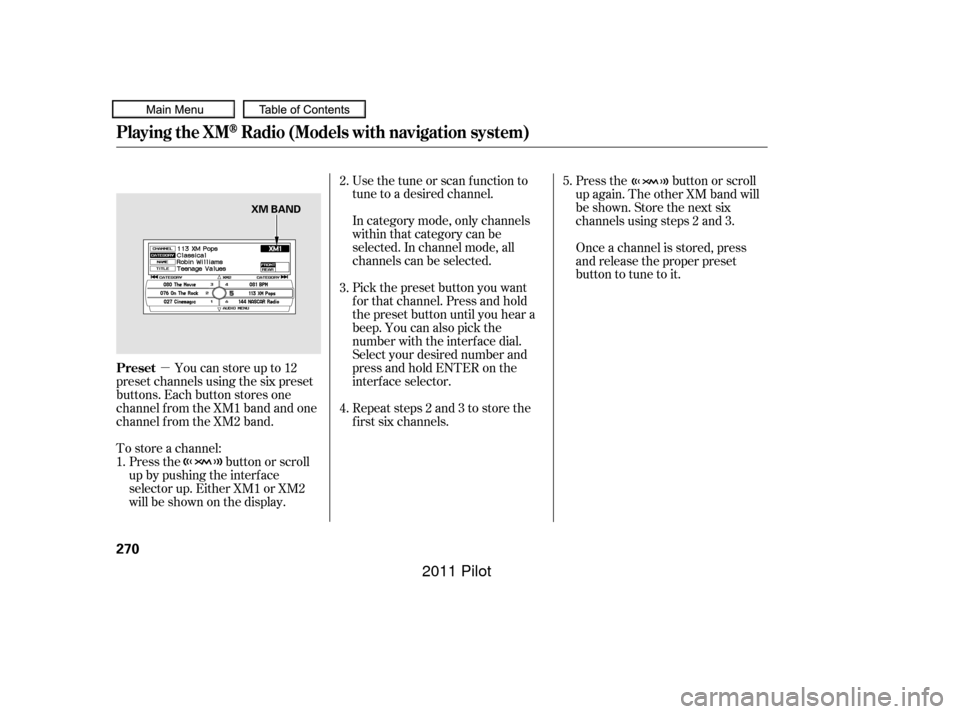
�µYoucanstoreupto12
preset channels using the six preset
buttons. Each button stores one
channel f rom the XM1 band and one
channel f rom the XM2 band.
To store a channel: In category mode, only channels
within that category can be
selected. In channel mode, all
channels can be selected. Use the tune or scan f unction to
tune to a desired channel.
Pick the preset button you want
f or that channel. Press and hold
the preset button until you hear a
beep. You can also pick the
number with the interf ace dial.
Select your desired number and
press and hold ENTER on the
interf ace selector.
Press the button or scroll
up again. The other XM band will
be shown. Store the next six
channels using steps 2 and 3.
Once a channel is stored, press
and release the proper preset
button to tune to it.
Press the button or scroll
up by pushing the interf ace
selector up. Either XM1 or XM2
will be shown on the display. Repeat steps 2 and 3 to store the
f irst six channels.
1. 2.
3.
4.
5.
Playing the XMRadio (Models with navigation system)
Preset
270
XM BAND
10/01/26 19:09:10 31SZA620_275
2011 Pilot
Page 275 of 574
�µ
�µ
�µ
�µ �µ
�µ
CONT INUED
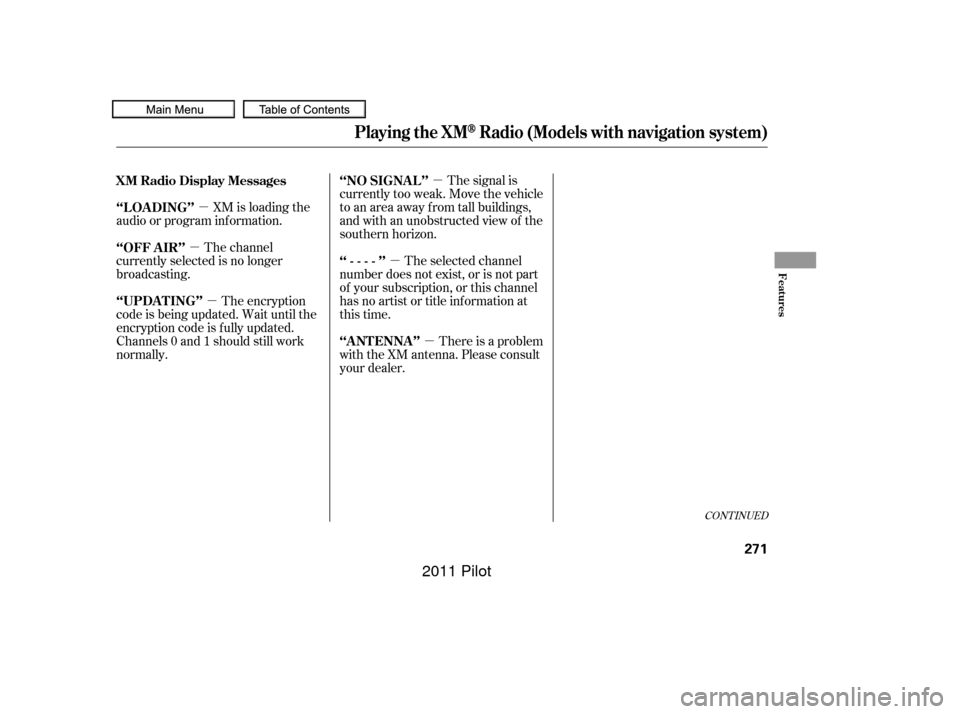
The signal is
currently too weak. Move the vehicle
to an area away from tall buildings,
and with an unobstructed view of the
southern horizon.
XM is loading the
audio or program inf ormation.
The channel
currently selected is no longer
broadcasting.
The encryption
code is being updated. Wait until the
encryption code is f ully updated.
Channels 0 and 1 should still work
normally. The selected channel
number does not exist, or is not part
of your subscription, or this channel
has no artist or title inf ormation at
this time.
There is a problem
with the XM antenna. Please consult
your dealer.
XM Radio Display Messages ‘‘NO SIGNA L ’’
‘‘L OA DING’’
‘‘OFF A IR’’
‘‘UPDA T ING’’
‘‘----’’
‘‘A NT ENNA ’’
Playing the XMRadio (Models with navigation system)
Features
271
10/01/26 19:09:19 31SZA620_276
2011 Pilot
Page 276 of 574
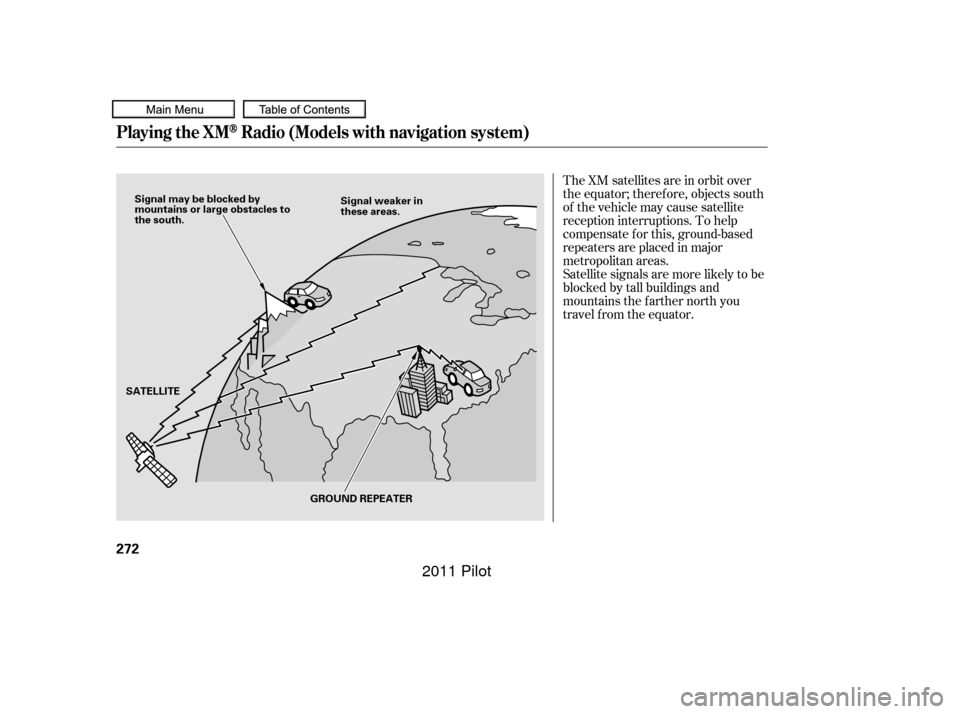
The XM satellites are in orbit over
the equator; therefore, objects south
of the vehicle may cause satellite
reception interruptions. To help
compensate f or this, ground-based
repeaters are placed in major
metropolitan areas.
Satellite signals are more likely to be
blocked by tall buildings and
mountains the f arther north you
travel from the equator.
Playing the XMRadio (Models with navigation system)
272
Signal may be blocked by
mountains or large obstacles to
the south.Signal weaker in
these areas.
SATELLITE GROUND REPEATER
10/01/26 19:09:24 31SZA620_277
2011 Pilot
Page 277 of 574
Depending on where you drive, you
may experience reception problems.
Interf erence can be caused by any of
these conditions:Driving on the north side of a
large commercial truck on an
east/west road.
Driving in tunnels.
Driving on a road beside a vertical
wall, steep clif f , or hill to the south
of you.
Driving on the lower level of a
multi-tiered road.
Driving on a single lane road
alongside dense trees taller than
50 ft. (15 m) to the south of you. Driving on the north side of an
east/west mountain road.
There may be other geographic
situations that could af f ect XM Radio
reception. If your XM Radio service has expired
or you purchased your vehicle f rom
a previous owner, you can listen to a
sampling of the broadcasts available
on XM Radio. With the ignition
switch in the ACCESSORY (I) or the
ON (II) position, push the power/
volume knob to turn on the audio
system, and press the button.
A variety of music types and styles
will play.
If you decide to purchase XM Radio
service, contact XM Radio at
,orat
1-800-852-9696. In Canada, contact
XM Canada at , or at
1-877-209-0079. You will need to give
them your radio I.D. number and your credit card number. To get your
radio I.D. number, turn the TUNE
knob until ‘‘0’’ appears in the display.
Your I.D. will appear in the display.
After you’ve registered with XM
Radio, keep your audio system in the
XM Radio mode while you wait f or
activation. This should take about 30
minutes.
While waiting f or activation, make
sure your vehicle remains in an open
area with good reception. Once your
audio system is activated,
‘‘CATEGORY’’ or ‘‘CH’’ will appear in
the display, and you’ll be able to
listen to XM Radio broadcasts. XM
Radio will continue to send an
activation signal to your vehicle f or
at least 12 hours from the activation
request. If the service has not been
activated after 36 hours, contact XM
Radio. In Canada, contact XM
CANADA
.
As required by the FCC:
Changes or modif ications not expresslyapproved by the party responsible f orcompliance could void the user’sauthority to operate the equipment.
www.xmradio.com www.xmradio.ca
Playing the XMRadio (Models with navigation system)
Receiving XM Radio ServiceFeatures
273
10/01/26 19:09:38 31SZA620_278
2011 Pilot
Page 279 of 574
Your vehicle’s audio system has an
in-dash disc changer with the same
controls used f or the radio. To
operate the disc changer, the ignition
switch must be in the ACCESSORY
(I) or the ON (II) position.
The disc changer can play these disc
formats:When playing a disc in MP3, you will
see ‘‘MP3’’ in the display. In WMA
f ormat, ‘‘WMA’’ will appear in the
display. The changer can also play MP3 or
WMA format (see page ).If a f ile on an MP3 or WMA disc is
protected by digital rights
management (DRM), the audio
system displays UNSUPPORTED in
the center display, and then skips to
the next f ile.
Video CDs and DVD discs will not
work in this unit.
Some CD-DA and CD-ROM mixed
discs are not playable.
You cannot load and play 3-inch
(8-cm)discsinthissystem.
CD (CD-DA)
CD-R/RW
MP3/WMA
If you have a disc that is a
combination of CD-DA tracks and
MP3/WMA f iles, you can choose the
format to listen to by pressing and
holding the CD/AUX button until
you hear a beep.
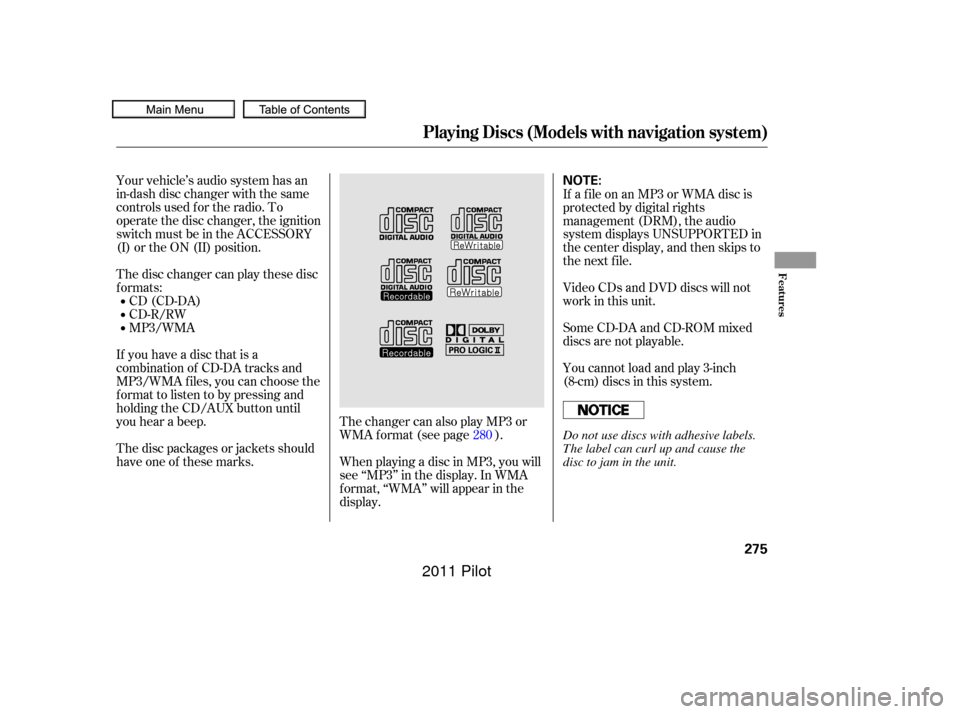
The disc packages or jackets should
have one of these marks. 280
Playing Discs (Models with navigation system)
Features
275
NOTE:
Do not use discs with adhesive labels.
The label can curl up and cause the
disc to jam in the unit.
10/01/26 19:10:06 31SZA620_280
2011 Pilot
Page 287 of 574
To remove a dif f erent disc f rom the
changer,firstselectitbypressing
the corresponding number on the
preset button or turning the
interf ace knob, and pressing ENTER
on the interf ace selector. When that
disc begins playing, press the eject
button.
When you press the eject button
while listening to the radio, or with
the audio system turned of f , the disc
that was last selected is ejected.
Af ter that disc is ejected, pressing
the eject button again will eject the
next disc in numerical order. By
doing this six times, you can remove
all the discs f rom the changer.
You can also eject discs when the
ignition switch is of f :
To eject one disc, press and release
the eject button.
To eject all discs, press and hold the
eject button.
This f eature, when activated, plays
tracks in the current f older in
random order. To activate f older
random play, press the RDM button;
or use the interf ace selector to scroll
down, select FOLDER RANDOM by
interf ace knob, and press ENTER on
the interf ace selector. You will see
RANDOM next to FOLDER on the
screen and F-RDM in the audio
display. To turn this feature off,
press and hold the RDM button until
you hear a beep, or highlight
FOLDER RANDOM (if not already
highlighted), and press ENTER on
the interf ace selector again.
To remove the disc that is currently
playing, press the eject button. You
will see ‘‘EJECT’’ in the audio display.
When you remove the disc f rom the
slot, the system begins the load
sequence so you can load another
disc. If you do not load another disc,
the load sequence is canceled, and
the system continues playing in the
previous mode.
If you do not remove the disc f rom
the slot, the system will reload the
disc af ter 10 seconds.
Playing Discs (Models with navigation system)
Removing Discs f rom the
Changer
Folder Random
Features
283
10/01/26 19:11:35 31SZA620_288
2011 Pilot
Page 299 of 574
�µTo turn it off, have this mode
highlighted and press ENTER again.
You can also select another list from
theiPodmenuwhilekeepingthe
random f unction.
Available operating f unctions vary on
models or versions. Some f unctions
may not be available on the vehicle’s
audio system.
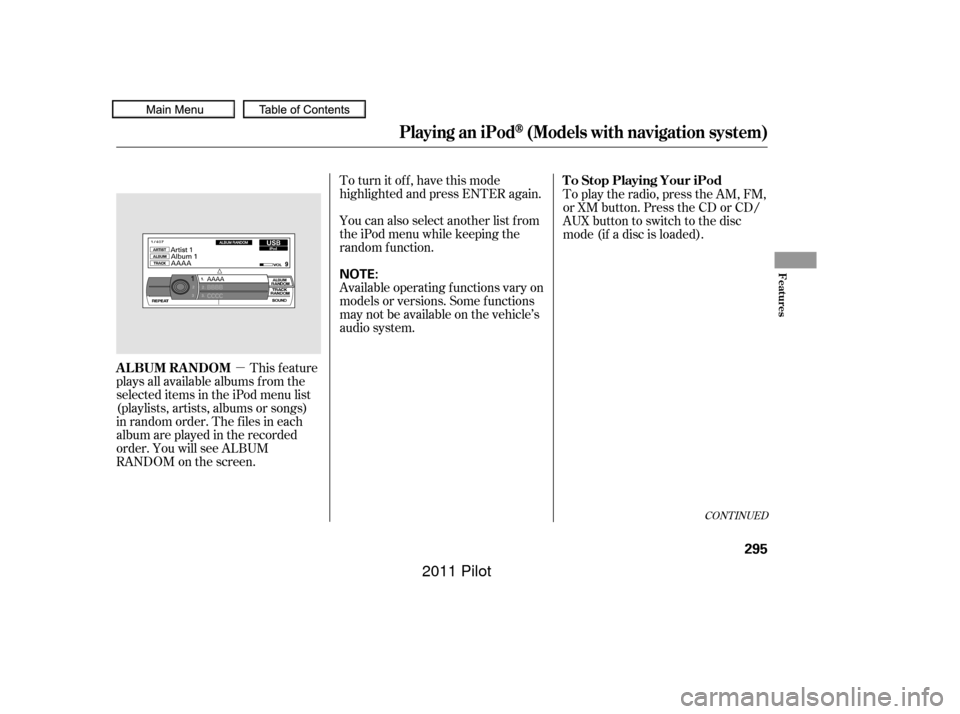
This feature
plays all available albums f rom the
selected items in the iPod menu list
(playlists, artists, albums or songs)
in random order. The f iles in each
album are played in the recorded
order. You will see ALBUM
RANDOM on the screen. To play the radio, press the AM, FM,
or XM button. Press the CD or CD/
AUX button to switch to the disc
mode (if a disc is loaded).
CONT INUED
T o Stop Playing Your iPod
ALBUM RANDOM
Playing an iPod(Models with navigation system)
Features
295
NOTE:
10/01/26 19:13:39 31SZA620_300
2011 Pilot
Page 310 of 574
You can disconnect the USB f lash
memory device at any time even if
the USB mode is selected on the
audio system. Make sure to f ollow
the USB f lash memory device’s
instructions when you remove it.
When you disconnect the USB f lash
memory device while it is playing,
the center display and the audio
screen (if selected) show NO DATA.If you see an error message in the
center display, see page .
To play the radio, press the AM, FM,
or XM button. Press the CD or CD/
AUX button to switch to the disc
mode (if a disc is loaded).
If you reconnect the same USB f lash
memory device, the system will
begin playing where it lef t of f . 307
To Stop Playing a USB Flash
Memory Device
USB Flash Memory Device Error
Messages
Disconnect ing a USB Flash Memory
Device
Playing a USB Flash Memory Device (Models with navigation system)
306
10/01/26 19:15:27 31SZA620_311
2011 Pilot