Page 454 of 574

Before you leave the pavement, be
sure to do all scheduled maintenance
and service, and inspect your vehicle
f or any problems. Pay special
attention to the condition of the tires,
and check the tire pressures.
After you return to the pavement,
caref ully inspect your vehicle to
make sure there is no damage that
could make driving it unsaf e.
Recheck the condition of the tires
and the tire pressures.
The route presents limits (too steep
or bumpy roads). You have limits
(driving skill and comfort). And your
vehicle has limits (traction, stability,
and power).
Driving of f -highway can be
hazardous if you f ail to recognize
limits and take the proper
precautions.Forbettertractiononallsurfaces,
accelerate slowly and gradually build
up speed. If you try to start too fast
on wet soil, mud, snow, or ice, you
might not have enough traction to
get underway, and you may dig
yourself a hole. Starting with the
shif t lever in D position will help you
have a smoother start on snow or ice.
Keep in mind that you will usually
need more time and distance to
brake to a stop on unpaved surf aces.
Avoid hard braking. Do not ‘‘pump’’
the brakes; let the anti-lock braking
system pump them f or you.
Debris in the road can damage your
suspension or other components.
Because your vehicle has a high
center of gravity, driving over a large
obstacle, or allowing a wheel to drop
into a deep hole can cause your
vehicle to tip or roll over.
If you can’t clearly see all conditions
or obstacles on a slope, walk the
slope bef ore you drive on it. If you
have any doubt whether or not you
can saf ely drive on the slope, don’t
do it. Find another route.
If you are driving up a hill and f ind
that you cannot continue,
. Your vehicle could roll
over. Slowly back down the hill,
f ollowing the same route you took up
the hill.
do not try to
turn around
Check Out Your Vehicle
Remember A ccelerating and Braking
A voiding Obstacles
Driving on Slopes
Of f -Highway Driving Guidelines
450
10/01/26 19:41:37 31SZA620_455
2011 Pilot
Page 455 of 574

If you get stuck, engage the VTM-4
Lock (see page ). Caref ully try to
go in the direction (f orward or
reverse) that you think will get you
unstuck. Do not spin the tires at high
speeds. It will not help you get out
and may cause damage to the
transmission or VTM-4 system.
If you are still unable to f ree yourself ,
your vehicle is equipped with f ront
and rear tow hooks designed f or this
purpose.
Bef ore driving through water, stop,
get out if necessary, and make sure
that:
If the water is deeper than the wheel
hubs, some additional service may
be required. This service is not
covered by your warranties. After driving through water, test
your brakes. If they got wet, gently
‘‘pump’’ them while driving slowly
until they operate normally. If you decide it is saf e to drive
through water, choose a suitable
speed and engage the VTM-4 Lock.
Proceed without shif ting or changing
speeds, and do not stop the vehicle
or shut of f the engine.The banks and surf ace under the
water provide good traction. The
water may hide hazards such as
rocks, holes, or mud.
The water is not f lowing too f ast.
Deep rushing water can sweep you
downstream. Even very shallow
rushingwatercanwashthe
ground f rom under your tires and
cause you to lose traction and
possibly roll over. The banks are sloped so you can
drive out. The water is not deep enough to
cover your wheel hubs, axles, or
exhaust pipe. You could stall and
not be able to restart your engine.
The water can also damage
important vehicle components. 418
CONT INUED
Of f -Highway Driving Guidelines
If You Get Stuck
Crossing a Stream
Driving
451
10/01/26 19:41:51 31SZA620_456
2011 Pilot
Page 463 of 574
�Û�Ý
�Û�Ý
Press the select/reset knob f or
about 10 seconds. The engine oil
lif e and the maintenance item
code(s) will blink.Press the select/reset knob f or
another 5 seconds. The
maintenance item code(s) will
disappear, and the engine oil lif e
will reset to ‘‘100.’’To see the current engine oil lif e,
turn the ignition switch to the ON
(II) position, and push and release
the INFO ( / ) button on the
steering wheel repeatedly, until the
engine oil lif e is displayed (see page
).
3.
4.
88
CONT INUED
On vehicles with navigation system
Maintenance Inf ormation
Maint enance
459
ENGINE OIL
LIFE DISPLAYSEL/RESET BUTTON
INFO ( / )
BUTTON
U.S. model is shown.
U.S. model is shown.
U.S. model is shown.
10/01/26 19:43:20 31SZA620_464
2011 Pilot
Page 464 of 574
�Û�Ý
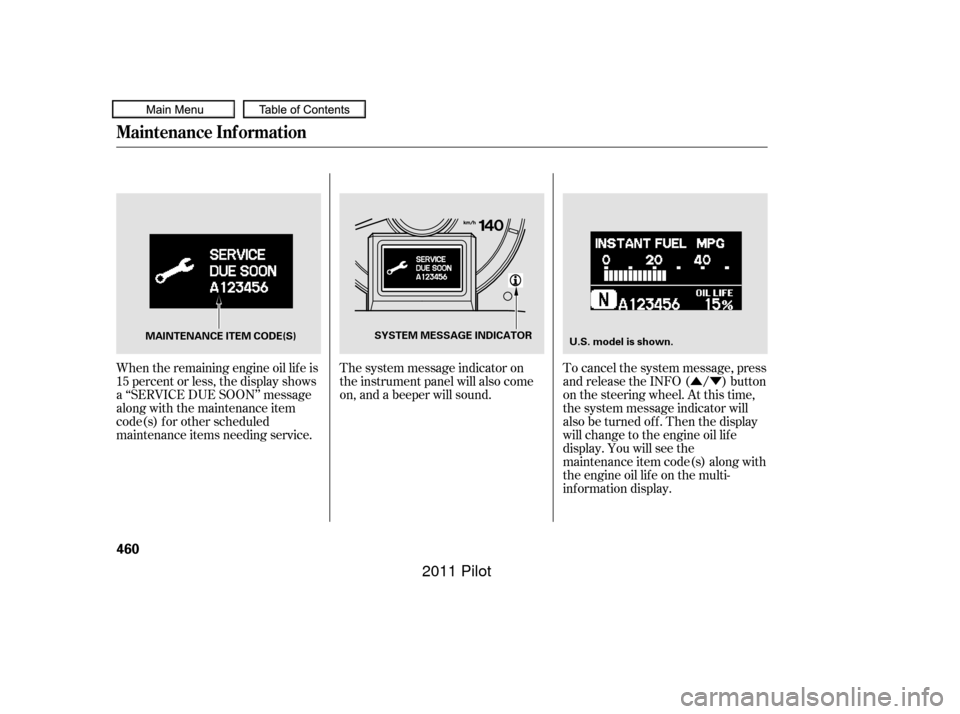
When the remaining engine oil lif e is
15 percent or less, the display shows
a ‘‘SERVICE DUE SOON’’ message
along with the maintenance item
code(s) f or other scheduled
maintenance items needing service. The system message indicator on
the instrument panel will also come
on, and a beeper will sound.
To cancel the system message, press
and release the INFO ( / ) button
on the steering wheel. At this time,
the system message indicator will
also be turned of f . Then the display
will change to the engine oil lif e
display. You will see the
maintenance item code(s) along with
the engine oil lif e on the multi-
inf ormation display.
Maintenance Inf ormation
460
MAINTENANCE ITEM CODE(S)
SYSTEM MESSAGE INDICATOR
U.S. model is shown.
10/01/26 19:43:26 31SZA620_465
2011 Pilot
Page 466 of 574
�Û�ÝYou will also see the system
message every time you turn the
ignition switch to the ON (II)
position until you have the indicated
maintenance perf ormed by your
dealer.
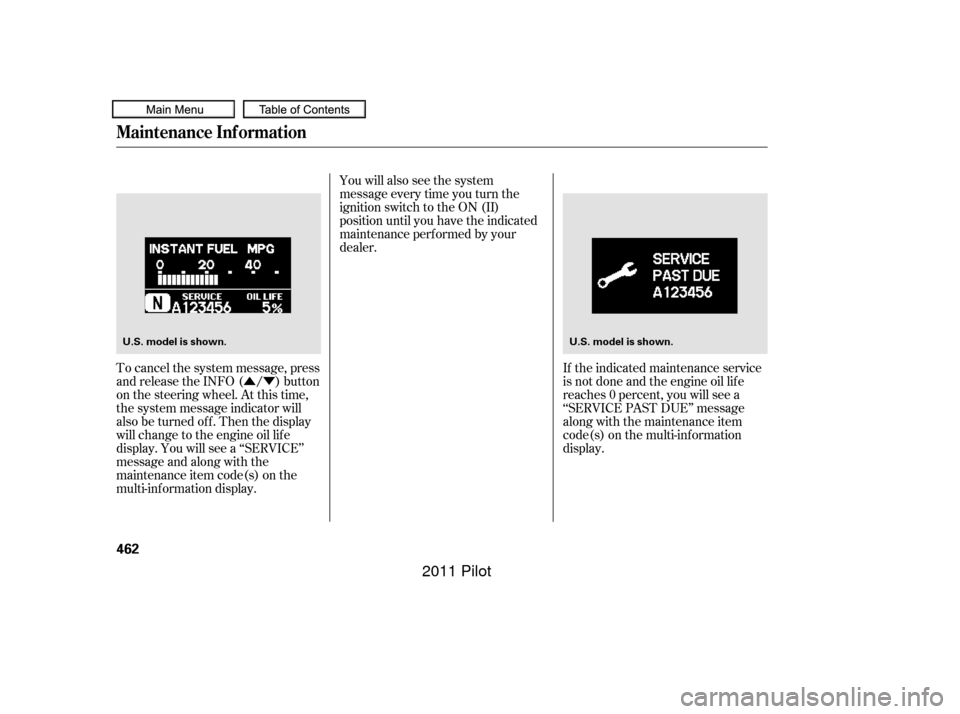
To cancel the system message, press
and release the INFO ( / ) button
on the steering wheel. At this time,
the system message indicator will
also be turned of f . Then the display
will change to the engine oil lif e
display. You will see a ‘‘SERVICE’’
message and along with the
maintenance item code(s) on the
multi-inf ormation display. If the indicated maintenance service
is not done and the engine oil lif e
reaches 0 percent, you will see a
‘‘SERVICE PAST DUE’’ message
along with the maintenance item
code(s) on the multi-inf ormation
display.
Maintenance Inf ormation
462
U.S. model is shown.
U.S. model is shown.
10/01/26 19:43:40 31SZA620_467
2011 Pilot
Page 467 of 574
�Û�Ý�Û�Ý
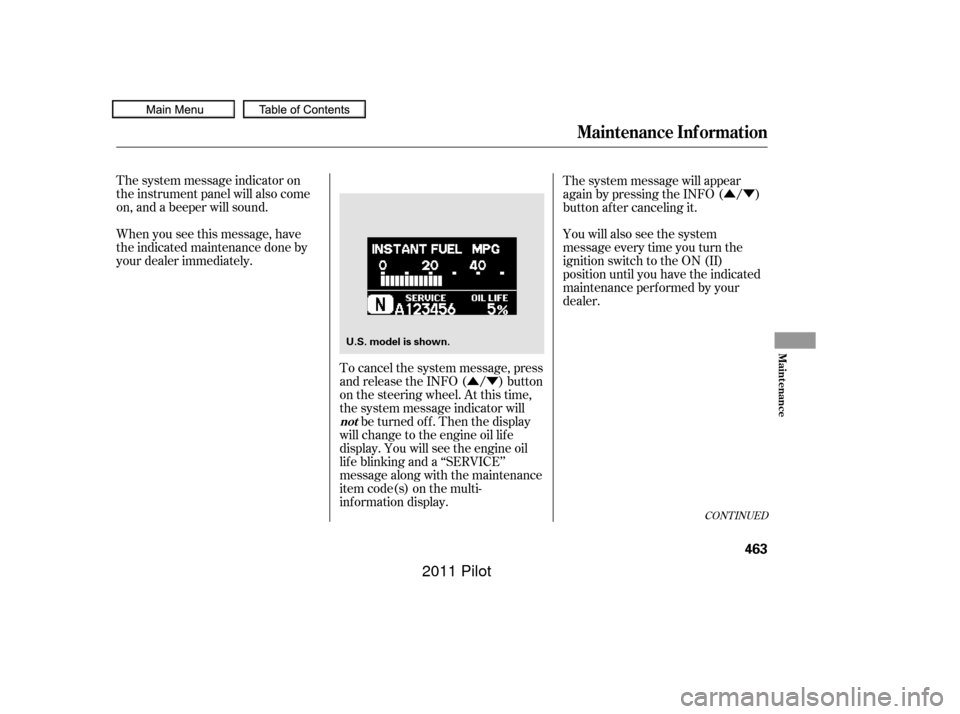
When you see this message, have
the indicated maintenance done by
your dealer immediately. The system message indicator on
the instrument panel will also come
on, and a beeper will sound. You will also see the system
message every time you turn the
ignition switch to the ON (II)
position until you have the indicated
maintenance perf ormed by your
dealer.
To cancel the system message, press
and release the INFO ( / ) button
on the steering wheel. At this time,
the system message indicator will be turned of f . Then the display
will change to the engine oil lif e
display. You will see the engine oil
lif e blinking and a ‘‘SERVICE’’
message along with the maintenance
item code(s) on the multi-
inf ormation display. The system message will appear
again by pressing the INFO ( / )
button after canceling it.
CONT INUED
Maintenance Inf ormation
not
Maint enance
463
U.S. model is shown.
10/01/26 19:43:49 31SZA620_468
2011 Pilot
Page 468 of 574
�Û�Ý
�Û�Ý Negative distance traveled means
your vehicle has passed the
maintenance required point. The system message will appear
again by pressing the INFO ( / )
button after canceling it.
You will also see the system
message every time you turn the
ignition switch to the ON (II)
position until you have the indicated
maintenance perf ormed by your
dealer.
Immediately have the service
perf ormed, and make sure to reset
the display as described on page .
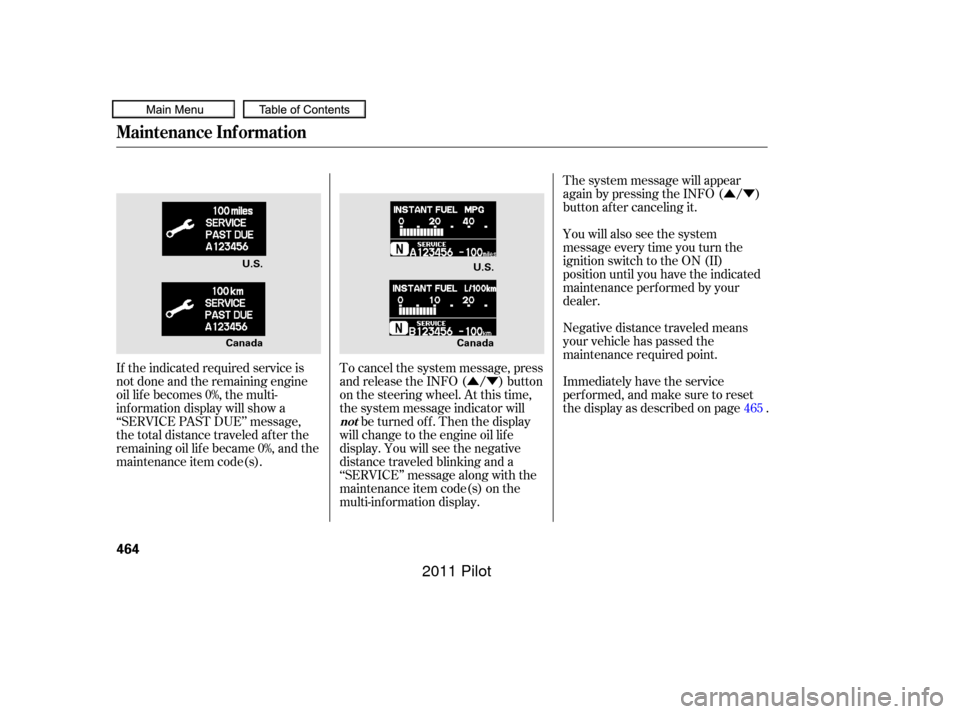
If the indicated required service is
not done and the remaining engine
oil lif e becomes 0%, the multi-
inf ormation display will show a
‘‘SERVICE PAST DUE’’ message,
the total distance traveled after the
remaining oil lif e became 0%, and the
maintenance item code(s). To cancel the system message, press
and release the INFO ( / ) button
on the steering wheel. At this time,
the system message indicator will
be turned of f . Then the display
will change to the engine oil lif e
display. You will see the negative
distance traveled blinking and a
‘‘SERVICE’’ message along with the
maintenance item code(s) on the
multi-inf ormation display. 465
Maintenance Inf ormation
not
464
U.S.
U.S.
Canada Canada
10/01/26 19:43:59 31SZA620_469
2011 Pilot
Page 469 of 574
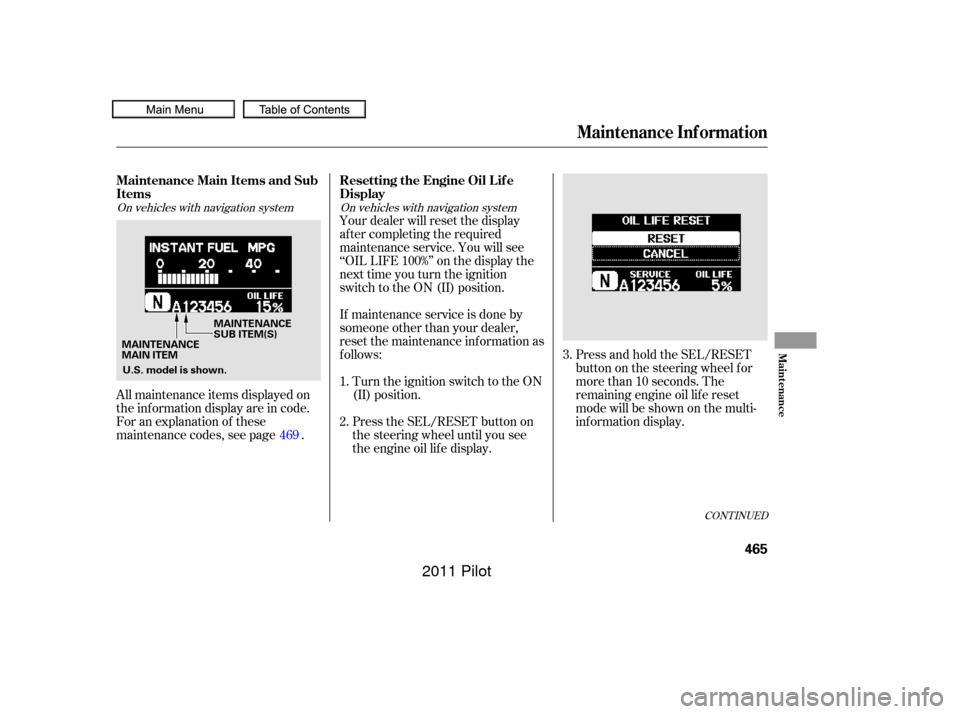
Press and hold the SEL/RESET
button on the steering wheel f or
more than 10 seconds. The
remaining engine oil lif e reset
mode will be shown on the multi-
inf ormation display.
All maintenance items displayed on
the inf ormation display are in code.
For an explanation of these
maintenance codes, see page . Your dealer will reset the display
af ter completing the required
maintenance service. You will see
‘‘OIL LIFE 100%’’ on the display the
next time you turn the ignition
switch to the ON (II) position.
If maintenance service is done by
someone other than your dealer,
reset the maintenance inf ormation as
f ollows:
Turn the ignition switch to the ON
(II) position.
Press the SEL/RESET button on
the steering wheel until you see
the engine oil lif e display.
1.
2. 3.
469
CONT INUED
On vehicles with navigation system On vehicles with navigation system
Maintenance Main Items and Sub
Items Resetting the Engine Oil Lif e
Display
Maintenance Inf ormation
Maint enance
465
MAINTENANCE
MAIN ITEMMAINTENANCE
SUB ITEM(S)
U.S. model is shown.
10/01/26 19:44:13 31SZA620_470
2011 Pilot