Page 356 of 574
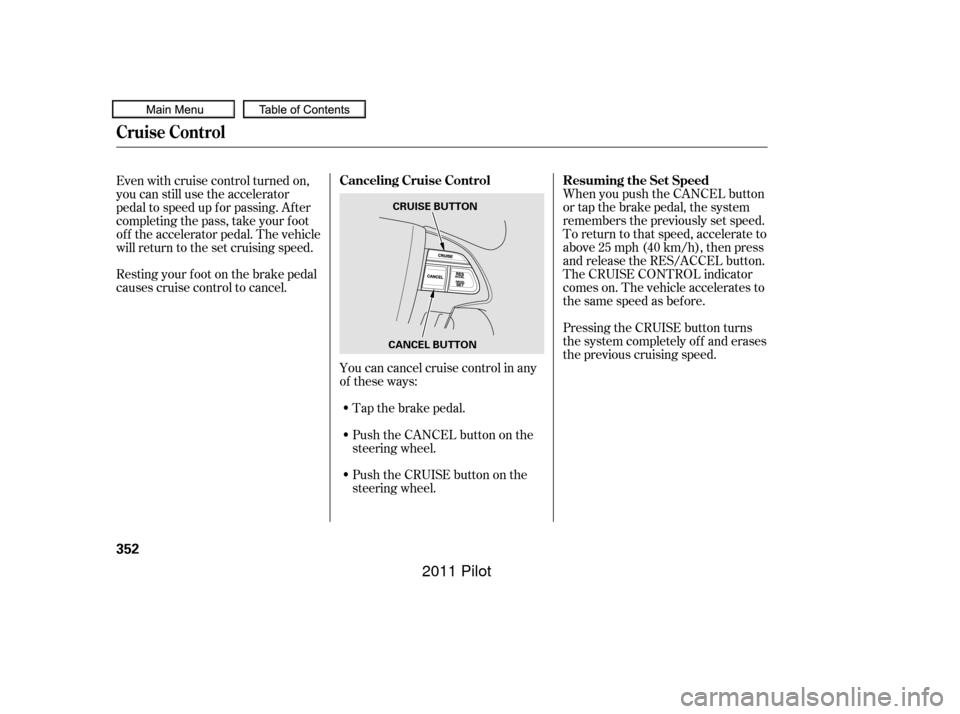
Tap the brake pedal.
Push the CANCEL button on the
steering wheel.
Resting your f oot on the brake pedal
causes cruise control to cancel.
You can cancel cruise control in any
of these ways:
Push the CRUISE button on the
steering wheel. When you push the CANCEL button
or tap the brake pedal, the system
remembers the previously set speed.
To return to that speed, accelerate to
above25mph(40km/h),thenpress
and release the RES/ACCEL button.
The CRUISE CONTROL indicator
comes on. The vehicle accelerates to
thesamespeedasbefore.
Pressing the CRUISE button turns
the system completely of f and erases
the previous cruising speed.
Even with cruise control turned on,
you can still use the accelerator
pedal to speed up f or passing. Af ter
completing the pass, take your foot
of f the accelerator pedal. The vehicle
will return to the set cruising speed.
Cruise Control
Resuming the Set Speed
Canceling Cruise Control
352
CANCEL BUTTON CRUISE BUTTON
10/01/27 14:04:40 31SZA620_357
2011 Pilot
Page 366 of 574
�Ì�Ì�Ì�Ì
Try to reduce all background
noise. If the microphone picks up
voices other than yours,
commands may be misinterpreted. Many commands can be spoken
together. For example, you can
say ‘‘Call 123-456- ’’ or
‘‘Dial Peter.’’
Press and release the HFL Talk
button each time you want to
make a command. Af ter the beep,
speak in a clear, natural tone.
When HFL is in use, navigation
voice commands cannot be
recognized.
To change the volume level of
HFL, use the audio system volume
knob or the steering wheel volume
controls.
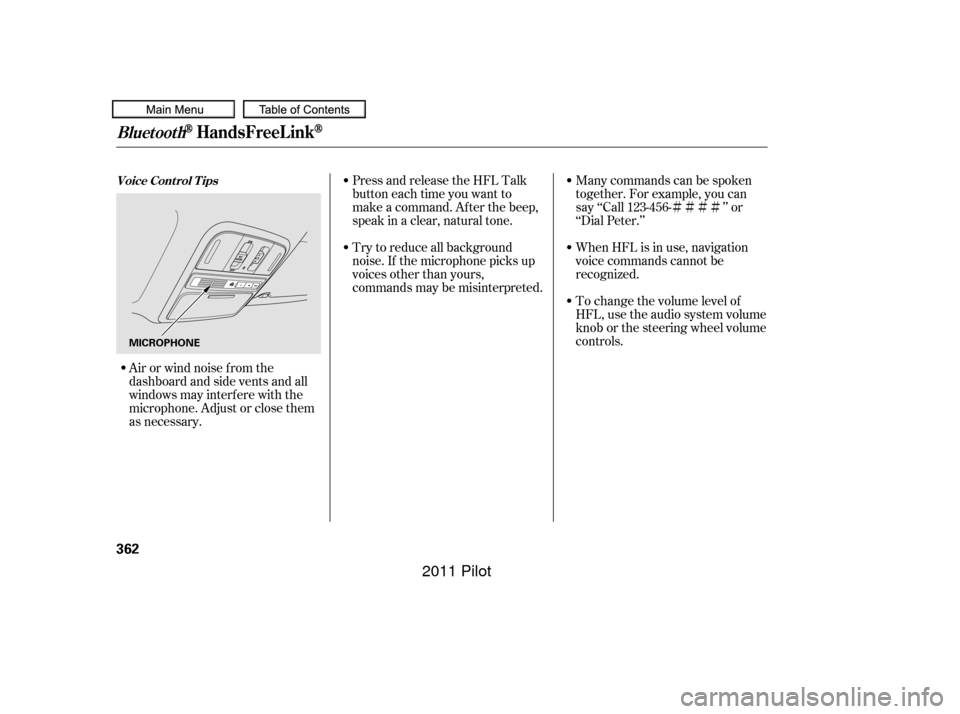
Airorwindnoisefromthe
dashboard and side vents and all
windows may interfere with the
microphone. Adjust or close them
as necessary.
BluetoothHandsFreeL ink
Voice Cont rol T ips
362
MICROPHONE
10/01/26 19:24:45 31SZA620_367
2011 Pilot
Page 407 of 574

Some examples are:Lowering your vehicle with a
non-Honda suspension kit that
signif icantly reduces ground
clearance can allow the
undercarriage to hit speed bumps
or other raised objects, which
could cause the airbags to deploy.
Raising your vehicle with a
non-Honda suspension kit can
af f ect the handling, stability, and
reliability.
Removing parts f rom your vehicle,
or replacing components with
non-Honda components could
seriously af f ect your vehicle’s
handling, stability, and reliability.
Non-Honda wheels, because they
are a universal design, can cause
excessive stress on suspension
components and will not be
compatible with the tire pressure
monitoring system (TPMS).
Larger or smaller wheels and tires
can interf ere with the operation of
your vehicle’s anti-lock brakes and
other systems.
Modif ying your steering wheel or
any other part of your vehicle’s
safety features can make the
systems inef f ective.
If you plan to modif y your vehicle,
consult your dealer.
Modif ying Your Vehicle
A ccessories and Modif ications
Bef ore Driving
403
10/01/26 19:32:47 31SZA620_408
2011 Pilot
Page 413 of 574

This section gives you tips on
starting the engine under various
conditions, and how to operate the
automatic transmission. It also
includes important inf ormation on
parking your vehicle, the braking
system, the Variable Torque
Management
4-wheel drive
(VTM-4
) system, the vehicle
stability assist (VSA
), aka
Electronic Stability Control (ESC),
system, the tire pressure monitoring
system (TPMS), and f acts you need
if you are planning to tow a trailer or
drive of f -highway. ........................
Driving Guidelines .410
........................
Preparing to Drive .410
.......................
Starting the Engine .411
Check Starter System .................................
Message .412
..............
Automatic Transmission . 413
............................
VTM-4
System .418
...........................................
Parking .419
Tire Pressure Monitoring System ......................................
(TPMS) .420
.............................
Braking System .428
...............
Anti-lock Brakes (ABS) . 429
Vehicle Stability Assist (VSA
),
aka Electronic Stability ........
Control (ESC), System . 431
...........................
Towing a Trailer .434
Of f -Highway Driving ..................................
Guidelines .449
Driving
Driving
409
10/01/26 19:33:51 31SZA620_414
2011 Pilot
Page 414 of 574

Because your vehicle rides higher
of f the ground, it has a high center
of gravity that can cause it to roll
over if you make abrupt turns. Utility
vehicles have a signif icantly higher
roll over rate than other types of
vehicles.
To prevent rollovers or loss of
control:Take corners at slower speeds
than you would with a passenger
vehicle.
Avoid sharp turns and abrupt
maneuvers whenever possible. Do not modif y your vehicle in any
way that would raise the center of
gravity.
Do not carry heavy cargo on the
roof .
Your vehicle has higher ground
clearance that allows you to travel
over bumps, obstacles, and rough
terrain. It also provides good
visibility so you can anticipate
problems earlier. Youshoulddothefollowingchecks
and adjustments bef ore you drive
your vehicle.
Make sure all windows, mirrors,
and outside lights are clean and
unobstructed. Remove f rost, snow,
or ice.
Check that the hood is f ully closed.
Visually check the tires. If a tire
looks low, use a gauge to check its
pressure.
Check that any items you may be
carrying are stored properly or
f astened down securely.
Check the seat adjustment (see
page ).
Your vehicle is equipped with a f our-
wheel drive (4WD) system. When
the system senses a loss of front-
wheel traction, it automatically
transf ers some power to the rear
wheels. This gives you better
traction and mobility.
You still need to exercise the same
care when accelerating, steering, and
brakingthatyouwouldinatwo-
wheel drive vehicle. 1.
2.
3.
4.
5.
154
See page f or of f -highway driving
guidelines.
4WD models only
449
Driving Guidelines, Preparing to Drive
Driving Guidelines Preparing to Drive
410
10/01/26 19:34:09 31SZA620_415
2011 Pilot
Page 415 of 574

CONT INUED
Check the adjustment of the
inside and outside mirrors (see
page ).
Check the steering wheel
adjustment (see page ).Without touching the accelerator
pedal, turn the ignition switch to
the START (III) position, then
release the ignition switch. You do
not need to hold the ignition
switch in the START (III) position
to start the engine. Depending on
the outside temperature, thestarter motor runs f or about 6 to 9
seconds until the engine starts.
If you hold the ignition switch in
the START (III) position f or more
than 7 seconds, the starter motor,
depending on the outside
temperature, runs f or about 10 to
25 seconds until the engine starts.
If the engine does not start, wait at
least 10 seconds bef ore trying
again.
Make sure the shif t lever is in
Park. Press on the brake pedal. In cold weather, turn of f all
electrical accessories to reduce
the drain on the battery. Apply the parking brake.
Fasten your seat belt. Check that
your passengers have f astened
their seat belts (see page ). Your vehicle’s starter system has an
auto control mode. When you turn
the ignition switch to the START
(III) position, this f eature keeps the
engine’s starter motor running until
the engine starts. Follow these
instructions to start the engine:
When you start the engine, check
the gauges and indicators in the
instrument panel, and the
messages on the inf ormation
display or multi-inf ormation
display (depending on models)
(seepages,,,and ).
Make sure the doors, the tailgate,
and the glass hatch are securely
closed and locked.
1.
2.
3.
4.
6.
7.
8.
9.
10. 170
133
17
67 68 82
94
Preparing to Drive, Starting the Engine
Starting the Engine
Driving
411
T he immobilizer system protects your
vehicle f rom thef t. If an improperly
coded key (or other device) is used, the
engine’s f uel system is disabled. For
more inf ormation, see page . 135
10/01/28 14:48:16 31SZA620_416
2011 Pilot
Page 422 of 574
The vehicle must be stopped with
the engine running.do
any of the f ollowing: Press the VTM-4 LOCK button.
Move the shift lever to D or D .
Move the shift lever to first (1),
second (2), or reverse (R) gear.
Turn the ignition switch to the
LOCK (0) position.
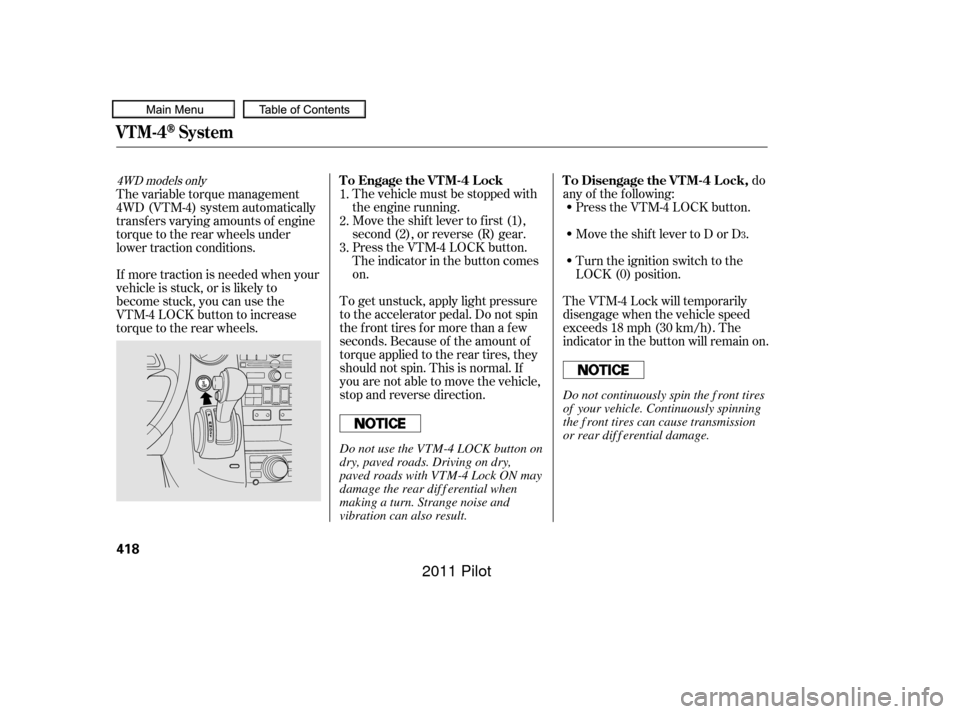
Press the VTM-4 LOCK button.
The indicator in the button comes
on.
The VTM-4 Lock will temporarily
disengage when the vehicle speed
exceeds 18 mph (30 km/h). The
indicator in the button will remain on.
To get unstuck, apply light pressure
to the accelerator pedal. Do not spin
the f ront tires f or more than a f ew
seconds. Because of the amount of
torque applied to the rear tires, they
should not spin. This is normal. If
you are not able to move the vehicle,
stop and reverse direction.
If more traction is needed when your
vehicle is stuck, or is likely to
become stuck, you can use the
VTM-4 LOCK button to increase
torque to the rear wheels. The variable torque management
4WD (VTM-4) system automatically
transf ers varying amounts of engine
torque to the rear wheels under
lower traction conditions.
1.
2.
3.
3
4WD models onlyTo Engage the VTM-4 Lock To Disengage the VTM-4 Lock,
VTM-4System
418
Do not continuously spin the f ront tires
of your vehicle. Continuously spinning
the f ront tires can cause transmission
or rear dif f erential damage.
Do not use the VTM-4 LOCK button on
dry, paved roads. Driving on dry,
paved roads with VTM-4 Lock ON may
damage the rear dif f erential when
making a turn. Strange noise and
vibration can also result.
10/01/26 19:35:36 31SZA620_423
2011 Pilot
Page 423 of 574

If the vehicle is f acing uphill, turn
the front wheels away from the
curb. Never park over dry leaves, tall
grass, or other f lammable
materials. The hot three way
catalytic converter could cause
these materials to catch on fire.
Always use the parking brake when
you park your vehicle. Make sure
the parking brake is set f irmly, or
your vehicle may roll if it is parked
on an incline.
Set the parking brake bef ore you put
the transmission in Park. This keeps
the vehicle from moving and putting
pressure on the parking mechanism
in the transmission.
If the vehicle is f acing downhill,
turn the front wheels toward the
curb.
Make sure the moonroof (if
equipped) and the windows are
closed.
Place any packages, valuables, etc.
in the cargo area or take them
with you. Turn of f the lights.
Make sure the parking brake is
f ully released bef ore driving away.
Driving with the parking brake
partially set can overheat or
damage the rear brakes.
Check the indicator on the
instrument panel to verif y that the
security system is set.
Lock the doors and the tailgate.
Make sure the glass hatch is
closed securely.
Except LX models
Parking T ips
Parking
Driving
419
10/01/26 19:35:48 31SZA620_424
2011 Pilot