Page 607 of 722
�Û�Ý
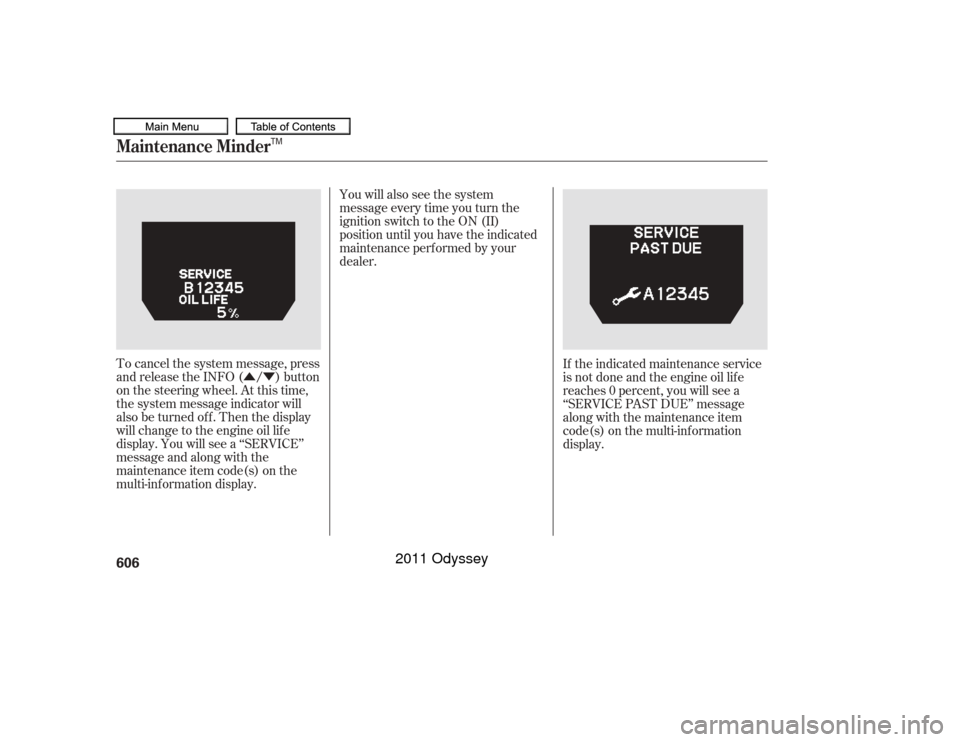
When the remaining engine oil lif e is
15 percent or less, the display shows
a ‘‘SERVICE DUE SOON’’ message
along with the maintenance item
code(s) f or other scheduled
maintenance items needing service. The system message indicator on
the instrument panel will also come
on, and a beeper will sound.
To cancel the system message, press
and release the INFO ( / ) button
on the steering wheel. At this time,
the system message indicator will
also be turned of f . Then the display
will change to the engine oil lif e
display. You will see the
maintenance item code(s) along with
the engine oil lif e on the multi-
inf ormation display.
Maintenance Minder604
SYSTEM MESSAGE INDICATOR
MAINTENANCE ITEM CODE(S)
TM
10/07/17 10:55:18 31TK8600_609
2011 Odyssey
Page 608 of 722
You will also see the system
message every time you turn the
ignition switch to the ON (II)
position until you have the indicated
maintenance perf ormed by your
dealer.
The maintenance item code(s)
indicate the main and sub items
required at the time of the oil change
(see page ).The system message indicator on
the instrument panel will also come
on, and a beeper will sound.
When the remaining engine oil lif e is
less than 5 percent, you will see the
above display. The display then
changes to ‘‘SERVICE DUE NOW.’’
Have the indicated maintenance
done as soon as possible.
609
CONT INUED
Maintenance Minder
Maint enance
605TM
10/07/17 10:55:23 31TK8600_610
2011 Odyssey
Page 609 of 722
�Û�ÝYou will also see the system
message every time you turn the
ignition switch to the ON (II)
position until you have the indicated
maintenance perf ormed by your
dealer.
To cancel the system message, press
and release the INFO ( / ) button
on the steering wheel. At this time,
the system message indicator will
also be turned of f . Then the display
will change to the engine oil lif e
display. You will see a ‘‘SERVICE’’
message and along with the
maintenance item code(s) on the
multi-inf ormation display. If the indicated maintenance service
is not done and the engine oil lif e
reaches 0 percent, you will see a
‘‘SERVICE PAST DUE’’ message
along with the maintenance item
code(s) on the multi-inf ormation
display.
Maintenance Minder606
TM
10/07/17 10:55:28 31TK8600_611
2011 Odyssey
Page 610 of 722
�Û�Ý�Û�Ý
When you see this message, have
the indicated maintenance done by
your dealer immediately. The system message indicator on
the instrument panel will also come
on, and a beeper will sound. You will also see the system
message every time you turn the
ignition switch to the ON (II)
position until you have the indicated
maintenance perf ormed by your
dealer.
To cancel the system message, press
and release the INFO ( / ) button
on the steering wheel. At this time,
the system message indicator will be turned of f . Then the display
will change to the engine oil lif e
display. You will see the engine oil
lif e blinking and a ‘‘SERVICE’’
message along with the maintenance
item code(s) on the multi-
inf ormation display. The system message will appear
again by pressing the INFO ( / )
button after canceling it.
CONT INUED
Maintenance Minder
not
Maint enance
607TM
10/07/17 10:55:34 31TK8600_612
2011 Odyssey
Page 611 of 722
�Û�Ý
�Û�Ý Negative distance traveled means
your vehicle has passed the
maintenance required point. The system message will appear
again by pressing the INFO ( / )
button after canceling it.
You will also see the system
message every time you turn the
ignition switch to the ON (II)
position until you have the indicated
maintenance perf ormed by your
dealer.
Immediately have the service
perf ormed, and make sure to reset
the display as described on page .
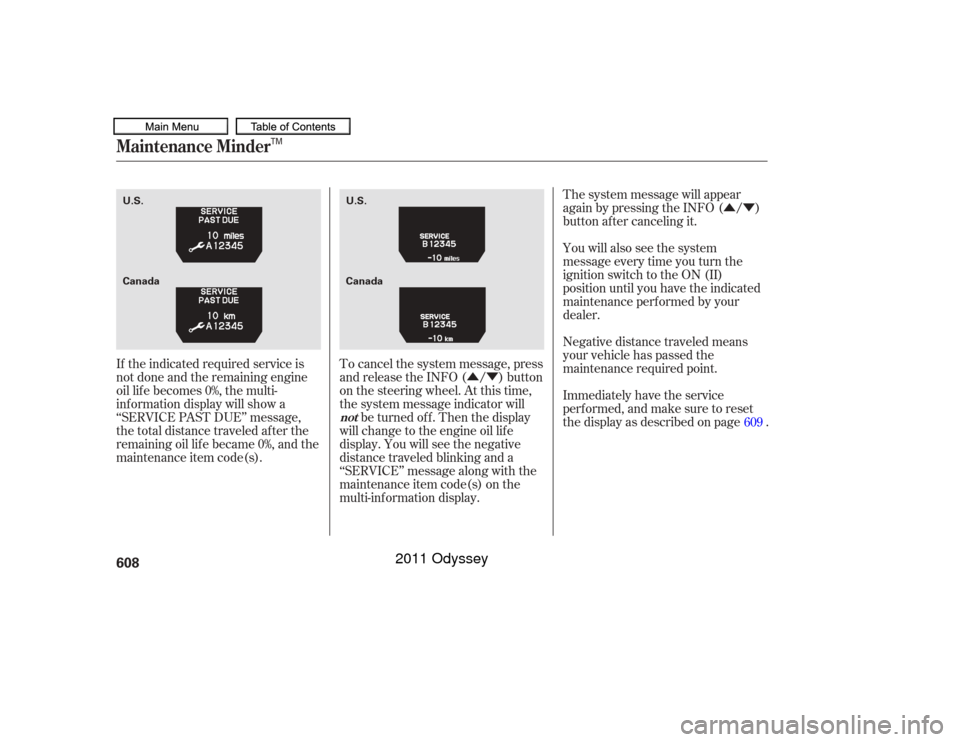
If the indicated required service is
not done and the remaining engine
oil lif e becomes 0%, the multi-
inf ormation display will show a
‘‘SERVICE PAST DUE’’ message,
the total distance traveled after the
remaining oil lif e became 0%, and the
maintenance item code(s). To cancel the system message, press
and release the INFO ( / ) button
on the steering wheel. At this time,
the system message indicator will
be turned of f . Then the display
will change to the engine oil lif e
display. You will see the negative
distance traveled blinking and a
‘‘SERVICE’’ message along with the
maintenance item code(s) on the
multi-inf ormation display. 609
Maintenance Minder
not
608
Canada U.S.
U.S.
Canada
TM
10/07/17 10:55:41 31TK8600_613
2011 Odyssey
Page 612 of 722
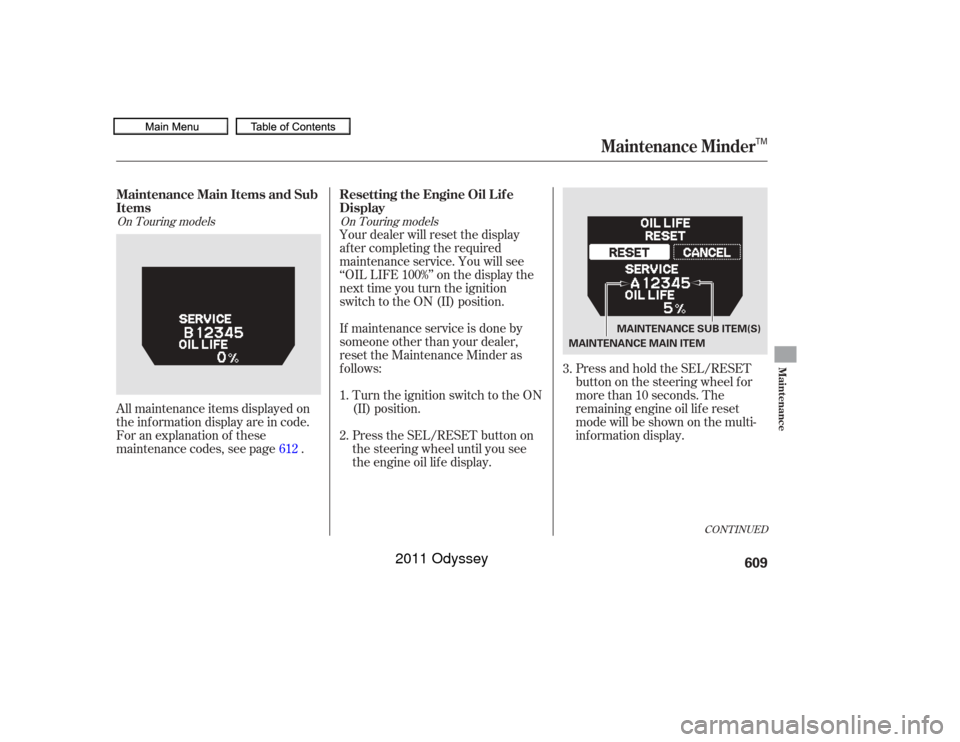
Press and hold the SEL/RESET
button on the steering wheel f or
more than 10 seconds. The
remaining engine oil lif e reset
mode will be shown on the multi-
inf ormation display.
All maintenance items displayed on
the inf ormation display are in code.
For an explanation of these
maintenance codes, see page . Your dealer will reset the display
af ter completing the required
maintenance service. You will see
‘‘OIL LIFE 100%’’ on the display the
next time you turn the ignition
switch to the ON (II) position.
If maintenance service is done by
someone other than your dealer,
reset the Maintenance Minder as
f ollows:
Turn the ignition switch to the ON
(II) position.
Press the SEL/RESET button on
the steering wheel until you see
the engine oil lif e display.
1.
2. 3.
612
CONT INUED
On Touring models On Touring modelsMaintenance Main Items and Sub
ItemsResetting the Engine Oil Lif e
Display
Maintenance Minder
Maint enance
609
MAINTENANCE SUB ITEM(S)
MAINTENANCE MAIN ITEM
TM
10/07/17 10:55:50 31TK8600_614
2011 Odyssey
Page 613 of 722
�Û�Ý
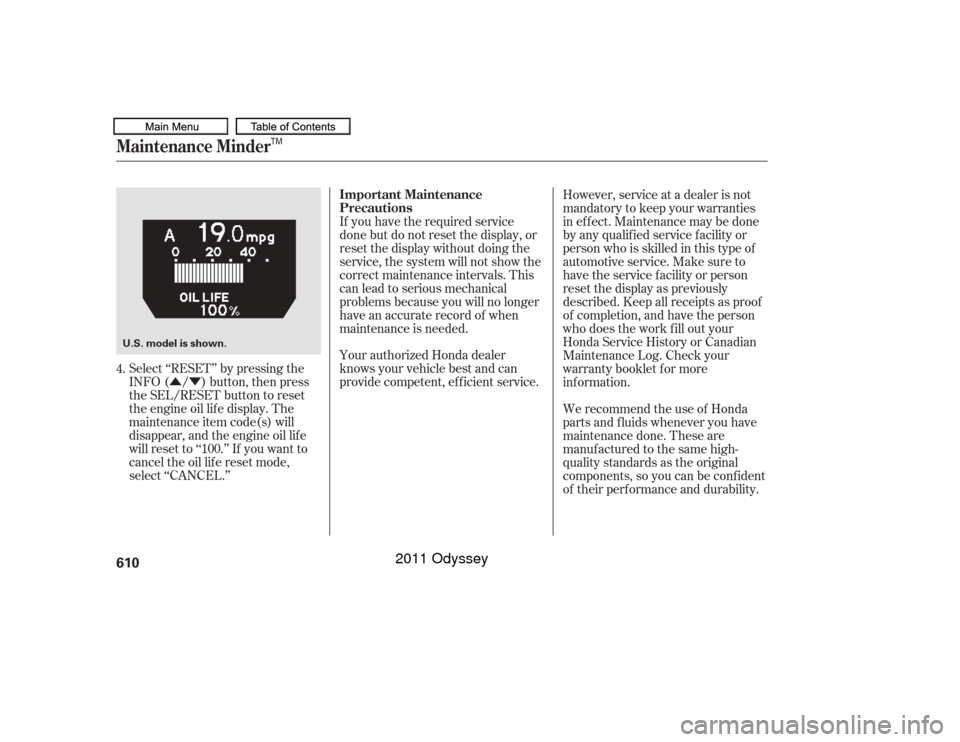
Select ‘‘RESET’’ by pressing the
INFO ( / ) button, then press
the SEL/RESET button to reset
the engine oil lif e display. The
maintenance item code(s) will
disappear, and the engine oil lif e
will reset to ‘‘100.’’ If you want to
cancel the oil lif e reset mode,
select ‘‘CANCEL.’’ If you have the required service
done but do not reset the display, or
reset the display without doing the
service, the system will not show the
correct maintenance intervals. This
canleadtoseriousmechanical
problems because you will no longer
have an accurate record of when
maintenance is needed.
Your authorized Honda dealer
knows your vehicle best and can
provide competent, ef f icient service.
However, service at a dealer is not
mandatory to keep your warranties
in effect. Maintenance may be done
by any qualif ied service f acility or
person who is skilled in this type of
automotive service. Make sure to
have the service f acility or person
reset the display as previously
described. Keep all receipts as proof
of completion, and have the person
who does the work f ill out your
Honda Service History or Canadian
Maintenance Log. Check your
warranty booklet f or more
inf ormation.
We recommend the use of Honda
parts and f luids whenever you have
maintenance done. These are
manuf actured to the same high-
quality standards as the original
components, so you can be conf ident
of their performance and durability.
4.
Maintenance Minder
Important Maintenance
Precautions
610U.S. model is shown.
TM
10/07/17 10:55:56 31TK8600_615
2011 Odyssey
Page 614 of 722
�µ
�µ
�µ
�µ
�µ
�µ
�Ì
U.S. Vehicles:
Youshouldcheckthefollowing
items at the specif ied intervals. If
you are unsure of how to perf orm
any check, turn to the appropriate
page listed. Lights Check the operation of
the headlights, parking lights,
taillights, high-mount brake light,
and license plate lights monthly.
See page .
Engine coolant level Check the
radiator reserve tank every time
you f ill the f uel tank. See page . Engine oil level Check every
time you fill the fuel tank. See
page .
Automatic transmission Check
the f luid level monthly. See page .
Brakes Check the f luid level
monthly. See page .
Tires Check the tire pressure
monthly. Examine the tread f or
wear and foreign objects. See page .
According to state and federal
regulations, f ailure to perf orm
maintenance on the items marked
with will not void your emissions
warranties. However, all
maintenance services should be
perf ormed in accordance with the
intervals indicated by the odometer/
trip meter display or the multi-
inf ormation display.
545
621 623
643 625
545
CONT INUED
Owner’s Maintenance Checks
Maintenance Minder
Maint enance
611TM
10/07/17 10:56:05 31TK8600_616
2011 Odyssey