Page 166 of 722
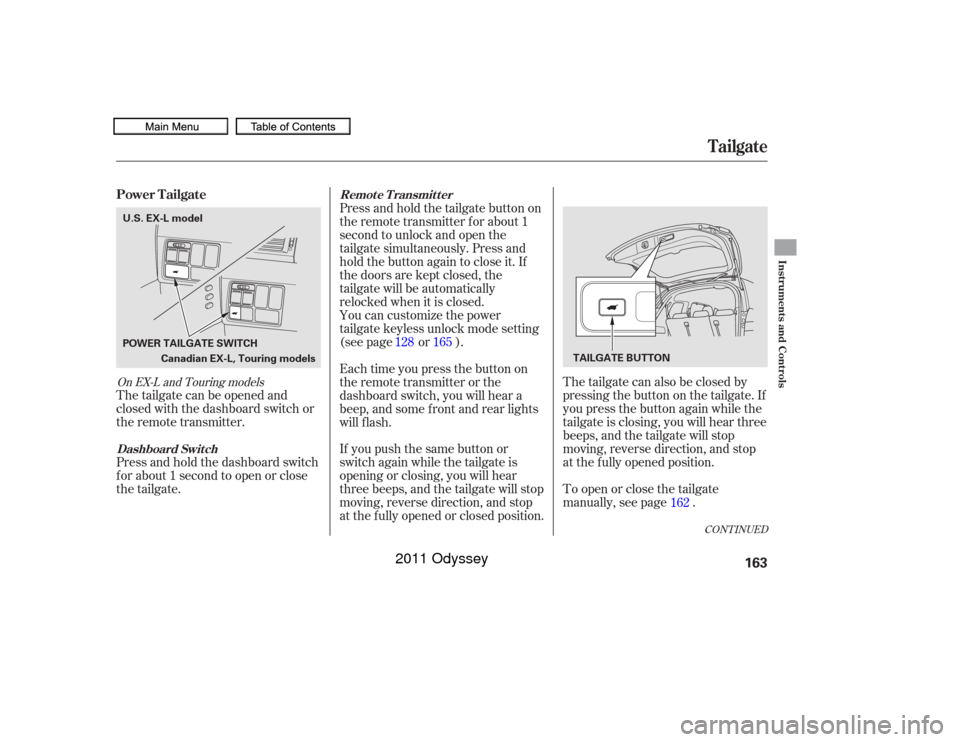
The tailgate can also be closed by
pressing the button on the tailgate. If
you press the button again while the
tailgate is closing, you will hear three
beeps, and the tailgate will stop
moving, reverse direction, and stop
at the f ully opened position.
To open or close the tailgate
manually, see page .
The tailgate can be opened and
closed with the dashboard switch or
the remote transmitter.
Press and hold the dashboard switch
f or about 1 second to open or close
the tailgate. Press and hold the tailgate button on
the remote transmitter f or about 1
second to unlock and open the
tailgate simultaneously. Press and
hold the button again to close it. If
the doors are kept closed, the
tailgate will be automatically
relocked when it is closed.
If you push the same button or
switch again while the tailgate is
opening or closing, you will hear
three beeps, and the tailgate will stop
moving, reverse direction, and stop
at the f ully opened or closed position. You can customize the power
tailgate keyless unlock mode setting
(see page or ).
Each time you press the button on
the remote transmitter or the
dashboard switch, you will hear a
beep, and some f ront and rear lights
will f lash.
162
128 165
CONT INUED
On EX-L and Touring modelsPower Tailgate
Tailgate
Dashboard Switch Remote Transmitter
Instruments and Controls
163
Canadian EX-L, Touring models
POWER TAILGATE SWITCH
TAILGATE BUTTON
U.S. EX-L model
10/07/19 15:51:06 31TK8600_168
2011 Odyssey
Page 200 of 722
Keeptheinsideandoutsidemirrors
clean and adjusted f or best visibility.
Be sure to adjust the mirrors bef ore
you start driving.
The inside mirror has day and night
positions. The night position reduces
glare f rom headlights behind you.
Flip the tab on the bottom edge of
the mirror to select the day or night
position.The inside mirror can automatically
darken to reduce glare. To turn on
this feature, press the button on the
bottom of the mirror. The AUTO
indicator comes on as a reminder.
When it is on, the mirror darkens
when it senses the headlights of a
vehicle behind you, then returns to
normal visibility when the lights are
gone. Press the button again to turn
of f this f eature.
On EX-L and Touring models
On LX, EX models
Mirrors
Instruments and Controls
197
There is also a sensor on the back of
the mirror. Items hung on the mirror
may block this sensor and af f ect its
perf ormance.
10/07/17 10:00:41 31TK8600_202
2011 Odyssey
Page 211 of 722
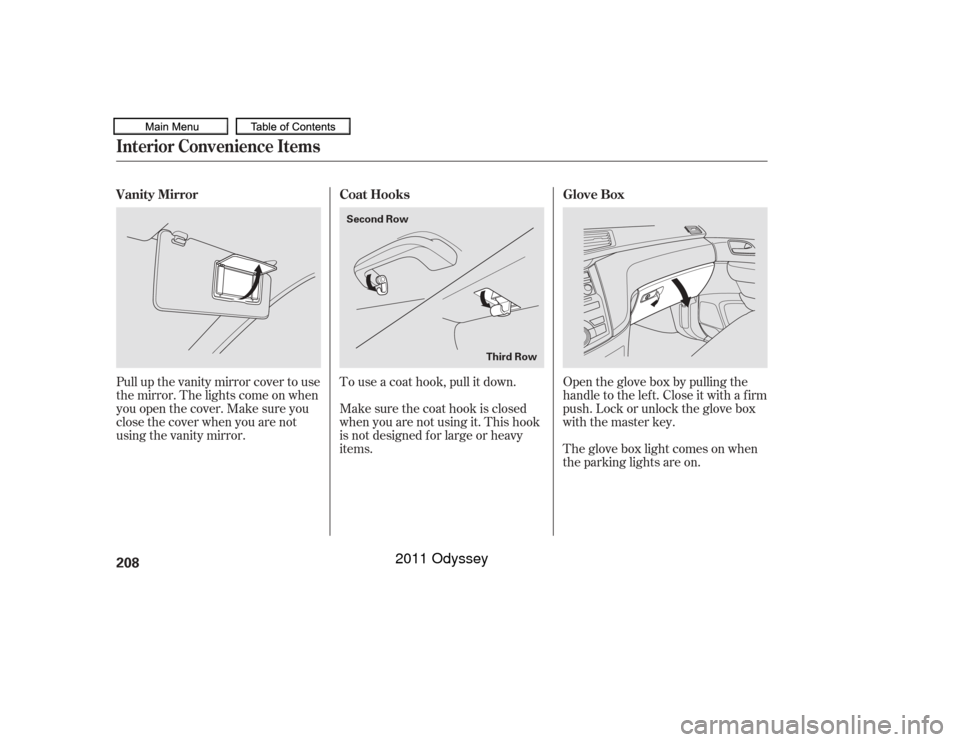
Open the glove box by pulling the
handle to the lef t. Close it with a f irm
push. Lock or unlock the glove box
with the master key.
The glove box light comes on when
the parking lights are on.
To use a coat hook, pull it down.
Make sure the coat hook is closed
when you are not using it. This hook
is not designed f or large or heavy
items.
Pull up the vanity mirror cover to use
the mirror. The lights come on when
you open the cover. Make sure you
close the cover when you are not
using the vanity mirror.
Interior Convenience Items
Glove Box
Coat Hooks
Vanity Mirror
208
Second Row
Third Row
10/07/17 10:02:01 31TK8600_213
2011 Odyssey
Page 216 of 722
When the switch is in the OFF position: When the switch is in the door activatedposition:
None of the lights come on when a
door is opened.
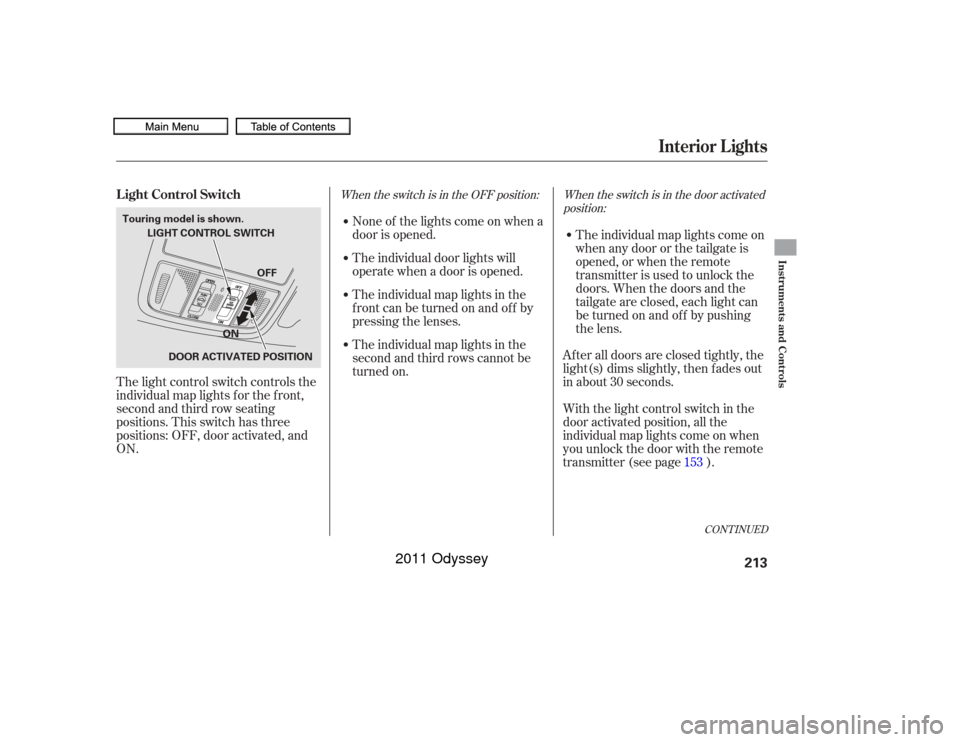
The light control switch controls the
individual map lights f or the f ront,
second and third row seating
positions. This switch has three
positions: OFF, door activated, and
ON. The individual door lights will
operate when a door is opened.
The individual map lights in the
frontcanbeturnedonandoff by
pressing the lenses.
The individual map lights in the
second and third rows cannot be
turned on.
The individual map lights come on
when any door or the tailgate is
opened, or when the remote
transmitter is used to unlock the
doors. When the doors and the
tailgate are closed, each light can
be turned on and of f by pushing
the lens.
After all doors are closed tightly, the
light(s) dims slightly, then f ades out
in about 30 seconds.
With the light control switch in the
door activated position, all the
individual map lights come on when
you unlock the door with the remote
transmitter (see page ). 153
CONT INUED
L ight Control Switch
Interior Lights
Instruments and Controls
213
LIGHT CONTROL SWITCH
DOOR ACTIVATED POSITION
Touring model is shown.
OFF
ON
10/07/17 10:02:41 31TK8600_218
2011 Odyssey
Page 217 of 722
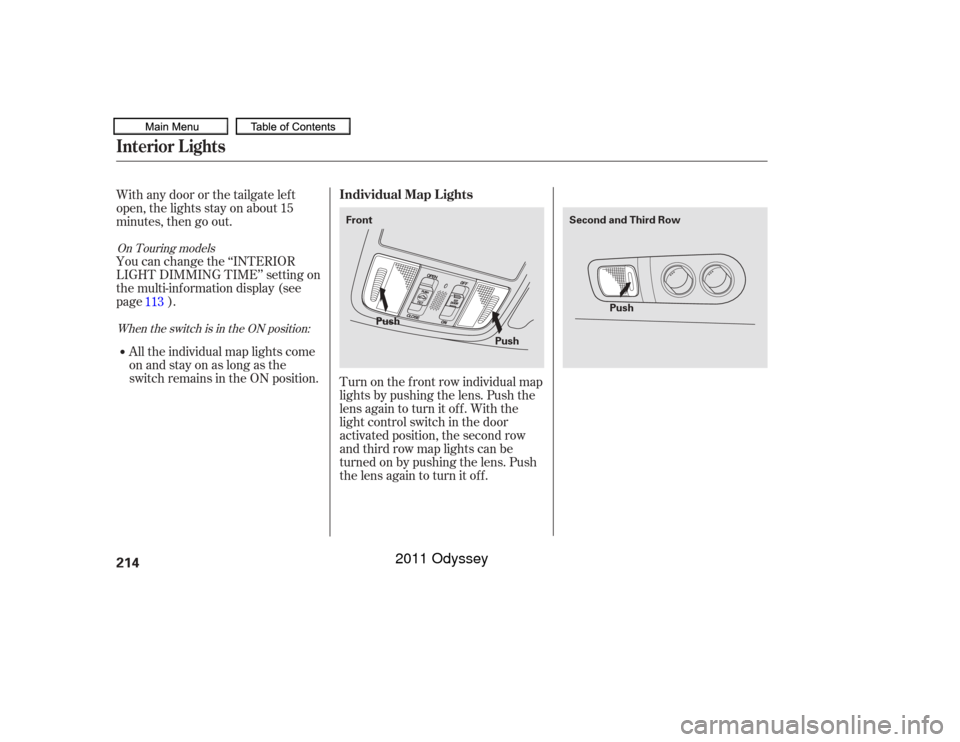
Turn on the f ront row individual map
lights by pushing the lens. Push the
lens again to turn it off. With the
light control switch in the door
activated position, the second row
and third row map lights can be
turned on by pushing the lens. Push
the lens again to turn it off.
Withanydoororthetailgateleft
open, the lights stay on about 15
minutes, then go out.
You can change the ‘‘INTERIOR
LIGHT DIMMING TIME’’ setting on
the multi-information display (see
page ).
All the individual map lights come
onandstayonaslongasthe
switch remains in the ON position. 113
When the switch is in the ON position:
On Touring models
Individual Map L ights
Interior Lights214
Front
Second and Third Row
Push PushPush
10/07/17 10:02:48 31TK8600_219
2011 Odyssey
Page 218 of 722
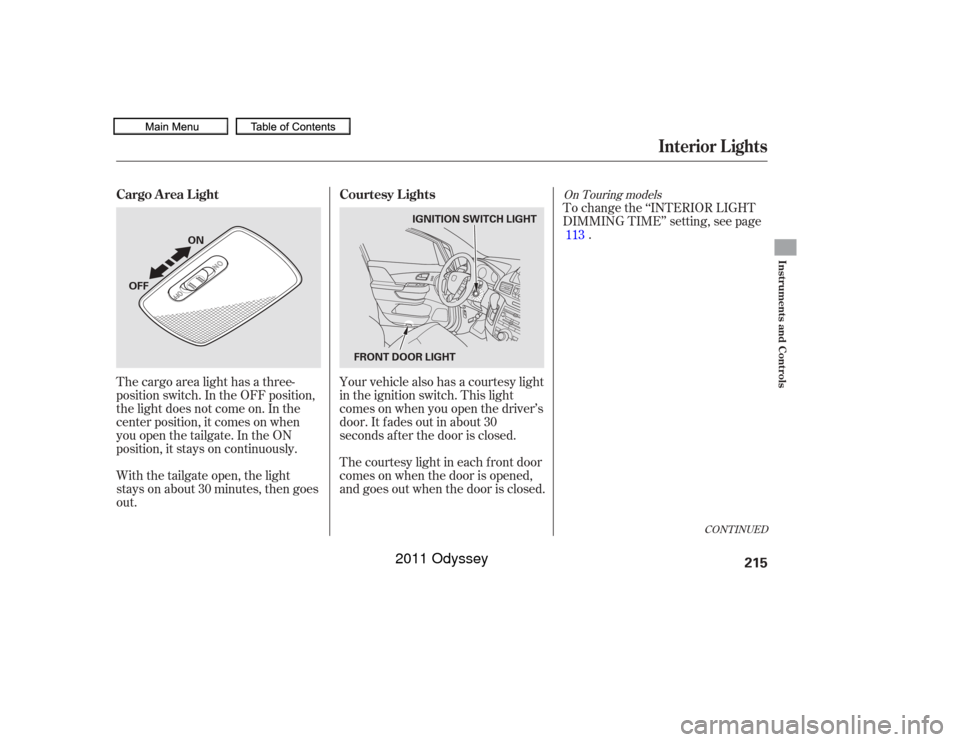
The cargo area light has a three-
position switch. In the OFF position,
the light does not come on. In the
center position, it comes on when
you open the tailgate. In the ON
position, it stays on continuously.To change the ‘‘INTERIOR LIGHT
DIMMING TIME’’ setting, see page
.
Your vehicle also has a courtesy light
in the ignition switch. This light
comesonwhenyouopenthedriver’s
door. It f ades out in about 30
seconds af ter the door is closed.
The courtesy light in each f ront door
comes on when the door is opened,
and goes out when the door is closed.
With the tailgate open, the light
stays on about 30 minutes, then goes
out. 113
CONT INUED
On Touring models
Cargo Area Light
Courtesy Lights
Interior Lights
Instruments and Controls
215
OFFON
FRONT DOOR LIGHTIGNITION SWITCH LIGHT
10/07/17 10:02:56 31TK8600_220
2011 Odyssey
Page 219 of 722
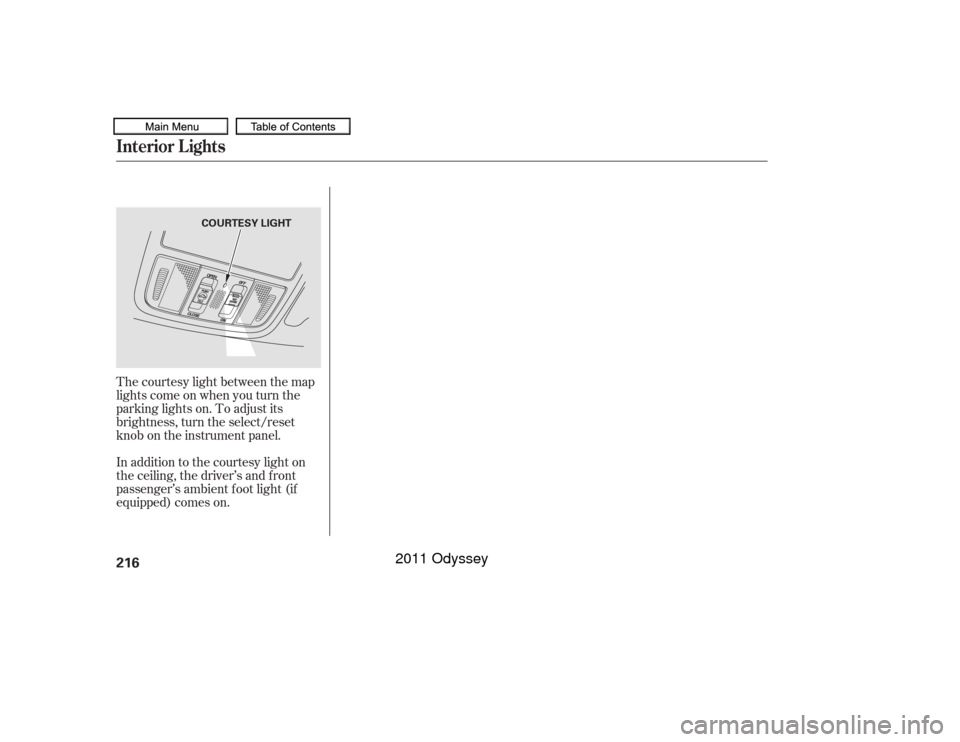
The courtesy light between the map
lights come on when you turn the
parking lights on. To adjust its
brightness, turn the select/reset
knob on the instrument panel.
In addition to the courtesy light on
the ceiling, the driver’s and f ront
passenger’s ambient f oot light (if
equipped) comes on.Interior Lights216
COURTESY LIGHT
10/07/17 10:03:00 31TK8600_221
2011 Odyssey
Page 245 of 722
�µ
�µ
�µ
�µ
�µ
�µ Adjusts the volume level
basedonthevehiclespeed.
Press the TUNE/ (SOUND)
knob repeatedly to display the BASS,
TREBLE, FADER, BALANCE,
SUBW (subwoof er), and SVC
(speed-sensitive volume
compensation) settings.
Adjusts the side-to-
side strength of the sound. Adjusts the front-to-back
strength of the sound. Adjusts the treble.
Adjusts the bass.
Adjusts the
strength of sound f rom the
subwoof er speaker. Eachmodeisshowninthedisplayas
it changes. Turn the TUNE/
(SOUND) knob to adjust the
setting to your liking.
The SVC has f our modes: SVC OFF,
SVC LOW, SVC MID, and SVC HIGH. Turn the TUNE/
(SOUND) knob to adjust the
setting to your liking. If you f eel the
sound is too loud, choose low. If you
f eel the sound is too quiet, choose
high.
The SVC mode controls the volume
based on vehicle speed. The f aster
you go, the louder the audio volume
becomes. As you slow down, the
audio volume decreases. The system will return to the audio
display about 10 seconds af ter you
stop adjusting a mode. When the level reaches the center,
you will see ‘‘C’’ in the display. You can use the instrument panel
brightness control knob to adjust the
illumination of the audio system (see
page ). The audio system
illuminates when the parking lights
are on, even if the radio is turned of f .140
Except SVC adjustment
Adjusting the Sound
SVC
BAL ANCE FADER TREBLE
BASS
SUBWOOFER A udio System L ightingPlaying the FM/AM Radio (LX model)
Speed-sensit ive Volume
Compensat ion (SVC)
242
10/07/17 10:06:55 31TK8600_247
2011 Odyssey