Page 97 of 722
�Î�Î�Î
�Î �Î
�Î �Î
�Î
�Î
�µ�™�¶ �™
�µ�™�¶ �™
�ΠLOW
MIN
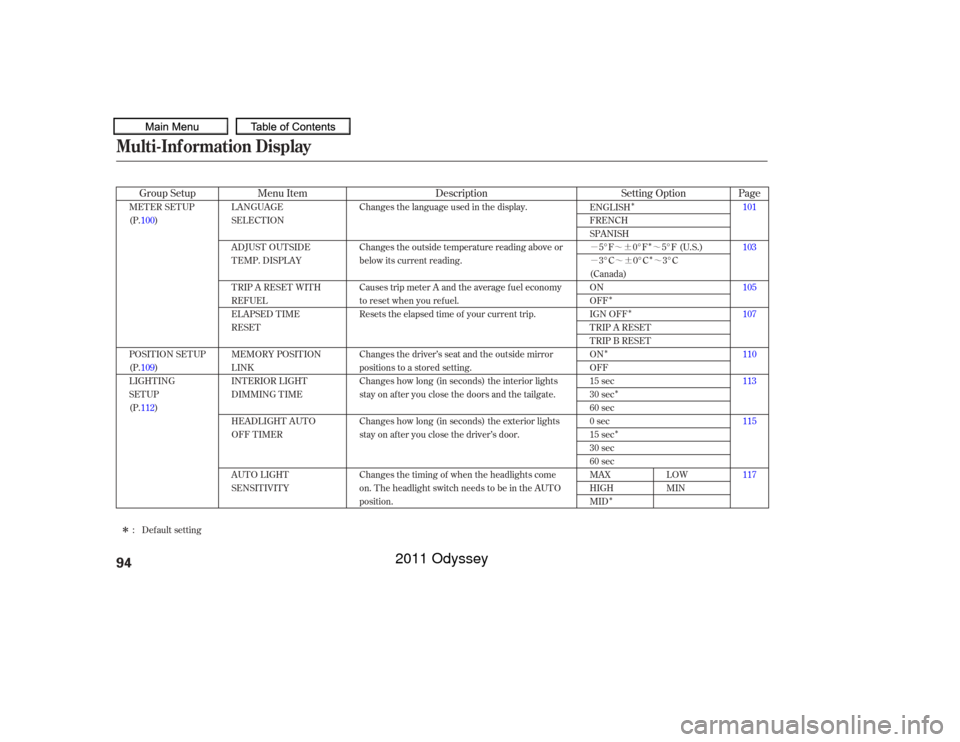
LANGUAGE
SELECTION
ADJUST OUTSIDE
TEMP. DISPLAY
TRIP A RESET WITH
REFUEL
ELAPSED TIME
RESET
MEMORY POSIT ION
LINK
INTERIOR LIGHT
DIMMING T IME
HEADLIGHT AUT O
OFF TIMER
AUTO LIGHT
SENSITIVITY Changes the language used in the display.
Changes the outside temperature reading above or
below its current reading.
Causes trip meter A and the average fuel economy
to reset when you refuel.
Resets the elapsed time of your current trip.
Changes the driver’s seat and the outside mirror
positions to a stored setting.
Changes how long (in seconds) the interior lights
stay on after you close the doors and the tailgate.
Changes how long (in seconds) the exterior lights
stay on after you close the driver’s door.
Changes the timing of when the headlights come
on. The headlight switch needs to be in the AUTO
position.
MET ER SET UP
(P.100)
POSITION SETUP
(P.109)
LIGHTING
SETUP
(P.112)
101
103
105
107
110
113
115
117
ENGLISH
FRENCH
SPANISH
5°F 0°F 5°F (U.S.)
3°C 0°C 3°C
(Canada)
ON
OFF
IGN OFF
TRIP A RESET
TRIP B RESET
ON
OFF
15 sec
30 sec
60 sec
0sec
15 sec
30 sec
60 sec
MAX
HIGH
MID
Default setting
:
Menu Item Description
Group Setup Page
Setting Option
Multi-Inf ormation Display94
10/07/17 09:47:19 31TK8600_099
2011 Odyssey
Page 98 of 722
Multi-Inf ormation Display
Instruments and Controls
95
10/07/17 09:47:14 31TK8600_098
�Î�Î
�Î
�Î
�Î
�Î
�Î
�Î �Î
�Î
�Î
Page
Menu Item Setting Option
Group Setup Description120
122
124
126
128
130
132
96
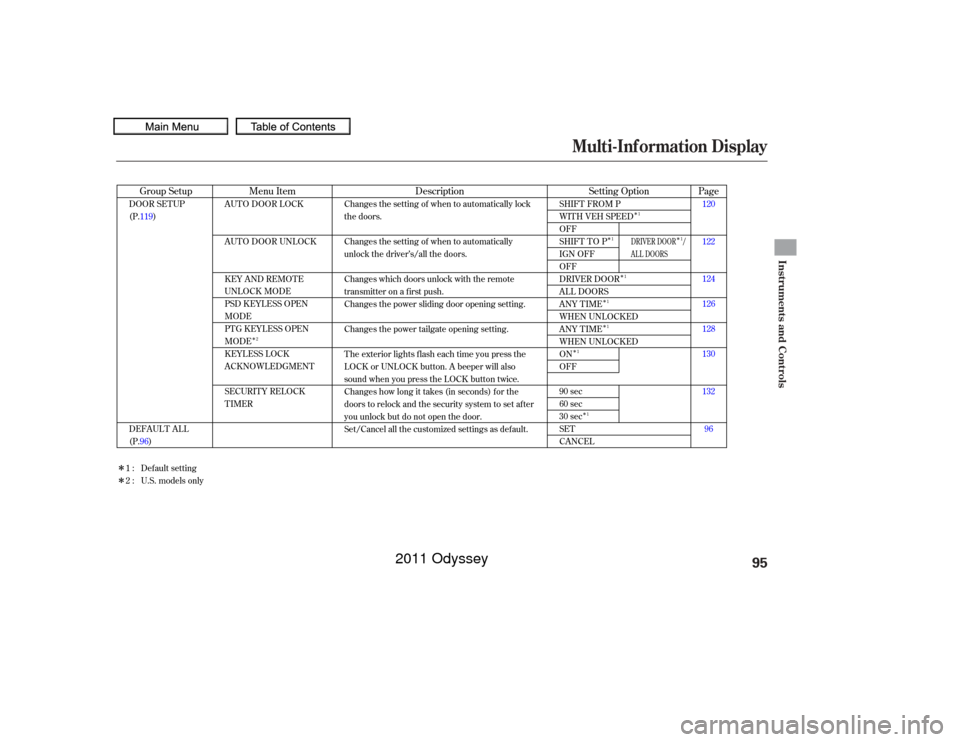
AUTO DOOR LOCK
AUTO DOOR UNLOCK
KEY AND REMOTE
UNLOCK MODE
PSD KEYLESS OPEN
MODE
PTG KEYLESS OPEN
MODE
KEYLESS LOCK
ACKNOWLEDGMENT
SECURITY RELOCK
TIMER
SHIFT FROM P
WITH VEH SPEED
OFF
SHIFT TO P
IGN OFF
OFF
DRIVER DOOR
ALL DOORS
ANY TIME
WHEN UNLOCKED
ANY TIME
WHEN UNLOCKED
ON
OFF
90 sec
60 sec
30 sec
SET
CANCEL
DOOR SETUP
(P.119)
DEFAULT ALL
(P.96) Changes the setting of when to automatically lock
the doors.
Changes the setting of when to automatically
unlock the driver’s/all the doors.
Changes which doors unlock with the remote
transmitter on a first push.
Changes the power sliding door opening setting.
Changes the power tailgate opening setting.
The exterior lights flash each time you press the
LOCK or UNLOCK button. A beeper will also
sound when you press the LOCK button twice.
Changes how long it takes (in seconds) for the
doors to relock and the security system to set after
you unlock but do not open the door.
Set/Cancel all the customized settings as default.
Default setting
1:
2 : U.S. models only
2 1
1
1
1
1
1
1 1
DRIVER DOOR /
AL L DOORS
2011 Odyssey
Page 116 of 722
�Û
�Ý �Û�Ý
CONT INUED
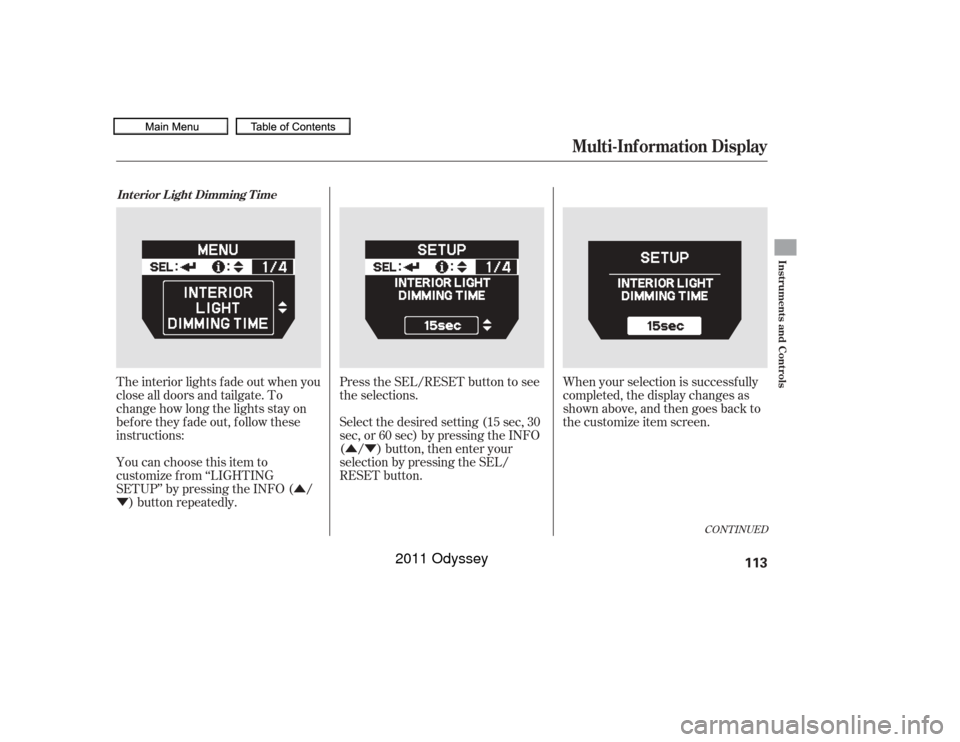
The interior lights f ade out when you
close all doors and tailgate. To
change how long the lights stay on
before they fade out, follow these
instructions:
You can choose this item to
customize f rom ‘‘LIGHTING
SETUP’’ by pressing the INFO ( /
) button repeatedly. Press the SEL/RESET button to see
the selections.
Select the desired setting (15 sec, 30
sec, or 60 sec) by pressing the INFO
( / ) button, then enter your
selection by pressing the SEL/
RESET button.
When your selection is successf ully
completed, the display changes as
shown above, and then goes back to
the customize item screen.Int erior L ight Dimming T ime
Multi-Inf ormation Display
Instruments and Controls
113
10/07/17 09:49:20 31TK8600_118
2011 Odyssey
Page 118 of 722
�Û�Ý
�Û
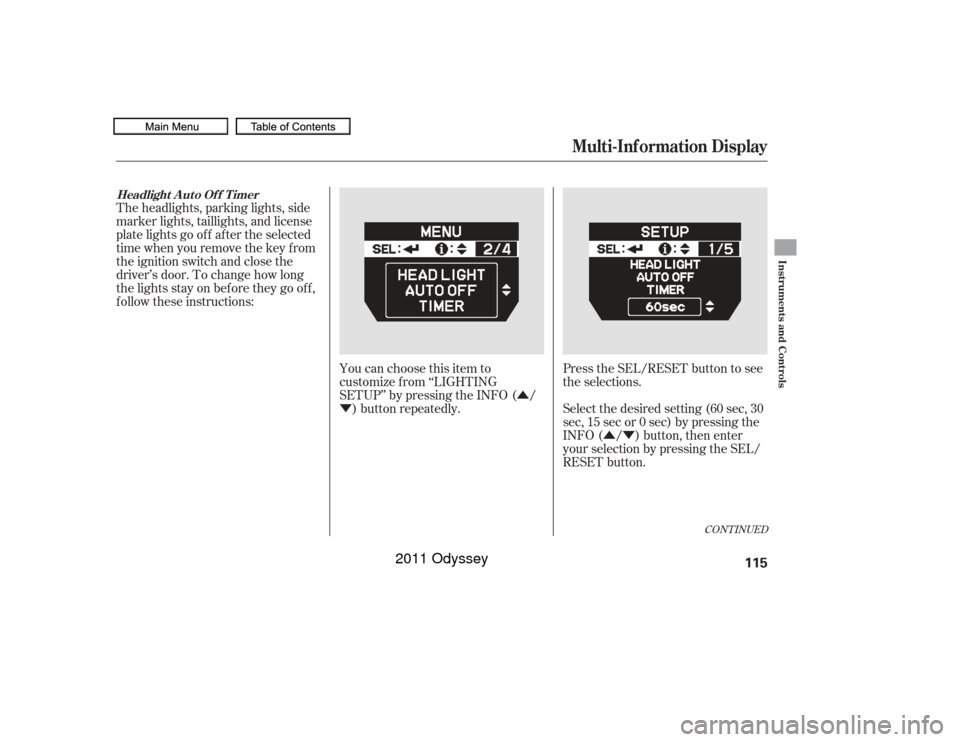
�Ý Select the desired setting (60 sec, 30
sec, 15 sec or 0 sec) by pressing the
INFO ( / ) button, then enter
your selection by pressing the SEL/
RESET button.
The headlights, parking lights, side
marker lights, taillights, and license
plate lights go of f af ter the selected
time when you remove the key f rom
the ignition switch and close the
driver’s door. To change how long
thelightsstayonbeforetheygooff,
f ollow these instructions:
You can choose this item to
customize f rom ‘‘LIGHTING
SETUP’’ by pressing the INFO ( /) button repeatedly. Press the SEL/RESET button to see
the selections.
CONT INUED
Headlight A uto Of f T imer
Multi-Inf ormation Display
Instruments and Controls
115
10/07/17 09:49:31 31TK8600_120
2011 Odyssey
Page 120 of 722
�µ�µ
�µ �µ
�µ �Û
�Ý
�Û�Ý
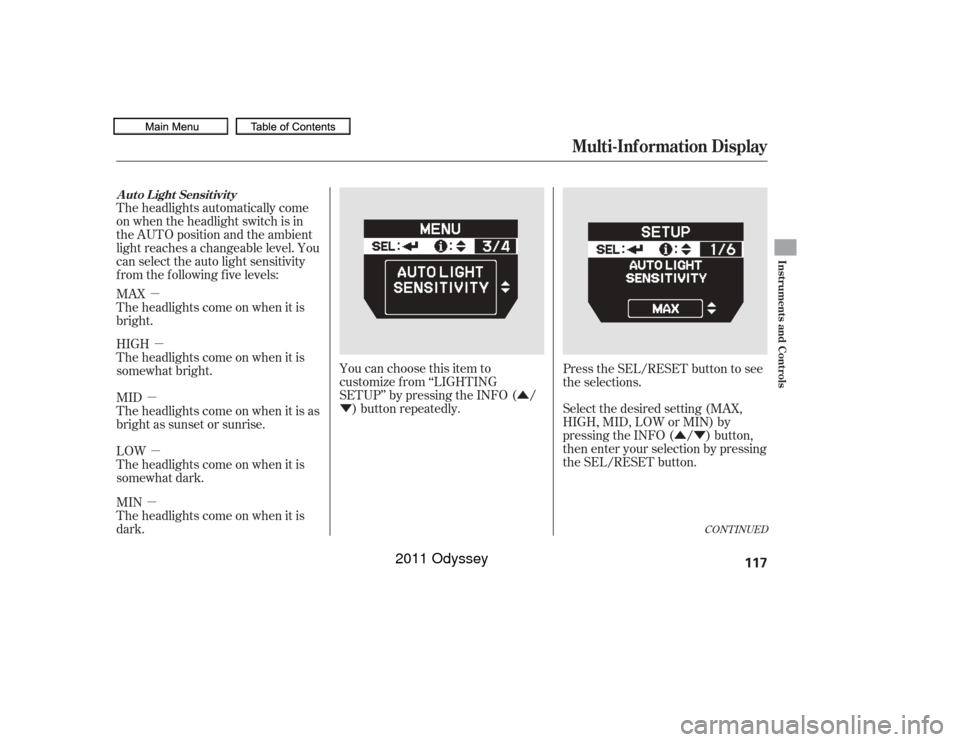
The headlights automatically come
on when the headlight switch is in
the AUTO position and the ambient
light reaches a changeable level. You
can select the auto light sensitivity
f rom the f ollowing f ive levels:
MAX
Theheadlightscomeonwhenitis
bright.
HIGH
Theheadlightscomeonwhenitis
somewhat bright.
MID
Theheadlightscomeonwhenitisas
bright as sunset or sunrise.
LOW
Theheadlightscomeonwhenitis
somewhat dark.
MIN
Theheadlightscomeonwhenitis
dark.
You can choose this item to
customize f rom ‘‘LIGHTING
SETUP’’ by pressing the INFO ( /
) button repeatedly. Press the SEL/RESET button to see
the selections.
Select the desired setting (MAX,
HIGH, MID, LOW or MIN) by
pressing the INFO ( / ) button,
then enter your selection by pressing
the SEL/RESET button.
CONT INUED
Auto Light Sensitivity
Multi-Inf ormation Display
Instruments and Controls
117
10/07/17 09:49:45 31TK8600_122
2011 Odyssey
Page 133 of 722
�Û�Ý�Û�Ý
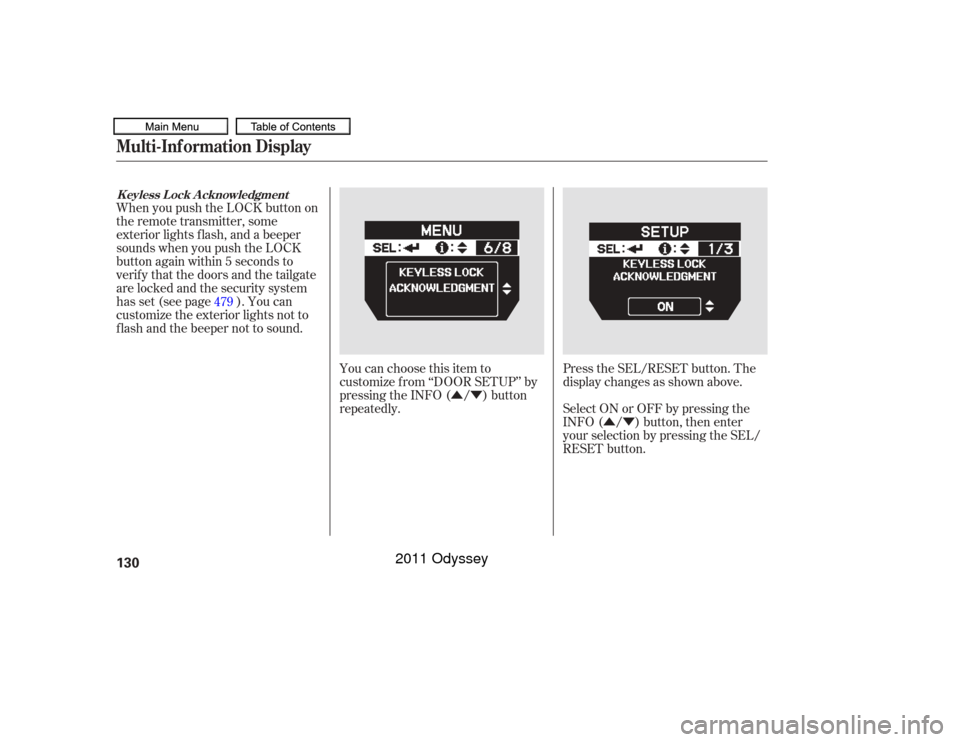
Press the SEL/RESET button. The
display changes as shown above.
You can choose this item to
customize f rom ‘‘DOOR SETUP’’ by
pressing the INFO ( / ) button
repeatedly.
When you push the LOCK button on
the remote transmitter, some
exterior lights f lash, and a beeper
sounds when you push the LOCK
button again within 5 seconds to
verify that the doors and the tailgate
arelockedandthesecuritysystem
has set (see page ). You can
customize the exterior lights not to
f lash and the beeper not to sound.
Select ON or OFF by pressing the
INFO ( / ) button, then enter
your selection by pressing the SEL/
RESET button.
479
Multi-Inf ormation DisplayK eyless L ock A cknowledgment130
10/07/17 09:51:16 31TK8600_135
2011 Odyssey
Page 137 of 722
�Î
�Î
�Î
�Î
�Î
�Î �Î �Î�Î
�Î
�Î
�Î
�Î
�Î
�ΠTo use the horn, press the center pad of the steering wheel.
If equipped
1:
2:Controls Near the Steering Wheel134
HAZARD WARNING
BUTTON
AUXILIARY INPUT JACK
HORN WINDSHIELD
WIPERS/WASHERS
CRUISE CONTROL
BUTTONS
PASSENGER AIRBAG
OFF INDICATOR
Vehicle with navigation system is shown. (P.136)
(P.169)
(P.163)
(P.486)
STEERING WHEEL
ADJUSTMENTS
(P.143)(P.83) (P.209)(P.412) (P.414,
442)
(P.189)
AUDIO SYSTEM
(P.234)
(P.33)
(P.142)
(P.135)
(P.480)
(P.411)
(P.571)
(P.585)
(P.496, 517)
(P.496,517)
HEADLIGHT/TURN SIGNAL/
FOG LIGHTS
BLIND SPOT
INFORMATION SYSTEM
(BSI) OFF SWITCH
POWER SLIDING
DOOR SWITCHES
PARKING SENSOR
SYSTEM SWITCH
VOICE CONTROL
BUTTONS
BLUETOOTH
HANDSFREELINK
BUTTONS MULTI-INFORMATION
BUTTONS
COOL BOX SWITCHREAR ENTERTAINMENT
SYSTEM
SEAT HEATER
SWITCHES
REMOTE AUDIO
CONTROLS
POWER TAILGATE
SWITCH VEHICLE STABILITY ASSIST
(VSA) OFF SWITCH
1
2
2
2
2
2 2 22
2
2
2
2
10/07/19 15:50:55 31TK8600_139
2011 Odyssey
Page 139 of 722
�Î�Î
�Î
�µ
�µ
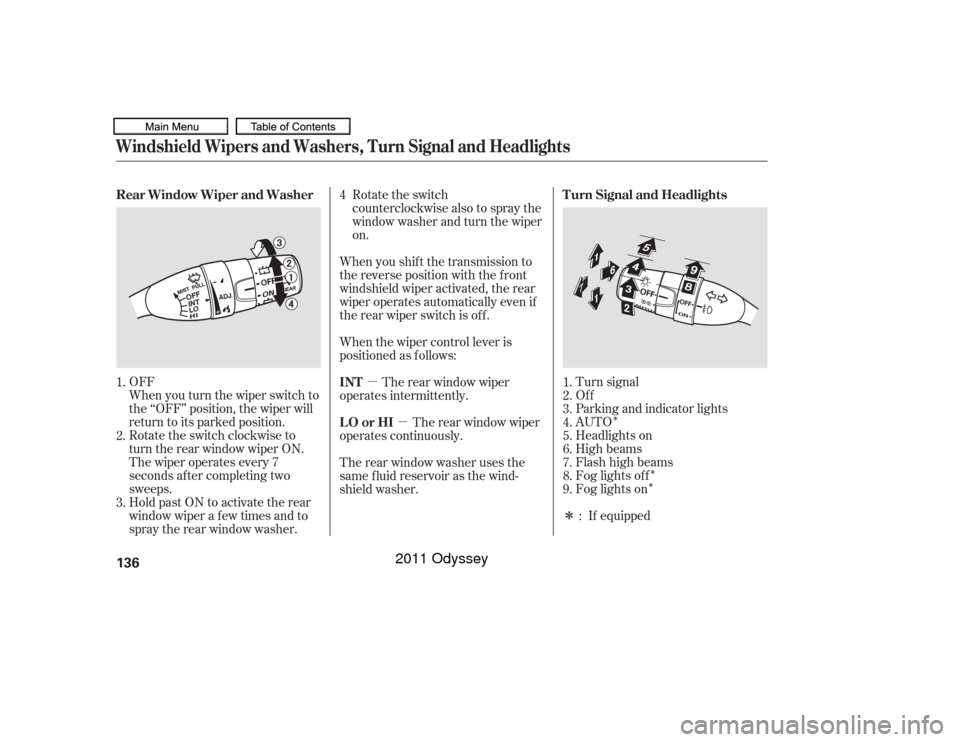
�ÎTurn signal
Of f
Parking and indicator lights
AUTO
Headlights on
High beams
Flashhighbeams
Fog lights of f
Fog lights on
If equipped
Rotate the switch clockwise to
turn the rear window wiper ON. When you turn the wiper switch to
the ‘‘OFF’’ position, the wiper will
return to its parked position. OFF
The wiper operates every 7
seconds af ter completing two
sweeps.
Hold past ON to activate the rear
window wiper a f ew times and to
spray the rear window washer. Rotate the switch
counterclockwise also to spray the
window washer and turn the wiper
on.
When you shif t the transmission to
the reverse position with the f ront
windshield wiper activated, the rear
wiper operates automatically even if
therearwiperswitchisoff.
When the wiper control lever is
positioned as f ollows: The rear window wiper
operates intermittently.
The rear window wiper
operates continuously.
Therearwindowwasherusesthe
same f luid reservoir as the wind-
shield washer. 1.
2.
3.
4.
5.
6.
7.
8.
9.
:
1.
2.
3. 4
Turn Signal and Headlights
Rear Window Wiper and Washer
INT
LO or HI
Windshield Wipers and Washers, Turn Signal and Headlights136
10/07/17 09:52:04 31TK8600_141
2011 Odyssey