Page 141 of 722

�µThe automatic lighting f eature is
controlledbyasensorlocatedontop
of the dashboard. Do not cover this
sensor or spill liquids on it.
The automatic lighting
f eature turns on the headlights, all
other exterior lights, and the
instrument panel lights when it
senses low ambient light.
To turn on the automatic lighting,
turn the light switch to the AUTO
position. The lights will come on
automatically when the outside light
level becomes low (at dusk, f or
example). The lights on indicator
comesonasareminder.Thelights
and indicator turn off automatically
when the system senses high
ambient light.
The lights turn of f automatically
when you turn the ignition switch to
the LOCK (0) position. To turn them
on again, either turn the ignition
switch to the ON (II) position, or
turn the light switch to the position. Even with the automatic lighting
f eature turned on, we recommend
thatyouturnonthelightsmanually
when driving at night or in a dense
f og, or when you enter dark areas
such as long tunnels or parking
f acilities.
To change the ‘‘AUTO LIGHT
SENSITIVITY’’ setting, see page
.
117
On all models except LX
On Touring modelsAUTOHeadlights138
LIGHT SENSOR
10/07/17 09:52:17 31TK8600_143
2011 Odyssey
Page 142 of 722
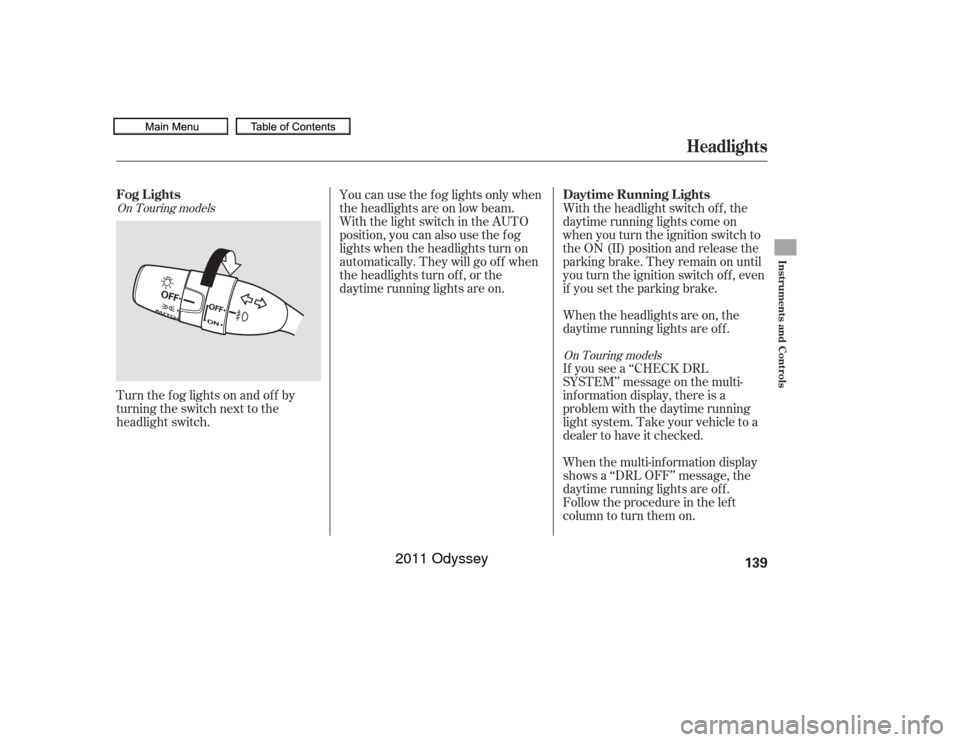
Turn the f og lights on and of f by
turning the switch next to the
headlight switch.When the multi-information display
shows a ‘‘DRL OFF’’ message, the
daytime running lights are of f .
Follow the procedure in the lef t
column to turn them on. If you see a ‘‘CHECK DRL
SYSTEM’’ message on the multi-
inf ormation display, there is a
problem with the daytime running
light system. Take your vehicle to a
dealer to have it checked. With the headlight switch off, the
daytime running lights come on
when you turn the ignition switch to
the ON (II) position and release the
parkingbrake.Theyremainonuntil
you turn the ignition switch of f , even
if you set the parking brake.
When the headlights are on, the
daytime running lights are of f .
You can use the f og lights only when
the headlights are on low beam.
With the light switch in the AUTO
position, you can also use the f og
lights when the headlights turn on
automatically. They will go of f when
the headlights turn of f , or the
daytime running lights are on.On Touring models
On Touring modelsFog L ightsDaytime Running L ights
Headlights
Instruments and Controls
139
10/07/17 09:52:25 31TK8600_144
2011 Odyssey
Page 143 of 722
This f eature turns of f the headlights,
all other exterior lights, and the
instrument panel lights within 15
seconds after you remove the key
and close the driver’s door.
To change the ‘‘HEADLIGHT AUTO
OFF TIMER’’ setting, see page .If you turn the ignition switch to the
LOCK (0) position with the
headlight switch on, but do not open
the door, the lights turn of f af ter 10
minutes (3 minutes, if the switch is
in the ‘‘AUTO’’ position).
The automatic lighting of f f eature
activates if you leave the headlight
switch in the ‘‘ ’’ or ‘‘ ’’
position or if the lights are turned on
by setting the switch in the ‘‘AUTO’’
position (if equipped), and you
remove the key, then open and close
the driver’s door. The lights will turn on again when
you unlock or open the driver’s door.
If you unlock the door, but do not
open it within 15 seconds, the lights
will go off. With the driver’s door
open, you will hear a lights on
reminder chime.
You can change the instrument panel
brightness only when the light
switch is on.
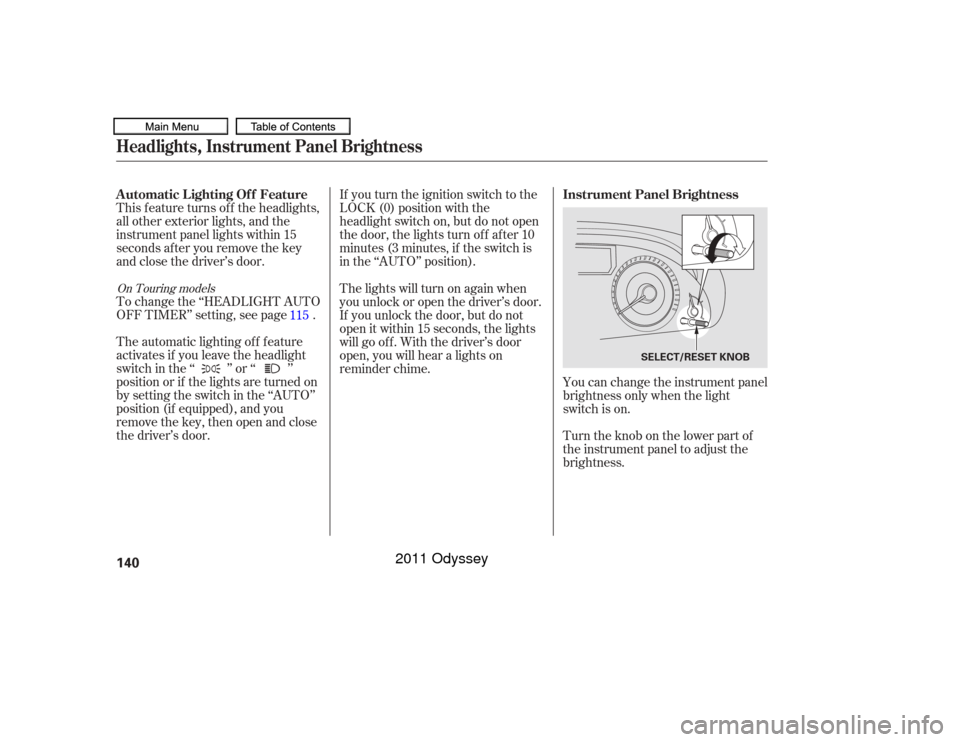
Turntheknobonthelowerpartof
the instrument panel to adjust the
brightness.
115On Touring modelsAutomatic Lighting Of f Feature
Instrument Panel BrightnessHeadlights, Instrument Panel Brightness140
SELECT/RESET KNOB
10/07/17 09:52:33 31TK8600_145
2011 Odyssey
Page 144 of 722
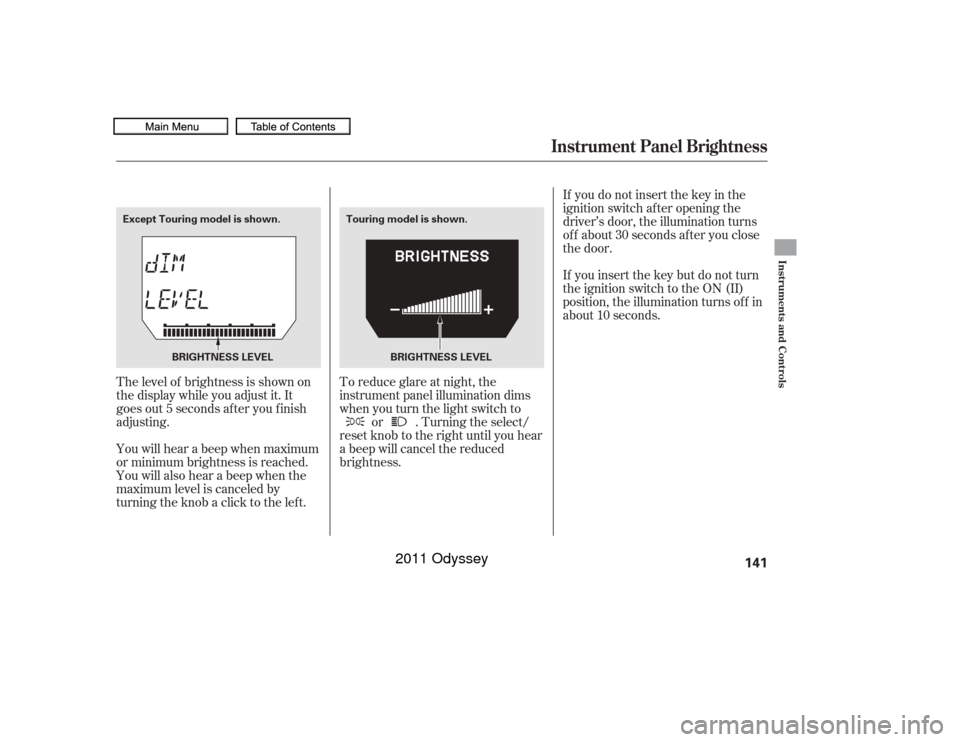
The level of brightness is shown on
the display while you adjust it. It
goes out 5 seconds af ter you f inish
adjusting.
You will hear a beep when maximum
or minimum brightness is reached.
You will also hear a beep when the
maximum level is canceled by
turning the knob a click to the lef t.To reduce glare at night, the
instrument panel illumination dims
when you turn the light switch to
or . Turning the select/
reset knob to the right until you hear
a beep will cancel the reduced
brightness. If you do not insert the key in the
ignition switch af ter opening the
driver’s door, the illumination turns
of f about 30 seconds af ter you close
the door.
If you insert the key but do not turn
the ignition switch to the ON (II)
position, the illumination turns of f in
about 10 seconds.
Instrument Panel Brightness
Instruments and Controls
141
Touring model is shown.
Except Touring model is shown.
BRIGHTNESS LEVEL BRIGHTNESS LEVEL
10/07/17 09:52:40 31TK8600_146
2011 Odyssey
Page 145 of 722

Push the button between the center
vents to turn on the hazard warning
lights (f our-way f lashers). This
causes all outside turn signals and
both indicators in the instrument
panel to f lash. Use the hazard
warning lights if you need to park in
a dangerous area near heavy traffic,
or if your vehicle is disabled.The rear window def ogger clears f og,
frost,andthinicefromthewindow.
Push the def ogger button to turn it
onandoff.Pushingthisbuttonalso
turns the mirror heaters on and of f .
The indicator in the button comes on
to show the def ogger is on. If you do
not turn it of f , the def ogger will shut
itself of f af ter 10 to 30 minutes
(depending on the ambient
temperature). It also shuts of f when
you turn of f the ignition switch. You have to turn it on again when you
restart the vehicle.
The def ogger will shut itself of f
within about 20 minutes.
Make sure the rear window is clear
and you have good visibility bef ore
starting to drive.
The def ogger wires on the inside of
the rear window can be accidentally
damaged. When cleaning the glass,
always wipe side-to-side.
Pushing this button also turns the
mirror heaters on or of f . For more
inf ormation, see page .
199
On LX models
If equipped
Hazard Warning Button Rear Window Def oggerHazard Warning Button, Rear Window Def ogger142
Except U.S.
LX model
U.S. LX
model
10/07/17 09:52:49 31TK8600_147
2011 Odyssey
Page 148 of 722
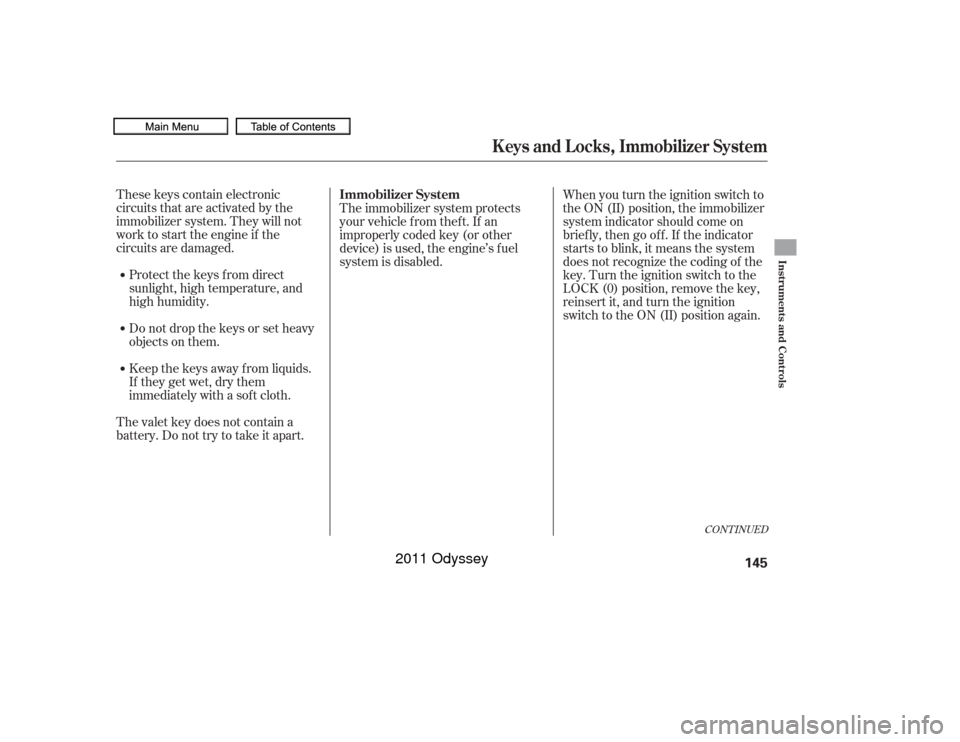
These keys contain electronic
circuits that are activated by the
immobilizer system. They will not
work to start the engine if the
circuits are damaged.Protect the keys f rom direct
sunlight, high temperature, and
high humidity.
Donotdropthekeysorsetheavy
objects on them.
Keep the keys away f rom liquids.
If they get wet, dry them
immediately with a sof t cloth.
The valet key does not contain a
battery. Do not try to take it apart. The immobilizer system protects
your vehicle f rom thef t. If an
improperly coded key (or other
device) is used, the engine’s f uel
system is disabled.
When you turn the ignition switch to
the ON (II) position, the immobilizer
system indicator should come on
brief ly, then go of f . If the indicator
starts to blink, it means the system
does not recognize the coding of the
key. Turn the ignition switch to the
LOCK (0) position, remove the key,
reinsert it, and turn the ignition
switch to the ON (II) position again.
CONT INUED
Keys and Locks, Immobilizer System
Immobilizer System
Instruments and Controls
145
10/07/17 09:53:10 31TK8600_150
2011 Odyssey
Page 150 of 722

�µ
�µ �µ�µ
Use this position
only to start the engine. The switch
returns to the ON (II) position when
you let go of the key.
You will hear a reminder beeper if
you leave the key in the ignition
switch in the LOCK (0) or the
ACCESSORY (I) position and open
the driver’s door. Remove the key to
turn of f the beeper.
The ignition switch has f our
positions: LOCK (0), ACCESSORY
(I), ON (II), and START (III). TheshiftlevermustbeinPark
bef ore you can remove the key f rom
the ignition switch. You will also see a ‘‘REMOVE KEY’’
message on the multi-information
display.
You can insert or
remove the key only in this position.
To turn the key to the LOCK (0)
position, the shif t lever must be in
Park, and you must push the key in
slightly. This is the normal key
position when driving. Several of the
indicators on the instrument panel
come on as a test when you turn the
ignition switch f rom the
ACCESSORY (I) to the ON (II)
position. If the f ront wheels are turned, the
anti-theft lock may make it difficult
to turn the key. Firmly turn the
steering wheel to the lef t or right as
you turn the key.
You can
operate the audio system and the
accessory power sockets in this
position.
If you turn the ignition key to the
ACCESSORY (I) position with the
driver’s door closed, you will see an
‘‘ACCESSORY (I) POSITION’’
message on the multi-inf ormation
display to inf orm you of the key
position.
On Touring modelsST A RT (III)
LOCK (0) ON (II) A CCESSORY (I)
Ignition Switch
Instruments and Controls
147
10/07/17 09:53:25 31TK8600_152
2011 Odyssey
Page 151 of 722
�µ�µ�µ
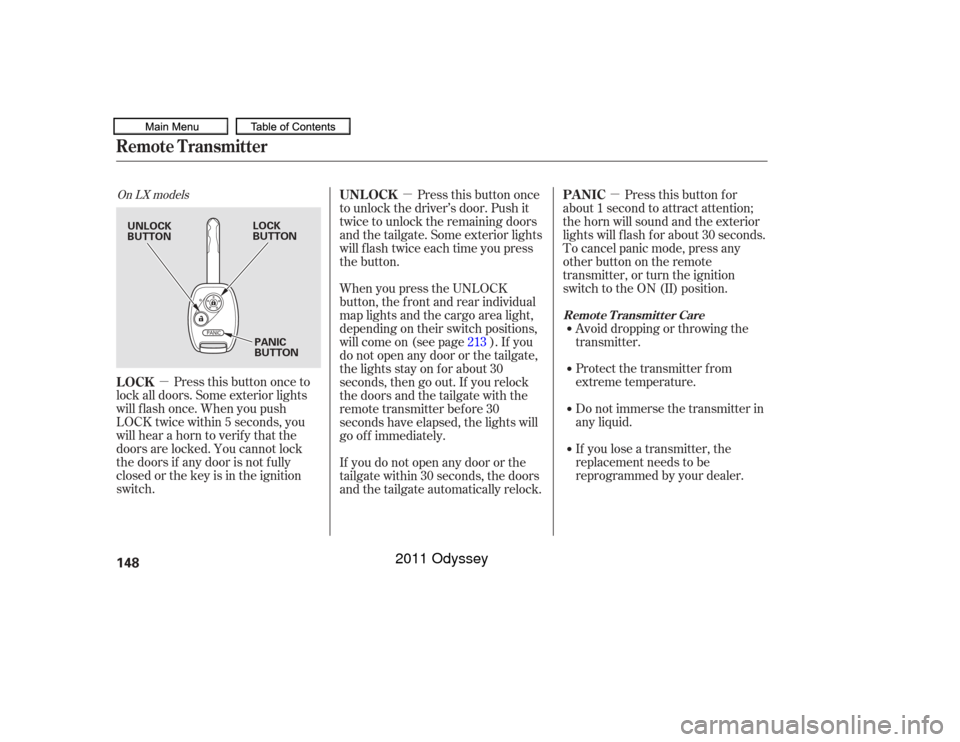
On LX models
Press this button once to
lock all doors. Some exterior lights
will f lash once. When you push
LOCK twice within 5 seconds, you
will hear a horn to verif y that the
doors are locked. You cannot lock
the doors if any door is not f ully
closed or the key is in the ignition
switch. Press this button once
to unlock the driver’s door. Push it
twice to unlock the remaining doors
and the tailgate. Some exterior lights
will f lash twice each time you press
the button.
If you lose a transmitter, the
replacement needs to be
reprogrammed by your dealer. Do not immerse the transmitter in
any liquid. Protect the transmitter from
extreme temperature. Avoid dropping or throwing the
transmitter.Pressthisbuttonfor
about 1 second to attract attention;
thehornwillsoundandtheexterior
lights will f lash f or about 30 seconds.
To cancel panic mode, press any
other button on the remote
transmitter, or turn the ignition
switch to the ON (II) position.
When you press the UNLOCK
button, the f ront and rear individual
map lights and the cargo area light,
depending on their switch positions,
will come on (see page ). If you
do not open any door or the tailgate,
the lights stay on for about 30
seconds, then go out. If you relock
thedoorsandthetailgatewiththe
remote transmitter before 30
seconds have elapsed, the lights will
go of f immediately.
If you do not open any door or the
tailgate within 30 seconds, the doors
and the tailgate automatically relock. 213
LOCK UNL OCK
PA NIC
Remote Transmitter
Remote Transmitter Care
148UNLOCK
BUTTONLOCK
BUTTON
PANIC
BUTTON
10/07/17 09:53:34 31TK8600_153
2011 Odyssey