Page 107 of 388
The moonroof has a key-of f delay.
You can open and close the
moonroof f or up to 10 minutes af ter
you turn of f the ignition switch. The
key-of f delay cancels as soon as you
open either f ront door. You must
then turn the ignition switch to the
ON (II) position f or the moonroof to
operate.If the moonroof runs into any
obstacle while it is closing
automatically, it will reverse
direction, and then stop. To close the
moonroof , remove the obstacle, then
use the moonroof switch again.
Auto reverse stops sensing when the
moonroof is almost closed. You
should always check that all
passengers and objects are away
f rom the moonroof bef ore closing it.
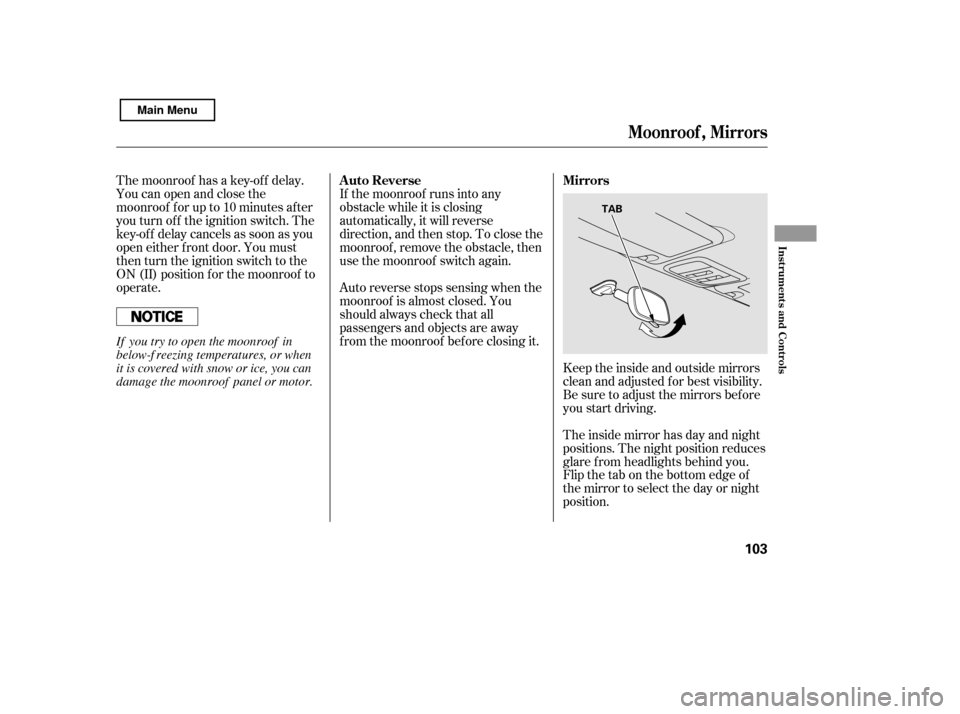
Keeptheinsideandoutsidemirrors
clean and adjusted f or best visibility.
Be sure to adjust the mirrors bef ore
you start driving.
The inside mirror has day and night
positions. The night position reduces
glare f rom headlights behind you.
Flip the tab on the bottom edge of
the mirror to select the day or night
position.
Auto Reverse Mirrors
Moonroof , Mirrors
Inst rument s and Cont rols
103
TAB
If you try to open the moonroof in
below-f reezing temperatures, or when
it is covered with snow or ice, you can
damage the moonroof panel or motor.
Main Menu
Page 109 of 388
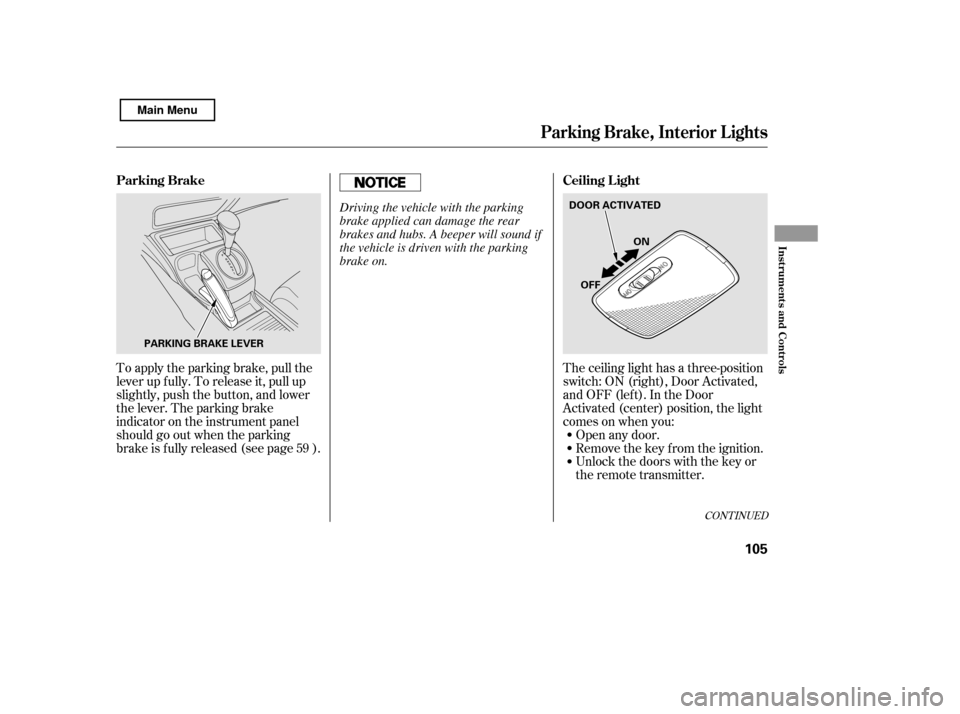
The ceiling light has a three-position
switch:ON(right),DoorActivated,
andOFF(left).IntheDoor
Activated (center) position, the light
comesonwhenyou:Open any door.
Unlock the doors with the key or
the remote transmitter.
Remove the key from the ignition.
To apply the parking brake, pull the
lever up f ully. To release it, pull up
slightly, push the button, and lower
the lever. The parking brake
indicator on the instrument panel
should go out when the parking
brake is f ully released (see page ).
59
CONT INUED
Parking Brake, Interior L ights
Ceiling L ight
Parking Brake
Inst rument s and Cont rols
105
PARKING BRAKE LEVER DOOR ACTIVATED
ON
OFF
Driving the vehicle with the parking
brake applied can damage the rear
brakes and hubs. A beeper will sound if
the vehicle is driven with the parking
brake on.
Main Menu
Page 110 of 388
After all doors are closed tightly, the
light(s) dims slightly, then f ades out
in about 30 seconds.
If you do not open any door af ter you
unlock the driver’s door or remove
the key from the ignition switch, the
light(s) f ades out in about 30
seconds.
If you leave any door open without
the key in the ignition switch, the
ceiling light(s) will go of f af ter 3
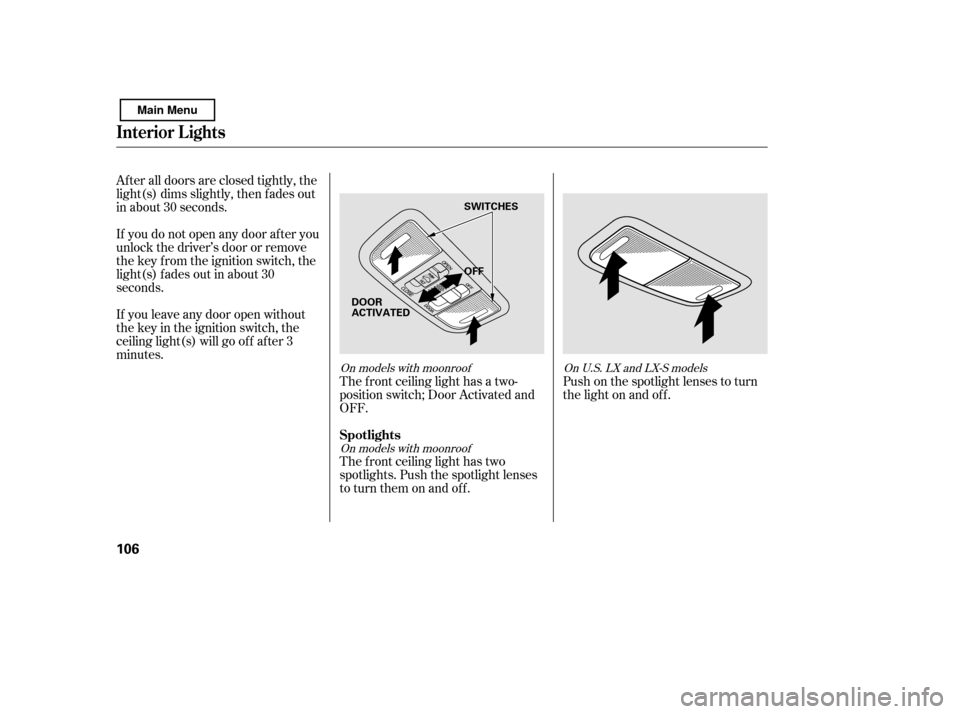
minutes.The f ront ceiling light has a two-
position switch; Door Activated and
OFF.
The f ront ceiling light has two
spotlights. Push the spotlight lenses
to turn them on and off.Push on the spotlight lenses to turn
the light on and of f .
On models with moonroof
On models with moonroof OnU.S.LXandLX-Smodels
Interior Lights
Spotlights
106
OFF
SWITCHES
DOOR
ACTIVATED
Main Menu
Page 111 of 388
�Î�Î
�Î
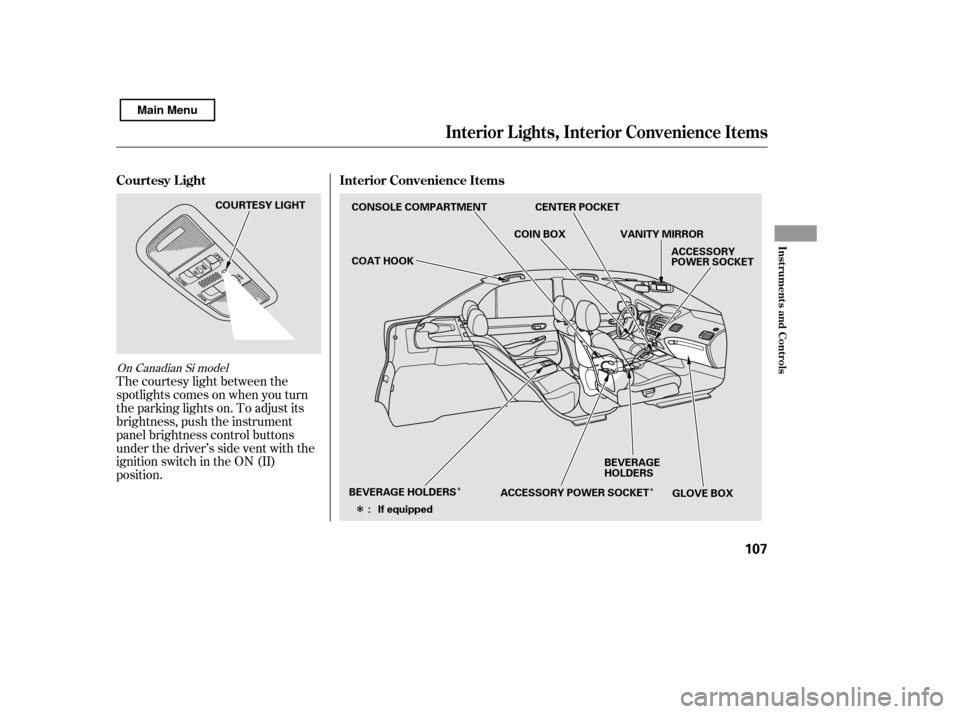
The courtesy light between the
spotlights comes on when you turn
the parking lights on. To adjust its
brightness, push the instrument
panel brightness control buttons
under the driver’s side vent with the
ignition switch in the ON (II)
position.
On Canadian Si model
Interior Convenience Items
Courtesy L ight
Interior L ights, Interior Convenience Items
Inst rument s and Cont rols
107
CONSOLE COMPARTMENT
COAT HOOK
GLOVE BOX
ACCESSORY
POWER SOCKET
BEVERAGE
HOLDERS
BEVERAGE HOLDERS ACCESSORY POWER SOCKETVANITY MIRROR
COIN BOX
If equipped
: CENTER POCKET
COURTESY LIGHT
Main Menu
Page 112 of 388
Be caref ul when you are using the
beverage holders. A spilled liquid
that is very hot can scald you or your
passengers. Spilled liquids can
damage the upholstery, carpeting,
and electrical components in the
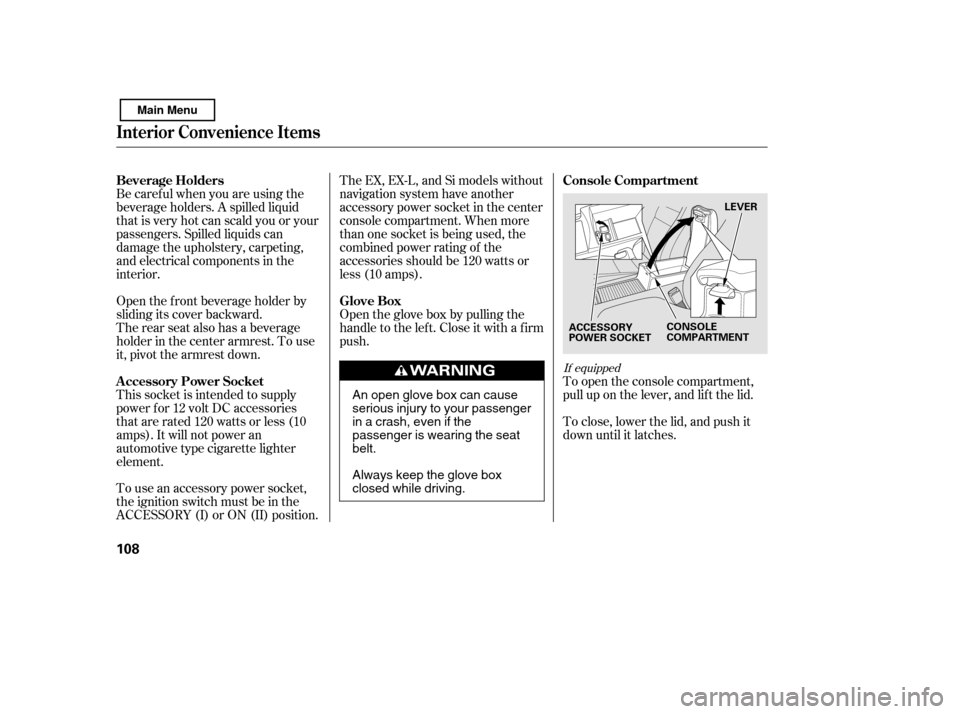
interior.To close, lower the lid, and push it
down until it latches.
To open the console compartment,
pull up on the lever, and lif t the lid.
Open the f ront beverage holder by
sliding its cover backward.
The rear seat also has a beverage
holder in the center armrest. To use
it, pivot the armrest down.
This socket is intended to supply
power f or 12 volt DC accessories
that are rated 120 watts or less (10
amps). It will not power an
automotive type cigarette lighter
element.
To use an accessory power socket,
the ignition switch must be in the
ACCESSORY (I) or ON (II) position. The EX, EX-L, and Si models without
navigation system have another
accessory power socket in the center
console compartment. When more
than one socket is being used, the
combined power rating of the
accessories should be 120 watts or
less (10 amps).
Open the glove box by pulling the
handle to the lef t. Close it with a f irm
push.
If equipped
Beverage Holders
Console Compartment
A ccessory Power Socket Glove Box
Interior Convenience Items
108
LEVER
ACCESSORY
POWER SOCKET CONSOLE
COMPARTMENT
An open glove box can cause
serious injury to your passenger
inacrash,evenifthe
passenger is wearing the seatbelt.
Always keep the glove box
closed while driving.
Main Menu
Page 123 of 388

�µ�µ
�µ
These two
modes adjust the strength of the
sound coming f rom each speaker.
BALANCE adjusts the side-to-side
strength, while FADER adjusts the
front-to-back strength. You can use the instrument panel
brightness control buttons to adjust
the illumination of the audio system
(see page ). The audio system
illuminates when the parking lights
are on, even if the radio is of f .
The SVC
mode controls the volume based on
vehicle speed. The f aster you go, the
louder the audio volume becomes.
As you slow down, the audio volume
decreases.
The SVC has f our modes: SVC OFF,
SVC LOW, SVC MID, and SVC
HIGH. Turn the SOUND (TUNE)
knob to adjust the setting to your
liking.
If you f eel the sound is too loud,
choose low. If you f eel the sound is
too quiet, choose high.
Use the TREBLE/
BASS modes to adjust the tone to
your liking.
75
Balance/Fader A udio System L ighting
Speed-sensitive volume
compensation (SVC)
Treble/Bass
Audio System (Models without navigation system)
Features
119
Main Menu
Page 139 of 388
CONT INUED
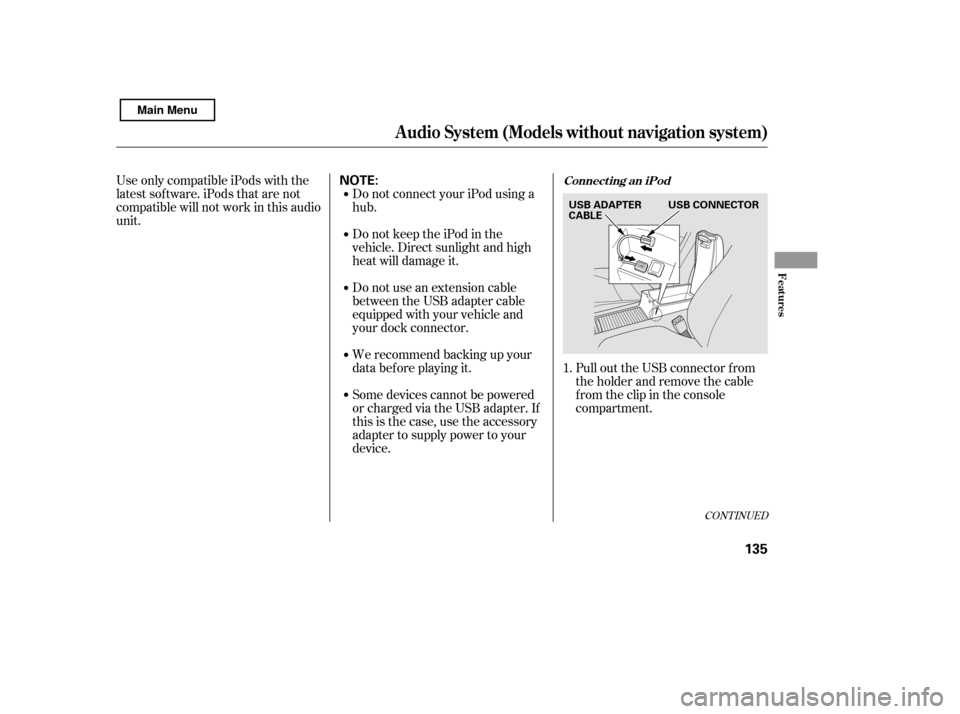
Pull out the USB connector f rom
the holder and remove the cable
f rom the clip in the console
compartment.
We recommend backing up your
data bef ore playing it.
Do not use an extension cable
between the USB adapter cable
equipped with your vehicle and
your dock connector.
Some devices cannot be powered
or charged via the USB adapter. If
this is the case, use the accessory
adapter to supply power to your
device.
DonotkeeptheiPodinthe
vehicle. Direct sunlight and high
heat will damage it.
Do not connect your iPod using ahub.
UseonlycompatibleiPodswiththe
latest sof tware. iPods that are not
compatible will not work in this audio
unit.
1.
Connect ing an iPod
Audio System (Models without navigation system)
Features
135
NOTE:
USB CONNECTOR
USB ADAPTER
CABLE
Main Menu
Page 147 of 388

Some versions of MP3, WMA, or
AAC f ormat may not be supported. If
an unsupported f ile is f ound, the
audio unit displays UNSUPPORTED,
then skips to the next f ile.
In WMA or AAC format, DRM
(digital rights management) f iles
cannot be played. If the system f inds
a DRM f ile, the audio unit displays
UNPLAYABLE FILE, and then skips
to the next file.
Depending on the sof tware the
f iles were made with, it may not be
possibletoplaysomefiles,or
displaysometextdata.
Depending on the type of
encoding and writing sof tware
used, there may be cases where
character inf ormation does not
display properly.
The order of f iles in USB playback
maybedifferentfromtheorderof
f iles displayed in PC or other
devices etc. Files are played in the
orderstoredinUSBflashmemory
device.
Do not keep a USB f lash memory
device in the vehicle. Direct
sunlight and high heat will damage
it.
We recommend backing up your
data bef ore playing a USB f lash
memory device.
Some devices cannot be powered
or charged via the USB adapter. If
this is the case, use the accessory
adapter to supply power to your
device.
Depending on the type and
number of f iles, it may take some
time bef ore they begin to play.
Do not use an extension cable to
the USB adapter cable equipped
with your vehicle.
CONT INUED
Audio System (Models without navigation system)
Features
143
Combining a low sampling f requency
with a low bitrate may result in
extremely degraded sound quality.
Main Menu