Page 192 of 388
�Û�Ý�µ
�µ
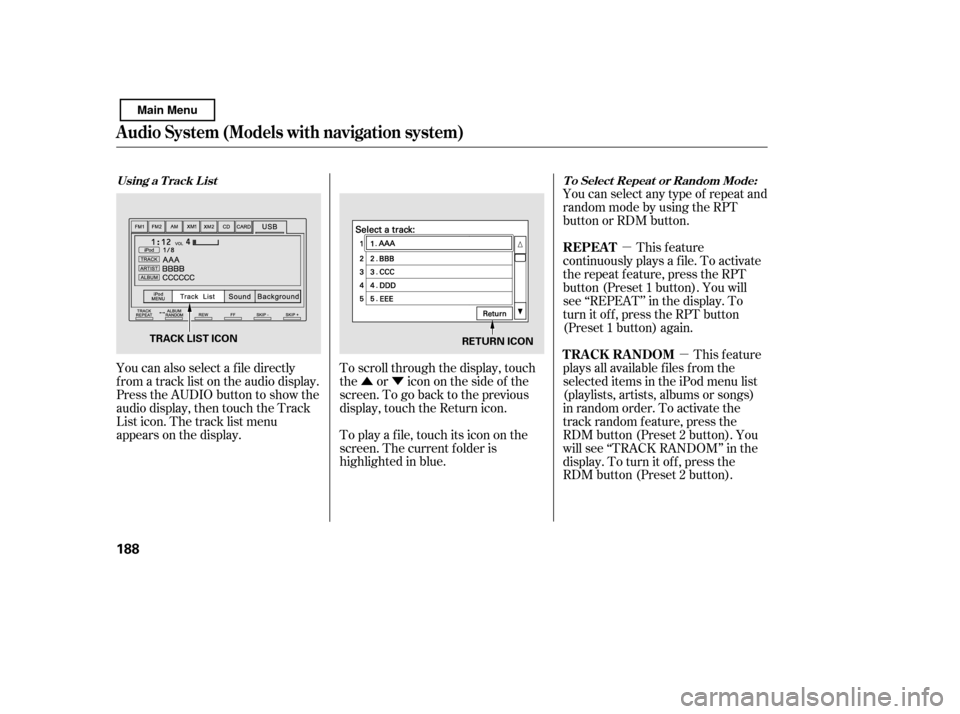
You can also select a f ile directly
f rom a track list on the audio display.
Press the AUDIO button to show the
audio display, then touch the Track
List icon. The track list menu
appears on the display. To scroll through the display, touch
the or icononthesideof the
screen.Togobacktotheprevious
display, touch the Return icon.
To play a f ile, touch its icon on the
screen. The current f older is
highlighted in blue.You can select any type of repeat and
random mode by using the RPT
button or RDM button.
This feature
continuously plays a f ile. To activate
the repeat f eature, press the RPT
button (Preset 1 button). You will
see ‘‘REPEAT’’ in the display. To
turn it off, press the RPT button
(Preset 1 button) again.
This feature
plays all available f iles f rom the
selected items in the iPod menu list
(playlists, artists, albums or songs)
in random order. To activate the
track random feature, press the
RDM button (Preset 2 button). You
will see ‘‘TRACK RANDOM’’ in the
display. To turn it of f , press the
RDM button (Preset 2 button).
Using a T rack L ist T o Select Repeat or Random Mode:
REPEAT
TRACK RANDOM
Audio System (Models with navigation system)
188
RETURN ICON
TRACK LIST ICON
Main Menu
Page 197 of 388

CONT INUED
The order of f iles in USB playback
maybedifferentfromtheorderof
f iles displayed in PC or other
devices etc. Files are played in the
orderstoredinUSBflashmemory
device.
Depending on the type of
encoding and writing sof tware
used, there may be cases where
character inf ormation does not
display properly.
You can select the AUX mode by
using the navigation system voice
control buttons, but cannot operate
theplaymodefunctions.
Do not use an extension cable to
the USB adapter cable equipped
with your vehicle.
Depending on the sof tware the
f iles were made with, it may not be
possibletoplaysomefiles,or
displaysometextdata.
Do not keep a USB f lash memory
device in the vehicle. Direct
sunlight and high heat will damage
it.
We recommend backing up your
data bef ore playing a USB f lash
memory device.
Some devices cannot be powered
or charged via the USB adapter. If
this is the case, use the accessory
adapter to supply power to your
device.
Depending on the type and
number of f iles, it may take some
time bef ore they begin to play.
Audio System (Models with navigation system)
Voice Cont rol Syst em
Features
193
Main Menu
Page 199 of 388
�Û�Ý
�µ
�µ �µ
�Ý
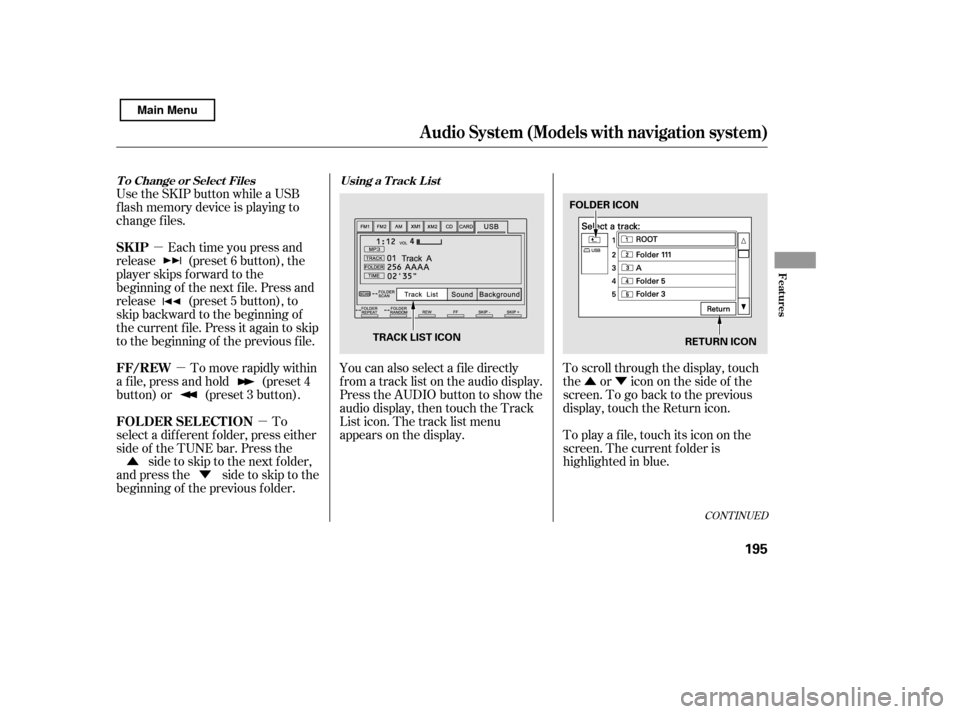
�Û You can also select a f ile directly
f rom a track list on the audio display.
Press the AUDIO button to show the
audio display, then touch the Track
List icon. The track list menu
appears on the display.
To scroll through the display, touch
the or icononthesideof the
screen.Togobacktotheprevious
display, touch the Return icon.
To play a f ile, touch its icon on the
screen. The current f older is
highlighted in blue.
Each time you press and
release (preset 6 button), the
player skips f orward to the
beginning of the next f ile. Press and
release (preset 5 button), to
skip backward to the beginning of
the current f ile. Press it again to skip
to the beginning of the previous file.
To move rapidly within
a f ile, press and hold (preset 4
button) or (preset 3 button).
To
select a dif f erent f older, press either
side of the TUNE bar. Press the side to skip to the next folder,
andpressthe sidetoskiptothe
beginning of the previous f older.
Use the SKIP button while a USB
f lash memory device is playing to
change f iles.
CONT INUED
Using a T rack L ist
T o Change or Select Files
SK IP
FF/REW
FOLDER SELECTION
Audio System (Models with navigation system)
Features
195
RETURN ICON
FOLDER ICON
TRACK LIST ICON
Main Menu
Page 205 of 388
When a disc is not being played,
store it in its case to protect it f rom
dust and other contamination. To
prevent warpage, keep discs out of
direct sunlight and extreme heat.
To clean a disc, use a clean sof t cloth.
Wipe across the disc f rom the center
to the outside edge.
A new disc may be rough on the
inner and outer edges. The small
plastic pieces causing this roughness
can f lake of f and f all on the
recording surf ace of the disc,
causing skipping or other problems.
Remove these pieces by rubbing the
inner and outer edges with the side
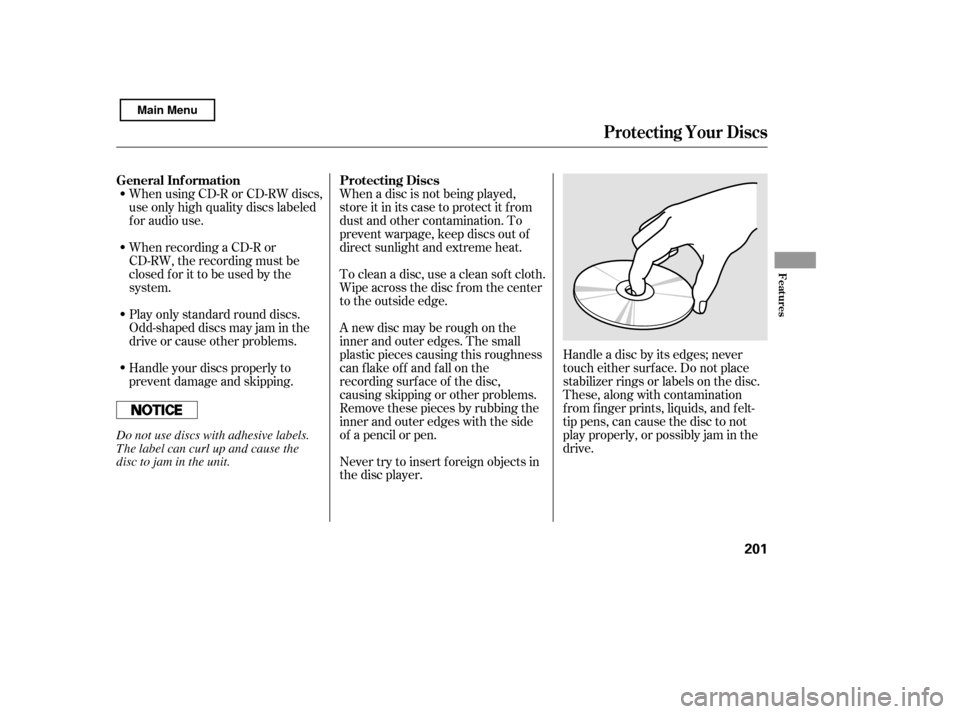
of a pencil or pen.Handle a disc by its edges; never
touch either surf ace. Do not place
stabilizer rings or labels on the disc.
These, along with contamination
f rom f inger prints, liquids, and f elt-
tip pens, can cause the disc to not
play properly, or possibly jam in the
drive.
When recording a CD-R or
CD-RW, the recording must be
closedforittobeusedbythe
system.
When using CD-R or CD-RW discs,
use only high quality discs labeled
f or audio use.
Never try to insert f oreign objects in
the disc player.
Handle your discs properly to
prevent damage and skipping.
Play only standard round discs.
Odd-shaped discs may jam in the
driveorcauseotherproblems.
General Inf ormation Protecting Discs
Protecting Your Discs
Features
201
Do not use discs with adhesive labels.
The label can curl up and cause the
disc to jam in the unit.
Main Menu
Page 212 of 388
The security system automatically
sets 15 seconds after you lock the
doors, hood, and trunk. For the
system to activate, you must lock the
doors f rom the outside with the key,
driver’s lock tab, door lock master
switch, or remote transmitter. The
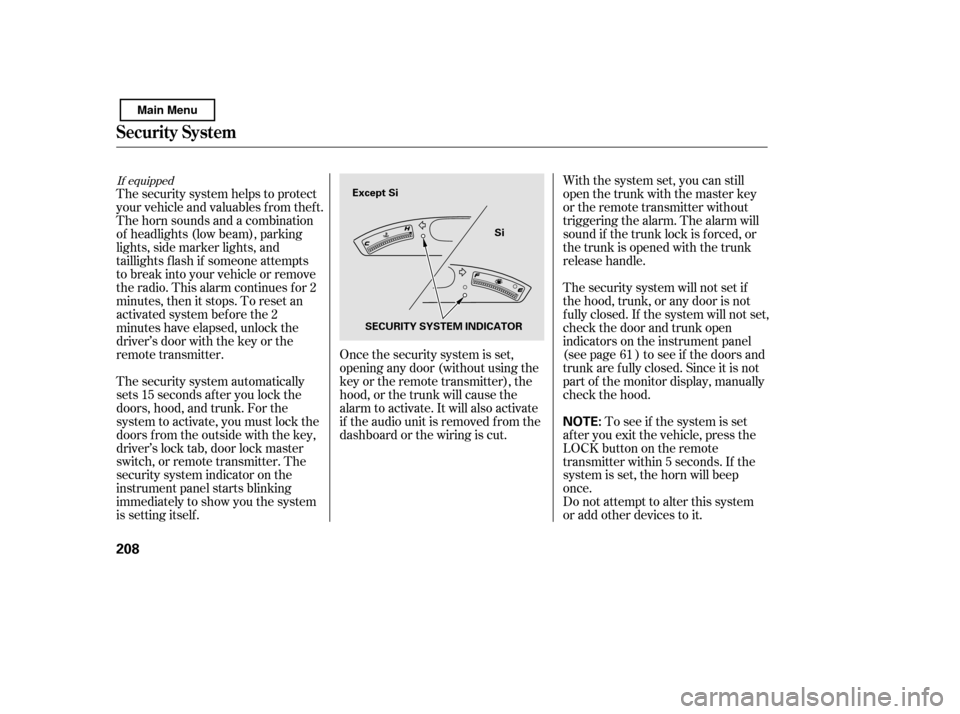
security system indicator on the
instrument panel starts blinking
immediately to show you the system
is setting itself .With the system set, you can still
open the trunk with the master key
or the remote transmitter without
triggering the alarm. The alarm will
sound if the trunk lock is f orced, or
the trunk is opened with the trunk
release handle.
The security system will not set if
the hood, trunk, or any door is not
f ully closed. If the system will not set,
check the door and trunk open
indicators on the instrument panel
(see page ) to see if the doors and
trunk are f ully closed. Since it is not
part of the monitor display, manually
check the hood.
Do not attempt to alter this system
or add other devices to it.
To see if the system is set
af ter you exit the vehicle, press the
LOCK button on the remote
transmitter within 5 seconds. If the
system is set, the horn will beep
once.
The security system helps to protect
your vehicle and valuables f rom thef t.
The horn sounds and a combination
of headlights (low beam), parking
lights, side marker lights, and
taillights f lash if someone attempts
to break into your vehicle or remove
the radio. This alarm continues f or 2
minutes, then it stops. To reset an
activated system before the 2
minutes have elapsed, unlock the
driver’s door with the key or the
remote transmitter. Once the security system is set,
opening any door (without using the
key or the remote transmitter), the
hood, or the trunk will cause the
alarm to activate. It will also activate
if the audio unit is removed f rom the
dashboard or the wiring is cut. 61
If equipped
Security System
208
NOTE:
Except Si
Si
SECURITY SYSTEM INDICATOR
Main Menu
Page 214 of 388

You can increase the set cruising
speed in any of these ways:Press and hold the RES/ACCEL
button. When you reach the
desired cruising speed, release the
button. You can decrease the set cruising
speed in any of these ways:
Even with the cruise control turned
on, you can still use the accelerator
pedal to speed up f or passing. Af ter
completing the pass, take your foot
of f the accelerator pedal. The vehicle
will return to the set cruising speed.
Resting your f oot on the brake or
clutch pedal causes the cruise
control to cancel.
To increase the speed in very
small amounts, tap the RES/
ACCEL button. Each time you do
this, your vehicle will speed up
about 1 mph (1.6 km/h).
Push on the accelerator pedal until
you reach the desired cruising
speed, then press the SET/
DECEL button. Tap the brake or clutch pedal
lightly with your f oot. The
CRUISE CONTROL indicator on
the instrument panel goes out.
When the vehicle slows to the
desired speed, press the SET/
DECEL button.
To slow down in very small
amounts, tap the SET/DECEL
button. Each time you do this,
your vehicle will slow down about
1 mph (1.6 km/h).
Press and hold the SET/DECEL
button. Release the button when
you reach the desired speed.
If you need to decrease your
speed quickly, use the brakes as you
normally would.
Changing the Set Speed
Cruise Control
210
NOTE:
Main Menu
Page 244 of 388
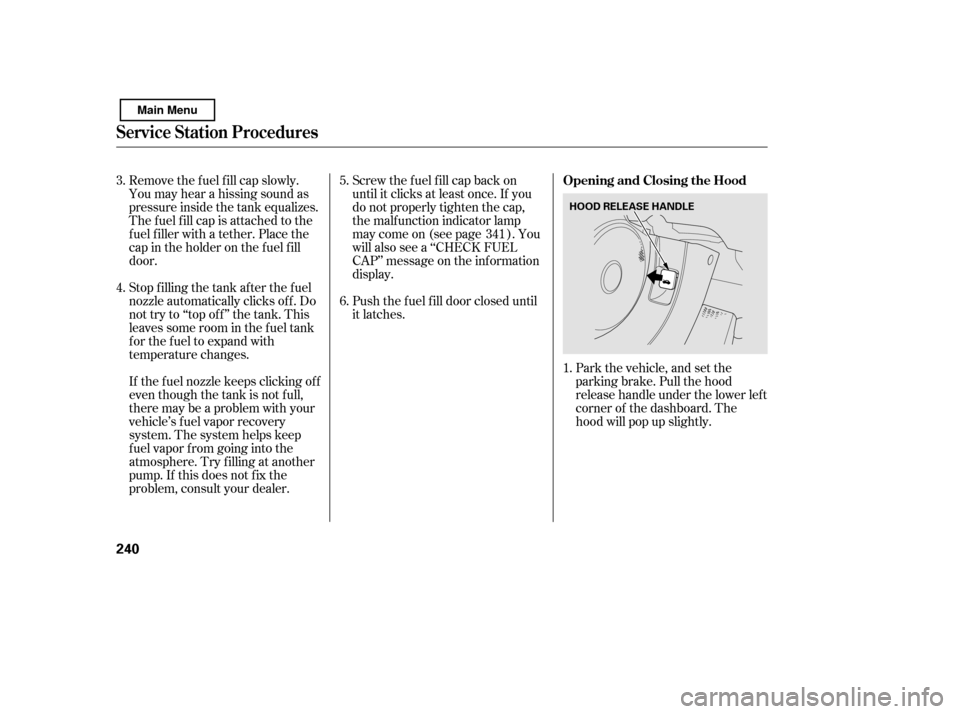
Park the vehicle, and set the
parking brake. Pull the hood
release handle under the lower lef t
corner of the dashboard. The
hood will pop up slightly.
Push the f uel f ill door closed until
it latches.
Remove the f uel f ill cap slowly.
You may hear a hissing sound as
pressure inside the tank equalizes.
The fuel fill cap is attached to the
f uel f iller with a tether. Place the
cap in the holder on the f uel f ill
door.
Stop f illing the tank af ter the f uel
nozzle automatically clicks of f . Do
not try to ‘‘top off’’ the tank. This
leaves some room in the f uel tank
for the fuel to expand with
temperature changes.
If thefuelnozzlekeepsclickingoff
even though the tank is not f ull,
there may be a problem with your
vehicle’s fuel vapor recovery
system. The system helps keep
f uel vapor f rom going into the
atmosphere. Try f illing at another
pump. If this does not f ix the
problem, consult your dealer. Screw the f uel f ill cap back on
until it clicks at least once. If you
do not properly tighten the cap,
the malf unction indicator lamp
maycomeon(seepage ).You
will also see a ‘‘CHECK FUEL
CAP’’ message on the inf ormation
display.
1.
5. 6.
4.
3.
341
Service Station Procedures
Opening and Closing the Hood
240
HOOD RELEASE HANDLE
Main Menu
Page 245 of 388
Wait a f ew minutes af ter turning the
engine of f bef ore you check the oil.
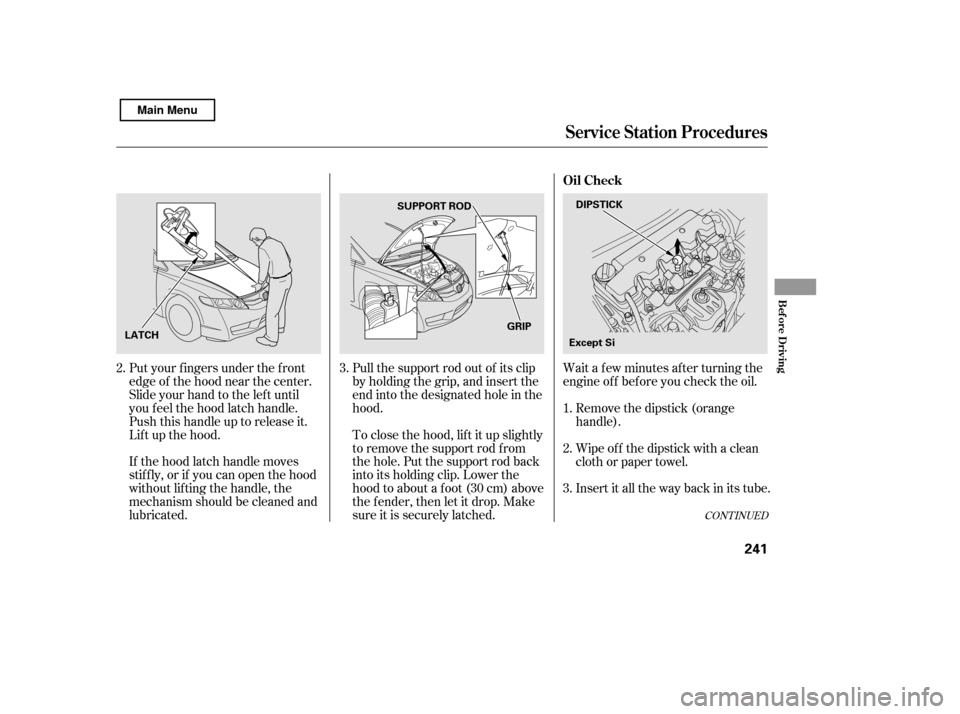
Put your f ingers under the f ront
edge of the hood near the center.
Slide your hand to the lef t until
you f eel the hood latch handle.
Push this handle up to release it.
Lif t up the hood.
If the hood latch handle moves
stif f ly, or if you can open the hood
without lifting the handle, the
mechanism should be cleaned and
lubricated. Pull the support rod out of its clip
by holding the grip, and insert the
end into the designated hole in thehood.
To close the hood, lif t it up slightly
to remove the support rod f rom
the hole. Put the support rod back
into its holding clip. Lower the
hood to about a f oot (30 cm) above
the fender, then let it drop. Make
sure it is securely latched.
Remove the dipstick (orange
handle).
Insert it all the way back in its tube.
Wipe of f the dipstick with a clean
cloth or paper towel.
3.
1. 2.
3.
2.
CONT INUED
Service Station Procedures
Oil Check
Bef ore Driving
241
DIPSTICK
SUPPORT ROD
LATCH GRIP
Except Si
Main Menu