Page 225 of 400

Your vehicle’s audio system will
disable itself if it is disconnected
f rom electrical power f or any reason.
To make it work again, you must
enter a specif ic code using the preset
buttons (icons on vehicle’s with
navigation system). Because there
are hundreds of number
combinations possible f rom specif ic
digits, making the system work
without knowing the exact code is
nearly impossible.If your vehicle’s battery is
disconnected or goes dead, the audio
system will disable itself . If this
happens, you will see ‘‘ENTER
CODE’’ in the f requency display the
nexttimeyouturnonthesystem.
Use the preset buttons (icons on
vehicles with navigation system) to
enter the code. The code is on the
radio code card included in your
owner’s manual kit. When it is
entered correctly, the radio will start
playing.
If you lose the card, you must obtain
the code number f rom a dealer. To
do this, you will need the system’s
serial number.
Youshouldhavereceivedacardthat
lists your audio system’s code and
serial numbers. It is best to store this
card in a saf e place at home. In
addition, you should write the audio
system’s serial number in this owner’s
manual. The system will retain your AM and
FM presets even if power is
disconnected.
If you make a mistake entering the
code, do not start over; complete the
sequence, then enter the correct
code. You have 10 tries to enter the
correct code. If you are unsuccessf ul
in 10 attempts, you must then leave
the system on f or 1 hour bef ore
trying again.
On models with audio system
Radio T hef t Prot ect ion
Features
221
Main Menu
Page 226 of 400

Change the hours by pressing the H
(preset 1) button until the numbers
advance to the desired time. Change
the minutes by pressing the M
(preset 2) button until the numbers
advance to the desired time.For example: 1:06 will reset to 1:001:52 will reset to 2:00
To set the time, press the CLOCK
(AM/FM) button until the displayed
time begins to blink, then release the
button.
Press the CLOCK (AM/FM) button
again to enter the set time.
You can quickly set the time to the
nearest hour. If the displayed time is
bef ore the half hour, pressing the
CLOCK (AM/FM) button until you
hear a beep, then pressing the R
(preset 3) button sets the clock back
to the previous hour. If the displayed
time is af ter the half hour, the clock
sets f orward to the beginning of the
next hour.
The navigation system receives
signals f rom the global positioning
system (GPS), and the displayed
time is updated automatically by the
GPS. Ref er to the navigation system
manual f or how to adjust the time.
On models with navigation system
On models without navigation system
Setting the Clock
222
CLOCK BUTTON
H (HOUR)
BUTTON R (RESET)
BUTTON H (HOUR)
BUTTONR (RESET)
BUTTON
CLOCK BUTTON
EX, EX-L and Si models
M (MINUTE) BUTTON M (MINUTE) BUTTON
Optional for U.S. DX model
U.S. LX, and Canadian DX-G and
SE models
Main Menu
Page 231 of 400
�µ�µ
Bluetooth
handsf reelink.honda.
com
On models with navigation systemHandsFreeLink(HFL)
allows you to place and receive
phone calls using voice commands,
without handling your cell phone.
To use HFL, you need a Bluetooth-
compatible cell phone. For a list of
compatible phones, pairing
procedures, and special f eature
capabilities:
In the U.S., visit or call (888) 528-7876.
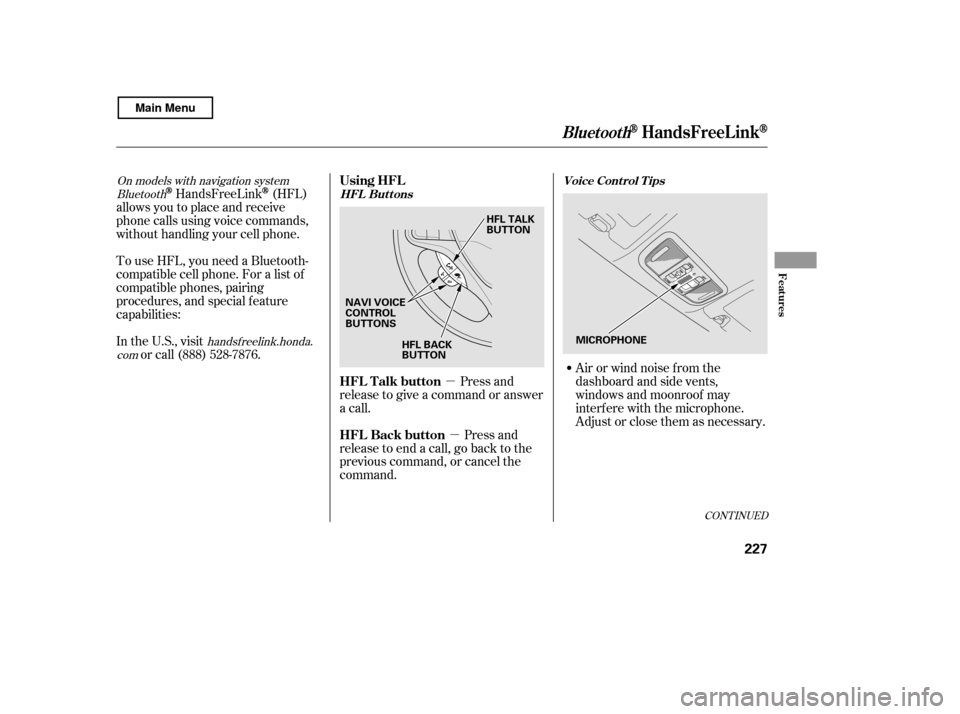
Press and
release to give a command or answer
a call.
Press and
release to end a call, go back to the
previous command, or cancel the
command. Airorwindnoisefromthe
dashboard and side vents,
windows and moonroof may
interf ere with the microphone.
Adjust or close them as necessary.
CONT INUED
Using HFL
HFL Talk button
HFL Back button
HFL Buttons
Voice Cont rol T ips
BluetoothHandsFreeL ink
Features
227
NAVI VOICE
CONTROL
BUTTONS
HFL BACK
BUTTON HFL TALK
BUTTON
MICROPHONE
Main Menu
Page 232 of 400
�Ì�Ì�Ì�Ì
Press and release the HFL Talk
button each time you want to
make a command. Af ter the beep,
speak in a clear, natural tone.
Try to reduce all background
noise. If the microphone picks up
voices other than yours,
commands may be misinterpreted. Many commands can be spoken
together. For example, you can
say ‘‘Call 123-456- ’’ or
‘‘Dial Peter.’’
When HFL is in use, navigation
voice commands cannot be
recognized.
To change the volume level of
HFL, use the audio system volume
knob or the steering wheel volume
controls.To hear general HFL inf ormation,
including help on pairing a phone
or setting up the system, say
‘‘Tutorial.’’
For help at any time, including a
list of available commands, say
‘‘Hands f ree help.’’
Help Feat ures
BluetoothHandsFreeL ink
228
Main Menu
Page 233 of 400
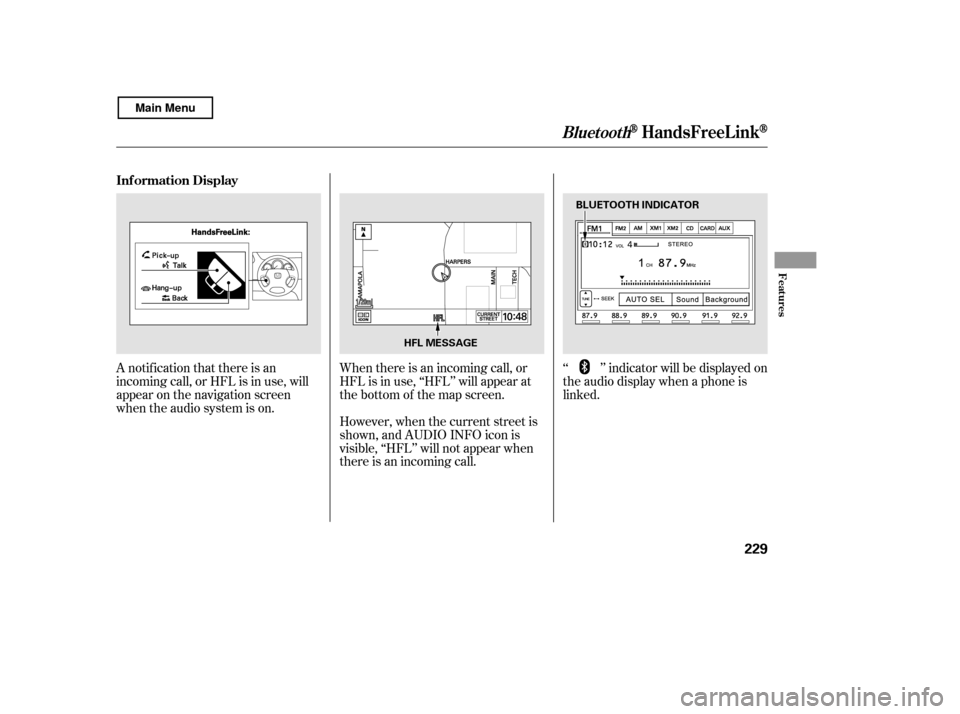
A notif ication that there is an
incoming call, or HFL is in use, will
appear on the navigation screen
when the audio system is on.‘‘ ’’ indicator will be displayed on
the audio display when a phone is
linked.
When there is an incoming call, or
HFL is in use, ‘‘HFL’’ will appear at
the bottom of the map screen.
However, when the current street is
shown, and AUDIO INFO icon is
visible, ‘‘HFL’’ will not appear when
there is an incoming call.
Inf ormation Display
BluetoothHandsFreeL ink
Features
229
HFL MESSAGE
BLUETOOTH INDICATOR
Main Menu
Page 247 of 400
(available on some phones)handsf reelink.honda.
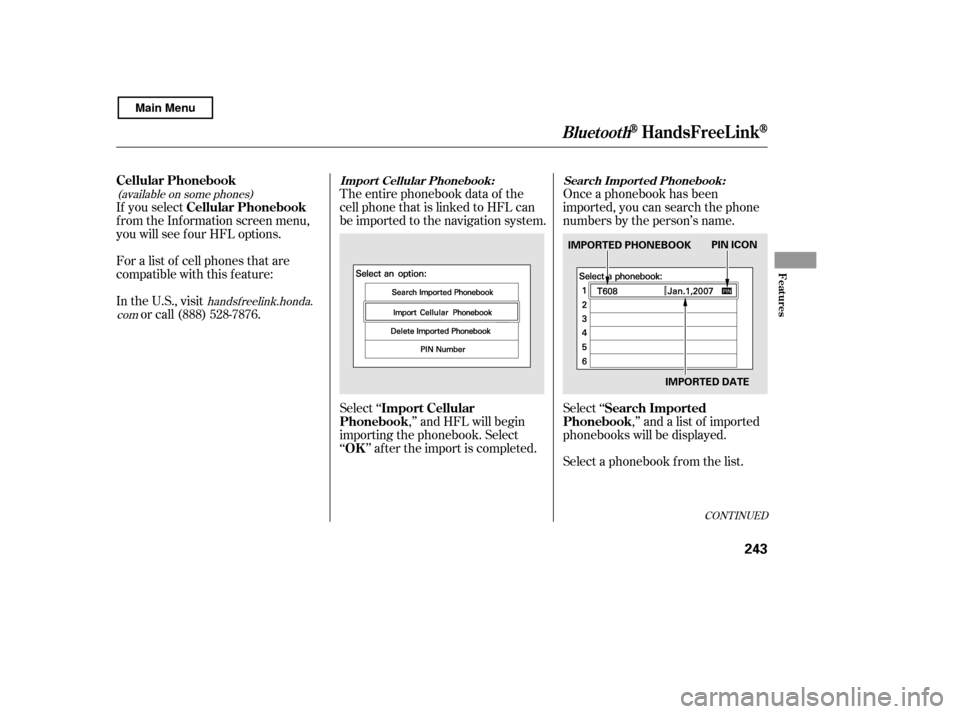
comThe entire phonebook data of the
cell phone that is linked to HFL can
be imported to the navigation system.
Select ‘‘ ,’’ and HFL will begin
importing the phonebook. Select
‘‘ ’’ af ter the import is completed. Once a phonebook has been
imported, you can search the phone
numbers by the person’s name.
Select ‘‘
,’’ and a list of imported
phonebooks will be displayed.
Select a phonebook f rom the list.
If you select
f rom the Inf ormation screen menu,
you will see f our HFL options.
For a list of cell phones that are
compatible with this f eature:
In the U.S., visit
or call (888) 528-7876.
CONT INUED
Cellular Phonebook
Import Cellular
Phonebook
OK Search Imported
Phonebook
Cellular PhonebookImport Cellular Phonebook: Search Import ed Phonebook:
BluetoothHandsFreeL ink
Features
243
IMPORTED DATE
PIN ICON
IMPORTED PHONEBOOK
Main Menu
Page 338 of 400

�µ
If you need to connect the battery to
a charger, disconnect both cables to
prevent damaging your vehicle’s
electrical system. Always disconnect
the negative ( ) cable first, and
reconnect it last. If your vehicle’s battery is
disconnected or goes dead, the audio
system may disable itself . The next
timeyouturnontheradio,youwill
see ‘‘ENTER CODE’’ in the
f requency display. Use the preset
buttons to enter the code (see page
). The navigation system will also
disableitself.Thenexttimeyouturn
on the ignition switch, the system
will require you to enter a PIN
bef ore it can be used. Ref er to the
navigation system manual.
If your vehicle’s battery is
disconnected, or goes dead, the time
setting may be lost. To reset the time,
see page . 221
222
On models with navigation system
Checking the Battery
334
The battery gives off explosive
hydrogen gas during normaloperation.
A spark or flame can cause the
battery to explode with enough
force to kill or seriously hurt you.
Wear protective clothing and a
face shield, or have a skilled
technician do the batterymaintenance.
Main Menu
Page 387 of 400

T he publications shown below can be purchased f rom Helm
Incorporated. You can order by phone or online:Call Helm Inc. at 1-800-782-4356 (credit card orders only)
Go online at
If you are interested in other years or models, contact Helm Inc.
at 1-800-782-4356.Covers maintenance and recommended procedures f or
repair to engine and chassis components. It is written
f or the journeyman mechanic, but it is simple enough
f or most mechanically inclined owners to understand.
Complements the Service Manual by providing in-depth
troubleshooting inf ormation f or each electrical circuit
in your vehicle.
Describes the procedures involved in the replacement
of damaged body parts.
Purchasing Factory Authorized Manuals (U.S. only) Service Manu
al:
Electrical T roubleshooting Manual:
Body Repair Manual:
Authorized Manuals
Authorized Manuals
383
Form Description
2011 Honda Civic 2/4 door Service Manual 2006-2011 Honda Civic 2/4 door
Electrical Troubleshooting Manual
2006-2011 Model Series Honda Civic 2/4 door Body Repair Manual
2011 Honda Civic 2-door Owner’s Manual
2011 Honda Civic Navigation System Manual 2011 Honda Civic Honda Service History
2011 Honda Civic 2-door Technology Reference Guide Order Form for Previous Years
Indicate Year and Model Desired
Publication
Form Number
61SNA0C
61SNA0CEL
61SNA30
31SVA650
31SNA840
31SNAM50 31SVAQ50 HON-R
www.helminc.com
Main Menu