Page 146 of 400
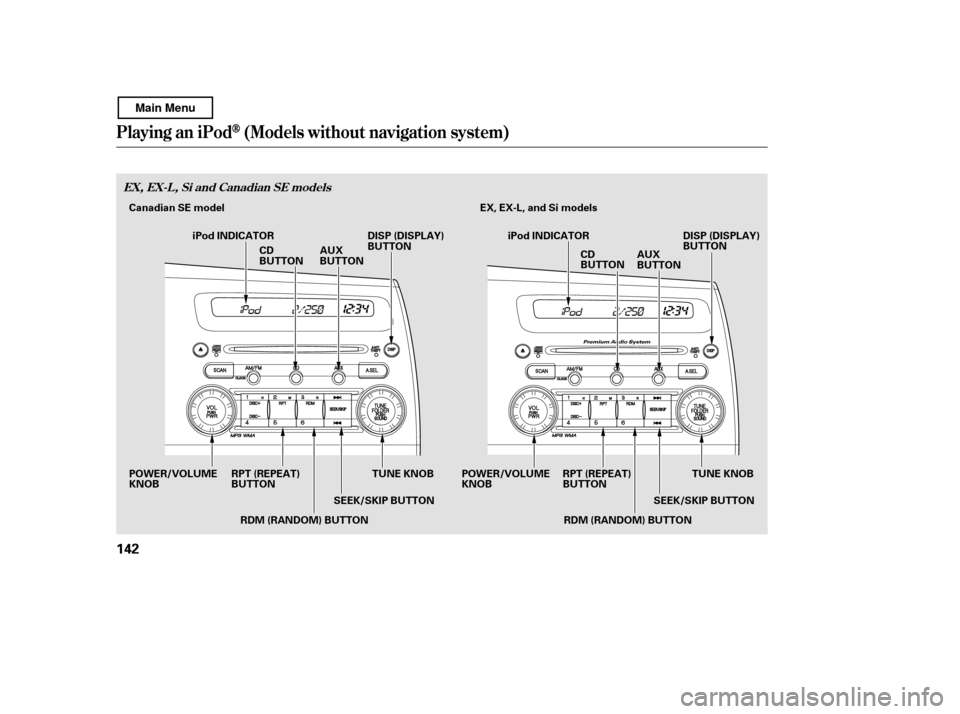
Playing an iPod(Models wit hout navigat ion syst em)
EX, EX-L, Si and Canadian SE models
142
TUNE KNOB
SEEK/SKIP BUTTON EX, EX-L, and Si models
RPT (REPEAT)
BUTTON
POWER/VOLUMEKNOB DISP (DISPLAY)
BUTTON
iPod INDICATOR
TUNE KNOB
DISP (DISPLAY)
BUTTON
iPod INDICATOR
CD
BUTTONAUX
BUTTON
POWER/VOLUMEKNOB
AUX
BUTTON
CD
BUTTON
SEEK/SKIP BUTTON
RPT (REPEAT)
BUTTON
RDM (RANDOM) BUTTON
RDM (RANDOM) BUTTON
Canadian SE model
Main Menu
Page 149 of 400

�µ
�¼
CONT INUED
If the iPod indicator does not appear
in the audio display, check the
connections, and try to reconnect the
iPod a f ew times.
If the audio system still does not
recognize the iPod, the iPod may
need to be reset. Follow the
instructions that came with your
iPod, or you can f ind reset
instructions online at Each time you press the DISP button,
the display mode switches between
the album name, the song/track
name, the artist name, or name of f
(which turns off the text display).
The display shows up to 16
characters of the selected data. If the
text data has more than 17
characters, you will see the f irst 15
characters and the indicator in
the display. Press and hold the DISP
button until the next 16 characters
are shown.
If youpressandholdtheDISP
button again, the display shows the
f irst 15 characters again.You can use the SEEK/SKIP button
while an iPod is playing to select
passages and change f iles.
Each time you press and
releasethe sideof theSEEK/
SKIP button, the system skips
f orward to the beginning of the next
f ile. Press and release the side
of thebuttontoskipbackwardtothe
beginning of the current f ile. Press it
againtoskiptothebeginningof the
previous f ile.
To move rapidly within a f ile, press
andholdeitherside( or )
of the SEEK/SKIP button.
www.apple.com/
itunes/
Playing an iPod(Models wit hout navigat ion syst em)
T ext Dat a Display Funct ion T o Change or Select Files
SK IP
Features
145
Main Menu
Page 150 of 400
�µ
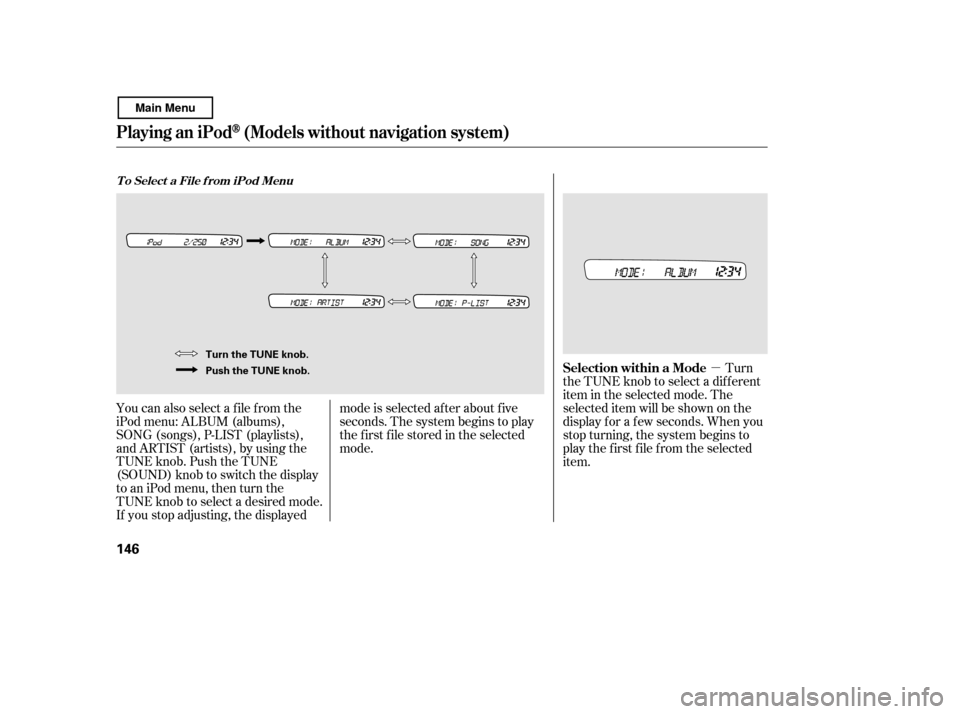
You can also select a f ile f rom the
iPod menu: ALBUM (albums),
SONG (songs), P-LIST (playlists),
and ARTIST (artists), by using the
TUNE knob. Push the TUNE
(SOUND) knob to switch the display
to an iPod menu, then turn the
TUNE knob to select a desired mode.
If you stop adjusting, the displayed mode is selected af ter about f ive
seconds. The system begins to play
the f irst f ile stored in the selected
mode.
Turn
the TUNE knob to select a dif f erent
item in the selected mode. The
selected item will be shown on the
display f or a f ew seconds. When you
stop turning, the system begins to
play the first file from the selected
item.
Playing an iPod(Models wit hout navigat ion syst em)
T o Select a File f rom iPod Menu
Selection within a Mode
146
Turn the TUNE knob.
Push the TUNE knob.
Main Menu
Page 151 of 400

�µ
CONT INUED
For example, with the album mode
selected, turn the TUNE knob right
or lef t to select a dif f erent album.
Turn to the right to skip to the next
album, and turn to the left to skip to
the previous album. When the album
is selected, the system begins to play
the f irst song on that album. With
the artist mode, turning the knob
selects a dif f erent artist.If you select ‘‘ALL,’’ all available f iles
on the selected menu (album or
artist) are played.
If you press and release the TUNE
(SOUND) knob repeatedly, the
display switches f rom the iPod menu
to the sound settings (see page ).You can select any type of repeat and
shuf f le modes by using the RPT and
RDM buttons.
This
f eature continuously plays a f ile. To
activate repeat, press and release the
RPT button. You will see RPT in the
display. Press the button again to
turn it off.
Pressing either side of the SEEK/
SKIP button or turning the TUNE
knob changes the f ile while keeping
the repeat f eature.
128
Playing an iPod(Models wit hout navigat ion syst em)
T o Select Repeat or Random Mode:
RPT (Repeat one track)
Features
147
Main Menu
Page 152 of 400
�µ�µ
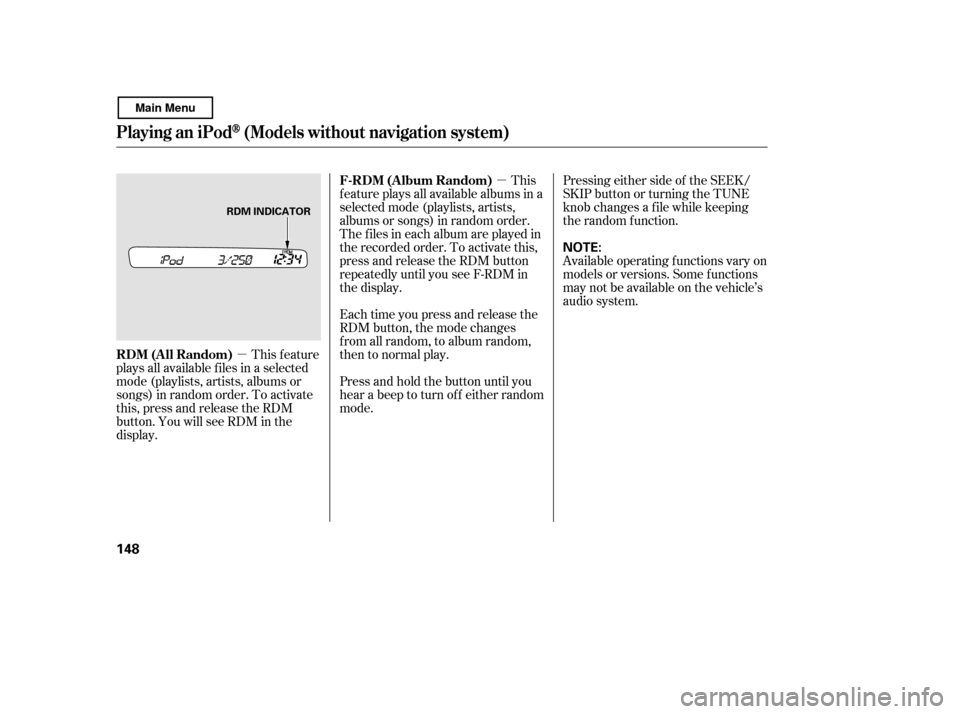
This feature
plays all available f iles in a selected
mode (playlists, artists, albums or
songs) in random order. To activate
this, press and release the RDM
button. You will see RDM in the
display. This
feature plays all available albums in a
selected mode (playlists, artists,
albums or songs) in random order.
The f iles in each album are played in
the recorded order. To activate this,
press and release the RDM button
repeatedly until you see F-RDM in
the display.
Each time you press and release the
RDM button, the mode changes
f rom all random, to album random,
then to normal play.
Press and hold the button until you
hear a beep to turn off either random
mode. Pressing either side of the SEEK/
SKIP button or turning the TUNE
knob changes a f ile while keeping
the random f unction.
Available operating f unctions vary on
models or versions. Some f unctions
may not be available on the vehicle’s
audio system.
Playing an iPod(Models wit hout navigat ion syst em)
RDM (All Random)
F-RDM (Album Random)
148
NOTE:
RDM INDICATOR
Main Menu
Page 153 of 400

�Î
�Î
You can disconnect the iPod at any
time when you see the ‘‘OK to
disconnect’’ message in the iPod
display. With the AUX mode, you will
see a ‘‘USB NO DATA’’ message in
the display. Always make sure you
see the ‘‘OK to disconnect’’ in the
iPod display bef ore you disconnect it.
Make sure to f ollow the iPod’s
instructions on how to disconnect
the dock connector f rom the USB
adapter cable.
The displayed message may
vary on models or versions. On
some models, there is no
message to disconnect.
If you reconnect the same iPod, the
system may begin playing where it
lef t of f , depending on what mode the
iPod is in when it is reconnected. If you see an error message in the
display, see page .
To play the radio, press the AM/FM
button. Press the CD button to
switch to the disc mode (if a disc is
loaded). Pressing the AUX button
switches the audio mode between
the USB and AUX.
You can also press the MODE
buttononthesteeringwheelto
change modes.
: 150
Playing an iPod(Models wit hout navigat ion syst em)
T o Stop Playing Your iPod
iPodError MessagesDisconnect ing an iPod
Features
149
Main Menu
Page 154 of 400

If you see an error message on the
audio display while playing an iPod,
f ind the solution in the chart to the
right. If you cannot clear the error
message, take your vehicle to your
dealer.Solution
Error Message Cause
There is problem with the USB adapter unit.
Disconnect the device. Then, turn the audio
systemoff,andturnitonagain.Donot
reconnect the device that caused the error.
Appears when the iPod is empty. Store some
f iles in the iPod.
Appears when an unsupported iPod is
connected. See page 143 f or specif ication
informationoniPods.If itappearswhena
supported iPod is connected, update the iPod
software to the newer version.
Appears when the system dose not
acknowledge the iPod. Reconnect the iPod.
USB ROM Error
Appears when an
incompatible device is
connected.
No files in iPod
Use of unsupported
iPod
Recognition f ailure of
iPod
iPodError Messages (Models without navigation system)
150
USB ERROR
BAD USB
DEVICE
PLEASE CHECK OWNERS
MANUAL
iPod NO SONG
UNSUPPORTED VER.
CONNECT RETRY
Main Menu
Page 155 of 400
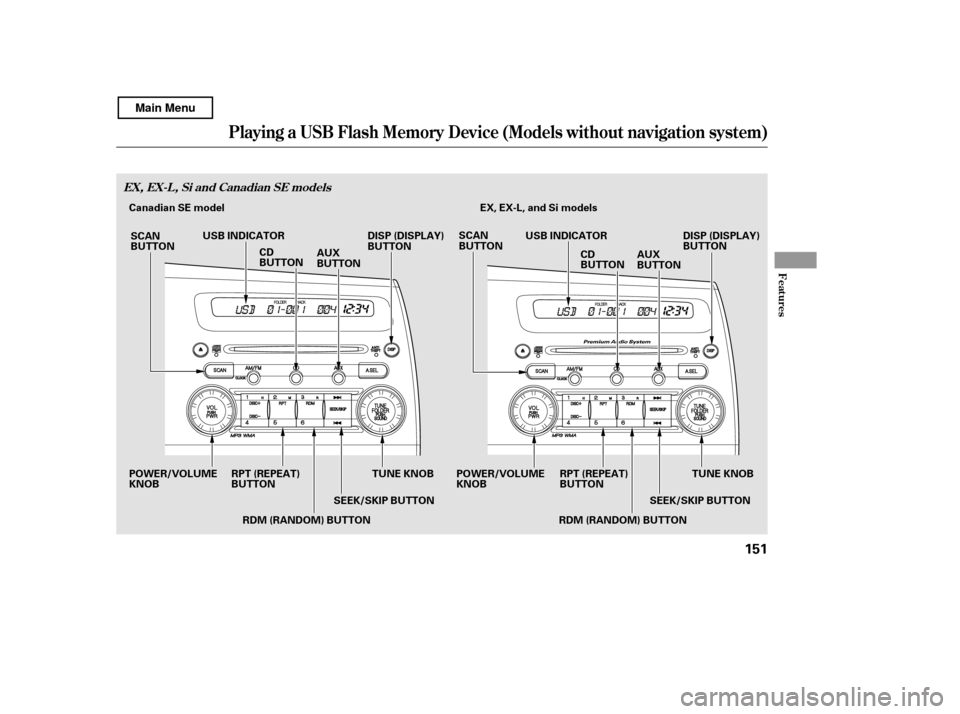
Playing a USB Flash Memory Device (Models without navigat ion system)
Features
EX, EX-L, Si and Canadian SE models
151
TUNE KNOB
SEEK/SKIP BUTTON EX, EX-L, and Si models
RPT (REPEAT)
BUTTON
POWER/VOLUMEKNOB DISP (DISPLAY)
BUTTON
TUNE KNOB
DISP (DISPLAY)
BUTTON
CD
BUTTON AUX
BUTTON
USB INDICATOR
USB INDICATOR
SCAN
BUTTON SCAN
BUTTON
AUX
BUTTON
CD
BUTTON
RDM (RANDOM) BUTTON RPT (REPEAT)
BUTTON
POWER/VOLUMEKNOB
RDM (RANDOM) BUTTONSEEK/SKIP BUTTON
Canadian SE model
Main Menu